
For most teens, Arduino delivers faster, more tangible wins in physical computing and electronics fundamentals, while Raspberry Pi excels at software-intensive projects and computational thinking. The arduino vs raspberry pi for teens debate isn't about which is "better"—it's about matching your teenager's current interests and learning trajectory to the right platform. This comparison breaks down technical requirements, skill outcomes, and progressive learning paths so you can choose the platform that builds industry-relevant capabilities your teen can actually use.
I'll walk you through compatibility requirements, hands-on vs screen-based learning trade-offs, and how each platform prepares your teenager for different STEM career pathways. You'll leave knowing exactly which investment fits your home lab setup and your teen's developmental readiness.
Quick Comparison
| Criterion | Arduino | Raspberry Pi |
|---|---|---|
| Primary Focus | Electronics, sensors, physical computing, embedded systems | Software development, general computing, Python programming, AI/ML projects |
| Screen Time | Minimal—mostly hardware manipulation, brief code uploads | Significant—full desktop environment, extended coding sessions |
| Technical Barrier | Lower—plug-and-play sensors, immediate physical feedback | Higher—Linux familiarity helpful, troubleshooting OS issues common |
| Skill Outcomes (15-17 year olds) | Circuit design, sensor integration, C++ fundamentals, real-time control systems | Python fluency, web development, database management, computer vision basics |
| Industry Prep | Embedded systems engineering, IoT device programming, robotics firmware | Software engineering, data science, full-stack development, machine learning |
| Cost to Capability | Starter kit around $50-$80, expandable with individual sensors ($5-$30 each) | Board around $55-$100, requires monitor/keyboard/mouse unless using headless setup |
Screen Time vs Hands-On Learning Balance
When you're weighing arduino vs raspberry pi for teens, the screen time differential matters more than most comparison articles acknowledge. Arduino keeps your teenager's hands on physical components for 70-80% of project time—they're wiring breadboards, soldering headers, calibrating sensors, and watching LEDs respond to their code. The actual programming happens in short bursts: write a function, upload it to the board, test the physical output, iterate.
Your teen spends maybe 20 minutes coding, then an hour building the circuit and fine-tuning sensor placement. That tactile loop reinforces cause-and-effect learning in ways pure software can't match.
Raspberry Pi flips that ratio. Your teenager sits at a screen running a full Linux desktop environment, debugging Python scripts, managing file systems, and troubleshooting software dependencies. It's closer to professional software development—which absolutely has value—but it eliminates the immediate physical feedback that helps concrete thinkers grasp abstract programming concepts. If your teen already struggles with sustained screen focus or gets frustrated when code doesn't produce visible results quickly, Arduino's tangible outputs offer guilt-free learning momentum.
Lab Specs for Arduino: The Arduino Uno Rev3🛒 Amazon runs on 5V via USB or 7-12V DC adapter (included in most starter kits). No operating system to maintain, no display required. Code uploads in seconds from Arduino IDE (free, compatible with Windows 10/11, macOS 10.15+, Linux Ubuntu 18.04+). Offline-capable—write and test code without internet once IDE is installed. Durability is excellent for repeated student use; accidentally reversing polarity might blow the voltage regulator (replaceable for around $2), but the microcontroller itself tolerates beginner mistakes well.
Lab Specs for Raspberry Pi: The Raspberry Pi 5 8GB🛒 Amazon requires 5V/5A USB-C power supply (official adapter strongly recommended—cheap third-party supplies cause intermittent crashes). Needs microSD card (minimum 32GB Class 10), monitor, HDMI cable, USB keyboard and mouse for initial setup. Runs Raspberry Pi OS (Debian Linux-based, free). Internet-dependent for package installations and updates. Cloud-optional for advanced projects (IoT dashboards, remote access), but core functionality works offline. Durability concern: SD card corruption from improper shutdowns is common with teen users who forget the shutdown procedure—budget for backup cards.
For detailed guidance on building a complete workspace, see our home STEM lab setup checklist for teens.
Programming Language Pathways and Career Readiness
Arduino uses a simplified version of C++, compiled and uploaded to the microcontroller's limited memory (32KB on Uno). This constraint teaches resource-efficient coding—your teen can't bloat their program with unused libraries or sloppy loops because the board literally won't accept it. They learn to write tight, purposeful code that does one thing well. That's exactly how embedded systems engineers work in automotive, medical device, and aerospace industries where memory is precious and reliability is non-negotiable.
The Arduino IDE supports drag-and-drop block coding for beginners (Arduino Lab for MicroPython, Scratch extensions), but serious projects require text-based C++ within 10-15 hours of platform use. Your teenager will encounter pointers, data types, and memory management—foundational computer science concepts that transfer directly to university-level coursework.
Raspberry Pi runs Python natively, the industry standard for data science, machine learning, web backends, and scientific computing. Your teen writes and executes code in a familiar desktop environment using Thonny (beginner-friendly), IDLE, or VS Code. They access the full Python ecosystem: NumPy for data analysis, OpenCV for computer vision, Flask for web servers, TensorFlow Lite for on-device AI. This is professional-grade tooling—the same libraries data scientists use at Google, research labs, and biotech companies.
If your teenager wants to explore how to teach kids AI and machine learning, Raspberry Pi's computational horsepower makes it feasible. Arduino can't train neural networks or process video streams; it excels at controlling things in the physical world, not analyzing large datasets.
Neither platform requires subscriptions for core functionality. Arduino IDE is open-source and free forever. Raspberry Pi OS and all standard Python libraries are free. Consumable costs are minimal: you'll replace breadboard jumper wires (around $8 for 200 pieces) and LEDs (around $0.10 each) as they inevitably get lost or damaged. Both platforms integrate into progressive STEM learning paths that scale from beginner tutorials to competition-level builds.
Hardware Expandability and Real-World Applications
When comparing arduino vs raspberry pi for teens through the lens of expandability, Arduino wins for sensor ecosystem breadth and plug-and-play compatibility. Grove systems, Adafruit breakout boards, and SparkFun sensors use standardized connectors—your teen plugs in a soil moisture sensor, temperature/humidity module, or ultrasonic distance sensor without soldering. Upload example code, see readings in the serial monitor, done.
This makes Arduino perfect for renewable energy science fair projects that need solar panel voltage monitoring, wind speed sensing, or battery charge tracking. The real-time control capabilities let your teen build a maximum power point tracker or automated sun-following mount—projects that teach electrical engineering principles through hands-on iteration.
Raspberry Pi's GPIO pins can interface with sensors too, but the 3.3V logic level creates compatibility headaches (most Arduino sensors run 5V), and there's no built-in analog input. Your teenager needs to add an ADC (analog-to-digital converter) chip for basic temperature or light sensing, introducing circuit complexity that distracts from the core project. Where Raspberry Pi shines is computational projects that need processing power: analyzing environmental data from citizen science monitoring kits, hosting a local web dashboard for water quality testing results, or running computer vision algorithms to identify invasive plant species in field photos.
Arduino expandability follows a modular shield system—LCD displays, motor drivers, GPS modules, and Ethernet adapters stack directly onto the main board. Your teen builds a weather station that logs data to SD card, or a line-following robot for advanced robotics competitions, by adding one shield at a time. Each addition teaches a new subsystem: serial communication protocols (I2C, SPI), interrupt handling, multi-tasking basics.
Raspberry Pi expandability is software-driven. Your teenager connects USB peripherals (webcams, microphones, game controllers), installs packages with a terminal command, and suddenly has access to capabilities Arduino can't touch—running multiple programs simultaneously, streaming video over network, storing gigabytes of sensor data. For STEM challenges that require data collection and analysis, Raspberry Pi eliminates the separate computer step entirely.
Compatibility note: Arduino works seamlessly with most robotics kits designed for progressive skill building. Raspberry Pi requires kits explicitly designed for its GPIO pinout and Linux OS—check compatibility before purchasing. For guidance on platform-specific robotics progression, see Arduino robotics kits for kids or LEGO Mindstorms vs VEX comparison.
Cost Architecture and Long-Term Investment Value
The upfront cost difference between arduino vs raspberry pi for teens is negligible—both starter kits hover around $60-$100. The long-term cost trajectory diverges based on project scope and failure modes.
Arduino's per-project cost is predictable and granular. Your teen wants to build a temperature-controlled fan? Add a DHT22 sensor (around $5), a relay module (around $4), and a 12V fan (around $8). Total incremental cost: roughly $17. Project fails or gets abandoned? You've lost $17, and the sensors can be reused in the next build. Replacement boards cost around $25 for genuine Arduino Uno or $8-$12 for functionally identical clones. This low-stakes environment encourages experimental learning—your teenager isn't afraid to try something risky because failure doesn't mean replacing a $100 computer.
Raspberry Pi projects often require larger, less reusable investments. Building a smart mirror? You need a two-way mirror panel (around $40-$80), dedicated monitor (around $80-$120), custom frame materials. The Raspberry Pi is a small part of total project cost, but failed projects leave you with single-purpose components that don't transfer to other builds. The board itself is more fragile—SD card corruption from power loss during writes can brick the system until you reflash the card, and GPIO pin damage from accidental 5V input (easy mistake for beginners) can destroy the board entirely.
Value proposition: Arduino teaches debugging through iteration at low financial stakes. Raspberry Pi teaches system administration and software architecture but requires greater supervisory support to prevent costly mistakes. For middle school students new to electronics, Arduino's forgiving cost structure supports independent exploration better.
Neither platform locks you into consumable subscriptions, but online tutorials and project libraries differ substantially. Arduino benefits from 15+ years of community documentation—nearly every beginner mistake has a forum post explaining the fix. Raspberry Pi's rapid hardware evolution (Pi 3, 4, 5, Zero variants) means tutorials written for older models often require adaptation. Your teen will spend more time troubleshooting OS-level issues ("Why won't this Python library install?") with Raspberry Pi compared to Arduino's simpler software stack.
Who Should Choose Arduino
Choose Arduino if your teenager:
- Prefers working with their hands and gets frustrated by long software debugging sessions
- Wants to build robotics projects, sensor networks, or electronics that interact with the physical world
- Plans to pursue mechanical engineering, electrical engineering, or embedded systems careers
- Needs screen-time limits but should still develop coding skills
- Struggles with abstract concepts but thrives when code produces immediate visible results (LEDs light up, motors spin, servos move)
Arduino fits naturally into progressive learning paths that start with screen-free coding and advance to microcontroller programming. If your teen has already mastered basic circuits and wants to add programmability, Arduino is the logical next step. It's the platform I recommend when parents ask, "How do I keep my teenager engaged in STEM without adding another screen-based activity to their day?" The tactile feedback loop keeps hands busy and minds focused without the dopamine drain of scrolling or gaming.
Who Should Choose Raspberry Pi
Choose Raspberry Pi if your teenager:
- Already has strong computer comfort and wants to learn Linux, Python, or web development
- Plans data science, software engineering, AI research, or computational biology career paths
- Needs a platform for media projects, home automation, or networked applications
- Benefits from having a dedicated learning computer separate from family devices (lets them experiment with system settings without consequences)
- Wants to work on citizen science projects requiring data analysis or machine learning
Raspberry Pi is better for self-directed learners who can tolerate troubleshooting OS issues and reading documentation to solve problems independently. It's a full computer, which means your teenager gets stuck on the same problems professional developers face—library version conflicts, permission errors, network configuration bugs. That's valuable learning, but it requires patience and stronger reading comprehension than Arduino's simpler error messages. For teens planning to study computer science in college, that early exposure to Linux environments pays dividends when freshman coursework assumes basic terminal fluency.
If you're building a dedicated home STEM lab, Raspberry Pi can serve double duty as both the learning platform and the lab computer (running CAD software for 3D printing projects, hosting project documentation, controlling environmental sensors). Arduino requires a separate computer for programming but takes up negligible desk space once deployed.
Frequently Asked Questions
Can a 13-year-old learn Arduino or Raspberry Pi without prior coding experience?
Yes, both platforms support absolute beginners, but Arduino's learning curve is gentler for teens without coding background. Block-based programming environments like Arduino Lab for MicroPython let your 13-year-old drag visual code blocks that immediately control physical components—flash an LED, read a temperature sensor—without syntax errors derailing progress. Raspberry Pi requires more foundational computer literacy (file systems, operating system concepts, keyboard shortcuts) before your teen can write their first working program, which can frustrate concrete thinkers who want to see results quickly. If your teenager has zero coding exposure, start with Arduino and transition to Raspberry Pi after they've built 5-10 successful projects that demystify how code translates to action. For detailed age-specific guidance, see Arduino vs Raspberry Pi for 12 year olds.
Do I need to buy a new Arduino or Raspberry Pi when my teen outgrows beginner projects?
No—both platforms scale from beginner to professional-grade work without hardware replacement. Arduino Uno remains relevant for advanced projects; professional engineers use it for industrial prototypes and production systems. Your teenager simply adds more sophisticated shields and sensors as their skills progress, or upgrades to specialized boards (Arduino Nano for compact builds, Arduino Mega for projects needing more input/output pins) while keeping all their existing knowledge and component libraries. Raspberry Pi similarly grows with your teen's capabilities—the same Pi 5 that runs beginner Python tutorials today can host machine learning models, web servers, or robotics control systems tomorrow. The limiting factor is your teenager's skill and imagination, not the hardware capabilities. For structured skill progression, consult our STEM learning path checklist that maps projects to capability milestones.
Which platform is better for science fair projects—Arduino or Raspberry Pi?
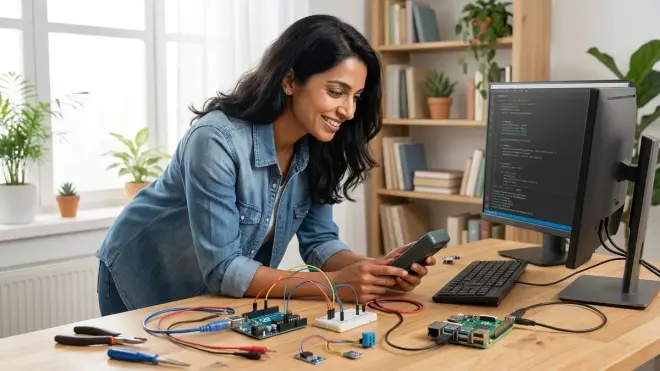
Arduino is generally better for hands-on science fair projects requiring sensor data collection, physical control systems, or real-time responsiveness, while Raspberry Pi excels at projects involving data analysis, machine learning, or computational modeling. If your teenager is building a renewable energy efficiency comparison using solar panel kits, Arduino's analog inputs and low power consumption make it ideal for continuous monitoring over weeks. If they're analyzing months of environmental data to identify pollution patterns or training a model to classify plant diseases from photos, Raspberry Pi's processing power and Python libraries handle those computational tasks that would overwhelm Arduino's limited memory. Many advanced fair projects actually use both—Arduino collects sensor data, Raspberry Pi processes and visualizes it—teaching your teen how professional distributed systems integrate specialized components. Our renewable energy science fair projects checklist walks through platform selection based on project requirements.
Bottom Line
The arduino vs raspberry pi for teens decision isn't about picking a winner—it's about matching your teenager's current developmental zone and career interests to the right learning tool. Arduino builds electronics intuition and embedded systems thinking through immediate physical feedback with minimal screen dependence. Raspberry Pi develops software architecture skills and computational reasoning using professional-grade tools and unlimited processing headroom.
Most teens eventually benefit from learning both platforms, but starting with the right one prevents frustration and builds confidence through early wins. Watch how your teenager approaches problems: if they'd rather take something apart to see how it works, start with Arduino. If they prefer reading documentation and logical troubleshooting, Raspberry Pi fits better. Both pathways lead to legitimate industry skills—embedded systems engineers and software developers both earn excellent livings solving fascinating problems. You're not limiting your teen's future by choosing one platform today; you're giving them a solid foundation to build genuine technical capability one project at a time.