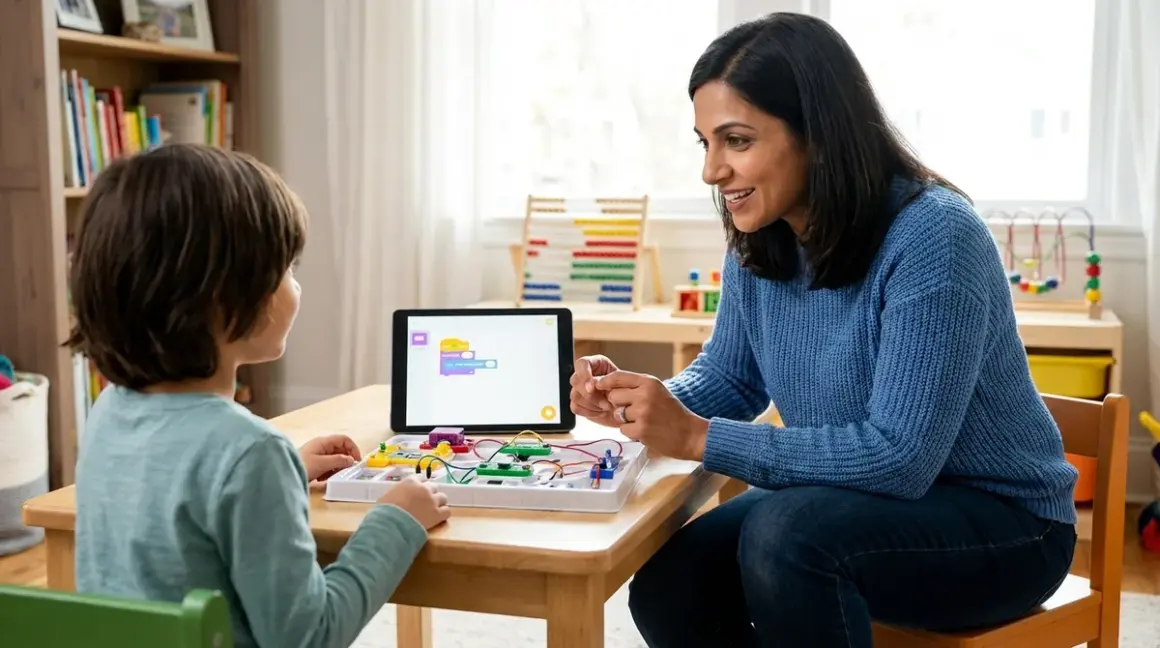

If you're wondering how to teach kids AI and machine learning without needing a computer science degree yourself, you're asking the right question at exactly the right time. Artificial intelligence has moved from science fiction to everyday tool—your child will use it throughout their education and career, regardless of their field. Teaching these concepts early builds critical thinking skills, computational reasoning, and comfort with the technologies shaping their future. This guide walks you through age-appropriate approaches, learning paths, and the specific tools that scaffold understanding from foundational concepts to functional coding skills.
What Is AI and Machine Learning for Kids?
When we talk about how to teach kids AI and machine learning, we're really discussing two interconnected concepts that build on each other. Artificial intelligence refers to computer systems that can perform tasks typically requiring human intelligence—recognizing images, understanding speech, making predictions, or playing games. Machine learning is the subset of AI where systems learn from data rather than following explicit programming instructions.
For children, these definitions need translation into observable phenomena. AI is what happens when your voice assistant understands your question, when a photo app recognizes faces, or when a recommendation algorithm suggests the next video. Machine learning is the process that makes these systems smarter over time—the system examines thousands of examples, identifies patterns, and builds rules that help it make decisions about new situations it hasn't seen before.
The pedagogical challenge here is moving students from passive consumers of AI ("my phone does this cool thing") to active investigators who understand the underlying logic ("the phone learned to do this by examining patterns in data, and I can build something similar"). This shift in perspective—from magic to mechanism—is what genuine AI education accomplishes. When children grasp that machine learning models are pattern-recognition systems trained on examples rather than explicitly programmed step-by-step, they've built the foundational schema for everything else in this domain.
How AI and Machine Learning Work: Building Student Understanding
I've watched hundreds of sixth-graders struggle with this exact misconception: they think machine learning means computers "think" like humans do, developing consciousness or understanding. Breaking that mental model early matters enormously for accurate comprehension.
Machine learning works through training, pattern recognition, and prediction. Here's the mechanism your child needs to understand, scaffolded appropriately:
The Training Process
A machine learning system starts with a dataset—a collection of examples with known outcomes. For image recognition, that might be thousands of photos labeled "cat" or "not cat." For a recommendation system, it's user behavior data showing what people watched after viewing specific content. The system examines these examples and identifies statistical patterns: "In images labeled 'cat,' these pixel arrangements appear frequently" or "Users who watch video A often watch video B next."
This training phase is where the learning happens. The system adjusts internal parameters (called weights in neural networks) to minimize prediction errors. It's an iterative process—the system makes predictions on training data, checks those predictions against known correct answers, calculates the error, and adjusts its parameters to reduce that error. This cycle repeats thousands or millions of times until the model's predictions become reliably accurate.
Pattern Recognition and Feature Extraction
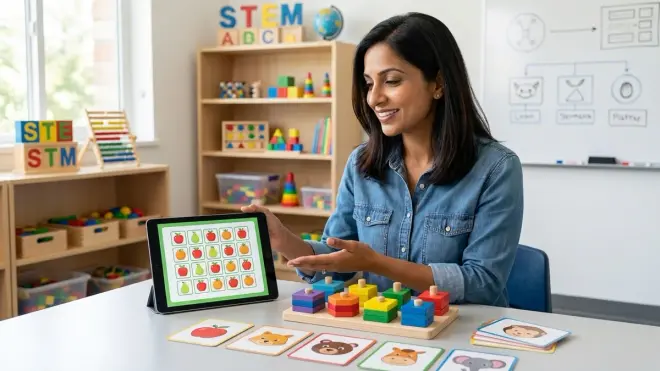
The system doesn't "understand" cats the way your child does. Instead, it identifies features—measurable characteristics like shapes, colors, textures, or numerical values—that correlate with the correct label. In supervised learning (the most common type for beginners), humans provide both the input data and the correct labels, teaching the system what to look for. In unsupervised learning, the system finds patterns without pre-labeled data, grouping similar items together.
For kids learning these concepts, hands-on activities work far better than abstract explanation. The Teachable Machine by Google platform (browser-based, free, works on Chromebooks/Windows/Mac) lets children train image classifiers using their webcam in under five minutes. They physically demonstrate the connection between training examples and model behavior: show the camera ten examples of "thumbs up," ten of "thumbs down," hit train, and watch the model recognize new gestures. The cause-and-effect relationship becomes visceral rather than theoretical.
Making Predictions on New Data
Once trained, the model applies its learned patterns to new, unseen data. This is called inference or prediction. The system examines the features of the new input and estimates which category it belongs to, or what value it should predict, based on similarities to its training examples. The accuracy of these predictions depends entirely on the quality and representativeness of the training data—a critical concept for discussing AI bias and limitations with children.
The learning path here follows a clear developmental sequence. Ages 8-10 can grasp that computers learn from examples and look for patterns. Ages 11-13 can understand training datasets, the concept of features, and how more examples generally improve accuracy. Ages 14+ can begin working with actual training code in Python using libraries like Teachable Machine for visual interfaces or scikit-learn for text-based implementation.
Understanding this mechanism prepares students for more sophisticated concepts like overfitting (when a model memorizes training data instead of learning generalizable patterns), the train-test split (keeping some data aside to evaluate performance), and the ethical implications of biased training data—all concepts your middle-schooler can genuinely comprehend when built on this foundation.
Why Teaching Kids AI and Machine Learning Matters
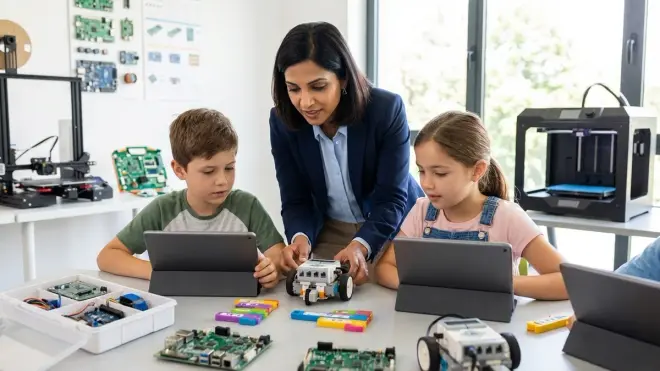
The practical significance extends well beyond preparing for future tech careers, though that's certainly part of the value proposition. Teaching AI concepts builds transferable cognitive skills that serve students across disciplines.
Critical evaluation of intelligent systems has become a fundamental literacy. Your child already interacts with dozens of AI systems daily—search engines, content recommendations, voice assistants, predictive text, spam filters, facial recognition in photos. Understanding how these systems work, what they can and cannot do, and where their blind spots exist transforms students from passive users to informed evaluators. When children understand that AI models reflect the biases in their training data, they develop healthy skepticism about algorithmic decision-making in areas like college admissions, hiring, lending, and criminal justice.
Computational thinking skills develop through AI education in ways that traditional programming alone doesn't address. Machine learning introduces students to probabilistic thinking (models make predictions with varying confidence levels), data-driven reasoning (conclusions depend on evidence quality), and iterative refinement (models improve through testing and adjustment). These habits of mind transfer directly to scientific inquiry, statistical analysis, and evidence-based argumentation.
Career preparation spans far beyond computer science. Machine learning applications have permeated biology (drug discovery, protein folding), medicine (diagnostic imaging, treatment planning), environmental science (climate modeling, species monitoring), agriculture (crop yield prediction, precision farming), finance (risk assessment, fraud detection), and creative fields (music generation, design assistance). Students pursuing any STEM field—or many non-STEM careers—will encounter these tools professionally. Early exposure demystifies the technology and builds confidence for future learning.
The NGSS standards for middle school (MS-ETS1-1 through MS-ETS1-4) explicitly address iterative design, optimization based on testing, and using models to simulate systems—all directly applicable to machine learning projects. When students train models, evaluate their performance, identify failure patterns, and retrain with improved data, they're demonstrating engineering design process skills in an authentic, technology-rich context.
Types and Variations: Age-Appropriate Approaches
How to teach kids AI and machine learning successfully depends on matching teaching methods to developmental readiness and prior knowledge. The progression isn't simply "easier" to "harder"—it's about building conceptual scaffolding that prepares students for increasing abstraction.
Ages 8-10: Unplugged AI Concepts and Visual Tools
At this stage, focus on concrete, observable examples of pattern recognition and decision-making. Unplugged activities (no computers required) build foundational understanding. Students can play games where they act as the "algorithm," sorting objects by features, making predictions based on examples, or recognizing patterns in sequences. The Teachable Machine platform mentioned earlier works beautifully for this age—children can train image or sound classifiers in minutes, then test them immediately, making the connection between training data and behavior obvious.
Screen-free coding activities provide excellent preparation for AI concepts, as they build algorithmic thinking without the cognitive load of syntax. Once students have strong sequencing and pattern-recognition foundations, they're ready for visual AI tools.
For more structured learning, platforms like AI Adventures (online curriculum, free through MIT Media Lab, browser-based) guide students through projects like training a chatbot or creating a drawing classifier. These tools use visual, block-based interfaces similar to Scratch, making the logic accessible while keeping the technical barrier low.
Ages 11-13: Block-Based ML Programming and Dataset Exploration
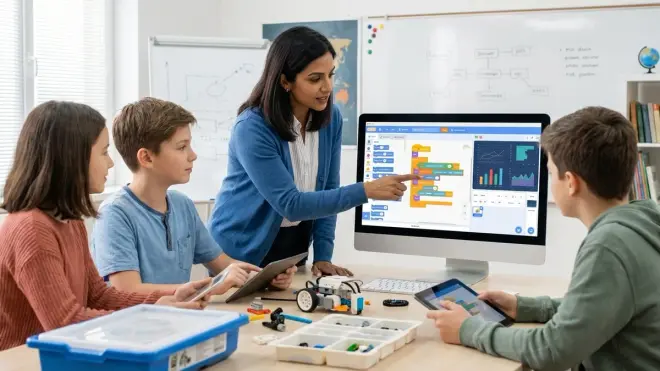
Middle school students can work with more sophisticated ML concepts while still using visual programming environments. The MIT App Inventor platform includes machine learning extensions that let students build mobile apps incorporating image classification, text sentiment analysis, or speech recognition. They're writing actual code (in block format) that calls real ML models, seeing professional-grade capabilities within a learner-friendly interface.
This age group benefits enormously from dataset exploration activities. Students examine real datasets, identify features, make predictions about what patterns a machine learning model might find, then train a model and compare its behavior to their hypotheses. This investigative approach builds data literacy alongside AI understanding. Platforms like Google's Dataset Search (free, browser-based) provide access to thousands of publicly available datasets on topics students care about—sports statistics, music characteristics, environmental measurements, or animal classifications.
At this developmental stage, explicitly connecting AI projects to progressive STEM learning paths helps students see how skills build. A student who masters image classification in Teachable Machine is ready for training custom models in block-based environments, which prepares them for text-based Python implementations in high school.
Ages 14+: Text-Based Python ML Libraries and Real Datasets
High school students can work with industry-standard tools while still using educational scaffolding. Python remains the language of choice for AI/ML work—it's what professionals use, but with appropriate curriculum support, teenagers can become functional with ML libraries in weeks rather than months.
Jupyter Notebooks (free, runs locally or in browser via Google Colab, works on any OS) provide the standard environment for ML experimentation. Students write Python code in cells, run it immediately, see visualizations and outputs inline, and document their thinking with markdown text—exactly how data scientists and ML engineers work professionally. For structured learning, the Python Machine Learning for Kids book by Laurence Moroney provides projects specifically designed for teenagers, with clear explanations of both the Python code and the ML concepts.
The scikit-learn library (Python, free, open-source) offers the most accessible entry point for text-based ML work. Students can implement classification, regression, and clustering algorithms with just a few lines of code, focusing on understanding concepts rather than implementation details. Once they've mastered scikit-learn fundamentals, they're prepared for TensorFlow or PyTorch (both free, industry-standard deep learning frameworks) if they want to explore neural networks.
Real-world projects at this level might include training models to classify their own photos, predict outcomes based on sports or weather data, analyze sentiment in social media posts, or build recommendation systems. The guide to building your first machine learning model with kids walks through this process step-by-step with appropriate technical detail.
Learning Format Considerations
Offline vs. cloud-dependent tools require different infrastructure planning. Teachable Machine and MIT App Inventor run entirely in browser—no installation required, but they need internet connectivity. Jupyter Notebooks can run locally after a one-time Python installation (Anaconda distribution recommended, free for Windows/Mac/Linux, approximately 3GB download), enabling offline work after setup. This matters for families with unreliable internet or those wanting to build a home STEM lab with consistent access.
Subscription vs. one-time purchase affects long-term costs. Most educational AI platforms remain free (Teachable Machine, App Inventor, Google Colab, Jupyter), but some structured curricula or commercial kits require ongoing subscriptions. The best AI learning kits for kids article breaks down these cost structures in detail, helping you evaluate ROI for different learning approaches.
Lab Specs: Technical Requirements for AI Learning
Setting up an effective AI learning environment requires surprisingly modest hardware compared to professional ML work, but you still need to plan infrastructure appropriately.
Hardware Requirements
Computing power varies by tool. Browser-based platforms (Teachable Machine, App Inventor) work on any computer that can run a modern browser—even Chromebooks from 2020 or later handle these tasks smoothly. Python-based ML work requires more resources: minimum 8GB RAM for comfortable scikit-learn projects, 16GB RAM if working with larger datasets or image processing. High school students exploring deep learning with TensorFlow benefit from GPU acceleration (NVIDIA graphics cards with CUDA support), but this is optional for educational projects—CPU-only implementations work fine for learning purposes, just slower.
Storage needs depend on datasets and tools. Anaconda Python distribution requires around 3GB. Datasets for educational projects typically range from a few megabytes to a few gigabytes—the MNIST handwritten digit dataset (a standard beginner project) is about 50MB. Budget 20-30GB of available storage for a complete Python ML setup with room for multiple projects and datasets.
Software and Compatibility
Operating system rarely creates barriers. Python and Jupyter Notebooks run identically on Windows, Mac, and Linux. Browser-based tools work on ChromeOS as well. The only OS-specific consideration is installation complexity—Windows sometimes requires more configuration for Python environments, while Mac and Linux users often have Python pre-installed (though usually an older version requiring updates).
Programming environment progression matters for skill building. Students should start with visual, block-based tools (Teachable Machine, App Inventor) before moving to notebook environments (Jupyter), not attempting to learn Python syntax and ML concepts simultaneously. The transition from block-based to text-based programming article details this progression—the same principles apply to AI education.
Connectivity and Data Considerations
Internet requirements split between setup and operation. Initial software downloads require reliable broadband (Anaconda is a 3GB download, TensorFlow adds another 500MB+). Once installed, Python-based work happens entirely offline. Browser-based platforms need consistent connectivity during use—students working with Teachable Machine or App Inventor require internet throughout their project session, not just for initial setup.
Dataset access often requires internet connectivity initially, even for locally-run tools. Students typically download datasets from online repositories (Kaggle, UCI Machine Learning Repository, Google Dataset Search), then work with them locally. This "download once, use offline" pattern works well for home learning environments with intermittent connectivity.
Expandability and Integration
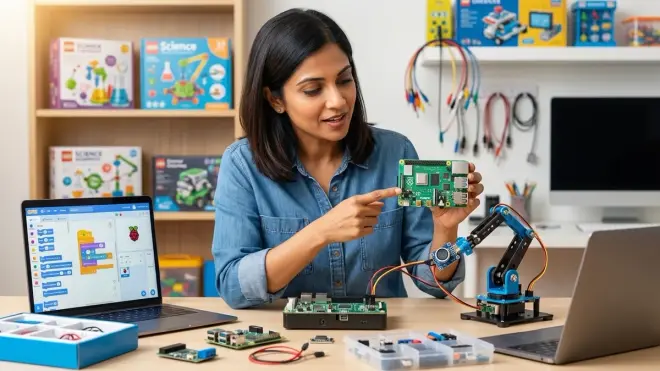
Hardware additions can enhance learning but aren't required. USB webcams (if your computer lacks a built-in camera) enable image classification projects with Teachable Machine. Microcontrollers like Arduino or Raspberry Pi allow students to deploy ML models on embedded devices, connecting AI learning to robotics and physical computing—an extremely engaging integration for hands-on learners. The Raspberry Pi 4 Model B (requires separate power supply, microSD card, and case; budget around $100 total for a complete starter setup) runs Python ML code and connects directly to sensors, motors, and cameras for embodied AI projects.
Library ecosystems in Python provide natural expansion paths. Students starting with scikit-learn can add pandas for data manipulation, matplotlib for visualization, and opencv for image processing without changing environments. This modular approach lets learning scale with student interest rather than requiring complete platform changes.
Durability and Long-Term Use
Software longevity concerns matter for families investing in learning paths. Python and its major ML libraries receive active development and long-term support—skills students build today remain relevant for years. Browser-based educational platforms face more uncertainty. Teachable Machine has existed since 2019 with consistent Google support, while smaller platforms sometimes disappear when funding ends. Prioritize tools with either strong institutional backing (Google, MIT, major universities) or open-source implementations that persist regardless of corporate sponsorship.
Skill transferability to professional tools distinguishes quality educational platforms from dead-end "toys." Students learning ML through scikit-learn and TensorFlow are using exactly the tools employed in industry—their educational projects build directly transferable skills. Proprietary platforms with custom interfaces require full relearning when students transition to professional work.
Frequently Asked Questions
What age should kids start learning about AI and machine learning?
Children can begin exploring AI concepts as early as age 8 with unplugged activities and visual tools like Teachable Machine that demonstrate pattern recognition through direct interaction. At this stage, they're building intuitive understanding that computers learn from examples rather than mastering technical implementation. Ages 11-13 mark the optimal window for structured ML education using block-based programming platforms that balance accessibility with genuine capability. By age 14, students ready for text-based programming can work with Python ML libraries, developing skills that transfer directly to professional data science and engineering work. The key is matching abstraction level to developmental readiness—visual demonstrations for younger children, investigative dataset exploration for middle schoolers, and hands-on coding for high school students—rather than rushing to advanced tools before foundational concepts are secure.
Do kids need to learn Python before starting AI and machine learning projects?
Students absolutely do not need Python proficiency before beginning AI education—in fact, introducing ML concepts through visual, no-code tools builds stronger understanding by separating the "what" (ML concepts) from the "how" (programming syntax). Elementary students work effectively with browser-based platforms like Teachable Machine that require zero coding, while middle schoolers can use block-based environments like MIT App Inventor to implement ML features without text syntax. Python becomes relevant around age 14 or when students have already mastered block-based programming and want deeper control over model architecture and training parameters. Even then, Jupyter Notebooks with pre-written code templates let students modify and experiment with working ML systems before writing complete programs from scratch. The comparison between Python and Scratch for teaching AI clarifies when each language makes sense in your child's progression—spoiler: visual tools come first for almost everyone, regardless of eventual goals.
What hardware do we need to teach machine learning at home?
Most educational ML work requires surprisingly modest hardware—any laptop or desktop from the past five years with 8GB RAM can handle browser-based tools and Python scikit-learn projects comfortably. Chromebooks work perfectly for visual platforms like Teachable Machine and MIT App Inventor, which run entirely in browser. For Python-based ML work, Windows, Mac, or Linux computers with 8GB RAM (16GB preferred for larger datasets) provide smooth performance without needing dedicated graphics cards. GPU acceleration becomes beneficial only for advanced deep learning projects with neural networks—completely optional for beginners and intermediate learners working through standard curricula. You will need reliable internet for initial software downloads and accessing browser-based platforms, but after setup, Python ML work happens entirely offline. A webcam (built-in or USB, under $30) enables engaging image classification projects but isn't required for text-based or numerical ML tasks. The essential equipment list totals under $500 if purchasing a new computer specifically for learning, or potentially zero additional cost if using existing household computers that meet minimum specifications.
How do AI learning kits compare to online coding courses for teaching these concepts?
Physical AI learning kits and online courses serve different learning styles and build complementary skills rather than competing directly. Kits like those reviewed in our AI learning kits guide provide tactile, embodied learning experiences—students see ML models controlling physical robots, responding to sensor inputs, or generating real-world outputs, making abstract concepts concrete through observable cause-and-effect relationships. These work exceptionally well for kinesthetic learners and younger students who benefit from hands-on manipulation. Online courses and programming platforms excel at building systematic understanding through structured progression, immediate feedback on code execution, and access to vast datasets and computing power unavailable in physical kits. The optimal approach combines both: use hands-on robotics or physical computing kits to build intuitive understanding of how ML models interact with the physical world, then transition to software-focused learning for working with larger datasets, more sophisticated algorithms, and industry-standard tools. Students who start with the AI Kit for Raspberry Pi and subsequently move to Python-based coursework bring embodied understanding to abstract concepts, while students following the reverse path can implement their coding skills in physical systems—both sequences work, and both benefit from eventually incorporating the other modality.
Can elementary school children understand machine learning concepts or is it too advanced?
Elementary school children aged 8-10 can absolutely grasp core machine learning concepts when presented through developmentally appropriate activities that emphasize observable patterns over mathematical abstraction. At this age, students successfully understand that computers learn from examples, that more training data generally improves accuracy, that models can make mistakes, and that the quality of examples matters enormously for what the system learns—these are genuine ML insights, not watered-down approximations. The teaching approach shifts from abstract algorithms to concrete demonstration: students train image classifiers using Teachable Machine, immediately seeing how their training choices affect model behavior, rather than studying the mathematics of gradient descent. They can conduct experiments comparing models trained on different example sets, document which approach works better, and articulate why—that's authentic scientific reasoning applied to machine learning systems. What elementary students cannot yet manage is the formal logic and symbolic reasoning required for understanding neural network architecture, the statistical concepts underlying probability and confidence intervals, or the abstract notation of training algorithms. But those implementation details aren't the concepts—they're the tools professionals use to work with the concepts. Children understanding that "the computer looks at lots of cat pictures and finds patterns that help it recognize new cats" have built the foundational schema for everything else, and numerous research studies confirm this understanding transfers to more advanced learning when students reach appropriate developmental stages. The age-appropriate explanation guide provides specific language and activities for each grade band from K-2 through middle school.
Summary
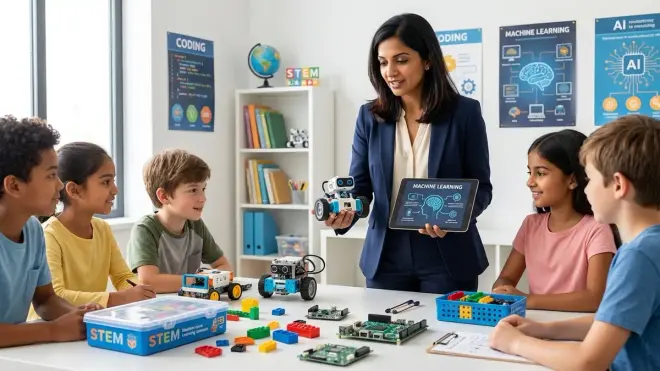
Teaching children AI and machine learning builds critical literacy for the technology-rich world they'll navigate throughout education and career, while developing transferable skills in pattern recognition, data-driven reasoning, and iterative problem-solving that serve them across disciplines. Start with visual, hands-on tools that make the connection between training data and model behavior immediately observable, progress through block-based programming environments that balance accessibility with genuine capability, and advance to Python-based workflows using industry-standard libraries when students demonstrate readiness for text-based coding. Match your approach to your child's developmental stage and prior experience rather than rushing to advanced tools—understanding that ML models learn from examples and recognize patterns matters infinitely more than memorizing Python syntax. With modest hardware (most existing home computers work fine), free software platforms, and the progression outlined here, you can guide your child from consumer of AI to informed creator who understands both the power and limitations of these systems shaping our world.