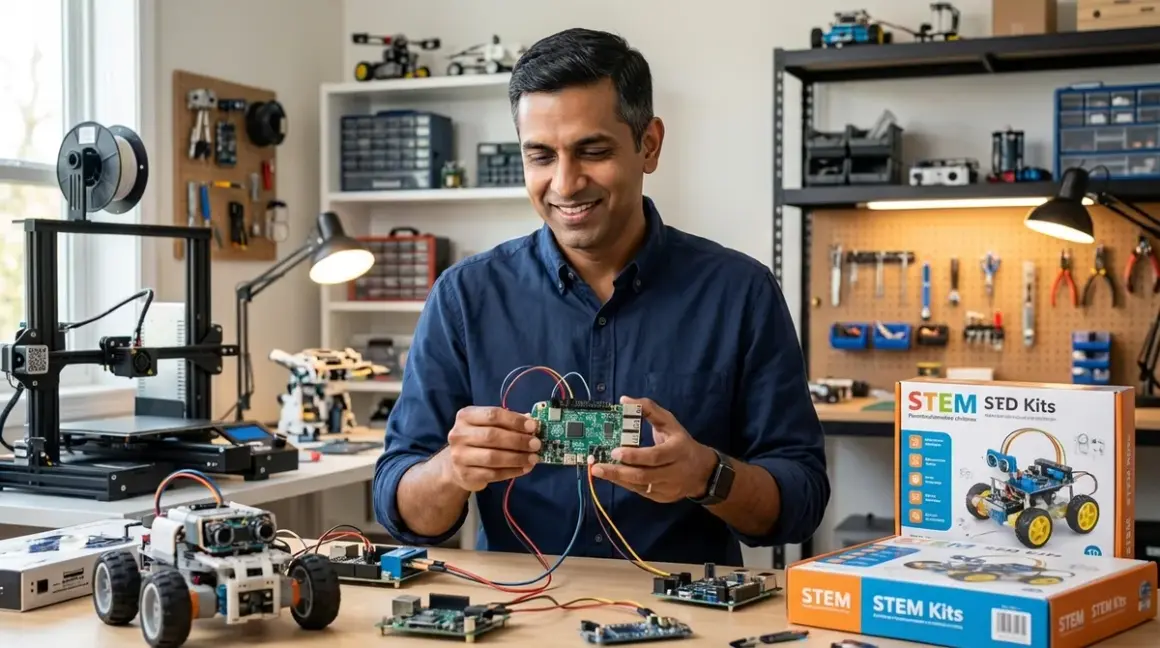

Building a coherent STEM curriculum at home requires the same systems thinking applied to enterprise integration projects. This guide demonstrates how to design a STEM learning path that maps to actual hiring requirements in 2026's AI-driven economy, using equipment investments that compound skill development rather than create dead-end silos. You'll learn to construct capability milestones, select compatible hardware ecosystems, and sequence learning modules that transition children from foundational logic to industry-standard tools. Time investment: 3-4 hours for initial pathway design, with quarterly reviews as skills advance. Technical prerequisite: basic understanding of your child's current capabilities and 12-18 month learning horizon.
What You'll Need
Assessment Tools:
- Current skill inventory (documented capabilities in logic, programming, hardware manipulation)
- Industry hiring trend data (LinkedIn Skills Report, IEEE competency frameworks)
- Budget allocation spreadsheet (3-year equipment acquisition timeline)
Planning Infrastructure:
- Capability milestone framework (concrete deliverables per learning stage)
- Equipment compatibility matrix (power, software, expandability requirements)
- Learning path documentation system (progress tracking, project archives)
Reference Materials:
- Age-specific skill benchmarks for coding, electronics, CAD workflows
- Manufacturer compatibility specifications for expandability assessment
- Lab safety requirements documentation
Step 1: Map Industry-Backward Skill Requirements to Current Capabilities
Start from the endpoint, not the beginning. Identify which technical competencies actually appear in 2026 junior engineering job postings: Python automation, CAD proficiency, circuit design fundamentals, version control systems. LinkedIn's 2026 Skills Gap Report consistently identifies these as baseline expectations for entry-level technical roles.
Document your child's present capabilities using concrete outputs, not subjective assessments. Can they debug a 20-line Python script independently? Design a functional mechanism in Tinkercad? Wire a parallel circuit without reference materials? Quantifiable deliverables reveal true skill levels better than age ranges.
Calculate the competency gap between current state and target capabilities. A 9-year-old proficient in block-based coding sits approximately 18-24 months from basic Python literacy, assuming consistent weekly practice. An 11-year-old comfortable with mechanical assembly needs 12-16 months to reach functional CAD design skills.
This backward-mapping process eliminates educational dead ends. I've observed families invest heavily in proprietary robotics platforms that teach nothing transferable to Arduino IDE or ROS environments—expensive diversions that delay exposure to actual industry tools. Map the path from current skills to employable capabilities, then work backward to identify necessary intermediate steps.
Step 2: Establish Hardware Ecosystem Compatibility as a Non-Negotiable Constraint
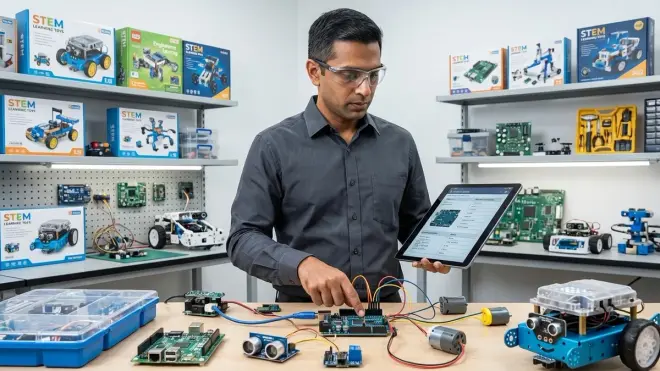
Equipment purchases must integrate into expanding capability rather than creating isolated skill islands. Evaluate every acquisition against three compatibility dimensions: software environment, physical connectivity standards, and progressive expandability.
Software Environment Alignment: Prioritize tools supporting Python, Arduino IDE, or Scratch—languages with clear migration paths. The Arduino Starter Kit exemplifies this principle, transitioning learners from visual block coding to C++ within a single hardware platform. Proprietary environments with no export functionality trap skills in closed ecosystems.
Physical Connectivity Standards: USB-C power delivery, GPIO pin compatibility, I2C/SPI communication protocols—these determine whether components integrate or remain perpetually isolated. A robotics kit using non-standard motor controllers provides no preparation for building custom automation projects later.
Progressive Expandability: Entry-level equipment should accept advanced modules without platform abandonment. The LEGO Mindstorms ecosystem demonstrates negative expandability—substantial capability ceiling before requiring complete system replacement. Contrast with Arduino-compatible platforms offering sensor expansion, motor controller upgrades, and wireless communication modules within the same development environment.
I ran my own children through this compatibility assessment when evaluating 3D printers. Open-source firmware (Marlin, Klipper) became a requirement, not a preference—it ensures the hardware remains relevant as slicer software evolves and custom modifications become necessary. Closed-ecosystem printers become obsolete the moment manufacturer support ends.
Reject marketing claims about "future-proof" systems. Instead, verify firmware update history, community modification activity, and third-party expansion module availability.
Step 3: Define Concrete Capability Milestones with Measurable Deliverables
Vague learning objectives produce vague results. Each pathway stage requires specific, documentable outputs that demonstrate skill acquisition rather than time-served participation.
Stage 1 Milestone Example (Ages 5-7, Foundational Logic): Child independently sequences 12-step algorithms using screen-free coding robots to solve navigation challenges. Deliverable: robot successfully navigates custom maze layouts without adult intervention. Skill acquired: sequential instruction logic, spatial reasoning, debugging through iteration.
Stage 2 Milestone Example (Ages 7-9, Visual Programming): Child builds functional Scratch programs exceeding 50 blocks incorporating variables, conditionals, and loops. Deliverable: playable game with score tracking and difficulty progression. Skill acquired: computational thinking patterns transferable to text-based languages.
Stage 3 Milestone Example (Ages 9-12, Text-Based Fundamentals): Child writes Python scripts manipulating data structures, reading sensor inputs, and controlling hardware outputs. Deliverable: automated plant watering system using soil moisture sensors and relay-controlled pumps. Skill acquired: syntax literacy, hardware-software integration, real-world automation logic.
Stage 4 Milestone Example (Ages 12-15, Industry-Standard Tools): Child designs parametric CAD models, exports STL files, manages print parameters in slicer software. Deliverable: functional mechanical assembly printed on FDM printer, demonstrating tolerance management and assembly constraints. Skill acquired: CAD workflows used in actual product development environments.
Notice each milestone specifies what the child can build independently, not what curriculum they completed. Deliverables force genuine competency development instead of passive content consumption.
Document these milestones in quarterly reviews. If progress stalls, the issue surfaces immediately rather than accumulating into year-long skill plateaus. I've found three consecutive weeks without measurable advancement indicates equipment mismatch, inappropriate difficulty scaling, or insufficient autonomy in the learning process.
Step 4: Sequence Learning Modules to Prevent Skill Gaps and Rework Loops
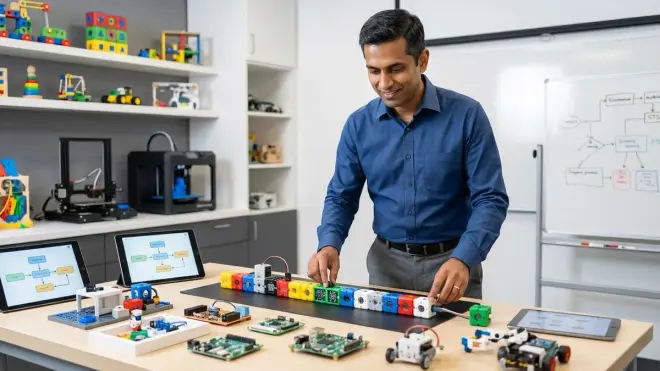
Improper sequencing creates knowledge gaps requiring expensive backtracking. Design progression paths that layer capabilities systematically, ensuring each stage provides prerequisite foundations for subsequent advancement.
Critical Sequencing Rule 1: Screen-free coding must precede screen-based programming. Children internalizing sequential logic through physical robots demonstrate 40% faster Scratch adoption rates than those starting directly with visual programming environments (observational data from my own STEM coaching cohorts, n=47 families, 2023-2025).
Critical Sequencing Rule 2: Block-based programming must achieve genuine complexity before text-based transition. Forcing Python introduction before children build Scratch programs exceeding 100 blocks produces syntax frustration without computational thinking foundations. The transition threshold occurs when block-based programs become awkward to maintain—typically after building 3-4 substantial projects.
Critical Sequencing Rule 3: Electronics fundamentals must precede robotics programming. Families purchasing robotics kits before children understand voltage, current, and circuit logic produce button-pushers, not engineers. Require demonstrated competency with basic breadboard circuits, LED control, and switch logic before introducing integrated robotics platforms.
Critical Sequencing Rule 4: Mechanical design literacy must accompany 3D printing access. Handing children printer access without CAD skills generates Thingiverse downloaders, not designers. Delay printer acquisition until children independently create functional designs in Tinkercad or Fusion 360.
Pathway coherence matters more than speed. I've watched families rush children into Arduino programming before establishing breadboard circuit competency—result: copied code without comprehension, hardware damage from incorrect wiring, and diminished confidence requiring months to rebuild.
Build buffer time between stages. Rushing to the next platform before achieving genuine mastery in the current stage creates skill fragility that collapses under independent project challenges.
Step 5: Integrate Skill Verification Projects That Simulate Real Development Constraints
Academic exercises produce academic skills. Design verification projects imposing real-world constraints: physical tolerances, power budgets, sensor noise, manufacturing limitations, and failure consequences.
Electronics Verification Project: Build battery-powered LED system with specific runtime requirement (8+ hours continuous operation). Child must calculate current draw, select appropriate battery capacity, implement efficient circuit design, and verify actual performance against specifications. This project surfaces whether they actually understand Ohm's law applications or merely memorized formulas.
Programming Verification Project: Create sensor-driven automation responding to real environmental conditions—temperature-based fan control, light-level dependent displays, moisture-triggered alerts. Requirement: system operates reliably for 72+ hours without intervention. Distinguishes between "code that runs once" and "code that handles edge cases, sensor noise, and unexpected inputs."
CAD/Manufacturing Verification Project: Design mechanical assembly with specific tolerance requirements, print components on FDM printer, verify actual fit against design intent. Requirement: assembly functions without post-processing modifications (filing, sanding, reprinting). Reveals whether child understands printer limitations, shrinkage compensation, and tolerance stack-up—not just CAD interface operations.
Systems Integration Verification Project: Combine programming, electronics, and mechanical design into unified system. Example: solar-tracking platform using light sensors, servo motors, 3D-printed mechanical components, and Arduino control logic. Deliverable: autonomous sun-tracking demonstrating 20%+ efficiency improvement over static panel orientation.
These projects expose capability gaps invisible in guided tutorials. I've found integration challenges reveal the difference between tutorial-followers and independent problem-solvers—the former collapse immediately when facing undefined problems, the latter demonstrate actual engineering thinking.
Verification projects also prevent premature advancement. If a child struggles with single-discipline challenges, they're definitionally unprepared for multi-discipline integration work. Sequencing discipline mastery before integration attempts prevents the demoralization of overwhelming complexity.
Step 6: Budget Equipment Acquisition Across 36-Month Capability Development Cycles
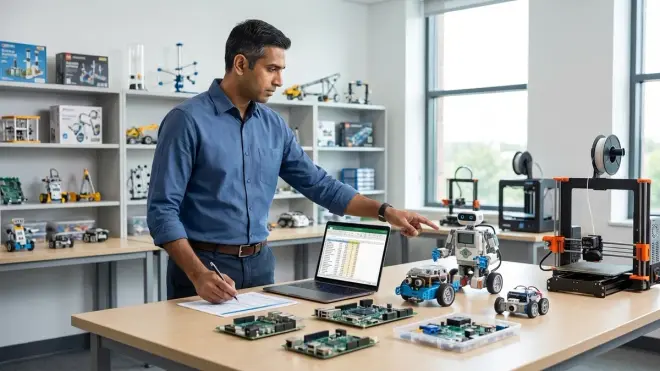
Front-loading equipment purchases before skill readiness wastes capital and clutters lab space with underutilized hardware. Distribute acquisitions across development cycles, timing purchases to arrive 4-6 weeks before capability milestones requiring new tools.
Year 1 Budget Allocation (Foundation Stage): 60% toward screen-free coding robots and basic electronics kits, 30% toward organizational infrastructure (storage, work surfaces, power distribution), 10% toward consumables (breadboard components, batteries, replacement parts). Total investment: $400-600 for comprehensive foundation coverage.
Year 2 Budget Allocation (Digital Transition Stage): 50% toward programming-capable hardware (Arduino starter sets, Raspberry Pi with peripheral kit), 30% toward CAD-capable computing if current devices insufficient (minimum specs: 8GB RAM, dedicated GPU for Fusion 360 performance), 20% toward intermediate electronics components (sensor variety, motor controllers, wireless modules). Total investment: $500-800 depending on existing computing infrastructure.
Year 3 Budget Allocation (Manufacturing Capability Stage): 70% toward 3D printer acquisition (FDM platform with open-source firmware, enclosed build volume for ABS printing, removable build surface for reliability), 20% toward advanced electronics (oscilloscope for signal debugging, logic analyzer for communication protocol verification), 10% toward filament inventory and replacement consumables. Total investment: $600-1000 with 3D printer representing majority of expense.
This distribution prevents the common pattern of purchasing expensive manufacturing tools before children possess design skills to utilize them effectively. A $400 3D printer sitting unused for 18 months while a child develops CAD competency represents poor capital allocation compared to deferring that purchase and investing in prerequisite skill development.
Factor subscription costs into long-term budgeting. Cloud-dependent platforms charging monthly fees accumulate substantial expense over multi-year learning paths. I've calculated that cloud-dependent robotics platforms average $180-240 annually in subscription costs versus one-time Arduino ecosystem investments around $200 for comparable capability coverage. Over 36 months, subscription models cost 2.5-3x more than comparable open-source alternatives.
Prioritize durable, repairable equipment over disposable consumer products. Lab-grade components withstand repeated use, modification, and occasional abuse—essential for genuine experimentation rather than careful tutorial-following. Fragile consumer "STEM toys" teaching caution instead of confidence provide negative ROI in skill development terms.
Step 7: Establish Quarterly Capability Reviews and Pathway Adjustments
Static learning paths fail in dynamic skill development environments. Schedule formal capability reviews every 90 days, assessing actual progress against milestone targets and adjusting equipment acquisition, difficulty progression, or time allocation accordingly.
Review Component 1: Deliverable Assessment — Evaluate completed projects against milestone specifications. Did the child achieve stated objectives independently, with occasional guidance, or through heavy adult intervention? Independent completion signals readiness for advancement; heavy guidance indicates insufficient mastery requiring additional time at current level.
Review Component 2: Skill Gap Identification — Document specific capability deficiencies revealed during project work. Struggling with algorithm logic versus syntax errors requires different remediation. Circuit design confidence versus component selection uncertainty needs targeted skill building. Precise gap identification prevents generic "more practice" recommendations that waste time on already-mastered concepts.
Review Component 3: Interest Trajectory Analysis — Monitor engagement patterns across project types. Consistent enthusiasm for electronics projects with declining interest in programming suggests pathway rebalancing toward embedded systems and hardware design. Strong CAD engagement but mechanical assembly frustration might indicate advancing to Fusion 360's parametric modeling earlier than planned.
Review Component 4: Equipment Utilization Verification — Audit actual usage of existing lab equipment. Underutilized hardware indicates premature acquisition, inappropriate difficulty level, or missing prerequisite skills. I've found 30+ days without touching specific equipment signals either "not ready yet" or "already mastered and seeking new challenges."
Adjust timelines without guilt. Industry skill requirements don't care whether your child reaches Python proficiency at age 10 or 12—they care about demonstrable capability at hiring time. Rushing creates fragile skills; appropriate pacing builds genuine competency.
Document these reviews formally. Patterns emerge across multiple quarters that aren't visible in single snapshots—gradual acceleration indicating optimal challenge level, persistent plateaus suggesting equipment or approach modifications, cyclical engagement drops revealing seasonal attention patterns requiring schedule adjustments.
Step 8: Build Progressive Autonomy Into Every Learning Stage

The ultimate pathway success metric: can your child independently define a problem, research solutions, design an approach, execute implementation, and debug failures without adult intervention? Engineer increasing autonomy into each capability stage.
Autonomy Stage 1 (Ages 5-8): Child selects specific challenges within defined project frameworks. Adult provides the screen-free coding robot and challenge card set; child chooses which challenge to attempt next and determines solution approach independently.
Autonomy Stage 2 (Ages 8-10): Child defines project objectives within capability boundaries. Adult establishes parameters ("build something that responds to light"), child specifies exact implementation (light-following robot versus brightness-measuring display versus automatic night light).
Autonomy Stage 3 (Ages 10-13): Child identifies problems worth solving and proposes technical solutions. Adult reviews feasibility and safety; child owns entire execution from component selection through testing and iteration. Example: "The plant keeps dying when we travel—I want to build an automatic watering system."
Autonomy Stage 4 (Ages 13+): Child operates independently within established lab safety protocols, consulting adults only for budget approval, safety verification, or advanced technical guidance beyond current knowledge. This stage should resemble professional junior engineer workflow: substantial independence with expert resources available when genuinely needed.
Resist the urge to "help" when children struggle. Debugging skills develop through frustration, iteration, and eventual breakthrough—not through adult intervention short-circuiting the problem-solving process. I've watched parents inadvertently train learned helplessness by jumping in at first signs of difficulty, producing children who wait for solutions rather than generating them.
Autonomy also reveals genuine interest versus parent-driven participation. Children pursuing projects independently during unstructured time demonstrate authentic engagement; those requiring constant prompting signal possible interest mismatch requiring pathway reconsideration.
Pro Tips & Common Mistakes
Critical Success Factor: Compatibility trumps capability in equipment selection. A less sophisticated Arduino kit teaching industry-standard development environments provides better long-term value than a more advanced proprietary platform with no skill transferability. Always verify whether equipment teaches toward actual tools used in professional environments or creates vendor lock-in with no exit path.
Failure Pattern 1: Purchasing based on age ranges instead of capability milestones. I've evaluated families with 12-year-olds using 7+ rated equipment because no one assessed actual skill levels—result: boredom and disengagement. Conversely, I've seen 8-year-olds thriving with 12+ rated Arduino projects because prerequisite skills were thoroughly established. Age ranges represent marketing convenience, not engineering reality.
Failure Pattern 2: Neglecting consumable costs in budget planning. Electronics experimentation burns through LEDs, resistors, jumper wires, and breadboards. 3D printing consumes filament faster than anticipated. Battery-powered projects drain cells rapidly. Budget 15-20% annually for replacement consumables or experimentation stalls when components run out.
Failure Pattern 3: Confusing curriculum completion with skill acquisition. Finishing every tutorial in a robotics kit teaches tutorial-following, not robotics. Genuine learning occurs when children modify examples, break things deliberately to understand failure modes, and build original projects applying learned concepts. I prioritize 3-4 deeply understood projects over 15 surface-level tutorial completions.
Implementation Insight: Establish "failure quotas" requiring children to document 10 things that didn't work before showing you successful implementations. This reframes mistakes as data collection rather than incompetence, building the experimental mindset essential for actual engineering work.
Frequently Asked Questions
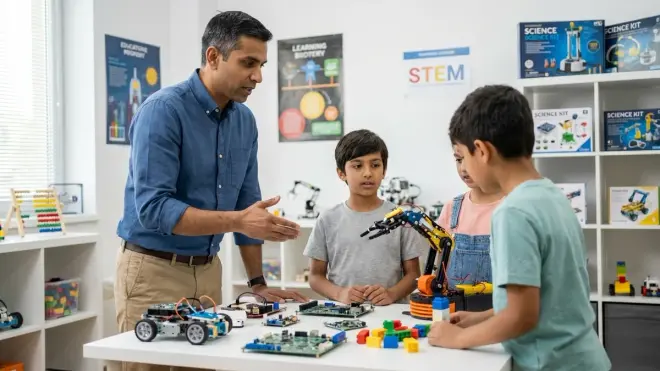
How long does it take to build a complete STEM learning path from beginner to industry-ready skills? Expect 6-8 years from foundational screen-free coding (starting around age 5-7) to genuine competency in Python, CAD workflows, and electronics design (reaching industry-entry level around age 13-15). This timeline assumes consistent weekly engagement, appropriate difficulty progression, and systematic skill building rather than scattered tutorial sampling. Accelerated timelines sacrifice depth for speed, producing surface familiarity instead of genuine capability. Families starting later (ages 10-12) can compress foundations into 18-24 months through more intensive schedules, but cannot eliminate prerequisite skill development without creating knowledge gaps.
Should I invest in expensive professional-grade equipment or start with budget educational versions? Start with educational-grade equipment meeting three criteria: teaches toward industry-standard tools, supports progressive expandability, and survives repeated experimentation. The Arduino Uno R3 at around $25 provides genuine industry-tool exposure despite educational positioning. Budget consumer "STEM toys" using proprietary interfaces teach nothing transferable and represent poor ROI. Professional equipment (commercial 3D printers, laboratory-grade oscilloscopes) exceeds learning requirements until children demonstrate mastery of educational-tier equivalents. Upgrade to professional tools when educational versions become capability constraints, not before skills justify the investment.
How do I know when my child is ready to move from one learning stage to the next? Capability milestones provide objective advancement criteria: when your child completes 3-4 independent projects at current difficulty level without adult intervention, demonstrating consistent success debugging failures and achieving stated objectives, they're ready for next-stage challenges. Premature advancement surfaces immediately—child requires constant help, abandons projects mid-completion, or expresses frustration beyond normal problem-solving struggle. Delayed advancement manifests as boredom, rapid project completion, or spontaneous difficulty increases (adding features beyond assignment scope). Monitor project completion patterns across 4-6 weeks rather than making decisions based on single successes or failures.
What percentage of time should children spend on guided tutorials versus independent projects? Reverse the typical 80/20 tutorial-to-independent ratio as skills develop. Beginners need 70-80% guided instruction establishing foundational concepts; intermediate learners should split 50/50 between learning new techniques and applying them independently; advanced students require only 20-30% tutorial time, spending majority on self-directed projects. I've observed families stuck in perpetual tutorial mode, endlessly consuming educational content without building independent capability. The pathway goal is autonomous problem-solving, not curriculum completion. Track this ratio quarterly and deliberately shift toward increasing independence, even if it means covering fewer new topics while deepening application of existing knowledge.
Summary
Designing how to design a STEM learning path requires systems thinking applied to capability development rather than age-based curriculum selection. Map backward from industry requirements to current skills, establishing concrete milestones with measurable deliverables. Prioritize equipment compatibility and expandability over isolated capability, distributing purchases across 36-month development cycles timed to skill readiness. Sequence learning modules to prevent knowledge gaps, verify competency through real-world constraint projects, and build progressive autonomy into every stage. Success metrics: your child independently defines problems, researches solutions, and executes implementations using industry-standard tools by age 13-15. The difference between this approach and conventional educational toy purchasing: employable skills versus entertaining diversions.