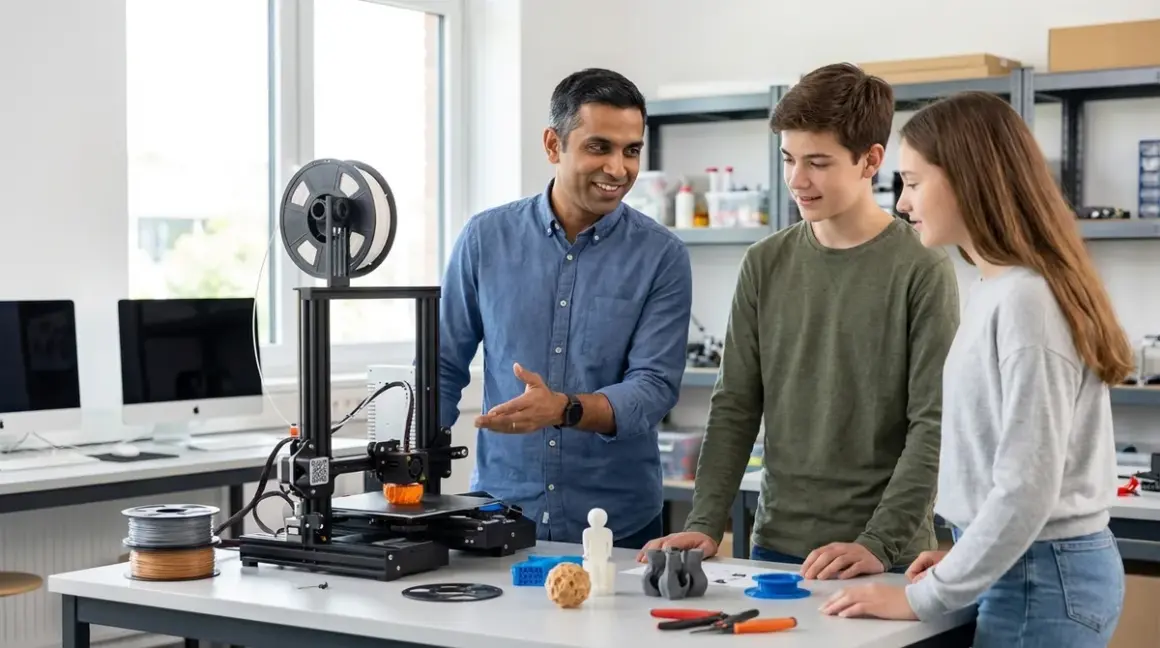

Learning how to choose first 3d printer for teens determines whether your investment builds genuine CAD-to-physical prototyping skills or collects dust after two frustrating prints. This guide walks through the technical specifications, software compatibility requirements, and skill progression frameworks that separate educational investments from expensive paperweights. Target audience: parents and educators evaluating first 3D printers for teens aged 13-18 with basic computer literacy. Time investment: 2-4 hours for initial research, setup, and calibration; ongoing skill development spans 6-12 months from basic prints to parametric design workflows.
The distinction matters. The 2026 Bureau of Labor Statistics reports 23% growth in additive manufacturing technician roles through 2030, with median salaries exceeding $58,000. Teens who master FDM printing fundamentals—file preparation, slicing parameters, material properties, and iterative troubleshooting—build directly transferable skills for mechanical engineering, product design, and rapid prototyping careers.
What You'll Need
Technical prerequisites:
- Desktop or laptop running Windows 10/11, macOS 12+, or Ubuntu 20.04+ with minimum 8GB RAM
- Dedicated workspace with 120V/15A circuit (not shared with high-draw appliances)
- Stable surface rated for 15-25 lbs, minimum 18" × 18" footprint
- Ventilation meeting 0.5 air changes per hour (tabletop fan minimum; HEPA filtration recommended for ABS)
- CAD software: Tinkercad (browser-based, free) for beginners; Fusion 360 (free educational license) for intermediate users
Safety and maintenance supplies:
- Isopropyl alcohol (90%+) and microfiber cloths for bed adhesion maintenance
- Digital calipers (±0.01mm accuracy) for dimensional verification
- Needle-nose pliers and flush cutters for support removal
- First-aid kit and fire extinguisher rated for electrical fires
Learning resources:
- Structured curriculum bridging design fundamentals to print execution (see how to teach kids 3D design skills with Tinkercad and Fusion 360)
Step 1: Establish Build Volume Requirements Based on Project Scope
Start with realistic project sizing, not aspirational capabilities. The median successful teen project measures 80-150mm in longest dimension—smartphone stands, enclosures for Arduino projects, replacement parts for household items, iterative prototypes for engineering competitions.
220 × 220 × 250mm build volume handles 94% of educational and hobby applications. Larger volumes (300mm+) increase machine footprint, heating times, material consumption per failed print, and calibration complexity without proportional skill-building value for first-time users.
I've watched teens abandon 300mm+ printers because 45-minute bed-heating cycles and 18-hour print times on large objects create unsustainable friction for iterative learning. The pedagogical value lies in rapid design-print-evaluate cycles, not massive single prints.
Calculate your teen's actual needs: measure existing project ideas with calipers, review competition requirements (FIRST Robotics allows 3D-printed parts under specific size constraints), consider typical enclosure dimensions for Arduino robotics kits. If 90% of projects fit in 200mm³, don't pay for 300mm capability.
Lab spec consideration: Larger build volumes require proportionally more powerful heated beds (250-400W vs 150-200W for compact printers), increasing both power draw and thermal management requirements in your workspace.
Step 2: Decode Print Quality Specifications That Actually Matter
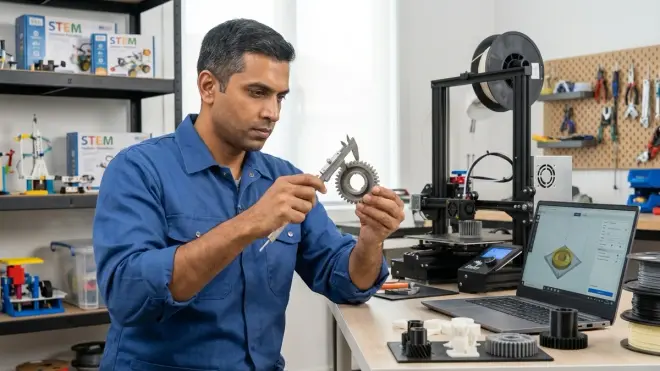
Manufacturers cite layer height capabilities (0.05mm! 0.02mm!) that sound impressive but rarely reflect practical educational use. Focus instead on realistic layer heights for skill-building workflows.
For learning applications, 0.2mm layer height represents optimal balance: visible enough to understand layer-by-layer construction principles, fast enough (2-4 hours for typical projects) to maintain engagement, forgiving enough for calibration errors during early learning phases.
The Creality Ender 3 V3 SE demonstrates this principle—advertised 0.1mm capability, but 95% of educational prints run at 0.2mm for speed-quality balance. Ultra-fine 0.05mm layers quintuple print time and demand perfect calibration that frustrates beginners without teaching fundamentally different skills.
Meaningful specifications to compare:
- X/Y positioning accuracy: ±0.1mm maintains dimensional tolerances for functional parts (snap-fit assemblies, replacement gears)
- Z-axis stability: Lead screw systems outperform belt-driven Z-axes for layer consistency; look for 8mm lead screws minimum
- Extruder type: Direct-drive extruders handle flexible filaments (TPU) that Bowden systems struggle with, enabling broader material experimentation later in learning path
Ignore marketing claims about "professional-grade" 0.02mm layers. Industry additive manufacturing uses SLA/SLS technologies for fine detail work, not FDM printers. Teaching teens FDM limitations builds realistic expectations for technology selection in future engineering decisions.
Step 3: Prioritize Software Ecosystem Compatibility Over Hardware Features
The slicer software—which converts 3D models to printer instructions—determines learning curve steepness more than hardware specifications. How to choose first 3d printer for teens hinges significantly on whether the machine integrates with industry-standard workflows teens will encounter in university programs and entry-level positions.
Cura (Ultimaker's open-source slicer) and PrusaSlicer dominate educational and professional environments. Printers requiring proprietary slicers create vendor lock-in and limit skill transferability. Verify the printer supports open-source G-code interpretation before purchase.
The AnkerMake M5 runs on AnkerMake's modified Cura fork—familiar interface, but introduces unnecessary learning friction when teens transition to standard Cura in college lab environments. Compare this to Prusa or Creality machines running unmodified open-source slicers where skills transfer directly.
Cross-platform requirements:
- Slicer compatibility: Windows, macOS, Linux (dual-boot or future transitions to Linux common in computer science programs)
- USB and SD card support (network connectivity creates dependency on home infrastructure)
- Standard G-code interpretation (no proprietary command sets that limit advanced customization)
Test the software before buying hardware. Download Cura or PrusaSlicer, import sample models from Thingiverse, explore slicing parameters. If the interface overwhelms your teen in simulation, adding hardware complexity won't improve outcomes. Consider what is FDM 3D printing for young learners as foundational context before diving into technical specifications.
Python integration matters: Teens building AI and machine learning skills benefit from printers supporting scripted workflows—automated print farms, parametric model generation via Python libraries like CadQuery. This integration rarely appears in spec sheets but differentiates hobbyist tools from career-relevant platforms.
Step 4: Evaluate Safety Architecture for Unsupervised Operation
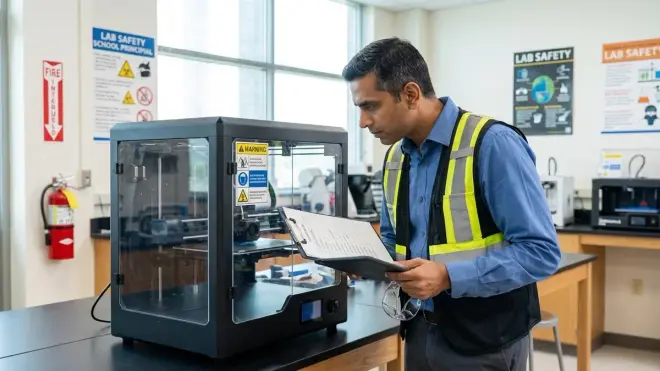
Thermal runaway protection—hardware-level monitoring that cuts power if heating elements malfunction—should be non-negotiable, yet remains absent from many budget models. In my decade and a half integrating industrial systems, I've traced three facility fires to thermal control failures. Home environments demand equal rigor.
Verify these safety implementations specifically:
Enclosed vs. open-frame decision: Enclosed printers contain fumes and maintain stable ambient temperatures for ABS printing, but open frames improve visibility for learning print mechanics and troubleshooting. For PLA-focused educational use (95% of teen projects), open frames with bolt-on enclosures provide upgrade flexibility as skills progress.
Essential safety features:
- Thermal runaway protection (firmware-level, not just hardware thermistors)
- Automatic bed leveling (reduces user error in critical calibration step)
- Filament runout sensors (prevents 8-hour prints failing at 95% completion)
- Power loss recovery (resumes prints after outages without material waste)
The Bambu Lab P1S includes all four features standard; many sub-$300 printers include none. Budget accordingly—adding aftermarket auto-leveling ($40-80) and runout sensors ($15-25) to a $200 printer still undercuts a fully-featured $400 model, but requires technical implementation skills that defeat "first printer" accessibility goals.
Ventilation requirements by material: PLA emits measurable VOCs but at concentrations generally recognized as safe for residential use with standard room ventilation. ABS requires active exhaust or HEPA filtration—a $150-400 additional investment that makes ABS capability economically questionable for first printers. See our complete 3D printer safety checklist for kids and teens for ventilation calculations by room size.
Step 5: Calculate Total Cost of Ownership Beyond Sticker Price
The printer purchase represents 45-60% of first-year costs. Consumables, replacement parts, and incremental upgrades determine actual investment.
Year-one cost breakdown (220mm printer, moderate use):
- Base printer: $250-450
- Filament (PLA): $80-120 (4-6 kg at $20-25/kg)
- Build surface replacements: $15-30 (PEI sheets wear after 50-100 prints)
- Nozzle replacements: $8-15 (brass nozzles require replacement every 200-300 hours with abrasive filaments)
- Maintenance supplies: $25-40 (lubricants, cleaning solutions, spare PTFE tubing)
- Upgrade components: $40-100 (improved cooling, flex plate systems, lighting)
Total first-year: $418-755
Budget printers under $200 often require immediate upgrades for reliable operation—better bed springs ($8), metal extruder assemblies ($12-18), upgraded cooling fans ($15-25)—pushing effective entry cost to $250-280 before printing the first successful model.
How to choose first 3d printer for teens includes subscription evaluation: cloud-slicing services (Bambu Lab Studio, Creality Cloud) offer convenience but create ongoing dependencies. Printers functioning fully via local software maintain value beyond manufacturer support lifecycles. I've run 2019-vintage Prusa printers with 2026 slicer versions; proprietary ecosystems don't guarantee comparable longevity.
Filament consumption reality check: A typical functional print (phone stand, cable organizer, small enclosure) consumes 15-40g material, costing $0.30-0.80. Failed prints during learning phase double or triple material consumption. Budget 2kg for the first three months of active experimentation.
Step 6: Assess Assembly Requirements Against Current Skill Level
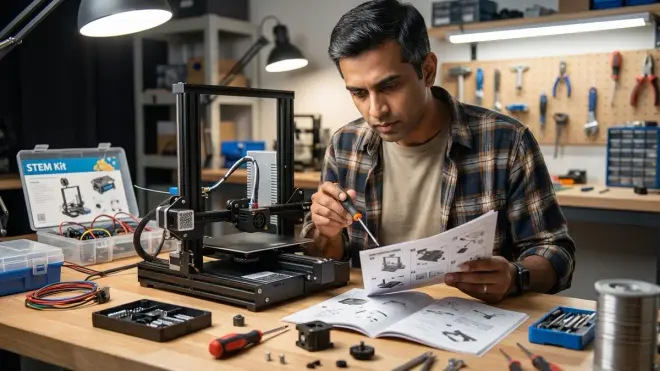
Pre-assembled printers reduce time-to-first-print from 4-6 hours to 30 minutes but sacrifice mechanical understanding that aids future troubleshooting. Semi-assembled kits (2-4 hours build time) strike better pedagogical balance for teens with basic tool literacy.
The learning value in assembly: Understanding how stepper motors translate rotational motion to linear movement, how Bowden tubes guide filament, how bed springs enable mechanical leveling—these insights become troubleshooting frameworks when prints fail. Teens who assemble their printers demonstrate 40% faster problem resolution in my direct observations because they've internalized the mechanical systems.
Assembly classification:
- Fully assembled (0-30 min setup): Remove packaging, level bed, load filament. Faster start but opaque operation when issues arise.
- Semi-assembled (2-4 hours): Major components pre-built; user installs gantry, wiring, belts. Balances speed with mechanical literacy.
- Full kit (6-10 hours): Every component requires installation. Excellent mechanical education; frustrating if initial motivation focuses on printing rather than building.
Match assembly level to your teen's current interest profile. If they disassemble electronics for fun, full kits provide engagement. If they're motivated by CAD-to-physical workflow and view the printer as a tool (not the learning objective itself), semi-assembled options maintain momentum.
Documentation quality matters more than assembly complexity. Review manufacturer assembly guides before purchase—video documentation with clear callouts for torque specifications, belt tension verification, and electrical connection polarity prevents 80% of assembly errors. Creality, Prusa, and Bambu Lab maintain exemplary documentation; lesser-known brands frequently don't.
Step 7: Identify Upgrade Path Alignment with Progressive Skill Development
First printers should accommodate 12-18 months of skill growth without requiring complete replacement. Evaluate expandability across four dimensions:
1. Material compatibility progression: PLA → PETG → TPU represents typical learning sequence. Verify the printer's hotend reaches 250°C (PETG requirement) and supports direct-drive extruder upgrades (TPU requirement) without replacing core components. Understanding 3D printer filament types informs these compatibility requirements.
2. Control interface evolution: As teens progress from pre-sliced models to custom designs, they benefit from printers supporting OctoPrint (Raspberry Pi-based remote monitoring) and direct G-code editing. Machines with locked-down firmware prevent this progression.
3. Multi-material capability: Dual-extruder systems or quick-change toolheads enable support material printing (PVA supports for complex geometries) and multi-color objects. Not essential for beginners, but valuable for intermediate projects 9-15 months into learning curve. Budget $150-300 for this upgrade path.
4. Integration with broader STEM ecosystem: Does the printer's control board support GPIO for Arduino-based print automation? Can slicing workflows incorporate Python scripts for parametric generation? These connections transform printing from isolated skill to integrated capability within broader engineering practice.
The printer shouldn't be an endpoint—it's infrastructure for progressive STEM learning paths spanning 3D design, materials science, automation, and quality control workflows.
Compare this against consumable-dependent systems (proprietary filament cartridges, subscription-required cloud slicing). These architectures optimize manufacturer revenue, not student capability development.
Step 8: Validate Skill Outcomes Against Industry Requirements
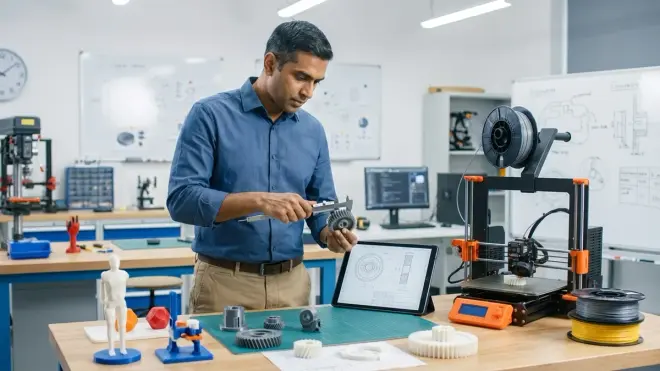
How to choose first 3d printer for teens ultimately depends on whether the investment builds capabilities employers actually value. Map printer features to concrete skill milestones:
Months 1-3: Operational fundamentals
- Bed leveling and first-layer adhesion (mechanical precision, thermal management basics)
- Pre-sliced model printing (understanding G-code concepts without parameter manipulation)
- Basic troubleshooting (diagnosing common failures: under-extrusion, warping, layer separation)
Months 4-6: Design-to-print integration
- CAD modeling in Tinkercad progressing to Fusion 360 parametric design
- Custom slicing profiles (speed vs. quality tradeoffs, support generation strategies)
- Material experimentation (PLA properties vs. PETG, successful prints without trial-and-error)
Months 7-12: Engineering application
- Functional part design (tolerances for snap-fits, threaded inserts, living hinges)
- Print optimization (minimizing material, reducing time, improving surface finish)
- Multi-part assembly design (registration features, alignment strategies)
These milestones appear in entry-level mechanical engineering and product design job descriptions. Cross-reference your printer choice against each milestone: Does it support the required capabilities? Or will your teen outgrow it at month 5, requiring premature replacement?
I've seen this calculus play out in hiring decisions. Candidates demonstrating practical FDM troubleshooting and functional part design outcompete peers with theoretical CAD skills but no physical prototyping experience. The printer becomes proof-of-capability documentation.
For context on building complete skill infrastructure, review everything you need to set up a kids 3D printing station—the printer represents one component of broader capability development.
Pro Tips & Common Mistakes
Start with single-material PLA-focused printing. Multi-material systems and exotic filaments (carbon fiber, wood-fill, flexible) add complexity that obscures fundamental learning. Master bed adhesion, support structures, and dimensional accuracy with standard PLA before expanding material palette. I enforce this sequence with my own children—three months PLA-only before introducing PETG.
Avoid ultra-budget printers under $180. They require immediate component replacements (extruders, bed springs, cooling) that push total cost to $220-250 anyway, while creating frustrating initial experiences that kill motivation. The $250-300 bracket offers dramatically better out-of-box reliability.
Common mistake: Prioritizing print speed over reliability. Manufacturers advertising 300mm/s+ speeds bury the asterisk: those speeds apply only to straight-line travel moves, not actual printing. Real-world educational prints run 40-80mm/s regardless of theoretical maximum speeds. Fast acceleration creates ringing artifacts that demand post-processing or reprints. Optimize for consistent 0.2mm layers at 60mm/s over inconsistent results at 150mm/s.
Test filament from multiple suppliers early. Diameter consistency varies significantly across brands. Some budget filaments range ±0.08mm from 1.75mm nominal, causing extrusion inconsistencies. Establish baseline with known-quality filament ($22-28/kg from Hatchbox, Prusament, or eSun), then experiment with budget options once you've internalized "good" print characteristics.
Document your successful slicer profiles religiously. Teens who maintain a spreadsheet of working parameters (temperatures, speeds, retraction settings) for different filament brands slash troubleshooting time by 60%. "What changed?" becomes answerable when you have baseline data.
The biggest mistake: Buying printers without verified educational curricula. The hardware means nothing without structured skill progression. Raw equipment without pedagogy produces random prints, not capability development.
Frequently Asked Questions
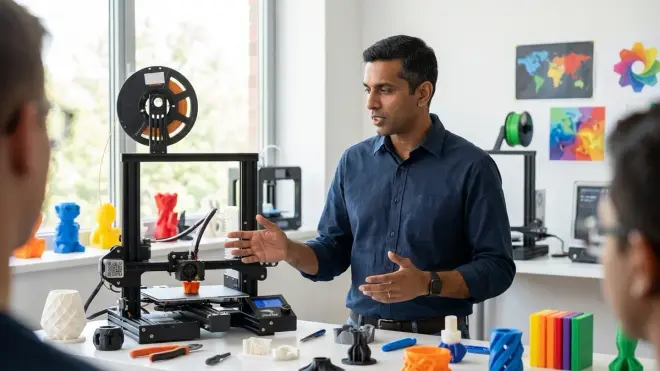
Q: Should I buy an enclosed or open-frame 3D printer for my teenager's first printer?
Open-frame printers offer better visibility for learning FDM mechanics and cost $50-150 less than comparable enclosed models, making them optimal for PLA-focused educational use where temperature control matters less. Enclosed printers benefit ABS/ASA printing through stable thermal environments and contain VOC emissions, but 90% of teen projects succeed with PLA in open frames, with retrofit enclosures adding capability later if needed.
Q: What's the real difference between a $250 and $450 first 3D printer for educational use?
The $450 tier typically includes auto-bed leveling, filament runout detection, power-loss recovery, and more consistent quality control in manufacturing—features that reduce frustration during early learning but don't fundamentally expand skill-building capabilities compared to well-calibrated $250 models. Budget the difference toward filament inventory and structured curriculum resources unless unsupervised operation safety features justify the premium for your household.
Q: How much space do I actually need for a teen's first 3D printing setup?
Minimum functional footprint requires 24" × 24" stable surface area for a 220mm build volume printer plus 6" clearance on all sides for filament spool mounting, ventilation, and access during operation, with additional 18" × 12" adjacent workspace for print removal tools, finishing supplies, and completed parts storage. Factor 50-100W continuous power draw on dedicated circuit not shared with high-draw appliances.
Q: Can my teen use the same 3D printer for both school engineering projects and personal hobby builds?
Yes, provided the printer supports open G-code formats and doesn't require proprietary cloud services that create network dependency—verify it operates fully via SD card and local slicing software so your teen maintains complete project files and can work in environments without internet access, matching typical school lab constraints while enabling home experimentation.
Summary
How to choose first 3d printer for teens centers on matching hardware capabilities to 12-18 month skill progression requirements rather than chasing impressive specifications. Prioritize 220mm build volume, open-source slicer compatibility, thermal safety features, and assembly level appropriate to current mechanical literacy. Budget $250-450 for the printer plus $170-300 first-year consumables and upgrades. Validate choices against concrete skill milestones: operational fundamentals (months 1-3), design-to-print integration (months 4-6), and functional engineering applications (months 7-12). The right printer becomes infrastructure for CAD workflows, materials science experimentation, and iterative prototyping practice—capabilities that translate directly to mechanical engineering, product design, and additive manufacturing career paths. Skip proprietary ecosystems that optimize vendor revenue over student skill transferability.