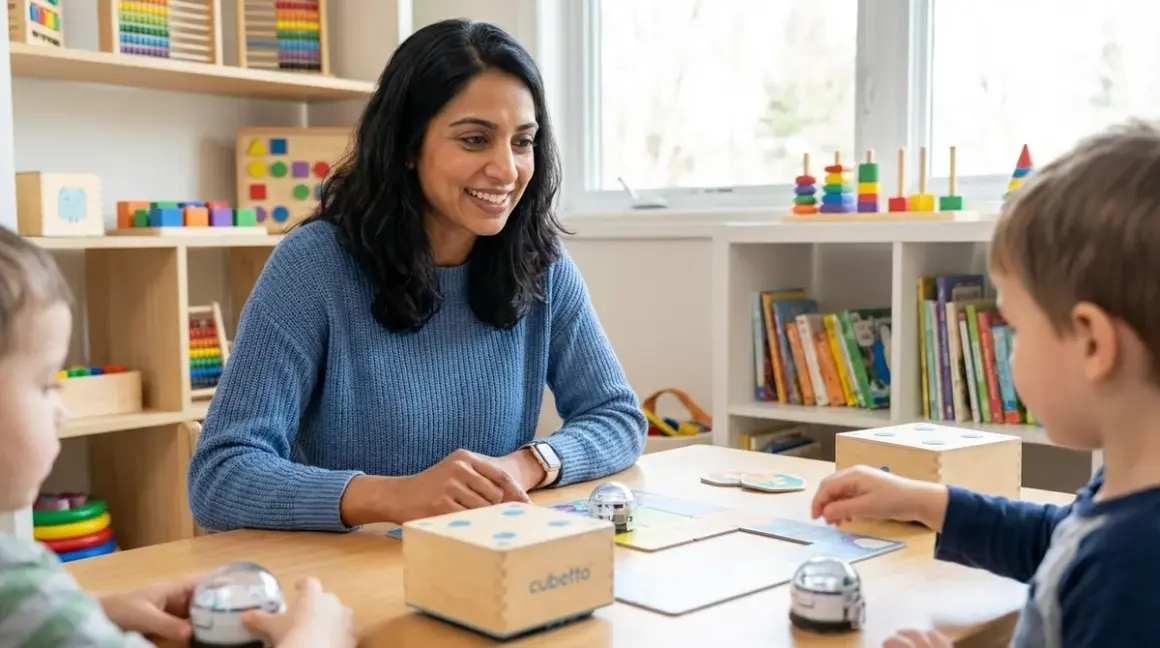

You want your child to learn programming logic without adding another hour of screen time to their day. I understand that tension completely—the desire to build their computational thinking while protecting their developing eyes and attention spans. The best screen-free coding kits for kids offer a guilt-free alternative: tangible, hands-on tools that teach sequencing, loops, conditionals, and debugging through physical manipulation rather than pixels.
What Are Screen-Free Coding Kits?
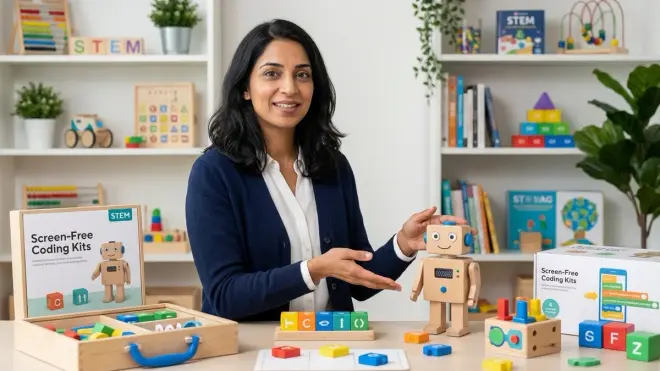
Screen-free coding kits are physical learning systems that teach programming concepts—sequencing, pattern recognition, logic structures, debugging, and algorithm design—without requiring computers, tablets, or smartphones. These kits use tactile components like wooden blocks, directional tiles, puzzle pieces, cardboard programming cards, fabric mats, or small robots with mechanical buttons to represent coding instructions.
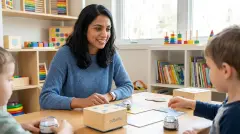
The Cubetto Playset pioneered this approach with its wooden robot and block-based programming board, demonstrating that children as young as three can grasp fundamental coding logic through touch and spatial reasoning. Unlike traditional coding toys that require screen interfaces, these kits operate through direct physical cause-and-effect: your child places a sequence of command tiles, presses a button, and watches their creation execute in the real world.
What makes these tools genuinely educational rather than simply screen-free alternatives is their alignment with computational thinking frameworks. They're not just avoiding screens—they're deliberately building the cognitive scaffolding children need before they ever touch text-based code. The American Academy of Pediatrics has documented concerns about excessive screen time in early childhood, making these physical coding tools particularly valuable for families managing tech exposure while maintaining STEM skill development.
The best screen-free coding kits for kids create what developmental psychologists call "low-floor, high-ceiling" learning environments: easy enough for beginners to start immediately, complex enough to challenge growing minds across multiple developmental stages.
How Screen-Free Coding Kits Work
These kits translate abstract programming concepts into physical actions your child can see, touch, and manipulate. The mechanism varies by design, but all screen-free coding systems share three core components: command representation, sequence building, and execution feedback.
Command Representation Through Physical Objects
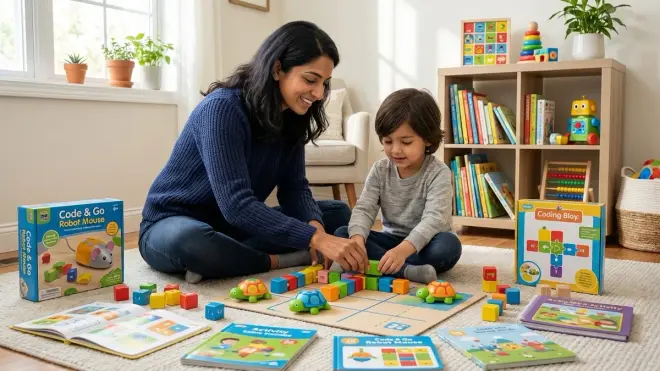
Each kit uses tangible objects to represent programming instructions. The Code & Go Robot Mouse Activity Set employs directional arrow cards (forward, backward, left turn, right turn) that children arrange in sequence. The Robot Turtles Board Game uses card-based commands where each card type represents a different movement or action. More advanced kits like wooden coding blocks use color-coding, symbols, or shape variations to differentiate between movement commands, loops, and conditional logic.
Your child learns to "read" these physical tokens the same way they'll later read if, while, or for statements in Python. The cognitive load is significantly lower because they can hold the instruction in their hand, examine it, and physically move it around while planning their algorithm.
Building Sequences and Logic Structures
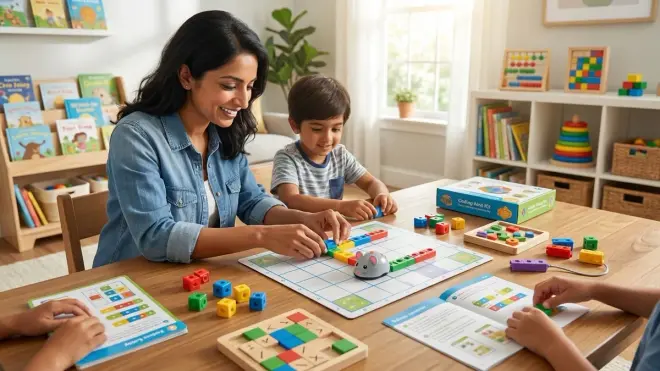
After selecting individual commands, children arrange them in specific orders to create algorithms. This physical sequencing is where the real learning happens. Your child experiments with different arrangements, discovers that order matters (a foundational programming principle), and develops debugging skills when their sequence doesn't produce the expected result.
Many kits include loop representation—tiles or cards that indicate "repeat this section three times"—teaching iteration without abstract notation. The tactile nature means your six-year-old physically groups the commands they want to repeat, creating a concrete mental model of how loops contain other instructions.
Function creation appears in advanced screen-free kits through color-coded sections or dedicated "subroutine" cards. Your child builds a small sequence, labels it as a reusable function, and then calls that function within larger programs—exactly mirroring how procedural programming works in industry-standard languages.
Execution and Feedback Loops
The magic moment arrives when your child executes their physical program. In board game formats, they manually move a game piece according to their coded sequence. In robotic kits, they press a "go" button and watch a small robot follow their instructions. The immediate visual feedback—success or collision with an obstacle—creates natural debugging opportunities.
This execution phase develops what computer scientists call "tracing" skills: the ability to mentally simulate what code will do before running it. Your child learns to visually trace their command sequence, predict the outcome, and identify errors in their logic. These are precisely the skills professional developers use when debugging complex code, but your child builds them through play rather than frustration at a screen.
When programs fail (and they will, often), the physical nature makes errors visible and comprehensible. Your child can see exactly which command in the sequence caused the robot to turn the wrong direction. They develop resilience and systematic problem-solving without the cognitive overload of syntax errors, missing semicolons, or cryptic compiler messages.
Why Screen-Free Coding Matters for Your Child's Development
The developmental benefits extend far beyond simply reducing screen exposure, though that alone offers significant advantages for attention span, sleep quality, and eye health in children under eight.
Concrete operational thinking develops most effectively through physical manipulation. Between ages four and eleven, most children function in what developmental psychologist Jean Piaget identified as the concrete operational stage—they understand concepts best when they can physically interact with them. Abstract symbols on screens require cognitive translation that physical objects bypass entirely. When your seven-year-old moves a "forward three spaces" tile, they're building neural pathways that connect the abstract concept (instruction) with concrete reality (movement) through their own hands.
Screen-free coding also addresses the executive function challenge inherent in traditional programming. Learning to code on a computer requires simultaneously managing syntax rules, abstract logic, spatial visualization, and tool interfaces. That's overwhelming cognitive load for developing brains. Screen-free kits isolate the logic component—your child focuses purely on algorithmic thinking without battling keyboard skills, mouse precision, or software navigation.
I've watched this transformation in my own home: my six-year-old daughter struggled with early Scratch projects because she couldn't yet manage the block-dragging interface precisely enough to express her ideas. Switching to wooden coding tiles removed that friction entirely. She could finally focus on the logic she wanted to create rather than fighting the input mechanism.
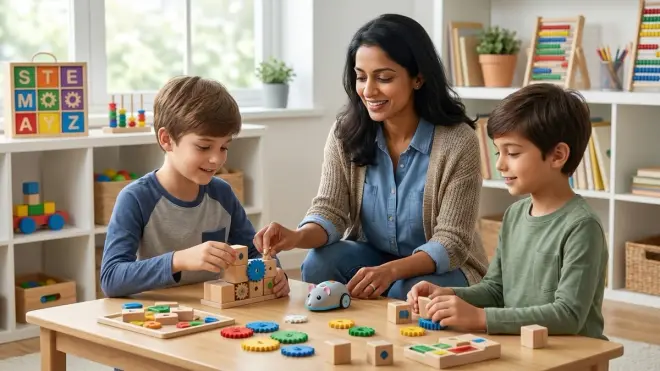
These kits also create natural collaboration opportunities that screen-based coding often inhibits. Multiple children can gather around a physical coding board, discuss strategy, point at specific commands, and jointly debug a sequence. The social learning that emerges—negotiation, explaining reasoning, collaborative problem-solving—builds communication skills that professional programmers desperately need in team environments.
Perhaps most importantly, screen-free coding prepares children for the transition to text-based programming languages without the jarring leap that causes many young learners to abandon coding entirely. They arrive at Scratch or Python already understanding sequencing, loops, conditionals, and debugging—they're simply learning new notation for familiar concepts.
Types and Variations of Screen-Free Coding Kits
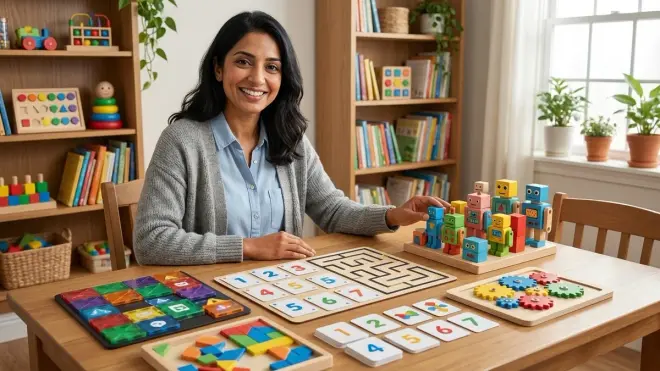
The screen-free coding landscape has diversified significantly as manufacturers recognize the demand for unplugged STEM learning. Understanding these categories helps you match tools to your child's developmental stage and learning style.
Board Game Formats
Games like Robot Turtles and Code Master transform programming into competitive or puzzle-solving play. These require no batteries, no setup beyond unpacking components, and scale difficulty across hundreds of challenges. They're ideal for families seeking truly zero-tech options and work beautifully for children ages four through ten. The limitation: they don't provide the immediate "robot execution" feedback that makes errors instantly visible, requiring instead parent facilitation or self-checking.
Programmable Robot Systems
The middle ground combines physical programming with robotic execution. Kits like Code & Go Robot Mouse or Cubetto use battery-powered robots that execute physically programmed command sequences. These provide the critical feedback loop—your child watches their code run in real space—while maintaining the tactile programming interface. Power requirements are minimal (usually 3-4 AAA batteries), and they're durable enough for years of repeated use. These excel for ages five through nine and prepare children particularly well for transitioning to Arduino robotics platforms.
Wooden Block and Tile Systems
Premium options use laser-cut wood or high-quality plastic tiles that represent commands through symbols, colors, or shapes. These focus heavily on the cognitive sequencing aspect without robotic components, making them the most portable and durable option. They're also infinitely expandable—your child can combine multiple sets or create their own additional command tiles. The trade-off: they require more imagination and parent facilitation to "execute" programs, though this guided interaction offers developmental benefits for younger children (ages three to six).
Fabric Mat and Card-Based Hybrid Systems
These kits combine floor mats (printed with grids, mazes, or challenges) with programming cards or tiles. Your child arranges cards to code a path, then physically walks it themselves or directs a toy/robot along the route. This full-body engagement adds kinesthetic learning to the cognitive work, particularly valuable for children who learn best through movement. The fabric components are machine-washable and remarkably durable, though they require dedicated floor space during use.
For guidance on matching these formats to your child's specific age and skill level, our comprehensive guide on how to choose screen-free coding kits by age and skill level provides detailed capability milestones and learning path considerations.
Frequently Asked Questions
What age should my child start with screen-free coding kits?
Children can begin screen-free coding as early as age three with simple directional sequencing kits that use four basic commands (forward, backward, turn left, turn right). At this stage, they're building pre-coding skills like following multi-step instructions and understanding cause-and-effect rather than formal programming concepts. Most children develop the pattern recognition and abstract thinking needed for loops and conditional logic between ages five and seven, making that the optimal window for introducing more complex screen-free programming concepts that directly prepare them for eventual text-based coding.
Will screen-free coding actually prepare my child for real programming?
Screen-free coding builds the exact cognitive foundations that professional programmers use daily: algorithmic thinking, debugging methodology, pattern recognition, and the ability to break complex problems into sequential steps. What it doesn't teach is syntax—the specific notation of Python, Java, or JavaScript. Think of screen-free coding as developing fluency in the grammar and structure of language before learning to spell words on paper. When your child eventually transitions to Scratch or Python programming, they'll already understand what loops do, why order matters, and how to systematically debug errors—they'll just be learning new symbols for familiar concepts, which is significantly easier than learning both simultaneously.
How long do screen-free coding kits remain useful before my child outgrows them?
Well-designed screen-free kits typically provide 18-36 months of progressive learning before children need to transition to screen-based environments. The longevity depends on three factors: the kit's complexity ceiling, your child's pace of development, and whether the system supports expandability through add-on modules or custom challenge creation. Budget kits with limited command sets often max out after 6-8 months, while premium systems offering functions, nested loops, and conditional logic can engage children from age five through early middle school, especially when combined with advanced unplugged coding games that build on the same physical programming principles.
Do screen-free coding kits require subscriptions or ongoing purchases of consumables?
The vast majority of screen-free coding kits function as one-time purchases with no recurring costs. They use durable, reusable physical components—wooden blocks, plastic tiles, fabric mats—that last through multiple children with normal wear. The exceptions are rare subscription boxes that deliver monthly screen-free coding challenges, though these are distinctly different investment models than purchasing complete kits. Battery-powered robotic components require occasional AAA or rechargeable battery replacements (budget around $10-15 annually for heavy use), but the programming interfaces themselves never require consumables. This makes them significantly more economical than app-based coding platforms with annual subscription fees.
Can my child use screen-free coding kits independently or do they need constant parent supervision?
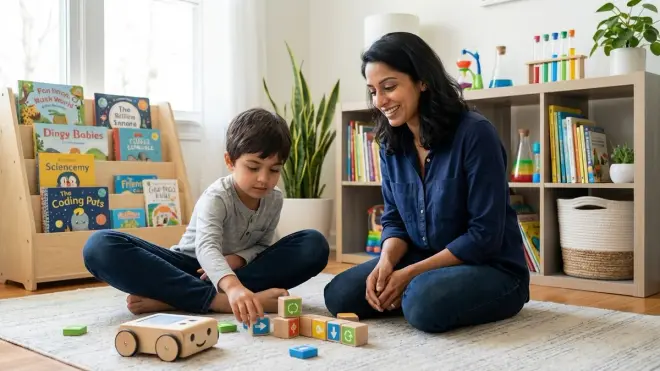
Independence levels vary significantly by age, kit complexity, and your child's prior experience with structured challenges. Children ages three to five typically need parent facilitation to explain challenge goals, help interpret symbols, and celebrate successes—budget 20-30 minutes of engaged co-play. By ages six to eight, most children can work independently for 15-40 minute sessions with board game formats or familiar robot kits, checking in with you only when stuck or ready to demonstrate their solution. The physical nature of these kits naturally encourages independence compared to screen-based coding because there's no software navigation to master—your child can see all available options simultaneously and physically manipulate them without accidentally clicking into confusing menus or deleting their work.
Building a Progressive Learning Path with Screen-Free Coding
The true power of screen-free coding emerges when you view these kits not as isolated activities but as interconnected steps in a sequential skill-building pathway. This progression mirrors how professional computer science education scaffolds complexity, but adapted for developmental readiness in childhood.
Foundation Stage: Ages 3-5
At this entry point, you're not actually teaching coding—you're building the prerequisite cognitive skills. Your preschooler needs to develop sequential thinking (understanding that order matters), spatial reasoning (visualizing movement through space), and basic pattern recognition. Simple kits with four directional commands and clear cause-and-effect relationships work beautifully here.
Look for kits that limit command vocabulary to 4-8 options maximum. More choices overwhelm developing executive function capabilities. Your goal isn't complex programs—it's building the muscle memory of thinking through steps before acting, a habit that serves all future programming work.
Sequencing Mastery: Ages 5-7
Children in this stage are ready to create longer command sequences (10-15 steps) and encounter their first major programming concepts: loops and debugging. They should spend substantial time with challenge-based kits that offer 40-60 progressive problems, each slightly more complex than the last.
This is where screen-free coding demonstrates clear advantages over screen-based alternatives. Your seven-year-old can physically rearrange command tiles, testing different sequences without losing their previous attempt or struggling with digital interfaces. They develop genuine debugging skills—the systematic approach to finding and fixing errors—rather than random trial-and-error clicking.
Watch for the milestone where your child begins to "trace" their code mentally before executing it. That's the sign they're internalizing the logic rather than just playing with physical objects. It usually emerges after 15-25 hours of accumulated practice time.
Logic Structures: Ages 7-9
Advanced screen-free kits introduce conditional logic (if-then statements) and nested loops (loops within loops). These concepts represent the genuine complexity threshold—the point where your child's programs begin to resemble actual code structure rather than simple movement sequences.
Kits at this level often incorporate multiple solution paths for the same challenge, encouraging optimization thinking: Can you solve this puzzle with fewer commands? Can you use a loop instead of repeating the same sequence? This optimization mindset directly prepares children for the algorithmic efficiency thinking that distinguishes strong programmers.
This stage typically lasts 12-18 months before most children outgrow the complexity ceiling of physical coding systems. You'll notice increasing frustration when they conceive of programs more complex than their screen-free kit can express—that's your signal to begin the transition to Scratch or block-based screen programming.
Bridge to Screen-Based Programming: Ages 8-11
Rather than abruptly abandoning screen-free tools, create a bridge period where your child uses both physical coding kits and beginner screen-based platforms simultaneously. They can prototype algorithms with familiar physical tiles, then translate those solutions into Scratch blocks or simple Python commands.
This parallel practice reinforces that the underlying logic remains constant—only the notation changes. It's the computational thinking equivalent of learning to write words you already speak fluently. The cognitive load stays manageable because you're isolating the new skill (syntax and digital interfaces) from the already-mastered skill (algorithmic logic).
Children who follow this progressive path typically demonstrate stronger debugging skills, better planning before coding, and more resilience when facing complex programming challenges compared to peers who began directly with screen-based coding. They've built the mental models first, then layered notation on top—the natural sequence that works with childhood cognitive development rather than against it.
Lab Specs: Technical Considerations for Screen-Free Coding Kits
When evaluating these tools for your home STEM lab, practical specifications matter as much as educational design. Let's examine the infrastructure requirements and durability standards that determine whether a kit will thrive or frustrate in actual family use.
Power and Connectivity Requirements
Board game formats: Zero power requirements. Fully functional out of the box with no batteries, charging, or electrical infrastructure. This makes them ideal for travel, outdoor use, or situations where you want truly unplugged learning without setup friction.
Robot-based kits: Most require 3-4 AAA batteries for the robotic component, with battery life ranging from 8-15 hours of active use depending on motor efficiency and weight of the robot. Premium models use rechargeable lithium batteries, eliminating ongoing consumable costs but requiring access to wall outlets for charging (typically 2-4 hour charge cycles). Budget for battery replacement or charging logistics in your planning.
Connectivity: The defining characteristic of screen-free coding is the complete absence of WiFi, Bluetooth, app requirements, or cloud dependencies. These kits function in airplane mode forever. There's no software to update, no accounts to create, no internet outage that prevents learning, and no data privacy concerns to navigate. This represents both a practical advantage (true portability) and an educational one (no digital distractions bleeding into focus time).
Space and Storage Footprint
Most screen-free coding kits fit within a 12" × 18" × 4" footprint when stored, making them compatible with standard shelf space or under-bed storage. Active use space varies dramatically:
- Board games: 2' × 3' table surface minimum
- Floor mat systems: 4' × 6' clear floor space for comfortable movement
- Robot kits with large challenge mats: 3' × 4' dedicated surface, preferably with consistent lighting (shadows can interfere with simple optical sensors in budget robots)
If you're designing a dedicated STEM room versus multi-purpose learning space, screen-free coding kits offer significant flexibility—they require no permanent setup, no wall-mounted monitors, and no cable management.
Expandability and Progression
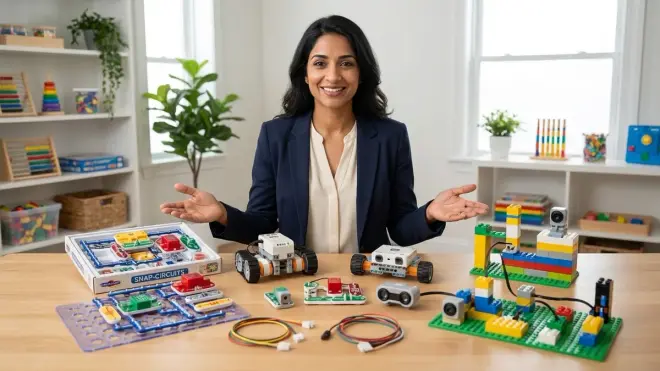
The most cost-effective screen-free coding kits support modular expansion through add-on challenge packs, additional command tiles, or compatible accessories. Before purchasing, verify:
- Whether additional complexity levels are available as separate purchases
- If third-party challenge cards or DIY extensions exist in the community
- Whether the manufacturer offers curriculum guides that extend learning beyond the included challenge book
Some premium systems use standardized tile sizes that allow you to create custom commands with blank tiles and permanent markers, essentially creating infinite expandability. This DIY extension capability dramatically extends useful lifespan, particularly for families with multiple children at different skill levels who can each create challenges for siblings.
Durability for Repeated Use
Screen-free coding kits undergo tremendous physical manipulation—tiles get dropped, sorted, stacked, and occasionally chewed by curious younger siblings. Durability directly impacts total cost of ownership.
Red flags: Thin cardboard components (warping after 3-6 months), small plastic tiles prone to cracking (common in budget kits under $30), printed symbols that fade or peel (particularly problematic with foam materials), and mechanical buttons that lose tactile feedback after 200-300 presses.
Durability markers: Laser-cut hardwood components 5mm+ thick, injection-molded plastic tiles with UV-stable printing, reinforced cardboard with laminated surfaces, stainless steel or brass hardware in mechanical robots, and standardized AAA battery compartments (rather than proprietary rechargeable batteries that become unavailable after manufacturer discontinuation).
For families planning to use kits across multiple children or in cooperative learning environments with 3-4 simultaneous users, budget 30-50% more for commercial-grade durability. The per-hour cost still favors quality materials when amortized across 200+ hours of actual use over 4-6 years.
Safety and Age-Appropriate Design
Choking hazards appear in kits designed for ages 5+ that include small command tiles (under 1.5" diameter). If you have children under three in your household, this matters for storage and supervision planning. Most manufacturers clearly label small parts warnings, but verify independently if mixing age groups during sibling play time.
Battery compartment access represents the other common safety consideration. Look for screw-secured battery doors rather than simple friction-fit compartments that curious four-year-olds can pop open. Rechargeable systems should use overcurrent protection in charging circuits—a standard feature in quality electronics but occasionally missing in bargain-priced educational toys.
No screen-free coding kit involves sharp edges, heat generation, or chemical hazards. They represent some of the safest STEM learning tools available, requiring minimal supervision from a safety (rather than educational) perspective once age-appropriate kits are selected.
Integration with Broader STEM Learning Paths
Screen-free coding doesn't exist in isolation—it connects to multiple other STEM skill domains, creating natural bridges that reinforce learning across your child's entire technical education journey.
Robotics Pathway Integration
Children who master screen-free robot programming kits (ages 5-8) arrive at Arduino robotics platforms (ages 9-14) with enormous advantages. They already understand:
- How commands translate to physical robot movement
- The relationship between sensors (input) and motors (output)
- Debugging methodology when robots don't behave as expected
- The concept of uploading a program to hardware that then executes independently
The leap from physical coding tiles to Arduino IDE's text-based programming feels manageable because the underlying robot behavior logic remains familiar. They're learning C++ syntax, not learning what for loops fundamentally accomplish—that cognitive foundation was already built during screen-free coding stages.
For families planning a long-term robotics learning path, screen-free coding between ages 5-8, followed by block-based robot programming (ages 8-10), followed by Arduino projects (ages 10-14) creates a remarkably smooth progression with minimal frustration points.
Computational Thinking Across Subjects

The algorithmic thinking skills developed through screen-free coding transfer directly to mathematical problem-solving, scientific experimental design, and even writing organization. When your child learns to break a coding challenge into sequential steps, they're practicing the same cognitive skill needed to solve multi-step math problems or outline a persuasive essay.
I've observed this transfer consistently: children with 40+ hours of screen-free coding experience demonstrate stronger planning behavior before attempting homework problems in any subject. They pause, consider sequence, identify what information they need, and approach systematically rather than impulsively. That executive function strengthening represents one of the most valuable outcomes of early coding education, regardless of whether your child eventually pursues computer science professionally.
Preparation for Industry-Standard Tools
While screen-free coding kits themselves aren't industry tools, the programming paradigms they teach absolutely are. Professional developers use:
- Sequential execution: commands run in order (learned via basic screen-free sequencing)
- Iteration/loops: repeating commands multiple times (learned via physical loop tiles)
- Conditional logic: if-then decision structures (learned via advanced screen-free kits with branching)
- Functions/subroutines: reusable code blocks (learned via color-coded command grouping)
- Debugging methodology: systematic error identification and correction (learned via physical program tracing)
Your eight-year-old who can skillfully debug a 20-command physical program has already internalized the core methodology that professional developers use with 200-line Python scripts. They've just internalized it through play rather than frustration at syntax errors.
When they eventually transition to teaching AI and machine learning concepts in late middle school or high school, the algorithmic thinking foundation from screen-free coding years earlier makes those advanced concepts significantly more accessible. Computer science education researchers consistently find that the strongest predictor of success in advanced programming isn't early exposure to code syntax—it's early development of computational thinking, precisely what screen-free coding builds.
Common Implementation Challenges and Solutions
Even well-designed screen-free coding kits encounter friction points in real family use. Here's what I've observed across hundreds of families, along with practical solutions that maintain learning momentum.
Challenge: Frustration During Initial Learning Curve
Your six-year-old confidently attempts the first few challenges, succeeds easily, then hits a complexity wall around challenge 8-12 where solutions aren't immediately obvious. Frustration emerges quickly, sometimes with the dramatic announcement that "coding is too hard" or "this is stupid."
What's actually happening: They've exhausted their pattern recognition shortcuts and encountered genuine problem-solving requirements. This is the learning zone, but it's uncomfortable.
Solution: Step back to challenges 2-3 levels below the frustration point and introduce scaffolding questions instead of solutions. "What does the robot need to do first?" "If you could only use three commands, which three would you pick?" "Let's trace this sequence together with our finger—does it go where you intended?" You're building debugging methodology, not solving the puzzle for them. Sessions should end with success, even if that success comes from an easier challenge than where they started. Confidence matters more than speed through curriculum.
Challenge: Sibling Skill Level Gaps
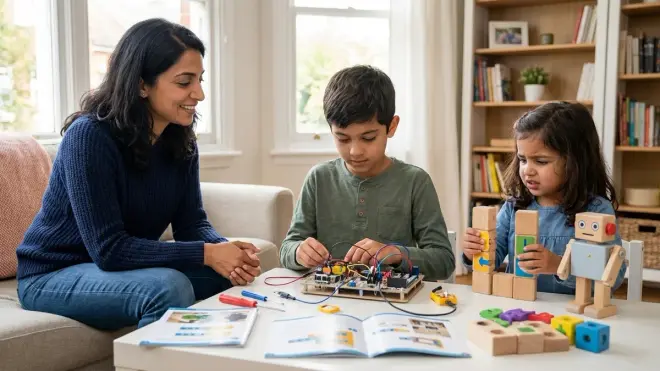
You have a four-year-old and an eight-year-old who both want to participate, but they're working at dramatically different coding complexity levels. Purchasing separate kits for each child doubles costs; forcing them to work together creates frustration as the older child solves everything while the younger watches.
Solution: Assign complementary roles rather than identical tasks. The younger child becomes the "robot" who executes commands the older child programs. The older child programs solutions, the younger child identifies bugs by tracing the program before execution. This collaborative structure honors their different skill levels while building communication abilities in both children. For families committed to shared learning, choose kits explicitly designed with multi-level challenges (many include "junior" and "advanced" versions of the same basic puzzle).
Challenge: Declining Engagement After Initial Novelty
Week one brings enthusiastic daily play. Week three brings occasional engagement. Week six finds the kit abandoned in the closet, barely touched. This pattern frustrates parents who invested in quality educational tools.
What's actually happening: Screen-free coding, like any skill practice, requires contextual variation to maintain engagement. The same challenge format becomes repetitive even when individual puzzles vary.
Solution: Rotate between three different contexts: (1) structured challenge completion from the kit curriculum, (2) open-ended creation where your child invents their own maze and solution, and (3) competitive or collaborative play with siblings or parents where you race to solve puzzles or work together on complex challenges. This variation maintains novelty while continuing skill development. Schedule coding time rather than leaving it entirely self-directed—most children need structure to maintain practice consistency, just like music lessons or sports.
Challenge: Unclear Progression to Next Learning Stage
Your nine-year-old has thoroughly mastered their screen-free coding kit, working confidently through the most advanced challenges. But when you introduce Scratch or basic Python, they struggle and disengage. The cognitive gap between physical coding and text notation feels larger than expected.
Solution: Use deliberate bridging activities rather than abrupt transitions. Spend 2-3 weeks where your child creates a program with physical tiles, then recreates the exact same logic in Scratch blocks or simple Python commands. The familiarity of the program logic they just built makes the new notation feel less foreign. Explicitly point out the connections: "See how this loop tile is the same as this Scratch repeat block? They both do exactly the same thing—just different pictures." For detailed bridging strategies, our guide on transitioning from screen-free coding to Scratch and Python provides month-by-month progression plans.
Your Child's Screen-Free Coding Journey Starts with Small Steps
The best screen-free coding kits for kids don't just keep your child away from screens—they build genuine programming logic through the most developmentally appropriate method available: physical manipulation of concrete objects. Your preschooler arranging directional tiles is practicing the same sequential thinking that professional software engineers use when architecting complex systems. The notation differs. The cognitive work remains identical.
You're not choosing between screen-free coding and "real" programming. You're choosing whether to build strong foundations first or rush toward syntax before conceptual understanding solidifies. Every hour your child spends physically tracing command sequences, identifying logic errors in tangible programs, and celebrating when their robot finally navigates the maze correctly is an hour of brain development that makes future programming dramatically easier.
Start where your child is developmentally, not where marketing materials suggest. Choose kits that challenge without overwhelming, that offer clear progression paths, and that you can expand as skills grow. Watch for the signs of readiness: when your child begins mentally tracing programs before executing them, when they debug systematically rather than randomly changing commands, when they start creating their own challenges. Those milestones signal deep learning happening beneath the surface of play.
Your child's relationship with technology will span decades. Beginning with wooden tiles and fabric mats instead of glowing screens isn't a limitation—it's a thoughtful choice to protect their development while building skills that transfer across their entire technical future.