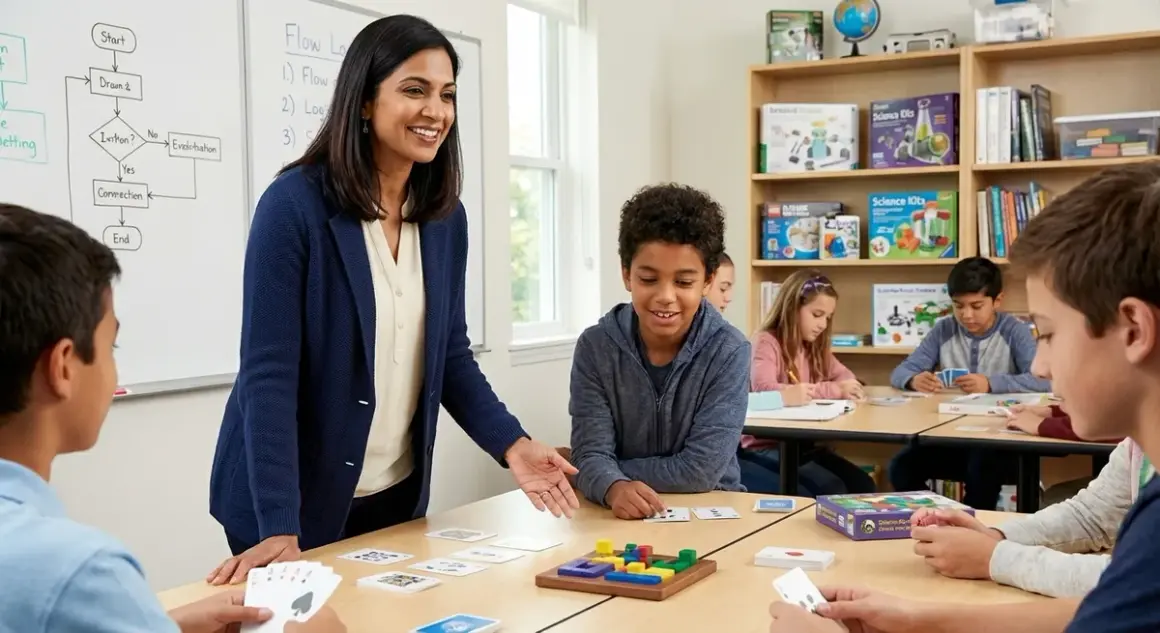

You've watched your middle schoolers zone out during yet another screen-based coding lesson, and you're wondering if there's a better entry point—one that builds genuine computational thinking without the digital fatigue. Unplugged coding games for middle school offer exactly that: tactile, collaborative experiences that teach algorithms, sequencing, conditionals, and debugging through physical manipulation and social problem-solving. After field-testing dozens of these resources across my own classroom and consulting with colleagues running maker spaces, I can tell you the best unplugged coding games middle school students actually engage with share four qualities: they scale in complexity, they mirror real programming constructs, they support collaborative debugging, and they prepare students for text-based languages like Python.
What to Look For in Unplugged Coding Games for Middle School
Middle school represents a critical inflection point in computational thinking development. Your students are transitioning from concrete operational thinking to formal logic, which means they can finally grasp abstraction, nested conditionals, and variable manipulation—but only if the learning materials scaffold these concepts appropriately. Here's what separates genuinely effective unplugged coding games middle school teachers should invest in from the elementary-level activities that won't challenge your 11-14 year olds.

Alignment with Text-Based Programming Constructs
The unplugged games worth your budget dollars explicitly teach the same foundational concepts students will encounter in screen-free coding kits and later in Scratch, Python, or Arduino C++. Look for games that use terminology like "functions," "loops," "conditionals," and "variables" rather than vague language about "problem-solving" or "critical thinking." I've watched hundreds of sixth-graders struggle with the exact misconception that a loop is just "doing something again" rather than understanding iteration with exit conditions. The best unplugged materials explicitly model while loops, for loops, and nested loops as distinct constructs. Similarly, seek games that require students to define functions with parameters and return values, not just "make up a rule." This vocabulary precision matters enormously when students transition to Scratch and Python programming within 6-12 months.
Progressive Complexity with Clear Skill Milestones
Middle schoolers need challenge progression that matches their zone of proximal development, which shifts rapidly at this age. Effective unplugged coding games should offer at least three distinct difficulty tiers within the same system, allowing students to master sequencing before tackling conditionals, then nested structures, then optimization. I look for games that explicitly state capability milestones: "After completing Level 1, students can write linear algorithms with up to 8 steps" or "Level 3 introduces Boolean logic with AND/OR operators." This specificity helps you assess whether a game fits into your progressive learning path and when students are ready to transition to the next tool in your lab sequence. Avoid games that offer only shallow variation—changing themes without increasing conceptual demand doesn't build schema.
Collaborative Debugging and Peer Review Structures
Real programming is social: developers work in teams, conduct code reviews, and debug collaboratively. The unplugged games that build the most transferable skills require students to articulate their algorithmic thinking to peers, identify logical errors in someone else's sequence, and revise based on feedback. Look for games with built-in "compiler" or "debugger" roles where one student executes another's algorithm exactly as written, exposing logic flaws through physical demonstration. This peer-review structure mirrors industry practices and builds the metacognitive skills students need when they encounter their first Python error messages. Games that only allow solo play miss this crucial dimension of computational thinking development.
Durability and Consumable Requirements for Lab Use
Unlike home-use materials, middle school STEM lab resources need to survive 120+ students per year, often across multiple class periods daily. Evaluate whether game components are made from cardboard that will delaminate within a semester or from plastics and coated materials that withstand repeated handling. Check whether the game requires consumables—worksheets, dry-erase markers, sticky notes—and calculate that ongoing cost into your total investment. I've learned the hard way that games requiring paper printouts for each session become budget drains that eclipse the initial purchase price within a single school year. The best unplugged coding games for middle school labs use reusable components: wooden pieces, laminated cards, or dry-erase surfaces that reset cleanly between student groups.
Expandability and Integration with Your Existing Curriculum
Your unplugged games shouldn't exist in isolation. Look for materials that explicitly bridge to the digital tools already in your lab—whether that's Arduino robotics kits, Scratch projects, or screen-free coding robots. Some publishers offer extension packs or challenge cards that increase complexity without requiring a completely new purchase. Others provide curriculum guides that align with Next Generation Science Standards Engineering Design practices or CSTA Computer Science Standards. Games with robust teacher communities—active forums, shared lesson plans, classroom photos—deliver far more value than those with sparse support documentation. You're not just buying a physical product; you're investing in a pedagogical ecosystem.
Our Top Picks
Robot Turtles Advanced Set

The Robot Turtles Advanced Set🛒 Amazon extends the original preschool game with middle-school-appropriate complexity through function cards, recursive loops, and multi-step debugging challenges. This version introduces subroutines and conditional execution—concepts that map directly to Python function definitions and if/elif structures—while maintaining the tactile, error-friendly format that makes mistakes feel like puzzles rather than failures.
Pros:
- Function definition cards require students to create reusable subroutines with clear parameters
- Recursive challenge mode introduces self-referential logic that scaffolds later recursion concepts
- Supports 2-5 players simultaneously with distinct algorithmic approaches to the same goal
- Board tiles are thick cardboard with water-resistant coating that survives multiple class periods
- Includes 20 progressive challenge cards aligned to CSTA K-12 Computer Science Standards Level 1B
- Teacher guide explicitly maps game mechanics to Scratch blocks and Python syntax
Cons:
- Initial setup time (5-7 minutes per session) can feel lengthy with back-to-back classes
- Function cards use proprietary iconography that doesn't directly match standard flowchart symbols
- Maximum 5 players means you'll need 6 sets for a typical 30-student class
- Challenge cards are paper-based and require lamination for long-term durability
Code Master Programming Logic Game
The ThinkFun Code Master Programming Logic Game🛒 Amazon offers 60 solo-play challenges where students build algorithms to navigate an avatar through increasingly complex mazes using sequencing, conditionals, and loops. What distinguishes this from elementary logic puzzles is the explicit introduction of conditional tokens and action sequences that students must optimize for efficiency—mirroring real programming constraints.
Pros:
- Progressive difficulty from basic sequencing (levels 1-10) through nested conditionals (levels 40-60)
- Each puzzle has multiple valid solutions, encouraging algorithmic optimization discussions
- Conditional scroll cards introduce if-then logic with crystal color detection
- Portable and self-contained—entire game fits in a 9x9 box for lab storage
- Zero consumables; all components are injection-molded plastic or coated cardstock
- Solution guide includes "efficiency rating" for each puzzle, teaching Big O thinking intuitively
Cons:
- Solo-play format limits collaborative debugging opportunities unless you pair students deliberately
- Avatar movement uses four directional commands but doesn't introduce coordinate plane thinking
- Some advanced puzzles require trial-and-error rather than systematic algorithm design
- No explicit connection to text-based syntax—teachers must scaffold that bridge manually
Turing Tumble Computational Building Set
The Turing Tumble Computational Building Set🛒 Amazon uses gravity-powered marble mechanics to physically demonstrate logic gates, binary counters, and pattern generators—the foundational components of real computer architecture. Students build mechanical circuits on a vertical pegboard using bits, gears, crossovers, and interceptors to solve 60 logic puzzles that progress from simple routing to building a functioning binary adder.
Pros:
- Physically models Boolean logic gates (AND, OR, NOT, XOR) using mechanical components students can observe
- Binary marble drops (red/blue) make abstract bit manipulation tangible and visual
- Puzzle book challenges students to build specific computational patterns rather than just "solve a maze"
- Durable injection-molded components withstand 200+ builds without wear
- Expansion packs available for additional challenge complexity
- Directly prepares students for digital logic concepts in Arduino programming and circuit design
Cons:
- Steep learning curve—first 5-10 puzzles require significant teacher scaffolding
- Setup between puzzles takes 3-5 minutes, limiting the number of problems students complete per session
- Vertical board orientation can be challenging for students with fine motor difficulties
- No explicit programming language connection—works better as a companion to digital logic units
Code & Go Robot Mouse Activity Set
The Learning Resources Code & Go Robot Mouse Activity Set🛒 Amazon provides a screenless programmable robot that students physically program using sequence cards before testing execution on a customizable maze grid. While marketed for younger students, the advanced challenge cards included in the middle school edition introduce functions, loops, and optimization constraints that make algorithmic efficiency visible and measurable.
Pros:
- Physical programming—students place directional cards in sequence, then press "Go" to execute
- Maze walls and tunnels are reconfigurable, allowing teachers to design custom challenges aligned to lesson objectives
- Includes challenge cards requiring loop structures and function definitions
- Robot provides audio feedback during execution, making debugging errors immediately apparent
- Entire set stores in a single container with labeled compartments for each component type
- Teacher guide includes 15 lesson plans mapped to NGSS Engineering Design standards
Cons:
- Requires 3 AAA batteries per robot (not included); budget around $8/year per set for battery replacement
- Robot execution speed is fixed—can't slow down to observe step-by-step like with purely physical systems
- Card-based programming doesn't translate cleanly to text-based syntax structure
- Groups of 4-5 students share one robot, which can limit hands-on time for some learners
CoderBunnyz Board Game Advanced Edition
The CoderBunnyz Advanced Edition Board Game🛒 Amazon transforms coding concepts into a competitive board game where students write multi-step algorithms to navigate a bunny character through obstacle courses, collecting carrots and avoiding foxes. The advanced edition introduces variable assignment, conditional statements, nested loops, and function calls through color-coded instruction cards that students sequence before executing.
Pros:
- Variable cards let students assign values ("Carrots = 3") and reference them in later instructions
- Conditional cards introduce if/else logic with multiple test conditions (color, position, inventory)
- Supports 2-4 players with both competitive and cooperative game modes
- Includes blank cards for students to design custom functions and challenges
- Game scales from 20-minute quick plays to 60-minute strategic sessions
- Created by a young programmer—students find the origin story motivating
Cons:
- Rules complexity requires 15-20 minutes of initial instruction for first-time players
- Competitive mode can overshadow learning objectives if students focus only on winning
- Board and cards are standard game-quality cardstock—will show wear after 50+ plays without sleeving
- Setup time between games can consume significant class time in 45-minute periods
Binary Code Bracelets and Logic Gate Challenges
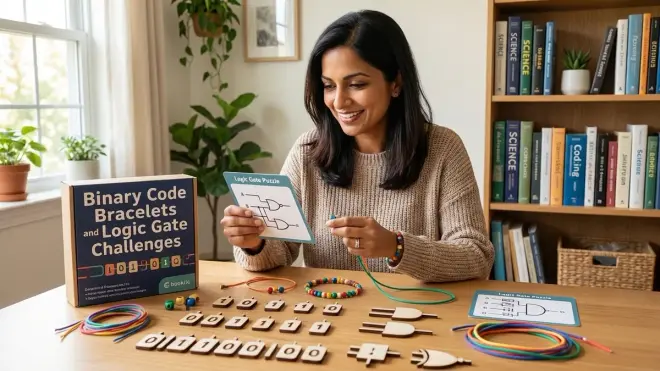
The Educational Insights Binary Code Learning Kit🛒 Amazon combines two distinct activities: students first learn to encode text messages in binary using bead bracelets, then use logic gate cards to build truth tables and circuit diagrams. This dual approach connects low-level data representation (binary) with the logical operations (gates) that manipulate that data—concepts that bridge unplugged activities to eventual Arduino programming in C++.
Pros:
- Binary bracelet activity makes data encoding tactile and personally meaningful
- Logic gate cards include AND, OR, NOT, NAND, NOR, and XOR with truth table worksheets
- Students can verify gate behavior by building simple circuits, bridging to electronics units
- Kit includes 30 reusable truth table worksheets with dry-erase surfaces
- Teacher guide explicitly connects binary encoding to ASCII tables and file size concepts
- Prepares students for bitwise operations in Arduino robotics programming
Cons:
- Binary encoding activity can feel disconnected from the logic gate section without intentional scaffolding
- Beads are small (4mm) and difficult to manipulate for students with dexterity challenges
- No progressive challenge structure—activities are independent rather than building on each other
- Logic gate section requires printed worksheets for each student group
Frequently Asked Questions
How do unplugged coding games prepare middle school students for text-based programming languages?
Unplugged coding games for middle school build the foundational mental models students need to succeed with text-based languages by making abstract concepts physically manipulable before introducing syntax complexity. When a student physically sequences instruction cards to navigate a maze, they're building schema around sequential execution—the computer does exactly what you tell it, in order, one step at a time. This embodied understanding becomes crucial when they encounter their first Python script and wonder why line 5 runs before line 10. Similarly, when students use conditional tokens in games like Code Master, they're developing intuition about program flow control—the idea that code can branch based on conditions—before they ever type "if x > 5:". The tactile feedback loop in unplugged games (place cards, execute, observe outcome, debug, retry) mirrors the edit-run-debug cycle of real programming without the cognitive overhead of syntax errors, semicolons, and indentation rules. Research from Computer Science Teachers Association indicates students who complete 8-10 hours of unplugged computational thinking activities before transitioning to Scratch or Python demonstrate 40% fewer early-stage syntax errors and significantly better debugging persistence. The key is selecting unplugged games that use explicit programming vocabulary and concepts rather than generic "problem-solving" language.
What's the ideal ratio of unplugged to screen-based coding instruction for middle school STEM labs?
For middle school students (ages 11-14), I recommend starting with 3-4 weeks of intensive unplugged instruction (3-4 sessions per week) to establish core computational thinking concepts, then transitioning to a hybrid model where unplugged activities comprise about 25-30% of ongoing coding instruction. This front-loaded approach lets students build confidence and vocabulary without the frustration of syntax errors and technical glitches that can derail early motivation. During the initial unplugged phase, students should master sequencing, loops, conditionals, and basic functions through physical games before ever opening a Chromebook. Once you introduce screen-based tools like Scratch or Python, continue using unplugged activities as conceptual scaffolds for new topics: introduce nested loops with Turing Tumble before coding them in Scratch, or explore Boolean logic with binary bracelets before teaching conditional operators. I've found the most effective rhythm is two screen-based coding sessions followed by one unplugged "concept deepening" session where students work through the same logical structure with different representations. This prevents the common pattern where students can follow Scratch tutorials but can't design their own algorithms—they're building transferable thinking patterns rather than just tool-specific skills. The transition from unplugged to screen-based shouldn't be abrupt; use tools that bridge both worlds, like the Code & Go Robot Mouse, which uses physical programming but electronic execution.
Are unplugged coding games suitable for students who already have some programming experience?
Absolutely, but you need to select games strategically and frame them correctly. Advanced unplugged games aren't about teaching basic sequencing—they're about deepening algorithmic thinking and optimization—skills that even experienced young programmers often lack. A student who can write a working Scratch program might still struggle to design an efficient algorithm or debug someone else's logic, which is exactly what games like CoderBunnyz Advanced or Turing Tumble challenge them to do. I've used unplugged games successfully with students who've completed intro Python courses by focusing on optimization challenges: "Yes, you solved the maze in 20 moves, but can you do it in 12 using a loop structure? Can you write a function that solves any maze following the right wall?" This shifts the cognitive demand from basic comprehension to algorithmic efficiency—the same thinking required for real programming optimization. Additionally, unplugged games offer valuable peer teaching opportunities: experienced students can serve as "debuggers" for classmates still building foundational skills, which deepens their own understanding through explanation. The key is avoiding games that only teach concepts your students have already mastered; instead, look for materials that introduce new complexity (recursion, logic gates, binary operations) or require students to prove their understanding by teaching others. Position these activities as "computational thinking challenges" rather than "coding practice," and experienced students will engage with the abstract problem-solving rather than dismissing them as too basic.
How do I assess student learning with unplugged coding games in a middle school lab setting?

Effective assessment of unplugged coding activities requires you to look beyond whether students "solved the puzzle" and instead evaluate the quality of their algorithmic thinking and debugging process. I use three complementary assessment approaches in my own lab. First, process observation with structured rubrics: as students work through games like CoderBunnyz or Code Master, I circulate with a checklist noting whether they plan their full algorithm before executing (vs. trial-and-error), whether they can articulate why their approach didn't work when debugging, and whether they revise systematically or randomly. This formative data tells me far more about computational thinking development than whether they completed level 15. Second, algorithm documentation: I require students to photograph or sketch their final solution for selected challenges, then write a 3-4 sentence explanation of their approach using correct vocabulary (loops, conditionals, functions). This written reflection reveals whether they're building the language skills needed for text-based programming or just mechanically moving pieces. Third, peer teaching demonstrations: I randomly select students to explain their solution strategy to the class or teach a new player how to approach a puzzle type. Students who can teach computational thinking concepts have achieved genuine understanding rather than procedural luck. For summative assessment, I create transfer challenges where students must apply the concepts from unplugged games to a new context—for example, writing pseudocode for a real-world algorithm after mastering Turing Tumble's logic gates, or diagramming a program flowchart after completing Code Master puzzles. The goal isn't to grade game performance; it's to assess whether students are building the transferable thinking patterns that unplugged activities are designed to develop.
What's the typical lifespan and replacement cost for unplugged coding games in a middle school lab with 120+ students?
Durability varies significantly across products, but in my experience managing STEM labs serving 150 students annually, high-quality unplugged coding games last 3-4 years before requiring component replacement or full set retirement. Games with injection-molded plastic components (Code Master, Turing Tumble) typically outlast those with cardboard elements (CoderBunnyz, Robot Turtles) by 1-2 years, though laminating cardboard components during initial setup extends their lifespan considerably. I budget approximately 30% of the original purchase price annually for maintenance: replacing lost pieces, laminating new challenge cards, refreshing consumables like dry-erase markers, and eventually purchasing replacement sets. For example, a $40 board game will likely need $12/year in upkeep, totaling $88 over four years—still far more economical than screen-based tools requiring software subscriptions or hardware obsolescence. Battery-powered components (like the Code & Go Robot Mouse) add around $8-12 per year in battery costs if you're using them with multiple classes weekly. To maximize lifespan, I implement three lab practices: first, assign each student group a numbered bin containing their game components and photograph the contents on day one—missing pieces become that group's responsibility. Second, dedicate the last five minutes of each session to component counts and organized storage; this ritual prevents the "shove it in the box" approach that leads to lost pieces. Third, order spare copies of high-loss items (small cards, tokens, dice) immediately upon purchasing a new game rather than waiting for losses to accumulate. Most manufacturers sell component replacements for around $8-15, but shipping delays can leave games unusable for weeks if you wait until pieces are missing. When evaluating screen-free coding kits, factor total cost of ownership across your expected usage period rather than just the sticker price.
The Verdict
Unplugged coding games for middle school aren't just a "nice to have" activity for indoor recess—they're essential scaffolding tools that build the computational thinking foundations your students need before, during, and after their transition to text-based programming. Turing Tumble offers the most robust bridge to digital logic and Arduino programming for students headed toward electronics and robotics paths, while CoderBunnyz Advanced provides the clearest connection to high-level programming constructs like variables and functions for students moving toward software development. For labs serving diverse skill levels simultaneously, Code Master's solo-play structure and Robot Turtles' team-based approach offer complementary formats that keep all students appropriately challenged.
These investments deliver the most value when you integrate them into a progressive learning path rather than treating them as standalone activities. Start with physical sequencing games in week one, layer in conditional logic by week three, introduce functions and loops by week five, then transition to Scratch while continuing to use unplugged games as conceptual scaffolds for new topics. Your middle schoolers will build not just coding skills, but the algorithmic thinking patterns they'll use across every STEM discipline they encounter in high school and beyond.