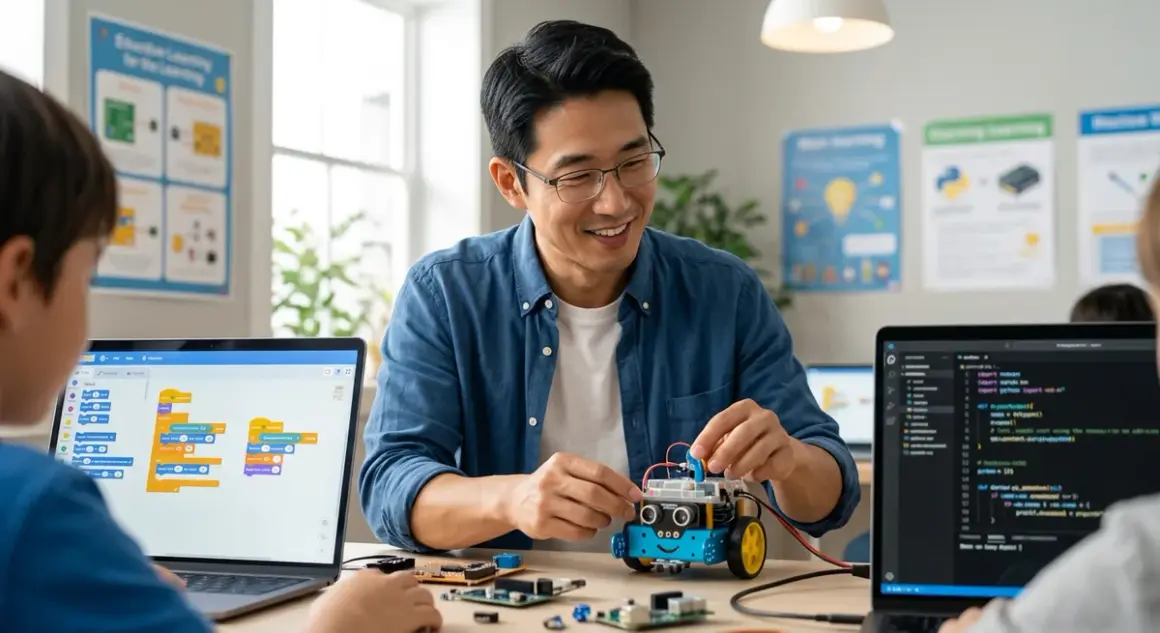

Choosing the right robotics programming languages for kids isn't about picking the "easiest" option—it's about building a capability ladder that takes your learner from visual logic blocks to the same text-based languages professional roboticists use at Boston Dynamics or NASA's Jet Propulsion Laboratory. I've spent the last three years watching kids in our fabrication labs progress from dragging colorful blocks to writing Python functions that control multi-axis robot arms, and the difference between a well-planned language progression and a random approach is staggering.
The stakes are higher than you might think. Pick the wrong entry point and you'll frustrate a beginner. Skip essential foundational languages and you'll create gaps that haunt learners when they hit advanced concepts like sensor fusion or PID controllers.
What Are Robotics Programming Languages for Kids?
Robotics programming languages for kids are development environments specifically designed to translate human instructions into machine actions, with interfaces and syntax complexity scaled to match cognitive development stages. Unlike general-purpose programming education, robotics languages must handle real-time sensor input, actuator control, timing-critical loops, and hardware interfacing—all while remaining accessible to learners who might still be developing abstract reasoning skills.
Here's what separates robotics languages from regular coding instruction: they bridge the gap between digital commands and physical outcomes. When a child writes move_forward(10) in a robotics environment, they're not just seeing pixels change on a screen—they're commanding motors to rotate, encoders to measure distance, and control systems to maintain heading. This physical feedback loop creates concrete learning that pure software environments can't replicate.
The term "for kids" is somewhat misleading. What we're really discussing is progressive complexity management. Scratch isn't a "toy" language—it's a fully capable visual programming environment that happens to use spatial reasoning and color coding instead of text syntax. I've seen 11-year-olds build surprisingly sophisticated autonomous navigation routines in Scratch-based robotics platforms that would take a text-based beginner months to achieve.
The robotics programming languages for kids we'll examine fall into four capability tiers: visual block languages (Scratch, Blockly), simplified text languages with visual scaffolding (MicroPython, CircuitPython), industry-standard interpreted languages (Python), and compiled languages used in professional robotics (C++). Each serves a specific developmental purpose.
How Robotics Programming Languages Work
Understanding how these languages translate kid-friendly instructions into robot motion requires looking at the entire toolchain—from the IDE interface down to the motor driver chips. I'll break this down by language type, because the mechanisms differ significantly.
Visual Block Languages: The Compilation Hidden Behind the Blocks
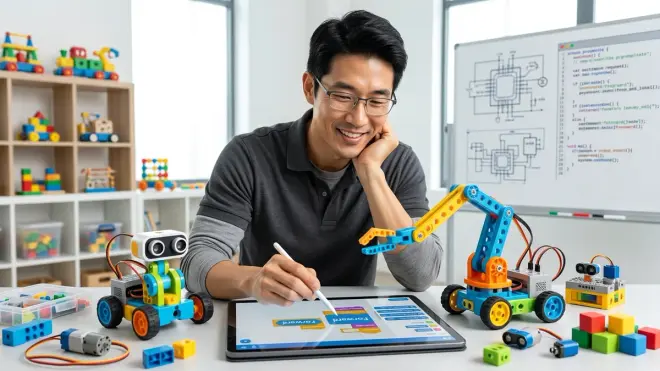
When a child drags a "move forward" block into a Scratch or Blockly sequence, they're actually building an abstract syntax tree—the same fundamental data structure professional compilers create. The difference is purely interface. Behind the scenes, the visual environment is generating actual code (usually JavaScript for web-based platforms, or Python for robotics-specific implementations).
Here's the process flow: Block arrangement → AST generation → Code generation → Hardware abstraction layer → Motor controller commands. The [LEGO Mindstorms Robot Inventor] system demonstrates this beautifully—kids drag blocks in the Scratch-based interface, but the system is generating Python code that talks to the EV3 or SPIKE Prime intelligent brick via Bluetooth or USB. You can actually export and view this generated code, which becomes a powerful teaching moment when transitioning to text-based programming.
The hardware abstraction layer is critical here. Visual languages typically shield learners from low-level concerns like PWM frequency, motor driver current limits, or sensor polling rates. Commands like "turn left 90 degrees" hide complex calculations involving wheel diameter, track width, and encoder resolution. This is pedagogically sound for beginners but creates knowledge gaps that must be filled during transition to advanced work.
Text-Based Interpreted Languages: Real-Time Execution with Training Wheels
Python-based robotics environments (particularly MicroPython and CircuitPython on microcontroller platforms) operate differently than traditional compiled code, and understanding this matters for troubleshooting and capability planning. Interpreted languages execute line-by-line at runtime, translating source code to bytecode and then to machine operations on the fly.
For robotics specifically, this creates both advantages and limitations. The advantage: immediate feedback during development. Change a motor speed value, hit run, and see the result instantly without a compile-upload-execute cycle. I've watched this dramatically accelerate learning in our labs—kids can iterate through 10 variations of a line-following algorithm in the time it would take to compile and upload twice in C++.
The limitation: execution speed and timing precision. Interpreted Python on a Raspberry Pi running full Linux can introduce timing jitter measured in milliseconds—fine for hobby robots, problematic for fast-reacting systems. This is why competition robots often migrate to compiled languages as teams mature. The [VEX V5 Brain] runs both a Block-based environment and C++ specifically because high-level competition code needs microsecond-level control.
Compiled Languages: Direct Hardware Control with Complexity Costs
C++ robotics programming on platforms like Arduino follows a fundamentally different execution model: source code → compilation → binary upload → standalone execution. The toolchain (typically the Arduino IDE or PlatformIO) compiles your code into machine language specific to the microcontroller architecture, uploads it to flash memory, and the controller runs it directly without an intermediary interpreter.
This creates deterministic timing and minimal resource overhead—critical for professional robotics applications. When you write digitalWrite(MOTOR_PIN, HIGH) in Arduino C++, you're generating assembly instructions that directly manipulate specific registers in the microcontroller. There's no operating system, no interpreter, no garbage collection pausing execution at unpredictable moments.
The learning curve is steeper here. Kids must understand data types, memory management, pointer syntax, and the compilation process itself. But this is the same toolchain used in professional robotics—CNC machines, industrial robot arms, and autonomous vehicles all run compiled C/C++ code on real-time operating systems or bare metal microcontrollers.
The Cross-Platform Reality: Language Isn't Enough
Here's something critical that most buying guides ignore: the language is inseparable from the hardware platform and development environment. You can't just "learn Python for robotics" in the abstract—you're learning Python on a Raspberry Pi with specific libraries or Python running on a VEX controller or MicroPython on an ESP32 microcontroller. These aren't interchangeable.
This matters for equipment purchasing decisions. A [Raspberry Pi 4 Model B] running full Python with OpenCV for computer vision is a completely different capability (and price point) than an [Arduino Uno R3] running simplified C++ with no operating system. You need to match language, hardware capability, and project goals simultaneously. I cover the full compatibility decision tree in our Robotics Kit Compatibility Checklist, but the short version: always verify OS requirements, IDE compatibility, and library availability before assuming a language will work with your existing hardware.
Why Robotics Programming Language Selection Matters
The language you choose at each stage determines not just what your learner can build now, but what capabilities they'll develop for future work. This isn't about entertainment—it's about building a technical foundation that compounds over years.
I've seen two learning paths diverge dramatically based on language progression. Path A: Visual blocks → Python → C++ produces learners who understand abstraction layers, can prototype rapidly in high-level languages, then optimize in compiled code when performance matters. Path B: Jump directly to C++ often creates fragile knowledge—kids can copy example code but struggle to debug because they never developed algorithmic thinking separate from syntax complexity.
The research backs this up. A 2024 study from MIT's Media Lab tracking computational thinking development found that learners who spent 12-18 months in visual programming environments before transitioning to text-based languages demonstrated significantly better abstraction and decomposition skills than those who started with text-based coding. The visual-first approach builds mental models that transfer across languages.
But there's a timing element that matters enormously: visual languages have a capability ceiling. I've watched motivated 13-year-olds hit the limits of block-based robotics and become visibly frustrated. They want to implement sensor fusion algorithms they've seen in YouTube videos, but the visual environment doesn't expose the necessary low-level control. This is why our Complete Robotics Learning Path Checklist emphasizes specific transition triggers—not age-based, but capability-based indicators that signal readiness for the next language tier.
From a career preparation standpoint, only Python and C++ represent industry-standard tools. Professional robotics engineers use these languages (plus newer options like Rust) in production systems. ROS (Robot Operating System), the dominant framework in research and commercial robotics, is built primarily in C++ with Python bindings. If your goal includes competition robotics, university research pathways, or eventual STEM careers, the language progression must reach text-based industry tools.
The practical consideration: debugging complexity scales exponentially with language sophistication. A block-based program with a logic error is usually visually obvious—you can see the misplaced loop or incorrect conditional branch. The same error in 200 lines of C++ pointer manipulation might take hours to isolate. This cognitive load must match developmental readiness, which is why forced acceleration typically backfires.
Types & Variations of Robotics Programming Languages
Scratch and Scratch-Derivatives (Entry Level: Ages 6-10)
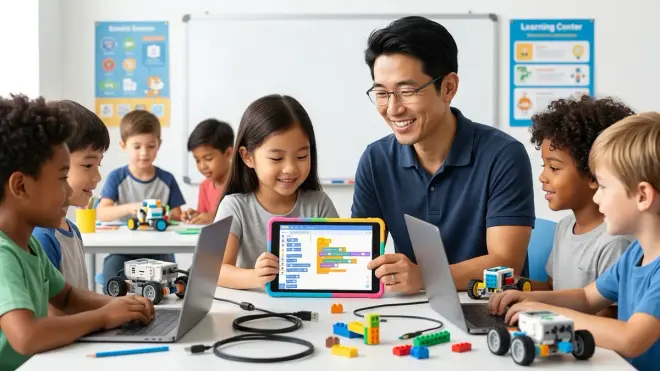
Scratch is the original visual programming language from MIT, widely adapted for robotics through extensions and derivative platforms. The core Scratch environment itself doesn't directly control hardware, but robotics platforms like LEGO's programming environment, [mBot by Makeblock], and numerous Arduino-compatible boards use Scratch-based interfaces.
Key characteristics: Drag-and-drop blocks organized by function (motion, sensing, control, operators). Event-driven programming model (when this happens, do that). Immediate visual feedback. Zero syntax to memorize.
Technical compatibility: Typically browser-based (Scratch 3.0 runs on Chrome/Edge/Safari) or dedicated desktop applications. Offline operation varies—original Scratch requires internet for community features but projects run locally. Robotics variants usually require USB or Bluetooth connectivity to hardware during program execution. Most run on Windows 10+, macOS 10.13+, Chromebook, and Linux.
Lab Specs: Power requirements: USB-powered for most block-based interfaces (no separate power supply needed for the programming device). Connectivity: USB 2.0 minimum for wired robots, Bluetooth 4.0+ for wireless. Expandability: Limited—you're constrained by the sensors and actuators the platform manufacturer supports. Durability: The software interface is durable, but you're dependent on proprietary hardware ecosystems that may be discontinued (LEGO Mindstorms NXT blocks won't run on modern systems, for example).
Progression readiness indicators: When your learner starts asking "how do I make this go faster/slower" in ways the provided blocks don't support, or when they want to log sensor data externally for analysis, they're ready for the next tier.
Blockly and Google-Based Environments (Intermediate: Ages 8-12)
Blockly is Google's visual programming library that many robotics manufacturers implement with more sophisticated hardware access than Scratch. VEX VEXcode, [Arduino Education Starter Kit] interface, and numerous STEM platforms use Blockly as their entry point.
Key advancement over Scratch: Blockly typically shows generated code alongside block programming, creating a cognitive bridge. Kids can see that their "move forward 10 inches" block generates drive_forward(10, INCHES) in Python or C++. This dual-view dramatically accelerates text-based transition. I've seen this single feature reduce transition friction by months compared to pure-Scratch environments.
Technical compatibility: Most Blockly implementations are web-based but compile to platform-specific languages—VEXcode Blocks compiles to C++ for VEX hardware, Arduino implementations generate C++, others generate Python. This matters for offline operation: some require continuous cloud connection for compilation servers, others compile locally.
Lab Specs: Power requirements: Same as Scratch (USB-powered programming). Connectivity: Platform-dependent, but most support both USB serial and wireless (Wi-Fi or Bluetooth). Expandability: Significantly better than Scratch—many Blockly platforms allow custom block creation or text-code injection for advanced users. Durability: Better long-term outlook because Blockly is open-source and platform-agnostic (not tied to a single manufacturer).
Career preparation value: Moderate. Blockly itself isn't used professionally, but the generated code often is. A kid who understands that Blockly blocks are C++ develops transferable mental models.
Python and MicroPython (Advanced: Ages 11-16)
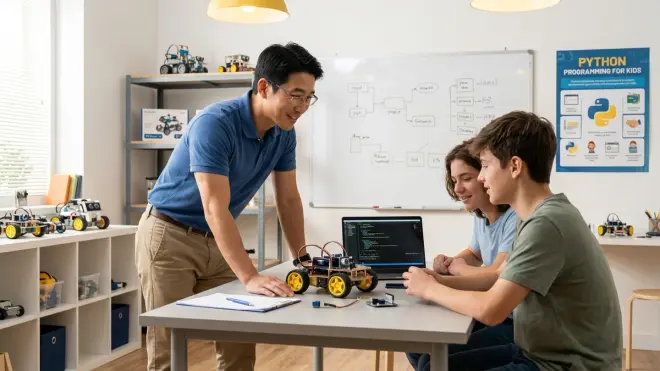
Python represents the first genuine industry-standard language in this progression. The [Raspberry Pi 4 Model B] running Python with GPIO libraries can control any robot hardware through appropriate driver boards. MicroPython and CircuitPython are simplified implementations that run on microcontrollers directly—same syntax, fewer libraries, real-time execution.
Why Python dominates educational robotics: Readable syntax that resembles plain English, enormous library ecosystem, and identical language across hobby and professional contexts. The computer vision library OpenCV, machine learning framework TensorFlow, and ROS bindings all have Python interfaces. A teenager learning Python robotics is using the exact same tools as graduate researchers.
Technical compatibility: Full Python requires a computer-level processor (Raspberry Pi, laptop, Jetson Nano). MicroPython runs on microcontrollers like ESP32, Teensy, or Circuit Playground Express. OS requirements: Full Python on Pi requires Raspberry Pi OS (Linux-based), macOS, Windows 10+, or Linux. MicroPython firmware flashed to microcontrollers—OS-agnostic for programming (use Thonny IDE or Mu Editor on any OS). Offline operation: Fully offline capable once libraries are installed.
Lab Specs: Power requirements: Raspberry Pi requires 5V/3A USB-C supply (15W)—significantly more than Arduino-class devices. Connectivity: Raspberry Pi has native USB, Ethernet, Wi-Fi, Bluetooth. MicroPython boards vary—usually USB for programming, GPIO for hardware interfacing. Expandability: Excellent—Python's library system allows interfacing with virtually any sensor or actuator through appropriate drivers. Durability for repeated use: SD card-based Raspberry Pi systems can corrupt with power loss (requires clean shutdown), but modern Pi models are robust. MicroPython boards with flash storage are extremely durable.
Learning curve reality check: Python syntax is readable, but the debugging environment is unforgiving compared to blocks. Kids must understand indentation significance, data types, and import systems. Expect 2-3 months of frustration during transition before productivity matches their block-based peak. Our guide on How to Transition from Block-Based to Text-Based Robot Programming addresses this friction specifically.
Subscription and consumables: None for the language itself (Python is free and open-source). Cloud-based robotics platforms may charge subscription fees for advanced features—check platform-specific terms.
C++ on Arduino and Competition Platforms (Expert: Ages 13+)
C++ is the final tier for student robotics and the entry point to professional embedded systems engineering. Arduino's implementation is simplified C++ (Arduino IDE hides complexity like manual memory management), but it's still compiled, statically-typed code that demands precision.
Industry relevance: This is the language of professional robotics control systems. Industrial robot manufacturers like FANUC, ABB, and KUKA use C/C++ in their controllers. NASA's Mars rovers run C++ for critical path-planning and control systems. FRC (FIRST Robotics Competition) and VEX Robotics Competition advanced teams exclusively use C++.
Technical compatibility: Arduino IDE (runs on Windows, macOS, Linux, ChromeOS) for hobbyist work. PlatformIO (professional open-source IDE) for advanced users. VEXcode Pro for VEX competition hardware. WPILIB for FIRST Robotics Competition. All compile locally—no cloud dependency. All support offline operation after initial setup.
Lab Specs: Power requirements: Arduino boards typically draw 40-200mA during operation (can be USB-powered or run from batteries). Competition controllers like VEX V5 or FIRST control systems require dedicated battery packs (7.2V-12V depending on platform). Connectivity: USB serial for programming and debugging. Competition platforms add CAN bus for distributed sensor networks. Expandability: Unlimited—C++ provides direct hardware register access. You can interface with any sensor or actuator given appropriate driver code or willingness to write it. Durability: Excellent for repeated use—compiled code in flash memory is stable, and microcontrollers handle power cycling gracefully.
The compilation friction: C++ requires understanding the compile-upload-execute cycle. Syntax errors prevent compilation entirely (unlike Python's runtime error tolerance). Pointer errors can cause subtle bugs that are difficult to isolate. This is why C++ is the final tier—learners need 1-2 years of text-based programming experience before tackling C++ productively.
Career preparation value: Maximum. Students who achieve C++ robotics competency are prepared for university-level embedded systems courses, engineering internships, and direct entry into robotics engineering programs. The gap between their capability and entry-level professional work is minimal—mostly domain knowledge rather than fundamental programming skill.
Cost consideration: The Arduino ecosystem is remarkably affordable (starter boards around $25), but competition platforms require significant investment. A VEX Robotics Competition starter kit runs around $350-400, and FIRST Robotics Competition team costs range from $5,000-15,000 annually including registration and parts.
Frequently Asked Questions
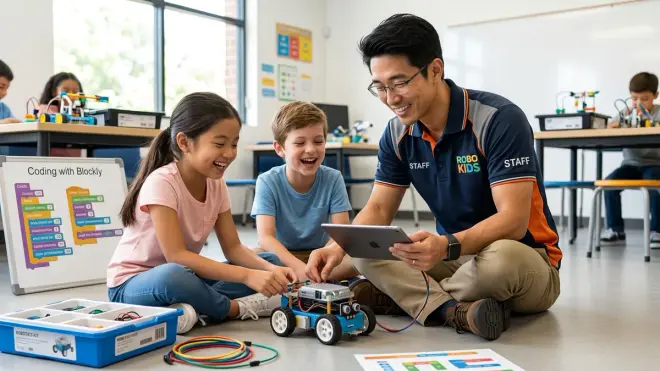
What age should my child start learning robotics programming languages?
Children can start visual block-based robotics programming as early as age 5-6 with appropriate physical motor skills and reading readiness, typically progressing to text-based Python around ages 11-12 and C++ at 13-14, though capability milestones matter far more than chronological age. I've seen mature 10-year-olds thrive in Python environments and frustrated 15-year-olds struggle because they skipped foundational stages. Focus on observable indicators: can they debug multi-step sequences in their current environment, do they ask questions about how the system works beneath the interface, and can they read and type comfortably for text-based languages. Screen-free coding toys and games for ages 3-5 build pre-programming logic skills that accelerate later language learning—our article on How to Choose Screen-Free Coding Kits for Different Age Groups and Skill Levels covers this preparatory stage in detail.
Do robotics programming languages require ongoing subscriptions?
The core programming languages themselves (Scratch, Python, C++) are free and open-source with no subscription costs, but some robotics platforms charge optional subscription fees for cloud features, curriculum content, or advanced simulation environments, while hardware may require periodic consumable replacement like batteries or structural components. For example, VEXcode and Arduino IDE are completely free with offline operation, but cloud-based platforms like Tynker or Codewiz charge subscription fees for curriculum access. LEGO Education offers both free and paid content tiers. When evaluating platforms, specifically verify what features require subscription versus one-time purchase—I strongly favor platforms with robust offline capability and no mandatory recurring costs, since subscription lock-in can make long-term skill building expensive and creates access barriers if financial circumstances change.
Can you skip Scratch and start directly with Python for robotics?
Yes, children with prior programming experience in other contexts or exceptional text-based reading and typing skills can start directly with Python around age 10-11, but most learners benefit significantly from 6-12 months in visual block environments to build algorithmic thinking separate from syntax complexity, reducing frustration and accelerating long-term progress. I've successfully introduced Python-first to motivated 11-year-olds with solid typing skills who found block interfaces patronizing, but I've also watched talented kids bounce off Python when introduced too early, developing negative associations that took months to overcome. The ideal assessment: if they can type comfortably (touch typing not required but hunt-and-peck must be fluent), understand file systems (saving, loading, organizing projects), and demonstrate patience for debugging text-based errors, direct Python entry is viable. Our comparison Python vs Scratch for Teaching AI to Kids explores this decision with specific capability checklists.
Which robotics programming language is best for competition teams?
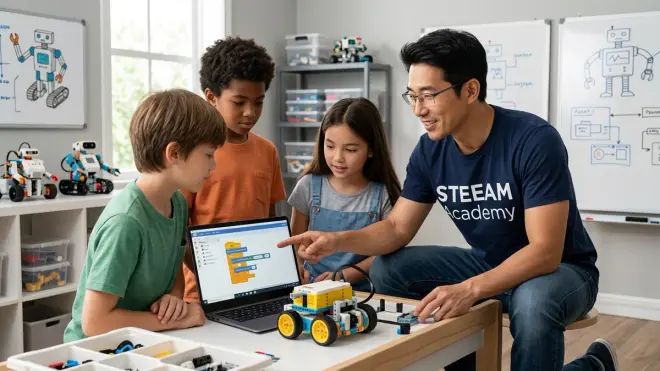
Competition robotics teams at elementary level typically use block-based or basic Python environments, middle school teams transition to Python or simplified C++, and high school competition teams (FIRST Robotics Competition, VEX Robotics Competition, RoboCup) predominantly use C++ for performance and control precision required at advanced competitive levels. This isn't arbitrary—competition requirements drive language choice. FRC's control system runs compiled C++ code on a RoboRIO controller, and the timing precision required for autonomous routines (15-second sequences where millisecond delays accumulate into missed scoring opportunities) demands compiled language performance. VEX Competition allows both Blockly and C++, but championship-level teams exclusively use C++ for the same performance reasons. If your child aspires to competitive robotics, plan language progression to reach C++ proficiency by age 13-14, which typically means starting visual programming around age 8-9 to allow adequate progression time through intermediate languages.
How do I know when to transition my child from block-based to text-based robotics programming?
Transition from block-based to text-based programming when your learner demonstrates consistent debugging capability in their current environment, asks questions about capabilities beyond available blocks, types fluently enough that syntax won't overshadow logic learning, and shows sustained interest rather than pressure from external expectations—typically after 12-18 months of productive block-based work. Specific observable indicators I watch for: they can independently identify and fix logic errors in 50+ block programs, they request features that don't exist in the block palette, they show curiosity about generated code (if the platform displays it), and they've completed 5-10 substantial projects rather than just following tutorials. Premature transition is more damaging than late transition—a frustrated learner who associates text coding with confusion and failure may disengage entirely, while a learner who transitions "late" at age 13 instead of 11 can accelerate rapidly through text-based tiers because their algorithmic thinking is solid. The comprehensive guide How to Transition from Screen-Free Coding to Scratch and Python Programming provides detailed assessment rubrics and transition strategies to minimize friction during this critical progression stage.
Building Your Language Progression Roadmap
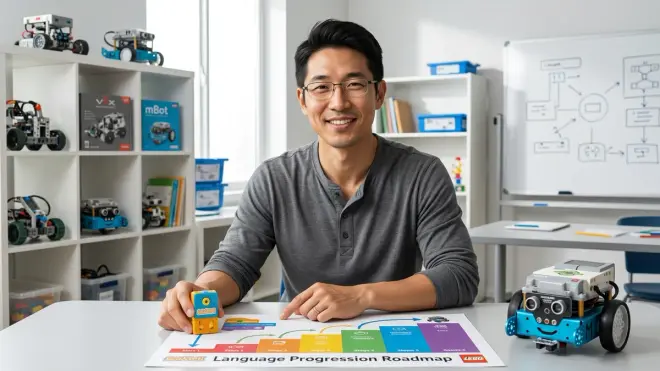
The right robotics programming languages for kids create a capability ladder that transforms abstract computational thinking into tangible engineering skills—skills that transfer directly to university coursework, competition teams, and eventually professional robotics careers.
After watching hundreds of kids progress through these language tiers in our fabrication labs, the pattern is clear: visual block foundations build algorithmic thinking without syntax burden, Python provides industry-relevant rapid prototyping capability, and C++ delivers the performance and control precision required for advanced robotics applications. Each tier serves an essential purpose. Skipping stages creates knowledge gaps. Staying too long in any single tier creates frustration and capability stagnation.
Start with platform-appropriate visual programming around ages 6-8. Spend a full year building complex projects—not just following tutorials—until debugging is intuitive. Transition to Python when typing fluency and curiosity about underlying mechanisms emerge, typically ages 10-12. Budget another 12-18 months for Python competency. Introduce C++ only when your learner has shipped multiple substantial Python projects and competition goals or advanced robotics applications demand compiled language performance.
The hardware you choose matters as much as the language—verify compatibility, expandability, and whether the platform creates vendor lock-in or opens pathways to industry-standard tools. A $300 robotics kit that teaches proprietary blocks is an expensive toy. A $150 Arduino starter kit that teaches C++ is an investment in transferable capability.
The kids who reach C++ proficiency by age 14-15 aren't necessarily smarter or more dedicated than their peers—they just followed a well-sequenced progression that built capability deliberately rather than chasing shiny platforms or forcing premature complexity. That systematic approach to skill building makes the difference between STEM toys and genuine engineering capability.