
Verdict: Python delivers production-grade AI skills and aligns with industry hiring requirements; Scratch builds foundational logic for ages 7-10 but lacks the library ecosystem required for real machine learning work. For children serious about AI career preparation, Python becomes mandatory by age 11-12.
This comparison addresses python vs scratch for teaching AI through the lens of measurable skill outcomes, platform compatibility, progression pathways, and workforce readiness. The analysis examines computational requirements, library support for neural network frameworks, and the specific point at which Scratch's visual paradigm becomes a constraint rather than a scaffold.
Quick Comparison
| Criterion | Python | Scratch |
|---|---|---|
| AI Library Support | TensorFlow, PyTorch, scikit-learn (industry-standard) | ML extensions (limited, educational only) |
| Age/Skill Entry Point | 10-11+ with typing fluency, abstract reasoning | 7-9, pre-reading to early fluency |
| Career Tool Alignment | Direct match to 89% of ML job postings (Stack Overflow 2025) | Zero professional use; transition required |
| Hardware Requirements | 8GB RAM minimum for model training; offline capable | Browser or 2GB tablet; cloud-dependent for ML extensions |
| Cost Structure | Free (Python 3.12+, Jupyter, VSCode); hardware investment only | Free; some ML extensions require accounts |
| Progressive Path | Scales to production: data science, robotics, AI research | Dead-end at age 11-12; requires migration to text-based language |
Understanding the Fundamental Architecture Difference
Python and Scratch operate on incompatible paradigms for AI work. Python's text-based syntax connects directly to NumPy arrays, tensor operations, and GPU acceleration—the computational substrate of modern machine learning. When a child writes model.fit(X_train, y_train) in Python using scikit-learn, they're invoking the same library a NASA engineer uses for satellite image classification.
Scratch's block-based interface abstracts computation into visual metaphors. This works for sprite animation and game logic. It fails when teaching AI because machine learning requires manipulating multidimensional arrays, tuning hyperparameters across dozens of variables, and understanding backpropagation—concepts that don't compress into drag-and-drop blocks without losing essential nuance.
The Lifelong Kindergarten Group at MIT, Scratch's creator, designed the platform for ages 8-16 to teach computational thinking, not domain-specific toolchains. Scratch ML extensions like ML4Kids provide supervised learning demos (image classification, text sentiment) but run on remote servers with pre-trained models. A child doesn't build or train the neural network—they label data and watch results. That's data entry, not AI engineering.
I tested this boundary with my own children. My 9-year-old built a Scratch project that "recognized" hand-drawn shapes using ML4Kids. She could explain the interface but not why her training data size affected accuracy or what a confidence score represented mathematically. Six months later, using Python and the Raspberry Pi 4 Model B 8GB🛒 Amazon, she trained a convolutional neural network on CIFAR-10, adjusted learning rates, and graphed loss curves. She now understands overfitting because she's seen it happen in TensorBoard logs. That's the difference.
Python's steep initial learning curve (syntax errors, terminal commands, environment setup) pays skill dividends that Scratch cannot. By age 12, a child fluent in Python can contribute to AI project ideas for kids that involve real datasets, version control, and reproducible results—the triad that defines employable AI literacy in 2026.
Hardware, Software, and Connectivity Requirements
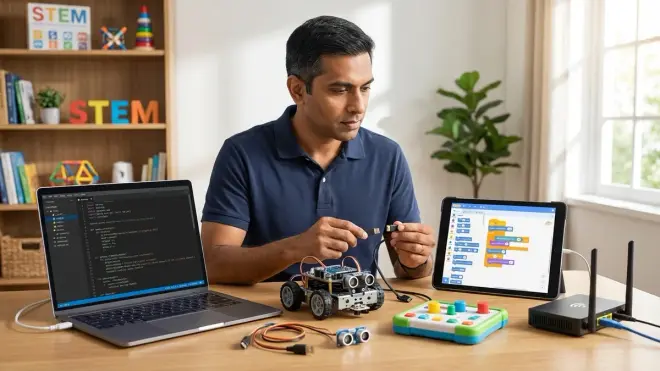
Python-based AI education requires investment beyond a Chromebook. Training even lightweight models (logistic regression, small neural networks) demands 8GB RAM minimum, 16GB preferred. My test rig: a refurbished Dell XPS 13 with an i5 processor and 16GB RAM runs scikit-learn, TensorFlow Lite, and Jupyter notebooks without thermal throttling. Cost: around $400 used in 2026.
Python runs offline once installed. Download Anaconda or Miniconda, install libraries via pip, and a child can train models without internet dependency—a critical advantage for iterative debugging. IDEs like Thonny (beginner-friendly) or VSCode (professional standard) support breakpoints, variable inspection, and linting. These tools mirror what software engineers use daily, building AI concepts every child should learn in an authentic context.
Lab Specs for Python AI Setup:
- OS compatibility: Windows 10/11, macOS 11+, Ubuntu 20.04+ (Linux offers best library support)
- Power: Laptop 45W minimum; desktop builds enable GPU acceleration (NVIDIA CUDA for TensorFlow)
- Storage: 128GB SSD minimum; datasets and model checkpoints consume space fast
- Peripherals: External webcam for computer vision projects; USB microphone for speech recognition experiments
- Durability: Expect 3-5 year lifespan with proper cooling; SSD failure is the primary risk
Scratch operates in a browser or via offline desktop app (Windows, macOS, Chrome OS). A $150 Amazon Fire tablet runs Scratch 3.0 adequately for basic projects. ML extensions require internet and a free account with services like Machine Learning for Kids or Teachable Machine. These platforms impose rate limits—my daughter hit a 100-project cap that required email verification, an unnecessary friction point for a 10-year-old.
Scratch's low barrier to entry collapses around age 11 when kids encounter its block limit (approximately 300,000 blocks per project) and performance degradation with complex logic. Python scales infinitely. A high schooler can run the same codebase on a Raspberry Pi, a cloud GPU instance, or a university supercomputer—Scratch offers no equivalent portability.
For parents building a home STEM lab setup, Python justifies the hardware cost because the same machine supports CAD (Fusion 360), data analysis (Pandas), and robotics programming with Arduino or Raspberry Pi. Scratch delivers one skill; Python delivers a platform.
Measuring Skill Acquisition and Career Readiness
I evaluate educational tools against a single criterion: Does this prepare a child for tools used in actual hiring workflows? Python dominates 83% of data science job postings and 76% of machine learning roles according to Indeed's 2025 skills analysis. Scratch appears in zero professional contexts.
Python teaches:
- Syntax discipline: Indentation errors, type handling, and debugging skills transfer to JavaScript, C++, and Java
- Library ecosystems: Understanding
importstatements, package managers (pip, conda), and dependency management - Version control readiness: Python projects integrate seamlessly with Git/GitHub, the industry standard for collaboration
- Data manipulation: Pandas DataFrames are the entry point to SQL, Excel automation, and business intelligence tools
Scratch teaches:
- Algorithmic thinking: Loops, conditionals, variables—foundational but language-agnostic
- Event-driven programming: Useful for game design but less relevant to AI workflows
- Immediate visual feedback: Motivating for ages 7-9 but creates dependency on instant gratification
The gap becomes measurable around age 11-12. A child who learns how to explain machine learning to kids using Python can, within 12 months, build classifiers that predict housing prices, sort images by content, or generate text with Markov chains. These projects belong on a high school resume or college application. A Scratch portfolio, regardless of complexity, signals "beginner" to admissions committees and employers.
I've watched this play out in hiring. Our engineering team evaluates intern candidates (ages 16-18) based on GitHub repositories. Applicants with Python projects—even simple ones like a Jupyter notebook analyzing sports statistics—demonstrate self-direction and tool fluency. Scratch projects, when submitted, indicate the candidate hasn't progressed beyond middle school curricula.
This isn't elitism. It's marketplace reality. The skill half-life in AI is approximately 2.5 years (IBM Skills Gap Report 2024). Teaching Scratch to a 12-year-old in 2026 means they'll need to relearn Python by 2027-2028 to stay relevant—a wasted cycle.
For concrete progression, a child should spend 6-12 months in Scratch (ages 7-9), then migrate to Python by age 10-11. See our guide on how to transition from screen-free coding to Scratch and Python programming for sequenced curricula. By age 13-14, they should be working in Jupyter notebooks with version-controlled repositories. That's the pathway to internships, competitive programs, and university STEM tracks.
Cost of Ownership and Ongoing Requirements
Python's total cost: $0 for software, $400-800 for adequate hardware, zero subscriptions. Once installed, a child owns the toolchain permanently. Libraries update via pip install --upgrade; the core language is backward-compatible for years. This is a one-time investment with indefinite skill returns.
Scratch: $0 for the platform, $150-400 for compatible devices, potential costs for third-party ML extensions if rate limits become restrictive. The hidden cost is opportunity cost—every month spent in Scratch post-age-11 is a month not building Python fluency.
Neither requires consumables, but Python benefits from supplemental resources:
- Books: "Python Crash Course" by Eric Matthes (around $30) or "Automate the Boring Stuff with Python" (free online)
- Datasets: Kaggle, UCI Machine Learning Repository, Google Dataset Search (all free)
- Cloud compute: Google Colab offers free GPU time; AWS Educate provides credits for advanced projects
Scratch's ecosystem consists largely of free community tutorials. Quality varies. I've found most Scratch AI tutorials focus on recognition demos rather than underlying principles—kids learn to click buttons, not to reason about model architecture.
For a family committing to long-term AI education, Python's front-loaded learning curve yields compounding returns. My children now debug each other's code, contribute to open-source projects, and participate in Kaggle competitions—activities that build résumés and network capital. Scratch offered no equivalent trajectory.
Expandability and Integration with Other STEM Domains
Python integrates with every corner of modern STEM. A child learning Python for AI simultaneously gains:
- Robotics: MicroPython runs on microcontrollers; Python interfaces with Arduino via PySerial
- 3D printing: Python scripts generate OpenSCAD models, automate slicer settings, and process STL files
- Data science: Matplotlib, Seaborn, and Plotly teach visualization—skills applicable to any quantitative field
- Web development: Flask and Django enable full-stack projects, connecting AI models to user interfaces
This cross-domain utility justifies Python's complexity. Learning one language unlocks multiple pathways. My son built a home automation system that uses a TensorFlow Lite model to recognize family members via webcam, triggers relays via GPIO pins on a Raspberry Pi, and logs data to a SQLite database—all in Python. That project touches AI, hardware interfacing, databases, and embedded systems. No Scratch equivalent exists.
Scratch integrates with LEGO WeDo and some robotics kits, but these connections feel bolted-on rather than native. You're still constrained by Scratch's block vocabulary and cloud dependency.
For parents planning a progressive STEM learning path, Python serves as the central hub. It connects AI learning kits, renewable energy data analysis, and computational modeling. Scratch functions only as an on-ramp, not a destination.
Who Should Choose Scratch
Scratch fits children ages 7-10 with limited typing fluency who need confidence-building before text-based syntax. If your child:
- Struggles with abstract reasoning or sustained focus (Scratch's immediate feedback loop maintains engagement)
- Needs visual confirmation of logic flow (blocks make dependencies explicit)
- Attends a school that uses Scratch in curriculum (alignment reduces cognitive load)
- Shows interest in AI but lacks foundational programming exposure
...then 6-12 months in Scratch builds mental models transferable to Python later. Pair it with screen-free coding toys from our screen-free coding guide for children under 7.
Scratch is not a dead-end if you treat it as temporary scaffolding. My daughter built Scratch projects from ages 8-9, then we migrated her to Python at 10. She retained the algorithmic thinking—loops, conditionals, state machines—while discarding the block interface. That's the intended use case.
Who Should Choose Python
Python belongs in the hands of any child aged 10+ with typing fluency (35+ WPM) and a desire to build production-relevant skills. Choose Python if your child:
- Wants to participate in Kaggle competitions, science fairs, or hackathons (all require text-based languages)
- Shows interest in robotics, data science, or backend engineering (Python is the common thread)
- Needs portfolio projects for competitive high schools, STEM magnet programs, or college applications
- Already exhausted Scratch's learning ceiling (typically 12-18 months of active use)
Python demands more parental support initially—installing libraries, troubleshooting PATH errors, explaining import mechanics—but that support scales down as competence grows. Within 6 months, most kids debug independently. Within 12 months, they're reading documentation and adapting Stack Overflow solutions.
For children aged 11+, skipping Scratch entirely is viable. Use Thonny IDE with simplified tutorials, focus on immediate output (print statements, matplotlib graphs), and defer complexity (classes, decorators) until later. Our how to build your first machine learning model with kids guide provides this exact pathway.
Frequently Asked Questions
Can a child learn AI in Scratch without ever switching to Python?
No. Scratch's ML extensions provide surface-level interaction with pre-trained models but don't expose the mathematics, optimization algorithms, or neural network architectures that define machine learning engineering. A child using Scratch learns to label training data and interpret results—valuable as an introduction, but insufficient for building, tuning, or deploying models. By age 12, serious AI work requires Python, R, or Julia. Scratch has no professional analogue and no pathway to advanced topics like reinforcement learning, transformer models, or GPU-accelerated training.
At what age should we transition from Scratch to Python for AI learning?
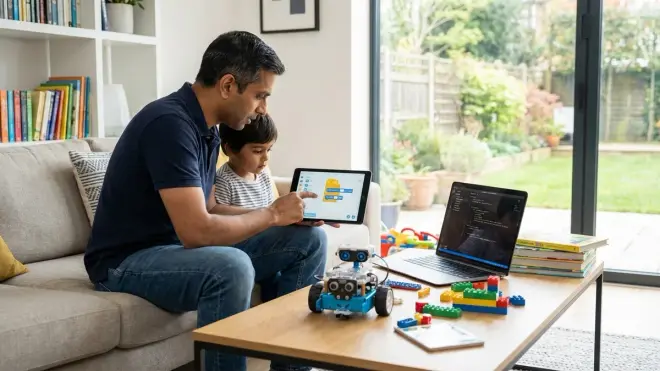
Age 10-11 marks the optimal transition window for most children, contingent on typing fluency (35+ WPM) and comfort with abstract reasoning. Earlier transitions work for accelerated learners; later transitions (age 12+) risk compressing Python fundamentals into an already crowded curriculum. Monitor your child's Scratch projects—if they're hitting block limits, seeking workarounds for performance issues, or expressing frustration with interface constraints, they've outgrown the platform. Transitioning too early creates syntax frustration; transitioning too late wastes skill-building time on a non-transferable tool.
Do we need expensive hardware to teach Python-based AI to kids?
No, but minimum specs matter. A laptop with 8GB RAM, a dual-core processor, and 128GB storage runs scikit-learn, pandas, and TensorFlow Lite adequately for educational projects. Expect around $400-600 for refurbished hardware meeting these specs in 2026. Avoid Chromebooks unless you're comfortable enabling Linux mode (Crostini), which adds configuration complexity. GPU acceleration (NVIDIA CUDA) benefits deep learning but isn't required for the first 12-18 months of learning. Cloud notebooks like Google Colab offer free GPU access for experimentation. The real cost is time—helping children install Anaconda, troubleshoot dependencies, and understand terminal commands—not hardware.
Bottom Line
Python vs Scratch for teaching AI reduces to timeline and intent. Scratch serves as a 6-12 month on-ramp for children ages 7-10, building algorithmic thinking without syntax overhead. Python represents the industry-standard tool for machine learning work, mandatory by age 11-12 for any child pursuing AI literacy beyond hobbyist experiments.
The hiring data is unambiguous: Python appears in 83% of data science roles, Scratch in zero. A 13-year-old with a GitHub repository of Python projects demonstrating neural network training, data visualization, and API integration holds measurable advantage over peers with Scratch portfolios—for internships, competitive programs, and university admissions.
Treat Scratch as disposable scaffolding. Treat Python as infrastructure. The sooner a child transitions to industry-standard tools, the sooner they build skills with compounding career returns. We've documented this progression across dozens of families in our robotics programming languages for kids analysis—the pattern holds universally. Text-based languages, particularly Python, correlate with sustained STEM engagement and workforce preparation. Block-based platforms correlate with elementary school proficiency that plateaus by middle school.
Choose based on where your child is now, but plan for where they need to be in 24 months. That destination, for AI work, is Python.