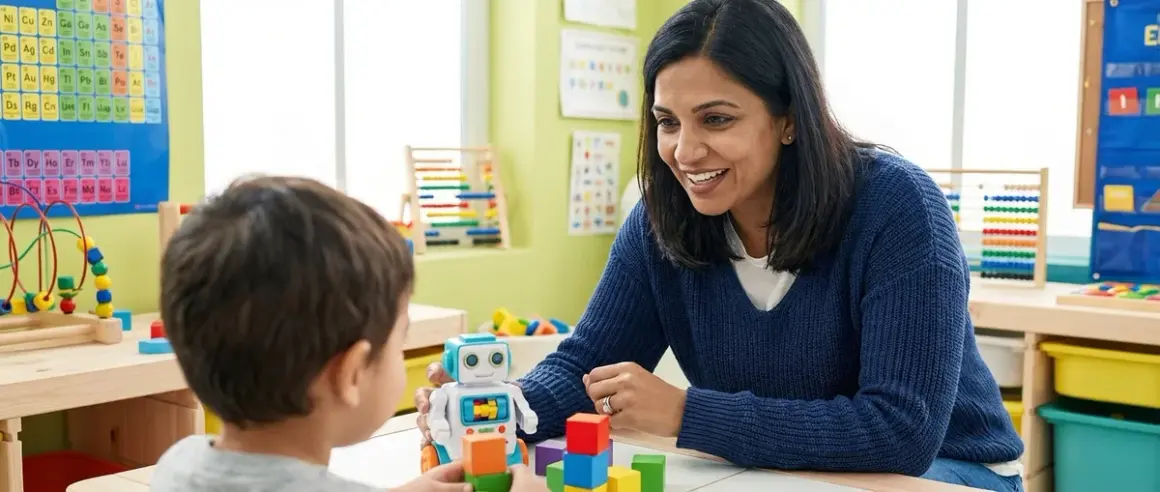

When you're teaching machine learning concepts to children, you need a framework that transforms abstract algorithms into tangible experiences they can manipulate and understand. This guide shows you exactly how to explain machine learning to kids using developmentally appropriate methods that build genuine conceptual understanding rather than superficial familiarity. You'll learn scaffolding techniques that work across age groups—from concrete sorting activities for elementary students to supervised learning experiments for middle schoolers. Expect to spend 30-60 minutes on each method depending on your child's age and prior coding exposure. These approaches align with NGSS standards for data analysis and computational thinking while preparing students for the AI literacy demands of their future careers.
What You'll Need
Foundational Materials:

- Large collection of sortable objects (buttons, toy animals, LEGO bricks—at least 30 pieces with varying attributes)
- Index cards or sticky notes for labeling categories
- Age-appropriate dataset examples (printed photos, trading cards, or digital image folders)
Optional Technology (Ages 8+):
- Computer or tablet with internet access
- Google Teachable Machine access (free, browser-based, no installation required—works on ChromeOS, Windows 10/11, macOS 10.14+)
- Raspberry Pi 4 Model B (4GB RAM minimum) for hands-on ML projects requiring Python 3.9+
- Camera or smartphone for capturing training images
Prerequisites:
- Basic understanding of patterns and sorting (ages 5-7)
- Familiarity with block-based coding like Scratch (ages 8-10)
- Introductory Python experience for advanced activities (ages 11+)—see our guide on how to transition from screen-free coding to Scratch and Python programming
1. Start With Physical Sorting Activities to Build Pattern Recognition Schema
Before you introduce the term "machine learning," you need to establish the cognitive foundation: pattern recognition and classification. I've watched hundreds of sixth-graders struggle with ML concepts because they jumped straight to algorithms without understanding the fundamental skill computers are mimicking—the ability to group similar things based on observable features.
Spread your collection of objects on a table and ask your child to sort them "however makes sense." Don't provide categories initially. After they've created groups (by color, size, shape, function), discuss their decision-making process. What features did they notice? How did they decide which group each item belonged to?
Now introduce a critical shift: "What if I showed you a new object? How would you know which group it goes in?" This question scaffolds the concept of predictive classification—the core function of supervised machine learning. Have them articulate their sorting rules explicitly: "If it has four legs and fur, it goes in the animal group."
For ages 5-7, keep this concrete with 2-3 obvious categories. Ages 8-10 can handle 4-5 categories with overlapping features that require multiple decision points. Ages 11+ should wrestle with ambiguous cases where features conflict, introducing the concept of confidence scores and error rates.
This hands-on method demonstrates how to explain machine learning to kids by letting them experience the classification challenge before naming the computational solution. They're building mental models of feature extraction and decision boundaries—the same concepts data scientists use when training algorithms.
2. Introduce the "Teacher-Student" Framework for Supervised Learning
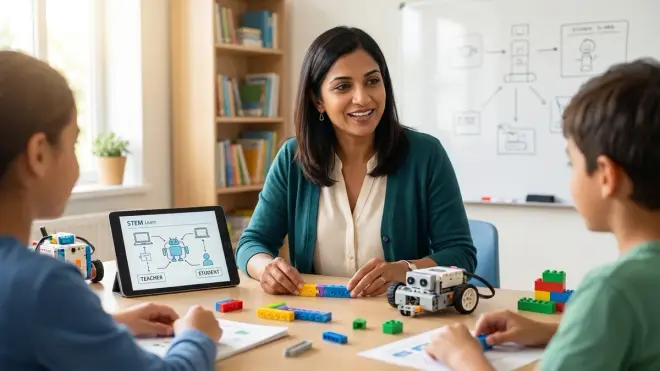
Once your child understands sorting by rules, introduce the machine learning paradigm: computers can learn sorting rules from examples instead of being explicitly programmed. This is where the teacher-student metaphor becomes powerful pedagogical scaffolding.
Explain it this way: "When you sort objects, you're the expert who already knows the rules. But what if you had to teach someone who'd never seen these objects before? You'd show them examples, right? You'd say, 'This is a dog, this is a dog, this is a dog'—and eventually they'd recognize new dogs without you telling them."
That's supervised learning: the computer is the student, the training data is your teaching, and the labeled examples are the lessons. I use this framework constantly in my classroom because it transforms the computer from a mysterious black box into a relatable learner making mistakes and improving over time.
Create a simple supervised learning activity: Sort 20 objects into two categories, but keep 5 hidden. Have your child create a "teaching set" by clearly labeling examples. Then ask a sibling or partner to learn the rules from just those labeled examples and classify the hidden objects. Discuss accuracy and what happens when the "student" sees unusual examples.
For older students (ages 11+), extend this to discuss training data quality, bias in examples, and overfitting—what happens when you memorize specific examples instead of learning general patterns. These aren't simplifications; they're the actual challenges ML engineers face daily.
Understanding supervised versus unsupervised learning opens the door to more complex AI concepts—our article on what is supervised vs unsupervised learning explores these distinctions in depth with age-specific activities.
3. Build Image Classification Models With Visual Tools
Now you're ready for hands-on model training using tools designed for educational ML. Google Teachable Machine has become my go-to recommendation for ages 8+ because it makes the training process completely transparent—students see the computer "watching" their examples and can immediately test predictions.
Here's your structured approach: Choose a binary classification task first (two categories only). Have your child collect 15-20 images for each category using the webcam or uploaded photos. Start with highly distinct categories—dogs versus cats, apples versus oranges. The visual feedback is immediate: the confidence meter shows how certain the model is about each prediction.
The learning happens when predictions fail. Intentionally test edge cases: What if you show it a picture of a dog and cat together? What about a cartoon dog versus a real photo? These failures aren't problems—they're pedagogical gold that reveals how the model learned and what features it's using.
For ages 8-10, stop here and discuss: "Why did it get confused? What could we do differently?" Ages 11+ should retrain models with more diverse training data, experiment with different numbers of examples, and document how accuracy changes. This directly mirrors the iterative process of professional ML development.
Lab Specs for Teachable Machine: Browser-based (Chrome/Edge recommended), requires stable internet connection, exports models for offline use in Scratch or Python projects, completely free with no subscription. Works on any device with a camera—Chromebooks, tablets, Windows/Mac laptops. Processing happens in-browser, so older devices (2015+) may experience lag with complex image sets.
This tool bridges the gap between abstract concepts and hands-on creation, giving students genuine experience with the train-test-deploy workflow that defines applied machine learning. For students ready to progress beyond visual tools, explore how to build your first machine learning model with kids for Python-based approaches.
4. Demonstrate Feature Extraction Through "What Did the Computer Notice?" Games
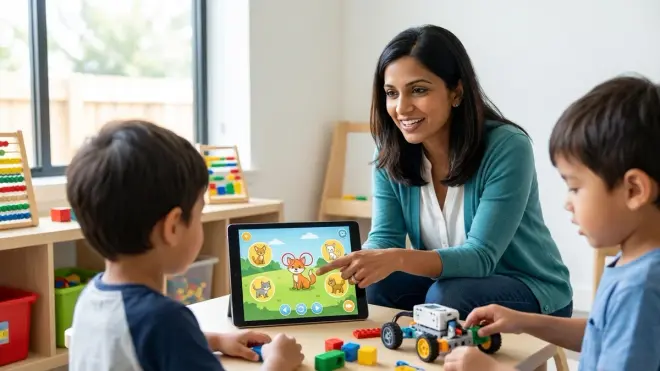
The most common misconception I encounter when teaching ML is that students think computers "see" images the way humans do. They don't grasp that algorithms extract mathematical features—patterns of pixels, edges, colors—rather than understanding semantic meaning. How to explain machine learning to kids effectively requires making this feature extraction process explicit.
Create a game after training any image classifier: Show the model various test images and ask, "What do you think the computer is noticing? Is it the shape? The color? The background?" This develops computational empathy—the ability to think from the algorithm's perspective.
Try this revealing experiment: Train a model to distinguish "inside" versus "outside" photos. Then test it on images with unusual lighting or mixed settings. Students quickly discover the model might be keying on lighting or background colors rather than actual location markers. This isn't a failure—it's a profound lesson about algorithmic decision-making.
For ages 11+ with Python experience, extend this to numerical features. Collect simple datasets (height and weight measurements, temperature and ice cream sales) and plot them on graph paper. Physically draw dividing lines between categories. They're now visualizing decision boundaries—the mathematical rules that separate classes.
Challenge advanced students: "What features would you need to identify handwritten numbers? What makes a '7' different from a '1'?" They'll suggest slant, loops, line intersections—these are edge detection and shape features that real computer vision algorithms use. You've just explained convolutional neural network concepts without the jargon.
This metacognitive practice—thinking about what the algorithm is "thinking"—prepares students for AI literacy far beyond coding. They're learning to question algorithmic decisions, recognize bias sources, and understand limitations. For deeper exploration of how neural networks process information, see our guide on neural networks explained for kids.
5. Scaffold From Concrete Examples to Abstract Concepts With Progressive Complexity
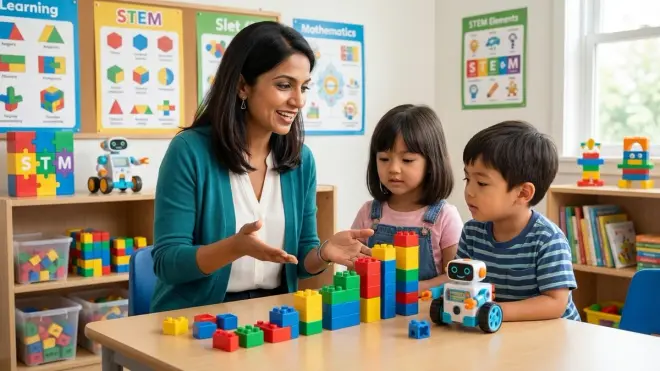
Developmental psychology research confirms what I see in classrooms daily: children build understanding through concrete-to-abstract progression. When teaching ML, this means starting with visible, manipulable examples before introducing terminology or mathematics.
Your learning path should follow this sequence across weeks or months, not a single session:
Phase 1 (Ages 5-8): Physical sorting, "guess the rule" games, exploring patterns in everyday objects. No computers, no code—just cognitive skill-building.
Phase 2 (Ages 8-10): Visual ML tools like Teachable Machine, binary classification tasks, discussing why predictions fail. Connecting computational processes to their physical sorting experiences.
Phase 3 (Ages 11-13): Training data bias, multi-class problems, accuracy metrics, introduction to training/testing splits. Beginning to use ML terminology formally while maintaining hands-on model building.
Phase 4 (Ages 13+): Text-based ML in Python using simplified libraries, understanding algorithms as mathematical functions, discussing real-world ML applications and ethical implications.
Do not skip phases or rush to coding. I've seen enthusiastic parents jump straight to Python ML tutorials with 10-year-olds who have no conceptual foundation. The children memorize code syntax but can't explain what the model is doing or why. That's not learning—it's cargo cult programming.
Between each phase, revisit earlier activities with increased complexity. Return to the physical sorting task but now have students consciously think: "What features am I using? How confident am I in this classification? What would happen with ambiguous examples?" They're applying ML vocabulary to concrete experiences, which cements understanding.
This progressive approach aligns with how professional data scientists actually learn—starting with statistical concepts, moving to simplified models, gradually building toward complex architectures. You're not just teaching ML; you're modeling the learning process of the field itself.
For students ready to move from block-based to text-based ML programming, our guide on Python vs Scratch for teaching AI to kids provides detailed transition strategies.
6. Use Real-World Applications to Build Motivation and Context
Abstract learning rarely sticks without meaningful context. When you ground ML concepts in applications students encounter daily, you transform "interesting activity" into "relevant skill I need to understand my world."
Discuss ML systems your child interacts with regularly: How does Netflix know what shows to recommend? How does their tablet's photo app group pictures by faces? How do voice assistants understand spoken commands? Each example offers teaching opportunities.
For recommendation systems: "Remember when you sorted objects by features? Netflix does the same thing—it puts you in groups with people who liked similar shows, then recommends what those groups watched next." You've just explained collaborative filtering using their sorting schema.
For face recognition: "The camera is looking for features like distance between eyes, nose shape, mouth position—just like you noticed features when sorting toys." That's facial landmark detection made tangible.
Ages 11+ benefit from discussing ML ethics and limitations in these applications. When does algorithmic recommendation create filter bubbles? What happens when training data includes biased examples? I've led dozens of middle-school discussions where students become genuinely engaged in these questions because they're about systems affecting their actual lives.
Connect ML learning to potential career paths: Data scientists, ML engineers, AI ethics researchers, algorithm auditors—these roles didn't exist 20 years ago and are now among the fastest-growing tech careers. The Bureau of Labor Statistics projects computer and information technology occupations to grow 13% through 2032, with AI specializations leading demand.
For students pursuing hands-on AI applications, explore our collection of AI project ideas for kids organized by skill level and learning outcome.
7. Create Iterative Training Experiments to Demonstrate Model Improvement
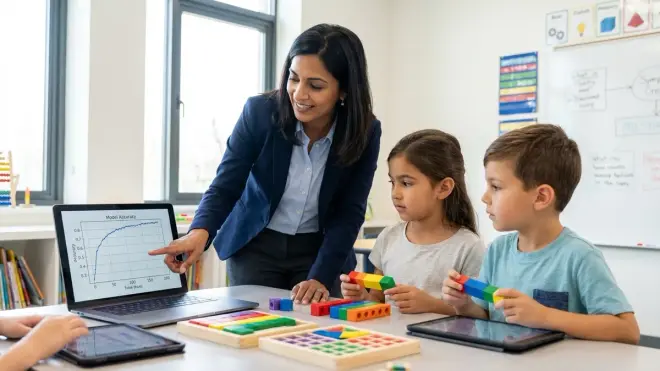
The most powerful way to explain machine learning to kids is letting them experience the iterative refinement process that defines actual ML development. Create structured experiments where students train a model, test it, analyze failures, and retrain with improvements.
Here's a concrete experimental framework for ages 10+:
Experiment 1—Baseline: Train an image classifier with just 5 examples per category. Document accuracy on 10 test images. Most models will perform poorly—that's the point.
Experiment 2—More Data: Add 10 more examples per category. Retest with the same test images. Students immediately see accuracy improvement, connecting more training data to better performance.
Experiment 3—Data Diversity: Add examples with different backgrounds, lighting, angles. Test again. Discuss how diverse training data creates more robust models.
Experiment 4—Edge Cases: Intentionally test difficult examples (blurry images, unusual angles, objects partially obscured). Document where the model still fails.
Maintain a lab notebook throughout this process—just like scientists do. Students record hypothesis ("I think adding more examples will improve accuracy"), methodology (exactly what they changed), results (accuracy percentages), and conclusions (what they learned). This isn't just ML education; it's training in the scientific method and experimental design.
For ages 13+ with programming experience, extend this to hyperparameter tuning: "What happens if we train for more iterations? What if we adjust the learning rate?" They're now engaging with concepts that ML engineers manipulate daily, demystifying the "magic" of neural network training.
This experimental approach solves a critical pedagogical challenge: students often think ML models either work or don't work, missing the optimization mindset that defines the field. By repeatedly improving a model through deliberate changes, they internalize that ML development is iterative refinement, not one-shot programming.
Students building more advanced ML projects will benefit from understanding how to organize progressive learning paths—our guide on how to design a progressive STEM learning path offers frameworks for long-term skill development.
8. Connect ML to Other STEM Skills for Comprehensive Understanding
Machine learning doesn't exist in isolation—it draws on mathematics, statistics, logic, and domain knowledge. How to explain machine learning to kids most effectively means building connections across their broader STEM education.
For mathematics integration: Discuss how classification creates boundaries in data. Plot simple 2D datasets (height vs. weight, age vs. bedtime) on graph paper and physically draw lines separating categories. You're visualizing linear separators—the geometric foundation of many ML algorithms.
For statistics integration: Every ML model makes predictions with uncertainty. Discuss confidence scores as percentages: "The model is 85% sure this is a dog." Connect this to probability concepts they're learning in math class. When is 85% good enough? When do we need 99% confidence?
For logic and coding integration: If your child has experience with screen-free coding toys or block-based programming, connect conditional logic to ML decision-making. "Remember IF-THEN statements? The model is creating hundreds of IF-THEN rules automatically by learning from examples."
For engineering integration: ML models are deployed in systems—robots, apps, smart devices. Students with robotics kit experience can explore how ML enables robot vision, object recognition, and adaptive behavior. The LEGO Mindstorms platform now supports basic ML integration through cloud APIs.
I've observed that students with interdisciplinary STEM exposure grasp ML concepts faster because they have richer cognitive schema to connect new learning to. If your child has built circuits, programmed robots, or designed 3D models, explicitly reference those experiences when teaching ML: "Remember designing that gear in Tinkercad? ML can optimize designs automatically by learning what features make strong parts."
This comprehensive integration prepares students for the reality of applied ML, where success requires domain expertise, coding skills, mathematical understanding, and systems thinking working together. For parents building holistic STEM education at home, our guide on how to build a home STEM lab provides infrastructure planning for progressive skill development.
Pro Tips & Common Mistakes
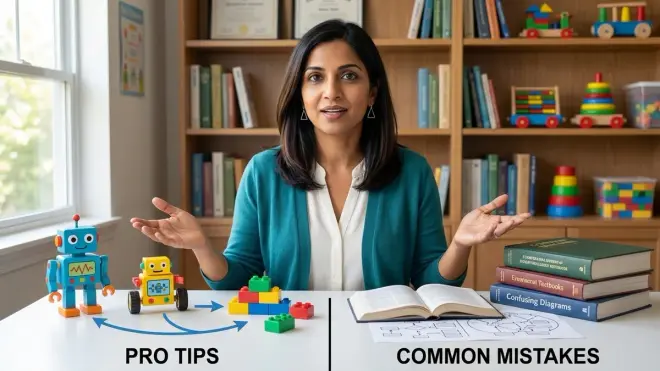
Start with binary classification before multi-class problems. The cognitive leap from "this or that" to "one of many options" is significant. Master two-category tasks first.
Avoid the "black box" trap. Don't let ML tools become magic you click without understanding. Always ask: "What is the computer learning? What features is it using? Why did it make that prediction?" Prioritize transparency over impressive results.
Embrace failure as pedagogy. The most powerful learning happens when models fail in interesting ways. A model that's 100% accurate on test images teaches less than one that's 80% accurate with documented error patterns you can analyze together.
Common mistake I see constantly: Parents focus on accuracy percentages as the success metric rather than conceptual understanding. Your child can train a 95% accurate model by following steps without grasping anything about feature extraction, training data, or decision boundaries. Process matters more than outcomes at this stage.
Don't rush to neural networks. Deep learning is exciting, but jumping there too quickly skips foundational concepts. Students need to understand simple classification before they're ready for network architectures, layers, and backpropagation.
Technical consideration: Many ML tools require stable internet and modern browsers. Test tools on your devices before planning lessons. The Raspberry Pi 4 Model B offers an affordable standalone platform for running ML models offline using TensorFlow Lite, though setup requires adult technical comfort with Linux systems.
Age-inappropriate depth warning: I've reviewed curricula that introduce gradient descent mathematics to 10-year-olds. Unless your child has exceptional mathematical interest and algebra proficiency, this creates confusion rather than understanding. Respect developmental readiness.
Frequently Asked Questions
What age should children start learning about machine learning? Children can begin learning foundational ML concepts—pattern recognition and classification—as early as age 5 through physical sorting activities and "guess the rule" games. Around age 8-10, they're developmentally ready for visual ML tools like Teachable Machine that train actual models. Text-based ML programming in Python typically becomes accessible around age 11-13 for students with prior coding experience. The key isn't age alone but whether the child has prerequisite skills in patterns, basic logic, and age-8+ students should have some block-based coding exposure first.
Do kids need to know programming before learning machine learning? Not initially—young children (ages 5-10) learn ML concepts through unplugged activities and visual tools that require no coding. However, to progress beyond basic model training, programming skills become essential, typically around age 11+. Students should be comfortable with block-based languages like Scratch before moving to Python-based ML, following a progressive path from screen-free coding through text-based programming as outlined in our article on how to transition from screen-free coding to Scratch and Python. You're teaching computational thinking first, then adding ML as an advanced application of those skills.
What's the difference between teaching AI and teaching machine learning to kids? Machine learning is a specific subset of artificial intelligence—it's the technique of training computers to learn from examples rather than explicit programming. When teaching kids, ML offers more concrete, hands-on learning opportunities because students can train actual models and see immediate results. Broader AI education includes rules-based systems, logic, robotics, and computer vision. I recommend starting with ML because it's tangible (you train a classifier, test it, see it work or fail) compared to abstract AI philosophy. For comprehensive coverage of both, see our guide on how to teach kids AI and machine learning.
Can machine learning education happen without expensive equipment or software? Absolutely—some of the most effective ML teaching requires zero technology. Physical sorting activities, pattern recognition games, and "teaching a student" role-playing exercises build genuine understanding using household objects. When you're ready for digital tools, browser-based platforms like Teachable Machine are completely free with no installation required. The Raspberry Pi 4 Model B costs around $55 and runs sophisticated ML models, making it far more affordable than assuming you need high-end computers. The limiting factor is rarely equipment—it's pedagogical approach and having a structured learning path that matches the child's developmental stage.
Summary
Teaching machine learning successfully requires starting with concrete, manipulable experiences before introducing algorithms or code. You've learned how to explain machine learning to kids using physical sorting activities that build pattern recognition, the teacher-student framework that clarifies supervised learning, hands-on model training with visual tools, and progressive complexity that respects developmental stages. These methods align with Next Generation Science Standards while preparing students for AI literacy in their academic and professional futures. The experimental, iterative approach you've explored mirrors how professional data scientists actually work—creating models, analyzing failures, and refining through repeated cycles. Whether your child is 5 or 15, focus on conceptual understanding over technological impressiveness, embrace instructive failures, and build connections across their broader STEM education. For students ready to advance beyond these foundations, explore our AI concepts every child should learn checklist to identify next steps in their ML education journey.