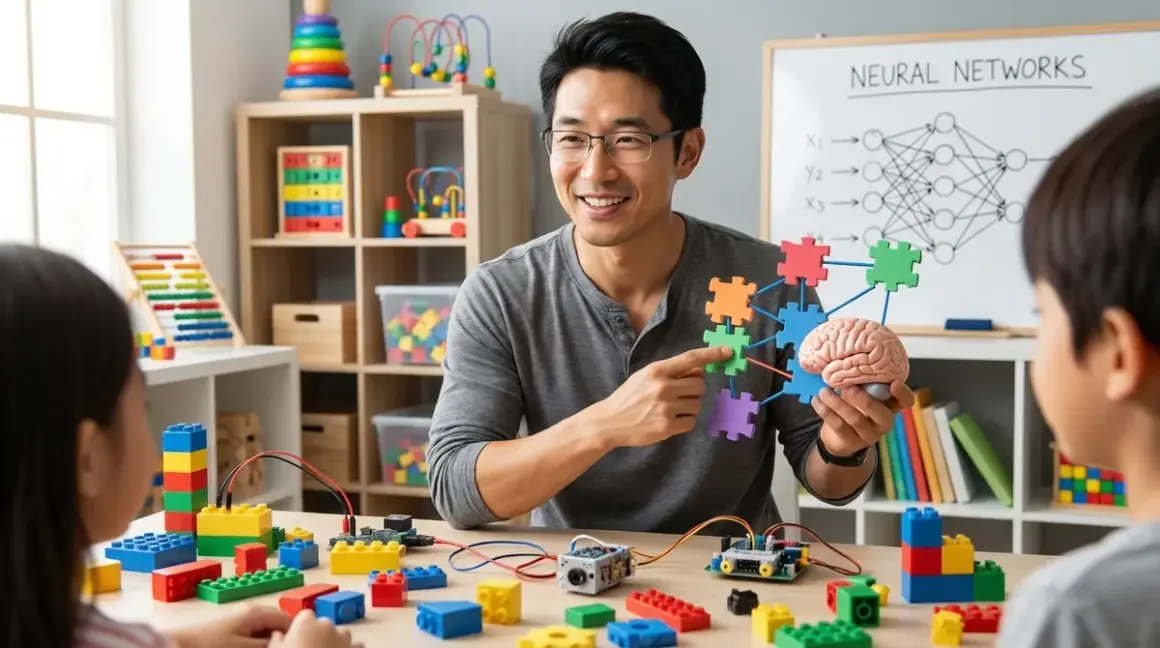

If your kid has asked how Siri understands them or how a computer recognizes faces in photos, you're standing at the threshold of one of the most exciting concepts in modern computing. Neural networks explained for kids doesn't have to involve calculus or advanced programming—it's really about understanding pattern recognition the way our brains do it. I've spent years watching families build home STEM labs, and neural networks have become one of those topics where kids suddenly realize computers aren't magic—they're trainable tools following rules we design.
This guide breaks down neural networks in concrete terms, gives you hands-on activities that work without expensive equipment, and shows you how this concept fits into a progressive learning path from simple pattern games to actual machine learning model building.
What Are Neural Networks?
A neural network is a computer system designed to recognize patterns by mimicking how neurons in our brains connect and learn. Instead of following rigid "if-then" instructions like traditional programs, neural networks adjust their internal connections based on examples—they learn from experience.
Here's the key insight: when you see a dog, you don't run through a checklist ("four legs: check, fur: check, tail: check"). Your brain instantly recognizes "dog" because millions of neurons fire in patterns shaped by every dog you've ever seen. Neural networks work the same way—they process information through layers of connected nodes (artificial neurons), adjusting the strength of connections until patterns emerge.
In practical terms, neural networks power:
- Voice assistants understanding spoken commands
- Photo apps sorting pictures by face or object
- Recommendation engines suggesting videos
- Game AI that adapts to your playing style
The breakthrough isn't that computers got smarter—it's that we stopped trying to program every rule manually and instead built systems that learn rules from data. When neural networks explained for kids clicks, they realize they're not studying some abstract future technology—they're understanding how half the apps on their devices already work.
This matters for your home lab because neural networks represent the bridge between traditional block-based coding and actual AI development. Kids can start experimenting with these concepts using Python, Scratch extensions, or even physical demonstrations before ever touching deep learning frameworks.
How Neural Networks Work
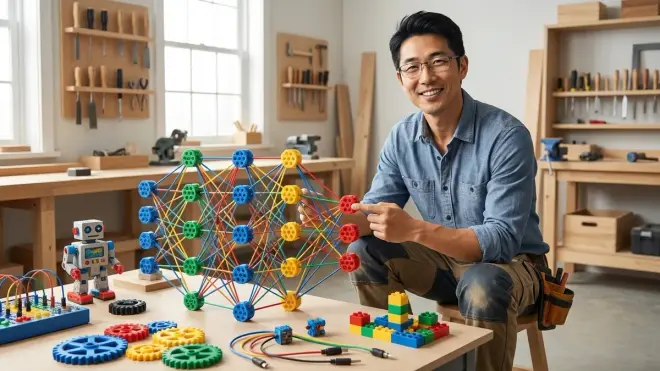
I'm going to walk through this using a concrete example—teaching a neural network to recognize handwritten numbers—because it's visual, testable, and maps directly to activities you can do at home.
The architecture has three main parts: input layer, hidden layer(s), and output layer.
The input layer receives raw data. For handwritten digits, imagine a 28x28 pixel grid—784 tiny squares, each with a brightness value from 0 (white) to 255 (black). Each pixel becomes one input neuron. The network doesn't "see" a number—it sees 784 numbers representing shades of gray.
The hidden layers (usually one to several) process these inputs through weighted connections. Here's where the magic happens: each connection has a weight (a number that might start random), and each neuron in the hidden layer calculates a weighted sum of its inputs, then applies an "activation function" that decides whether to fire. Think of it like voting—if enough strong signals come in, the neuron activates and passes information forward.
The output layer produces the final answer. For digit recognition, you'd have 10 output neurons (one for each digit 0-9). The network's guess is whichever output neuron fires strongest.
Training is where learning happens. You show the network thousands of example images with labels: "This is a 7. This is a 3." For each example:
- The network makes a guess (probably wrong at first)
- An algorithm measures how wrong the guess was (the "loss")
- The network adjusts weights throughout all layers to reduce that error
- Repeat for thousands of examples
This adjustment process is called backpropagation—the network literally works backward through layers, nudging weights bit by bit. After seeing thousands of examples, patterns emerge: "Sharp vertical lines plus a horizontal top usually means 7." The network never explicitly learns that rule—it emerges from adjusted weights.
I've run this exact exercise with middle school students using Python libraries, and the moment they watch accuracy climb from 10% (random guessing) to 95% over a few minutes of training is when neural networks explained for kids becomes real. They see the learning curve on screen.
Key technical concepts for your lab setup:
- Epochs: One complete pass through the training dataset (you typically train for multiple epochs)
- Learning rate: How much to adjust weights each step (too high and the network overshoots; too low and learning takes forever)
- Overfitting: When a network memorizes training examples instead of learning general patterns (like a student who memorizes answers without understanding concepts)
For hands-on learning, you don't need GPUs or cloud computing for basic neural networks. A Raspberry Pi 4 running Python with TensorFlow Lite handles digit recognition just fine. The Raspberry Pi 4 Model B with 4GB RAM gives you enough horsepower for educational neural network projects without requiring internet connectivity once libraries are installed.
The difference between this and traditional programming? With traditional code, you'd write rules: "If the top-right quadrant is mostly dark and the bottom-left is mostly light, guess 7." With neural networks, you provide examples and let the system discover its own rules through weight adjustment. That's the fundamental shift kids need to grasp.
Why Neural Networks Matter for Kids

Understanding neural networks isn't about preparing your child for a career in 2040—it's about giving them literacy in technology that already shapes their daily decisions. Every time YouTube recommends a video, every time their phone unlocks with their face, every time a game adapts difficulty to their skill level, neural networks are working behind the scenes.
From an educational standpoint, neural networks teach three capabilities that transfer across STEM disciplines:
Pattern recognition and data thinking. Kids learn that intelligence—artificial or natural—emerges from processing many examples, not from memorizing rigid rules. This mental model applies to everything from understanding scientific experiments (more data points = better conclusions) to debugging code (look for patterns in what works and what fails). I've watched this shift happen in my maker spaces: students who grasp neural network basics approach problem-solving differently. They start asking "What patterns am I missing?" instead of "What's the one right answer?"
Exposure to industry-standard tools. Unlike many educational toys that teach proprietary languages or closed ecosystems, neural network learning paths use the same tools professionals use: Python with TensorFlow or PyTorch, Jupyter notebooks for experimentation, real datasets from sources like Kaggle or MNIST. A 12-year-old following AI project tutorials is literally using the same software stack as a data scientist. There's no "kiddie version" to unlearn later.
Understanding AI limitations. Kids who train neural networks quickly discover what AI can't do. They see overfitting happen. They watch models make hilarious mistakes on edge cases. They learn that "AI" isn't magic—it's math with adjustable weights that only works when you feed it good training data. This demystification is critical for the generation that will decide AI policy, ethics, and applications.
The skill-building progression matters. Neural networks explained for kids effectively requires foundational competencies: basic programming logic, comfort with variables and loops, understanding of coordinate systems (for image data), and statistical thinking (accuracy, error rates). This naturally fits after kids master block-based coding and before they tackle advanced topics like supervised versus unsupervised learning.
Practically speaking, entry-level neural network projects become accessible around ages 10-12 if the child has prior coding experience, or 13-15 for absolute beginners. The key milestone: can they understand that a variable can hold not just one number, but an entire list or grid of numbers? If yes, they're ready for input layers.
Types and Variations of Neural Networks
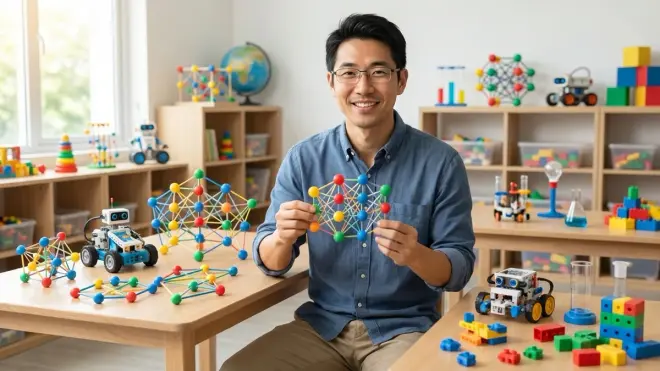
Not all neural networks work the same way—different architectures excel at different tasks. Understanding these variations helps you choose the right learning projects and explains why some problems that seem simple to humans challenge even powerful AI.
Feedforward Neural Networks (Standard Neural Networks) are what I described earlier—information flows one direction from input to output. These work great for structured data where inputs don't have a time or spatial relationship. Use cases: predicting housing prices from square footage and location, classifying iris flowers by petal measurements, or recognizing handwritten digits. For kids, these are the best starting point because the architecture is straightforward: data goes in one end, answer comes out the other.
Convolutional Neural Networks (CNNs) add a crucial feature: they look at spatial relationships in images. Instead of treating every pixel as an independent input, CNNs use "filters" that slide across images detecting local features (edges, corners, textures). Early layers might detect simple horizontal lines, while deeper layers combine those into complex concepts like "eye" or "wheel." CNNs dominate computer vision tasks—face recognition, medical image analysis, self-driving car perception. Kids notice the difference when they try using a standard network on images (mediocre results) versus a CNN (suddenly it works).
Recurrent Neural Networks (RNNs) have memory—they process sequences by maintaining an internal state. This makes them perfect for time-series data: text prediction (each word depends on previous words), speech recognition, or stock price forecasting. The network remembers context. For kids, RNNs unlock fun projects like training a model on their favorite book series and having it generate new (nonsensical but grammatically plausible) paragraphs. A variant called LSTM (Long Short-Term Memory) networks solve RNNs' biggest problem—forgetting important information from way back in a sequence.
Generative Adversarial Networks (GANs) pit two networks against each other: a generator creates fake data (say, images of faces that don't exist), and a discriminator tries to spot the fakes. They compete until the generator gets so good the discriminator can't tell real from fake. GANs create those "this person does not exist" AI-generated faces and deep fakes. For kids, GANs are conceptually mind-bending but computationally expensive—better as a demonstration than a hands-on project until they're comfortable with standard networks.
Practical implications for your home STEM lab:
For ages 10-14, stick with feedforward networks and simple CNNs using pre-built libraries. The Teachable Machine project from Google lets kids train image classifiers in a browser without writing code—they see CNN behavior without infrastructure headaches. This prepares them for text-based implementation later.
For ages 15+, Python with TensorFlow or PyTorch opens up all architecture types. The CanaKit Raspberry Pi 4 Starter Kit provides enough computing power for educational projects, though anything involving large image datasets or GANs will eventually benefit from cloud computing credits (Google Colab offers free GPU time for learners).
The progression path: start with classification problems using feedforward networks, move to image recognition with CNNs, then tackle sequence problems with RNNs. Save GANs for kids who've built 5+ working models and want to explore generative AI. Each architecture teaches a different aspect of how we model intelligence—classification, pattern recognition in space, pattern recognition in time, and creativity through competition.
Frequently Asked Questions
Can my child learn about neural networks without advanced math skills?
Yes, kids can understand neural networks explained for kids at a conceptual level and build working models without calculus or linear algebra. Modern libraries like TensorFlow and PyTorch handle the math automatically—your child writes high-level instructions ("add a layer with 10 neurons," "train for 20 epochs"), and the library performs backpropagation behind the scenes. They should be comfortable with basic algebra (variables, simple equations) and understand percentages (for accuracy metrics), but they don't need to manually calculate derivatives. I recommend starting with visual tools like Teachable Machine or Scratch ML extensions where they see cause and effect—adjust architecture, watch accuracy change—then transition to Python when they're curious about what's happening under the hood. The deep math becomes relevant if they pursue computer science in college, but it's not a prerequisite for understanding concepts or building projects.
What equipment do we need to start experimenting with neural networks at home?
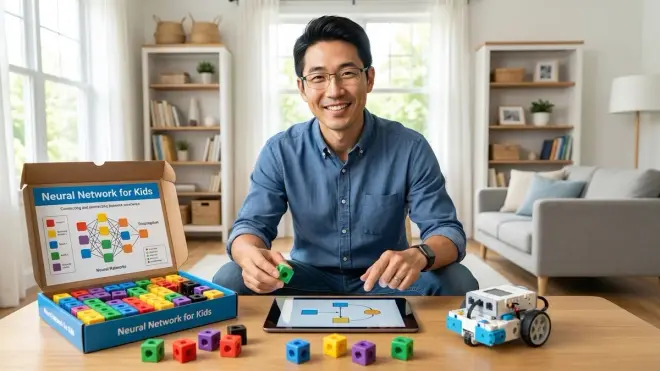
A mid-range computer or Raspberry Pi 4 with 4GB RAM, a webcam for image classification projects, and free software will get you started—total investment under $100 if you already own a computer. For software, Python 3.9+ with TensorFlow or PyTorch (both free and open-source) covers most educational needs. Kids working on image projects benefit from a decent webcam for real-time testing—the Logitech C920 HD Pro Webcam works well for training custom object detectors. Internet connectivity matters during initial setup for downloading libraries and datasets, but many projects run offline once configured. Storage requirements are modest: 5-10GB for Python, libraries, and several practice datasets. Processing power determines training speed, not capability—a budget laptop will train digit recognition in 10 minutes instead of 2 minutes on a gaming PC. Projects scale beautifully: start with CPU-only training on small datasets, then explore free cloud resources like Google Colab when kids tackle larger problems. No subscriptions required—all the industry-standard tools are open-source.
How does learning neural networks connect to other STEM skills we're building?
Neural networks sit at the intersection of programming, mathematics, and data science—they're a natural next step after kids master Python fundamentals and want to apply coding to real-world problems. The skill progression typically flows: block-based logic → text-based programming → data manipulation → machine learning → neural networks. Kids use programming skills to prepare data and build models, apply mathematical thinking to understand accuracy metrics and error analysis, and develop engineering judgment to debug why models fail. Neural network projects reinforce concepts from other domains—training on sensor data from Arduino robotics projects teaches them how robots could learn from experience instead of following pre-programmed paths. The critical connection is that neural networks transform coding from "telling computers exactly what to do" to "teaching computers to find patterns themselves." This conceptual shift prepares them for advanced work in AI and machine learning across virtually every technical field.
Are there screen-free ways to teach neural network concepts before jumping into coding?
Yes, you can demonstrate core neural network principles using physical games and analog activities—I've used these with kids as young as 8 to build intuition before screen time. Try this: create a "human neural network" where each child is a neuron. Give them cards with simple rules like "If most of my neighbors say yes, I say yes." Feed "data" to input children (show them shapes), watch information propagate through layers, see what output children decide. Adjust rules (weights) when the network guesses wrong, then repeat. Kids physically experience how distributed processing and weight adjustment enable learning. Another approach: use sorting activities with items that have multiple attributes (color, size, shape). Kids build "if-then" rules to sort them, then discover their rules fail on edge cases—introducing the concept that learned patterns work better than rigid rules for complex problems. Board games like "Mastermind" teach pattern recognition through feedback loops. These screen-free activities build the mental models that make neural networks explained for kids click instantly when you move to actual coding. They're especially valuable for younger siblings who watch older kids program but aren't ready for Python yet.
What's the difference between neural networks and machine learning—are they the same thing?
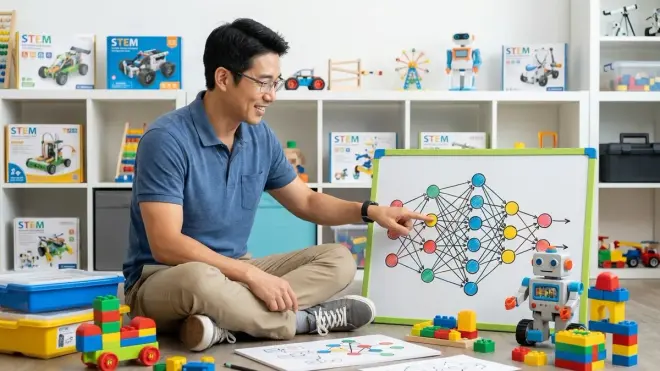
Neural networks are one technique within the broader field of machine learning—think of machine learning as the toolbox and neural networks as one particularly powerful tool inside it. Machine learning refers to any system that improves performance through experience rather than explicit programming. This includes decision trees, support vector machines, random forests, and many other algorithms. Neural networks are a specific approach inspired by brain structure. The relationship matters for learning progression: kids should explore simpler machine learning concepts first—teaching a model to classify flowers based on petal measurements using decision trees, for example—before tackling neural networks. Simpler algorithms are easier to visualize (you can draw a decision tree on paper), train faster, and make their logic more transparent. Neural networks become necessary when problems involve high-dimensional data (images with millions of pixels, audio files) or complex patterns that simpler algorithms can't capture. Our guide to machine learning fundamentals covers this progression in detail. For practical purposes: start with "machine learning" as the concept, introduce neural networks as "a powerful machine learning technique for especially complex problems," then explore supervised versus unsupervised approaches as their understanding deepens.
Building Neural Network Literacy
Neural networks explained for kids successfully means they understand three core ideas: computers can learn from examples instead of following rigid rules, learning happens by adjusting connection strengths through repeated exposure to data, and AI isn't magic—it's pattern recognition with strengths and spectacular failures.
The practical learning path starts with conceptual activities around age 8-10, moves to visual training tools like Teachable Machine around 10-12, then progresses to Python-based model building by 12-15 depending on coding experience. This isn't a toy topic—kids who grasp neural networks are using the same frameworks, the same datasets, and the same debugging approaches as professionals. The ceiling is as high as their curiosity and math skills can take them.
I've watched 11-year-olds train image classifiers to sort LEGO pieces for robotics projects, 13-year-olds build gesture recognition systems for homemade game controllers, and 15-year-olds tackle real Kaggle datasets for competition submissions. The capability progression is steep once foundational coding skills are in place.
Start with one classification project—handwritten digits, rock-paper-scissors from webcam images, or audio command recognition—and let them experience training and testing. That first successful model, where they watch accuracy climb and then test it on new data, transforms neural networks from abstract concept to tangible tool they can build with and deploy.