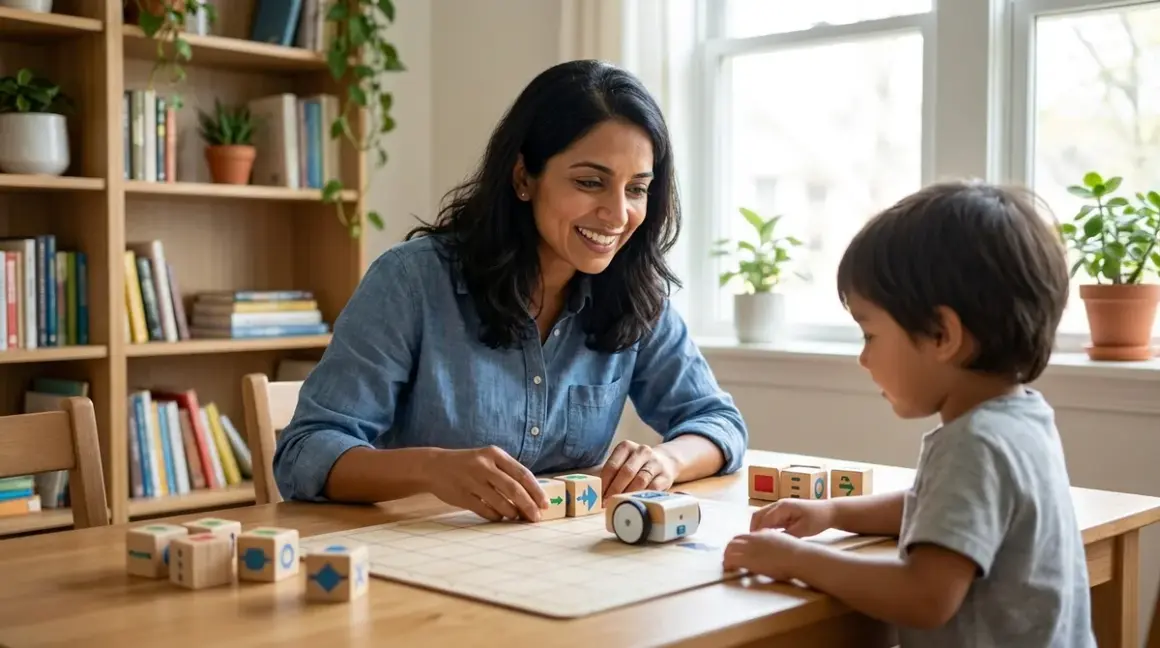

If you're watching your preschooler navigate a tablet with alarming fluency, you've probably wondered: can my child learn real programming skills without adding more screen time? The answer is yes. What is screen free coding? It's a hands-on approach to teaching computational thinking through physical objects—blocks, robots, board games, and cards—that lets children grasp sequencing, logic, and problem-solving without staring at a display. For families concerned about developmental impacts of early screen exposure, this approach offers a guilt-free path into STEM learning that builds foundational skills children will carry into text-based programming later.
What Is Screen Free Coding?
Screen free coding (also called unplugged programming or tangible coding) teaches the core concepts of computer science—algorithms, sequences, loops, debugging, and conditionals—using physical manipulatives instead of computers, tablets, or smartphones. Your child arranges wooden command blocks, moves a programmable robot across a mat, or plays a board game where they plan instruction sequences to reach a goal.

The magic lies in tactile abstraction: children can physically hold a "move forward" tile, flip it over, reorder it in a sequence, and see immediate consequences when a robot follows their instructions. This concrete interaction helps young minds grasp abstract concepts that would feel intangible on a screen.
Screen free coding tools range from simple directional puzzles for 3-year-olds to sophisticated coding board games that introduce functions and variables by age 7. Unlike apps that abstract the logic behind animations, these tools make cause-and-effect visible and reversible. Your child isn't just tapping buttons—they're building mental models of how instructions create outcomes, the same fundamental skill professional developers use when writing Python or debugging embedded systems.
This approach aligns with Montessori and Waldorf principles that prioritize sensory engagement during early cognitive development, while simultaneously introducing children to logic structures used in actual programming.
How Screen Free Coding Works
The mechanics are deceptively simple: your child creates a sequence of physical instructions, tests the outcome, identifies errors, and refines their approach. But beneath that simplicity, multiple cognitive processes activate simultaneously.
The Physical Programming Loop
Most screen free coding tools follow a four-step cycle that mirrors professional software development:
- Plan: Your child examines a challenge (get the robot from point A to point B, navigate a maze, collect specific objects in order)
- Code: They select and arrange physical tokens—command cards, wooden tiles, color-coded blocks—that represent actions (forward, turn left, repeat 3 times)
- Execute: They activate the sequence, either by pressing a button on a robot or manually stepping through each instruction
- Debug: When the outcome doesn't match expectations, they identify which instruction failed and reorganize the sequence
This loop is identical to the compile-test-debug cycle professional programmers use, but it happens in three dimensions with immediate, visible feedback. A 4-year-old placing "forward, forward, turn right" tiles and watching a robot execute those commands is experiencing the same logical process a software engineer uses when writing code, just without syntax errors.
Cognitive Benefits of Tactile Manipulation

Physical objects engage different neural pathways than touchscreens. When your child picks up a "loop" tile, rotates it, and slots it into position, they're activating fine motor control, spatial reasoning, and executive function simultaneously. Research in developmental psychology shows that children under 7 develop abstract concepts more effectively when they can manipulate physical representations first—the tangible "repeat 3 times" block becomes a mental schema they'll recognize later when they encounter for i in range(3): in Python.
I've watched my own daughter, at age 5, grasp the concept of nested loops using a Learning Resources Botley the Coding Robot Activity Set by physically placing a loop card inside another loop sequence—something that would have been cognitively overwhelming as lines of code on a screen.
Progressive Complexity Without Screen Dependency
Quality screen free coding tools scale complexity through expandable instruction sets, not software updates. A beginner might work with four commands (forward, backward, left, right). As competency grows, you introduce loops, conditionals, and functions using additional physical pieces. The child's hands-on understanding deepens without requiring internet connectivity, subscription renewals, or age-gating through software.
This physical progression builds transferable mental models. When your 8-year-old eventually opens Scratch or begins writing Arduino sketches, they're not learning logic for the first time—they're translating concepts they already understand into new notation.
Why Screen Free Coding Matters
Beyond the obvious benefit of reducing screen time, what is screen free coding actually preparing your child for? The answer goes deeper than "future job skills."
Protecting Developmental Windows
The American Academy of Pediatrics recommends limiting screen time for children under 5 because early childhood is a critical period for attention regulation, impulse control, and social development. Screen free coding gives you a way to introduce computational thinking—a genuine 21st-century literacy—without sacrificing those developmental priorities. Your preschooler builds problem-solving resilience through trial and error with physical robots, developing frustration tolerance and spatial reasoning simultaneously.
Building True Computational Thinking
Computational thinking isn't about knowing which button to press—it's about decomposing problems, recognizing patterns, abstracting principles, and designing algorithms. These metacognitive skills apply far beyond programming. A child who learns to break a complex maze into smaller sub-problems using physical coding cards develops the same analytical approach they'll use in algebra, scientific experimentation, and engineering design.
For parents planning a progressive STEM learning path, screen free coding serves as the foundational layer that makes later transitions to text-based languages feel intuitive rather than overwhelming.
Preparing for Industry-Standard Tools
The logical structures children master through physical coding—sequence, iteration, conditionals, functions—are universal across programming languages. A 6-year-old who understands that "repeat until you reach the wall" is a conditional loop already grasps the concept behind while (distance > 0) in Arduino C++ or while distance > 0: in Python. You're not teaching toy logic; you're teaching the fundamental control structures software engineers use daily, just in a developmentally appropriate format.
Types and Variations of Screen Free Coding Tools
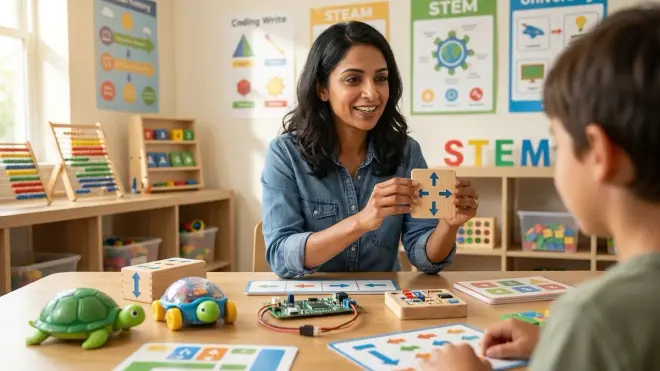
Screen free coding isn't one-size-fits-all. Different tools target different age ranges, learning environments, and skill milestones. Here's how the landscape breaks down:
Programmable Robots Without Displays
These are battery-powered devices that execute physical command sequences. Examples include button-programmable robots (press directional arrows on the robot itself) and token-programmable robots (place coding cards on a scanner). They provide immediate kinesthetic feedback—your child sees the robot move exactly as instructed, making cause-and-effect relationships concrete. They're ideal for ages 4-8 and require no apps, though some offer optional screen-based extensions you can ignore.
Lab Specs: Most run on 3-4 AAA batteries (6-8 hours of use), operate offline, and include washable mats. Look for models with expandable command sets (obstacle cards, function tiles) so the tool grows with your child.
Board Games and Card-Based Systems
These translate coding concepts into cooperative or competitive gameplay. Players use instruction cards to navigate characters, solve puzzles, or outmaneuver opponents. They're excellent for family learning and require zero technical setup—no batteries, no charging, no firmware updates. Skill outcomes include planning multi-step sequences, predicting outcomes, and strategic thinking. They work well for ages 5-10 and integrate seamlessly into existing family game nights. For deeper exploration of this category, our Screen Free Coding Toys: Complete Guide to Unplugged Programming Tools covers selection criteria across age ranges.
Construction-Based Coding Kits
These combine physical building (LEGO-style or wooden) with programming logic. Children construct a marble run or chain-reaction machine, then "code" the sequence of events using placement and physics. They emphasize spatial reasoning and engineering thinking alongside logic, making them ideal for kinesthetic learners ages 6-12.
Paper-Based Unplugged Activities
The most minimal approach: printable mazes, grid-based challenges, and algorithm design worksheets. Zero cost, infinitely duplicable, perfect for classroom environments or travel. They lack immediate feedback but excel at teaching planning and mental simulation before execution—a critical skill in professional programming where you mentally trace code before running it.
Frequently Asked Questions
What age should I start screen free coding with my child?
You can introduce basic sequencing concepts as early as age 3 using simple directional puzzles and single-step command tools. Most structured screen free coding tools target ages 4-8, when children can plan multi-step sequences and understand cause-and-effect relationships. The key is matching tool complexity to your child's ability to hold a plan in working memory—start with 3-4 step sequences and scale up as they demonstrate mastery.
Do screen free coding toys require subscriptions or ongoing purchases?
The vast majority require no subscriptions—they're one-time purchases with no cloud dependencies. Some offer optional expansion packs (additional command cards, themed mats, advanced challenge booklets) that extend learning pathways, but the base kit functions completely offline and indefinitely. Always verify that a tool doesn't require app pairing for core functionality if true screen-free operation is your priority.
How do I know when my child is ready to transition from screen free coding to actual programming?
Watch for three readiness markers: your child confidently plans 8-10 step sequences, troubleshoots logic errors independently rather than asking for help, and expresses curiosity about "what else the robot could do" beyond its physical capabilities. These signal they've internalized computational thinking and will benefit from the expanded possibility space of screen-based tools like Scratch. Typically this happens between ages 7-9, though individual timelines vary. If you're preparing for this milestone, How to Teach Programming Concepts Without a Computer offers concrete bridge activities.
Can screen free coding actually prepare children for real programming languages?
Yes—the logical structures are identical. Professional programmers use loops, conditionals, functions, and debugging daily, regardless of whether they're writing Python, JavaScript, or C++. Screen free tools teach those concepts in a format young children can grasp, creating mental schemas they'll apply when they encounter text-based syntax later. The transition feels natural because they're not learning new logic—they're learning new notation for concepts they already understand.
What's the difference between screen free coding and regular STEM toys?
Screen free coding tools specifically teach computational thinking and algorithmic logic—the mental processes used in programming. Regular STEM toys might focus on physics principles, engineering challenges, or scientific observation without necessarily teaching the step-by-step, conditional reasoning that defines coding. A marble run is STEM; a marble run where you pre-program the path using command cards is screen free coding. The distinction matters because computational thinking has become a foundational literacy, applicable far beyond computer science.
Summary
What is screen free coding? It's your family's opportunity to introduce computational thinking during the years when hands-on learning creates the strongest neural pathways, without adding screen time during developmentally sensitive periods. By teaching sequencing, loops, conditionals, and debugging through physical objects—robots, board games, construction kits—you're building the same logical foundation professional developers use, just in an age-appropriate format your preschooler can touch, rearrange, and test.
The tools require no subscriptions, work offline, and scale from simple 3-step sequences for 4-year-olds to complex multi-conditional challenges for elementary students. You're not delaying real programming—you're making the eventual transition to Scratch, Python, or Arduino feel intuitive because the underlying concepts are already familiar.
This isn't about avoiding technology forever. It's about giving your child's developing brain the sensory-rich, error-tolerant, physically grounded introduction to logic it needs before abstraction makes sense. The command blocks they arrange today become the mental models they'll use to write code tomorrow.