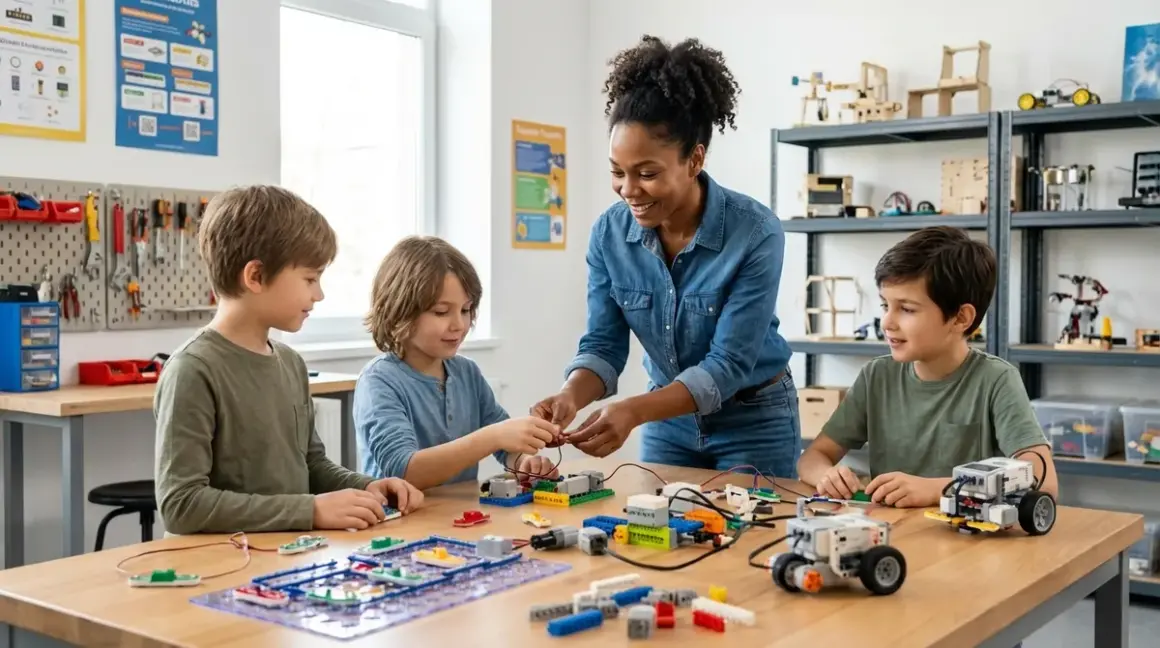

The best robotics kits for kids aren't just toys—they're gateways to systems thinking, iterative problem-solving, and the kind of hands-on engineering fluency that translates directly into tomorrow's renewable energy systems, autonomous transport, and resilient infrastructure. You're not buying a distraction. You're building capability. And if you choose wisely, you're also teaching your child that technology isn't magic—it's knowable, malleable, and waiting for their ideas.
What Are Educational Robotics Kits?
Educational robotics kits are integrated learning systems that combine mechanical hardware (motors, sensors, structural components), programmable control boards (often microcontrollers or single-board computers), and software environments (visual block-based or text-based languages) to teach engineering, coding, and systems integration through tangible projects. Unlike passive screen-based learning, robotics kits demand that you manipulate physical objects, troubleshoot mechanical failures, and watch code execute in the real world—where friction, gravity, and battery voltage matter.
The best robotics kits for kids deliver progressive skill milestones: you start with pre-assembled bots running drag-and-drop programs, then advance to custom mechanical builds, sensor integration, and eventually text-based programming in languages like Python or C++. Quality kits are designed around expandability—you add modules, sensors, and third-party components as your child's understanding deepens. They're not one-and-done projects.
Here's what separates a genuine learning tool from a novelty: compatibility with industry-standard platforms. Kits built on Arduino, Raspberry Pi, or other open-source architectures prepare kids for real engineering workflows. The Arduino Uno, for instance, is the same board used in university mechatronics labs and prototype workshops worldwide. When your child learns to program a robotics kit based on Arduino, they're not just playing—they're entering a community of millions of makers, accessing decades of open documentation, and building fluency with tools they'll encounter in actual STEM careers.
How Educational Robotics Kits Work
Robotics kits function as closed-loop systems: sensors gather data from the environment (distance, light, color, touch), the control board processes that data according to programmed logic, and actuators (motors, LEDs, servos) respond. Your child writes the logic. The robot executes it. Feedback is immediate and visible.
Mechanical Layer: Building Physical Systems
Most kits begin with structural assembly—connecting beams, gears, wheels, and chassis components. Some use proprietary snap-fit parts (LEGO Technic-style connectors), others use screws and metal brackets. The mechanical layer teaches spatial reasoning, torque distribution, and gear ratios. You'll watch your child realize that wheel diameter affects speed, that motor placement changes center of gravity, and that structural rigidity matters when a robot needs to push or lift.
Expandability starts here. Kits with standardized mounting holes (like the M3 and M4 threading common in VEX or Makeblock systems) let you add custom 3D-printed parts, salvaged components, or third-party sensors. If you're already running a home STEM lab with a 3D printer, you can design and fabricate custom brackets, sensor mounts, or gripper arms—turning the kit into a platform for open-ended engineering.
Electronics Layer: Sensors, Motors, and Power
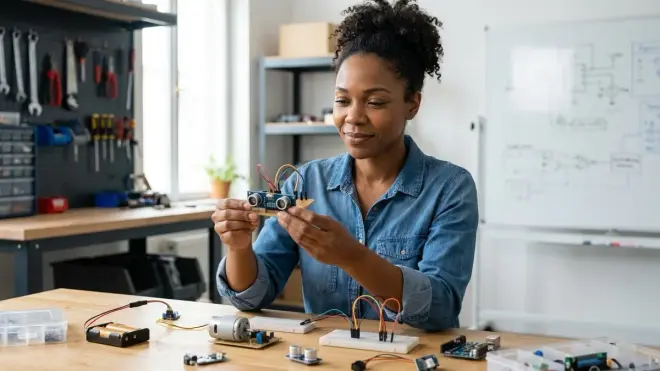
The control board is the brain—typically a microcontroller (Arduino, ESP32, ARM Cortex) or single-board computer (Raspberry Pi). Sensors are the senses: ultrasonic distance sensors measure proximity, line-following sensors detect surface contrast, gyroscopes track orientation, color sensors identify objects. Actuators are the muscles: DC motors drive wheels, servo motors rotate arms or grippers, LEDs provide status feedback.
Power requirements vary widely. Entry-level kits run on AA batteries or rechargeable NiMH packs (4.5–6V). Advanced kits use lithium-polymer (LiPo) batteries (7.4–11.1V), which deliver higher current for stronger motors but require safe charging practices—store in fireproof bags, never over-discharge, monitor cell balance. If your child is building competition-level bots or solar-powered autonomous vehicles, understanding power budgets becomes essential. (I've burned through three LiPo packs learning this the hard way.)
Software Layer: From Blocks to Text
Programming environments range from visual block-based languages (Scratch, Blockly, MakeCode) to text-based languages (Python, C++, MicroPython). Block-based coding is ideal for ages 6–10: it teaches logic flow, conditionals, loops, and variables without syntax errors. Text-based coding, starting around age 11+, introduces real-world debugging, library management, and the kind of syntax fluency required for open-source contribution or industry work.
The transition matters. Kits that support dual programming modes—blocks for beginners, text for advanced users—let your child progress without switching platforms. For example, Arduino IDE supports both visual programming (via plugins) and native C++, while Raspberry Pi–based kits run Python natively and support Scratch through extensions. If you're planning a progressive learning path, choose kits that grow with your child's fluency rather than capping out at one skill level.
Offline vs. cloud-dependent: Some kits require constant internet access for programming (web-based IDEs, cloud compilation). Others install locally and function fully offline. If you value device independence or live in areas with unreliable connectivity, verify offline capability before purchase.
Why Educational Robotics Kits Matter for Skill Development
Robotics kits teach systems thinking—the ability to see how mechanical, electrical, and software components interact and fail together. Your child learns that a robot doesn't work because of one brilliant line of code; it works because motor torque matches wheel load, because sensor placement avoids blind spots, because power distribution accounts for peak current draw. This is the mental model that separates hobbyists from engineers.
They also teach iterative debugging, which is the daily reality of professional engineering. Code compiles but the robot spins in circles. Is it a wiring issue? A logic error? A mechanical friction point? Your child will learn to isolate variables, test hypotheses, and document what works. That process—hypothesize, test, refine—is how we design better solar charge controllers, more efficient wind turbines, and resilient autonomous systems. It's the skill that matters most, and it's almost impossible to teach without physical feedback.
Robotics kits prepare children for industry-standard tools. If your child masters Arduino programming, they can walk into a university engineering lab or a makerspace and contribute immediately. If they learn Python on a Raspberry Pi–based robot, they're using the same language that powers machine learning pipelines, climate modeling software, and renewable energy grid management. The tools aren't dumbed down—they're scaffolded. And that scaffolding is removable.
Finally, robotics kits expose kids to the interdisciplinary nature of real engineering. You can't build a solar-powered autonomous rover without understanding photovoltaic efficiency, motor control algorithms, and mechanical load distribution. You'll find yourself linking robotics projects to renewable energy experiments, 3D-printed custom parts, and even AI concepts if you add computer vision or machine learning modules. This is how you build engineers who see connections, not just specialists who know one tool.
Types of Robotics Kits and Their Learning Paths
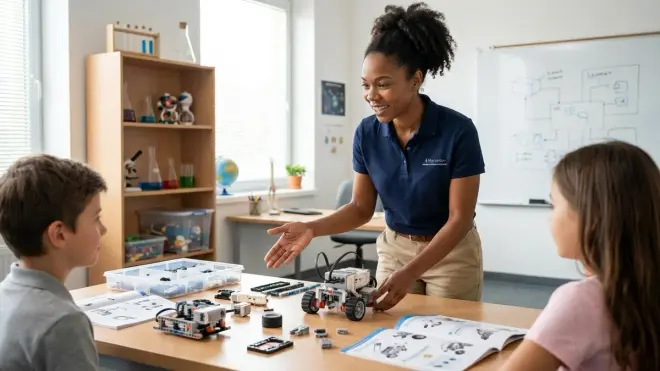
Not all robotics kits serve the same learning stage. Here's how to map kit types to skill progression.
Block-Based Programming Kits (Ages 6–10)
These kits use drag-and-drop coding interfaces (Scratch, Blockly) and come with pre-assembled or snap-fit mechanical designs. The focus is on logic flow, sequencing, and sensor-response loops. Examples: LEGO Boost, Makeblock mBot, Sphero BOLT. They're ideal for introducing computational thinking without syntax frustration, but they cap out quickly—once your child masters conditionals and loops, they'll outgrow the platform. These kits work well as screen-free coding companions, bridging tactile logic games to visual programming.
Arduino-Based Kits (Ages 10–16)
Arduino kits expose kids to C++ programming, breadboard wiring, and modular sensor integration. They're the workhorse of educational robotics. The Elegoo Smart Robot Car Kit is a classic entry point—it includes ultrasonic sensors, line-following modules, and IR remote control, all programmable via Arduino IDE. The learning curve is steeper (you'll encounter compilation errors, wiring mistakes, and library conflicts), but the payoff is massive: your child gains fluency with tools used in university labs, prototype studios, and open-source hardware projects worldwide.
Lab Specs: Most Arduino kits run on 7–12V DC power (barrel jack or battery packs), require USB connectivity for programming (USB-A to USB-B or USB-C), and support Windows, macOS, and Linux. They're fully offline-capable once the IDE is installed. Expandability is near-infinite—you can add GPS modules, solar charge controllers, OLED displays, or servo arrays using standardized pin headers and I2C/SPI protocols.
The downside: Arduino lacks native multitasking and advanced data handling. If your child wants to process camera feeds or run machine learning models, you'll need to step up to Raspberry Pi.
Raspberry Pi–Based Kits (Ages 12+)
Raspberry Pi robots are full Linux computers on wheels. They run Python natively, support TensorFlow Lite for on-device AI, and handle multithreading, networking, and multimedia. Kits like the SunFounder PiCar-X include camera modules, servo-driven pan-tilt heads, and ultrasonic/IR sensors. Your child can build object-tracking robots, autonomous navigation systems, or even telepresence bots with real-time video streaming.
Lab Specs: Raspberry Pi kits require 5V/3A USB-C power (USB wall adapters or power banks), microSD cards for OS storage (16GB minimum, Class 10 speed), and Wi-Fi/Ethernet for SSH access or remote programming. They draw more current than Arduino systems—expect 2–4 hours of runtime on a 10,000mAh power bank. Raspberry Pi boards run Raspberry Pi OS (Debian-based Linux), which means your child learns command-line navigation, package management, and system administration alongside robotics.
The trade-off: Raspberry Pi boards are less forgiving with power interruptions (SD card corruption is common if you kill power abruptly) and more expensive than Arduino setups. But they open doors to AI and machine learning projects, computer vision, and IoT integration.
Competition-Level Kits (Ages 12–18)
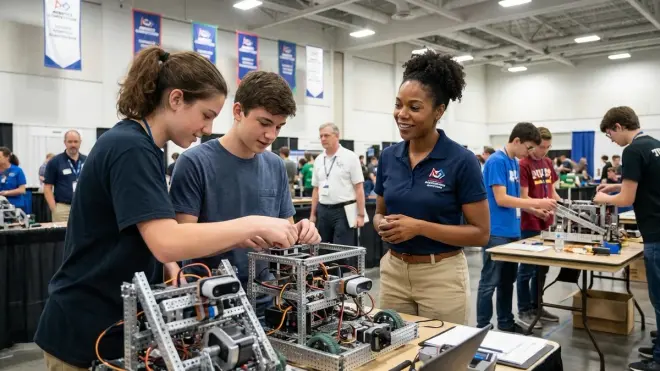
VEX Robotics, FIRST Tech Challenge, and LEGO Mindstorms EV3/Spike Prime kits are designed for team-based robotics competitions. They emphasize mechanical precision, sensor fusion, autonomous routines, and driver-controlled operation. These kits are modular, durable (metal components, industrial-grade motors), and expensive—full VEX kits run around $500–$1,000+. They're overkill unless your child is joining a robotics team or wants to compete, but they teach CAD-driven design, iterative testing, and the kind of pressure-tested engineering that mirrors real-world product development.
Lab Specs: Competition kits use proprietary control systems (VEX V5 Brain, EV3 Brick) with rechargeable battery packs (2000–3000mAh LiPo or NiMH), wireless programming via Bluetooth or USB, and support for Windows/macOS. They're not as open-ended as Arduino or Raspberry Pi, but they're optimized for reliability—motors, sensors, and controllers are rated for hundreds of hours of continuous operation.
For a deeper comparison of competition platforms, see LEGO Mindstorms vs VEX Robotics. For budget-conscious families, explore best coding robot kits under $100.
Lab Specs: What to Check Before You Buy
Every robotics kit has infrastructure requirements. Here's what to verify before committing.
Power Requirements and Runtime
- Battery type: Disposable AA/AAA (easy but wasteful), rechargeable NiMH (sustainable, moderate current), LiPo (high performance, requires safe handling).
- Voltage and current draw: Entry kits run on 4.5–6V with <1A draw. Advanced kits (multi-motor, Raspberry Pi–based) need 7.4–12V and 2–4A peak current.
- Runtime: Budget 1–2 hours for most kits on standard battery packs. High-draw systems (camera-equipped robots, multi-servo arms) may run <1 hour. Consider secondary battery packs or USB power banks.
- Solar compatibility: Some kits support external power input—perfect for integrating solar energy experiments and teaching energy budgeting in autonomous systems.
Connectivity and Programming Interfaces
- Wired vs. wireless programming: Arduino kits typically require USB cables for code uploads. Raspberry Pi kits support SSH over Wi-Fi. Some advanced kits (VEX, Mindstorms) use Bluetooth.
- OS compatibility: Verify Windows/macOS/Linux support. Most Arduino and Raspberry Pi tools are cross-platform. Some proprietary kits (LEGO, VEX) have limited Linux support.
- Offline capability: Arduino IDE and Raspberry Pi Python environments run fully offline. Web-based IDEs (Code.org robotics, some Makeblock tools) require internet.
Expandability and Third-Party Integration
- Standardized connectors: Look for I2C, SPI, GPIO headers, or modular sensor ports. These let you add third-party components.
- Mounting compatibility: M3/M4 threaded holes or LEGO-compatible studs enable custom mechanical designs.
- Software ecosystem: Arduino and Raspberry Pi have massive open-source libraries (tens of thousands). Proprietary systems have smaller ecosystems but better documentation.
Durability and Repeated Use
Snap-fit plastic kits (LEGO, Makeblock) tolerate hundreds of assembly/disassembly cycles. Screw-together metal kits (VEX, some Arduino chassis) are nearly indestructible but slower to reconfigure. 3D-printed components (common in DIY-oriented kits) vary widely—PLA is rigid but brittle; PETG is more impact-resistant. If you're building a home STEM lab, prioritize kits with replaceable parts and open-source mechanical designs you can fabricate yourself.
Skill Milestones and Progressive Learning Paths
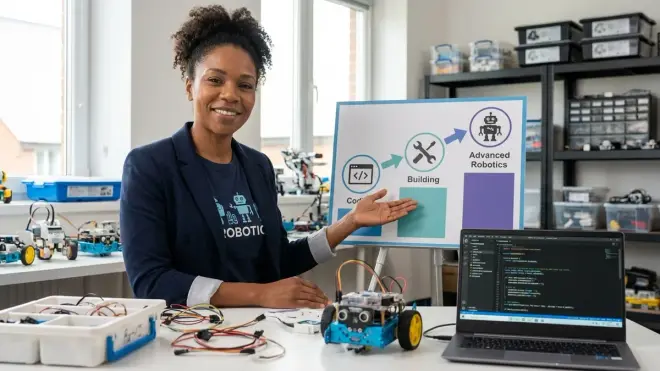
The best robotics kits for kids deliver concrete capability milestones, not just age ranges. Here's a progression framework.
Stage 1: Visual Programming and Sensor Response (Ages 6–10)
Skills acquired: Sequencing, loops, conditionals, cause-and-effect reasoning.
Typical projects: Line-following robots, obstacle-avoidance cars, light-seeking bots.
Platforms: Scratch-based kits (LEGO Boost, mBot), block-based Arduino plugins.
Transition readiness: When your child can independently build multi-step programs with nested conditionals and debug sensor-response issues, they're ready for text-based coding.
For guidance on transitioning from visual to text-based programming, see how to transition from block-based to text-based robot programming.
Stage 2: Text-Based Programming and Modular Electronics (Ages 10–14)
Skills acquired: C++ or Python syntax, breadboard wiring, library management, serial debugging.
Typical projects: Bluetooth-controlled cars, ultrasonic mapping, servo-driven robotic arms.
Platforms: Arduino-based kits, MicroPython boards (ESP32, micro:bit).
Transition readiness: When your child can write original functions, integrate multiple sensors, and troubleshoot wiring/code interactions, they're ready for Raspberry Pi or competition-level platforms.
Explore best Arduino robotics kits for kids for detailed platform comparisons.
Stage 3: Embedded Linux, AI Integration, and CAD-Driven Design (Ages 12–18)
Skills acquired: Python multithreading, computer vision (OpenCV), machine learning (TensorFlow Lite), CAD modeling (Fusion 360), version control (Git).
Typical projects: Autonomous navigation with SLAM mapping, object recognition, solar-powered robots, competition builds.
Platforms: Raspberry Pi kits, NVIDIA Jetson Nano (for serious AI workloads), VEX/FIRST robotics competition systems.
Transition readiness: Your child is ready for university-level engineering coursework, open-source contributions, or prototype development internships.
For a comprehensive learning roadmap, see complete robotics learning path checklist.
Subscription Costs and Consumable Requirements
Most robotics kits are one-time purchases with no mandatory subscriptions. You buy the hardware, download free software (Arduino IDE, Raspberry Pi OS, Python), and access open documentation. This is a major advantage over subscription-dependent STEM platforms—you own the tools, and your child's learning isn't gated by monthly fees.
Consumables are minimal but exist:
- Batteries: Rechargeable NiMH or LiPo packs eventually degrade. Budget $20–$40 for replacement packs every 2–3 years.
- 3D printer filament (if you're fabricating custom parts): PLA costs around $20/kg.
- Replacement sensors or motors: Individual components range from $2 (ultrasonic sensors) to $15 (servo motors). Breakage is rare with careful handling.
Some premium kits (VEX, LEGO Mindstorms) offer optional online curriculum subscriptions ($50–$100/year), but the kits function fully without them. You're paying for structured lesson plans, not core functionality.
Integrating Robotics with Other STEM Disciplines
The best robotics kits for kids aren't isolated projects—they're platforms for interdisciplinary exploration. Here's how to expand capability.
Robotics + Renewable Energy
Mount solar panels on your robot chassis and program it to track sunlight or map shaded areas. Use a buck-boost converter to regulate solar input, and measure efficiency under different weather conditions. This is how you teach energy budgeting in autonomous systems—the same challenge that governs Mars rovers and off-grid sensor networks. For step-by-step guidance, see how to build a solar panel science project and solar vs wind energy projects comparison.
Robotics + 3D Printing
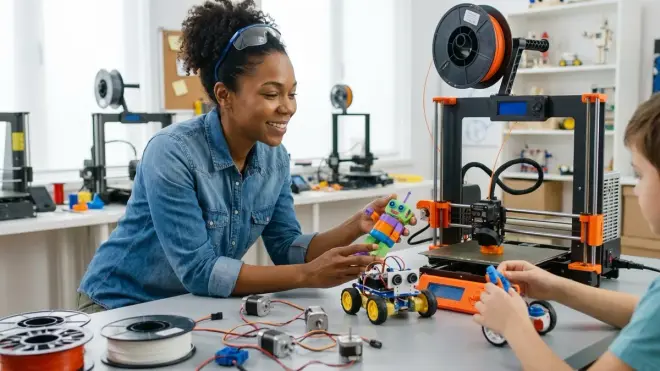
Design custom gripper arms, sensor mounts, or wheel hubs in Tinkercad or Fusion 360, then fabricate them on your home 3D printer. This teaches CAD-to-physical workflow, the same process used in mechanical engineering and product design. For skill-building resources, explore how to teach kids 3D design skills.
Robotics + AI and Machine Learning
Add a camera module to a Raspberry Pi robot and train it to recognize objects using TensorFlow Lite. Start with simple image classification (identifying colored blocks), then progress to object tracking or gesture control. This is hands-on machine learning—no abstract datasets, no disconnected theory. For foundational concepts, see how to explain machine learning to kids and Python vs Scratch for teaching AI.
Frequently Asked Questions
What age should my child start with robotics kits?
Your child can start with robotics kits as young as age 6 using block-based programming platforms like LEGO Boost or Makeblock mBot, which teach sequencing and sensor logic through visual drag-and-drop interfaces. By age 10–12, they're ready for Arduino-based kits with text-based programming (C++ or Python), and by age 12–14, they can tackle Raspberry Pi systems with AI integration, computer vision, and autonomous navigation. The key factor isn't age—it's progressive skill milestones: start with pre-assembled bots and visual coding, advance to modular electronics and breadboard wiring, then move to embedded Linux and CAD-driven design.
Do robotics kits require subscriptions or ongoing costs?
Most robotics kits are one-time purchases with no mandatory subscriptions—you buy the hardware, download free software (Arduino IDE, Raspberry Pi OS, Python), and access open-source documentation and tutorials forever. Consumable costs are minimal: rechargeable batteries (NiMH or LiPo packs) last 2–3 years before needing replacement ($20–$40), and individual sensors or motors ($2–$15 each) can be replaced if damaged. Premium kits like VEX or LEGO Mindstorms offer optional curriculum subscriptions ($50–$100/year) for structured lesson plans, but the kits function fully without them.
Can robotics kits work offline without constant internet access?
Arduino-based kits and Raspberry Pi systems function completely offline once the programming environment (Arduino IDE, Python, Thonny) is installed—your child can write, compile, and upload code without any internet connection. Some kits use web-based IDEs (Makeblock's mBlock online editor, Code.org robotics modules) that require internet for programming, so verify offline capability before purchase if you value device independence. Competition-level kits (VEX, LEGO Mindstorms) program via desktop software that works offline, though firmware updates and some advanced features may require occasional connectivity.
How do I choose between Arduino and Raspberry Pi robotics kits?
Arduino kits ($50–$150) are ideal for ages 10–14 learning electronics fundamentals, C++ programming, and sensor integration—they teach breadboard wiring, real-time control loops, and hardware debugging with simple, robust microcontrollers. Raspberry Pi kits ($80–$200) suit ages 12+ ready for multitasking, computer vision, AI/machine learning, and Linux system administration—they're full computers that run Python natively and support advanced projects like object recognition or autonomous navigation. Choose Arduino if your child is new to electronics and text-based coding; choose Raspberry Pi if they've mastered Arduino basics and want to explore AI, networking, or multimedia projects.
Are robotics kits expandable and compatible with third-party components?
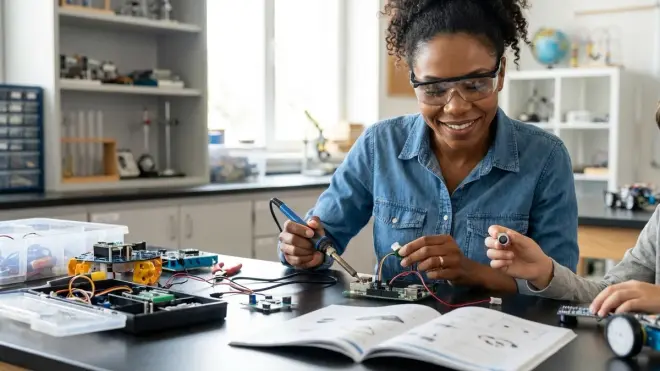
The best robotics kits for kids use industry-standard platforms (Arduino, Raspberry Pi, ESP32) with standardized connectors (I2C, SPI, GPIO headers) that support thousands of third-party sensors, motors, and modules—you can add GPS, OLED displays, accelerometers, or solar charge controllers using plug-and-play libraries. Kits with M3/M4 threaded mounting holes or LEGO-compatible studs let you integrate 3D-printed custom parts, salvaged components, or competition-level hardware as your child's skills grow. Proprietary closed-ecosystem kits (some LEGO sets, entry-level Makeblock models) limit expansion to manufacturer-approved accessories, so prioritize open-source platforms if you're building a long-term progressive STEM learning path.
Building Engineers Who See Systems, Not Just Code
The best robotics kits for kids aren't endpoints—they're skill-building infrastructure. They teach your child to see technology as malleable, debuggable, and improvable. They turn abstract code into spinning wheels and flashing LEDs. They force iterative thinking because the robot doesn't care about your intentions—it cares about voltage, torque, and logic flow.
When you invest in a quality robotics platform—one built on open-source tools, expandable hardware, and industry-standard languages—you're not just buying a project. You're giving your child fluency with the same tools used to design autonomous vehicles, optimize renewable energy grids, and build resilient infrastructure. You're teaching them that engineering isn't about following instructions—it's about iteration, failure, and the stubborn belief that the next version will work better.
Start with a kit that matches your child's current skill level, but choose one that won't cap out in six months. Look for Arduino compatibility if they're ready for text-based coding, Raspberry Pi if they want AI and computer vision, or competition-level platforms if they're joining a robotics team. And remember: the best learning happens when the robot breaks, the code fails, and your child has to figure out why. That's not frustration—that's engineering.