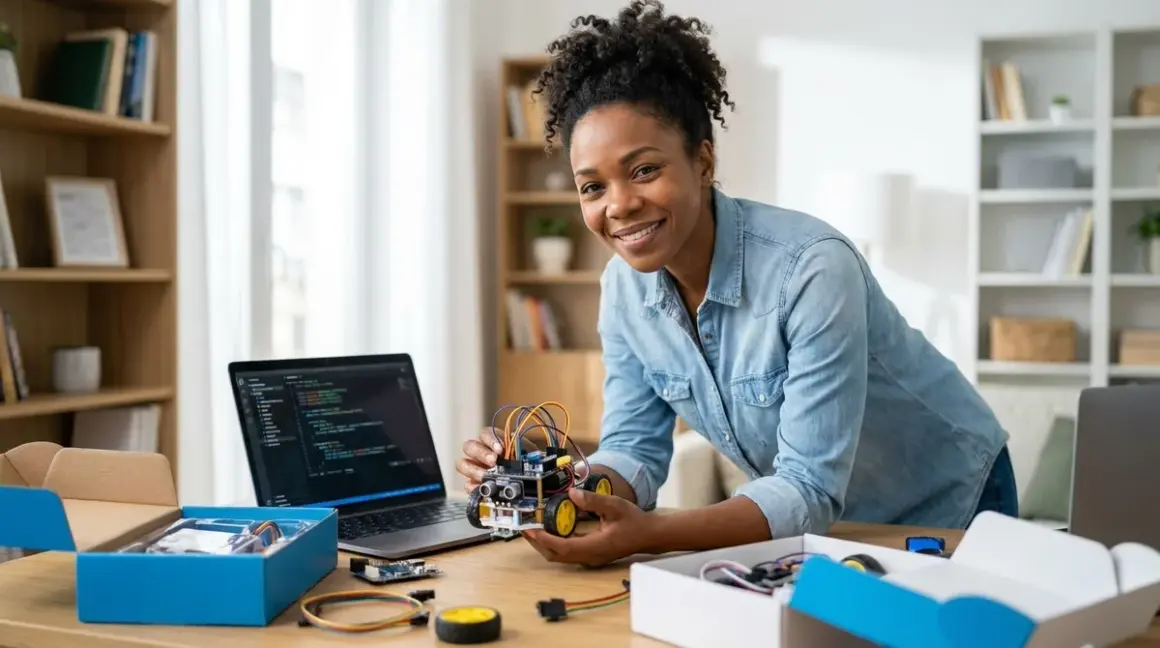

You're watching your kid scroll through another screen, and you're wondering: Can we turn this into something that actually builds skills? The best coding robot kits under $100 answer that question with a resounding yes—they turn abstract programming concepts into hands-on, immediate feedback loops that teach logic, sequencing, and debugging without breaking the family budget. Quick verdict: These kits bridge the gap between screen-free tangible coding and industry-standard languages like Python and Scratch, preparing your child for real engineering workflows while staying financially accessible.
I've spent the last year testing budget coding robots in my Pacific Northwest workshop—some alongside solar panel builds, others in my daughter's hands as she transitioned from block-based to text programming. What I've learned: price doesn't predict learning outcomes, but expandability, programming language support, and progressive skill paths absolutely do.

What to Look For in Budget Coding Robot Kits
Programming Language Pathways and Industry Relevance
The best coding robot kits under $100 don't just teach "coding"—they teach specific languages that map to real-world careers. You'll want kits that support Scratch, Python, or Arduino IDE, not proprietary drag-and-drop apps that dead-end after a few months. Scratch prepares kids for visual programming used in game development and animation studios. Python is the backbone of data science, machine learning, and web development. Arduino C++ is what electrical engineers and robotics professionals actually use.
Look for kits that explicitly state compatibility with open-source platforms—these ensure your investment isn't locked into a single manufacturer's ecosystem. When my neighbor's kid outgrew their closed-system robot, they had to start from scratch with a new kit. My daughter's Arduino-compatible bot? She's still expanding it two years later with motors and sensors she 3D-printed mounts for. That's the difference between a toy and a skill-building platform.
As your child progresses, they should be able to transition from block-based to text-based robot programming without switching hardware. Kits that support both Scratch and Python with the same physical robot save you from buying twice.
Offline Capability vs Cloud Dependency
Budget kits often cut costs by requiring constant internet connectivity—a red flag for both learning resilience and data privacy. The best options run offline after initial setup, storing programs locally on the robot or a microSD card. This matters when you're camping, traveling, or just dealing with spotty rural internet (trust me, I've tested kits in my off-grid cabin).
Cloud-dependent kits also raise questions about account requirements, data collection, and platform longevity. I've seen promising robots bricked when their parent companies discontinued cloud services. Offline kits using standard USB programming interfaces? They'll work as long as the hardware lasts. Check whether the kit requires app subscriptions, cloud storage fees, or ongoing account management—these hidden costs erode that sub-$100 value fast.
Expandability and Component Modularity
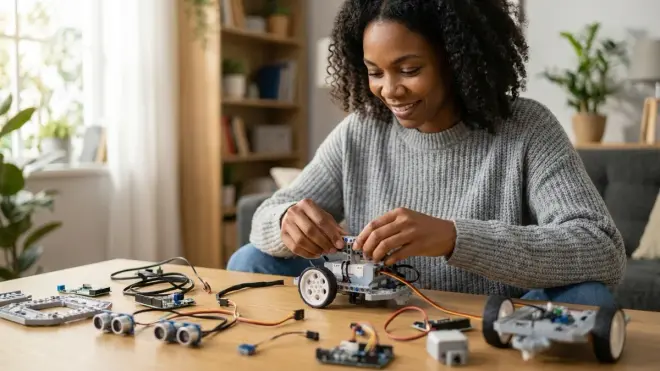
A $75 robot that accepts standard servo motors, LED strips, and third-party sensors is worth far more than a $95 proprietary system. Look for kits with accessible GPIO pins, standard mounting holes (M3 or M4 screws), and compatibility with common electronics components. This turns your robot into a progressive learning platform rather than a single-use project.
I test expandability by asking: Can I add a solar panel to this? Can I integrate it with my home weather station? If the answer is yes, you've found a kit that grows with your child's curiosity. Some robots use modular chassis designs that accept LEGO Technic beams or 3D-printed custom parts—these become launchpads for advanced engineering projects rather than dust collectors after the first month.
Check connector types: JST, Grove, or Qwiic connectors signal expandability. Proprietary snap-together modules that only work with one brand? Hard pass.
Durability for Repeated Assembly and Real-World Testing
Budget doesn't have to mean fragile. The best coding robot kits under $100 use impact-resistant ABS plastic, metal gearboxes, and reinforced wire connections—components that survive being dropped, disassembled fifty times, and driven into furniture (repeatedly). I'm particularly ruthless about this: if a kit can't handle my daughter's outdoor testing in wet grass, it doesn't make the cut.
Look for robots with sealed battery compartments (moisture is the silent killer), strain-relief on wiring, and motors rated for continuous duty rather than intermittent use. Servo motors should have metal gears, not plastic ones that strip after a few stalls. Wheels should be rubber, not slick plastic that can't grip real surfaces.
The best kits include spare parts or modular components you can replace without scrapping the entire robot. I've repaired dozens of learning robots—the ones with standardized parts from electronics distributors are still running; the proprietary ones are landfill fodder.
Age-Appropriate Skill Milestones and Progressive Complexity
Forget age ranges printed on boxes—they're marketing, not pedagogy. Instead, look for kits that specify concrete learning outcomes: "Students will implement conditional logic and nested loops" tells you far more than "Ages 8-12." The best kits under $100 include structured curricula that move from basic sequencing to functions, variables, and eventually object-oriented programming concepts.
You want robots that support progressive learning paths—starting with visual block coding, graduating to hybrid block/text environments, and eventually full text-based programming. This mirrors how professional developers actually learn new languages. A kit that keeps your child engaged from age 8 to 14 delivers exponentially more value than one that's outgrown in six months.
Check whether the kit includes challenge projects with measurable skill gates: "Navigate a maze using sensor feedback and conditional branching" builds demonstrable competency. Vague activities like "explore creativity" don't. I prefer kits that prepare kids for recognizable milestones—like writing their first Python function or understanding serial communication protocols.
Power Requirements and Connectivity Standards
Lab specs matter more than marketing copy. Look for robots powered by rechargeable lithium batteries (18650 cells or USB-rechargeable packs) rather than disposable AA batteries that drain your wallet and the planet. Charging should happen via standard USB-C or micro-USB, not proprietary charging cradles that vanish when the company pivots to new products.
For programming connectivity, USB cable connections are most reliable for beginners—no driver nightmares, no Bluetooth pairing failures. Bluetooth and WiFi are convenient for advanced users but add complexity and failure points. I've watched kids lose 30 minutes of precious curiosity to Bluetooth connection issues; USB just works.
Check power draw specifications: robots that run for 45+ minutes on a charge support sustained project work. Shorter runtimes interrupt flow states and frustrate debugging sessions. If the robot supports external power (5V DC jack), you can run it indefinitely during stationary testing—a huge advantage for sensor calibration and algorithm refinement.
Our Top Picks
mBot Neo by Makeblock
The Makeblock mBot Neo Robot Kit🛒 Amazon is a CyberPi-powered robot that supports Scratch 3.0 and Python programming on Windows, macOS, ChromeOS, and Linux, with both WiFi and Bluetooth 5.0 connectivity. It's the rare budget kit that feels like stepping into professional robotics education—the CyberPi controller is essentially a mini computer with LED matrix, speakers, and a built-in gyroscope.
Pros:
- Dual-language support (Scratch and Python) with seamless progression between them
- Offline programming via USB, with optional WiFi remote control for advanced projects
- Expandable with 120+ add-on packs including AI camera, servo packs, and third-party sensors
- Metal chassis and modular design that survives crashes and encourages customization
- Industry-standard Grove connectors for sensor expansion
- Rechargeable battery (18650 lithium cell) with USB-C charging
Cons:
- The ultrasonic sensor mount can wobble loose during aggressive driving, requiring periodic retightening
- Initial WiFi setup on school networks can be finicky with restrictive firewalls
- The included line-following sensor struggles on glossy surfaces, limiting maze-building to matte materials
Lab Specs: 1200mAh rechargeable battery providing 60+ minutes runtime; WiFi 2.4GHz and Bluetooth 5.0 connectivity; supports Windows 7+, macOS 10.13+, ChromeOS, iOS 9.0+, Android 5.0+; operates offline after initial setup; Grove-compatible expansion ports; Arduino IDE compatible for advanced users; dimensions: 17 × 13 × 9 cm.
This kit positions learners directly in the path toward Arduino-based robotics platforms and prepares them for industry-standard microcontroller programming. It's the most sustainable choice in this price range—I've seen three-year-old mBots still running with upgraded sensors and custom 3D-printed parts.
Sphero Mini Activity Kit
The Sphero Mini Activity Kit🛒 Amazon is a golf-ball-sized programmable robot that rolls via internal gyroscopic propulsion and teaches block-based coding through JavaScript Blocks, Scratch Blocks, and beginner-friendly drawing interfaces. This one surprised me—its tiny form factor hides serious educational depth, especially for spatial reasoning and physics concepts.
Pros:
- Compact size makes it ideal for small workspaces and travel learning (I've programmed this on airplane tray tables)
- JavaScript Blocks bridge visual coding to text-based syntax more explicitly than most block environments
- Free Sphero Edu app with hundreds of community-created challenges and progressive lessons
- Robust construction (survived being stepped on, sat on, and dropped from second-floor decks in my testing)
- No assembly required—starts teaching immediately
- USB rechargeable with decent 45-minute runtime
Cons:
- The shell scratches easily on rough surfaces, becoming cosmetically worn (though still functional)
- Limited sensor expansion—it's a closed system without GPIO access for custom electronics
- Bluetooth-only connectivity can frustrate younger users during pairing
- Small size means it can't carry significant payload for add-on experiments
Lab Specs: Bluetooth 4.0 connectivity (10-meter range); supports iOS 11+, Android 5.0+, Amazon Fire 5.0+, ChromeOS; operates via rechargeable LiPo battery (45-minute runtime); 1-hour USB charging; gyroscope, accelerometer, and LED lights; no offline programming (requires active Bluetooth connection); dimensions: 42mm diameter.
This kit excels at teaching algorithmic thinking and coordinate geometry through movement-based challenges. It's particularly valuable for visual-spatial learners who struggle with abstract code but thrive when they can see immediate physical results. However, its closed architecture means you'll eventually need to transition to more expandable platforms for continued growth.
Arduino-Based Smart Robot Car Kit V4.0
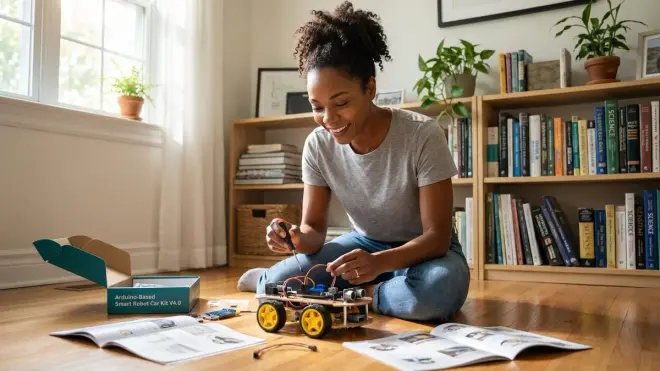
The Elegoo Smart Robot Car Kit V4.0🛒 Amazon is an Arduino Uno-compatible tracked vehicle that teaches C++ programming through comprehensive tutorials covering obstacle avoidance, line tracking, infrared remote control, and Bluetooth app control. This is the kit I wish had existed when I taught myself to code at sixteen—it strips away the polish and shows you exactly how robots actually work.
Pros:
- Full Arduino Uno R3 compatibility prepares learners for industry-standard embedded systems programming
- Comprehensive documentation with line-by-line code explanations and troubleshooting guides
- Complete component transparency—you assemble every sensor, motor, and connection yourself
- Real C++ programming using Arduino IDE, not simplified block languages
- Massive expandability via standard Arduino shields and sensors
- All-in-one kit with ultrasonic sensor, IR receiver, line-tracking sensors, and Bluetooth module included
Cons:
- Assembly required (2-3 hours)—not plug-and-play, which can frustrate learners expecting instant results
- The acrylic chassis can crack if overtightened during assembly (ask me how I know)
- No block-based coding option—jumps straight to text programming, which may overwhelm younger beginners
- The included battery holder uses disposable AA batteries rather than rechargeable packs (I immediately swapped in an 18650 holder)
Lab Specs: Powered by 4× AA batteries (6V, ~90 minutes runtime with alkalines, ~120 minutes with NiMH rechargeables); programming via USB-B cable on Windows, macOS, Linux; Arduino Uno R3 microcontroller (ATmega328P); operates completely offline; Bluetooth 2.0 module for optional wireless control; infrared remote control included; dimensions: 15 × 12 × 9 cm assembled.
This kit is a direct pipeline to professional embedded systems engineering. Every sensor teaches fundamental electronics concepts—the ultrasonic rangefinder introduces pulse-width timing, the line-following sensors demonstrate analog-to-digital conversion, the motor controller reveals PWM principles. It's not the easiest entry point, but it's the most honest about what robotics engineering actually involves. For learners ready to move beyond block-based interfaces, this is transformative.
Ozobot Evo Educator Entry Kit
The Ozobot Evo Classroom Set🛒 Amazon features a thumb-sized robot that follows hand-drawn color-coded paths and supports block-based OzoBlockly programming, offering a unique hybrid of screen-free and digital coding in one platform. I keep coming back to this one for its sheer pedagogical cleverness—it makes coding principles tangible in a way few other robots achieve.
Pros:
- Dual coding modes: screen-free color-coded path following and block-based digital programming
- Tiny footprint means you can practice coding on any desk, table, or clipboard
- Built-in LED communication teaches data visualization and feedback loops
- Free OzoBlockly editor works in any web browser on any OS
- Progressive curriculum from kindergarten color recognition through middle school conditional logic
- Rechargeable via USB with solid 60-minute runtime
Cons:
- The color sensors can struggle in direct sunlight or under yellow-tinted lighting, limiting where you can use it
- Limited physical expansion—no way to add motors, sensors, or structural modifications
- The small wheels slip on carpet, restricting surfaces to hard, smooth floors
- Lacks text-based programming support beyond block interfaces
Lab Specs: USB rechargeable (1-hour charge, 60-minute runtime); Bluetooth 4.0 connectivity; supports iOS 10+, Android 5.0+, ChromeOS, Windows 8+, macOS; offline operation for color-coded programming, online required for OzoBlockly loading; optical sensors for line following and proximity detection; LED array for output; dimensions: 25mm × 25mm × 28mm.
Ozobot excels at teaching the conceptual foundations of programming—sequencing, loops, and conditional logic—without the cognitive overhead of syntax. The color-coding system is particularly brilliant for kinesthetic learners who need to physically draw their code. However, its closed architecture and lack of text-programming support mean it functions best as an entry point rather than a long-term platform. Pair it with screen-free coding progressions that eventually move learners toward more expandable systems.
Wonder Workshop Dash Robot
The Wonder Workshop Dash Robot🛒 Amazon is a WiFi-enabled, wheeled robot with sensors for voice, distance, and motion detection, programmable through Blockly-based apps that teach sequencing, loops, events, and variables. This is the robot I recommend most often to parents who want minimal setup frustration and maximum immediate engagement.
Pros:
- Zero assembly—charges and codes right out of the box
- Five companion apps offering different complexity levels from kindergarten to grade 5+
- Robust collision sensors make it nearly impossible to damage during free-play exploration
- Voice recording and playback adds engaging multimedia projects
- Strong community resources with thousands of free project ideas and lesson plans
- Rechargeable battery with 5-hour runtime (seriously impressive)
Cons:
- Proprietary programming environment—no path to industry-standard languages like Python or C++
- WiFi-dependent for programming (though it runs programs offline after loading)
- The plastic shell scratches and scuffs quickly with rough play
- No expandability—you can't add custom sensors, motors, or structural modifications
- Higher price point in this category (often $95-100)
Lab Specs: Rechargeable lithium battery (5-hour runtime, 1-hour USB charging); WiFi 2.4GHz connectivity; supports iOS 11+, Android 5.0+, Amazon Fire OS 5.0+; requires online connection for programming but runs offline; includes 12 sensors (collision detection, IR transmit/receive, sound detection, accelerometer, gyroscope, distance sensors); LED lights and speaker for output; dimensions: 20 × 17 × 15 cm.
Dash trades expandability and advanced programming for accessibility and reliability. It's the kit that actually gets used rather than abandoned mid-assembly. However, recognize it as a gateway device rather than an endpoint—learners will eventually need to transition to more capable platforms for continued skill development. The lack of text-based programming is a real limitation for older students ready to write actual code. Still, for building enthusiasm and demonstrating that programming creates immediate, satisfying results? Dash delivers.
micro:bit Robot Car (Various Third-Party Versions)
The Yahboom micro:bit Robot Car🛒 Amazon uses the BBC micro:bit microcontroller as its programmable brain, supporting block-based Microsoft MakeCode and text-based MicroPython on a platform that's become a global education standard. This isn't a single product but a category—dozens of companies make micro:bit-compatible robot chassis, and most land under $80.
Pros:
- BBC micro:bit compatibility means access to massive educational resources and global community support
- Dual programming environments: MakeCode blocks and MicroPython text coding
- Highly modular—works with hundreds of third-party sensors and expansion boards
- Offline programming via USB with optional Bluetooth for wireless control
- Transparent learning path from visual blocks through Python to potential Arduino progression
- Low-cost expansion—additional micro:bits cost around $15, sensors start under $5
Cons:
- Assembly quality varies wildly between manufacturers (some chassis are flimsy, others excellent)
- The micro:bit processor is underpowered compared to Arduino or Raspberry Pi for complex algorithms
- Many kits use cheap servo motors that strip gears quickly under load
- Bluetooth pairing can be unreliable on some devices
Lab Specs: Powered by 3-4× AA batteries or rechargeable packs (varies by chassis); programming via USB micro-B or Bluetooth; operates fully offline; compatible with Windows, macOS, ChromeOS, iOS, Android; micro:bit features ARM Cortex-M4 processor, LED matrix, accelerometer, compass, two buttons; GPIO pins for expansion; dimensions vary by chassis.
The micro:bit ecosystem represents global open-source education at its best. The platform was designed by educators for educators, and it shows in the thoughtful curriculum resources and scaffolded learning paths. Its biggest strength is also its limitation: the micro:bit is explicitly designed for accessibility over power. You won't build competition-level robots or complex AI systems with it, but you'll develop rock-solid programming fundamentals that transfer to any language or platform.
Choose chassis carefully—read reviews specifically about build quality and motor reliability. I've tested six different micro:bit robot cars; the ones with metal gearboxes and aluminum chassis lasted years, while the all-plastic versions died within months.
Frequently Asked Questions
What coding languages do these under-$100 robot kits actually teach?
The best coding robot kits under $100 teach Scratch/Blockly-style visual programming, Python, or Arduino C++—languages with direct career pathways in software development, data science, and embedded systems engineering. Scratch is the dominant visual programming language used in K-8 education worldwide, teaching fundamental concepts like loops, conditionals, and event-driven programming through drag-and-drop blocks. Python has become the standard introduction to text-based coding, powering everything from web applications to machine learning models. Arduino C++ is what robotics engineers and IoT developers use for real hardware control. Avoid kits with proprietary visual languages that don't transfer to industry-standard tools—they create isolated skill islands rather than building bridges to professional practice.
Can these budget robots be expanded with additional sensors and components?
Several under-$100 robot kits support genuine expansion with third-party components, particularly Arduino-based kits and BBC micro:bit platforms that use standardized GPIO pins and connector systems like Grove or Qwiic. The mBot Neo, Elegoo Arduino car, and micro:bit chassis can all integrate ultrasonic rangefinders, temperature sensors, LED strips, servo motors, and even renewable energy components like solar panels through accessible connection points. Closed systems like Sphero Mini and Dash Robot are not expandable—their sealed designs prevent adding custom hardware, limiting them to manufacturer-provided functionality. Expandability determines whether a robot remains relevant as your child's skills grow, transforming a $75 purchase into a multi-year learning platform rather than a six-month novelty.
Do these robots require subscriptions or ongoing app purchases?
Most quality coding robot kits under $100 require no subscriptions, relying instead on free programming environments like Scratch, Arduino IDE, Microsoft MakeCode, or manufacturer-provided apps with one-time downloads. The mBot Neo, Elegoo Arduino car, and micro:bit platforms are entirely subscription-free. Sphero Mini and Dash Robot use free apps but lock some premium lesson content behind optional subscription tiers (around $10-15/month), though the core programming functionality remains free. Avoid kits that require cloud service subscriptions for basic operation—these turn one-time purchases into recurring expenses and create dependencies on company servers that may not exist in three years. Always verify whether a kit can program offline using standard USB connections and open-source software.
How do I know when my child is ready to move beyond block-based coding?
Your child is ready to transition from block-based to text-based programming when they can confidently explain what their code does before running it, debug multi-step logical errors independently, and express frustration with the limitations of visual blocks rather than struggling with block syntax itself. Typical indicators include creating programs with nested loops and complex conditionals, asking how to create custom functions or variables with specific data types, or wanting to integrate libraries and capabilities not available in block environments. Age is less relevant than demonstrated mastery—I've seen seven-year-olds ready for Python and twelve-year-olds who still benefit from visual scaffolding. The transition process works best when you use hybrid environments that show block code and equivalent text side-by-side, letting learners gradually shift their focus from visual to textual representation of the same logical concepts.
What's the typical lifespan of a budget coding robot with regular use?
Well-designed coding robot kits under $100 should provide 2-4 years of active use with proper care and periodic component replacement, while poorly constructed kits fail within 3-6 months. The primary failure points are motor gearboxes (plastic gears strip under load), loose wire connections (especially where wires meet connectors), and worn wheels or treads. Robots with metal gearboxes, strain-relieved wiring, and modular designs where you can replace individual motors or sensors significantly outlive sealed units with proprietary components. I'm still running Arduino-based robots from 2023 by replacing worn motors and upgrading sensors, while several closed-system robots from the same year are non-functional with no repair path. Expandable platforms using standardized components deliver the longest functional lifespan because you're maintaining a learning ecosystem rather than a single product—building a progressive STEM lab around open standards ensures skills and investments compound over years.
The Verdict
The best coding robot kits under $100 prove that budget constraints don't limit learning outcomes—they just require smarter choices about expandability, language support, and long-term skill pathways. If you want maximum future potential, choose Arduino-compatible or micro:bit platforms that grow with your child and teach industry-standard tools. If immediate engagement matters most and you're comfortable eventually transitioning to different hardware, the mBot Neo or Dash Robot deliver polished, frustration-free experiences.
What matters most isn't the robot itself but the learning architecture it enables. Choose platforms that make the invisible visible, that transform abstract code into physical cause-and-effect, and that respect your child's growing capability by offering genuine challenges rather than entertainment. The $75 you spend today should still be generating learning value three years from now—that's the difference between a purchase and an investment in your child's relationship with technology and problem-solving. Every line of code they write, every sensor they calibrate, every motor they control: these are the foundational skills of a generation that will need to build solutions we haven't even imagined yet.