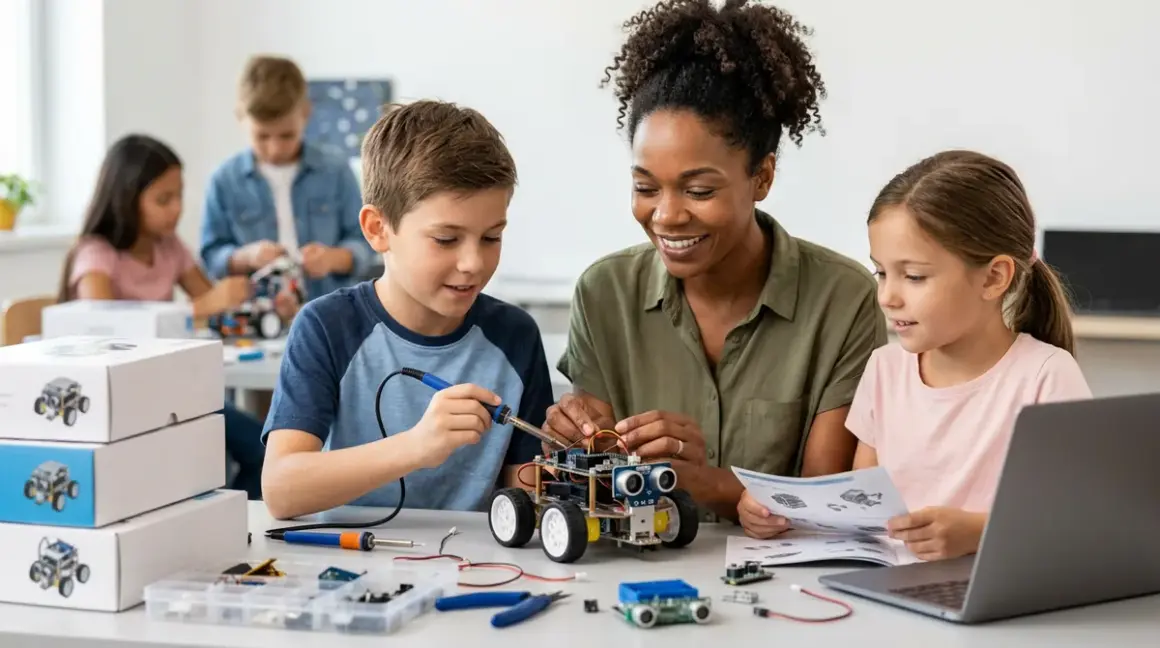

You're building an engineer, not assembling a toy collection. The robotics learning path for kids isn't a grab-bag of gadgets—it's a carefully sequenced climb from tactile understanding to competition-grade autonomy. I've watched my own nephews graduate from screen-free logic bots to programming PID loops for solar-tracking robots, and the difference between a scattered approach and a structured path is profound. This checklist maps the entire journey: what hardware to acquire when, which programming languages unlock which capabilities, and how each stage prepares your child for the next. Whether you're starting with a four-year-old who needs physical cause-and-effect or a teenager eyeing FIRST Robotics, you'll know exactly what belongs in your home STEM lab at every phase.
Foundation Stage (Ages 4–7): Physical Logic and Cause-Effect Mastery
Before code comes comprehension. Your child needs to internalize that actions have predictable consequences—that pushing a sequence of buttons in a specific order produces a specific outcome. This is where the robotics learning path for kids begins, and it's entirely screen-free for good reason.
Screen-free directional robots like Cubetto or Code & Go Robot Mouse teach sequencing without syntax. Lab Specs: battery-powered (AA or rechargeable), no connectivity required, durable ABS plastic for drops and spills. These build the mental model for loops and conditionals before introducing abstract symbols. How to Choose Screen-Free Coding Kits for Different Age Groups and Skill Levels breaks down age-appropriate complexity benchmarks.
Marble-run logic builders (Gravitrax, Turing Tumble) develop spatial reasoning and debugging instincts. You're watching your child physically trace cause and effect, adjusting ramp angles and gate sequences. No consumables, no subscriptions—just reusable components and a lifetime of reconfiguration.
Gear and pulley construction sets (K'NEX Education, Learning Resources Gears! Gears! Gears!) introduce mechanical advantage and force transmission. These aren't robots yet, but they're teaching the physics that makes robots move. Power: none required. Durability: expect five-plus years of hard use if you avoid leaving them in direct sun.
Magnetic circuit blocks (Snap Circuits Jr., littleBits) bridge the gap between mechanical and electronic thinking. Your child sees electricity flow, lights activate, motors spin. These kits are modular—you'll expand them later—and they require 9V batteries or USB power. The Snap Circuits Jr. SC-100 is the foundational set most kids outgrow within two years, so plan for expansion packs.
Pre-programmed animatronic kits (Thames & Kosmos Kids First Robot Engineer) deliver immediate gratification—no coding, just assembly. They're motivating, but they're a dead end if you stop here. Use them to hook interest, not as the destination. Lab Specs: AA batteries, motor life around 50 hours of runtime before gearbox wear becomes noticeable.
Block-Based Programming Stage (Ages 7–10): Visual Coding and Sensor Integration
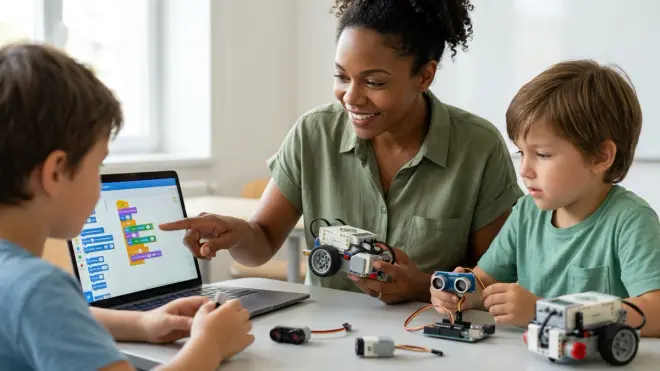
Here's where the robotics learning path for kids shifts from physical manipulation to logical abstraction. Block-based languages like Scratch and Blockly let children construct programs visually, dragging conditional statements and loops into sequence without wrestling syntax errors. You'll see their spatial logic from the foundation stage translate directly into algorithmic thinking.
Bluetooth-enabled block robots (Sphero INDI, Botley 2.0) pair tactile play with screen-based programming. Lab Specs: rechargeable lithium-ion batteries (60–90 minutes per charge), Bluetooth 5.0 for tablet/laptop connectivity, iOS/Android/Windows/Mac support. The Sphero INDI Student Kit frustrates some kids because Bluetooth pairing occasionally drops mid-session—keep devices within three meters and avoid crowded WiFi environments.
LEGO Education SPIKE Essential bridges construction and code. Your child builds mechanically sound robots, then programs them using Scratch-based software. Expandability is superb—motors, sensors, and structural elements are cross-compatible with Technic and Mindstorms lines. Power: rechargeable hub (USB-C, 120-minute runtime). Cloud-dependent: yes, lessons and firmware updates require internet.
Arduino-compatible block-coding boards (mBot, Makeblock Codey Rocky) introduce industry-standard microcontrollers disguised as friendly toys. These run mBlock (Scratch 3.0 fork) but can transition to Arduino C++ later. The Makeblock mBot Neo uses ESP32 microcontrollers and supports WiFi/Bluetooth, but the proprietary battery connector means you'll need to order replacements from Makeblock—a frustrating lock-in.
Camera-vision robots (Cue by Wonder Workshop) teach sensor fusion and computer vision basics. Kids program responses to visual input—following colored objects, recognizing faces. Skill outcome: understanding how robots perceive their environment, not just how they move through it. Requires tablet (iOS 13+/Android 8+) and occasional app updates.
Multi-terrain rovers (VEX GO, Elegoo Tumbller) force kids to think about mechanical design trade-offs. Treads for traction versus wheels for speed. Weight distribution. Center of gravity. These kits prepare students for VEX IQ competition formats. Lab Specs: 6x AA batteries or rechargeable packs, aluminum chassis holds up through years of competition practice, fully expandable with 200+ compatible parts.
Text-Based Programming Stage (Ages 10–14): Python, C++, and Real Engineering Tools
Block-based programming hits a ceiling around age ten. Your child needs real syntax, real debugging, real version control. This is the inflection point where the robotics learning path for kids becomes the robotics learning path, period—the same tools professionals use. How to Transition from Block-Based to Text-Based Robot Programming walks through the psychological and technical hurdles of this shift.
Python-programmable robots (Raspberry Pi-based rovers, Pimoroni STS-Pi) teach the language dominating machine learning and automation. Skill outcome: by the end of this stage, your child should write functions, import libraries, and debug runtime errors independently. Lab Specs: requires separate Raspberry Pi 4 (4GB RAM minimum), MicroSD card (32GB+), 5V/3A USB-C power supply. OS: Raspberry Pi OS (Debian Linux). Offline capable once libraries are installed.
Arduino robotics kits (Elegoo Smart Robot Car Kit V4.0) expose kids to C++ and microcontroller programming—the backbone of industrial automation and IoT devices. These kits don't hold your hand; documentation assumes you understand basic electronics. But once your child builds and codes their first obstacle-avoiding rover, they've crossed into legitimate embedded systems engineering. Arduino IDE runs on Windows/Mac/Linux, fully offline after initial setup. The Elegoo kit's ultrasonic sensor mount is flimsy—reinforce it with a dab of hot glue or reprint it if you have access to FDM 3D printing capabilities.
LEGO Mindstorms Robot Inventor straddles block and text programming. Kids start with visual Scratch-like code, then graduate to MicroPython. Expandability is unmatched—hundreds of third-party sensors, pneumatics, custom 3D-printed parts. Power: rechargeable hub (USB-C, 150-minute runtime). Cloud-dependent for initial setup and periodic firmware updates. Durability: motors rated for 10,000+ hours, but gear teeth strip if you over-torque builds.
ROS-compatible educational platforms (TurtleBot3 Burger, Yahboom ROS Robot Car) introduce Robot Operating System—the industry framework for autonomous systems research. This is graduate-level territory compressed into a teen-accessible package. Skill outcome: understanding distributed computing, SLAM (simultaneous localization and mapping), and sensor fusion. Requires Ubuntu Linux, significant computational resources (laptop with 8GB+ RAM), and patience. Not for casual hobbyists.
Custom Arduino + 3D-printed chassis builds represent the apex of this stage. Your child designs the robot body in Tinkercad or Fusion 360, prints it on a home 3D printer, sources motors and sensors à la carte, and writes firmware from scratch. No kit, no instructions—pure engineering. Budget around $150–200 for electronics; filament costs are negligible. Robotics Kit Compatibility Checklist: Software, Hardware, and Expandability Requirements helps you source compatible components.
Competition and Specialization Stage (Ages 13+): Team Robotics and Advanced Autonomy
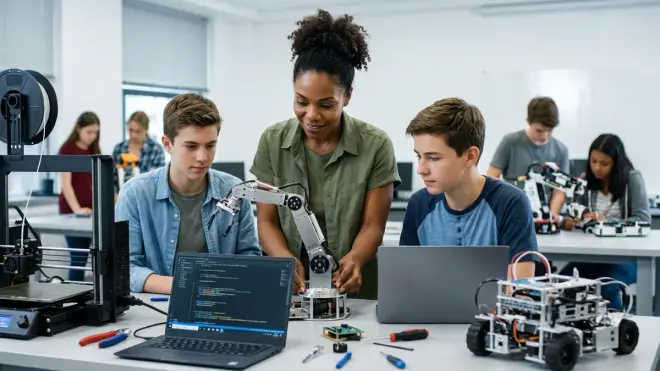
The robotics learning path for kids culminates here: designing, building, and programming robots that compete against other teams under time pressure and strict rule sets. This is where your child discovers whether they love mechanical design, software architecture, project management, or all three.
FIRST Robotics Competition (FRC) prep kits (AndyMark KitBot, REV Robotics Starter Bundle) teach the specific toolchains FRC teams use: CAD in SolidWorks or Onshape, programming in Java or C++, pneumatics, PID control loops. Lab Specs: 12V battery systems, CAN bus communication, rigorous safety standards. These aren't bedroom projects—they require dedicated workshop space, power tools, and adult supervision. Skills translate directly to mechanical engineering and software development careers.
VEX Robotics Competition (VRC) systems scale down the complexity without dumbing down the challenge. Teens design and build robots entirely from VEX metal structural components, program in VEXcode (C++ or blocks), and compete in regional/national tournaments. Expandability: unlimited within VEX ecosystem. Power: rechargeable 12V lithium batteries (90-minute runtime). Your child will destroy and rebuild the same robot a dozen times per season—that's the point.
Autonomous racing platforms (F1TENTH, DonkeyCar) focus on perception, planning, and control algorithms. These robots use cameras and LIDAR to navigate tracks at high speed without human input. Programming languages: Python for high-level logic, C++ for real-time performance. Skill outcome: understanding the same autonomy stack used in self-driving cars. Requires significant compute (Jetson Nano minimum) and costs $300–600 to build. Not beginner-friendly, but transformative for kids serious about robotics careers.
Underwater ROV competitions (MATE ROV, SeaPerch) teach unique engineering constraints: buoyancy, waterproofing, tether management, thruster control. These robots operate where humans can't see or reach. The Blue Robotics BlueROV2 Electronics Kit is the semi-professional standard, running ArduSub firmware (open-source). Power: 14.8V lithium batteries in waterproof enclosures. Skills gained: fluid dynamics, sealing techniques, remote teleoperation—disciplines distinct from land-based robotics.
Custom specialization projects (solar-tracking robots, hydroponic automation systems, wildlife monitoring rovers) let your teen apply robotics to personal passions. I've built solar-powered rovers that automatically adjust panel angles throughout the day—combining renewable energy principles with PID control. These projects often integrate Arduino programming, CAD design, 3D printing, and environmental science. No kit exists—your child defines the problem, researches solutions, and iterates.
Machine learning integration (TensorFlow Lite models on Raspberry Pi, Edge Impulse for microcontrollers) teaches robots to learn from data rather than follow rigid rules. Your teen collects training datasets, trains models, and deploys them on resource-constrained hardware. Skill outcome: understanding the intersection of AI and robotics. Python vs Scratch for Teaching AI to Kids: Which Language Is Better? explains why Python dominates this domain.
Final Check Before You Go
Print this and keep it with your home STEM lab inventory:
- Foundation (ages 4–7): Screen-free robots, gear sets, circuit blocks—all battery-powered, no subscriptions.
- Block programming (ages 7–10): Bluetooth robots, SPIKE Essential, mBot—rechargeable, app-dependent, expandable.
- Text programming (ages 10–14): Raspberry Pi rovers, Arduino kits, Mindstorms—requires laptop, offline capable, open ecosystem.
- Competition (ages 13+): FRC/VRC kits, autonomous racers, ROVs—team-based, workshop space needed, career-track skills.
- Verify compatibility: Check OS requirements (Windows/Mac/Linux), IDE support (Arduino/Python/ROS), and expansion ecosystem before buying.
- Plan for obsolescence: Kits your child outgrows in under two years are stepping stones, not investments. Budget accordingly.
- Prioritize open platforms: Proprietary batteries, closed software, and single-vendor ecosystems lock you in. Arduino, Raspberry Pi, and VEX are expandable for life.
Frequently Asked Questions
What age should my child start the robotics learning path for kids?
Your child can begin tactile robotics learning as early as age four with screen-free sequencing robots like Cubetto or Code & Go Robot Mouse, which build cause-and-effect understanding and directional logic without requiring reading or coding skills—these foundational tools prepare them for block-based programming around age seven.
Do all robotics kits require ongoing subscriptions or consumable purchases?
Most quality robotics kits do not require subscriptions, but cloud-dependent platforms like LEGO SPIKE and Mindstorms need periodic internet access for firmware updates and lesson downloads; avoid kits with proprietary batteries or closed ecosystems, and prioritize open-source platforms like Arduino and Raspberry Pi that never lock you into recurring costs.
How do I know when my child is ready to transition from block-based to text-based robot programming?
Your child is ready to transition from block-based to text-based programming when they consistently build complex multi-conditional programs with nested loops and variables in Scratch or mBlock, demonstrate patience for debugging logical errors, and express frustration with the limitations of visual interfaces—typically around ages 10–12 depending on prior experience.
Final Thoughts
The robotics learning path for kids isn't a ladder you climb once—it's a scaffold you build piece by piece, each platform supporting the next. I've seen seven-year-olds debug Scratch code with more rigor than some junior developers, and I've watched teenagers present autonomous rover designs at science fairs that would impress engineering professors. The difference wasn't innate genius; it was sequential skill-building with the right tools at the right time. Start where your child is, not where you wish they were. Invest in open platforms that grow with them. And when they inevitably dismantle their third robot to build something you don't recognize, trust the process—that's exactly what engineers do. You're not buying toys; you're provisioning a decade-long apprenticeship in systems thinking, and the world desperately needs what they're learning to build.