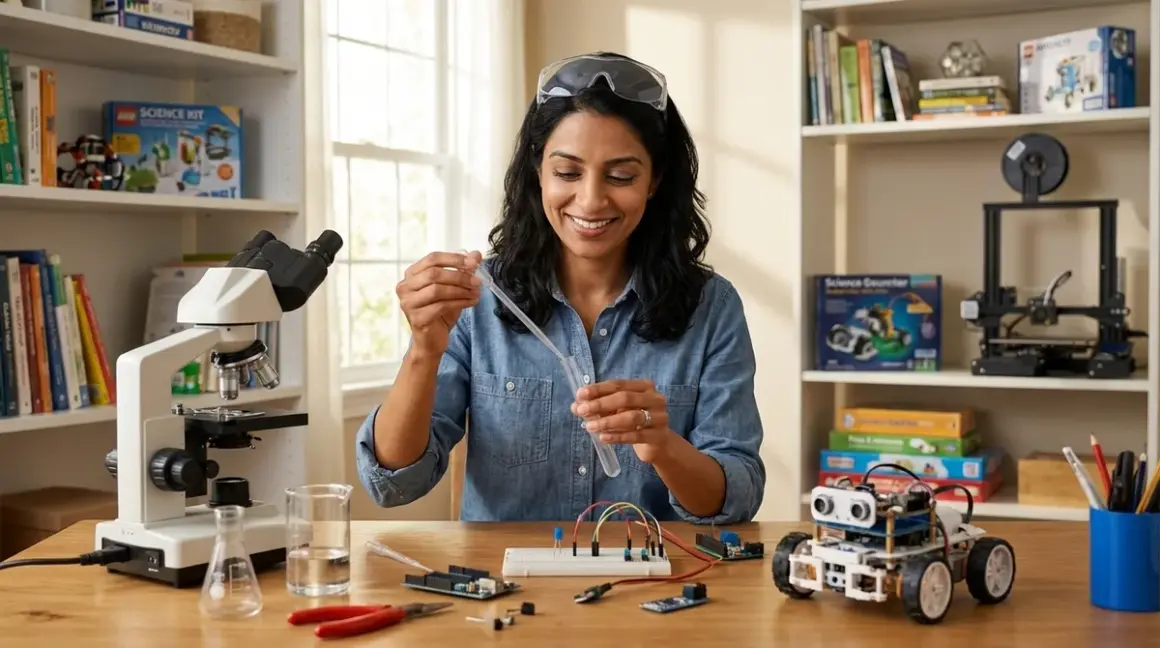

You've likely noticed your child's eyes light up when they solve a puzzle or figure out how something works. That natural curiosity is the foundation of scientific thinking, and what is a home STEM lab comes down to this: a dedicated or flexible space where your child builds real, measurable skills through hands-on exploration of science, technology, engineering, and mathematics concepts. Unlike scattered toys in a playroom, a home STEM lab is a purposeful learning environment with tools that progress alongside your child's developing capabilities—from tactile logic games at age four to Arduino microcontrollers at age twelve.
What Is a Home STEM Lab?
A home STEM lab is a designated physical space equipped with age-appropriate tools, materials, and equipment that enables children to practice sequential skill-building in science, technology, engineering, and mathematics through hands-on experimentation. Think of it less as a collection of toys and more as a workshop where your child develops concrete competencies—algorithmic thinking, spatial reasoning, systematic troubleshooting, and iterative design processes.
The defining characteristic of a home STEM lab isn't the room itself (though dedicated space helps), but rather the intentional curation of tools that build upon one another. A three-year-old might start with shape-sorting that teaches pattern recognition. By age seven, that same child uses screen-free coding boards to master sequential logic. At ten, they're writing block-based code. By thirteen, they've transitioned to text-based Python programming languages that industry engineers actually use.
What distinguishes a home STEM lab from simply having educational toys is the progressive learning path. Each component serves a specific developmental purpose and connects to the next skill tier. The Cubetto Playset teaches directional commands and basic algorithms to preschoolers without screens, preparing neural pathways for the abstract thinking required later in Scratch or Arduino IDE. That's not accidental—that's a learning architecture.
Your home STEM lab should function as a skill-building investment rather than a toy rotation. This means considering technical compatibility (does this robotics kit work with both block-based and Python programming as skills advance?), expandability (can we add sensors and modules as understanding deepens?), and durability for repeated use. A well-designed home STEM lab grows with your child, not against them.
How a Home STEM Lab Works
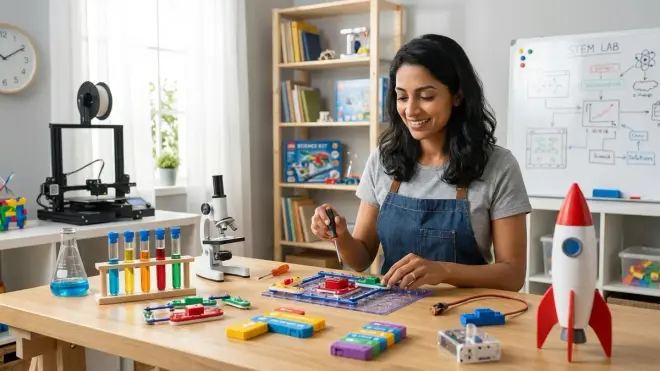
The operational framework of a home STEM lab centers on creating low-friction access to progressive learning experiences. This isn't about scheduling formal lessons—it's about making exploration irresistible and developmentally appropriate.
Physical infrastructure matters more than you might think. Your lab needs adequate power access (multiple grounded outlets for robotics, 3D printers, and laptops), stable work surfaces at appropriate heights, and organized storage where children can independently retrieve and return materials. A seven-year-old won't maintain enthusiasm for circuit-building if they spend fifteen minutes searching for the right jumper wires every session. Visibility and accessibility directly impact engagement frequency.
Connectivity requirements vary by learning stage. Early childhood equipment should be entirely offline—no cloud dependencies, no account creation, no software updates interrupting tactile learning. As children progress to middle school, you'll integrate tools that require intermittent connectivity for programming environments like Scratch or uploading code to Arduino boards, but the actual learning happens through physical manipulation and observation. A home STEM lab balances screen-necessary tasks with hands-on validation. Your child types Python commands, but then watches LEDs illuminate or motors turn—the digital becomes tangible.
Skill sequencing is the heart of how a home STEM lab functions. Each capability builds prerequisite knowledge for the next. Before a child can debug Arduino code, they need experience with cause-and-effect relationships from simple circuits. Before simple circuits, they need spatial reasoning from building blocks and mechanical toys. Before that, they need fine motor control and pattern recognition from manipulatives. You're not randomly offering activities—you're creating a deliberate capability ladder where each rung is achievable but challenging.
The learning path typically flows like this: tactile manipulation and pattern recognition (ages 3-5) through shape sorters and building systems; screen-free algorithmic thinking (ages 5-7) through directional coding toys and board games; block-based visual programming (ages 7-10) with platforms like Scratch or Blockly-based robotics; text-based introductory coding (ages 10-13) transitioning to Python or Arduino C++; and industry-standard tools (ages 13+) including CAD software, full programming environments, and open-source hardware platforms. Each stage prepares neural pathways for the abstraction level required next.
Lab Specs govern what's actually possible. Power requirements escalate as children advance—early learning needs zero power or simple batteries, while teen projects might require dedicated circuits for 3D printers drawing 300-400W. Storage needs evolve from open bins to categorized component drawers for resistors, capacitors, sensors, and filaments. Durability becomes critical: can this oscilloscope withstand a twelve-year-old's learning curve? Will this robotics kit survive disassembly and reassembly fifty times? For guidance on physical organization and storage, see our detailed article on how to organize a home STEM lab for progressive skill development.
Why a Home STEM Lab Matters for Your Child's Development
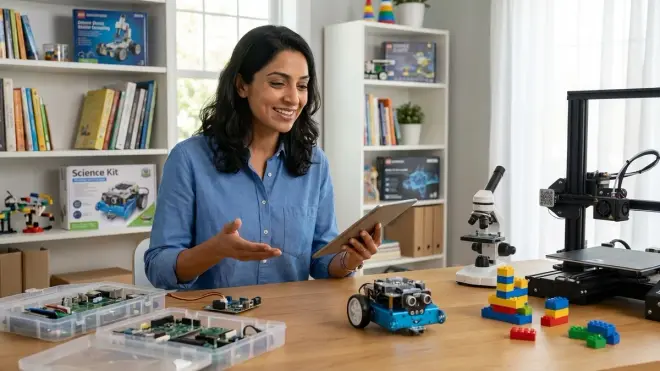
The developmental psychology research is unambiguous: hands-on manipulation of physical objects creates stronger neural pathways for abstract concept formation than screen-only learning. When your eight-year-old physically arranges directional arrows to program a robot's path, they're not just learning code—they're building the executive function skills that support planning, sequencing, and error-checking across all cognitive domains.
Screen-dependent learning often bypasses the proprioceptive and tactile feedback loops that anchor abstract ideas to physical reality. Your child might memorize that an "if-then" statement controls program flow, but do they truly understand conditional logic? When they physically place a colored block that determines whether a screen-free robot turns left or continues forward based on an external condition, the concept becomes embodied. That's not anti-technology—it's developmentally appropriate scaffolding.
A home STEM lab offers guilt-free screen alternatives without sacrificing genuine skill development. You're not choosing between educational value and limiting devices—you're recognizing that different developmental stages require different learning modalities. Preschoolers need three-dimensional spatial experiences before two-dimensional screen interfaces make cognitive sense. Elementary students benefit from seeing code execute as physical robot movement before the abstraction of variables and loops clicks. This isn't screen avoidance; it's strategic sequencing.
The career preparation angle is substantial. A thirteen-year-old working with Arduino microcontrollers is using the exact same development environment and C++ syntax that aerospace engineers and industrial designers use professionally. A twelve-year-old designing parts in Tinkercad and printing them on an Creality Ender 3 V3 SE is learning the identical CAD-to-fabrication workflow used in product development studios worldwide. These aren't toy approximations—they're industry-standard tools made accessible. For more on bridging screen-free early learning to professional programming environments, read our guide on how to transition from screen-free coding to Scratch and Python programming.
Home STEM labs also address something I've observed repeatedly in my practice: children develop genuine confidence when they master concrete, observable skills. Abstract academic success feels distant and intangible to many children. But successfully programming a robot to navigate an obstacle course? Designing and printing a functional phone stand? Measuring voltage changes in a solar panel circuit? These are achievements they can see, touch, and demonstrate to others. That builds self-efficacy in ways that transcend STEM domains.
Essential Components and Learning Tiers
What is a home STEM lab without the right equipment mix? It's crucial to match tools to current capabilities while planning for advancement. Here's how components align with skill tiers:
Foundation Tier (Ages 3-6)
Physical manipulatives dominate this stage: building blocks that teach spatial reasoning, gear sets demonstrating mechanical advantage, and pattern-recognition puzzles. The Learning Resources Gears! Gears! Gears! set introduces cause-and-effect through visible mechanical connections—turn this gear and watch forces transfer. Screen-free coding toys like directional command sequences build algorithmic thinking without device dependence. Everything should be battery-powered or unplugged, durable enough for rough exploration, and large enough to avoid choking hazards. For detailed guidance on this developmental stage, see best screen-free coding toys for preschoolers.
Intermediate Tier (Ages 7-10)
Electronics fundamentals enter through safe, child-appropriate circuit kits—snap circuits that eliminate soldering while teaching series/parallel connections and component functions. Basic robotics with block-based programming interfaces let children see code execute as physical movement. Simple measurement tools appear: multimeters for voltage/current, rulers for precise building. Storage needs become more specific—small parts require organization. Power needs remain modest but consistent. This stage builds systematic troubleshooting: when the circuit doesn't work, what's the logical diagnostic sequence?
Advanced Tier (Ages 11-14)
Industry-standard platforms emerge: Arduino microcontrollers programmable in both block-based and text-based C++, entry-level 3D printers requiring CAD design skills, and renewable energy kits with real data collection. Software requirements expand—Arduino IDE, Scratch, Tinkercad, basic Python environments. These tools require computer access but emphasize physical validation: the code controls tangible hardware. For comprehensive equipment evaluation, consult our best STEM lab equipment for home learning spaces guide.
Professional Tier (Ages 14+)

Teenagers ready for professional tools use full-featured CAD programs like Fusion 360, advanced 3D printers with multiple material options, sophisticated robotics platforms like VEX that support competition-level engineering, and complete electronics workstations with oscilloscopes and soldering equipment. This isn't play—it's vocational preparation. Safety protocols become essential, including ventilation for 3D printing and proper tool handling. Review our home STEM lab safety checklist before setting up advanced equipment.
Subscription vs. one-time purchase matters financially and pedagogically. Subscription boxes provide curated monthly variety but often lack depth—your child might build twenty superficial projects without mastering underlying principles. One-time purchase kits and open-ended platforms (Arduino, LEGO Technic, quality robotics systems) cost more upfront but support iterative skill-building. Your nine-year-old can revisit and expand the same robotics kit for three years as their programming skills deepen.
Space Requirements: Dedicated vs. Multi-Purpose
Not every family has a spare room for a dedicated STEM lab, and that's fine. Function matters more than square footage. A dedicated space offers advantages—materials stay accessible, projects can remain in-progress, and the environment signals "this is where we build and explore." But a well-organized multi-purpose area works beautifully if designed thoughtfully.
The key differentiator is setup friction. If each STEM session requires twenty minutes of retrieval and table-clearing, engagement frequency plummets. Mobile storage solutions—rolling carts with labeled drawers, portable workstations, wall-mounted organizers—make multi-purpose spaces viable. Your dining table becomes a build surface if components are instantly accessible and cleanup is streamlined.
Lighting, power access, and ventilation are non-negotiable regardless of whether your lab is dedicated or shared. Natural light reduces eye strain during close-detail work. Adequate outlets prevent daisy-chaining power strips (a fire hazard with multiple devices). If you're incorporating 3D printing or soldering at advanced tiers, ventilation becomes critical—PLA printing is relatively safe but still benefits from air circulation.
Consider vertical space. Wall-mounted pegboards hold frequently-used tools, magnetic strips organize metal components, and shelving maximizes storage without consuming floor area. Even a corner of a bedroom can function as a home STEM lab if thoughtfully equipped. For detailed space planning strategies, see dedicated STEM room vs multi-purpose learning space.
Frequently Asked Questions
What age should we start a home STEM lab?
You can establish a home STEM lab as early as age three with developmentally appropriate materials like building blocks, shape sorters, and simple mechanical toys that teach cause-and-effect relationships. The lab grows with your child—start with tactile, screen-free exploration and progressively introduce more complex tools as fine motor skills, abstract reasoning, and attention span develop. There's no minimum age for hands-on learning; there's only age-inappropriate tooling.
Do we need expensive equipment to create an effective home STEM lab?
No, effectiveness depends on progressive skill-building and appropriate challenge levels, not cost. A $30 screen-free coding board that a six-year-old masters and revisits builds more capability than a $300 robotics kit gathering dust because it's too advanced. Start with your child's current developmental stage, invest in durable items that support repeated exploration, and add complexity as skills warrant. Many professional tools like Arduino boards cost under $25, and free software environments (Scratch, Tinkercad, Arduino IDE) provide industry-standard platforms without subscription fees.
How much space does a functional home STEM lab require?
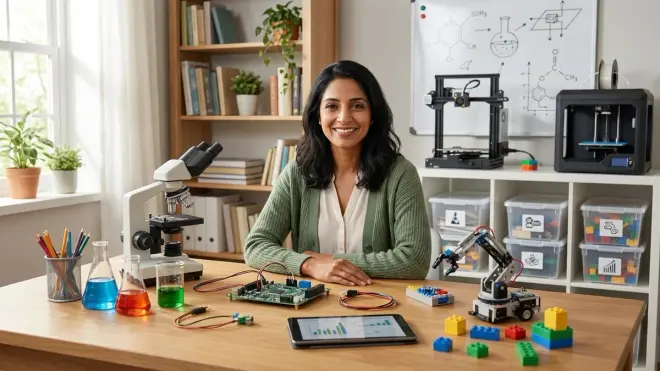
A functional home STEM lab requires only enough space for a stable work surface (minimum 2x3 feet), organized storage for current-tier materials, and access to power outlets as needed. This could be a dedicated room, a corner of a bedroom, or a well-organized section of a dining area with mobile storage. The critical factor isn't square footage but rather low-friction access—can your child independently start an exploration session without extensive setup? Even small apartments can support effective STEM labs with vertical storage and multi-purpose furniture.
Should our home STEM lab prioritize screen-based or hands-on tools?
Prioritize hands-on, screen-free tools for younger children (ages 3-8) to build tactile understanding and physical manipulation skills that anchor abstract concepts later, then strategically introduce screens as supplementary tools for intermediate and advanced learners. The goal isn't screen avoidance but appropriate developmental sequencing—preschoolers need three-dimensional spatial experiences before two-dimensional interfaces make sense, while teens benefit from industry-standard programming environments that happen to involve screens. The best home STEM labs balance both modalities based on the learning objective and child's developmental stage.
How do we know when our child is ready to advance to more complex equipment?
Your child is ready for more complex equipment when they demonstrate mastery behaviors with current tools: independent problem-solving without constant assistance, voluntary return to projects for iterative improvement, explanations of underlying concepts (not just rote procedures), and expressed curiosity about limitations of current capabilities. If your eight-year-old has exhausted a screen-free coding board's challenge level and asks "how do I make it do something when it touches the wall," they're signaling readiness for sensor-equipped robotics. Advancement isn't age-based—it's capability-based, and children progress at individual rates.
Building Skills That Last
A home STEM lab isn't about early academic advantage or college admissions padding. It's about creating an environment where your child develops systematic thinking, comfortable failure, and iterative problem-solving—capabilities that transfer across every domain of life.
The most successful home STEM labs I've encountered share common characteristics: they match current developmental capabilities, they minimize setup friction, they emphasize depth over breadth, and they make learning visible and tangible. Your five-year-old who spends three months mastering every challenge level of a screen-free coding toy is building executive function that will serve them in mathematics, writing, and interpersonal problem-solving for decades.
Start with what matches your child's current capabilities, not what looks impressive. Build your progressive learning path intentionally, adding complexity as mastery emerges. The right home STEM lab doesn't look the same for every family—it looks like the space and tools that make your specific child think, "I want to figure this out."
That curiosity, nurtured consistently in a thoughtfully designed environment, becomes the foundation for genuine expertise.