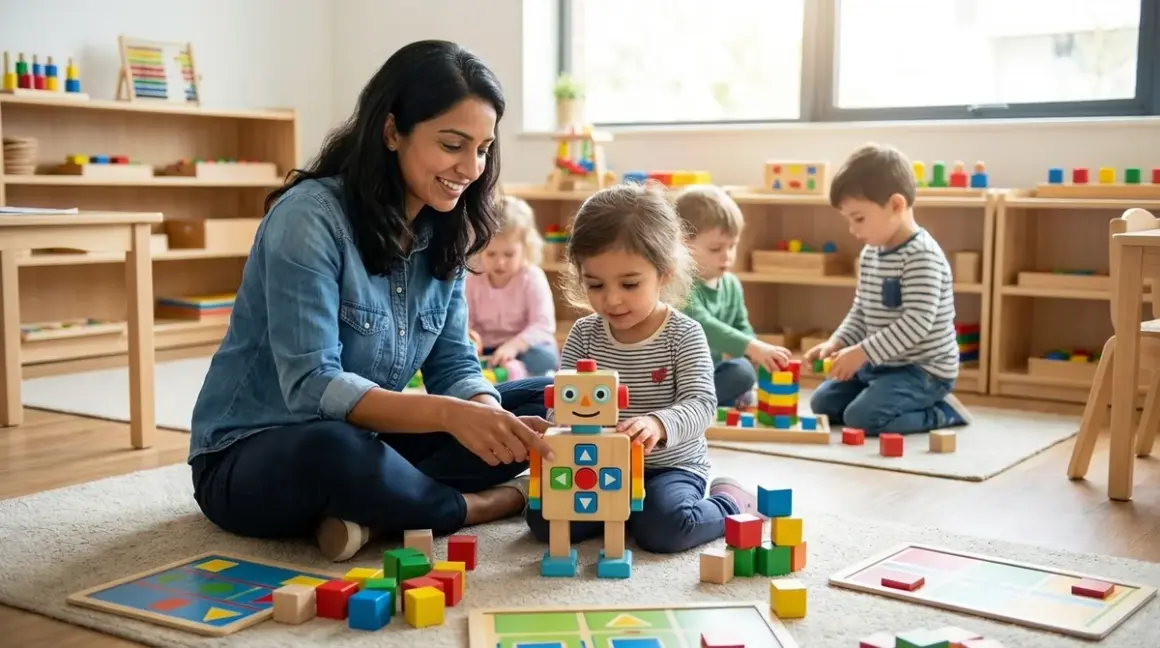

You're watching your three-year-old stare at a tablet screen again, and that familiar guilt creeps in. You know coding is the future, but you also know she doesn't need more screen time. Here's the truth: the best screen free coding toys for preschoolers teach sequencing, cause-and-effect, and algorithmic thinking through physical play—no pixels required. After working with dozens of families navigating this exact tension, I can tell you that children ages 3-5 build stronger foundational logic skills through tactile manipulation than passive screen interaction.
What to Look For in Screen-Free Coding Toys for Preschoolers
When you're selecting screen free coding toys for preschoolers, you're not just buying something to keep little hands busy. You're investing in neural pathways that will eventually support Python debugging and Arduino programming—but only if the toy matches your child's developmental stage and builds genuine computational thinking skills.
Tangible Feedback and Physical Consequence
The magic of screen-free coding happens when your child pushes a button and a robot physically moves—not when an animation plays on glass. Look for toys where actions produce immediate, visible results in the real world. This concrete feedback loop mirrors how professional programmers test code: you write an instruction, you observe what happens, you adjust.
A four-year-old who places directional arrows on a board and watches a turtle-shaped robot follow that path is learning debugging—she sees the robot bump into a wall, realizes her sequence was wrong, and modifies her instructions. That's not abstract. That's the scientific method in motion.
Choose toys where mistakes are obvious and self-correcting. The best screen free coding toys for preschoolers never punish errors—they simply show your child what happened and invite another attempt.
Progressive Complexity Without Overwhelming Steps
Your child's first coding toy shouldn't be their last. Look for systems that start simple (2-3 step sequences) but expand to 10+ step algorithms as competency grows. This mirrors the progressive learning path from screen-free coding to text-based programming—you're building tolerance for complexity gradually.
The ideal toy offers multiple difficulty modes or expansion packs. A three-year-old might use it to practice basic sequencing (forward, forward, turn), while a five-year-old creates conditional loops (go forward until you hit an obstacle, then turn right). You're not buying for today's skill level—you're buying for the next eighteen months of growth.
Avoid toys with a single challenge level. They become boring quickly, and you'll find yourself with an expensive dust-collector three months after purchase.
Durability for Repeated Trial-and-Error Learning
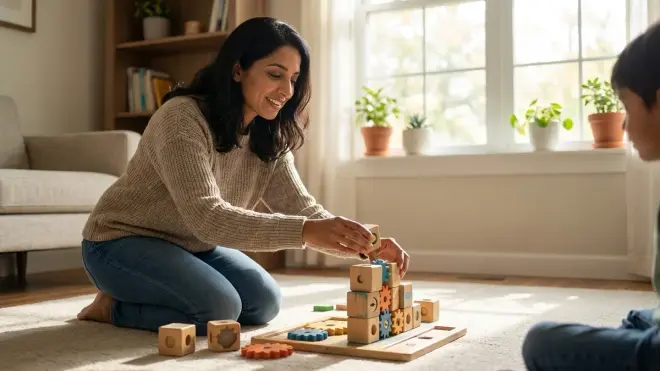
Preschoolers learn through repetition and experimentation—which means your coding toy will be dropped, stepped on, thrown into toy bins, and possibly used as a teething device by a younger sibling. Lab specs matter here: Look for impact-resistant ABS plastic, sealed battery compartments, and components that survive spills.
The best educational toys endure hundreds of programming cycles without performance degradation. Check whether directional tiles are thick cardboard (expect replacement within six months) or rigid plastic (should last years). If a robot requires charging, verify the port is recessed or covered—exposed micro-USB ports break easily under toddler handling.
Some manufacturers specify IP ratings for dust and moisture resistance. While you don't need submarine-grade protection, splash resistance (IPX4) is valuable for preschool environments.
Skill Outcomes That Map to Real Programming Concepts
Not all "coding" toys actually teach coding. Some are glorified remote-control cars with directional buttons. The distinction matters: real screen-free coding toys teach sequencing, algorithms, loops, conditionals, and debugging—the same foundational concepts your child will encounter in Scratch and Python years later.
Look for toys that require planning before execution. Your child should arrange a complete sequence of commands, then press "go" to run the program—not drive the robot in real-time like a radio-controlled toy. This creates the critical gap between designing instructions and observing outcomes that defines actual programming.
The best toys make invisible concepts tangible. A coding toy that uses physical loops (place this command inside a repeat ring to execute it three times) builds the mental model your child will need when they encounter "for" loops in middle school computer science.
Social Play and Collaborative Problem-Solving
Coding feels solitary when you imagine a programmer alone with a keyboard, but professional software development is deeply collaborative. The best screen free coding toys for preschoolers accommodate parallel play (two children creating separate programs side-by-side) and cooperative challenges (one child navigates obstacles while another designs the route).
Look for expandable mat systems or multiple robot support. If your child attends a play group or has siblings, you want a toy that doesn't require turn-taking negotiation every thirty seconds.
Some coding toys include challenge cards that explicitly require teamwork—one player places obstacles while another programs a solution. This early exposure to collaborative problem-solving mirrors how real engineering teams function.
Power Requirements and Maintenance Burden
You'll encounter three power models: replaceable batteries (AAA/AA), rechargeable lithium batteries, or no power required (purely mechanical). Each has trade-offs.
Replaceable batteries mean no charging downtime but ongoing costs. Rechargeable systems are convenient until the battery degrades after 500 charge cycles—and most preschool coding toys don't offer user-replaceable lithium cells, so battery failure means toy failure.
Mechanical coding toys (gear-driven, marble-run logic gates) require no power at all and teach cause-and-effect beautifully, but they typically offer less complexity than electronic options.
Check battery life specifications: a toy that dies after 45 minutes of active use will frustrate your child mid-project. Look for 3+ hours of continuous operation or low-power standby modes that preserve charge between play sessions.
Our Top Picks
Cubetto Playset by Primo Toys
The Cubetto Playset by Primo Toys🛒 Amazon is a wooden robot that moves across fabric story mats based on directional coding blocks your child places in a control board. Cubetto stands out because it's entirely screen-free and language-independent—three-year-olds program through color and shape recognition before they can read. The system supports 16-step sequences and introduces subroutines (function calls) through a special blue block.
Pros:
- Montessori-approved tactile design with substantial wooden components built for rough handling
- Story-based adventure maps (ocean, city, Egypt) that contextualize coding as narrative problem-solving
- True subroutines allow children to create reusable "mini-programs" within larger sequences
- No screens, no apps, no connectivity requirements—works anywhere, indefinitely
- Challenge cards progress from 2-step sequences to complex multi-directional navigation
Cons:
- Premium pricing (usually around $200+) puts it out of reach for many families
- The robot's 90-degree grid movement feels limiting compared to toys offering free-range navigation
- Expansion maps add cost; the base set's single mat may not sustain interest beyond six months
- Blocks occasionally don't register if not firmly seated, requiring repetition
Lab Specs: Requires 6 AA batteries (robot) and 3 AAA batteries (control board); approximately 8 hours battery life under normal use. No charging required. Components are solid beech wood and ABS plastic rated for ages 3+. Expandable through additional story maps and coding block sets. Highly durable—designed to withstand classroom use.
Skill Outcomes: Teaches sequence creation, debugging (error recognition and correction), basic functions (subroutines), and spatial reasoning. Directly prepares children for block-based programming interfaces like Scratch Jr by establishing the "write instructions, then execute" workflow.
Code & Go Robot Mouse Activity Set by Learning Resources
The Code & Go Robot Mouse Activity Set by Learning Resources🛒 Amazon offers an accessible entry point into screen-free coding—a programmable mouse navigates mazes your child builds from interlocking wall pieces. The mouse can store up to 40 commands, allowing surprisingly complex sequences. At its core, this toy teaches algorithmic problem-solving: plan a route, program the steps, test your hypothesis.
Pros:
- Budget-friendly (typically under $60) makes it accessible for trying screen-free coding without major investment
- Maze walls are reconfigurable, creating unlimited layout variations and sustained challenge
- Activity cards provide 30+ guided challenges with progressive difficulty
- Stores 40 commands in sequence—enough for genuinely complex algorithms
- Audible clicks and lights provide immediate feedback when programming
Cons:
- Plastic construction feels lightweight; pieces sometimes disconnect during mouse movement
- The mouse's sensors occasionally miss maze walls, causing frustration when programs fail due to hardware rather than logic errors
- No conditional programming—it's purely sequential, which limits conceptual depth
- Batteries drain quickly (approximately 3-4 hours of active use) with no low-battery warning
Lab Specs: Requires 3 AAA batteries (mouse); no additional power needed for maze components. Maze pieces are lightweight ABS plastic. Expandable through additional wall sets. Moderate durability—suitable for individual home use but may not withstand heavy classroom rotation.
Skill Outcomes: Introduces sequencing, spatial planning, and basic debugging. Builds mental models for algorithmic thinking and cause-effect relationships. Serves as an excellent bridge to more advanced screen-free coding robots for elementary students.
Botley 2.0 The Coding Robot by Learning Resources
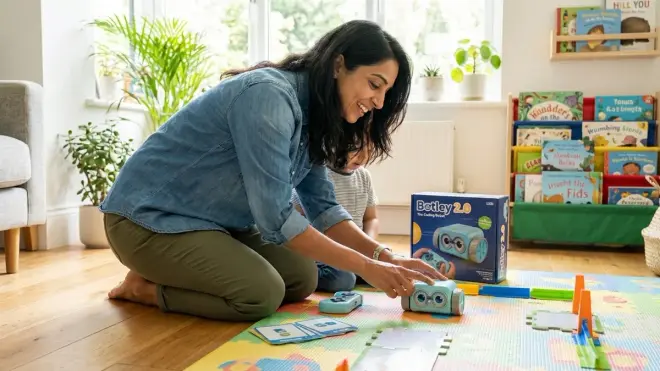
The Botley 2.0 The Coding Robot by Learning Resources🛒 Amazon uses a handheld remote programmer to create sequences—no screen, no app, completely self-contained. Botley distinguishes itself through versatility: it responds to clapping (sound-activated triggers), detects objects, follows black lines, and includes six-sided programmable coding cards that add conditional logic. This is computational thinking wrapped in a goofy robot that makes fart noises.
Pros:
- Completely screen-free programming via remote control—builds sequences up to 150 steps
- Object detection and line-following introduce sensor-based programming concepts
- Sound-activated triggers teach event-driven programming (if this happens, then do this)
- Night mode with glowing eyes maintains engagement across contexts
- No connectivity requirements; works offline anywhere indefinitely
Cons:
- The remote's small buttons frustrate children with developing fine motor control—requires adult assistance initially
- Line-following requires specific black line thickness; won't work with all marker types or tape
- Coding cards are cardboard—expect wear and possible replacement within a year
- The "personality" features (googly eyes, fart sounds) may annoy parents during extended play sessions
Lab Specs: Requires 5 AAA batteries (robot) and 3 AAA batteries (remote programmer); approximately 10 hours battery life. Dimensions: 6" x 3.5" x 3". Includes 40 coding cards, 6 double-sided tiles, 27 obstacle pieces. Moderate durability—plastic housing is impact-resistant but not waterproof.
Skill Outcomes: Teaches sequencing, looping (repeat commands), object detection (sensor programming), conditional logic (if-then through coding cards), and event-driven programming (sound activation). Prepares children for Arduino programming concepts like sensor inputs and conditional execution.
Think & Learn Code-a-Pillar Twist by Fisher-Price
The Think & Learn Code-a-Pillar Twist by Fisher-Price🛒 Amazon simplifies coding to its essence: five segments with dials that control direction, action, sound, speed, and light. Your child twists each dial to create instructions, connects the segments, then watches the caterpillar execute the program. This is screen-free coding for the youngest programmers—genuine algorithm creation for three-year-olds who can't yet handle multi-step remote programming.
Pros:
- Exceptionally intuitive for ages 3-4; requires no reading or color memorization
- Durable construction withstands toddler throwing and rough play
- Each segment provides clear visual feedback through its dial settings
- No small pieces or removable batteries (battery compartment is screw-sealed)
- Unlimited program variations through dial combinations
Cons:
- Limited to 5-step sequences—advanced preschoolers quickly outgrow the complexity ceiling
- Movement is slow and sometimes jerky; lacks the satisfying speed of wheeled robots
- No expansion capability; what you buy is what you get forever
- The segments occasionally disconnect during movement, interrupting program execution
Lab Specs: Requires 4 AA batteries (screw-secured compartment). Dimensions: approximately 14" long when assembled. Segments are hard plastic with rubber wheels. No expandability. Very high durability—Fisher-Price's standard build quality.
Skill Outcomes: Introduces basic sequencing, cause-and-effect, and parameter adjustment (changing speed/direction values). Best suited as a first coding toy for younger preschoolers (ages 3-4) who will transition to more complex systems within 12-18 months. Establishes the mental framework that instructions can be designed, modified, and executed.
Bee-Bot Programmable Floor Robot
The Bee-Bot Programmable Floor Robot🛒 Amazon is a classroom staple that works equally well at home—a simple robot bee that moves in 6-inch increments based on directional buttons pressed on its back. Bee-Bot's elegance lies in its constraints: only seven buttons (forward, back, left, right, go, pause, clear) force children to think in spatial units and precise angles. This is geometry and programming simultaneously.
Pros:
- Rechargeable battery eliminates ongoing battery costs; charges via USB in approximately 4 hours
- Transparent shell lets children see internal components—demystifies how robots work
- Compatible with extensive third-party mat ecosystem (alphabet, math, geography)
- Stores up to 200 steps, supporting genuinely advanced sequences
- Built for institutional use—withstands heavy rotation in classrooms
Cons:
- The 6-inch grid movement requires compatible mats; freeform navigation on carpet is imprecise
- Buttons on the back require children to reach over the robot, which can be awkward for small hands
- No conditional logic or sensors—purely sequential programming
- Premium pricing (usually around $80-100) for relatively basic functionality
Lab Specs: Rechargeable lithium battery (approximately 8 hours per charge); USB charging cable included. Dimensions: 4" x 5" x 3". Compatible with Blue-Bot (app-enabled version) mats and accessories. Very high durability—designed for classroom environments with 20+ children.
Skill Outcomes: Teaches spatial reasoning, 90-degree angle comprehension, sequence planning, and distance estimation. The 6-inch increment system builds mental models for coordinate geometry and grid-based navigation. Directly prepares children for block-based programming concepts in Scratch and Blockly.
Sequence Racetrack by ThinkFun
The Sequence Racetrack by ThinkFun🛒 Amazon takes a different approach—it's a card-based logic game rather than a robot. Players place track tiles in sequence to create racing paths, introducing children to algorithmic design through physical pattern-building. While not "coding" in the strict robot-programming sense, Sequence Racetrack teaches the same foundational skill: planning multi-step procedures to reach a goal.
Pros:
- No batteries, no power, no electronic failures—purely mechanical gameplay
- Supports 2-4 players, making it ideal for siblings or playdates
- Portable and compact; perfect for travel or small spaces
- Visual-spatial planning skills translate directly to programming flowcharts
- Exceptionally durable—thick cardboard components withstand years of use
Cons:
- Doesn't teach debugging in the same concrete way robot toys do
- Competitive racing format may frustrate young children who struggle with losing
- Requires adult setup and rule explanation initially
- Less obviously "coding" to parents expecting robot programming
Lab Specs: No power required. Includes 36 track tiles, 20 direction cards, 4 race cars. Dimensions: compact box approximately 8" x 10" x 2". No expandability. Very high durability for card-based game.
Skill Outcomes: Teaches sequential planning, pattern recognition, spatial reasoning, and adaptive strategy. While it doesn't use programming language, it builds the pre-coding cognitive skills that support algorithmic thinking. Works well as a supplementary tool alongside robot-based coding toys.
Frequently Asked Questions
Are screen-free coding toys actually as effective as app-based coding games?
For children ages 3-5, screen-free coding toys are significantly more developmentally appropriate than app-based alternatives—and research supports this. Young children learn best through three-dimensional manipulation and immediate physical feedback. When your four-year-old places a sequence of arrows on a board and watches a robot move through space, she's building spatial reasoning, cause-and-effect understanding, and motor planning simultaneously. These neural connections form more robustly through tactile engagement than through touching glass.
App-based coding games can teach pattern recognition, but they don't provide the proprioceptive feedback (body awareness in space) that physical coding toys deliver. Your child's developing brain needs to see, touch, and physically manipulate objects to fully integrate concepts like sequence and direction. Understanding unplugged programming education reveals why this matters: the cognitive load of managing a screen interface competes with the cognitive work of learning algorithmic thinking.
That said, screen-free toys aren't inherently superior forever. Around ages 6-8, hybrid tools that combine physical manipulation with screen-based feedback become valuable. But for preschoolers, start with tangible.
How long should my preschooler play with coding toys before moving to screen-based programming?
There's no universal timeline, but most children benefit from 18-24 months of screen-free coding experience before transitioning to block-based programming environments like Scratch Jr. The key isn't age—it's demonstrated competency with foundational concepts.
Watch for these capability milestones: Can your child independently create 8+ step sequences? Does she debug her own programs by identifying which specific command caused an error? Can she explain her algorithmic thinking verbally ("First the robot goes forward twice, then turns, then goes forward again")? Does she demonstrate understanding of loops by recognizing repeated patterns?
When these skills are solid, usually around ages 5-6, your child is ready for transitioning to Scratch and Python. Rushing this progression undermines the foundation. I've worked with families whose children jumped to iPad coding apps at age 4, only to struggle with debugging because they never developed the spatial reasoning that physical coding toys build.
Trust the process. Screen-free coding isn't a temporary compromise—it's foundational skill-building that makes future programming easier.
What's the difference between a coding toy and a remote-control toy?
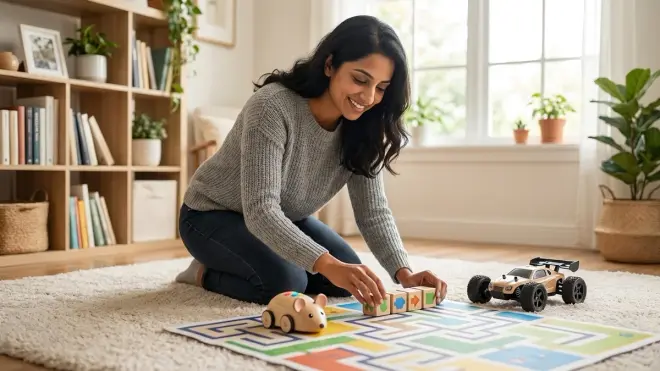
This distinction is crucial and often misunderstood. A true coding toy requires your child to plan a complete sequence of instructions before execution—the robot doesn't move until the entire program is entered and the "go" button is pressed. This creates the fundamental programming workflow: design, execute, observe, debug.
A remote-control toy responds to real-time input—your child presses "forward" and the robot moves immediately, presses "left" and it turns. There's no planning phase, no algorithm design, no debugging practice. It's hand-eye coordination practice (valuable, but different).
Some toys blur this line by offering both modes. Botley 2.0, for example, can be programmed in sequence or driven in real-time. When evaluating toys, ask: Does this require my child to think through all the steps before anything happens? If yes, it's teaching coding. If it's just responsive buttons, it's a remote-control toy wearing a "STEM" label.
Both have value, but only true coding toys build the computational thinking skills that transfer to actual programming languages later.
Can screen-free coding toys help my child who has developmental delays or learning differences?
Yes—and often more effectively than screen-based alternatives. Screen-free coding toys offer multi-sensory engagement (visual, tactile, auditory, kinesthetic) that supports diverse learning styles and neurological profiles. Children with ADHD often focus better when programming involves physical manipulation rather than screen fixation. Children with visual processing challenges benefit from the three-dimensional spatial feedback that robots provide.
The self-paced nature of screen-free coding reduces anxiety—there's no timer counting down, no points being lost, no competitive leaderboard. Your child can take five minutes or fifty to solve a challenge. The robot doesn't judge.
For children with fine motor delays, choose toys with larger buttons and segments. Cubetto's chunky wooden blocks accommodate emerging motor control better than Botley's small remote buttons. For children who struggle with abstract thinking, robot movement through physical space makes algorithmic concepts concrete.
That said, supervise initial sessions to ensure frustration doesn't overwhelm engagement. Some children need modified challenges (simpler sequences, fewer steps) before tackling manufacturer-provided difficulty levels. The beauty of screen-free coding is its adaptability—you control the complexity, not an algorithm.
Do I need to know coding myself to teach my child with these toys?
No coding knowledge is required, and this is one of the greatest strengths of screen free coding toys for preschoolers—they're designed for parent-child co-discovery. The toys themselves are the curriculum. You're not teaching Python syntax; you're facilitating play that happens to build computational thinking.
Your role is to ask good questions, not provide answers. When your child's robot bumps into a wall, don't say "You need to turn left here." Instead ask, "What happened? Why do you think the robot went that way? What could you change?" You're teaching the debugging mindset—observation, hypothesis, experimentation—not specific solutions.
Most quality coding toys include challenge cards or activity guides that walk both of you through progressive difficulty. You'll learn the concepts slightly ahead of your child, which is perfect—you become a guide who's one step ahead, not an expert lecturer.
If you're anxious about this, start with simpler toys like Code-a-Pillar Twist and build your own confidence alongside your child's. You'll find the concepts more intuitive than you expect. And when your child eventually asks questions you can't answer? That's the perfect moment to say, "I don't know—let's figure it out together."
The Verdict
The best screen free coding toys for preschoolers build genuine programming foundations without requiring pixels—and they respect your child's developmental need for tactile, three-dimensional learning. Cubetto remains the gold standard for families who can manage the investment, offering unmatched durability and true subroutine programming. Botley 2.0 delivers the best feature-to-price ratio, introducing sensor-based concepts that prepare children for Arduino-level thinking. For younger preschoolers (ages 3-4), Code-a-Pillar Twist provides an accessible entry point that requires no reading or complex button sequences.
Whatever you choose, you're not delaying "real" coding—you're building the spatial reasoning, debugging habits, and algorithmic thinking that make screen-based programming easier when the time comes. This is skill-building that lasts, not entertainment that fades. Your four-year-old arranging directional arrows today is practicing the same logical sequencing she'll use to write Python functions in middle school.
Start where your child is, choose tools that survive toddler testing protocols, and trust that tangible, physical coding builds stronger foundations than any app.