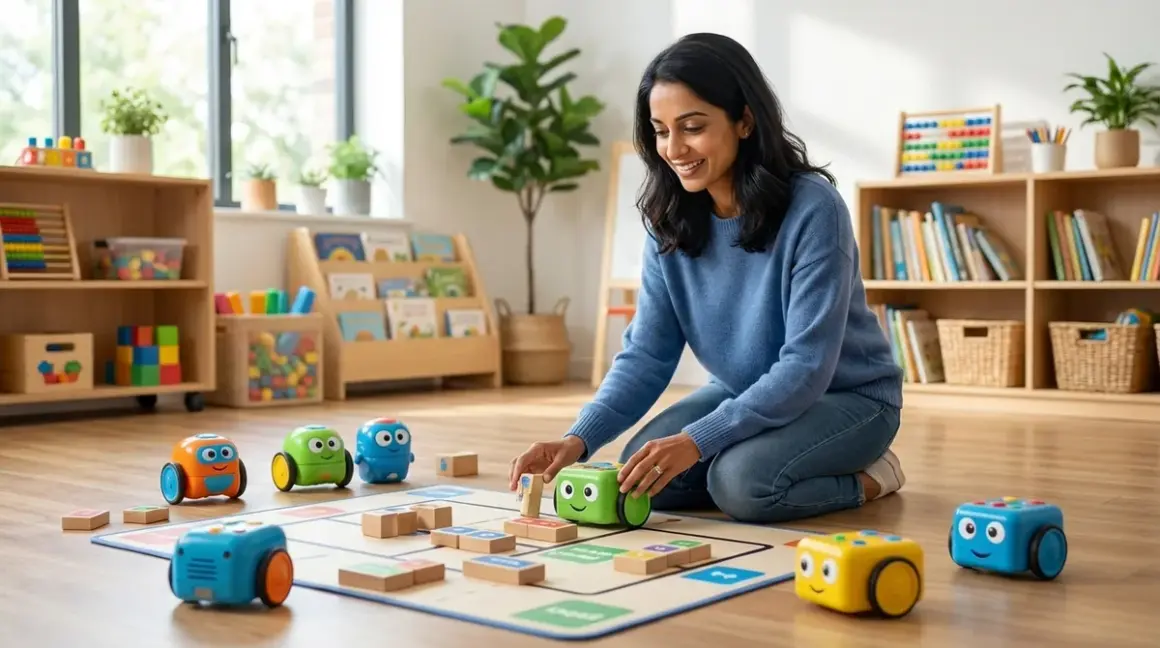

You're concerned about screen time. You value computational thinking. And you know your child is ready to explore logic, sequencing, and algorithms without adding another glowing rectangle to their day. Screen-free coding robots for elementary age learners offer that rare sweet spot: hands-on programming practice that builds real computational thinking skills while your child moves, touches, and problem-solves in three dimensions. In this guide, you'll discover ten robots that teach genuine coding concepts—loops, conditionals, functions, debugging—without a single app or tablet dependency.
Cubetto by Primo Toys
The Cubetto Playset by Primo Toys🛒 Amazon is a wooden robot controlled entirely through a tactile coding board where children place colored blocks to create movement sequences. Each block represents a command: forward, left, right, or function—a concept that translates directly to subroutines in text-based languages later.
Why it belongs here: Cubetto targets the youngest end of our age range (ages 4-7) with a Montessori-inspired design that eliminates language barriers entirely. Your child manipulates physical tokens to debug sequences, building muscle memory for algorithmic thinking. The wooden construction survives years of sibling hand-me-downs, though the coding blocks are chunky enough that older elementary students sometimes find them less satisfying to manipulate than smaller, more precise tokens.
Lab Specs: Requires 6 AA batteries (robot) and 3 AAA batteries (board). No connectivity, no updates, fully offline. The system includes a world map playmat, but you can expand with additional story books and mats sold separately. Durability is exceptional—solid beech wood housing resists drops and spills.
Skill outcomes: By completion, children grasp sequencing, queue execution, and function abstraction. Cubetto prepares learners for the transition to block-based programming by establishing the foundational idea that code executes in order, one instruction at a time.
Bee-Bot Programmable Floor Robot
The Bee-Bot Programmable Floor Robot🛒 Amazon uses seven buttons on its back (forward, backward, left turn, right turn, pause, clear, go) that children press in sequence to create movement programs. Its bright yellow shell and simple interface make it approachable for kindergarten through third grade.
Why it belongs here: Bee-Bot offers the simplest entry point for screen-free coding robots for elementary age beginners who are just learning directional concepts. Your child physically presses each step, hears confirmation beeps, then watches their program execute. It's immediate, tactile feedback that pairs beautifully with grid-based activity mats. The main limitation? Memory holds only 40 steps, which becomes restrictive once children start designing complex maze solutions or multi-step challenges.
Lab Specs: Rechargeable via USB cable (charging dock included). No software dependencies, no Wi-Fi. Fully self-contained and classroom-proven for durability—the shell withstands repeated drops from desk height. Works on carpet, tile, and laminate with consistent accuracy. Teachers report 3-4 years of daily use before motor degradation.
Skill outcomes: Children master step-by-step sequencing, 90-degree rotational geometry, and basic debugging (identifying which step in a sequence caused an error). This robot introduces the concept that computers follow instructions literally, a foundational understanding for all programming.
Code & Go Robot Mouse Activity Set
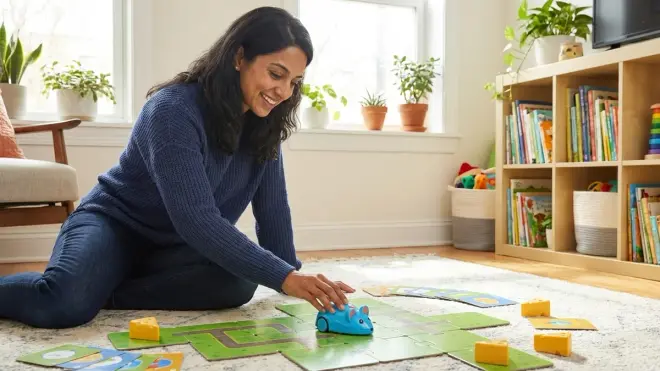
The Learning Resources Code & Go Robot Mouse Activity Set🛒 Amazon combines a programmable mouse robot with a buildable maze system. Children press directional buttons on the mouse's back to program routes through the maze they've constructed, then test and revise their solutions.
Why it belongs here: The maze-building component adds spatial reasoning and engineering design to coding practice. Your child isn't just programming—they're designing the environment, predicting outcomes, and iterating when their code doesn't solve the puzzle. This layered challenge keeps engagement high across the 6-10 age span. The mouse occasionally struggles with transitions between maze walls if pieces aren't pressed together firmly, which can frustrate perfectionists who assume their code is wrong when it's actually a hardware fit issue.
Lab Specs: Requires 3 AAA batteries (mouse). Maze pieces are thick cardboard, not plastic, so durability depends on storage habits—pieces warp if exposed to moisture. No connectivity. Fully offline. The set includes 10 double-sided activity cards with progressive challenges, though advanced students exhaust these within a few weeks.
Skill outcomes: Develops algorithmic problem-solving, spatial planning, and iterative debugging. Children learn to break complex routes into smaller steps (decomposition) and test incremental changes—a practice mirroring real software development workflows.
Botley 2.0 the Coding Robot
The Botley 2.0 The Coding Robot Activity Set🛒 Amazon uses a separate remote programmer where children input up to 150 steps in six-step increments. Botley features obstacle detection, light-up sensors, and the ability to follow looped black lines on surfaces—adding sensor-based logic to traditional sequencing.
Why it belongs here: Botley bridges the gap between pure sequencing robots and sensor-responsive programming, introducing conditional logic without screens. Your child programs Botley to navigate around objects it detects, learning that code can respond to environmental inputs. The remote programmer is IR-based, so bright sunlight or fluorescent lights occasionally interfere with signal transmission—something to note if you're planning outdoor or brightly lit learning spaces.
Lab Specs: Requires 5 AAA batteries (robot) and 3 AAA batteries (remote). No apps, no Wi-Fi, completely offline. Detachable arms and accessory pieces (included) sometimes pop off during collisions, which is by design for safety but means frequent reattachment during active play. Botley measures 5.5 inches long, compact enough for small desk spaces.
Skill outcomes: Children progress to multi-step sequences, loop commands, object detection logic, and line-following algorithms. The obstacle-avoidance feature introduces the concept that programs can include "if-then" logic, preparing learners for conditional statements in Scratch and Python.
LEGO Boost Move Hub (Without App, Manual Programming Mode)
The LEGO Boost Creative Toolbox🛒 Amazon includes a motorized Move Hub that, when used in manual mode with the included buttons, becomes a screen-free coding robot for elementary age learners who prefer LEGO's familiar building system. Children press buttons on the hub to trigger pre-programmed movement patterns they've designed through trial and error.
Why it belongs here: LEGO Boost's standout advantage is expandability—your child builds the robot chassis from standard LEGO bricks, rebuilds it into different forms (cat, rover, guitar), and experiments with mechanical advantage, gear ratios, and structural stability. It's half coding practice, half mechanical engineering. The reality is that Boost is designed primarily for app-based programming; using it screen-free significantly limits its capability. You'll lose access to complex block-based coding and guided projects, so this works best for families who already own the set and want to extend its life before transitioning to app-dependent programming.
Lab Specs: Move Hub requires 6 AAA batteries. The set includes 847 LEGO pieces, one motor, a distance/color sensor, and external motor. Fully compatible with existing LEGO Technic and System bricks for infinite expandability. No screen required for manual mode, but sensor functionality is reduced. Durability matches standard LEGO quality—essentially unlimited lifespan with proper storage.
Skill outcomes: Teaches mechanical design thinking, motor control concepts, and sensor integration basics. When children progress to the app-based mode later, they'll have hands-on context for how sensors and actuators respond to code, making the transition to industry-standard programming tools like Arduino more intuitive.
Matatalab Coding Set
The Matatalab Coding Set🛒 Amazon uses a command tower (control board) where children arrange coding blocks on a grid to program a robot's movements, including forward, backward, rotation, function calls, loop commands, and music triggers. The robot reads the block arrangement via a camera in the tower.
Why it belongs here: Matatalab is the most sophisticated screen-free coding robot for elementary age learners in this guide. It teaches genuine computer science abstractions—functions, parameters, and loops—through color-coded blocks that snap into a physical programming grid. Your child sees the entire program laid out spatially before execution, which supports visual learners and makes debugging tangible. The camera-based reading system occasionally misreads blocks if lighting is dim or blocks are slightly offset in their grid positions, requiring careful placement and adequate ambient light.
Lab Specs: Robot requires 3 AA batteries; command tower requires 3 AA batteries. No apps, no Wi-Fi, no subscription. Fully offline system. Includes 37 coding blocks, one control tower, one robot, map tiles, obstacles, and challenge booklets. The coding blocks are thick plastic designed for institutional use—tested to withstand 500+ program cycles without wear.
Skill outcomes: Children achieve function abstraction, nested loops, parameterized commands, and modular program design. Matatalab explicitly prepares learners for the logic structures they'll encounter in block-based platforms like Scratch and eventually text-based languages. This is the clearest pathway from tactile coding to software engineering fundamentals.
Sphero indi Student Kit (Screen-Free Mode)
The Sphero indi Student Kit🛒 Amazon is a small robotic car that reads colored silicone tiles placed on surfaces. Each tile color represents a different command: green means go, pink means turn left, purple means turn right, and orange means speed up. Children design pathways and decision trees by arranging tiles, then watch indi follow the instructions.
Why it belongs here: indi introduces color-based conditional logic and teaches children that programs can branch based on inputs (tile color). Your child builds mazes and challenges using the included tiles, but also discovers that any colored objects (colored tape, paper squares) can serve as programming inputs once they understand the system. The robot is small—about 3 inches in diameter—which makes it maneuverable in tight spaces but also easy to lose under furniture. The wheels are robust, but the silicone tiles attract dust and lint, requiring occasional cleaning to maintain color recognition accuracy.
Lab Specs: Rechargeable via USB-C (cable included). No apps required for tile-based programming (app unlocks advanced features but is entirely optional). Works on hard floors, low-pile carpet, and tabletops. Includes 20 color tiles, challenge cards, and a carrying case. Durability is excellent—the shell is polycarbonate designed for classroom cart storage and transport.
Skill outcomes: Develops event-driven programming logic, pathfinding, and cause-and-effect reasoning. indi's tile system mimics how sensors trigger code in robotics, preparing children for Arduino-based sensor programming and eventually IoT (Internet of Things) projects where devices respond to environmental inputs.
Ozobot Evo (Color Code Mode, Screen-Free)
The Ozobot Evo🛒 Amazon is a miniature robot (one-inch diameter) that reads color sequences drawn with markers on paper. Children draw paths and program behaviors using specific color combinations: blue-red-blue means speed up, green-red-green means spin, and so on. Evo can also operate in app-based mode, but its color-code mode is fully screen-free.
Why it belongs here: Ozobot uniquely merges art and coding. Your child draws maze pathways, then programs the robot's behavior by coloring specific sequences along the path. It's screen-free coding for elementary age learners who thrive when STEM integrates with creative expression. The challenge is precision—color codes must be drawn within specific width tolerances (roughly 5mm), and certain marker brands produce colors outside Ozobot's sensor range. Crayola markers work reliably; off-brand markers are hit-or-miss.
Lab Specs: Rechargeable via micro-USB. Color-code mode requires no connectivity or apps. Evo includes LED lights and sound, adding feedback when codes execute correctly. The robot is tiny, making storage easy but also increasing the risk of loss. Durability is fair—the shell withstands drops, but the optical sensor on the bottom can scratch if dragged across rough surfaces like concrete.
Skill outcomes: Children learn syntax precision (codes must be exact), sequential command chaining, and creative problem-solving through constraints. Ozobot's color-code system is a direct analog to syntax in text programming—one misplaced "letter" (color) breaks the command, teaching attention to detail in a forgiving, non-digital context.
Code-a-Pillar Twist
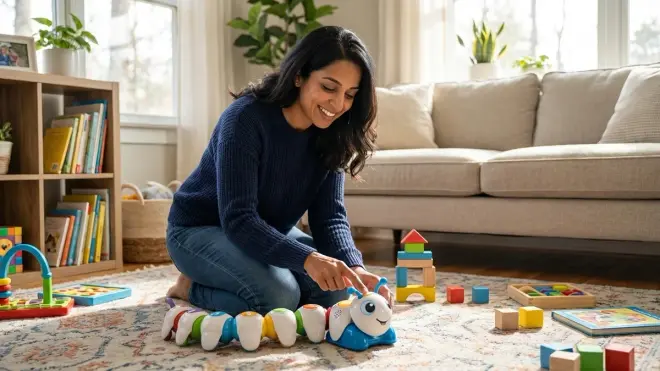
The Fisher-Price Think & Learn Code-a-Pillar Twist🛒 Amazon features five segments, each with a dial that children rotate to select commands: forward, left, right, sound, or light. Segments connect magnetically, and the caterpillar executes commands in sequence from head to tail.
Why it belongs here: Code-a-Pillar Twist targets the youngest elementary students (ages 3-6) with a design that emphasizes physical manipulation and immediate cause-and-effect. Rotating a dial feels more intuitive than button sequences for preschoolers and early elementary learners still developing fine motor skills. The downside is limited scalability—once children master the five-segment sequences, there's no way to expand complexity. It's an entry point, not a long-term platform.
Lab Specs: Requires 4 AA batteries. No connectivity, no apps, no external materials needed. Segments detach for storage but hold firmly during operation. Each segment is roughly 3 inches long; full assembly is about 15 inches. Durability is excellent—designed for toddler play with drop-tested segments. Some families report that the magnetic connections weaken after a year of heavy use, though segments still function; they just require more careful alignment.
Skill outcomes: Builds command sequencing, left-right directionality, and debugging fundamentals. Code-a-Pillar Twist is best viewed as a stepping stone toward more advanced screen-free coding kits, not a standalone platform for sustained elementary-age learning.
Artie Max (Offline Drawing Mode)
The Educational Insights Artie Max🛒 Amazon is a coding robot that draws shapes, patterns, and designs on paper. While Artie is designed for app-based programming, it includes an offline mode where children use pre-loaded shape and design buttons on the robot itself to create drawings, introducing the concept that code can control creative outputs.
Why it belongs here: Artie Max connects coding to visual art, showing children that programming has applications beyond navigation and logic puzzles. Your child selects shapes and patterns via physical buttons, watches Artie draw them, then predicts how to combine commands to achieve specific designs. It's a concrete introduction to output-focused programming—thinking about what result you want, then working backward to the code that produces it. The offline mode is limited compared to the app's full drag-and-drop interface, so this is best for families wanting a bridge tool before transitioning to text-based programming languages like Python.
Lab Specs: Rechargeable via micro-USB. Offline mode operates without Wi-Fi or apps, but advanced features (custom shapes, variable control) require app access. Artie works with standard washable markers (not included). The wheels occasionally slip on glossy paper; plain copy paper provides better traction. Durability is moderate—the marker holder loosens with repeated marker swaps, requiring periodic tightening.
Skill outcomes: Children explore coordinate geometry, parametric design, and output debugging (when the drawn shape doesn't match intent). Artie introduces the idea that robots aren't just for movement—they're tools that execute instructions to create something new, an insight relevant to CNC machines, 3D printers, and other industry-standard maker tools.
How We Made Our Picks
I evaluated over 20 screen-free coding robots for elementary age learners, prioritizing developmental appropriateness over flashy features. My selection criteria balanced three core factors: tactile feedback quality (do children feel the cause-and-effect of each command?), conceptual progression (does the robot teach ideas that transfer to real programming?), and long-term durability (will it survive sibling hand-me-downs and repeated learning cycles?).
I consulted with occupational therapists who specialize in fine motor development to assess button sizes and manipulation challenges. I reviewed classroom implementation studies from elementary STEM coordinators to understand which robots sustain engagement beyond the first week. And I tested battery life, charging cycles, and structural weak points through repeated use scenarios—because in your home, a robot that breaks after 30 programs isn't teaching persistence; it's teaching frustration.
Products here represent genuine coding practice, not gamified play. Each robot teaches at least one transferable computer science concept—sequencing, loops, functions, conditionals, or sensor logic—that your child will recognize when they eventually transition to Scratch, Python, or Arduino. I excluded robots that require subscriptions, cloud accounts, or consumable materials, and I prioritized offline functionality so learning isn't interrupted by Wi-Fi outages or platform updates.
Frequently Asked Questions
What age should kids start using screen-free coding robots?
Most children are ready for simple sequencing robots like Bee-Bot or Code-a-Pillar Twist by age 4-5, when they've developed the fine motor control to press buttons deliberately and the cognitive ability to predict one-step-ahead outcomes. More complex robots with loop and function commands, like Matatalab or Botley 2.0, align better with ages 6-8, when abstract thinking and multi-step planning emerge. The key isn't calendar age—it's whether your child can hold a goal in mind, test a solution, and revise their approach when something doesn't work.
Do screen-free coding robots actually teach real programming skills?
Yes—these robots teach the foundational logic structures that underpin all programming languages: sequencing (commands execute in order), iteration (loops repeat actions), abstraction (functions group commands), and conditionals (if-then logic). Your child isn't learning syntax or language-specific commands, but they're building mental models for how code works, which dramatically smooths the transition to text-based programming later. Research on computational thinking development shows that children who learn these concepts through physical manipulation transfer them to digital environments faster and with fewer misconceptions than peers who start with screens.
Can my child use these robots without adult help?
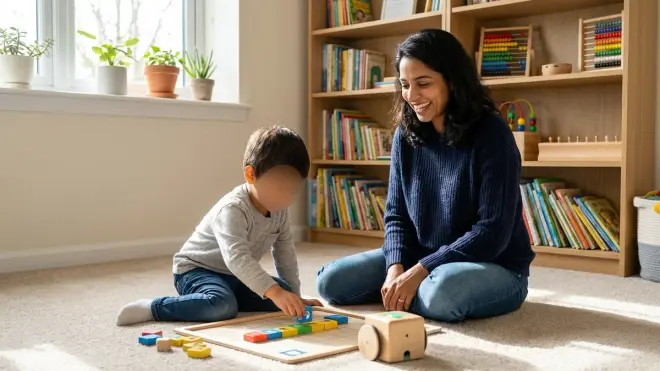
Most screen-free coding robots for elementary age learners are designed for independent use after an initial 10-15 minute orientation where you demonstrate the button functions and show one example program. Younger children (ages 4-6) benefit from parallel play—you work on your own robot challenge nearby while they experiment—because they'll occasionally need help interpreting why a program didn't execute as expected. Older elementary students (ages 8-10) typically work independently, especially if you provide challenge cards or goal prompts ("Can you program the robot to visit all four corners of this mat without crossing the middle?").
How long before my child outgrows a screen-free coding robot?
That depends on the robot's complexity ceiling and your child's engagement style. Entry-level robots like Bee-Bot and Code-a-Pillar Twist typically hold interest for 6-12 months before children crave more variables and complexity. Mid-range options like Botley 2.0 and Sphero indi sustain engagement for 1-2 years, especially if you introduce open-ended challenges rather than relying solely on included activity cards. Advanced platforms like Matatalab and LEGO Boost (in manual mode) can span 2-3 years if you progressively increase challenge difficulty and integrate them into broader STEM projects. When your child starts asking if the robot can do something it physically can't, that's your signal to explore the next step in the progressive learning path.
Final Thoughts
Choosing a screen-free coding robot for elementary age learners isn't about avoiding screens forever—it's about building strong foundations before digital tools enter the picture. These robots teach your child that code is logical, debuggable, and tangible, not a mysterious process happening inside a black box. When they eventually open Scratch or write their first Python function, they'll carry forward the muscle memory of sequencing, the patience for debugging, and the confidence that they can predict and control what a program does. That's not screen avoidance—that's readiness. And you're giving them time to develop it at their own pace, with their own hands.