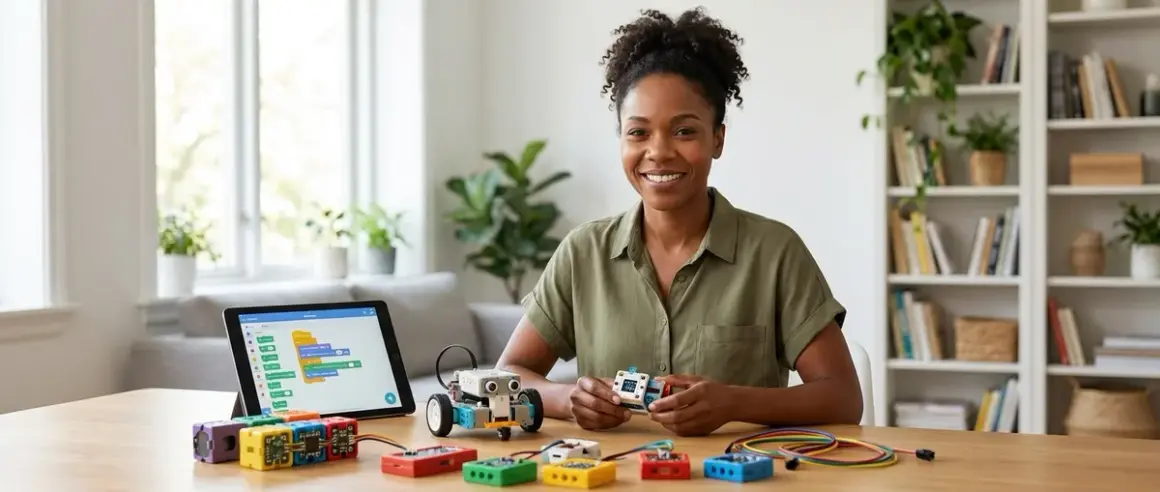

Picture this: your eleven-year-old asks Alexa to play their favorite song, then turns to you and asks, "How does she know what I'm saying?" That question is your opening. AI isn't abstract anymore—it's in their phones, their games, their homes—and the best AI learning kits for kids let them build the systems behind the magic instead of just consuming it. After testing dozens of platforms over the past two years in my workshop—alongside solar controllers and hydroponics automation that use similar machine learning principles—I've found that the right AI kit transforms kids from users into creators, teaching them to train models, recognize patterns, and understand the ethical weight of algorithmic decisions.
Quick verdict: The best AI learning kits bridge visual programming and real-world robotics, support progressive skill paths from supervised learning demos to custom neural network training, and prepare kids for the Python-based ML workflows used in actual data science careers.

What to Look For in the Best AI Learning Kits for Kids
Software Compatibility and Learning Path Architecture
You need kits that support progressive language transitions—block-based interfaces for foundational logic (Scratch, Blockly), then Python for actual machine learning libraries. Look for platforms compatible with industry-standard frameworks like TensorFlow Lite, scikit-learn, or PyTorch. The kit should work offline for core activities (no cloud dependency for basic model training), but offer cloud integration for larger datasets when kids are ready.
Check OS requirements carefully. Many AI kits lean heavily on Chromebook or iPad apps with limited desktop support, which can bottleneck kids when they're ready for Jupyter notebooks or VS Code. The best platforms run on Windows, macOS, and Linux, with clear documentation for library installation. I've watched too many promising young engineers hit a wall when their "AI kit" turned out to be a proprietary app with no export pathway to real Python environments.
Pay attention to expandability. Can the kit interface with Arduino, Raspberry Pi, or other microcontrollers? The transition from a closed ecosystem to open-source hardware is where genuine career skills begin. A kit that teaches AI in isolation is a toy; one that lets kids deploy trained models to robots, sensors, or home automation systems is a skill-building investment. For context on these transitions, see our guide on how to teach kids AI and machine learning.
Age-Appropriate AI Skill Outcomes
Age ranges are useless without skill milestones. For ages 8-10, look for kits that teach pattern recognition, classification, and supervised learning concepts through visual interfaces—kids should be able to train an image classifier or voice command system without touching code. By ages 11-13, they should be writing Python scripts to preprocess data, adjust hyperparameters, and evaluate model accuracy. Ages 14+ need kits that introduce neural network architecture, unsupervised learning, and ethical AI considerations like bias in training data.
The best AI learning kits for kids also differentiate between demonstrating AI and building AI. A robot that "uses AI" to follow a line is fine for beginners, but it's not teaching machine learning—it's teaching sensor logic. True AI kits let kids create training datasets, label examples, run training cycles, and test model performance. That's the difference between watching a magic trick and learning to perform it. Our article on AI concepts every child should learn breaks down these skill tiers in detail.
Power, Connectivity, and Durability Standards
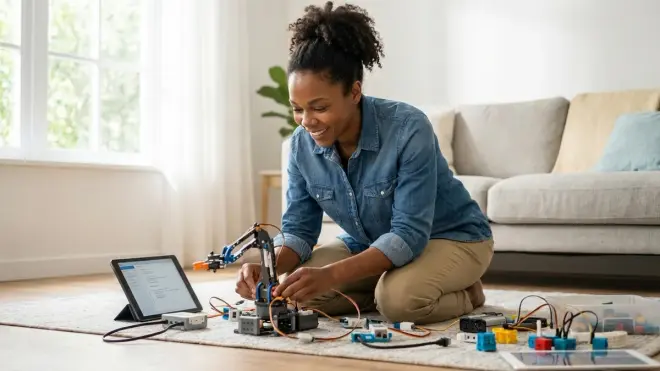
AI model training is computationally intensive. Kits that run entirely on low-power microcontrollers (like basic Arduino boards) can't handle real ML workloads—they're simulating AI, not training it. Look for kits with onboard processors capable of running TensorFlow Lite models (ARM Cortex chips, Raspberry Pi 4 or 5, or equivalent), or clear instructions for offloading training to a connected computer.
Check connectivity requirements. Does the kit need constant Wi-Fi for cloud processing, or can it train models locally? USB-C power delivery is increasingly standard and future-proofs the investment. Battery operation matters if kids want to deploy their AI robots in the field (literally—I've had students build wildlife camera classifiers for backyard ecology projects).
Durability for repeated use is non-negotiable. Look for reinforced connectors, modular components that survive dozens of assembly cycles, and replaceable sensors. Cheap servo motors burn out. Fragile camera modules crack. The best kits use industrial-grade components that tolerate the chaos of a home STEM lab. I've seen $200 kits die after three projects and $150 kits still running strong two years later. Reviews and user forums reveal the truth faster than marketing copy.
Subscription Costs, Consumables, and Total Ownership
Some AI kits require monthly platform subscriptions for cloud training, model storage, or access to curriculum. Others are one-time purchases with lifetime access to open-source tools. Be brutally honest about long-term costs. A $120 kit with a $15/month subscription becomes a $300 investment in year one.
Check whether the kit requires proprietary consumables—custom sensors, batteries, or expansion modules that lock you into a single vendor. The best platforms use standard components: USB cameras, I2C sensors, and GPIO-compatible peripherals you can source anywhere. I've built AI vision systems with Raspberry Pi cameras that cost a fraction of branded alternatives and perform identically.
Also consider curriculum sustainability. Does the company provide ongoing project updates, or will the platform stagnate in two years? Open-source ecosystems (like those built on Python and Raspberry Pi) have global communities publishing new AI projects daily. Proprietary platforms live and die by corporate roadmaps. Choose tools that your kids will still be using—and expanding—when they're in college.
Ethical AI and Environmental Design
This matters. The best AI learning kits for kids explicitly teach bias recognition, data privacy, and algorithmic accountability. Look for curriculum that asks kids to question their training data: Is the dataset representative? What happens if the model makes a mistake? Who benefits from this automation, and who might be harmed?
From a sustainability lens, check power consumption and material sourcing. Some kits use recycled plastics and low-power components; others are e-waste waiting to happen. I prioritize kits with upgradeable, repairable designs over disposable all-in-one units. A modular platform that grows with your child for five years beats a flashy gadget that's obsolete in eighteen months. Our article on renewable energy science projects explores similar lifecycle thinking for tech products.
Our Top Picks
DFRobot HuskyLens AI Vision Sensor Kit
The DFRobot HuskyLens AI Vision Sensor Kit🛒 Amazon combines a compact camera module with onboard machine learning processing, letting kids train object recognition, face detection, and line-following models without needing a separate computer for inference. It connects via I2C or UART to Arduino, Raspberry Pi, or micro:bit platforms, making it a versatile bridge between visual AI concepts and embedded robotics projects. You train models using the built-in screen and button interface, then deploy them instantly—no code required for basic tasks, but full Python and Arduino IDE support when they're ready to customize.
Lab Specs: Runs on 3.3-5V power (USB or battery), ARM Cortex M7 processor for onboard model inference, 240x320 IPS display, microSD slot for storing trained models. Compatible with Arduino IDE, MicroPython, and Mind+. No cloud dependency—trains and runs entirely offline. Durability is solid; the lens housing withstands drops and the connectors are reinforced.
Pros:
- Onboard training and inference mean no laptop needed for basic AI projects
- Works with industry-standard platforms (Arduino, Raspberry Pi, micro:bit)
- Seven built-in AI functions (face recognition, object tracking, color recognition, tag recognition, object classification, line following, QR code reading)
- Kids see real-time model performance and can iterate quickly
- Open-source firmware allows advanced customization as skills progress
Cons:
- The button-only interface for labeling training data is tedious for large datasets
- Display resolution limits detailed visual feedback during complex tasks
- No built-in battery—requires external power source for mobile deployments
- Documentation assumes familiarity with I2C protocols, which can confuse beginners
Skill Outcomes: Ages 10-14 can master supervised learning workflows, dataset creation, and real-time model evaluation. By project five, kids should be deploying custom object classifiers to Arduino robots and understanding the tradeoff between model accuracy and inference speed. Prepares learners for computer vision roles in robotics and autonomous systems.
NVIDIA Jetson Nano Developer Kit
The NVIDIA Jetson Nano Developer Kit🛒 Amazon is a genuine industry-standard platform—this is the same hardware used in commercial drones, warehouse robots, and edge AI deployments. It runs full Ubuntu Linux and supports TensorFlow, PyTorch, and other professional ML frameworks, giving kids access to the exact tools they'll use in data science internships and university research labs. You'll need to provide your own microSD card, power supply, and peripherals (keyboard, mouse, camera), but that's part of the value: kids learn to build a complete AI workstation from components.
Lab Specs: Quad-core ARM Cortex-A57 CPU, 128-core NVIDIA Maxwell GPU, 4GB LPDDR4 RAM. Requires 5V 4A barrel jack power supply (USB power is insufficient for GPU tasks). Four USB 3.0 ports, Gigabit Ethernet, HDMI output, GPIO header compatible with Raspberry Pi HATs. Runs Ubuntu 18.04 with JetPack SDK (includes CUDA, cuDNN, TensorRT). Fully offline capable once software is installed. Durable for lab use; passive cooling handles sustained loads without throttling.
Pros:
- Industry-standard hardware and software—skills transfer directly to professional environments
- Full GPU acceleration for training and running complex neural networks
- Extensive community support and project libraries (GitHub, NVIDIA forums)
- Can run multiple camera inputs and real-time vision pipelines simultaneously
- Expandable with standard peripherals—no proprietary lock-in
Cons:
- Steep learning curve—requires Linux familiarity and command-line comfort
- No included curriculum or guided projects; parents need to source learning materials
- Power supply and microSD card add $40-50 to the initial cost
- Setup process (flashing OS, installing dependencies) takes 2-3 hours and can frustrate younger learners
Skill Outcomes: Best for ages 14+ with prior Python experience. By project three, kids should be training custom image classifiers with their own datasets and deploying models for real-time inference. By project ten, they'll understand model optimization, edge deployment constraints, and GPU memory management—skills directly applicable to AI engineering careers. This is the platform that bridges hobbyist projects and professional portfolios. For a comparison of learning languages, check out Python vs Scratch for teaching AI.
Raspberry Pi AI Kit with Hailo-8L Module
The Raspberry Pi AI Kit with Hailo-8L Module🛒 Amazon brings hardware-accelerated neural network processing to the Raspberry Pi 5, delivering up to 13 TOPS (trillion operations per second) for running large vision models in real time. This is the kit for kids ready to deploy YOLO object detection, semantic segmentation, or pose estimation models without the latency of cloud APIs. It plugs directly into the Pi 5's PCIe slot and integrates seamlessly with standard Python ML libraries—no exotic toolchains or proprietary software.
Lab Specs: Hailo-8L AI accelerator module, 13 TOPS INT8 performance, PCIe Gen 3 x1 interface (Raspberry Pi 5 only—not compatible with earlier models). Requires Raspberry Pi OS with Hailo drivers installed. Power draw is modest (2-4W under load), so standard USB-C power supplies suffice. Open-source software stack with Python bindings. Can process 1080p video streams at 30+ FPS for object detection. No cloud dependency.
Pros:
- Transforms Raspberry Pi 5 into a legitimate edge AI platform
- Runs production-grade models (MobileNet, ResNet, EfficientDet) at usable speeds
- Fully open-source software with active community development
- Low power consumption compared to discrete GPU solutions
- Kids learn model quantization, optimization, and edge deployment—skills critical for IoT AI careers
Cons:
- Only compatible with Raspberry Pi 5 (released late 2023)—adds $60-80 to total system cost if you don't already own one
- Driver installation and model conversion require command-line work; not beginner-friendly
- Limited official curriculum—parents need to adapt existing Pi projects or write their own
- Hailo's model zoo is smaller than TensorFlow Lite's; some niche models require manual conversion
Skill Outcomes: Ages 13-16 with intermediate Python skills can build real-time vision systems within two weeks. By project five, kids should understand model quantization (INT8 vs FP16), throughput vs latency tradeoffs, and how to profile inference performance. This kit is preparation for embedded AI roles—exactly the skillset needed for robotics startups and hardware companies. For broader context on robotics platforms, see our guide to the best robotics kits for kids.
Anki Cozmo Robot with Code Lab
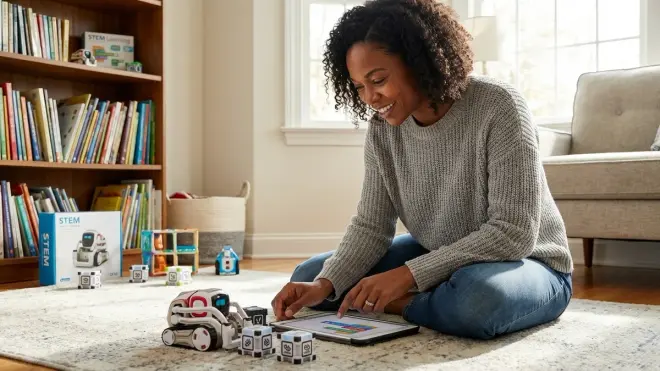
The Anki Cozmo Robot with Code Lab🛒 Amazon is the most approachable AI robotics kit for younger learners—it looks like a Pixar character and behaves like one, using facial recognition, emotion simulation, and pathfinding to interact with kids naturally. You program Cozmo using a visual block-based interface (Code Lab, built on Scratch Blocks) or graduate to the Cozmo Python SDK for text-based control. The robot uses its built-in camera and onboard processing to recognize faces, navigate environments, and respond to voice commands, teaching kids how perception, decision-making, and actuation layers work together in AI systems.
Lab Specs: Onboard ARM Cortex processor, 320x240 camera with 30 FPS processing, three motorized "Power Cubes" for interactive games, rechargeable LiPo battery (90 minutes per charge), USB charging dock. Requires iOS or Android device (or Windows/macOS computer) for programming interface. Bluetooth LE connectivity—no Wi-Fi required. Durable enough for repeated drops; I've seen Cozmos survive toddler attacks and keep running.
Pros:
- Engaging personality makes abstract AI concepts concrete and relatable
- Dual learning path: visual blocks for beginners, Python SDK for advanced learners
- Facial recognition and pathfinding demonstrate real computer vision and navigation algorithms
- No cloud dependency—everything runs locally on the robot
- Extensive community-created projects and lesson plans available free online
Cons:
- Anki went bankrupt in 2019; Digital Dream Labs acquired the brand, but software support is inconsistent
- Code Lab app occasionally bugs out on newer iOS/Android versions
- Python SDK documentation assumes intermediate programming skills—steep jump from blocks
- Battery life degrades after 12-18 months of heavy use; replacement is possible but requires soldering
Skill Outcomes: Ages 8-12 learn supervised learning (training facial recognition), state machines (programming behaviors), and sensor fusion (combining camera and accelerometer data). By project ten, kids should be writing Python scripts to control Cozmo autonomously and understand how perception loops drive robotic decision-making. Builds foundation for ROS (Robot Operating System) and autonomous vehicle programming. For related skill progression, see how to transition from block-based to text-based robot programming.
PicoFusion AI Camera Module with Edge Impulse Integration
The PicoFusion AI Camera Module🛒 Amazon pairs a low-cost RP2040-based microcontroller with a 2MP camera and direct integration with Edge Impulse's cloud-based ML training platform. Kids capture training images directly on the device, upload datasets to Edge Impulse, train models using neural architecture search, then deploy optimized firmware back to the PicoFusion for real-time inference—all without writing a line of TensorFlow code. It's a full ML lifecycle in a $45 package.
Lab Specs: Raspberry Pi RP2040 dual-core ARM Cortex-M0+ processor (133 MHz), 2MP camera module, onboard LED ring for visual feedback, USB-C for power and data, microSD slot for local image storage. Requires Edge Impulse account (free tier supports unlimited public projects). Cloud-dependent for model training but runs inference offline once firmware is deployed. 3.3V operation; can run from USB battery pack for field deployments. Plastic housing is adequate but not reinforced—treat it gently.
Pros:
- Edge Impulse's visual ML studio teaches the full training pipeline without code
- Fast iteration cycles—capture data, train model, deploy firmware in under an hour
- Neural architecture search automatically optimizes model size and accuracy for constrained hardware
- Free tier is genuinely useful; paid features aren't required for educational projects
- Exposes kids to embedded ML workflows used in IoT and wearable devices
Cons:
- Cloud dependency for training means no internet = no new models (offline inference works fine)
- Edge Impulse's free tier limits dataset storage to 30 minutes of video or 200MB of images
- RP2040's processing power is limited—can't run large models; stuck with lightweight architectures
- Documentation assumes familiarity with embedded development; setup process is poorly explained for beginners
Skill Outcomes: Ages 11-15 learn dataset curation, labeling best practices, confusion matrix interpretation, and embedded deployment workflows. By project five, kids understand why model size matters (flash memory constraints), how quantization affects accuracy, and how to profile inference latency. Prepares learners for TinyML roles—an emerging field deploying AI to battery-powered sensors and edge devices. For deeper dives into these concepts, explore how to build your first machine learning model with kids.
Elegoo Smart Robot Car Kit V4 with AI Vision
The Elegoo Smart Robot Car Kit V4 with AI Vision🛒 Amazon combines Arduino-compatible robotics with a Raspberry Pi camera module, letting kids build autonomous navigation systems using both traditional sensor logic (ultrasonic, line-following) and computer vision (OpenCV-based object detection). It's a hybrid platform—Arduino Uno manages motors and sensors, while a Raspberry Pi 4 handles vision processing—teaching kids how distributed systems and task allocation work in real-world robotics.
Lab Specs: Arduino Uno R3 board, L298N dual H-bridge motor driver, Raspberry Pi 4 (2GB minimum, not included), camera module with servo-controlled pan/tilt mount, ultrasonic sensor, line-tracking module, IR receiver, 18650 battery pack. Requires Arduino IDE and Raspberry Pi OS. Full Python and C++ support. Offline capable once software is installed. Acrylic chassis is sturdy; aluminum motor mounts reduce vibration. Modular design makes component replacement easy.
Pros:
- Dual-controller architecture teaches realistic robotics system design (high-level processing on Pi, low-level control on Arduino)
- Includes both traditional sensors and camera, so kids compare rule-based and ML-based approaches
- Extensive documentation with 30+ projects, from basic line-following to TensorFlow Lite object tracking
- Standard components mean easy expansion—add LiDAR, IMU, GPS, or custom sensors using I2C/SPI
- Strong community support with hundreds of user-contributed projects on forums and GitHub
Cons:
- Raspberry Pi 4 not included—adds $50-80 to total cost depending on RAM size
- Assembly takes 4-6 hours; instructions are dense and occasionally ambiguous
- Camera servo mount is wobbly; needs tightening with threadlocker to prevent drift during operation
- Battery life is only 45-60 minutes under continuous use; need multiple 18650 cells or external USB battery
Skill Outcomes: Ages 12-16 learn sensor fusion, distributed computing, motor control algorithms (PID loops), and OpenCV basics. By project fifteen, kids should be deploying custom TensorFlow Lite models for object tracking and understand the latency/bandwidth tradeoffs of split-processing architectures. Prepares learners for ROS workflows, autonomous vehicle projects, and competition robotics (First Robotics, VEX U). For related Arduino learning paths, see our article on the best Arduino robotics kits for kids.
Frequently Asked Questions
What age should kids start learning AI and machine learning concepts?
Kids can start exploring AI concepts as early as age 8 with visual programming platforms that teach supervised learning through hands-on activities—training a robot to recognize objects or sort images by category—but they won't understand the underlying math. By ages 11-13, they're ready for introductory Python and can grasp how training data, labels, and model parameters interact to improve accuracy. The goal at younger ages isn't to explain backpropagation or gradient descent; it's to build intuition about pattern recognition, trial-and-error optimization, and the idea that machines "learn" from examples rather than following fixed instructions. The best AI learning kits for kids scaffold these concepts progressively, starting with playful demonstrations and advancing toward real model training workflows. You'll know they're ready for the next tier when they start asking questions about why a model made a specific prediction or how they could improve its performance. For more guidance on readiness indicators, check out how to explain machine learning to kids.
Do AI learning kits require expensive computers or can they run on tablets?
It depends on whether the kit offloads computation to the cloud or runs locally. Cloud-based platforms (like Edge Impulse, Teachable Machine, or some app-driven robots) work fine on tablets and Chromebooks because training happens on remote servers—your device is just the interface. Local training kits (like those using Raspberry Pi, Jetson Nano, or Arduino with TensorFlow Lite) need more processing power: a mid-range laptop with at least 8GB RAM and a modern multi-core processor for comfortable Python development. Tablets hit a wall when kids want to use Jupyter notebooks, install Python libraries, or customize model architectures—those workflows require full desktop operating systems. The best AI learning kits for kids acknowledge this progression: start with tablet-friendly visual platforms to teach core concepts, then transition to laptop-based tools as projects grow more complex. If you're building a long-term STEM learning setup, budget for a capable computer—it's the platform for every advanced skill, from CAD design to data science. For full workspace planning, see our guide on how to build a home STEM lab.
Can kids learn real AI programming skills or are these kits just simplified toys?
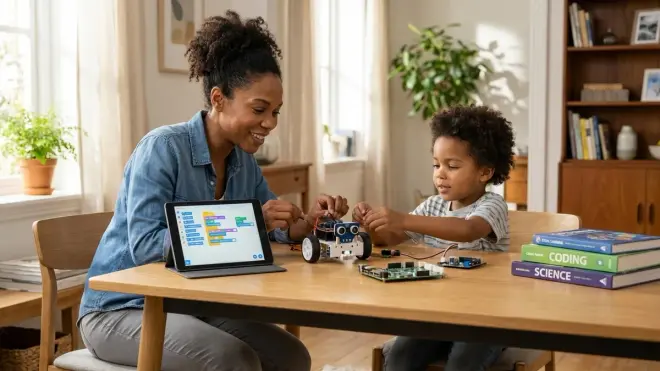
The honest answer: both kinds exist, and marketing often obscures the difference. "AI" robots that follow pre-programmed voice commands or sensor logic aren't teaching machine learning—they're teaching conditional statements and sensor input handling, which are valuable skills but not AI development. Real AI kits let kids create datasets, label training examples, choose or configure model architectures, run training iterations, evaluate accuracy metrics, and deploy models for inference. If the kit's "AI" is a black box that kids can't inspect, modify, or retrain, it's a demonstration, not a learning tool. The best platforms—like those using TensorFlow Lite, PyTorch, or Edge Impulse—expose the full training loop and use the same libraries employed by professional data scientists, just with kid-friendly interfaces and simplified default settings. By age 14, kids working with legitimate AI kits are writing Python code that would be recognizable (if basic) in a university ML course or industry internship. The question isn't whether the kit is "simplified"—all education simplifies—but whether it teaches transferable skills using real tools or creates a walled garden that has to be unlearned later. Our article on AI project ideas for kids by skill level offers concrete benchmarks to evaluate genuine learning outcomes.
How do AI learning kits handle data privacy and ethical considerations for children?
This is a critical blind spot in many products. The best AI learning kits for kids explicitly teach data ethics as part of the curriculum—asking kids to consider who their training data represents, what happens if a model makes a mistake, and whether automating a task might have unintended consequences. Platforms like Edge Impulse, TensorFlow Lite, and local Raspberry Pi setups allow fully offline operation, so training data never leaves your home network. Cloud-based platforms (Teachable Machine, some app-driven robots) upload images and training data to company servers—read the privacy policy and understand data retention policies before letting kids create accounts. Some companies anonymize and aggregate data for research; others sell it to advertisers. I prioritize kits with transparent, kid-safe data handling and explicit parental controls. Beyond privacy, look for curriculum that addresses algorithmic bias: have kids intentionally create an unbalanced training set (all faces of one skin tone, for example) and observe how the model performs poorly on underrepresented groups. These lessons—that AI reflects the data it's trained on, and that data is never neutral—are as important as learning to write Python. Teaching kids to build AI without teaching them to question it is handing them power tools without safety training.
What's the typical learning progression from beginner AI kits to advanced machine learning projects?
A solid progression looks like this: Ages 8-10 start with visual platforms (Scratch-based AI extensions, Teachable Machine, Cozmo) that teach classification, labeling, and supervised learning without code. Kids create small datasets (20-50 examples), train models with one click, and see immediate results—building intuition about how more data and better labels improve accuracy. Ages 11-13 transition to block-to-text platforms (Code Lab, Mind+, or MakeCode with Python export) where they start reading and modifying auto-generated code. Projects introduce datasets with hundreds of examples, basic hyperparameter tuning (learning rate, epochs), and model evaluation (accuracy, confusion matrices). Ages 14+ move to full Python environments (Jupyter notebooks, Raspberry Pi, Jetson Nano) using industry-standard libraries. Projects involve data preprocessing (normalization, augmentation), custom model architectures (convolutional layers, dropout, activation functions), and deployment to edge hardware with latency constraints. By age 16-17, advanced learners are working with transfer learning, fine-tuning pre-trained models, and exploring unsupervised learning or reinforcement learning. The best AI learning kits explicitly position themselves within this progression—they tell you where kids should start and what comes next. For detailed milestones at each stage, see our complete robotics learning path checklist.
The Verdict
The best AI learning kits for kids reveal how the systems shaping their world actually work—not through abstraction, but by putting training data and model architectures directly in their hands. Choose platforms that respect the complexity of real machine learning while scaffolding the learning curve: visual tools for foundational intuition, Python for intermediate control, industry-standard frameworks for career preparation. Prioritize kits that run offline, expand with open-source hardware, and teach ethical reasoning alongside technical skills. Your goal isn't to raise a child who can use AI—everyone will do that—but one who can build it, question it, and deploy it responsibly. Start with the DFRobot HuskyLens if you need immediate visual results, graduate to Raspberry Pi AI Kit or Jetson Nano when Python skills solidify, and frame every project around this question: "What decisions is the model making, and who gets to decide if they're right?" That's the education the next decade demands.