
Twelve is the inflection point. You're watching your child cross the threshold from tinkering to building systems that actually work—from block-based drag-and-drop to text-based code, from following instructions to debugging real problems. Learning how to choose STEM activities for 12 year olds means understanding this transition: they're ready for industry-standard platforms, open-ended challenges, and projects that generate measurable data. In this guide, you'll learn a systematic selection framework that matches activities to skill milestones, technical prerequisites, and progressive learning paths—so every project you choose builds directly toward the next capability tier.
What you'll learn: How to evaluate technical compatibility requirements, identify age-appropriate skill outcomes (beyond generic age ranges), assess expandability and long-term learning value, and avoid subscription traps or dead-end platforms.

Skill level: Parent or educator selecting STEM materials for a 12-year-old with any skill background, from absolute beginner to intermediate tinkerer.
Time estimate: 15-20 minutes to read and apply the framework; ongoing implementation as you curate activities.
What You'll Need
Before you start evaluating specific activities, gather this context:
- Current skill inventory: List what your child already knows—Scratch? Block-based robotics? Basic circuits? Python syntax? This defines your starting point.
- Learning environment specs: Available workspace dimensions, existing power outlets (110V for most lab equipment), Wi-Fi reliability if cloud-dependent platforms are on the table, and storage for ongoing projects.
- Technical infrastructure: Operating system(s) available (Windows, macOS, Linux, ChromeOS), existing devices (laptop, tablet, desktop specs including RAM and processor speed), and whether you're willing to dual-boot or virtualize for platform-specific requirements.
- Budget framework: Not just upfront cost—factor in consumables (filament, sensors, batteries), potential subscription fees, expansion pack requirements, and replacement parts for experimental failures.
- Time commitment: Honest assessment of weekly project time, adult supervision availability, and whether you're building toward competition deadlines, science fair milestones, or self-paced exploration.
- Access to our Complete STEM Lab Setup Checklist for 12 Year Olds at Home for infrastructure planning.
Step 1: Identify the Capability Milestone You're Targeting
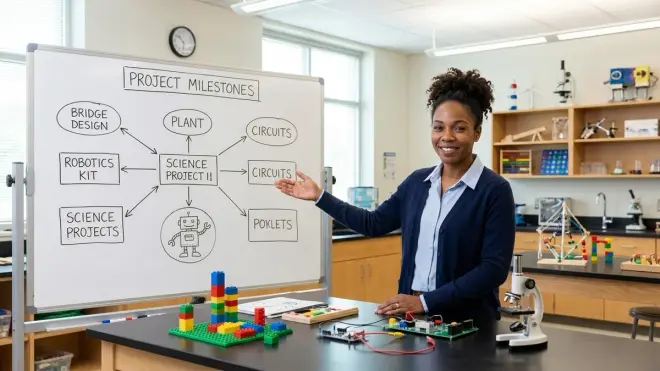
Start by asking what specific skill you want your twelve-year-old to demonstrate six months from now. Not "learn about robotics"—that's too vague. Instead: "Write a Python script that reads temperature sensor data, logs it to a CSV file, and generates a line graph visualizing patterns over 24 hours."
Why this matters: Twelve-year-olds are developmentally ready for abstract reasoning, multi-step logic, and debugging complex cause-and-effect chains. They can handle asynchronous processes (like data logging while a program runs other tasks), conditional logic with multiple nested conditions, and iterative design where Version 1 fails and Version 4 succeeds. Generic "STEM activities" waste this window if they don't challenge these emerging capabilities.
Define your milestone using this format: Action verb + technical tool + measurable output + real-world context. Examples:
- Program an Arduino Uno R3 microcontroller to trigger irrigation when soil moisture drops below a threshold value
- Design and slice a functional gear system in Tinkercad, then print and assemble it on a home FDM printer
- Build a machine learning model that classifies images into three categories with >70% accuracy using Teachable Machine
- Collect week-long air quality data using a sensor kit, calibrate readings, and present findings with statistical analysis
You'll notice these milestones all bridge to industry-standard tools. At twelve, your child should be transitioning from educational sandbox environments to platforms professionals actually use: Arduino IDE instead of proprietary block interfaces, Python instead of simplified drag-and-drop, Fusion 360 or Tinkercad instead of toy design apps. Our guide on How to Design a STEM Learning Path for 12 Year Olds maps these transitions in detail.
Once you've defined your milestone, work backward to identify prerequisite skills. If the goal is Arduino-based environmental monitoring, your child needs to understand basic circuits, serial communication, sensor calibration, and either C++ syntax or the willingness to learn it. Match activities to these prerequisites—not to vague age labels.
Step 2: Evaluate Technical Compatibility and Platform Lock-In
Now you're choosing how to choose STEM activities for 12 year olds based on what actually runs in your home and what won't trap you in a proprietary ecosystem.
Operating system and hardware requirements: Check every detail. Some robotics platforms require Windows-only software (VEX V5, I'm looking at you). Others demand Bluetooth 4.0 or specific USB ports. The Raspberry Pi 4 Model B needs a quality power supply—cheap adapters cause voltage drops that corrupt SD cards mid-project, and I've lost count of the times I've walked twelve-year-olds through reflashing corrupted systems because their parents grabbed a random USB-C cable.
Offline vs. cloud-dependent functionality: This is non-negotiable for me. If the platform requires persistent internet for basic operation—not just initial downloads, but constant connectivity—you're one service outage or discontinued product line away from a paperweight. Cloud-based AI platforms like some visual machine learning tools are exceptions if they export models you can run locally. Otherwise, prioritize offline-capable systems: Arduino IDE, Python with local libraries, Scratch Desktop (not the web version).
Programming language and IDE support: Twelve is the age to commit to a text-based language pathway. If an activity still relies exclusively on block-based coding, it needs to offer an explicit bridge to text. LEGO's SPIKE Prime, for instance, supports Python alongside Scratch blocks—that's the right design. Pure block platforms without text export are dead ends at this age. Check our comparison of Arduino vs Raspberry Pi for 12 Year Olds for language pathway implications.
Expandability and standards compliance: Will this activity plug into a larger ecosystem? Arduino boards accept thousands of third-party shields and sensors. Raspberry Pi runs any Linux-compatible software. Proprietary robotics kits with custom connectors lock you into expensive expansion packs. Look for open-source hardware designs and standard protocols (I2C, SPI, UART for electronics; STL files for 3D printing; Python libraries with active GitHub repos).
Subscription and consumable costs: I've watched families spend $150 on a "complete" kit only to discover it needs a $15/month cloud subscription for advanced features and burns through $30 in consumables every project. Calculate total cost of ownership over 12-24 months. For 3D printing, that's filament (approximately $20-30/kg, with active learners using 2-4kg annually). For sensor kits used in citizen science projects, it's calibration solutions and replacement electrodes.
Step 3: Match Activities to Skill Progression Pathways
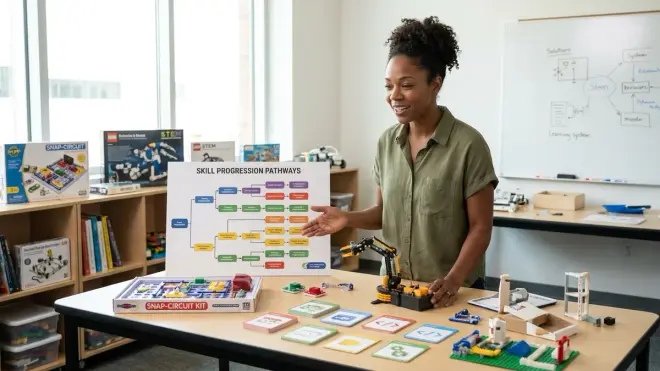
How to choose STEM activities for 12 year olds isn't a one-time decision—it's architecting a learning path where each activity unlocks capabilities needed for the next tier.
Map your candidate activities onto a progression framework:
Foundation (Months 1-3): Activities that build fluency with core concepts through guided projects. At twelve, "foundation" doesn't mean "beginner"—it means establishing baseline competency with new tools. If your child hasn't touched Arduino, a foundation activity might be: build a temperature logger following a detailed tutorial, then modify it to add a second sensor. You're teaching sensor libraries, serial debugging, and the edit-compile-upload cycle.
Intermediate application (Months 4-6): Semi-open challenges with defined goals but multiple solution paths. "Build a system that texts you when your houseplant needs water" gives parameters (sensor input, threshold logic, notification output) but forces design decisions: Which sensor? What threshold? SMS gateway or just local alerts? This stage develops troubleshooting stamina—the willingness to spend three hours debugging why the relay isn't switching.
Advanced synthesis (Months 7-12): Genuinely open-ended projects where your child defines the problem and the solution. Real citizen science data collection, science fair experiments with hypothesis-driven design, or personal builds like the solar-powered weather station my neighbor's twelve-year-old deployed in their backyard after six months of progressive Arduino work.
Each activity should explicitly list prerequisite skills (not age ranges) and capability milestones achieved. A quality kit says: "Requires understanding of series vs. parallel circuits and ability to read resistor color codes; teaches pulse-width modulation, analog-to-digital conversion, and PID loop basics." A bad kit says: "Ages 10+, learn about electronics!"
Check whether the activity offers debugging scaffolds. Twelve-year-olds are building error-recovery skills, but they still need support structures: clear documentation, active community forums, diagnostic tools (multimeters for circuits, serial monitors for code), and example projects that actually compile. I test this by intentionally breaking example code—do the error messages point toward solutions, or are they cryptic compiler jargon?
Step 4: Assess Lab Specs and Infrastructure Requirements
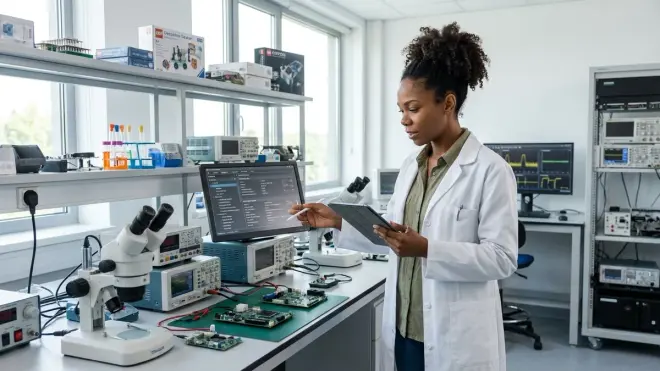
Now evaluate whether each activity actually fits your physical and electrical environment.
Power requirements: Most Arduino boards draw 5V over USB—no problem. But motor drivers, servo clusters, and heating elements pull serious current. I've seen twelve-year-olds design elaborate robotic arms that brown out when they try to move all six servos simultaneously because they're running everything off USB power. Calculate total amperage: standard USB 2.0 supplies 500mA, USB 3.0 gives 900mA, and a wall adapter for an Arduino typically provides 1-2A. If your activity includes motors, pumps, or Peltier coolers, you need dedicated power supplies, and your child needs to learn the safety protocols around mains voltage. Consult our Home STEM Lab Safety Checklist for power infrastructure.
Connectivity and data transfer: How does the activity get data in and out? USB serial for Arduino—straightforward. Wi-Fi modules for IoT projects—now you need network configuration skills and security awareness. Bluetooth sensors—verify the specific Bluetooth version and whether your OS supports it natively. SD card logging—simple and robust, but requires physical retrieval. Cloud uploads—convenient but introduces API authentication, rate limits, and dependency on third-party servers.
Workspace and ventilation: 3D printers emit ultrafine particles and VOCs even when printing "safe" PLA—they need ventilation or HEPA filtration. Soldering requires fume extraction. Large robotics builds need floor space for testing. Chemistry-adjacent projects like water quality testing need proximity to sinks. Be honest about your space before committing to activities that need dedicated infrastructure.
Storage for ongoing projects: Twelve-year-olds are building systems that take weeks. You need shelf space, labeled bins, and a system that protects in-progress work from younger siblings, pets, and accidental sweeps into the trash. I use stackable clear storage bins with masking tape labels—cheap, adaptable, and you can see what's inside without disassembling the project.
Durability and repairability: Will this survive experimental failures? Quality STEM products are designed for iteration—broken components are replaceable, not catastrophic. The Elegoo Arduino Uno R3 Starter Kit includes spare LEDs, resistors, and jumpers because the designers expect you to burn out components while learning. Cheap kits with proprietary, non-replaceable parts teach learned helplessness instead of resilience.
Step 5: Verify Real Skill Outcomes Against Marketing Claims

Marketing language for twelve-year-olds is full of inflated promises. "Learn AI!" "Master robotics!" "Become a coder!" Here's how to choose STEM activities for 12 year olds by cutting through the noise.
Demand specific capability statements: Good activities list concrete, testable outcomes. "Students will write functions with parameters and return values, implement error handling with try/except blocks, and debug programs using print statements and IDE breakpoints." That's verifiable. Compare that to "introduces coding concepts"—meaningless filler.
Check for assessment tools: How will you know your child has achieved the milestone? Quality curricula include challenge problems, rubrics, or portfolio projects that demonstrate mastery. Programming courses should have debugging exercises ("Here's broken code—find and fix the three errors"). Electronics kits should include troubleshooting flowcharts. Renewable energy projects should specify measurement protocols and expected efficiency ranges.
Trace the bridge to professional tools: Does this activity explicitly connect to industry practice? A good 3D design curriculum teaches skills directly transferable to Fusion 360 or SolidWorks—the CAD platforms actual mechanical engineers use. A robotics platform should teach programming patterns (state machines, sensor fusion, PID control) used in industrial automation, not just toy-specific tricks. When I evaluate products, I ask: "Would a sixteen-year-old who mastered this be prepared to contribute to an open-source hardware project or compete in FIRST Robotics?" If not, it's not rigorous enough.
Investigate the company's longevity and support model: A platform is only as good as its documentation, replacement parts, and community. Check GitHub activity, forum post frequency, and whether the company responds to support requests. Abandonware is rampant in educational tech—I've seen "innovative" platforms shuttered 18 months after launch, leaving families with unsupported hardware.
Look for evidence of ecological responsibility: This is personal conviction meeting practical evaluation. Products built for planned obsolescence, designed with non-recyclable mixed materials, or dependent on single-use consumables teach the wrong relationship with technology. Twelve-year-olds are forming their understanding of what "building things" means—I want them learning repair culture, modular design, and material consciousness. Check whether kits use sustainable materials, publish repair guides, and design for disassembly.
Step 6: Test for Engagement Without Hand-Holding
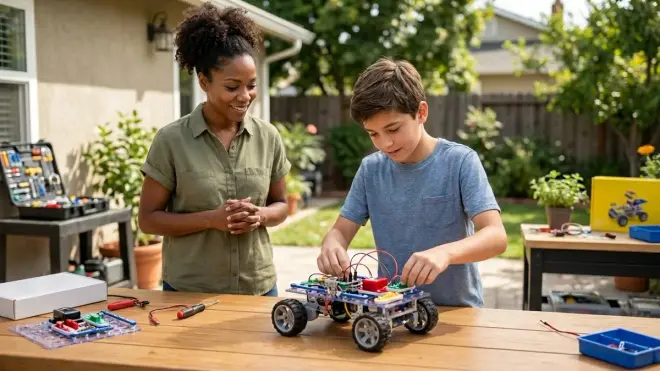
Twelve-year-olds need challenge that respects their emerging independence. The right activity should feel achievable but not trivial.
Evaluate the failure tolerance: The best STEM activities expect initial failures. Programming tasks should have bugs to work through. Circuit projects should troubleshoot short circuits. Design challenges should require multiple iterations. If the activity is "follow these twenty steps and it works perfectly," it's not teaching problem-solving—it's teaching recipe-following. I look for projects where the instructions get you 70% of the way there, and the final 30% requires experimentation, measurement, and adjustment.
Check the scaffolding-to-autonomy ratio: Early in a learning path, scaffolding is appropriate: detailed tutorials, annotated code, circuit diagrams with every component labeled. But activities should progressively fade the scaffolding. A quality series might provide complete code in Project 1, partial code with "fill in the blanks" in Project 2, pseudocode in Project 3, and just requirements by Project 4. Our article on How to Transition from Block-Based to Text-Based Robot Programming models this gradual release.
Assess the re-engagement potential: Can your child return to this activity at higher skill levels and find new challenges? A basic Arduino thermometer is a one-week project. But if the same hardware supports multi-sensor arrays, data logging, wireless transmission, and eventually integration with machine learning models for predictive analysis, it's got legs. The Arduino Starter Kit itself is fairly basic, but the platform scales from blinking LEDs to autonomous robots because of its expandability.
Verify the challenge matches developmental readiness: At twelve, kids can handle: multi-step conditionals, nested loops, functions with parameters, algebraic thinking, unit conversion, statistical concepts (mean, range, outliers), and sustained attention for 45-90 minute work sessions. They cannot reliably handle: extensive fine motor precision (0.5mm component placement), abstract mathematical proofs, or projects requiring weeks of sustained effort without intermediate milestones. Match cognitive and physical demands to reality.
Step 7: Map the Activity to Broader Learning Goals
The final filter: does this activity build portable skills and conceptual understanding that transfer beyond itself?
Identify the transferable technical skills: Does it teach version control (Git), collaborative documentation (Markdown, wikis), measurement and uncertainty, sensor calibration, data visualization, statistical analysis, or debugging strategies? These are meta-skills that apply across every STEM domain. When I built my first hydroponics system at seventeen, the most valuable lesson wasn't "how to grow lettuce"—it was learning to systematically isolate variables when troubleshooting system failures. That debugging logic has served me through two decades of engineering work.
Check for interdisciplinary connections: Strong STEM activities don't silo knowledge. A renewable energy project teaches circuit design (engineering), energy conversion efficiency calculations (physics and math), environmental impact analysis (earth science), and data presentation (communication skills). Look for natural integration points. Our Top 7 Renewable Energy Lab Kits for STEM Education explicitly maps these cross-curricular connections.
Evaluate the real-world relevance: Does the activity connect to genuine applications your child can see operating in the world? Weather stations, water quality monitoring, energy efficiency analysis, traffic flow optimization—these aren't hypothetical exercises, they're systems running in every city. When twelve-year-olds build water quality testing equipment and then test their local creek, they're not just learning chemistry—they're experiencing the civic dimension of technical knowledge.
Assess the pathway to contribution: Can this skill enable your child to participate in real research or community projects? Citizen science platforms like Zooniverse accept contributions from trained volunteers, including twelve-year-olds with the right data collection and analysis skills. Open-source software projects welcome documentation improvements and bug reports. Science fairs, environmental advocacy, and local maker communities all offer venues where twelve-year-olds with solid skills can make genuine contributions. The activity should be a doorway, not a dead end.
Consider the sustainability literacy it builds: Every STEM activity teaches an implicit value system about technology. Does this project teach resource consciousness? Lifecycle thinking? Repair culture? Or does it normalize disposability and consumption? When I evaluate renewable energy kits, I look beyond "does it generate power" to "does it help kids understand embodied energy, manufacturing impact, and system boundaries?" Those frameworks matter.
Pro Tips & Common Mistakes
Pro tip: Start with rental or borrowed equipment for expensive infrastructure. Before you invest in a 3D printer, borrow one from a library makerspace or school and run a month of projects. You'll discover your child's actual engagement level, workflow preferences, and whether the maintenance burden (bed leveling, nozzle cleaning, filament storage) is worth the capability gain.
Common mistake: Conflating complexity with rigor. Parents often choose activities with overwhelming component counts or jargon-heavy descriptions, assuming "harder = better learning." Wrong. A project with fifty sensors teaching shallow engagement is worse than a project with two sensors teaching deep measurement, calibration, and error analysis. Complexity should emerge from iterative sophistication, not upfront information overload.
Pro tip: Prioritize activities with public documentation and active communities. When your twelve-year-old hits a cryptic error at 8 PM, you need forums where someone else has debugged that exact problem. Arduino, Raspberry Pi, and popular LEGO platforms have vast communities. Proprietary systems with closed documentation leave you stranded.
Common mistake: Ignoring consumable costs. A robotics kit might look affordable at initial purchase, but if it requires $40 in batteries monthly or proprietary $25 sensor modules that die after twenty uses, the lifetime cost explodes. Always calculate consumables over at least twelve months.
Pro tip: Look for activities that generate shareable artifacts. Code repositories on GitHub, documented builds on Instructables, data visualizations suitable for science fair posters—these create portfolios demonstrating skill progression. Years later, your sixteen-year-old's college applications will showcase the twelve-year-old's projects.
Common mistake: Choosing activities you find interesting rather than matching your child's demonstrated curiosity. I love solar energy, but if your twelve-year-old lights up talking about robotics and glazes over during environmental discussions, start with robotics. You can integrate sustainability later through efficient power design or autonomous environmental monitoring robots. Engagement first, then expand.
Frequently Asked Questions
What programming language should 12 year olds focus on for STEM activities? At twelve, prioritize Python for its readability, massive library ecosystem (data science, machine learning, automation), and professional relevance, or Arduino C++ if your child is drawn to hardware and robotics—both provide direct pathways to industry-standard tools and have extensive educational resources, while maintaining enough abstraction to avoid overwhelming syntax complexity that derails learning.
How do I know if a STEM activity is too advanced or too simple for a 12 year old? An activity is appropriately challenging if your twelve-year-old can complete guided portions with minimal adult intervention but requires experimentation, iteration, and occasional troubleshooting for extensions—if they finish projects in one sitting without any debugging or if they're frustrated to the point of disengagement after repeated attempts with proper scaffolding, the difficulty is mismatched; our STEM by Design strategies guide provides concrete assessment rubrics.
Should 12 year olds use subscription-based STEM platforms or one-time purchase kits? One-time purchase kits with expandable, standards-based components (Arduino, Raspberry Pi, open-source robotics platforms) provide better long-term value and skill portability than subscription platforms, which often lock you into proprietary ecosystems and disappear when companies pivot—subscriptions can work for supplemental online courses teaching specific skills like Python or CAD, but hardware foundations should be owned outright; see our comparison of coding subscription boxes vs one-time purchase kits.
How much weekly time should 12 year olds spend on STEM activities? Twelve-year-olds build meaningful skills with 3-5 hours weekly of focused STEM project time—enough to maintain continuity between sessions, debug complex problems, and complete multi-week projects—but sustained engagement matters more than raw hours, so prioritize activities that naturally pull your child back in rather than forcing daily quotas; project-based learning naturally accommodates variable intensity with design phases requiring less time and build/debug phases demanding longer sessions.
Summary
Learning how to choose STEM activities for 12 year olds means evaluating technical compatibility, skill progression pathways, and real capability milestones—not age-range labels or marketing hype. Start by defining specific, measurable outcomes you want your child to achieve, then work backward through prerequisite skills and infrastructure requirements. Prioritize open platforms with industry-standard tools, active support communities, and expandability that grows with your child's skills. Calculate total ownership cost including consumables and subscriptions. Test for appropriate challenge levels that expect iteration and debugging without causing frustration. And map every activity to transferable meta-skills and real-world applications. Your twelve-year-old is ready for genuine engineering work—choose activities that respect that readiness.