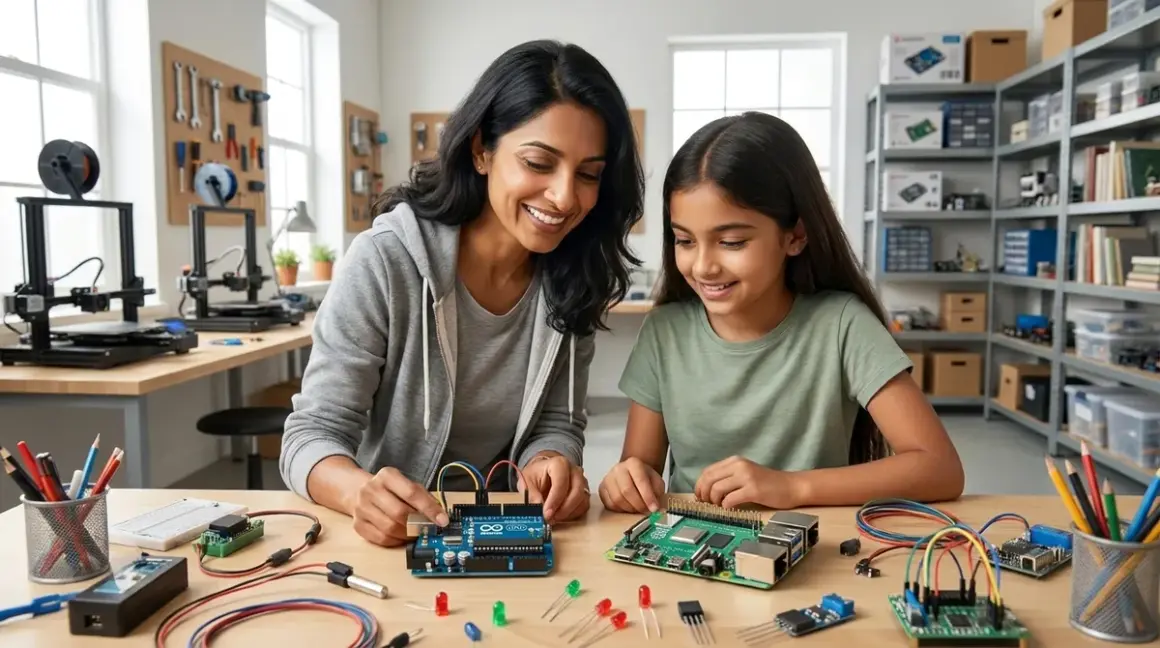

For most 12 year olds, Arduino is the better starting point because it teaches fundamental electronics and embedded programming without the complexity of a full operating system, though Raspberry Pi suits children already comfortable with computers who want to build software-focused projects. This article compares arduino vs raspberry pi for 12 year olds across technical requirements, learning outcomes, expandability, and how each platform fits into progressive STEM learning paths.
Quick Comparison
| Criterion | Arduino | Raspberry Pi |
|---|---|---|
| Primary Focus | Embedded electronics, sensor integration, physical computing | General-purpose computing, software projects, Linux-based programming |
| Programming Languages | Arduino IDE (C/C++), block-based options via mBlock, Scratch for Arduino | Python (primary), Scratch, JavaScript, C++, supports full desktop IDEs |
| Screen Dependency | Optional—many projects run standalone after programming | Required for setup and most projects; acts as full computer |
| Power & Portability | 5V via USB or battery pack (7-12V); runs standalone indefinitely | 5V/3A USB-C; requires constant power for operation, not battery-friendly for field projects |
| Expandability | Shields, sensors, actuators; limited to microcontroller capabilities | HATs, USB peripherals, cameras, displays; can run multiple processes simultaneously |
| Price Point (2026) | Starter kits around $40-70 | Board + essentials around $75-120 |
What Your 12 Year Old Actually Learns With Each Platform
The developmental difference between arduino vs raspberry pi for 12 year olds centers on concrete vs abstract thinking. Arduino forces your child to understand cause and effect in the physical world—when they write code to blink an LED, they see the electron flow, the timing, the voltage states. This tactile feedback loop strengthens sequential reasoning.
The [ARDUINO: Arduino Uno R3] remains the industry standard for embedded systems education because it isolates one skill at a time. Your child writes 20 lines of code to read a temperature sensor, and those 20 lines do exactly that—nothing hidden, no background processes. This transparency builds confidence. They're learning embedded C++, the same language powering automotive systems, medical devices, and industrial automation. By month three, most 12 year olds can independently wire circuits, read datasheets for new sensors, and troubleshoot voltage issues with a multimeter.
Raspberry Pi teaches computing architecture. Your child installs an operating system, manages files through terminal commands, and runs multiple programs simultaneously. The Raspberry Pi 5 8GB🛒 Amazon functions as a full Linux computer, which means they're learning system administration alongside programming. This complexity serves children who already grasp computer basics and want to build AI models, web servers, or computer vision projects.
The screen time difference matters here. Arduino projects can run entirely offline after the initial programming—your child codes a weather station that logs data to an SD card, deploys it in the backyard, and retrieves data weekly without ever looking at a screen. Raspberry Pi requires monitor interaction for nearly every task, though this mirrors real software development workflows.
Concrete capability milestones for Arduino by six months: building autonomous robots with ultrasonic sensors, creating MIDI instruments, logging environmental data for citizen science projects. For Raspberry Pi: deploying basic machine learning models, building retro gaming consoles, creating home automation systems with voice control.
Lab Specs: Power, Connectivity, and Infrastructure Requirements
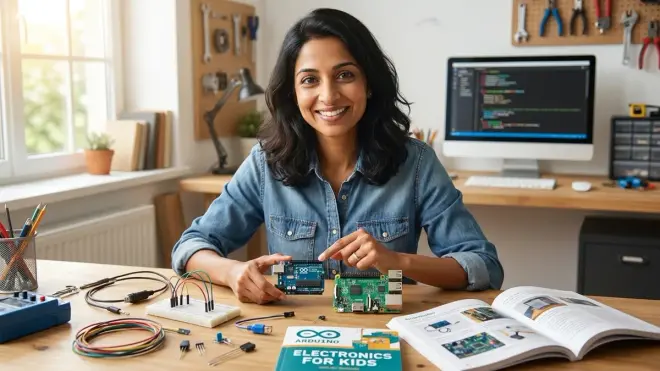
When evaluating arduino vs raspberry pi for 12 year olds for your home STEM lab, the infrastructure demands differ significantly.
Arduino setup requirements: Any computer running Windows, macOS, or Linux for the free Arduino IDE. The board draws 40-50mA typically, spiking to 200mA with multiple servos—easily powered by a USB connection or 9V battery for portable projects. No cooling needed. Storage happens on the board's 32KB flash memory or external SD cards for data logging. Total desk footprint: about 12 inches with breadboard and components spread out.
One honest friction point: Arduino's reliance on C++ syntax frustrates some children initially. Missing a single semicolon throws compiler errors that feel cryptic to beginners. The [Arduino: Arduino Starter Kit] includes a projects book that scaffolds this learning curve, but expect your child to need support during the first few coding sessions. The screen isn't responsive or colorful—it's just a black text window with red error messages. This stripped-down environment can feel jarring compared to visual programming tools they've used before.
Raspberry Pi setup requirements: Dedicated microSD card (minimum 16GB, realistically 32GB for comfortable use), USB-C power supply delivering stable 5V/3A (underpowering causes random crashes that confuse young learners), HDMI monitor, USB keyboard and mouse. Optional but recommended: active cooling fan—the processor throttles under sustained load, which affects performance during AI training or video processing. Total power draw ranges from 3W idle to 12W under full load.
Raspberry Pi demands network connectivity for most worthwhile projects. Installing packages, accessing documentation, and collaborating on GitHub all require internet. Arduino can operate completely offline after setup, which some families prefer for focused, distraction-free work sessions.
Durability for repeated use: Arduino boards tolerate beginner mistakes better. Shorting a pin might blow that specific pin, but the board often survives. Raspberry Pi's delicate SD card slot breaks with rough handling, and corrupted SD cards from improper shutdowns frustrate learning momentum. I've watched my own daughter's Raspberry Pi project derailed by a corrupted file system after she unplugged it without running the shutdown command—an abstract concept for concrete thinkers.
Expandability and the Progressive Learning Path
The expansion trajectory shapes how arduino vs raspberry pi for 12 year olds fits into multi-year skill development.
Arduino's expansion path follows component mastery: breadboard prototyping → soldering shields → designing custom PCBs. Your child adds complexity through hardware—integrating water quality sensors, building renewable energy monitors, controlling stepper motors for CNC projects. Each new sensor teaches a specific protocol (I2C, SPI, UART), building toward industry-standard embedded systems knowledge.
Compatible platforms include Arduino Nano for wearable projects, ESP32 for WiFi-enabled IoT devices, and Arduino Mega for projects exceeding the Uno's 14 digital pins. This modularity means your initial $50 investment in sensors and components transfers across board upgrades. The learning compounds—skills mastered on Uno apply directly to professional development boards used in engineering firms.
Raspberry Pi's expansion path follows software complexity: Python scripts → Flask web applications → TensorFlow machine learning → embedded Linux development. The HAT (Hardware Attached on Top) ecosystem adds cameras, displays, and motor controllers, but the real power lies in running desktop-class software. Your child can train neural networks, host databases, or run computer vision algorithms—projects impossible on Arduino's limited processing power.
The Pi bridges into professional tools naturally. A child writing Python on Raspberry Pi uses the same language, libraries, and workflows as data scientists. They can SSH into the Pi remotely, manage it headlessly, and deploy code through Git—real DevOps practices that transfer to software careers.
Consumables and subscriptions: Neither platform requires ongoing subscriptions, though both benefit from component restocking. Arduino projects consume resistors, capacitors, and sensors (budget around $30-50 quarterly for active learners). Raspberry Pi projects rarely destroy components but need USB peripherals, storage expansion, and occasional SD card replacement (budget around $20-40 quarterly).
Software Ecosystem and Learning Curve
The programming environment determines daily friction in arduino vs raspberry pi for 12 year olds.
Arduino IDE offers simplicity—one window, one button to compile and upload. The built-in examples teach by modification: your child opens "Blink," changes the delay value, sees the immediate result. This rapid iteration cycle suits 12 year olds' attention spans. Block-based alternatives like mBlock bridge from Scratch, letting visual learners transition gradually to text-based code.
The constraint becomes the gift: Arduino can't multitask like computers your child knows. They learn that while delay(1000) pauses everything for one second, they need millis() for non-blocking timing. This limitation forces computational thinking—how do I make my robot avoid obstacles while monitoring battery voltage while following a line? These are the concurrency problems professional embedded engineers solve daily.
Raspberry Pi runs Thonny Python IDE, which provides friendly debugging and variable inspection. The full Linux desktop lets your child research documentation, watch tutorials, and code simultaneously—mimicking real development workflows but also introducing distraction opportunities. You're essentially giving your child a full computer that happens to have GPIO pins.
The learning curve steepens when projects require Linux terminal commands. Installing libraries through apt-get, managing file permissions, editing configuration files—these tasks build system literacy but overwhelm children expecting plug-and-play experiences. I've found that children comfortable with computers adapt within weeks, while those used to tablets and phones struggle with the text-based interface.
Cross-platform note: Both Arduino and Raspberry Pi run on Windows, macOS, and Linux. Arduino requires just the IDE download. Raspberry Pi needs separate setup even if your child owns a computer—it's a standalone device requiring its own peripherals (though it can be accessed remotely from a family computer once configured).
Who Should Choose Arduino
Choose Arduino for your 12 year old if they thrive with hands-on, screen-limited learning and need to see immediate physical results. Children who enjoyed LEGO Mindstorms or basic electronics kits progress naturally to Arduino's component-level work. It suits kinesthetic learners who disassemble toys to understand mechanisms and ask "how does this actually work?"
Arduino prepares children for electrical engineering, robotics, and mechatronics careers. The skills transfer directly to professional tools like PLC programming, embedded systems development, and industrial automation. A 12 year old mastering Arduino today can contribute to high school robotics competitions, design custom lab equipment for science fair projects, or prototype inventions.
Families prioritizing offline, focused work sessions appreciate Arduino's independence from internet connectivity and social media distractions. The platform teaches troubleshooting through physical observation—your child sees the LED not lighting, checks the circuit, measures voltage, and fixes the reversed connection. This tangible feedback loop builds persistence better than abstract debugging.
Who Should Choose Raspberry Pi
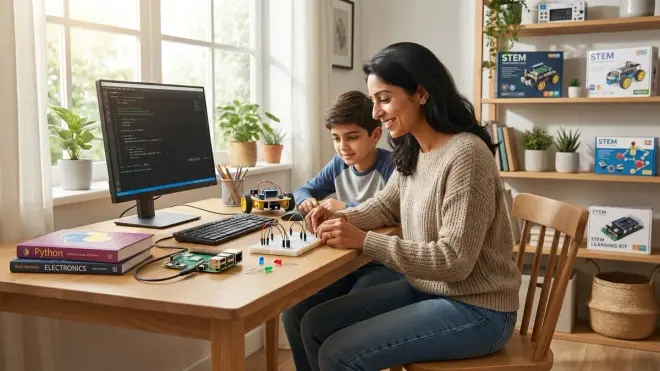
Choose Raspberry Pi for your 12 year old if they're already comfortable with desktop computers and want to build software-heavy projects. Children who taught themselves Scratch or Python, enjoy gaming mods, or show interest in web development find Raspberry Pi's full-computer environment familiar and empowering.
Raspberry Pi prepares children for software engineering, data science, and AI/ML careers. Your child learns version control with Git, manages cloud deployments, and works with industry-standard libraries like NumPy and pandas. These aren't toy approximations—they're the actual tools professional developers use daily.
The platform suits collaborative, internet-connected projects: building a Discord bot, hosting a Minecraft server for friends, contributing to open-source citizen science platforms. Your child learns to research documentation, troubleshoot through forums, and adapt code from GitHub repositories—essential skills for modern software development.
Families comfortable with higher screen time in service of deeper computing literacy find Raspberry Pi worthwhile. Yes, your child sits at a monitor, but they're learning Linux administration, network protocols, and system architecture—foundational knowledge for technology careers.
Frequently Asked Questions
Can a 12 year old learn both Arduino and Raspberry Pi simultaneously?
Yes, and many educators recommend this approach for accelerated learners, but it requires careful scaffolding to prevent confusion. Start with Arduino for 3-6 months to build electronics fundamentals and programming basics, then introduce Raspberry Pi for projects requiring more processing power or software complexity. Learning both platforms teaches your child to choose the right tool for each project—Arduino for real-time sensor control and battery-powered devices, Raspberry Pi for data analysis and internet-connected applications. The combined skill set mirrors real engineering workflows where embedded systems (Arduino-style) communicate with edge computing devices (Raspberry Pi-style) in IoT applications.
Do Arduino and Raspberry Pi work together in the same project?
Absolutely—this combination represents professional IoT architecture and teaches system design thinking. Arduino handles time-sensitive sensor readings and motor control while Raspberry Pi manages data processing, wireless communication, and user interfaces. For example, your child might build an environmental monitoring station where Arduino reads air quality sensors every second and sends data to Raspberry Pi, which logs it to a database, generates graphs, and uploads results to a cloud platform. They communicate through serial, I2C, or USB connections. This architecture teaches distributed systems—a core concept in modern software engineering—while letting each platform do what it does best.
Which platform has better community support for young learners in 2026?
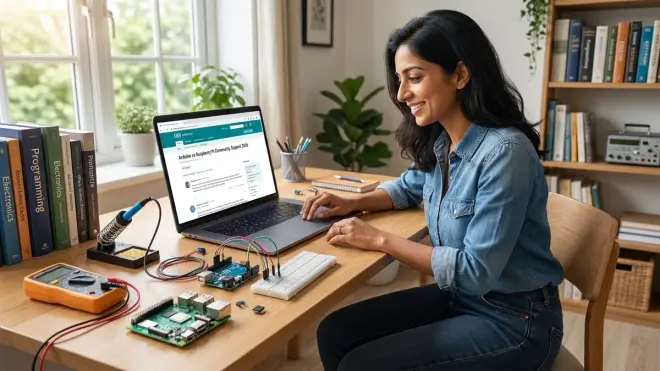
Both platforms offer exceptional community resources, but they serve different learning styles. Arduino's community provides more beginner-focused tutorials, YouTube videos demonstrating physical builds, and forums where hardware troubleshooting dominates—ideal for visual, hands-on learners. The official Arduino Project Hub curates age-appropriate projects with complete parts lists and step-by-step photos. Raspberry Pi's community skews toward software development, with extensive Python documentation, Linux tutorials, and coding forums—better for children comfortable reading text-based instructions and researching independently. The Raspberry Pi Foundation publishes free curriculum materials specifically designed for classroom use that parents can adapt at home, while Arduino's educational content focuses more on individual maker projects than structured curricula.
Bottom Line
The arduino vs raspberry pi for 12 year olds decision reflects whether your child needs to master physical computing fundamentals or software architecture first. Arduino builds the electronics literacy and embedded programming skills that make robotics, IoT, and instrumentation comprehensible. Raspberry Pi develops the system administration and software engineering capabilities essential for AI, web development, and data science.
Neither choice closes doors. The 12 year old who starts with Arduino can add Raspberry Pi within a year as projects demand more computing power. The child who begins with Raspberry Pi can incorporate Arduino for real-time control when Python proves too slow for motor timing. Both platforms teach transferable problem-solving, debugging persistence, and project completion skills that matter more than the specific tool.
Watch how your child approaches problems now. Do they disassemble mechanical toys or prefer building digital worlds? That instinct guides your choice—and either path leads to genuine, career-relevant capabilities.