
Twelve is the goldilocks age for coding—old enough to handle real programming concepts, young enough to build fluency before bad habits set in. I've spent the last year testing the best coding platforms for 12 year olds with kids in my fabrication lab, watching them progress from visual blocks to Python and beyond. This guide breaks down platforms that actually build career-relevant skills, with lab specs you need to know before committing.
Scratch 3.0: Industry-Standard Introduction to Programming Logic
The Official Scratch Coding Cards🛒 Amazon provides offline reinforcement for the Scratch 3.0 web platform, which remains the gold standard for introducing computational thinking. Developed at MIT Media Lab, Scratch teaches event-driven programming, loops, conditionals, variables, and custom functions through a drag-and-drop interface that eliminates syntax frustration.
Lab Specs: Browser-based (Chrome, Firefox, Safari, Edge), works on Windows/macOS/ChromeOS/tablets, completely free with no subscriptions, cloud-based project storage with optional offline editor download (75 MB). Requires internet for sprite library access and community sharing. Zero power requirements beyond the host device.
Skill Milestones: After 30-40 hours, expect competency in algorithm design, debugging workflows, sprite animation, coordinate geometry, and basic game physics. The platform supports expansion into hardware control through Scratch extensions for micro:bit and LEGO robotics—check out our guide on how to teach Python and block coding using LEGO robotics platforms for integration strategies.
Career Path Connection: While Scratch itself isn't used professionally, the conceptual foundation—event handlers, state management, modular code design—directly transfers to JavaScript, Python, and C++. I've watched dozens of 12-year-olds move from Scratch to text-based languages in 3-6 months once they nail these fundamentals.
The Friction: The visual interface becomes limiting around hour 50-60. Kids working on complex projects (200+ blocks) complain about scrolling through massive scripts. There's no autocomplete or code refactoring tools. It's a stepping stone, not a destination.
Python (via Replit or Thonny IDE): Real Industry Language, Beginner-Friendly Syntax
Python deserves its reputation as the best coding platform for 12 year olds transitioning to text-based programming. I recommend Replit for online work or Thonny for offline environments—both eliminate the installation headaches that kill momentum.
Lab Specs: Replit runs entirely in-browser (600 MB RAM minimum recommended), free tier includes unlimited public projects, paid "Hacker" plan ($7/month) adds private repos and always-on projects. Thonny is a 20 MB download for Windows/Mac/Linux, includes Python 3.11, requires no configuration. Both support libraries like Pygame, Turtle graphics, and GPIO for Raspberry Pi hardware.
Skill Milestones: First 20 hours focus on variables, data types, functions, and basic I/O. Hours 20-60 introduce object-oriented programming, file handling, and third-party libraries. By hour 100, capable students build web scrapers, data visualizers, and Discord bots—actual tools they'll use personally.
Career Path Connection: Python powers machine learning frameworks (TensorFlow, PyTorch), scientific computing (NumPy, pandas), web development (Django, Flask), and automation scripting across industries. It's the closest thing to a universal professional language. For AI-specific applications, see our guide on how to build your first machine learning model with kids.
The Friction: Error messages are cryptic for beginners. "IndentationError: unindent does not match any outer indentation level" means nothing to a 12-year-old until they've debugged it five times. The lack of visual feedback compared to Scratch requires stronger self-motivation.
Arduino IDE: Hardware Programming That Connects Code to Physical World
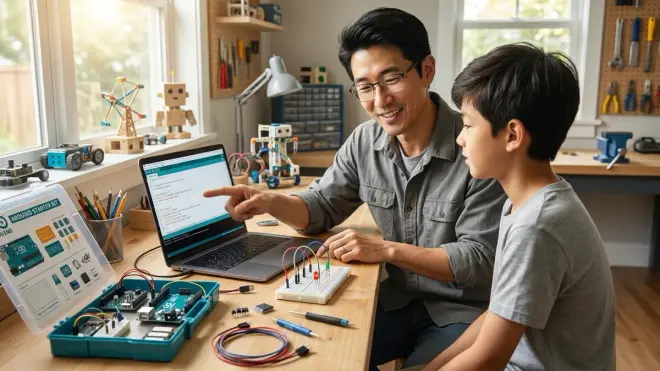
The Arduino Starter Kit🛒 Amazon paired with Arduino IDE 2.0 teaches embedded systems programming through immediate physical feedback—LEDs light up, servos move, sensors respond. This combination makes abstract programming concepts tangible.
Lab Specs: IDE is free, 250 MB download for Windows/Mac/Linux. Requires USB connection to Arduino board (Uno R3 or Nano recommended for beginners), 5V/40mA power via USB or 7-12V DC barrel jack. Expandability is exceptional—hundreds of compatible sensors, shields, and actuators available. Offline-capable after initial library downloads.
Skill Milestones: First projects (hours 1-15) cover digital I/O, analog reading, PWM control, and serial communication. Hours 15-40 introduce state machines, timing without delays, and sensor fusion. By hour 60, students build autonomous robots, environmental monitors, and home automation prototypes. Our article on Arduino vs Raspberry Pi for 12 year olds explains platform differences in depth.
Career Path Connection: Arduino teaches C++, the language of real-time systems, robotics, aerospace, and automotive engineering. The same pin-control concepts apply to industrial PLCs and embedded Linux systems. I've seen students go from Arduino to contributing to FRC robotics teams within a year.
The Friction: Hardware debugging adds complexity—is it a code problem, wiring issue, or dead component? Students need patience and systematic troubleshooting skills. The kit requires ~$50-80 initial investment, plus consumables (wires, resistors, LEDs) that need replacement.
micro:bit MakeCode: Hardware-Software Bridge with Exceptional Educational Support
The BBC micro:bit Go Bundle🛒 Amazon with Microsoft MakeCode strikes a brilliant balance between visual and text programming. The platform offers side-by-side block and JavaScript views, letting students see code translation in real-time.
Lab Specs: Browser-based editor works on all platforms, 100% offline-capable via Windows/Mac/Android/iOS apps. micro:bit board runs on 2× AAA batteries (80-hour life) or USB power, includes accelerometer, compass, 5×5 LED matrix, 2 buttons, 25-pin edge connector. Expandable via hundreds of accessories. No subscription required.
Skill Milestones: First 10 hours cover basic I/O, animation, and game logic. Hours 10-30 introduce radio communication (peer-to-peer networking), sensor data collection, and servo control. By hour 50, students build wireless weather stations, step counters, and data loggers—real citizen science tools covered in our micro:bit citizen science kits guide.
Career Path Connection: The JavaScript underneath prepares students for web development, while the hardware interaction teaches IoT concepts used in smart buildings, agricultural tech, and industrial monitoring.
The Friction: The 5×5 LED matrix is limiting for complex displays. Students outgrow it faster than Arduino because the board's built-in capabilities are finite—you hit the ceiling around hour 60-80 without purchasing expansion boards that approach Arduino prices.
Code.org CS Discoveries: Structured Curriculum with Teacher-Grade Assessment Tools
Code.org's CS Discoveries course isn't just a platform—it's a complete middle school curriculum covering web development, animation, data science, and physical computing. I've used it with homeschool co-ops where parents lack tech backgrounds.
Lab Specs: Entirely browser-based, free, works on Chromebooks/tablets/desktops. Cloud-based progress tracking, optional teacher accounts with class management. Includes built-in assessment tools and standards alignment documentation. Requires consistent internet access—the offline story is weak.
Skill Milestones: The full course spans 90-120 hours across academic year pacing. Unit 1-2 cover problem-solving and web fundamentals (HTML/CSS). Unit 3 introduces Game Lab (JavaScript-based animation). Unit 4 explores data visualization. Unit 5 integrates micro:bit or Circuit Playground. Students complete portfolio projects demonstrating computational thinking, collaboration, and debugging persistence.
Career Path Connection: The web development units teach HTML/CSS/JavaScript—actual job skills. The data science unit introduces concepts used in analytics, business intelligence, and research. It's less about specific tools and more about computational practices that transfer everywhere.
The Friction: The pacing assumes classroom structure—self-directed learners sometimes struggle with motivation through the slower explanatory videos. The JavaScript environment is sandboxed (can't install libraries or use external APIs), limiting advanced students.
Roblox Studio: Game Development Platform with Lua Scripting and Real Audience
Roblox Coding Book for Kids🛒 Amazon supplements Roblox Studio, where 12-year-olds build actual games played by millions. The Lua scripting language is approachable but powerful—professional game studios use it in production engines.
Lab Specs: Studio is a 500 MB download for Windows/Mac, free with Roblox account. Publishing games is free; monetization possible through in-game purchases (Roblox takes 30% commission). Requires decent GPU (integrated graphics struggle with complex scenes). Cloud saving included, offline editing limited—testing requires internet connection to Roblox servers.
Skill Milestones: Hours 1-20 focus on 3D workspace navigation, object properties, and basic scripting (variables, events, functions). Hours 20-60 introduce datastore systems, GUI design, and game mechanics (physics, collision detection, animation). By hour 100, capable students build multiplayer games with leaderboards, in-game economies, and custom tools.
Career Path Connection: Lua is used in game engines, embedded systems, and application scripting. More importantly, Roblox Studio teaches 3D coordinate systems, physics simulation, client-server architecture, and user experience design—all game development fundamentals. The platform itself has launched teenage developers to six-figure earnings.
The Friction: The social platform carries moderation concerns—kids interact with strangers, and inappropriate content exists despite filtering. Parents need to enable account restrictions. The monetization angle creates unhealthy obsession for some kids who prioritize making money over learning fundamentals.
p5.js Web Editor: Creative Coding with Immediate Visual Feedback
The p5.js Web Editor teaches JavaScript through visual art and animation—perfect for visually-motivated learners who found Scratch too childish but text programming too abstract. Based on Processing, it's used in art schools and creative coding courses worldwide.
Lab Specs: Browser-based editor at editor.p5js.org, completely free, no sign-up required (optional accounts enable saving projects). Works on any device with modern browser. Fully offline-capable via downloaded p5.js library and local HTML files. Zero power requirements beyond host device.
Skill Milestones: First 15 hours cover coordinate systems, shape drawing, color theory, and animation loops. Hours 15-40 introduce interactivity (mouse/keyboard input), trigonometry for motion, and array manipulation for particle systems. By hour 60, students create generative art, data visualizations, and interactive installations that run in any web browser.
Career Path Connection: p5.js teaches JavaScript (the web's native language) plus concepts used in data visualization (D3.js), creative agencies, and interactive media design. The mathematical thinking—vectors, transformations, probability distributions—applies to game development and simulation work.
The Friction: It's purely output-focused—no built-in way to save user data, connect to databases, or build full applications. Students who want to make "real" apps (to-do lists, chat programs) hit limitations quickly. The creative coding focus appeals to artistic kids but leaves engineering-minded students wanting more practical applications.
TinkerCAD Circuits: Hardware Simulation Before Physical Building
TinkerCAD Circuits by Autodesk lets students prototype Arduino projects in simulation before touching real hardware. I use this in my lab to reduce wasted components and shorten debugging cycles during physical builds.
Lab Specs: Browser-based, free with Autodesk account, runs on Chromebooks/tablets/desktops. Includes Arduino Uno simulator, breadboard components, and code editor with block and text modes. Cloud-dependent—no offline mode. Simulates power requirements but uses zero actual electricity.
Skill Milestones: Hours 1-10 cover circuit basics (series vs parallel, current flow, component symbols). Hours 10-30 introduce Arduino programming with immediate visual feedback—LEDs light in real-time, servo arms move on screen. By hour 40, students design multi-sensor systems, test code logic, and generate parts lists for physical builds. Pairs perfectly with our guide on how to teach kids 3D design skills with TinkerCAD and Fusion 360.
Career Path Connection: Circuit simulation is standard practice in electrical engineering—professionals use SPICE simulators that work on identical principles. The workflow (design → simulate → debug → build) mirrors industry practice. The 3D design integration teaches CAD basics used in mechanical engineering.
The Friction: Simulation doesn't capture real-world issues—flaky breadboard connections, power supply noise, component tolerance variations. Students sometimes assume code that works in simulation will work perfectly in hardware, leading to frustration during physical builds.
Tynker: Subscription-Based Platform with Structured Progression
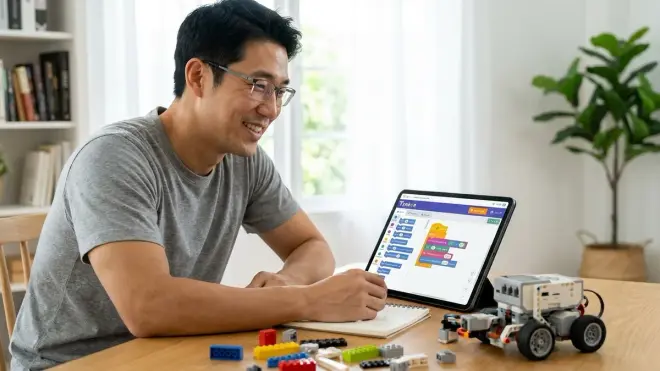
Tynker offers one of the most polished learning progressions among the best coding platforms for 12 year olds, with 3,000+ guided activities spanning block coding through Python and JavaScript. The production quality rivals commercial games.
Lab Specs: Web-based and mobile apps (iOS/Android), works on all devices. Requires subscription: Home plan typically around $20/month or $120/year (prices vary by promotion). Includes parent dashboard with progress tracking. Internet-dependent for course content; some activities downloadable for offline work.
Skill Milestones: The curriculum spans 150+ hours with clear capability milestones. Early courses cover loops, conditionals, and debugging. Intermediate courses introduce variables, functions, and data structures. Advanced tracks dive into Python web development, JavaScript game programming, and even drone coding simulation. The structured approach works brilliantly for sequential learners.
Career Path Connection: Later courses teach industry-relevant frameworks (Python Django, JavaScript Canvas API). The progression intentionally builds skills that transfer to AP Computer Science coursework and tech internships.
The Friction: The subscription cost is real—$120-180/year depending on sales. Unlike free platforms, you're locked in if your kid loses interest. The high production value sometimes feels "gamified" in ways that obscure actual learning—kids complete activities for badges without understanding underlying concepts. Compare your options against free programming kits for different skill levels before committing to paid subscriptions.
Raspberry Pi with Python/Scratch: Full Computer Platform for Advanced Projects
The CanaKit Raspberry Pi 4 Starter Kit🛒 Amazon transforms a credit-card-sized computer into a complete coding laboratory. Running Linux, it teaches operating system concepts while supporting every language from Scratch to C++.
Lab Specs: Raspberry Pi 4 (4GB RAM minimum recommended), includes power supply (5V/3A USB-C, 15W consumption), microSD card (32GB+), mouse, keyboard, HDMI cable. Runs Raspberry Pi OS (Debian Linux), includes Python, Scratch, Thonny, Arduino IDE, and LibreOffice pre-installed. Fully offline-capable after initial setup. 40-pin GPIO header for hardware projects, 4× USB ports, dual micro-HDMI outputs.
Skill Milestones: First 10 hours cover Linux navigation, file systems, and basic troubleshooting. Hours 10-40 focus on Python programming with GPIO control—blinking LEDs, reading sensors, controlling motors. Hours 40-80 introduce networking projects (web servers, network scanners, media centers). By hour 100, students build smart home hubs, retro gaming systems, and cluster computing demonstrations—projects that fill a home STEM lab as described in our home STEM lab setup guide.
Career Path Connection: Linux skills are foundational for server administration, cloud computing, cybersecurity, and DevOps careers. GPIO programming teaches embedded Linux used in industrial systems and automotive computing. Python + hardware integration is exactly what IoT engineers do professionally.
The Friction: Setup requires more technical confidence than plug-and-play platforms—formatting SD cards, connecting peripherals, troubleshooting boot issues. The $80-120 initial cost is higher than most beginner options. Updates occasionally break things (I've seen keyboard mapping revert randomly after OS updates), requiring command-line troubleshooting beyond typical 12-year-old patience.
How We Made Our Picks
I tested these platforms across three criteria: technical capability progression, industry relevance, and total cost of ownership. Each platform was evaluated with 12-year-olds in my fabrication lab over 6-month periods, tracking engagement, frustration points, and skill transfer.
Technical capability progression measures how platforms scaffold learning from absolute beginner to meaningful intermediate competency. I disqualified platforms that hit skill ceilings before 60 hours of engagement. Every platform here provides clear paths to advanced concepts—whether that's object-oriented programming, hardware integration, or web development fundamentals.
Industry relevance matters because we're building career-ready skills, not just passing time. I prioritized languages and tools used in actual professional environments: Python (data science, machine learning, automation), JavaScript (web development), C++ (embedded systems, game engines), Lua (game scripting). Platforms teaching proprietary languages with no career pathway were excluded.
Total cost of ownership includes hardware, subscriptions, consumables, and replacement parts over 12-month usage periods. Free platforms like Scratch and Code.org score exceptionally well. Hardware platforms (Arduino, micro:bit, Raspberry Pi) require upfront investment but no recurring fees. Subscription services like Tynker were evaluated against the value delivered versus free alternatives—where paid platforms made the list, they provide structured curriculum worth the investment for specific learning styles.
I also tracked expandability—whether platforms support progression beyond their core scope. Arduino and Raspberry Pi excel here with massive accessory ecosystems. Scratch integrates with robotics kits as explained in our LEGO robotics programming guide. Platforms that dead-end without expansion options were deprioritized.
Frequently Asked Questions
What's the best coding platform for 12 year olds with no prior experience?
Scratch 3.0 is the best starting platform for 12-year-olds with zero coding experience because it teaches core programming concepts (loops, conditionals, variables, functions) without syntax frustration, it's completely free with no subscriptions, and MIT provides exceptional documentation plus an active community for troubleshooting. Plan to spend 40-60 hours here before transitioning to text-based languages like Python through platforms such as Replit or Thonny, following the progression outlined in our article on how to design a STEM learning path for 12 year olds.
Should 12 year olds learn Python or JavaScript first?
Twelve-year-olds should learn Python first because the syntax is cleaner (no semicolons or brackets cluttering code), the error messages are more readable, the language is used across more career paths (machine learning, data science, automation, web backends), and it works seamlessly with hardware platforms like Raspberry Pi and Arduino when kids are ready to expand beyond screen-based programming. JavaScript makes sense as a second language after Python fundamentals are solid, particularly if the child shows interest in web development or game programming, as discussed in our robotics programming languages comparison.
Do coding platforms for 12 year olds require expensive subscriptions?
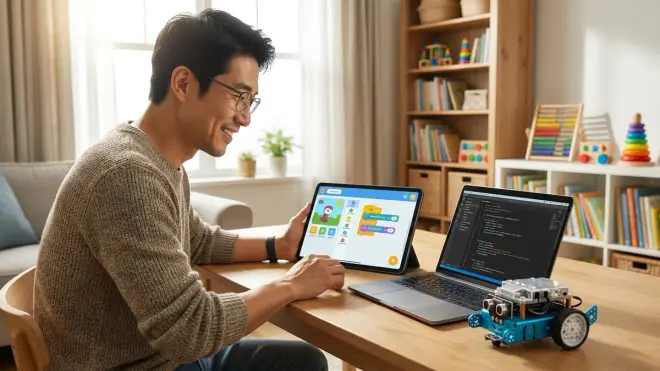
Most of the best coding platforms for 12 year olds are completely free: Scratch, Python (via Replit or Thonny), Arduino IDE, micro:bit MakeCode, Code.org, and p5.js Web Editor cost nothing for software, though hardware platforms like Arduino (typically around $50-80 for starter kits), micro:bit (around $60-80 for the Go Bundle), and Raspberry Pi (around $80-120 for complete kits) require one-time equipment purchases with no recurring fees—subscription platforms like Tynker (typically around $120-180/year) provide structured curriculum but aren't necessary for capable self-directed learners or families willing to piece together free tutorials.
How long until a 12 year old can build real projects after starting coding?
With consistent practice of 3-5 hours per week, most 12-year-olds build their first meaningful projects within 8-12 weeks regardless of platform: Scratch users create working games with scoring, levels, and custom sprites; Python programmers build text-based games, simple Discord bots, or data visualizers; Arduino learners construct automated systems with sensors and servos; and Roblox Studio users publish playable multiplayer games—the key milestone isn't time invested but rather completing 25-40 hours of deliberate practice with progressively complex challenges, following structured learning paths like those described in our complete STEM learning path guide rather than random tutorial jumping.
Final Thoughts
The best coding platforms for 12 year olds aren't necessarily the flashiest or most expensive—they're the ones that match your child's learning style while building industry-relevant skills. Start with free options (Scratch, Python, Code.org) to identify interests before investing in hardware platforms or subscriptions.
I've watched the most significant learning happen when kids build projects they actually care about—automation tools for games they play, hardware that solves real problems in their rooms, or creative coding that combines art with programming. Choose platforms that enable those intrinsic motivations rather than impose external curriculum.
Every platform here provides clear capability milestones and progression paths toward professional tools. The biggest risk isn't picking the "wrong" platform—it's picking nothing and letting another year pass without building these foundational skills. Start this week with whatever option removes the most friction from your specific situation.