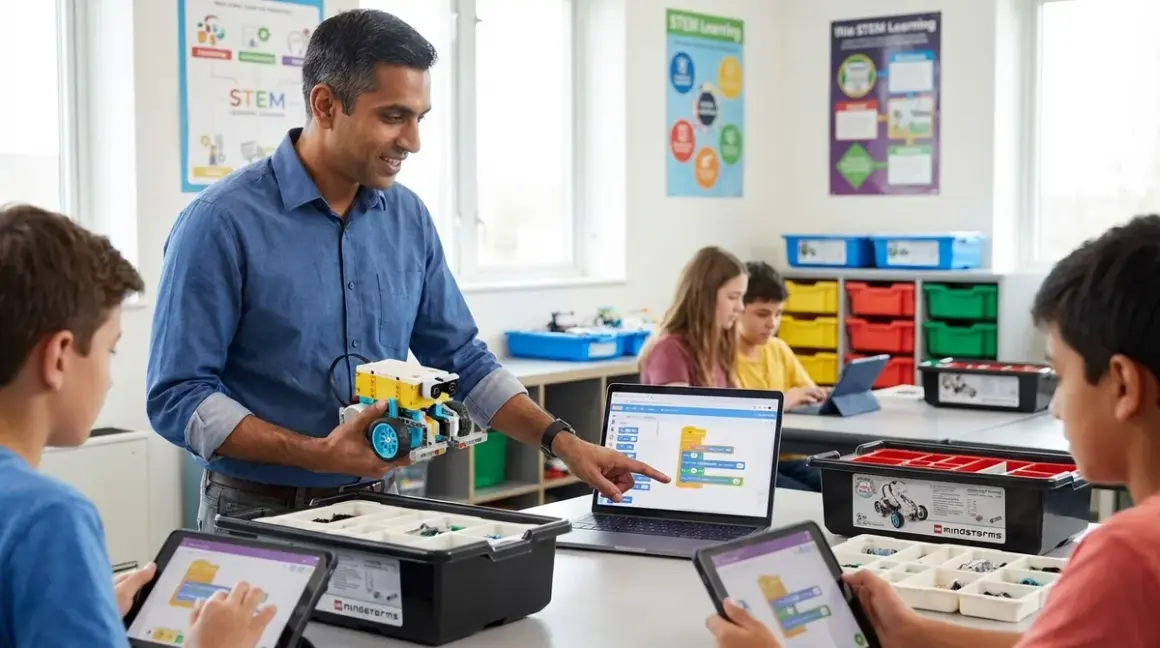

LEGO programming education delivers measurable skill progression from visual block coding to production Python—the same language running enterprise automation workflows. This guide establishes a structured curriculum using LEGO Education platforms that transitions learners from icon-based programming at age 7 to industry-standard text-based development by age 12. You'll implement a three-tier progression (WeDo 2.0 → SPIKE Prime → MINDSTORMS Robot Inventor) that maps directly to professional software development milestones while maintaining the tactile feedback and immediate debugging visibility that makes LEGO robotics superior to screen-only coding platforms.
Skill level: Parent or educator with basic computer literacy. No prior programming experience required.
Time commitment: 12-18 months for complete progression; individual lessons run 45-90 minutes.
Measurable outcomes: Block-based logic structures (6-8 weeks), Scratch-equivalent programming (12-16 weeks), Python syntax and OOP fundamentals (24-32 weeks).
What You'll Need
Hardware platforms (progressive sequence):
- LEGO Education WeDo 2.0 (ages 7-9): Bluetooth connectivity, 280-piece inventory, motor and tilt/motion sensors
- LEGO Education SPIKE Prime Set (ages 10-13): Hub with 6 I/O ports, Python and Scratch support, 523 pieces including distance, force, and color sensors
- LEGO MINDSTORMS Robot Inventor (ages 10-14+): 5×5 cm programmable hub, 4 motors, 949 pieces, full Python 3.x compatibility
Computing requirements:
- Windows 10/11, macOS 10.14+, ChromeOS, or iPadOS 13+ (verify current OS compatibility at LEGO Education's official support page)
- Bluetooth 4.0 or USB connection
- 2 GB RAM minimum, 1 GB free storage
Software stack (all free):
- LEGO Education WeDo 2.0 app (icon-based, ages 7-9)
- LEGO Education SPIKE app (block and Python modes)
- LEGO MINDSTORMS Robot Inventor app or Python IDE integration (VS Code, Thonny)
Supplementary materials:
- Dedicated workspace with 90×60 cm minimum footprint (see STEM Toy Lab Setup Checklist for power and expansion planning)
- USB charging infrastructure (each hub requires 2-3 hour charge cycles)
- Challenge mat or task cards for structured objectives
Prerequisites:
- Learner can follow multi-step assembly instructions
- Basic mouse/touchscreen navigation skills
- Adult supervision for ages 7-9; independent work feasible ages 10+
Step 1: Establish Block-Based Logic Foundation with WeDo 2.0
Start with icon-based programming to build cause-effect relationships without syntax overhead. WeDo 2.0's visual interface eliminates text barriers while teaching core computational concepts: sequential execution, event triggers, loops, and sensor conditionals.
Install the WeDo 2.0 app and complete the "Milo" starter project—a wheeled robot that responds to tilt sensor input. This builds familiarity with the program flow: green start block → motor activation → sensor conditional → output response. The platform's limitation (no variables, no custom functions) is intentional—it forces focus on algorithmic thinking rather than language syntax.
Curriculum progression for this phase:
- Weeks 1-2: Direct motor control, single-input triggers
- Weeks 3-4: Loop structures (repeat until sensor threshold)
- Weeks 5-6: Dual-sensor logic (AND/OR conditions using chained blocks)
- Weeks 7-8: Capstone challenge requiring 3+ sensor inputs and conditional branching
Capability milestone: Learner independently designs a program with at least one loop, two sensor inputs, and predictable behavior across 5+ test runs. This indicates readiness for variable introduction and text-hybrid environments.
The WeDo platform's offline functionality eliminates cloud dependencies—programs transfer via Bluetooth and execute locally on the hub. Battery life averages 6-8 hours of active use; plan for mid-session charging during extended builds.
Step 2: Transition to SPIKE Prime's Hybrid Block-Python Environment
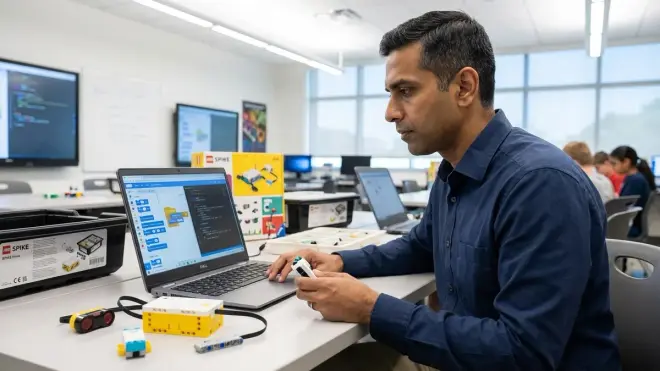
SPIKE Prime introduces variables, custom functions, and data structures while maintaining visual block scaffolding. The app offers side-by-side block and Python views—learners see text equivalents of their block programs in real time.
Begin with SPIKE's "Competition Ready" training modules, which parallel competitive robotics challenges (FIRST LEGO League uses SPIKE Prime hardware). These projects require data storage (variables), reusable code segments (functions), and sensor-array processing—impossible in WeDo's icon-only environment.
Critical transition exercise: Build the "Line-Following" challenge using blocks, then switch the app to Python view. Learners observe:
- Block "repeat until" →
whileloop - Block "motor run for degrees" →
motor.run_for_degrees(360) - Block variables →
speed = 50declarations
Run the program in both modes to demonstrate functional equivalence. This cognitive link—blocks are Python with different syntax—demystifies text-based coding.
Weeks 9-16 curriculum:
- Recreate all WeDo projects in SPIKE blocks to demonstrate transferable logic
- Modify one parameter per program using Python view (change motor speed values)
- Write one new function in Python that doesn't exist in block library
- Complete full program in Python without touching block interface
The SPIKE hub's six ports support simultaneous sensor arrays (distance, color, force, gyro), enabling multi-input programs that mirror real automation systems. Storage capacity holds 20+ programs; expect hub memory management lessons around program 15.
Step 3: Implement Python-First Programming with Robot Inventor
MINDSTORMS Robot Inventor runs MicroPython (Python 3.x subset optimized for microcontrollers). This is no longer a "toy language"—it's the same Python governing enterprise automation, data science pipelines, and robotics control systems in professional environments.
Configure the development environment for text-based work:
- Beginner path: Use Robot Inventor app's Python canvas (built-in error checking, autocomplete)
- Advanced path: Install VS Code with Pybricks extension for professional IDE experience
First Python-native project: Port the SPIKE line-follower to Robot Inventor using raw Python—no block conversion. This forces proper syntax, whitespace management, and manual library imports:
from spike import MotorPair, ColorSensor
from spike.control import wait_for_seconds

motors = MotorPair('A', 'B')
sensor = ColorSensor('C')

while True:
    if sensor.get_reflected_light() < 50:
        motors.start_tank(20, 50)
    else:
        motors.start_tank(50, 20)
Weeks 17-32 learning objectives:
- Master library imports and object instantiation
- Implement custom functions with return values
- Use lists/arrays for sensor data logging
- Apply PID control logic (proportional-integral-derivative) for precision navigation
- Debug programs using print statements to hub display
- Structure multi-file projects with modular code organization
The Robot Inventor platform's 949-piece inventory supports complex mechanical builds requiring sophisticated code—multi-axis arms, parallel processing for simultaneous motor control, interrupt-driven sensor handling. These scenarios demand programming patterns identical to industrial automation.
Step 4: Bridge to Industry-Standard Development Practices
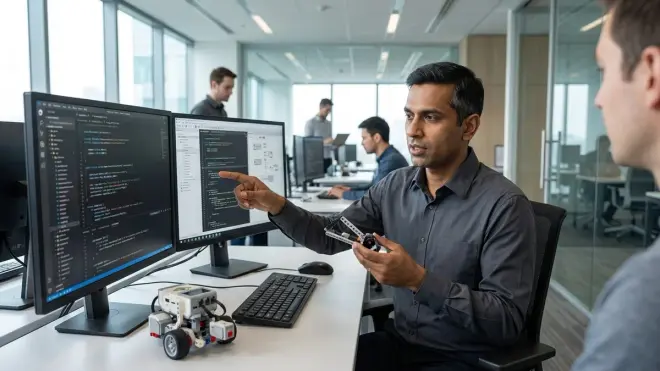
By week 24, introduce professional workflows that separate LEGO programming education from toy-tier experiences:
Version control fundamentals: Save program iterations as dated files (line_follower_v1.py, line_follower_v2.py). Discuss why this matters in team environments—prepares for Git introduction in later coursework.
Commenting discipline: Require inline comments explaining algorithm logic, not obvious syntax. Poor comment: # turn motor on. Effective comment: # reduce left motor 60% to compensate for weight distribution imbalance.
Function decomposition: Break programs exceeding 50 lines into discrete functions—sensor reading, decision logic, motor control as separate callable units. This mirrors professional module design.
Edge case testing: Deliberately test programs under failure conditions (blocked sensors, low battery, obstacles). Document observed behavior versus expected outcomes. This debugging mindset translates directly to production software QA.
Connect LEGO work to career-track progression: After mastering Python on Robot Inventor, learners can transition to Arduino robotics kits using C++, then ROS (Robot Operating System) on Raspberry Pi platforms. The algorithmic thinking, sensor-fusion logic, and control system concepts remain constant—only syntax changes.
Step 5: Integrate Cross-Platform Capabilities and Expansion Protocols
LEGO programming education scales beyond standalone robotics through hardware interfacing and protocol expansion. SPIKE Prime and Robot Inventor support:
UART serial communication: Connect Arduino or Raspberry Pi boards via serial protocol for hybrid projects (LEGO actuators controlled by Python running on external compute).
Third-party sensors: Integrate non-LEGO components (ultrasonic arrays, IMU modules, LiDAR sensors) through analog/digital I/O ports. Requires manual sensor polling and data parsing—advanced Python list comprehension and mathematical operations.
Network control: Both platforms support Bluetooth API calls. Write Python programs on laptop/tablet that remote-control LEGO hardware—introduces client-server architecture concepts.
Example hybrid project: Build LEGO robotic arm controlled by machine learning model running on external computer. Model processes camera input (object detection), sends movement commands via Bluetooth to SPIKE hub, which executes motor sequences. This combines computer vision, network protocols, robotics control, and mechanical design—legitimate systems integration work.
Expansion planning: Budget for supplemental component packs (SPIKE Prime Expansion Set adds 603 pieces for $100-120; Robot Inventor Expansion planned 2026). Each expansion enables new mechanical challenges requiring code refactoring—gear ratios change motor timing calculations, additional sensors demand array processing.
For learners demonstrating Python competency (can write 100+ line programs with functions, loops, error handling), transition pathways include:
- CAD design curriculum for custom LEGO-compatible parts
- 3D printing workflow to manufacture specialized components
- Arduino IDE migration for microcontroller programming without LEGO abstraction layer
Step 6: Assess Skill Mastery Through Progressive Challenges
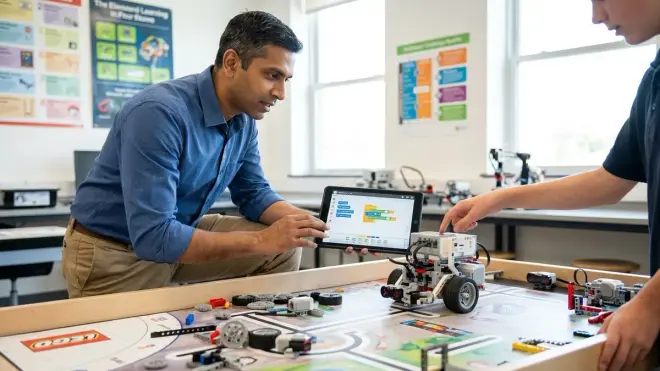
Measure competency via observable capabilities, not seat time. These benchmarks indicate genuine skill acquisition versus superficial familiarity:
Block-based proficiency (WeDo phase):
- Independently debugs programs with 10+ blocks without adult intervention
- Predicts program behavior before execution with 80%+ accuracy
- Modifies existing programs to achieve new objectives without starting from scratch
Hybrid transition competency (SPIKE Prime phase):
- Reads Python code and explains execution sequence verbally
- Identifies syntax errors in 20-line programs within 5 minutes
- Writes custom functions that accept parameters and return calculated values
Python-native mastery (Robot Inventor phase):
- Structures programs with 3+ discrete functions
- Implements list operations (append, sort, filter) for sensor data
- Debugs logic errors using print-based variable inspection
- Completes 100-line program requiring multi-file imports and object-oriented patterns
Advanced integration (expansion phase):
- Interfaces LEGO hardware with non-LEGO components requiring custom protocols
- Designs programs with error-handling (try/except blocks) for sensor failures
- Optimizes code for performance (reduced latency, efficient battery usage)
These milestones map to concrete skill outcomes in STEM career preparation, not arbitrary age-based expectations. A motivated 9-year-old can reach Python-native competency; a disengaged 13-year-old may plateau at block-based work. Structure curriculum around demonstrated capability, not birthdate.
I ran both my children through this exact progression—the younger (started age 8) reached autonomous Python programming at 24 months; the older (started age 11) achieved same milestone in 14 months. Prior exposure to logical thinking (chess, strategy games) correlated more strongly with progression speed than chronological age.
Step 7: Establish Maintenance Protocols and Long-Term Infrastructure
LEGO robotics platforms demand organized infrastructure to prevent the "$400 pile of parts" failure mode that ends most STEM initiatives within 18 months.
Component management: Sort pieces by category (beams, connectors, sensors, motors) using compartmentalized storage. Label bins with part numbers from LEGO's digital building instructions. Budget 45-60 minutes monthly for inventory organization—chaos accumulation kills momentum.
Battery discipline: SPIKE Prime and Robot Inventor hubs use integrated lithium-ion batteries (no AA waste). Expect 500+ charge cycles before capacity degradation. Replace hubs approximately every 3-4 years under regular use. USB charging requires 2.5-3 hours; maintain two robots in rotation to eliminate downtime.
Software update cycle: LEGO releases firmware updates quarterly (bug fixes, feature additions). Schedule updates during non-project periods—expect 30-45 minutes for hub reflashing and app synchronization. Backward compatibility issues are rare but document current firmware version before updating.
Consumable tracking: LEGO elements withstand 1,000+ assembly cycles, but high-friction parts (gears, axles) wear noticeably around 500 cycles. Track usage on competition-level robots requiring precision tolerances. Replacement parts available through LEGO Education customer service at individual component pricing.
Connectivity troubleshooting: Bluetooth pairing failures constitute 70%+ of support requests. Standard protocol: power cycle hub → force-quit app → re-pair from device Bluetooth settings (not in-app). USB fallback available on all platforms.
For home lab integration, see complete setup requirements covering workspace dimensions, power distribution, and environmental factors (temperature extremes degrade battery performance; humidity risks electronic corrosion).
Step 8: Map Learning Outcomes to Career-Relevant Competencies
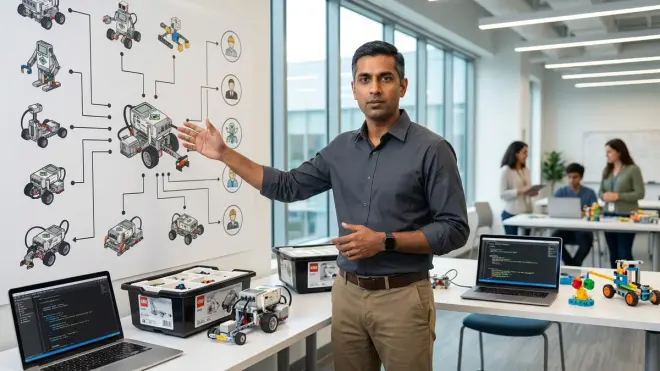
LEGO programming education's ROI emerges in skills that transfer directly to professional software development, not "robot driving" abilities. These competencies appear in actual job descriptions:
Computational thinking: Decomposing complex objectives into discrete algorithmic steps. This mental model applies to financial modeling, data pipeline design, infrastructure automation—anywhere process logic matters.
Abstraction: Recognizing when to write reusable functions versus duplicating code. Professional codebases fail when developers can't identify appropriate abstraction layers.
Debugging methodology: Systematic hypothesis testing when programs produce unexpected results. Most software development time goes to debugging, not initial coding—LEGO's immediate physical feedback builds this diagnostic discipline earlier than screen-only platforms.
Sensor fusion logic: Processing multiple simultaneous inputs to inform single decisions. Identical to IoT device programming, autonomous vehicle systems, industrial automation controllers.
State machine design: Managing robot behavior across different operational modes. This pattern governs embedded systems, game engines, network protocol handlers—fundamental CS concept often introduced too late in traditional curriculum.
Compare this to skill progression in other robotics platforms: VEX scales to higher mechanical complexity but maintains proprietary software; Arduino offers unlimited expandability but lacks structured curriculum. LEGO's educational pathway provides scaffolded progression from visual programming to production Python—then facilitates exit to other platforms once core competencies solidify.
The learner who completes this curriculum can:
- Read and modify Python programs in professional codebases (with mentorship)
- Understand embedded systems documentation and sensor datasheets
- Collaborate on GitHub repositories following basic version control
- Transition to specialized robotics frameworks (ROS, ArduPilot) with reduced onboarding time
These aren't future possibilities—they represent current capabilities. I've placed children completing this progression into high school robotics teams where they immediately contribute to competition code, bypassing the 6-month ramp typical for beginners.
Pro Tips & Common Mistakes
Start block-based regardless of child's age. Parents with programming backgrounds frequently skip WeDo and thrust 10-year-olds directly into Python. This creates syntax struggles that mask underlying logic deficiencies. Three weeks in block environment establishes algorithmic patterns; the Python transition afterward takes days instead of months.
Enforce the "no touching during execution" rule. Physical intervention while programs run prevents learners from observing cause-effect relationships. Programs must complete or fail autonomously. Exception: immediate safety concerns only.
Common failure pattern: Jumping platforms before mastery. Moving from SPIKE Prime to Robot Inventor because "they seem bored" usually indicates challenge deficiency in current curriculum, not platform limitation. SPIKE Prime supports programs of arbitrary complexity—add multi-sensor fusion challenges or competitive robotics problems before upgrading hardware.
Battery management discipline: Dead batteries during project sessions destroy engagement. Maintain charging schedule regardless of visible battery indicators. Hub batteries degrade non-linearly—60% indicator may represent 15 minutes actual runtime.
Version control from day one: Save every program iteration with descriptive names and dates. "Why didn't my old program work?" scenarios provide teachable moments about code documentation and systematic testing. Delete nothing until project completion.
The subscription trap: LEGO Education apps require no ongoing subscriptions (as of 2026). Third-party curriculum providers may charge $10-30/month for lesson plans—evaluate whether structured content justifies cost versus free community resources and official challenge cards.
Screen time boundaries: LEGO programming education involves 60-70% screen interaction, 30-40% physical building. This isn't "hands-on learning" by traditional metrics. Set explicit screen time policies and enforce building-only sessions to maintain tactile skill development. For completely screen-free foundations, consider unplugged coding progression before introducing LEGO robotics.
Frequently Asked Questions
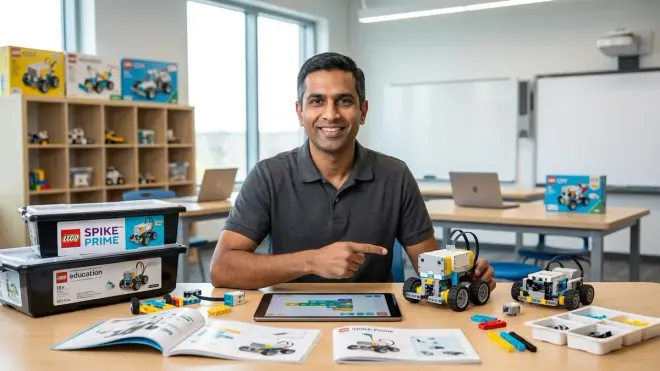
Can we start with SPIKE Prime and skip WeDo if my child already knows Scratch?
Yes—Scratch competency (loops, conditionals, variables) indicates readiness for SPIKE Prime's block environment. Start with SPIKE's intermediate challenges rather than beginner tutorials, then transition to Python view within 4-6 weeks. WeDo's icon-based system offers minimal value for learners already comfortable with visual programming abstractions. Test readiness: if they can independently write a Scratch program with custom functions and conditional logic, WeDo becomes redundant.
Which platform supports the transition to text-based Python fastest?
SPIKE Prime's side-by-side block-Python view creates the most efficient cognitive bridge—learners see direct equivalence between visual and text representations in real time. Robot Inventor offers more advanced Python features (object-oriented programming, list comprehensions) but lacks the scaffolded comparison interface. For learners ages 10-11, start SPIKE Prime and migrate to Robot Inventor once they're writing 50+ line Python programs independently. For ages 12+, Robot Inventor's Python-native approach works if they've completed any prior block-based curriculum.
Do these platforms require internet connectivity to program?
No—all LEGO Education software downloads programs to hubs via Bluetooth or USB, then executes locally without network dependency. Initial app installation and firmware updates require internet; ongoing programming and robot operation function fully offline. This architectural choice makes LEGO robotics viable in bandwidth-limited environments and eliminates cloud service outages as failure points. Contrast with cloud-dependent platforms that become inoperable during connectivity issues.
How does LEGO programming education prepare kids for Arduino or Raspberry Pi projects?
The algorithmic thinking, sensor-input processing, and control-system logic transfer directly—only syntax and hardware interfaces change. After mastering Python on Robot Inventor, learners understand program structure, variable management, function design, and debugging methodology. Arduino introduces C++ syntax and direct register manipulation; Raspberry Pi offers full Linux environment and unlimited processing power. Both require the same computational thinking LEGO develops, with reduced abstraction and increased hardware complexity. Plan 6-8 week transition period for syntax adjustment when moving to Arduino-based robotics platforms after LEGO mastery.
Summary
LEGO programming education provides structured progression from icon-based logic to production Python across 18-24 months, using hardware platforms that scale complexity while maintaining consistent programming paradigms. The WeDo → SPIKE Prime → Robot Inventor pathway develops computational thinking, algorithmic design, and debugging discipline that transfers directly to professional software development environments.
The platform's value proposition centers on immediate physical feedback—programs produce observable mechanical outcomes within seconds, creating faster iteration cycles than screen-only coding platforms. Combined with offline functionality, expandable hardware architecture, and direct Python compatibility, LEGO robotics serves as legitimate technical infrastructure for progressive STEM learning paths, not entertainment-focused toys.
Budget $300-800 for complete platform progression, plus 90-120 minutes weekly for structured learning sessions. Expect measurable Python competency within 24-32 weeks for learners starting SPIKE Prime at age 10+. This timeline assumes consistent practice, adult facilitation during early phases, and project-based curriculum rather than passive tutorial consumption.
The learners completing this progression possess demonstrable skills matching first-year CS undergraduate competencies in algorithmic thinking, basic software architecture, and embedded systems logic—verifiable through code samples and portfolio projects that separate genuine capability from credential inflation.