
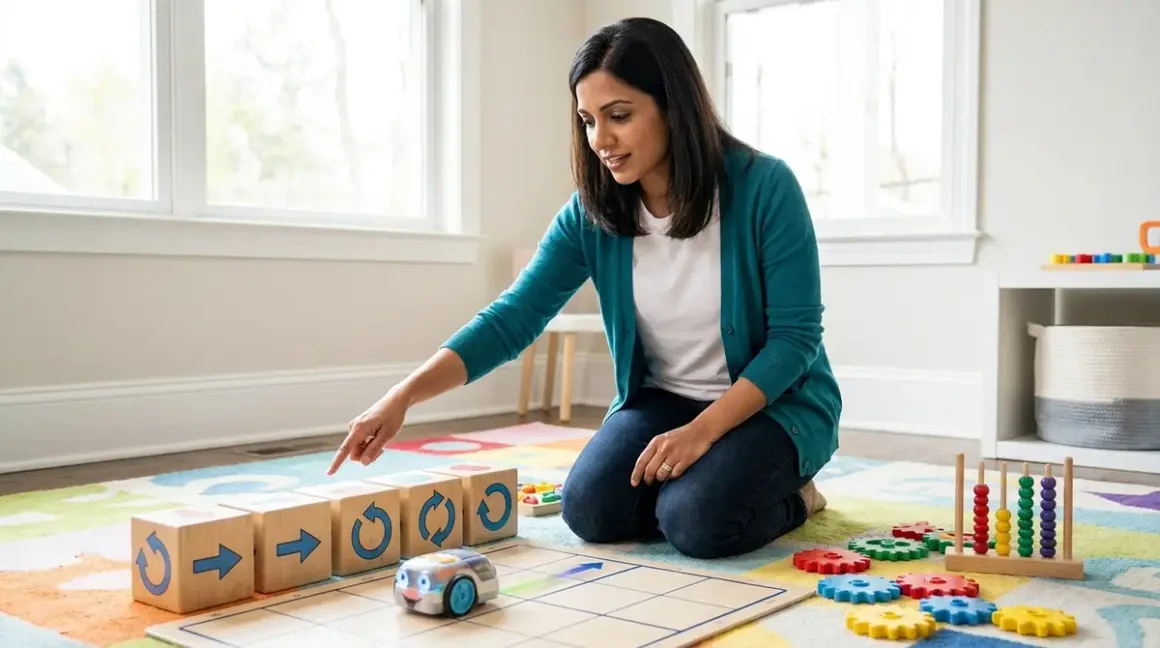

When you're trying to teach a seven-year-old what an "if-then" statement means, screen time isn't your only option—and often, it's not even your best one. Coding concepts physical toys create tangible, manipulable representations of algorithms that children can hold, rearrange, and test without ever opening a laptop. I've watched hundreds of students grasp nested loops within minutes using wooden blocks, after struggling for weeks with abstract on-screen syntax. These tools scaffold computational thinking beautifully because they externalize the invisible logic that makes programs work.
This article walks you through the three foundational pillars of computational thinking—sequence, loops, and conditionals—and explains how physical manipulatives translate these abstractions into concrete learning experiences. You'll understand the pedagogical mechanisms at work, see how these concepts map to industry-standard programming, and learn to identify which physical tools build genuine transferable skills versus those that simply entertain.
What Are Sequence, Loops, and Conditionals?
These three structures form the grammar of computational thinking, regardless of whether you're coding in Python, designing Arduino circuits, or programming industrial robots.
Sequence is the fundamental principle that computers execute instructions in order, one step at a time. Unlike humans, who can infer intent or skip obvious steps, machines require explicit, ordered directions. When a child arranges arrow cards to navigate a toy robot through a maze, they're building schema around the non-negotiable linearity of algorithmic execution—a concept that trips up even college freshmen when they first encounter asynchronous functions.
Loops (also called iteration) let you repeat a sequence multiple times without rewriting it. The "repeat 4 times" command that moves a robot around a square teaches the DRY principle (Don't Repeat Yourself) that professional developers follow religiously. More importantly, it introduces the idea that programs can contain instructions about instructions—the meta-cognitive leap that separates procedural thinking from true computational thinking.
Conditionals add decision-making: if this condition is true, then do this action, else do something different. This is where physical coding concepts toys deliver their greatest pedagogical advantage. When children place a "If blue tile, turn left" card before a "Move forward" card, they're constructing a branching logic tree they can literally see and manipulate. The spatial arrangement mirrors the nested structure of actual if-then-else statements in code.
Together, these three structures give children the building blocks for every algorithm they'll ever write. Industry-standard languages like Python, JavaScript, and C++ all rely on these same primitives—the syntax changes, but the logical foundation remains identical. Physical toys that authentically represent these concepts prepare children for the transition from screen-free coding to text-based programming by establishing mental models that transfer cleanly across platforms.
How Physical Toys Externalize Abstract Logic
The pedagogical power of coding concepts physical toys lies in their ability to make the invisible visible. Let me walk you through the cognitive mechanisms at work, because understanding how these tools teach will help you select products that genuinely build skills rather than just keeping hands busy.
Spatial Representation of Sequential Logic
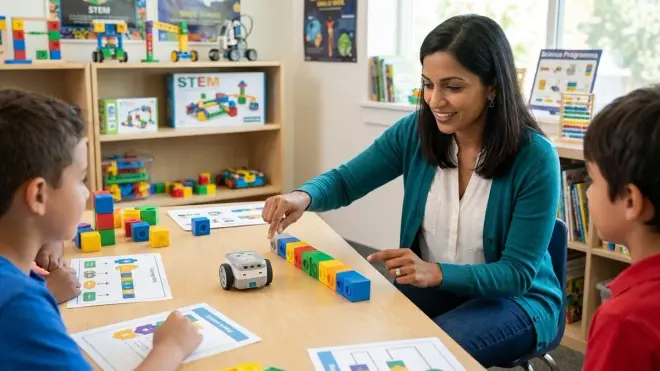
When children arrange physical command tiles in left-to-right or top-to-bottom order, they're creating what cognitive scientists call an external representation of procedural memory. The Cubetto Playset pioneered this approach with its wooden programming board, where children insert colored blocks into a queue to control a robot's movement. Each block occupies one slot—you can't execute two commands simultaneously, and you can't skip ahead. The physical constraints mirror the constraints of actual program execution.
This spatial scaffolding addresses a specific developmental challenge: most elementary-aged children haven't yet fully internalized left-to-right reading conventions or abstract symbol manipulation. A seven-year-old who reverses letters when writing can still execute a flawless six-step robot navigation sequence when those steps are represented as tangible, spatially-ordered objects. The physical format leverages their well-developed motor skills and spatial reasoning while their symbolic processing is still maturing.
Iteration Through Physical Repetition
Loop structures become concrete when children can physically enclose a sequence inside a "repeat" frame. The Code & Go Robot Mouse Activity Set includes loop cards that contain multiple action cards—you place "forward, forward, turn right" inside a "repeat 3 times" frame, creating a nested structure that children can manipulate before they can mentally visualize it.
Here's the pedagogical nuance that matters: quality physical coding toys distinguish between counting loops (repeat exactly 4 times) and conditional loops (repeat until you reach the blue square). This maps directly to the difference between for loops and while loops in actual programming. Products that treat all repetition identically miss an opportunity to build accurate mental models. When you're evaluating toys, look for ones that offer both loop types—they're preparing your child for the reality that different problems require different iteration strategies.
The kinesthetic component matters too. I've observed that students who physically move pieces into and out of loop frames demonstrate better understanding of loop scope (which commands are "inside" the loop) than students who only use on-screen drag-and-drop interfaces. The tactile act of enclosure creates a stronger memory trace.
Conditionals as Decision Trees
Conditional logic—the hardest of the three concepts for beginners—becomes dramatically more accessible when represented as branching pathways. Board games in the screen-free coding board games category excel here because they let children experience the consequences of conditional statements through gameplay rather than abstract instruction.
The best physical implementations use sensor-responsive toys that execute different behaviors based on environmental inputs. When a robot toy "sees" a red tile and turns left, or "feels" an edge and reverses direction, children observe the if-then structure in real-time. They can then reconstruct that logic using command cards: "If obstacle detected, then turn right, else move forward." The cause-and-effect relationship becomes observable rather than theoretical.
This is where many digital apps actually undermine learning—they execute too quickly for children to parse the conditional logic, and the graphical abstraction (colorful blocks on a screen) doesn't map cleanly to the text-based conditionals they'll encounter in Python or JavaScript. Physical toys slow the execution speed to human-observable rates and create concrete anchors for abstract concepts.
Why Physical Coding Concepts Matter for Computational Fluency
You might reasonably ask: why not just start with Scratch or a beginner coding app? The screen is where they'll eventually write real code anyway. Here's what fifteen years of classroom observation has taught me about why the physical detour pays dividends.
Developmental appropriateness trumps technological advancement. Children under age eight typically lack the abstract reasoning capacity to visualize program flow mentally. They benefit enormously from embodied cognition—learning that engages their motor systems alongside their conceptual thinking. When a five-year-old physically walks through the sequence of commands they've programmed, they're using their proprioceptive system to encode the algorithm. This creates multiple neural pathways to the same concept, making recall and application more robust.
Physical constraints teach debugging organically. When a screen-based program fails, children often can't identify where in the sequence the error occurred—they just see that "it didn't work." With physical coding concepts toys, the error state is usually spatially obvious: the robot stopped at the third step, so the problem must be in or before the third command card. I've watched six-year-olds successfully isolate bugs in eight-step sequences because they could literally point to the problematic tile. This builds the systematic debugging mindset that professional developers rely on daily.
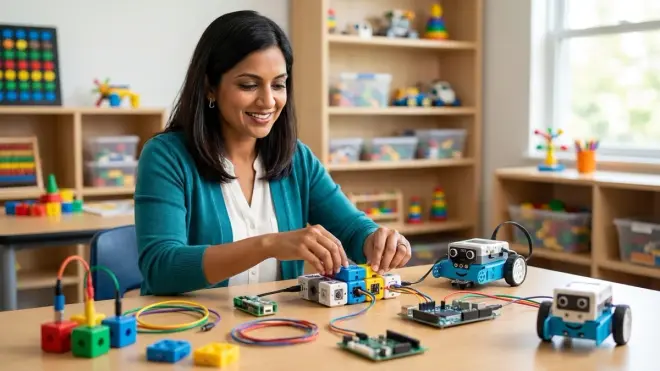
They prepare children for hardware programming and robotics. If your learning path includes Arduino, Raspberry Pi, or any embedded systems work, physical coding establishes the mental model that code controls physical objects through specific interfaces. Children who start with purely digital coding often struggle later with the concept that code "talks to" hardware through pins, sensors, and actuators. The screen free coding toys category that emphasizes screen-free coding principles creates that hardware-software connection from the beginning.
You avoid screen-dependency for fundamental concepts. Computational thinking is useful far beyond computer programming—it's a problem-solving framework applicable to cooking, navigation, project planning, and scientific experimentation. When children learn sequence, loops, and conditionals in a screen-independent context, they're more likely to recognize these patterns in non-digital domains. The cognitive transfer is broader.
Types & Variations of Physical Coding Tools
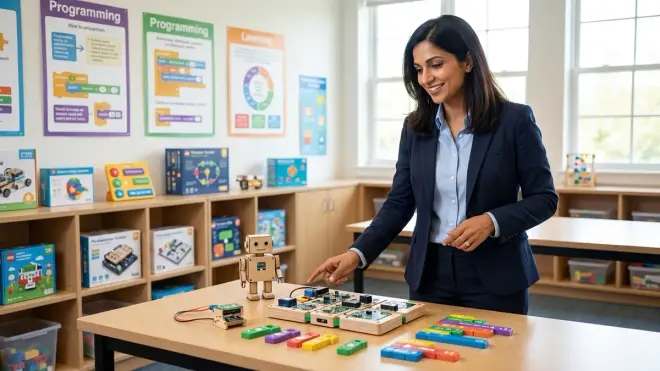
Not all coding concepts physical toys implement these three structures with equal fidelity or pedagogical rigor. Understanding the major categories helps you match tools to your child's developmental stage and your learning path goals.
Command card/tile systems use physical tokens that children arrange to create programs. These range from simple directional arrows for preschool-appropriate screen-free coding toys up to complex systems with subroutine cards, variable storage, and sensor-response conditionals. The learning curve scales beautifully—you can start with just sequence at age four and gradually introduce loop and conditional cards as your child's capacity expands. The limitation: these systems typically require a compatible robot or board game to execute the program, which means you're buying into an ecosystem rather than a standalone tool.
Board game implementations embed coding logic into gameplay mechanics. Players might draw action cards, arrange them in sequence, then execute them simultaneously—creating natural teaching moments around prediction ("What will happen if I move forward twice?") and debugging ("Why did I end up in the wrong square?"). These excel at teaching conditionals because game rules naturally create if-then scenarios: "If you land on a gear space, draw an extra card." The trade-off is that the coding concepts are implicit rather than explicit—you'll need to narrate the computational thinking that's happening rather than assuming children will independently abstract the lessons.
Programmable robot toys respond to physical programming inputs (button sequences, card arrangements, or path-drawing) by executing visible behaviors. These create the tightest feedback loop between code and outcome, which is pedagogically powerful for ages 5-10. Quality varies dramatically here—some robots accept only pre-set command sequences (severe limitations on learning), while others support custom functions and nested loops (preparing for real programming). When evaluating these, check whether they support all three core structures authentically or just sequence with simple repetition.
Unplugged activity kits use no electronics at all—think classroom-ready lesson plans where children program each other using command cards, or puzzle books where you write algorithms on paper to solve mazes. These unplugged coding robots under $100 options are budget-friendly and eliminate battery/connectivity concerns, but they require active adult facilitation. They're outstanding supplements to a hands-on curriculum but rarely work as independent learning tools for children under age 9.
Frequently Asked Questions
What age should children start learning sequence, loops, and conditionals through physical toys?
Children can begin exploring sequence as early as age 4 through simple cause-and-effect toys that respond to button presses or card arrangements, though at this stage you're building pre-computational foundations rather than explicit programming skills. Loop concepts become cognitively accessible around age 6-7, when children develop the working memory capacity to hold a multi-step sequence mentally while operating on it (repeating it, modifying it). Conditionals require the most abstract reasoning—genuine if-then logic typically emerges around age 7-8, though simpler cause-and-effect relationships ("red button makes it turn") work earlier. The key milestone isn't age but whether your child can predict outcomes before execution and explain why a sequence produced a specific result—that's when they're ready to tackle all three concepts systematically through a comprehensive screen-free coding toys curriculum.
Do physical coding toys actually prepare children for real programming languages?
Yes, but only if the toys accurately represent authentic computational structures rather than simplified approximations. The critical transfer happens when physical loop cards map directly to for and while loops in Python, and when physical conditional cards mirror the if-then-else logic of actual code syntax. Toys that teach sequence, loops, and conditionals through these accurate representations build mental models that persist when children transition to text-based coding—they recognize the familiar logical structures underneath unfamiliar syntax. The transition from screen-free coding to Scratch and Python becomes dramatically smoother because the hard part (understanding algorithmic logic) is already internalized; they're just learning new vocabulary for existing concepts. However, toys that use proprietary command systems unrelated to real programming structures create false mental models that may need to be unlearned later.
How long should children use physical coding toys before moving to screen-based programming?
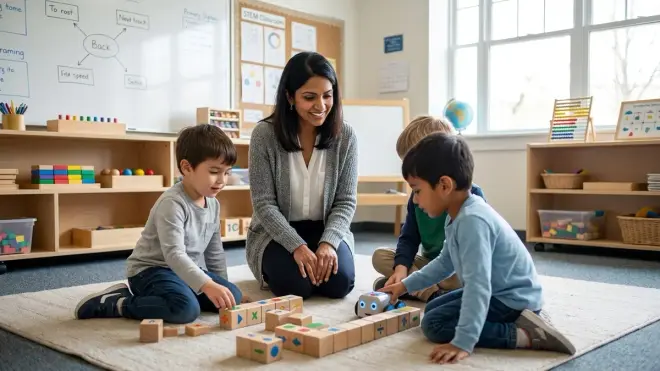
There's no fixed timeline—focus on capability milestones rather than age or duration. Your child is ready to transition when they can reliably debug 6-8 step sequences containing loops and conditionals using physical tools, can predict program outcomes before execution, and can articulate why a sequence produced a specific result. For most children following a progressive learning path, this takes 6-18 months of regular engagement with coding concepts physical toys, depending on starting age and frequency of practice. That said, don't think of physical tools as merely a stepping stone—they remain valuable even after screen-based coding begins. Many professional developers use physical whiteboarding and pseudocode (essentially "unplugged programming") when designing complex algorithms, because the slower, more deliberate physical process supports deeper problem-solving than typing code directly.
What's the difference between coding toys and programming toys?
In practice, manufacturers use these terms interchangeably, but pedagogically there's a useful distinction. "Coding" typically refers to the mechanical act of writing instructions in a specific syntax—the implementation detail. "Programming" or "computational thinking" refers to the broader problem-solving framework: decomposing complex challenges into logical steps, recognizing patterns, abstracting principles, and designing algorithms. The best coding concepts physical toys teach programming (the thinking) rather than just coding (the syntax), which is why they transfer so well to multiple languages and even non-computer domains. When evaluating products, look for ones that emphasize problem-solving, debugging, and logical reasoning rather than memorizing which card means what—those are teaching genuine computational thinking skills rather than just training children to operate a specific toy.
Can physical coding toys teach advanced concepts like functions, variables, or recursion?
Surprisingly, yes—some sophisticated physical systems introduce these concepts with remarkable clarity. Functions (reusable subroutines) appear in toys that let children create custom command sequences they can reference later, teaching the principle of abstraction and code reuse. Variables show up in systems where children store values (a number of steps, a color to search for) and reference those stored values in later commands, building schema around the concept that programs can remember and modify information. Recursion is the rarest—few physical toys implement it because it's cognitively demanding and typically not accessible until ages 10-12, though some advanced board games create recursive scenarios where solving a puzzle requires solving smaller versions of the same puzzle. If your learning path aims for STEM skill milestones appropriate for 10-year-olds and beyond, look specifically for systems that explicitly support functions and variables, as these prepare children for object-oriented programming concepts they'll encounter in industry-standard languages.
Building Progressive Computational Fluency
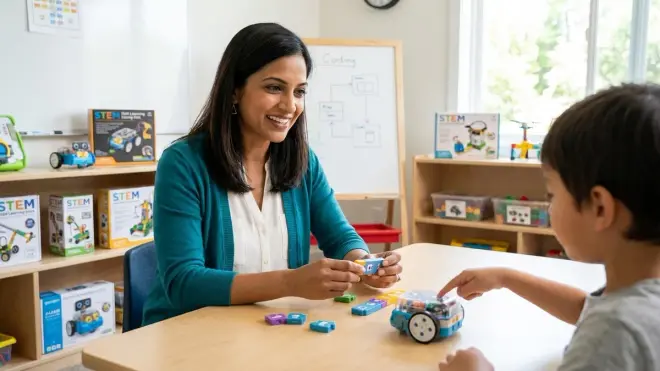
The physical coding journey you're beginning doesn't end with these toys—it's establishing foundations for increasingly sophisticated problem-solving across multiple domains. When your child can confidently manipulate sequence, loops, and conditionals in tangible form, they've internalized the logical structures that underlie everything from Scratch animations to Python data analysis to the control systems in professional robotics.
The progression typically moves from physical coding concepts toys to visual block-based languages like Scratch for teaching AI concepts, then to text-based languages as abstract reasoning capacity develops. But that physical foundation doesn't become obsolete—professional engineers still sketch algorithms on whiteboards and use pseudocode precisely because the slower, more deliberate physical process surfaces logical errors that fast typing often masks.
Start where your child is developmentally, choose tools that authentically represent computational structures rather than proprietary game mechanics, and watch for the capability milestones that signal readiness for the next level of abstraction. The sequence you teach today becomes the while loop they write at twelve and the recursive function they optimize at sixteen. You're not teaching toy manipulation—you're building genuine computational fluency that compounds over years.