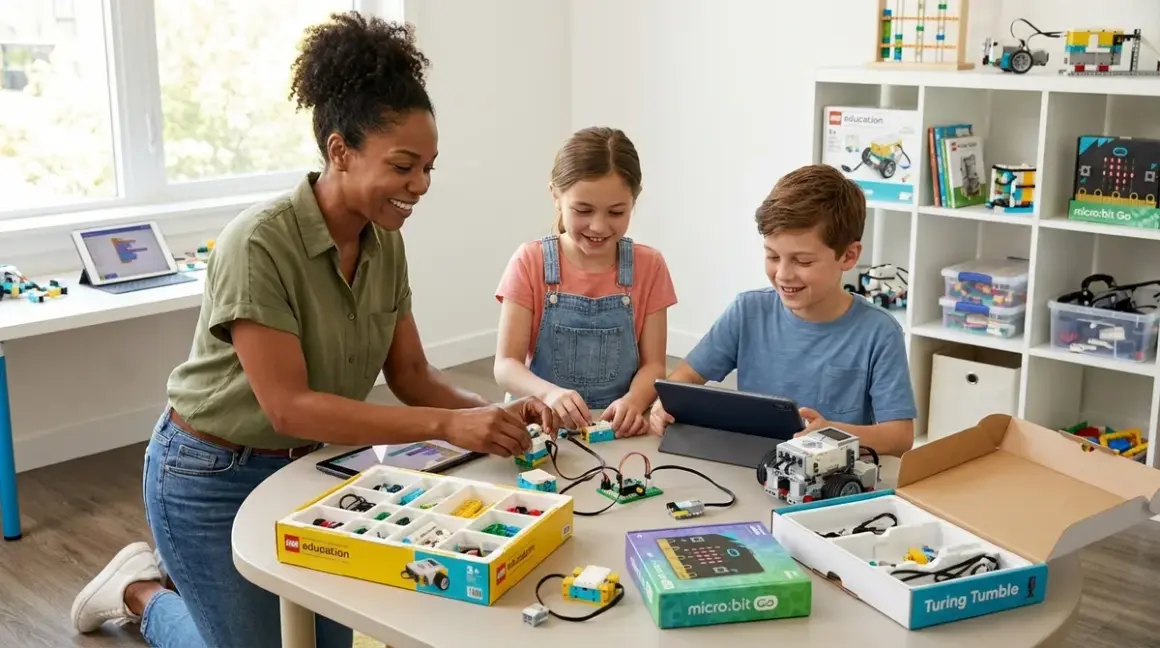

Your ten-year-old just figured out how to automate the lights in their bedroom using a sensor they salvaged from a broken motion detector. They're asking questions about loops, conditionals, and "what happens if I chain these commands together?" This is the moment—the bridge between playful curiosity and genuine skill-building—where the right programming kits for 10 year olds can launch them toward industry-standard tools and career-ready capabilities. After testing dozens of kits in my own solar-powered workshop and watching young learners progress from block-based tinkering to text-based Python, I've found that the best programming kits for 10 year olds balance immediate creative satisfaction with a clear path toward real-world coding languages used by professional engineers.
What to Look For in Programming Kits for 10 Year Olds
You'll notice most kits marketed for this age group fall into two camps: the dumbed-down "toy" offerings that plateau after a week, and the overly ambitious platforms that frustrate more than they teach. The sweet spot for programming kits for 10 year olds sits at the intersection of approachable interfaces and genuine expandability. Here's what matters when you're choosing a kit that will grow with your learner.
Programming language progression and compatibility should be your first filter. At ten, most kids are ready to transition from purely visual block-based coding (like Scratch Jr.) to hybrid systems that show text code alongside blocks, or even straight into beginner-friendly text languages like Python or block-to-text platforms like Arduino IDE. Look for kits that explicitly support dual-mode programming—where your child can toggle between dragging blocks and seeing the actual JavaScript, Python, or C++ code those blocks generate. This transparency matters enormously: it's the difference between memorizing patterns and understanding syntax. Check whether the platform works offline or requires constant cloud connectivity (subscription red flag), and confirm OS compatibility—some kits still inexplicably ignore Linux or older Chromebooks common in school settings.
Concrete skill milestones and learning path clarity separate serious tools from marketing fluff. A quality kit will tell you exactly what your child will be able to build by hour 10, hour 50, and hour 100. You want documented progression from "blink an LED" to "build a sensor-driven autonomous robot" to "integrate API calls and data logging." The best programming kits for 10 year olds include structured project guides with increasing complexity, not just a pile of components and a "good luck" wave. Look for kits that explicitly prepare learners for the next step: does the block-based interface map to a text language you can transition into? Does the hardware accept standard electronic components, so your child isn't locked into proprietary ecosystems? As I detail in Understanding Skill Milestones: What 10 Year Olds Can Master in STEM, this age group can absolutely handle variables, conditionals, loops, functions, and basic debugging—don't settle for kits that assume less.
Hardware expandability and industry-standard compatibility determine whether a kit is a one-month experiment or a three-year foundation. At this stage, you want platforms built on open-source architectures (Arduino, Raspberry Pi, micro:bit) that accept third-party sensors, motors, and modules. Proprietary systems that only work with branded add-ons are ecological disasters and financial traps—you'll pay premium prices for limited options, and when the company pivots or discontinues the line, your "investment" becomes e-waste. Check whether the kit uses standard connectors (Grove, Qwiic, breadboard-compatible pins) and whether the microcontroller can be programmed with multiple IDEs. A kit built around an ESP32 or Raspberry Pi Pico, for instance, can be programmed in MicroPython, CircuitPython, Arduino C++, or even Rust as your child advances—giving you a decade-long runway instead of a six-month novelty.
Power requirements, consumables, and hidden costs will surface after purchase if you don't check up front. Some kits run on batteries that drain in hours of active use—factor in the cost and environmental impact of disposables versus rechargeable USB-C power. Others require subscription services for "premium" lessons or cloud storage, turning a $100 kit into a $200 annual expense. Read the fine print: does the kit include everything needed for the first ten projects, or will you immediately need to buy sensors, jumper wires, or a separate computer? Does it require specific tablets or operating systems? I've watched families invest in beautiful kits only to discover they need a $500 iPad to run the software, or that the "free" app locks 80% of features behind a paywall. Sustainable learning means sustainable economics—choose kits with one-time purchase clarity and open-source software that won't sunset when the company pivots.
Durability for repeated use and ecological footprint matter more than manufacturers admit. Ten-year-olds are building, testing, failing, and rebuilding—sometimes a dozen iterations in an afternoon. Kits with fragile plastic housings, components soldered onto proprietary boards, or single-use project designs won't survive this iteration cycle. Look for modular systems with replaceable parts, robust connectors that tolerate frequent plugging and unplugging, and thoughtful cable management. Consider the kit's end-of-life: can components be reused in other projects? Are circuit boards labeled and documented, so your child can repurpose them years later? The programming kits for 10 year olds that truly build skills are the ones still functioning—and still relevant—when your child is 16 and designing their first solar charge controller or weather station. Choose tools that respect both their learning journey and the planet's finite resources.
Our Top Picks
LEGO Mindstorms Robot Inventor
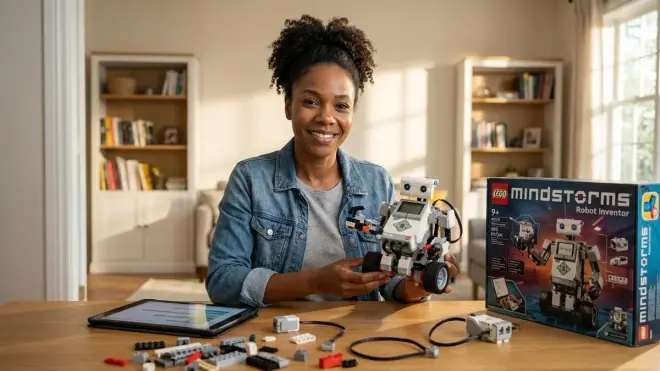
The LEGO Mindstorms Robot Inventor🛒 Amazon combines LEGO's legendary build quality with Python and Scratch-based programming, creating a platform that feels like play but teaches genuine robotics fundamentals. You'll get 949 pieces, a programmable Intelligent Hub with six I/O ports, four motors, and distance/color sensors—enough to build five starter robots and then iterate into your own designs. The Mindstorms app uses a Scratch-like block interface that shows the Python equivalent of your code, letting you toggle between visual and text programming as skills develop.
Pros:
- Dual programming modes (Scratch blocks and Python) with visible code translation for smooth language transition
- Industry-standard sensor integration teaches concepts directly applicable to commercial robotics
- Exceptional build quality ensures years of repeated assembly and disassembly
- Fully offline-capable app (iOS, Android, Windows, macOS) with no subscription requirements
- Expandable with LEGO Technic parts and third-party sensors via GPIO ports
Cons:
- Premium pricing for the ecosystem—budget around $360 for the base set
- Proprietary connector system requires adapters to integrate non-LEGO electronics
- The Intelligent Hub's rechargeable battery isn't user-replaceable without disassembly tools
Raspberry Pi 400 Personal Computer Kit with CrowPi Coding Kit Bundle
The Raspberry Pi 400 Personal Computer Kit🛒 Amazon bundled with the CrowPi coding expansion board gives you a full Linux computer and electronics lab in one package. The Pi 400 is a keyboard with a quad-core ARM processor built in—plug in the included mouse, power supply, and HDMI cable, and you've got a real computer running Raspberry Pi OS. Add the CrowPi coding kit (a breadboard-style learning board with pre-wired sensors, LEDs, buzzers, buttons, and GPIO breakouts), and you have everything needed to learn Python, Scratch, and basic electronics simultaneously.
Pros:
- Complete computer setup teaches both programming and Linux system administration
- Python 3.11 and Scratch 3.0 pre-installed with thousands of free tutorials and community projects
- Hardware teaches industry-standard GPIO programming used in commercial IoT devices
- Fully offline-capable—no cloud dependency or subscription model
- Exceptional expandability: any USB sensor, camera, or peripheral works with standard Linux drivers
Cons:
- Steeper learning curve than block-based systems—requires some parental guidance initially
- CrowPi board quality is functional but not as robust as dedicated educational platforms
- No integrated project management system—you'll need to curate learning paths from online resources
Makeblock mBot Neo Coding Robot
The Makeblock mBot Neo Coding Robot🛒 Amazon uses the CyberPi microcontroller (ESP32-based) and supports block coding, Python, and Arduino C++, giving you three programming language options in one platform. It's a wheeled robot kit with ultrasonic sensors, line-following capability, and color recognition—classic robotics challenges that teach sensor fusion and conditional logic. The mBlock software (free, no subscription) runs on Windows, macOS, iOS, Android, and Chromebook, with particularly strong Chromebook support for school environments.
Pros:
- Triple programming path (blocks, Python, Arduino IDE) with explicit language transition features
- Wi-Fi and Bluetooth connectivity enable IoT projects and remote control experiments
- Strong educational curriculum included with 30+ guided lessons building sequential skills
- Aluminum chassis and metal gears survive years of tabletop crashes and student use
- Expandable with Makeblock add-ons and generic Grove-compatible sensors
Cons:
- The CyberPi screen is small (1.44 inches) and washes out in bright sunlight
- Battery life averages 90 minutes of active use—budget for rechargeable backup packs
- mBlock software occasionally requires online authentication for certain lesson packs despite "offline mode"
BBC micro:bit V2 Go Bundle with Kitronik Inventor's Kit
The BBC micro:bit V2 Go Bundle🛒 Amazon paired with the Kitronik Inventor's Kit provides a palm-sized microcontroller with built-in sensors, LED matrix, and speaker, plus a project-based expansion system. The micro:bit V2 runs MakeCode (block-based with JavaScript preview) or MicroPython, and its small form factor makes it perfect for wearable projects, environmental sensors, and data logging experiments. The Kitronik kit adds breadboard-compatible breakout boards, motors, servo controllers, and components for ten structured projects.
Pros:
- Incredibly beginner-friendly with instant gratification (program "Hello World" in under two minutes)
- Completely offline-capable with the MakeCode app or browser-based editor
- Built-in sensors (accelerometer, compass, microphone, temperature) eliminate "getting started" friction
- Huge community support with thousands of free lesson plans and classroom-tested projects
- At around $65 for the bundle, exceptional value for the capability delivered
Cons:
- Limited processing power and memory (256 KB flash) constrains advanced projects
- Edge connector requires specific breakout boards—not standard breadboard-compatible without adapters
- The MicroPython implementation is a subset of full Python, so not all libraries work
Arduino Starter Kit Official
The Arduino Starter Kit Official🛒 Amazon is the gold standard for learning electronics and embedded programming—the same platform used in university engineering programs and commercial prototyping labs worldwide. You'll get an Arduino Uno R3 board, breadboard, jumper wires, LEDs, resistors, sensors, motors, and a 170-page project book walking through 15 builds from simple circuits to servo-controlled systems. Programming happens in the free Arduino IDE using a simplified C++ syntax that introduces text-based coding without overwhelming beginners.
Pros:
- Industry-standard platform used in actual STEM careers—skills transfer directly to engineering and robotics jobs
- Completely open-source hardware and software with no proprietary lock-in or subscriptions
- Exceptional documentation and global community support (millions of tutorials and answered questions)
- Components are generic electronics parts, making replacements cheap and readily available
- Teaches fundamental electronics concepts (voltage, current, resistance) alongside programming
Cons:
- Text-based programming from the start—no block interface option for gradual transition
- Breadboard circuits can be finicky and frustrating for beginners unfamiliar with component polarity
- No integrated sensors on the board itself—every project requires wiring external components
Sphero RVR+ Programmable Robot
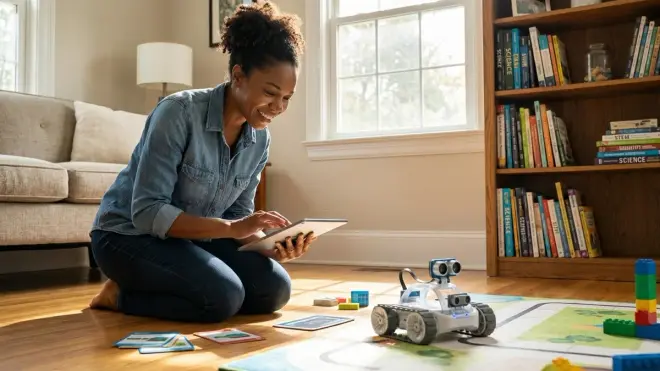
The Sphero RVR+ Programmable Robot🛒 Amazon is a tank-treaded rover with onboard color sensor, light sensor, IR, magnetometer, accelerometer, and gyroscope—basically a mobile sensor lab. It's programmable via the Sphero Edu app (block-based with JavaScript preview), but the real power comes from its fully hackable expansion port: it accepts Raspberry Pi, Arduino, micro:bit, and other third-party microcontrollers, letting you layer complexity as skills grow. The RVR+ is ruggedized for outdoor use and can handle moderate impacts and wet grass.
Pros:
- Exceptional sensor suite teaches data collection, fusion, and real-time decision-making
- Universal expansion port enables multi-year learning path from blocks to advanced microcontroller projects
- Strong battery life (2+ hours of continuous driving) with USB-C fast charging
- Weatherproof design allows outdoor experiments and environmental data collection projects
- Sphero Edu app includes community-shared programs and guided challenges
Cons:
- Higher price point (around $280) for what's essentially a sensor platform on wheels
- Sphero's proprietary software ecosystem limits some advanced programming options
- The expansion port documentation assumes intermediate electronics knowledge—not as plug-and-play as advertised
Frequently Asked Questions
What programming language should a 10 year old start with?
Your 10 year old should start with a visual block-based language like Scratch or MakeCode that shows the equivalent text code alongside the blocks, creating a bridge to text-based languages like Python. This dual-view approach lets them understand the logic and structure of programming without getting stuck on syntax errors and semicolons. After 20-30 hours of block-based work, most ten-year-olds are ready to transition to Python—it's readable, widely used in education and industry, and teaches fundamental concepts (variables, loops, functions, data structures) that transfer to any other language. Skip purely visual systems that don't show code equivalents; they create a frustrating cliff when transitioning to text. As I explain in How to Transition from Screen-Free Coding to Scratch and Python Programming, the smoothest learning paths maintain conceptual continuity even as interfaces change.
How much screen time is involved with programming kits for 10 year olds?
Most programming kits for 10 year olds involve 30-60 minutes of screen time per session during the programming and testing phase, followed by hands-on building, troubleshooting, and physical experimentation with the coded project. The ratio shifts based on the kit: robot-building platforms like mBot Neo spend more time on mechanical assembly and sensor testing, while pure coding platforms like Raspberry Pi skew toward longer programming sessions. You can structure learning to minimize continuous screen exposure—write and test code for 20 minutes, then spend 40 minutes building the physical project, observing sensor behavior, and documenting results in a paper notebook. Some families set "screen-free challenge" goals: program the robot on Monday, then see if you can modify its behavior on Tuesday using only physical adjustments (sensor placement, weight distribution, wheel changes) without reopening the code. For more on balancing digital and physical learning, see What Is Screen-Free Coding: Understanding Unplugged Programming Education.
Are programming kits better than just using Scratch on a regular computer?
Programming kits that combine code with physical hardware teach embodied learning and real-world feedback loops that pure screen-based coding cannot replicate. When your child writes a Scratch program that makes a sprite move across the screen, the feedback is abstract—pixels change position. When they write similar code that makes a robot drive forward until an ultrasonic sensor detects an obstacle, then turn and continue, they're learning sensor integration, physical constraints, timing issues, battery considerations, and debugging strategies that professionals use daily. That said, starting with pure Scratch on a computer is perfectly valid—it's free, accessible, and builds genuine programming logic. The optimal path combines both: begin with screen-based Scratch to master control structures and variables, then transition to hardware kits that apply those concepts to physical systems. Many of the kits listed here run Scratch-based interfaces (mBot Neo, micro:bit, Mindstorms), giving you the best of both approaches.
Do these kits require ongoing subscriptions or consumable purchases?
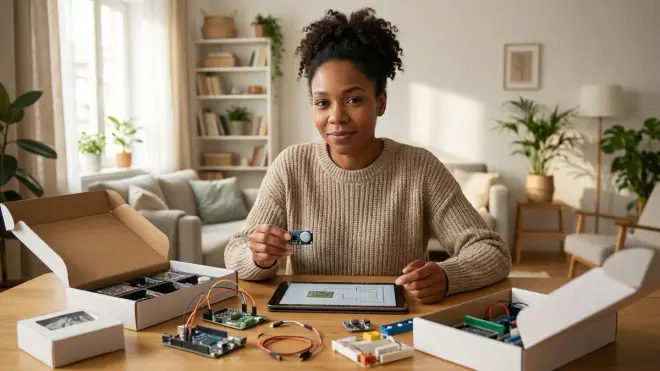
The best programming kits for 10 year olds use one-time purchase models with open-source software and reusable hardware, avoiding subscription traps and consumable lock-in. However, you need to read carefully—some manufacturers offer a "free" app that's actually a limited demo, with the full curriculum requiring monthly fees. Others use proprietary components that must be replaced through the manufacturer at premium prices. The kits I recommend here (Arduino, Raspberry Pi, micro:bit, Mindstorms) all run completely offline with free, open-source software and use either standard electronic components or widely available replacement parts. You will eventually want to expand with additional sensors, motors, or materials—budget around $30-50 annually for experimentation supplies—but these are optional enhancements, not forced purchases. Avoid platforms that require specific tablets, paid cloud storage, or yearly "license renewals" to access core functionality. For more on evaluating total cost of ownership, check How to Choose STEM Toys That Build Career-Ready Skills.
How do I know if my child is ready for text-based programming instead of block-based?
Your child is ready to transition from block-based to text-based programming when they can independently build multi-step projects with nested conditionals and loops, debug logical errors by tracing through their program step-by-step, and explain what their code does in plain language without referring to the visual blocks. Readiness isn't about age—it's about demonstrated comfort with abstraction and systematic thinking. Watch for signs: Are they modifying example code to create original behaviors? Do they ask questions about "what happens if I do this differently" rather than just following tutorials? Can they predict outcomes before running their program? If yes, introduce text-based languages through hybrid environments first—platforms like mBlock or MakeCode that show blocks and text side-by-side, letting them toggle back and forth. Start with short text snippets (five lines of Python that replicate a familiar block sequence), then gradually expand. Most ten-year-olds who've spent 40+ hours with block-based systems can handle beginner Python, especially when working with forgiving interpreters like MicroPython or Thonny IDE. The guide How to Transition from Block-Based to Text-Based Robot Programming walks through this progression in detail with specific milestone indicators.
The Verdict
The programming kits for 10 year olds that truly build career-ready skills are the ones still in use three years later—expanded, hacked, integrated into increasingly ambitious projects. Start with platforms built on open-source architectures and industry-standard tools, avoid subscription traps and proprietary ecosystems, and choose kits that show explicit progression from blocks to text-based languages. Your ten-year-old's curiosity is a renewable resource; give them tools that grow with them rather than expire in six months. Whether you choose the expandability of Mindstorms, the full-computer capability of Raspberry Pi, or the beginner-friendly accessibility of micro:bit, you're investing in the kind of hands-on, iterative learning that builds not just coding skills but the problem-solving resilience and systems thinking our rapidly changing world desperately needs.