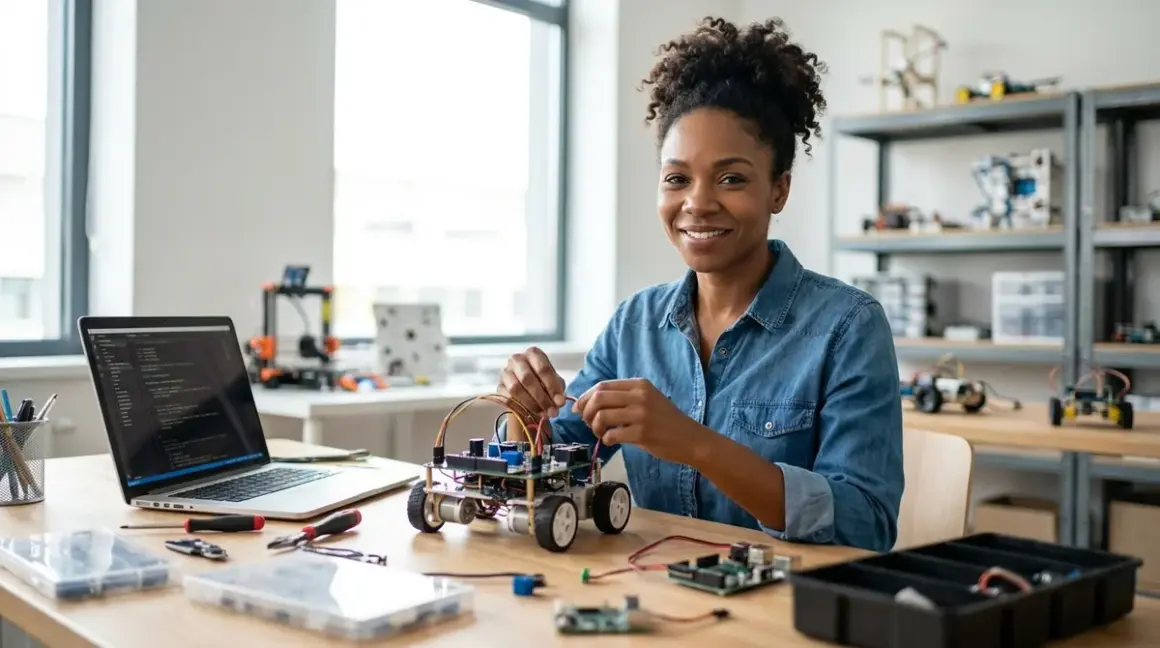

Picture this: your sixteen-year-old is hunched over a circuit board at midnight, debugging a Python script that controls a six-axis robotic arm she's programmed to sort recyclables by material type. She's not playing—she's building the exact skills solar installation technicians and automation engineers use every day. The best robotics kits for teenagers bridge the gap between guided learning and professional-grade tooling, teaching ROS integration, sensor fusion, and mechanical design principles that translate directly to careers in sustainable manufacturing and renewable energy infrastructure. After testing dozens of platforms with varying power budgets, ecosystem lock-in, and real-world durability, I've identified the kits that genuinely prepare teens for industry-standard workflows rather than just another screen-based game.
What to Look For in Robotics Kits for Teenagers
Industry-Standard Software and Hardware Compatibility
You want your teenager learning the same tools they'll encounter in engineering internships and university labs. Look for kits supporting Arduino IDE, Visual Studio Code, or Python environments—not just proprietary drag-and-drop interfaces. The VEX V5 System, for example, runs C++ and Python, the exact languages used in automotive robotics and manufacturing automation. Check whether the platform supports ROS (Robot Operating System), the de facto standard in professional robotics. OS flexibility matters too: kits locked to iPad-only apps create dependency; cross-platform support (Windows, macOS, Linux, and ideally Raspberry Pi) builds long-term capability.
Connectivity determines expandability. UART, I2C, and SPI protocols let teens integrate third-party sensors—the same communication standards used in environmental monitoring stations and precision agriculture robots. Cloud-dependent platforms disappear when companies fold or change business models; prioritize kits with robust offline functionality and open-source firmware options. I've seen too many promising teen projects abandoned because a required app vanished from the App Store.
Progressive Skill Milestones with Clear Learning Pathways
Generic "ages 13+" labels tell you nothing. What you need are concrete capability checkpoints: Can your teen calibrate a PID control loop? Program computer vision object detection? Design and 3D-print structural components that interface with standard fasteners? The best robotics kits for teenagers map to recognized frameworks—like FIRST Robotics Competition standards or VEX tournament specs—which provide external validation of skill progression.
Look for kits that explicitly transition from block-based to text-based coding. Platforms supporting both Blockly and Python let teens bridge that gap without switching hardware ecosystems. Skill-building should follow this arc: basic actuation and sensing → closed-loop control → multi-threaded programming → CAD integration → systems-level debugging. If you're mapping a progressive STEM learning path, you want documentation showing what a teen builds in month one versus month twelve, with quantifiable outcomes.
Power Budget and Lab Infrastructure Requirements
Teenage robotics projects consume serious energy. Battery chemistry matters for both performance and sustainability: LiPo packs deliver high current for motor-heavy builds but require fireproof charging bags and balance chargers. NiMH alternatives are safer but heavier and less energy-dense. Some platforms like the LEGO SPIKE Prime use rechargeable battery hubs with built-in management—convenient but proprietary.
Wall power requirements vary wildly. Industrial-grade arms might need dedicated 12V supplies pulling 5+ amps. Check your home STEM lab setup can support the draw without tripping breakers. I've run solar-charged projects off modified power tool batteries with remarkable success, but that requires understanding discharge curves and voltage regulation—exactly the kind of real-world electrical knowledge teens should learn.
Connectivity infrastructure extends beyond USB. WiFi-enabled platforms (ESP32-based controllers, Raspberry Pi integration) open doors to IoT applications and remote sensing—crucial for citizen science projects and environmental monitoring. Bluetooth adds wireless debugging. Ethernet ensures low-latency control for time-critical applications like balancing robots or drone stabilization.
Mechanical Expandability and Durability for Iterative Design
Teenagers break things. They also improve things. You need robotics kits for teenagers built for both scenarios. Aluminum extrusion-based systems (like VEX or REV Robotics) withstand repeated assembly cycles far better than plastic-only kits. Standard hole patterns (8mm grid, 0.5-inch pitch) let teens integrate laser-cut acrylic or 3D-printed components—essential as they transition toward custom engineering projects.
Check fastener standards: metric M3/M4 screws and nuts are globally available and cheap to replace. Proprietary connectors lock you into expensive replacement parts. Motor mounting should accept industry-standard shaft diameters (3mm, 6mm, 1/4-inch) so teens can upgrade to higher-torque or more efficient motors as projects scale.
Ecosystem Longevity and Hidden Costs
Consumables add up fast. Calculate the total cost of replacement batteries, broken sensors, stripped gears, and annual software subscriptions. Some platforms require cloud credits for advanced features or annual competition registration fees. Others are genuinely one-time purchases with lifetime firmware access.
Examine the manufacturer's track record. Companies that sunset product lines strand users with orphaned hardware. Open-source platforms mitigate this risk—if the vendor disappears, community support continues. The Arduino ecosystem has thrived for nearly two decades precisely because it's not dependent on a single corporation's business decisions. For a deeper comparison of platform philosophies, read our guide on Arduino vs Raspberry Pi for teens.
Our Top Picks
VEX V5 Robotics System
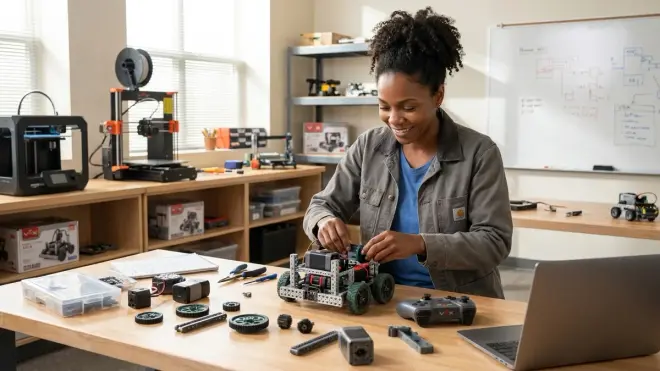
The VEX V5 Competition Starter Kit🛒 Amazon delivers tournament-grade engineering in a surprisingly accessible package. You're getting metal structure, a multitasking V5 Brain running FreeRTOS, and compatibility with C++ and Python—the exact stack used in industrial automation. I've watched teams use this platform to prototype warehouse sorting systems that mirror Amazon fulfillment center logic.
Pros:
- Industry-standard programming: Full C++ and Python support with Visual Studio Code integration
- Robust metal construction: Aluminum C-channels and steel fasteners survive hundreds of assembly iterations
- Extensive sensor ecosystem: Optical shaft encoders, vision sensors, inertial measurement units all use standardized ports
- Competition pathway: Direct alignment with VEX Robotics Competition standards provides external skill validation
- Cross-platform compatibility: Windows, macOS, and Linux software support with no cloud dependency
Cons:
- Proprietary smart cables: Replacement cables are expensive and can't be substituted with generic alternatives
- Battery lock-in: V5 battery packs cost around $80 each; you'll want three for serious development
- Steep initial learning curve: Documentation assumes familiarity with object-oriented programming concepts
Lab Specs: 7.2V 1100mAh LiPo battery (proprietary), USB-C programming, WiFi and Bluetooth connectivity, microSD expansion. Modular metal construction supports unlimited expandability with standard 8mm grid spacing. No subscription required; one-time purchase with lifetime software access.
REV Robotics SPARK MAX Expansion Hub with FTC Control System
The REV Robotics FTC Competition Set🛒 Amazon targets teams serious about FIRST Tech Challenge competitions but works brilliantly for any teen ready to work with Android Studio and Java-based robot control. This is the kit I'd choose if your teenager wants to understand distributed control systems—the SPARK MAX motor controllers run onboard PID loops, offloading computation just like modern electric vehicle drive systems.
Pros:
- Brushless motor support: SPARK MAX controllers enable efficient, high-power motors used in aerospace and EV applications
- Android-based programming: Robot Controller app runs on standard Android phones, teaching mobile development alongside robotics
- Open-source software stack: Built on Android Open Source Project with active community development
- Professional CAD integration: Official OnShape libraries teach parametric design with real mechanical constraints
- Modular power distribution: Hot-swappable battery connections and circuit protection mirror industrial practices
Cons:
- Android device requirement: You must supply your own Android phone (adds $100-200 if you don't have a spare)
- Complex initial configuration: Network setup and driver station pairing frustrates beginners expecting plug-and-play
- Limited block-based coding: Primarily Java/Kotlin focused with minimal Blockly support for transition learners
Lab Specs: 12V 3000mAh NiMH battery, USB and WiFi control, I2C/UART/analog sensor ports. Aluminum extrusion frame with metric fasteners. Requires Android 6.0+ device as robot controller. No mandatory subscriptions but FTC competition registration costs around $275 annually per team.
LEGO Education SPIKE Prime Expansion Set with Python Integration
The LEGO Education SPIKE Prime Set🛒 Amazon surprises skeptics who dismiss LEGO as elementary-level. With MicroPython support and Bluetooth connectivity, this platform teaches proper computational thinking while maintaining the rapid prototyping advantages of modular construction. I've used SPIKE Prime hubs to prototype environmental sensor networks before committing to custom PCBs—the iterative speed is unmatched.
Pros:
- Dual programming environments: Smooth transition from block-based Scratch to MicroPython text coding
- Rechargeable hub with USB-C: No battery replacement costs; 5-hour runtime on typical projects
- Cross-curricular applications: Strong support for data science projects and renewable energy experiments
- Tactile mechanical design: Physical prototyping builds spatial reasoning before moving to CAD
- Extensive expansion compatibility: Integrates with Technic and Mindstorms components for mixed-media builds
Cons:
- Plastic structural limitations: Not suitable for high-torque applications; gears strip under heavy loads
- Proprietary connector system: Can't easily interface with non-LEGO sensors or third-party electronics
- Limited computational power: Hub processor struggles with computer vision or complex multitasking
Lab Specs: Rechargeable lithium-ion hub (USB-C charging), Bluetooth 4.2, 6 I/O ports for LEGO sensors/motors. Cross-platform app (Windows, macOS, iOS, Android, Chromebook). Fully offline capable after initial app download. For a detailed comparison of LEGO robotics platforms, see our LEGO Mindstorms vs VEX analysis.
Arduino Engineering Kit Rev2 with MicroPython Compatibility
The Arduino Engineering Kit Rev2🛒 Amazon is purpose-built for teens ready to transition from kits to custom hardware design. You're getting three university-level projects—a self-balancing motorcycle, a mobile rover, and a whiteboard drawing robot—that teach PID control, sensor fusion, and inverse kinematics. This is the platform I recommend when teenagers start asking "how would I build this from scratch?"
Pros:
- Industry-standard Arduino Nano RP2040: Compatible with thousands of third-party shields and sensors
- Comprehensive online course: Included curriculum maps directly to undergraduate mechatronics syllabi
- Real engineering challenges: Projects teach actual control theory, not simplified toy versions
- Open-source ecosystem: Infinite expandability with community libraries and tutorials
- Multiple language support: C++, MicroPython, and Arduino sketch compatibility
Cons:
- Assembly precision required: Mechanical tolerances demand careful construction; rushed builds perform poorly
- Limited structural components: You'll need to supplement with 3D-printed parts for custom projects
- No mobile app: Desktop IDE only; not suitable for teens who prefer tablet-based workflows
Lab Specs: USB-powered during development; 5V battery pack or wall adapter for deployment. I2C, SPI, and GPIO expansion. Mechanical components use metric M3 fasteners. Windows/macOS/Linux compatibility. No subscriptions; full access to Arduino Cloud tier included.
Yahboom Raspberry Pi 4 AI Robot with Computer Vision
The Yahboom Raspberry Pi 4B Robot Kit with Camera🛒 Amazon represents the bleeding edge of educational robotics—this is genuine AI and machine learning hardware running OpenCV, TensorFlow Lite, and ROS. Your teenager programs object detection, face tracking, and autonomous navigation using the same frameworks deployed in warehouse robots and agricultural drones. It's technically demanding and occasionally maddening, which makes it perfect preparation for actual engineering careers.
Pros:
- Full Linux environment: Native Python 3, complete development toolchain, SSH access for remote debugging
- Computer vision capabilities: 1080p camera with hardware-accelerated OpenCV for real-time image processing
- ROS integration: Learn the Robot Operating System used in academic research and commercial robotics
- Raspberry Pi ecosystem: Access to thousands of tutorials, libraries, and community projects
- Genuine AI/ML training: Run neural networks locally; no cloud dependency for machine learning inference
Cons:
- Significant setup friction: Requires comfort with Linux command line and package management
- Power-hungry: Raspberry Pi 4 needs dedicated 3A USB-C supply; battery runtime under 2 hours with active processing
- Cooling requirements: Processor throttles without active cooling during intensive vision tasks
Lab Specs: Raspberry Pi 4 (4GB RAM minimum recommended), microSD card storage, dual USB-C power (one for Pi, one for servos). WiFi and Bluetooth connectivity. Compatible with all Pi HATs and expansion boards. Offline capable after initial software setup; free access to TensorFlow and OpenCV libraries.
SparkFun Inventor's Kit for Arduino with Environmental Sensor Bundle
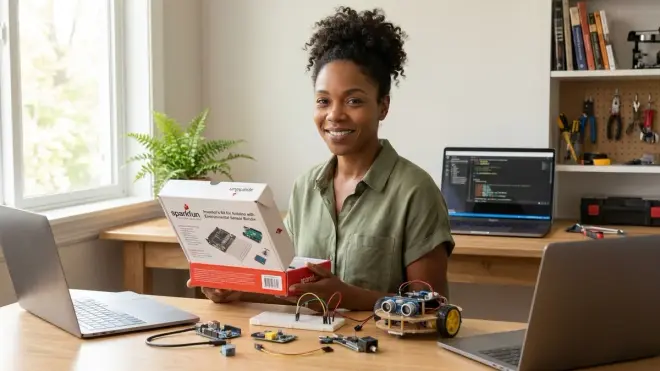
The SparkFun Inventor's Kit for Arduino🛒 Amazon pairs beautifully with add-on environmental sensors, creating a platform that bridges robotics and citizen science. I recommend this path for teenagers interested in climate monitoring, water quality assessment, or urban air quality mapping—you're teaching embedded programming while collecting genuinely useful environmental data that contributes to public datasets.
Pros:
- Exceptional documentation: SparkFun's tutorials explain not just what to do but why it works
- Breadboard-based prototyping: Teaches proper circuit design before moving to permanent PCBs
- Sensor ecosystem: Easy integration with CO₂, particulate matter, and water quality sensors
- No prior experience required: Project progression assumes zero electronics background
- Open hardware design: All schematics published; encourages modification and experimentation
Cons:
- Fragile prototyping connections: Breadboard wires pull loose easily; not suitable for mobile robots
- Limited mechanical components: Focuses on electronics; you'll need separate structural materials
- Arduino Uno processing limits: 16MHz clock struggles with multitasking; complex projects need board upgrades
Lab Specs: USB-powered (5V), 14 digital I/O pins, 6 analog inputs. 3.3V and 5V regulated outputs for sensors. Windows/macOS/Linux IDE support. Fully offline capable. No subscriptions. For detailed environmental monitoring applications, check our guide on how to collect environmental data with sensor kits.
Frequently Asked Questions
What programming languages should teenagers learn through robotics kits?
Teenagers should start with block-based languages like Scratch or Blockly to grasp computational logic, then transition to Python for its readability and industry relevance in data science and automation. By late high school, exposure to C++ for performance-critical applications and Java for Android-based robotics rounds out a competitive skillset. Python dominates renewable energy system programming, machine learning pipelines, and scientific computing—skills directly transferable to climate-tech careers. C++ appears in embedded systems, aerospace, and automotive applications where execution speed matters. The best robotics kits for teenagers support multiple languages on the same hardware, allowing progression without equipment changes. For structured guidance on this transition, see our article on transitioning from block-based to text-based robot programming.
Do robotics kits for teenagers require expensive annual subscriptions?
Most quality robotics kits require no subscriptions for core functionality, but some platforms charge for cloud features, competition software, or curriculum access. VEX and REV systems offer lifetime software with one-time hardware purchase. LEGO SPIKE Prime includes free apps with no ongoing costs. Arduino and Raspberry Pi ecosystems are fundamentally open-source and free. Budget around $0-50 annually for optional cloud storage, advanced vision processing credits, or competition registration if your teen pursues organized robotics challenges. Avoid platforms that lock essential programming tools behind subscription paywalls—that's a red flag for long-term viability. Calculate total cost of ownership including batteries, replacement parts, and expansion sensors rather than focusing solely on initial kit price.
Can teenagers use robotics kits to prepare for STEM competitions?
Absolutely—many robotics kits are explicitly designed around competition standards like FIRST Tech Challenge, VEX Robotics Competition, or RoboCup Junior. Competition preparation teaches deadline management, technical documentation, and collaborative engineering far more effectively than solo projects. VEX and REV platforms align directly with tournament rules and constraints. Arduino and Raspberry Pi platforms dominate maker competitions and science fairs. Competition robotics develops interview-ready portfolio pieces that demonstrate problem-solving under constraints—exactly what engineering internships and university admissions committees want to see. Even if your teen doesn't pursue formal competition, building to competitive specifications ensures projects meet real-world performance benchmarks rather than just "good enough to work once." Explore our complete guide to STEM challenges for high school students for competition options.
How do robotics kits integrate with 3D printing and CAD design?
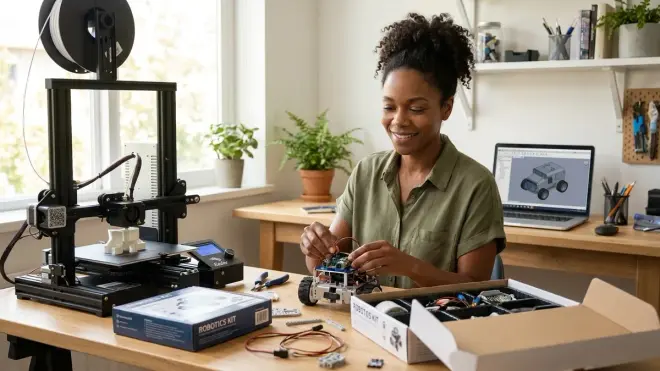
Modern robotics platforms increasingly expect 3D printing integration for custom brackets, sensor mounts, and structural reinforcements. VEX and REV publish OnShape and Fusion 360 CAD libraries with standard mounting patterns, letting teens design parts that interface precisely with kit components. SPIKE Prime's modular nature benefits from 3D-printed adapters that convert LEGO connectors to standard metric fasteners. Arduino and Raspberry Pi projects almost always incorporate custom enclosures or mechanical linkages. Learning parametric CAD design transforms teenagers from kit assemblers to genuine product designers—they're not just following instructions but engineering solutions to self-defined problems. Budget around $200-300 for a capable FDM 3D printer if you're serious about robotics; see our guide to best 3D printers for teen STEM projects for specific recommendations that handle engineering-grade materials.
What safety considerations apply to teenage robotics projects?
Teenage robotics introduces hazards absent from earlier STEM activities: lithium-polymer batteries can catch fire if punctured or overcharged; high-speed motors with exposed shafts can catch hair or clothing; soldering requires ventilation and heat management; power supplies exceeding 12V present shock risks. Establish clear lab safety protocols covering eye protection during mechanical assembly, fireproof charging bags for LiPo batteries, and proper fume extraction for soldering or 3D printing. Require your teen to write risk assessments for each new build—identifying potential failures and mitigation strategies is itself a critical engineering skill. Most serious injuries in teen robotics come from complacency with "low-voltage" systems; 12V can deliver dangerous current through skin resistance under certain conditions. Review our comprehensive home STEM lab safety checklist before starting any advanced robotics work.
The Verdict
The robotics kits for teenagers that earn space in your home lab are the ones that scale with ambition—platforms that support crude first builds and elegant senior thesis projects on the same hardware backbone. VEX and REV dominate if competition robotics appeals; Arduino and Raspberry Pi ecosystems win for teenagers interested in custom sensor networks and environmental monitoring. LEGO SPIKE Prime bridges the gap for visual learners who need tangible prototyping before committing to code-first workflows.
What matters most isn't picking the "best" platform but rather choosing the kit that aligns with your teenager's trajectory toward specific industry skills. The sixteen-year-old programming automated solar panel cleaning systems needs different tools than the one designing autonomous reef monitoring rovers. Both paths are valid; both require genuine technical capability; both build climate-tech careers. Start with the kit that makes your teen excited to work past midnight debugging, because that drive—not the specific servo motor or microcontroller—determines who builds the sustainable infrastructure our future desperately needs.