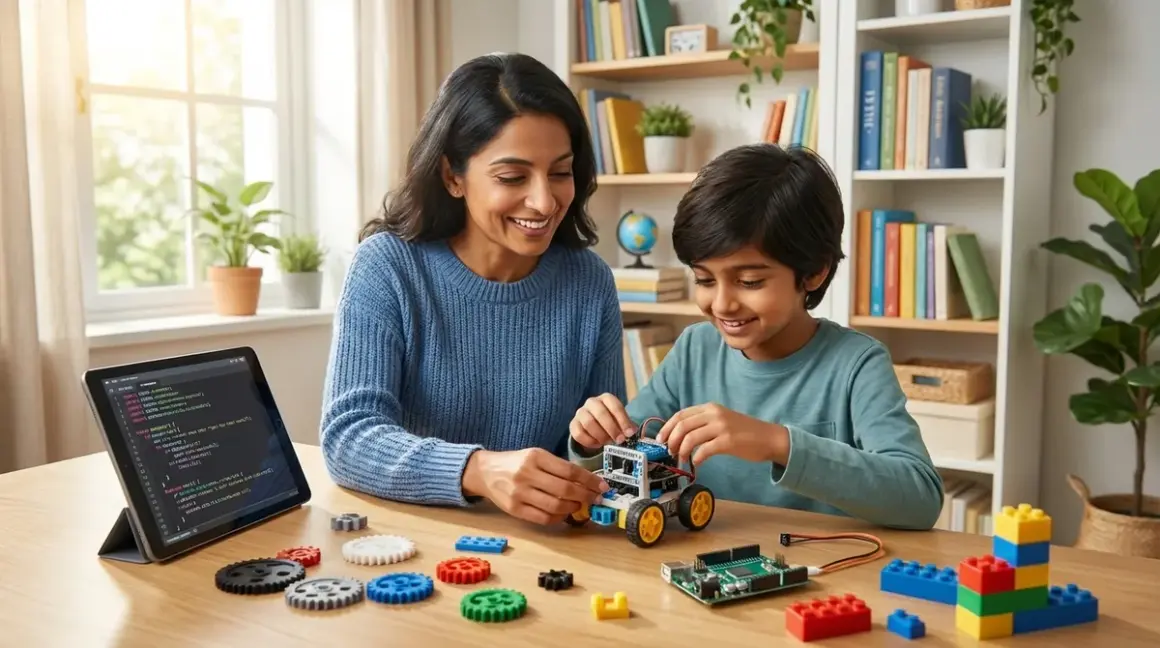

You're watching your child master skills you never imagined at their age—and wondering what comes next. A STEM learning path for 10 year olds isn't about cramming more screen time into their day. It's about building a foundation that connects today's hands-on exploration to tomorrow's industry-ready capabilities. This checklist maps the journey from age 10 through high school, with concrete milestones, technical requirements, and skill progressions that prepare children for actual engineering, programming, and scientific careers. Think of it as your roadmap from curiosity to competence, with guilt-free alternatives to passive tech consumption built into every stage.
Ages 10-12: Foundational Technical Literacy
This is where your child transitions from play-based exploration to purposeful skill acquisition. You're not just looking for engaging activities—you're building a technical foundation that industry tools will later build upon. The developmental window at this age supports abstract thinking and sequential problem-solving, which means it's the ideal time to introduce structured learning paths rather than scattered toy experiences.
Master visual programming before touching text-based code
Block-based environments like Scratch 3.0 (offline desktop version available, runs on Windows/macOS/ChromeOS) teach logic structures—loops, conditionals, variables—without syntax frustration. Your child should complete 15-20 original projects that demonstrate increasing complexity: simple animations progress to interactive games with collision detection and score tracking. The LEGO Mindstorms Robot Inventor integrates Scratch-based programming with physical robotics, requiring USB or Bluetooth connectivity and 6 AA batteries. Lab Specs: 949 pieces, expandable with standard LEGO Technic elements, Python programming available after mastering blocks. This prepares children for industry-standard robotic process automation concepts used in manufacturing. One limitation: Bluetooth pairing can be temperamental with older tablets, so plan for a dedicated laptop connection.
Build and program physical electronics with Arduino-compatible platforms
The Arduino Student Kit introduces microcontroller programming through hands-on circuit building (requires Arduino IDE software, free download for Windows/macOS/Linux, ages 11+ recommended). Your child learns to read datasheets, troubleshoot hardware connections, and write C++ code snippets—not just drag blocks. Lab Specs: USB-powered, includes breadboard and 18 components, no subscription required but consumables like LEDs ($8-12 for 100-pack assortments) and jumper wires need periodic replacement. This is the same microcontroller architecture used in industrial IoT devices and automotive systems. Projects should progress from blinking LEDs to sensor integration (temperature, light, motion) to multi-component systems like automated plant watering stations. Expect initial frustration with circuit debugging—it's a feature, not a bug. That troubleshooting builds resilience.
Develop spatial reasoning through parametric 3D design
Tinkercad (browser-based, requires internet connection, free Autodesk account) teaches constraint-based modeling where dimensions drive design changes. Your child should create at least 30 functional objects—not decorative figures—that solve real problems: custom organizers, replacement parts, engineering prototypes. Progress to Fusion 360 Personal (free for students/hobbyists, requires account verification, Windows/macOS only) by age 12 for assembly modeling and basic stress analysis. These are the exact tools used by professional product designers and mechanical engineers. Pair this with a budget FDM printer like the Creality Ender 3 V3 SE (requires 110V outlet, PLA filament at around $20/kg, adult supervision for bed temperature of 60-80°C). Lab Specs: 220×220×250mm build volume, resume printing after power loss, enclosed designs improve safety but limit visual monitoring. The manual bed leveling can frustrate beginners—consider upgrading to auto-leveling if you're not comfortable teaching mechanical adjustment procedures.
Learn data collection and analysis with physical science experiments
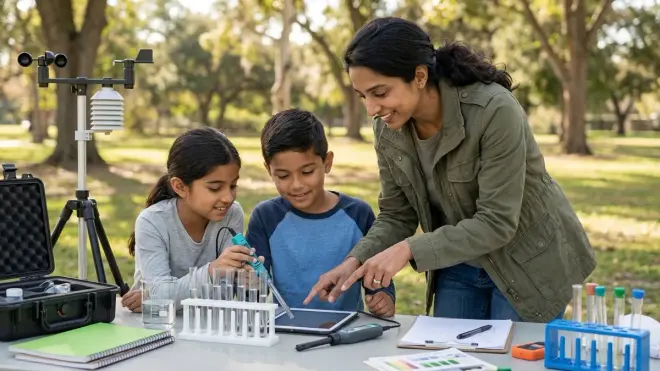
Spreadsheet literacy (Google Sheets, Microsoft Excel) paired with hands-on experiments teaches the scientific method with real measurement variability. Your 10-year-old should collect time-series data—voltage output from solar panels under different angles, temperature changes during chemical reactions, distance measurements in motion studies. Progress from single-variable to multi-variable experiments by age 12. The Thames & Kosmos Physics Workshop provides equipment for mechanics, energy, and electricity experiments (no batteries required for most activities, one-time purchase, 285 experiments). Lab Specs: durable plastic components survive repeated assembly, compatible with standard multimeters for electrical measurements. This introduces the data literacy that underpins everything from climate science to financial analysis. One note: the instruction manual assumes adult facilitation—don't expect independent work on complex experiments yet.
Build working renewable energy systems from components
Move beyond pre-wired kits to systems your child assembles from discrete components: solar cells, charge controllers, batteries, LEDs. The difference matters—troubleshooting connections teaches electrical theory that plug-and-play kits hide. Projects should progress from simple solar-powered circuits to wind turbine designs with blade optimization experiments to hybrid systems with energy storage. Explore detailed project planning in our guide on how to build a solar panel science project from scratch. Lab Specs: requires soldering station (15-30W adjustable temperature, adult supervision, around $30-40 for beginner models), digital multimeter for voltage/current/resistance testing, basic hand tools. This is the same system design thinking used in grid-scale renewable energy installations.
Practice screen-free computational thinking before adding more devices
Yes, I'm a psychologist advocating for less screen dependence even as you're building technical skills. The ThinkFun Robot Turtles and similar unplugged coding games teach algorithm design, debugging, and optimization without batteries or WiFi. Your child should spend 20-30% of STEM time in screen-free problem-solving—it builds executive function and reduces the dopamine dependency that makes focused work harder later. These games are one-time purchases with no consumables, work anywhere, and prepare children for the mental models they'll apply in text-based programming. Read more about this approach in our article on what is screen-free coding.
Document projects in engineering notebooks
This isn't busy work—it's professional practice. Your child should maintain a physical notebook (grid paper preferred, around $8-12 for lab-grade notebooks) with dated entries showing design decisions, failed attempts, and iterative improvements. Photographs, sketches, and data tables belong here. This is identical to the documentation practices required in patent applications, research publications, and engineering design reviews. By age 12, entries should include hypothesis statements, control variables, and quantitative comparisons between design iterations.
Complete skill milestones, not just projects
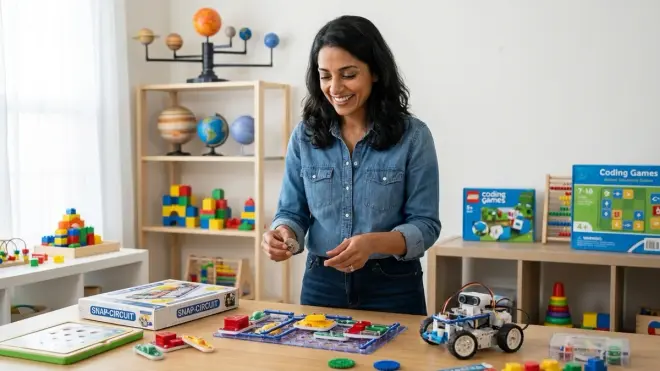
Don't just count finished builds—track capabilities. By age 12, your child should independently: write and debug 100+ lines of block-based code, solder 20+ successful connections, design and print 10+ functional objects, collect and graph multi-variable datasets, and explain system failures using technical vocabulary. These are the concrete outcomes that matter. For detailed benchmarks, see our guide on understanding skill milestones: what 10 year olds can master in STEM.
Ages 13-15: Intermediate Technical Competency
Middle school is where your STEM learning path for 10 year olds matures into genuine technical competency. Your teenager isn't just following instructions anymore—they're making design decisions, selecting appropriate tools, and evaluating trade-offs. The cognitive development at this stage supports hypothetical thinking and systematic problem-solving, which means you can introduce industry-standard complexity without overwhelming them.
Transition from block-based to text-based programming languages
Python 3.11+ (free, runs on any OS, offline-capable with downloaded libraries) becomes the primary language for ages 13+. Your teen should complete 40-50 original programs demonstrating: file I/O, data structures (lists, dictionaries, sets), basic algorithms (sorting, searching), and API integration. Start with console applications, then web scraping, then data visualization with matplotlib. This is the most in-demand programming language in data science, machine learning, and scientific computing careers. Pair Python learning with physical computing using Raspberry Pi single-board computers (requires microSD card, USB-C power supply, keyboard/mouse/monitor for initial setup). Lab Specs: quad-core processor, 2-8GB RAM depending on model (around $35-75), GPIO pins compatible with Arduino sensors, runs full Linux OS with thousands of free software packages. The transition path is detailed in our article on how to transition from screen-free coding to Scratch and Python programming.
Master version control and collaborative development practices
Git and GitHub (free accounts, requires internet for syncing, works on any OS) teach the workflows that every professional software team uses. Your teen should maintain repositories for all coding projects, write meaningful commit messages, create branches for experimental features, and practice merge conflict resolution. This isn't about complex teamwork yet—it's about building the habits that make collaboration possible later. These are non-negotiable skills for anyone pursuing software engineering, data science, or any technical career involving code.
Design and fabricate multi-material prototypes
Advance beyond single-material 3D printing to projects combining printed components with metal hardware, electronics, and off-the-shelf parts. Your teen should design assemblies with proper tolerances (typically 0.2mm clearance for FDM prints), specify fasteners, and create bill-of-materials documentation. Projects like functional RC vehicles, automated measurement instruments, or assistive devices for people with disabilities require systems thinking across mechanical, electrical, and software domains. Lab Specs: requires calipers (digital, 0.01mm resolution, around $15-25), tap-and-die set for creating threaded connections, basic metalworking tools. This is the integrated product development approach used in consumer electronics and medical device manufacturing.
Learn PCB design and professional electronics fabrication
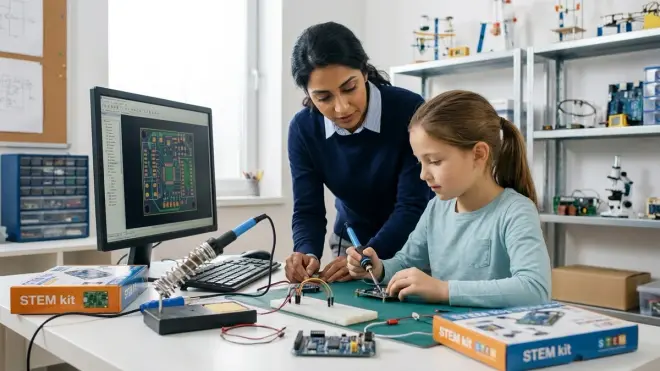
Move from breadboard prototypes to printed circuit boards using KiCad (free, open-source, Windows/macOS/Linux, no subscription). Your teen should design schematic diagrams with proper component symbols, create PCB layouts with appropriate trace widths and clearances, and generate Gerber files for manufacturing. Services like JLCPCB or PCBWay fabricate custom boards for around $5-15 including shipping (3-week turnaround). Lab Specs: requires understanding of surface-mount vs through-hole components, power distribution planning, and signal integrity basics. This is the same PCB design process used in smartphones, automotive electronics, and industrial control systems. Initial designs will have errors—misaligned footprints, incorrect power ratings—which is exactly why this learning stage matters.
Implement machine learning models with real datasets
Python libraries like scikit-learn (free, offline-capable after installation) enable your teen to train classification and regression models using actual data. Projects should progress from pre-cleaned tutorial datasets to messy real-world data requiring cleaning, feature engineering, and validation. Start with supervised learning (predicting house prices, classifying images) before attempting unsupervised approaches (clustering customer data, dimensionality reduction). The goal isn't mathematical mastery—it's understanding when ML applies, how to evaluate model performance, and what "training" actually means. This prepares students for the AI/ML engineering roles that dominate current tech hiring. Detailed teaching approaches are covered in our guide on how to teach kids AI and machine learning.
Participate in structured robotics competitions
VEX Robotics Competition (requires team registration around $100-150, robot kit around $300-500) or FIRST Tech Challenge (team registration around $275, robot kit around $400-600) provide standardized challenges that reveal gaps in your teen's skill set. Lab Specs: VEX V5 uses C++ or Python programming, requires rechargeable battery (around $80 replacement), extensive aluminum structural system for custom designs. FTC uses Android phones as controllers (any compatible device works, team-provided), program with Blocks or Java, allows more flexible design approaches. Both competitions require sustained iteration cycles—your teen will rebuild mechanisms 5-10 times before finding workable solutions. That persistence under time pressure is the real education. Compare the major platforms in our analysis of LEGO Mindstorms vs VEX Robotics.
Master oscilloscope operation and signal analysis
Digital oscilloscopes (entry-level USB models around $80-120, standalone bench models around $300-400) teach time-domain signal analysis essential for debugging circuits and understanding communication protocols. Your teen should measure voltage waveforms, identify noise sources, decode PWM signals, and verify timing relationships. Lab Specs: requires 2+ channels, 50+ MHz bandwidth for basic work, trigger controls, measurement cursors. This is the primary diagnostic tool in electronics repair, embedded systems development, and RF engineering. Projects should include analyzing Arduino PWM outputs, debugging I2C communication timing, and measuring switching power supply ripple.
Complete certification-track learning in one specialization
Rather than shallow exposure to many topics, your teen should pursue depth in one domain: robotics, electronics, software development, or CAD/manufacturing. Complete structured curricula—not random projects—that culminate in portfolio pieces demonstrating professional-adjacent competency. For software: build a multi-page web application with database backend. For electronics: design and fabricate a custom PCB with microcontroller and sensors. For CAD: create a complete product design with assembly instructions and manufacturing specifications. These portfolio pieces directly support college applications and internship opportunities.
Build a complete system project integrating multiple disciplines
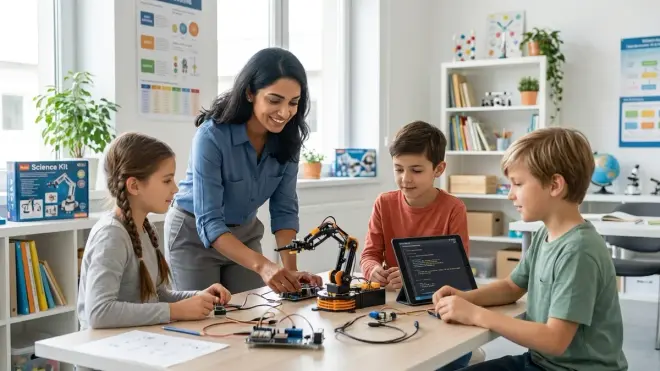
By age 15, your teen should complete one ambitious project requiring 60+ hours that combines programming, electronics, mechanical design, and data analysis. Examples: weather station with custom sensors logging to cloud database, autonomous robot navigating using computer vision, IoT greenhouse with automated climate control, or renewable energy monitor comparing solar/wind generation patterns. Lab Specs: requires dedicated workspace with stable power, internet connectivity for cloud services, secure storage for works-in-progress. This systems integration thinking mirrors professional engineering project workflows.
Ages 16-18: Pre-Professional Technical Proficiency
High school students on a STEM learning path for 10 year olds that started six years ago are now competing with college sophomores in capability. Your teenager can tackle professional-adjacent projects, use industry-standard tools fluently, and make informed specialization decisions. The goal here isn't college admission padding—it's building genuine expertise that provides day-one value in internships, research positions, and technical work.
Master advanced programming paradigms and software architecture
Object-oriented design, functional programming concepts, asynchronous operations, and API design patterns should all be comfortable territory by age 17. Your teen should build applications with 2,000+ lines of code demonstrating separation of concerns, reusable components, error handling, and documentation. Languages should expand beyond Python to include JavaScript (for web development), C/C++ (for performance-critical code), or language-specific to their specialization (R for statistics, MATLAB for engineering). Lab Specs: requires development environment setup with linters, formatters, and testing frameworks—the same toolchain professional developers use. Projects should include automated test suites with 60%+ code coverage.
Contribute to open-source projects and professional code reviews
Finding beginner-friendly GitHub repositories (look for "good first issue" labels), submitting pull requests, and responding to feedback from maintainers teaches professional collaboration standards. Your teen will experience the gap between "working code" and "production-ready code"—proper error handling, edge case coverage, documentation, and code style consistency. This experience is more valuable than most computer science coursework for actual software careers. Expect initial pull requests to be rejected—the feedback is the education.
Design custom tooling for specific scientific applications
Rather than using off-the-shelf lab equipment, your teen should build specialized measurement instruments, data acquisition systems, or automation tools for specific research questions. Examples: spectrophotometer using photodiodes and LED arrays for water quality analysis, precision motion control system for time-lapse microscopy, or custom data logger for environmental monitoring. Lab Specs: requires integration of analog sensors, signal conditioning circuits, ADC (analog-to-digital conversion), and calibration procedures. This is the instrumentation engineering approach used in research labs and specialty manufacturing.
Learn industry-standard CAD tools beyond educational versions
Transition from Fusion 360 Personal to SOLIDWORKS (student license around $100/year) or Siemens NX (free student license) used in aerospace, automotive, and industrial design. Your teen should complete assemblies with 50+ parts, create technical drawings with GD&T (geometric dimensioning and tolerancing) callouts, and perform finite element analysis (FEA) to predict stress concentrations and failure modes. Lab Specs: requires Windows machine with dedicated GPU (minimum 2GB VRAM, 16GB system RAM recommended). These simulation capabilities prevent expensive physical prototyping failures—the same approach used in professional mechanical engineering.
Implement embedded systems with real-time operating systems
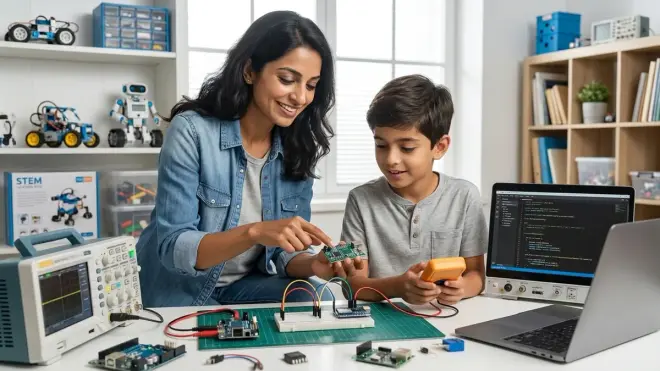
Move beyond Arduino's simple loop() structure to FreeRTOS or Zephyr RTOS for multitasking, priority scheduling, and resource management. Your teen should design systems with multiple concurrent tasks—motor control running at 1kHz, sensor reading at 100Hz, display update at 10Hz, wireless communication at 1Hz—all executing reliably. Lab Specs: requires microcontrollers with sufficient RAM (minimum 64KB, 256KB+ preferred), hardware timers, and interrupt controllers. This is the embedded systems architecture in automotive ECUs, industrial PLCs, and IoT gateways. ESP32-based development boards (around $8-15) provide dual-core processors, WiFi/Bluetooth, and extensive peripheral support.
Complete advanced manufacturing processes beyond FDM printing
Resin 3D printing (MSLA technology, requires wash/cure station, safety equipment for resin handling, around $250-400 complete setup) produces parts with 25-micron layer resolution suitable for jewelry casting, dental models, and engineering fit-testing. CNC routing (desktop models around $300-800 for entry-level) enables subtractive manufacturing in wood, plastics, and soft metals. Lab Specs: resin printing requires dedicated ventilation (VOCs during printing), IPA or specialized cleaning solution (ongoing consumable, around $15-20/gallon), UV curing for 2-5 minutes. Safety protocols are non-negotiable—uncured resin is a skin sensitizer requiring nitrile gloves. This adds manufacturing versatility that complements additive processes, matching prototyping workflows in product development studios.
Develop machine learning systems with neural networks
TensorFlow or PyTorch frameworks (free, GPU-accelerated with NVIDIA CUDA support) enable your teen to train deep neural networks for computer vision, natural language processing, or time-series prediction. Projects should use real data requiring collection, labeling, augmentation, and validation—not just tutorial datasets. Lab Specs: training complex models requires GPU with 4GB+ VRAM (desktop cards preferred over laptop GPUs, around $300+ for used RTX 3060) or cloud computing credits (Google Colab free tier provides limited GPU access, paid tiers around $10/month). Your teen should understand overfitting, learning rates, batch normalization, and architecture selection—not just copy tutorial code. This is the foundation of current AI engineering roles in computer vision, recommendation systems, and autonomous vehicles.
Pursue industry certifications or dual-enrollment technical coursework
CompTIA A+ (around $250 per exam, two exams required) provides IT fundamentals certification. Cisco CCNA (around $300 exam) covers networking. Autodesk Certified User exams (around $125) validate CAD proficiency. AWS Cloud Practitioner (around $100 exam) demonstrates cloud computing basics. These certifications carry weight with employers and provide structured curricula beyond self-directed learning. Alternatively, dual-enrollment courses at community colleges (often free or low-cost for high school students) in electronics, programming, or engineering provide transferable credit plus access to professional equipment like PCB fabrication, CNC machines, and test instrumentation. Lab Specs: certification exams require proctoring (online or test center), typically 90-120 minutes, passing scores around 70-80%.
Build a professional portfolio demonstrating employable skills
By age 18, your teen should maintain a portfolio website (free hosting on GitHub Pages, Netlify, or Vercel) showcasing 8-12 substantial projects with documentation, source code, demonstration videos, and technical write-ups. Each project should clearly state the problem solved, technologies used, challenges overcome, and quantitative results where applicable. This portfolio supports college applications, scholarship competitions, internship applications, and early career positioning. Professional presentation matters—clean layouts, proper grammar, functional links, and responsive design for mobile viewing.
Technical Infrastructure: Building Your Progressive STEM Learning Path for 10 Year Olds
The physical setup supporting your STEM learning path for 10 year olds evolves significantly from age 10 to 18. You're not building a playroom—you're creating a functional technical workspace with real infrastructure requirements. This isn't about spending excessively, but rather about strategic investments that grow with capability.
Workspace requirements by skill stage
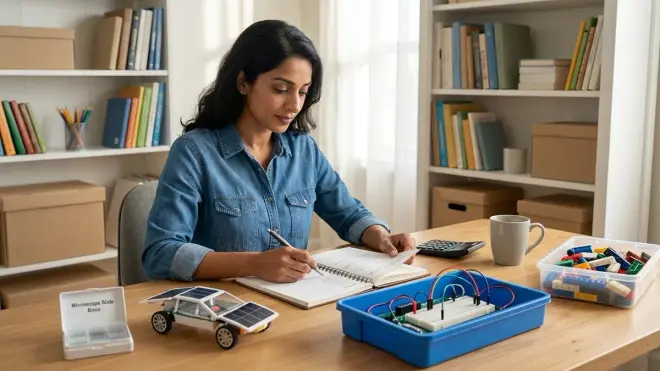
Ages 10-12: Shared dining table or corner desk works fine (minimum 4'×2' surface area), requires one electrical outlet, good lighting, and storage bins for components. No dedicated room needed yet.
Ages 13-15: Dedicated workspace becomes important (6'×3' desk preferred), requires multiple electrical outlets with surge protection (minimum 6-outlet strip), task lighting (adjustable LED desk lamp), pegboard or shelving for tool storage, ventilated area for soldering (near window or with small fan). This workspace can be bedroom-based but needs clear boundaries from sleep/relaxation areas.
Ages 16-18: Workshop or garage space preferred (minimum 8'×6' area), requires 15A dedicated circuit for power tools and 3D printer operation, proper ventilation system for resin printing or CNC work (window exhaust fan minimum, ducted ventilation preferred), fire extinguisher (ABC-rated), ESD-safe workbench mat (around $25-40), and secure storage for hazardous materials (adhesives, solvents, resins). Climate control matters—avoid extreme temperatures that affect electronics and filament storage.
Our comprehensive guide on how to organize a home STEM lab covers detailed layout and safety specifications.
Computing requirements progression
Ages 10-12: Entry-level laptop sufficient (Chromebook limitations: Arduino IDE requires workarounds, Fusion 360 unavailable; Windows/macOS preferred, minimum 8GB RAM, 256GB storage, around $400-600). Internet required for cloud-based tools like Tinkercad and Scratch online.
Ages 13-15: Mid-range laptop or desktop (16GB RAM, dedicated graphics preferred for CAD, 512GB SSD minimum, around $700-1000). Offline capability becomes important for programming, CAD, and electronics work.
Ages 16-18: Desktop workstation ideal (32GB RAM, discrete GPU with 4GB+ VRAM for ML training, 1TB+ SSD for datasets and VM images, around $1200-1800 DIY build or refurbished workstation). Dual monitor setup improves productivity for code + documentation or CAD + reference materials.
Tool acquisition timeline
Don't buy everything at once—match tools to current skill level to avoid overwhelming early learners and justify costs as capabilities develop.
Year 1 (Age 10-11): Basic hand tools (screwdrivers, pliers, wire cutters, around $30-40 set), digital caliper (around $15-25), simple multimeter (around $15-20), safety glasses, work gloves.
Year 2 (Age 11-12): Soldering station with temperature control (around $40-60), helping hands/PCB holder (around $8-12), flush cutters for electronics (around $8-15), breadboard and jumper wire sets (around $20-30 combined).
Year 3-4 (Age 13-14): Budget 3D printer (around $200-300, see our guide on best budget 3D printers for kids under $300), filament storage containers with desiccant (around $20-30), oscilloscope (USB or entry-level bench, around $100-150), power supply with adjustable voltage/current (around $60-100).
Year 5-6 (Age 15-16): Resin printer setup if needed (around $250-400 complete), hot air rework station for SMD work (around $60-100), bench vise (around $40-80), additional measurement tools (LCR meter, function generator, around $50-100 each).
Year 7-8 (Age 17-18): Specialized tools matching chosen specialization—CNC router, laser cutter access (makerspaces often provide for around $50-100/month membership), professional development boards, advanced test equipment.
Consumables budget planning
Ongoing expenses vary dramatically by focus area, but expect:
Annual consumables ages 10-12: Around $150-250 (Arduino components, batteries, craft supplies, replacement parts)
Annual consumables ages 13-15: Around $300-500 (3D printer filament averaging 4-6kg/year, electronic components, PCB fabrication, project-specific materials)
Annual consumables ages 16-18: Around $500-800+ (specialty filaments, resin, CNC tooling, larger component orders, cloud computing credits, certification exam fees)
These are working budgets, not minimums—your teen is actively building, which means materials get consumed.
Safety equipment is non-negotiable
Safety glasses (ANSI Z87.1 rated, around $12-20), nitrile gloves for resin/chemical handling (100-count box around $8-12), fire extinguisher (5-lb ABC rated, around $20-30, check pressure gauge annually), first aid kit with burn treatment supplies (around $20-30), and proper ventilation for any process producing fumes. This isn't helicopter parenting—it's the same PPE required in professional labs and makerspaces. One severe burn or chemical exposure can end STEM enthusiasm permanently, so enforce protocols consistently.
Expandability matters more than initial capability
Choose platforms that grow through additions rather than replacements. Arduino ecosystem expands through shields and sensors. Raspberry Pi works with countless HATs (Hardware Attached on Top). LEGO-compatible robotics integrate with massive parts inventory. Modular 3D printers accept upgraded hotends, direct drive extruders, and larger build plates. This expandability reduces waste and maintains compatibility with earlier projects—your teen isn't starting over every two years.
Final Check Before You Go
Use this condensed checklist to evaluate your current position on the STEM learning path for 10 year olds and identify next steps:
Foundation Stage (Ages 10-12)
- Child completes 15+ original Scratch projects with increasing complexity
- Physical programming platform (Arduino or compatible) used weekly
- 3D design software (Tinkercad minimum) used to create 20+ functional objects
- Screen-free coding activities balance digital work (20-30% of STEM time)
- Engineering notebook maintained with dated, documented projects
- Basic electronics toolkit acquired (multimeter, breadboard, components)
- At least one multi-week project requiring iterative debugging completed
Intermediate Stage (Ages 13-15)
- Python proficiency demonstrated through 40+ original programs
- GitHub account active with multiple repositories showing commit history
- Text-based programming (Python, C++, or JavaScript) is primary development mode
- PCB design software (KiCad) used to create at least one custom board
- Oscilloscope or logic analyzer used for circuit debugging
- Machine learning basics explored with actual dataset training
- Portfolio includes 3-5 substantial projects with documentation
- Robotics competition participation or equivalent structured challenge experience
Advanced Stage (Ages 16-18)
- Professional-grade CAD software fluency (SOLIDWORKS, NX, or equivalent)
- Code contributions to open-source projects or similar collaborative development
- Deep neural network training experience (TensorFlow or PyTorch)
- Advanced manufacturing beyond basic FDM printing (resin, CNC, or injection molding)
- Industry certification earned or dual-enrollment technical coursework completed
- Professional portfolio website demonstrates employable skills
- One ambitious integration project (60+ hours) completed independently
- Clear specialization focus identified with depth in that domain
Infrastructure Checklist
- Dedicated workspace appropriate for current skill level established
- Computing resources meet requirements for current software tools
- Safety equipment (glasses, gloves, ventilation, fire extinguisher) in place
- Tool inventory matches current capabilities (not over- or under-equipped)
- Consumables budget covers active project work without constant restrictions
- Storage solutions keep components organized and accessible
- Internet connectivity stable enough for cloud tools and research
Missing items aren't failures—they're your next steps. For detailed guidance on creating functional learning spaces, see our article on home STEM lab setup checklist.
Frequently Asked Questions
What if my 10 year old is already advanced in one area but not others?
Depth beats breadth at every stage of learning. If your child excels at programming but hasn't touched electronics, let them build programming mastery to the intermediate level before forcing hardware integration. The underlying computational thinking transfers easily once they're ready. Conversely, children who love building physical systems but resist coding can develop mechanical and electrical expertise first—the programming motivation often appears naturally when they want to automate something they've built. Watch for genuine interest signals rather than forcing balanced development across all domains. You can read more about choosing appropriate challenge levels in our guide on how to choose STEM toys by age.
How much daily or weekly time should a child spend on STEM activities for this learning path?
Consistency matters more than total hours. Three focused 45-minute sessions per week (around 2.5-3 hours total) produces better learning than one marathon weekend session. For ages 10-12, that's sufficient for steady progress. By ages 13-15, increase to 4-6 hours weekly as projects grow more complex and require sustained debugging sessions. Ages 16-18 pursuing technical depth typically invest 8-12 hours weekly, especially when working on portfolio projects or competition prep. These aren't screen time limits—they're active building and problem-solving hours. Balance this with physical activity, social time, and unstructured play. If your child resists STEM time consistently, the activities don't match their interests or skill level—adjust rather than push through.
Should we follow this learning path sequentially or skip stages if my child picks things up quickly?
Capability milestones matter more than age gates. A precocious 11-year-old demonstrating genuine Python proficiency (not just copying tutorials) should absolutely progress to intermediate challenges rather than artificially waiting for age 13. However, verify the foundational skills are truly solid—can they debug unfamiliar problems, explain their design decisions, and adapt solutions to new contexts? Skipping ahead with shallow understanding creates frustration when advanced projects require those missing foundations. The reverse applies too: 13-year-olds still mastering block-based programming aren't "behind"—they need foundation work, not pressure to match arbitrary age expectations. Use the capability checklists in this article rather than ages as your progression criteria. Our article on how to build a progressive STEM learning path with age-specific toys offers additional guidance on appropriate challenge escalation.
Final Thoughts
The STEM learning path for 10 year olds you're building today isn't about creating child prodigies or padding college applications. It's about giving your child the practical competency to shape the world they'll inherit. You're teaching them that systems can be understood, tools can be learned, and complex problems yield to patient iteration. That confidence—the bone-deep belief that "I can figure this out"—matters more than any specific technical skill.
The path from Scratch animations to neural network training seems impossibly long when you're at the beginning. But you're not climbing in one leap. You're taking consistent steps: this week's Arduino project, next month's 3D print, next year's robotics challenge. Those steps accumulate into capabilities that genuinely prepare young people for technical careers and informed citizenship in an increasingly complex world.
Your role isn't to master these technologies yourself—it's to provide the infrastructure, remove the obstacles, and celebrate the small victories that build momentum. Some weeks you'll feel behind the timeline. Some projects will fail spectacularly. That's the process working exactly as designed. The failure is where the learning lives.
Give your child the tools, the time, and the space to build. They'll show you what they're capable of becoming.