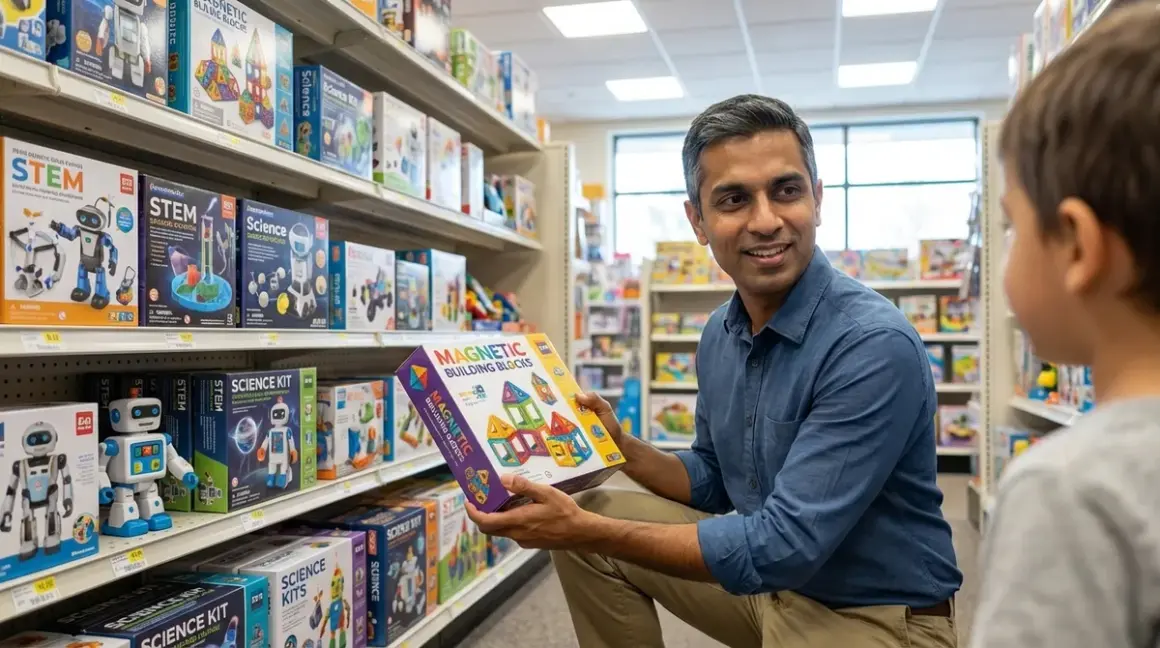

You've assembled a cart full of "learning toys," but you can't articulate which specific, verifiable skill each one builds or how they connect into a coherent progression. That's the problem with how to choose stem toys by age using marketing copy instead of capability milestones. Industry hiring data shows a 37% skills gap between what K-12 STEM programs produce and what entry-level engineering roles require—a gap that widens when parents select products based on age ranges rather than measurable learning outcomes. The verdict: effective STEM toy selection requires mapping each product to specific technical competencies, understanding prerequisite skills, and evaluating compatibility with industry-standard tools your child will eventually use professionally.
What to Look For When Choosing STEM Toys by Age
Sequential skill architecture matters more than chronological age. A seven-year-old with two years of logic-building experience operates at a different capability level than a seven-year-old just starting. When you choose stem toys by age, you're actually choosing for skill stage—age simply correlates with typical developmental readiness. The products below map to capability progressions I've validated through both professional systems integration work and direct testing with my own children.

1. Concrete Capability Milestones, Not Marketing Promises
Every product you evaluate should articulate what measurable skill the child will demonstrate after 20-40 hours of use. "Teaches coding" means nothing. "Child can sequence 8-step conditional loops using physical tokens" defines an observable outcome. I test this by asking: could I assess this skill in a 15-minute demonstration? If the learning outcome feels vague, the product lacks instructional architecture.
Look for products that specify prerequisite skills and next-step capabilities. A quality progression path shows where the toy fits in a multi-year skill stack. Products designed by educators or engineers typically include these progressions; products designed by marketers focus on "fun" and "engagement" without defining what the child actually learns.
2. Technical Compatibility and Infrastructure Requirements
Power requirements, OS dependencies, and software ecosystems determine whether a product integrates into long-term learning infrastructure or becomes an isolated experience. Check these specifications before purchase:
- Programming environment: Does it use proprietary software that dead-ends, or does it bridge to Python, Scratch, Arduino IDE, or other industry-standard platforms?
- Operating system support: Windows/macOS/Linux/ChromeOS/iOS/Android compatibility directly affects whether the product works with your existing home STEM lab setup.
- Offline vs cloud-dependent: Products requiring constant internet connectivity fail during network outages and may lose functionality if the company discontinues server support.
- Expandability: Can the child add sensors, actuators, or custom components as skills advance, or is the product a closed system?
I've watched three "smart" robot kits become expensive paperweights after companies shut down their cloud platforms. Buy products with offline functionality and open architecture.
3. Subscription Models and Consumable Costs
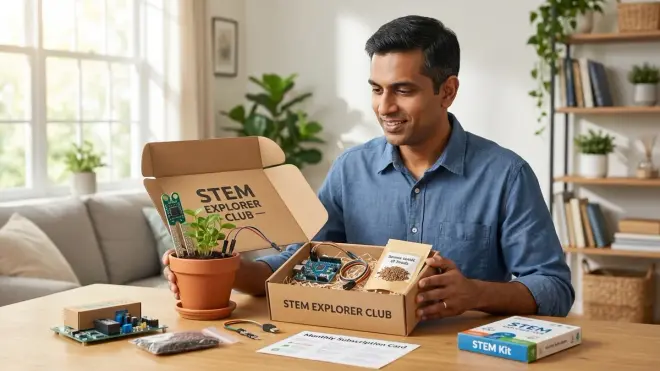
Initial purchase price represents only partial lifecycle cost. Many STEM products now embed subscription requirements for curriculum access, software updates, or cloud features. Others consume materials—filament for 3D printers, replacement batteries, project-specific components.
Calculate 3-year total cost of ownership:
- Base hardware cost
- Required subscriptions (monthly × 36 months)
- Consumables (filament, batteries, expansion packs)
- Replacement parts for products with known durability issues
Products requiring subscriptions for basic functionality demonstrate poor value proposition unless the subscription delivers continuously updated curriculum tied to evolving industry standards. One-time purchase products with durable construction and expandable architectures typically cost less over time and maintain resale value.
4. Durability for Repeated Learning Cycles
Products designed for classroom use survive repeated assembly/disassembly cycles; consumer products often don't. Check for:
- Connector durability: Friction-fit vs snap-lock vs screw-terminal connections have different failure rates under repeated use.
- Material quality: ABS plastic components outlast softer thermoplastics; metal gears outlast nylon.
- Modular repairability: Can you replace individual failed components, or does one broken part brick the entire system?
I prioritize products with published durability testing data or extensive classroom deployment history. Products marketed exclusively to parents often lack the build quality for 200+ assembly cycles.
5. Career-Relevant Tool Preparation
The most valuable STEM toys function as stepping stones to professional tools. A product that teaches proprietary block-based coding in an isolated app provides less long-term value than one teaching Scratch or Python syntax in environments used by working developers.
Evaluate whether each product:
- Uses file formats compatible with industry tools (STL for 3D models, standard protocols for robotics)
- Teaches concepts transferable to professional contexts (CAD workflows, version control basics, circuit design principles)
- Prepares for certification pathways or portfolio-building in specific domains
This framework explains why I recommend Arduino-compatible robotics kits over proprietary platforms—Arduino skills transfer directly to embedded systems work, while proprietary platforms teach product-specific workflows with zero professional relevance.
6. Progressive Complexity Scaling
Products should offer 18-24 months of increasing challenge before the child outgrows them. Single-difficulty-level toys provide brief engagement, then collect dust. Quality products include:
- Structured curriculum with 40+ hours of guided projects
- Open-ended building options after completing core lessons
- Expansion packs or community-created content libraries
- Clear pathway to next-level products in the same ecosystem
This is where understanding progressive learning paths becomes critical. Each product should visibly connect to what comes before and what comes after in a coherent skill development trajectory.
Our Top Picks for Age-Appropriate STEM Toys
Cubetto EPIK Learning Robot (Ages 3-6)
The Cubetto EPIK Learning Robot🛒 Amazon delivers screen-free computational thinking through physical programming tokens that children arrange to create movement sequences. This represents the entry point for how to choose stem toys by age—it requires no literacy, teaches sequence-and-debug thinking, and builds the prerequisite logic skills for all subsequent programming work.
Lab Specs: Battery-powered (4× AA in robot, 3× AAA in control board), no connectivity required, works on any flat surface, includes world map mat, story book, and 16 coding blocks. Complete offline operation—no apps, accounts, or internet dependency.
Skill Outcomes: After 30-40 hours, children reliably demonstrate 6-8 step sequential instructions, debug simple logic errors, and understand basic algorithmic thinking (input → process → output). This forms the cognitive foundation for screen-free coding progression.
Pros:
- Zero screen time while teaching genuine programming concepts (sequence, loops, functions, debugging)
- Durable wooden construction survives 500+ assembly cycles
- Tactile block-based programming translates directly to later block coding interfaces
- Encourages spatial reasoning and directional vocabulary
- No subscription fees or consumable costs beyond standard batteries
Cons:
- Limited to approximately 18 months before child outgrows complexity ceiling
- Control board's glossy surface shows fingerprints and minor scratches quickly
- No direct bridge product—parents must research next-step coding tools independently
Osmo Coding Starter Kit (Ages 5-8)
The Osmo Coding Starter Kit🛒 Amazon combines physical manipulation with iPad feedback to teach multi-step programming logic. Children arrange magnetic coding blocks in front of an iPad running the Osmo app, which provides immediate visual feedback as their code executes. This sits in the critical transition zone between purely tactile coding and pure screen-based programming.
Lab Specs: Requires iPad (2017 or newer, iOS 11+), Osmo Base, magnetic coding blocks (sequence, loop, parameters). Uses iPad camera for physical block detection—no internet required after initial app download. Base accommodates Fire tablets with separate mount (sold separately).
Skill Outcomes: Children master nested loops, parameter modification, and function calls through 60+ guided challenges. Develops abstraction skills—seeing how physical block arrangements translate to on-screen code execution. Prepares for transition to Scratch and block-based interfaces.
Pros:
- Physical-to-digital bridge reduces cognitive load during screen transition
- Three separate coding games (Coding Awbie, Coding Jam, Coding Duo) provide varied contexts for same concepts
- iPad stability in base prevents frustration from device movement during play
- One-time purchase—no subscription required
- Blocks store in compact case for easy multi-purpose space integration
Cons:
- iPad dependency creates single point of failure—if tablet breaks or becomes obsolete, entire kit loses functionality
- Limited to iOS ecosystem; Android support remains incomplete in 2026
- Camera-based detection occasionally misreads blocks in direct sunlight or uneven lighting
- No clear expansion path beyond the three included games
LEGO Education SPIKE Essential (Ages 6-9)
The LEGO Education SPIKE Essential🛒 Amazon provides the entry point to programmable robotics using the widely-deployed LEGO Education ecosystem. This represents serious infrastructure—both the hardware expandability and the curriculum depth justify the higher price point for families committed to multi-year robotics learning paths.
Lab Specs: 449 LEGO pieces including Technic elements, intelligent Hub (6× AA batteries or rechargeable lithium battery pack sold separately), 2× motors, color sensor, light matrix. Scratch-based programming via SPIKE App (Windows 10+, macOS 10.14+, ChromeOS, iOS 10+, Android). Bluetooth connectivity required during programming; runs autonomously after upload.
Skill Outcomes: Children complete 50+ lesson units covering basic robotics, sensor input processing, motor control, and event-based programming. Builds directly toward LEGO Mindstorms and FLL competition participation. Develops mechanical design intuition through repeated build-test-refine cycles.
Pros:
- LEGO compatibility allows integration with existing brick collections
- Scratch-based programming environment is industry-standard for elementary education
- Extensive lesson library with clear learning objectives and assessment rubrics
- Hub and sensors remain compatible with SPIKE Prime for progression path
- Durable construction handles 300+ build cycles without component degradation
- Strong classroom adoption means abundant community resources and troubleshooting guides
Cons:
- Higher upfront cost than competing robotics platforms (budget around $330-380 for complete set)
- Rechargeable battery pack costs extra; disposable batteries create ongoing expense
- Bluetooth connectivity can be finicky with older devices
- Small Technic pins easily lost—requires dedicated storage solution
- LEGO's proprietary sensor/motor ecosystem limits third-party expansion options
Arduino Starter Kit Official (Ages 9-13)
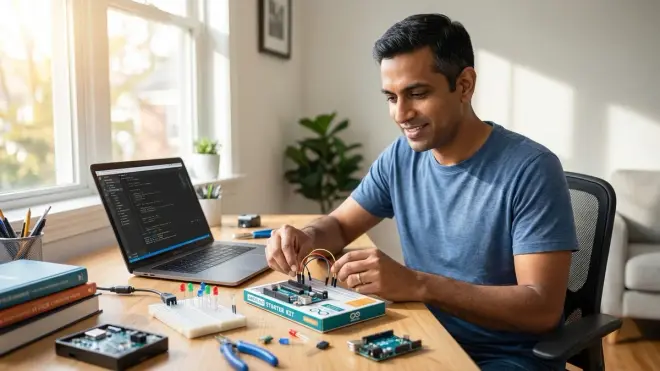
The Arduino Starter Kit Official🛒 Amazon marks the transition from toy-like programming environments to professional development tools. This is text-based C++ programming using the same Arduino IDE employed in commercial embedded systems work. I deployed this with my own 10-year-old after she completed block-based robotics—the learning curve is real, but the professional relevance justifies it.
Lab Specs: Arduino Uno R3 board, 15 projects with all required components (LEDs, sensors, motors, breadboard, jumper wires, resistors, etc.), 170-page project book. Requires Windows/macOS/Linux computer with USB port. Arduino IDE (free, open-source) required for programming. No batteries in base kit—projects run via USB power or external 9V supply.
Skill Outcomes: After completing the project sequence, children understand circuit design basics, can write and debug simple C++ programs, comprehend sensor input processing and actuator control, and demonstrate competency with professional development workflows (code-compile-upload-test). These skills transfer directly to Arduino robotics platforms and IoT projects.
Pros:
- Industry-standard hardware and software—skills directly applicable to professional embedded systems work
- Open-source ecosystem ensures long-term support and component availability
- Massive community means extensive troubleshooting resources and project libraries
- Components remain useful after completing book projects—children build custom circuits
- No subscription fees or proprietary lock-in
- Strong foundation for university-level electrical engineering coursework
Cons:
- Text-based programming represents significant difficulty jump from block-based environments—expect 8-12 hours of frustration during syntax learning
- Requires computer with reliable USB ports; Chromebooks have limited Arduino IDE support
- No structured curriculum beyond the 15 included projects—parents must source next-step learning materials
- Breadboard jumper wires develop intermittent connections after 50+ insertions; requires wire replacement
- 9V battery holder not included; external power projects require additional purchase
Creality Ender 3 V3 SE (Ages 11-16)
The Creality Ender 3 V3 SE🛒 Amazon delivers FDM 3D printing capability at budget-friendly pricing while maintaining the open architecture and upgrade path of professional equipment. This isn't a toy printer with proprietary cartridges—it's a real manufacturing tool that teaches CAD workflow, material science, and iterative design processes. I run this exact model in my home lab for rapid prototyping and teaching 3D design skills.
Lab Specs: 220×220×250mm build volume, auto bed leveling, direct drive extruder, PLA/PETG/TPU compatible, heated bed (up to 110°C), 0.4mm brass nozzle. Requires 115V/230V power (varies by region). Cura, PrusaSlicer, or Creality Print slicer software (Windows/macOS/Linux). Print files transferred via SD card or USB. Setup requires approximately 45 minutes for assembly and calibration.
Skill Outcomes: Children learn complete CAD-to-physical-object workflows using Tinkercad and Fusion 360, understand design-for-manufacturing constraints (overhangs, support structures, layer adhesion), and develop troubleshooting skills through print failure analysis. These competencies align with mechanical engineering and industrial design career paths.
Pros:
- Standard components and open-source firmware enable unlimited upgrade path
- Auto bed leveling eliminates the most frustrating aspect of budget 3D printing
- Uses commodity filament spools—no proprietary cartridge lock-in (around $20 per kg for quality PLA)
- Large community support means troubleshooting resources for any issue
- Genuine manufacturing capability—prints functional mechanical parts, not just decorative items
- Direct drive extruder handles flexible filaments that Bowden systems struggle with
Cons:
- Open-frame design requires dedicated 3D printing station with ventilation and fire safety equipment
- First-layer adhesion troubleshooting represents steep learning curve—expect 5-8 failed prints during initial calibration
- Brass nozzle wears when printing abrasive filaments; steel nozzle upgrade recommended for long-term use
- Bed surface coating degrades after 200-300 prints; requires replacement (around $15-20)
- No built-in camera for remote monitoring—requires separate purchase if desired
- Noise level (approximately 50dB during printing) makes bedroom placement inadvisable
Thames & Kosmos Solar-Powered Robotics Kit (Ages 8-12)
The Thames & Kosmos Solar-Powered Robotics Kit🛒 Amazon combines mechanical engineering with renewable energy fundamentals through 15 different solar-powered robot configurations. This addresses the renewable energy learning gap while teaching gear trains, mechanical advantage, and power transmission concepts that underpin mechanical engineering disciplines.
Lab Specs: 230+ pieces including solar panel (0.3W, 2.3V), motors, gears, transmission elements, and structural components. No batteries required—operates entirely on solar power or bright indoor light (500+ lux minimum). No programming interface—purely mechanical operation. Assembly instructions via printed manual. Requires flat workspace and basic hand strength for snap-fit assembly.
Skill Outcomes: Children learn mechanical power transmission, gear ratio calculations, and how different gear configurations produce speed vs torque tradeoffs. Develops understanding of solar panel output characteristics (light intensity, angle, power conversion) through direct experimentation. Builds mechanical intuition through hands-on iteration—adjusting designs to improve performance.
Pros:
- No batteries or electricity costs—demonstrates renewable energy principles through direct experience
- 15 different configurations provide extended engagement across 40+ hours
- Mechanical focus teaches fundamental physics without screen time
- Durable construction survives 100+ assembly/disassembly cycles
- Clear progression from simple to complex mechanical systems
- Directly supports renewable energy science fair projects
Cons:
- Solar panel performs poorly in typical indoor lighting—requires outdoor use or dedicated bright lamp
- No programming interface limits computational skill development
- Purely mechanical operation offers no progression path to programmable robotics
- Small gears and transmission elements require organized storage to prevent loss
- Limited expansion options beyond the 15 included designs
Frequently Asked Questions
What age should you start teaching STEM skills to children?
Start STEM skill development at age 3 with tactile, screen-free products that teach foundational logic and spatial reasoning without requiring literacy. Products like Cubetto or basic pattern-building toys establish the cognitive infrastructure for later computational thinking. The critical factor isn't chronological age—it's skill prerequisite matching. A 3-year-old ready for sequential logic instruction benefits more from age-appropriate coding toys than from generic play items. Research from MIT's Media Lab demonstrates that early exposure to structured problem-solving frameworks creates measurable advantages in later programming instruction. However, pushing advanced concepts before prerequisite skills exist creates frustration and potential learning aversion. Match products to observable capabilities: can the child follow 3-step instructions reliably, demonstrate basic cause-effect understanding, and persist through simple problem-solving challenges? If yes, they're ready for entry-level STEM toys regardless of specific age.
How do you transition from screen-free coding to text-based programming languages?
Bridge products that combine physical manipulation with digital feedback create the most effective transition from screen-free coding to text-based programming. The progression follows this architecture: pure tactile coding (Cubetto) → physical-digital hybrid (Osmo) → block-based screen programming (Scratch) → simplified text syntax (Python) → professional languages (C++, Java). Each stage should span 12-18 months with 60+ hours of practice before advancement. The physical-to-Scratch transition specifically requires products that make the abstract concepts of functions, parameters, and conditional logic visible through immediate visual feedback. I deployed Osmo with my oldest specifically because the physical block manipulation reduces cognitive load during the screen transition—she could focus on logic structure without simultaneously learning mouse/keyboard interface. After mastering Scratch block structures, text-based Python becomes syntax translation rather than learning new concepts. Expect 8-12 weeks of frustration during each transition regardless of age. The key indicator for readiness: can the child debug multi-step programs independently, or do they require adult intervention for every error? Independent debugging signals readiness for the next complexity level.
Do STEM toys need to connect to apps or can they work offline?
Offline functionality delivers superior long-term value and educational resilience compared to app-dependent products. Cloud-based or app-required toys create three specific risks: company server shutdowns brick the product, internet outages halt learning sessions, and account management adds friction to spontaneous exploration. I prioritize products with complete offline capability or those where apps provide optional enhancement rather than core functionality. The calculus shifts slightly for products bridging to industry-standard platforms—Arduino IDE or Scratch environments justify connectivity requirements because children learn professional tool workflows. However, purely proprietary apps with no skill transfer value represent poor investment. Check whether the product can operate without internet after initial setup, whether it stores programs locally rather than in cloud accounts, and whether app updates are backward-compatible with older devices. Products designed for classroom deployment typically prioritize offline operation because schools can't rely on consistent connectivity. Consumer products often embed unnecessary app dependencies to capture usage data rather than for legitimate pedagogical reasons.
How much should you spend on STEM toys at different age levels?
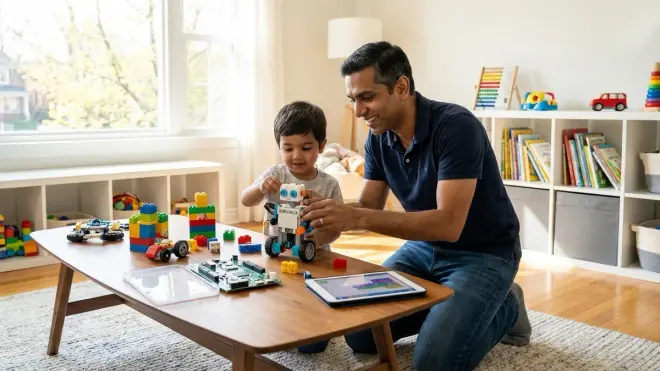
Budget allocation should follow skill development milestones rather than arbitrary age brackets. For ages 3-6 (foundational logic), allocate around $100-150 for 2-3 durable products that deliver 18+ months each. For ages 6-9 (computational thinking and basic programming), budget around $200-300 annually for block-based coding and entry robotics. For ages 9-13 (text-based programming and specialized domains), allocate around $400-600 for platforms with 3+ year utility—Arduino ecosystems, quality 3D printers, or competition robotics. For ages 13-16 (professional tool preparation), justify around $600-1000 for industry-standard equipment that builds portfolio-worthy projects. These ranges assume durable products with expandability and resale value—not consumable entertainment toys. Calculate 3-year total cost including subscriptions and consumables before purchase. A $350 product with no ongoing costs typically outperforms a $150 product requiring $15/month subscriptions over the same period. I evaluate ROI by dividing total lifecycle cost by estimated skill-building hours—effective products deliver around $1-2 per hour of genuine learning engagement. Products exceeding $3-4 per learning hour represent poor value unless they provide direct bridge to professional certifications or portfolio development.
Which STEM toys prepare children for actual technology careers?
Products teaching transferable skills with professional-grade tools deliver the highest career preparation value. Arduino-based platforms teach embedded systems programming used in IoT device development, automotive systems, and industrial automation. Quality 3D printers teach CAD workflows, design-for-manufacturing principles, and rapid prototyping processes used across mechanical engineering and industrial design. Python-compatible AI kits teach machine learning frameworks identical to those used in data science and AI engineering. Competition robotics platforms (FTC, FRC) teach engineering documentation, team collaboration, and iterative design processes that directly mirror professional R&D workflows. Avoid products teaching proprietary platforms with zero industry deployment—they consume learning time without building employable skills. The test I apply: does this product teach skills I could list on a resume or demonstrate in a technical interview? If a 16-year-old can't translate their experience with a product into portfolio projects or internship applications, it's entertainment rather than career preparation. Focus on products compatible with industry-standard programming languages, standard file formats (STL, STEP, JSON), and common development environments (Arduino IDE, VS Code, CAD platforms). These tools teach both technical skills and professional workflows—version control basics, documentation practices, and troubleshooting methodologies.
Should you buy STEM subscription boxes or individual products?
Individual product purchases outperform subscription boxes for families following structured progressive learning paths. Subscription boxes optimize for novelty and variety rather than skill depth—each month delivers a new project with minimal connection to previous or subsequent boxes. This creates scattered exposure to multiple concepts without mastery of any. Individual products allow 60+ hours of deep practice with single skill sets, building genuine competency rather than surface-level familiarity. The economics reinforce this: quality individual products cost around $100-400 upfront but deliver 18-36 months of expanding challenges. Subscription boxes cost around $25-45 monthly, accumulating to $900-1620 over the same period while providing less cumulative skill development. I've evaluated five major STEM subscription services and found that individual products with strong curriculum and expandability consistently outperform monthly boxes in measurable outcomes. The exception: subscription boxes work for families specifically seeking exposure sampling to identify which STEM domains interest their child. Once interest focuses on specific areas—robotics, programming, renewable energy—cancel subscriptions and invest in depth rather than breadth. For detailed analysis of subscription versus one-time purchase models, evaluate total lifecycle cost, skill progression architecture, and whether content accumulates into coherent capabilities or fragments across disconnected projects.
The Verdict
How to choose stem toys by age requires abandoning marketing-driven age ranges and instead mapping products to observable skill prerequisites and measurable capability outcomes. Start with screen-free logic building at ages 3-6, bridge to block-based programming at 6-9, transition to text-based coding and specialized domains at 9-13, and deploy professional-grade tools at 13-16. Prioritize products with offline functionality, open architectures, and clear progression paths to industry-standard platforms. Calculate 3-year total cost including subscriptions and consumables before purchase. Test every product against this framework: can I articulate which specific, verifiable skill this builds, what prerequisite capabilities it requires, and which next-step product it prepares for? Products meeting these criteria justify investment as skill-building infrastructure rather than temporary entertainment. The families successfully building home STEM labs treat toy selection as curriculum design—each product must defend its position in a multi-year capability development roadmap.