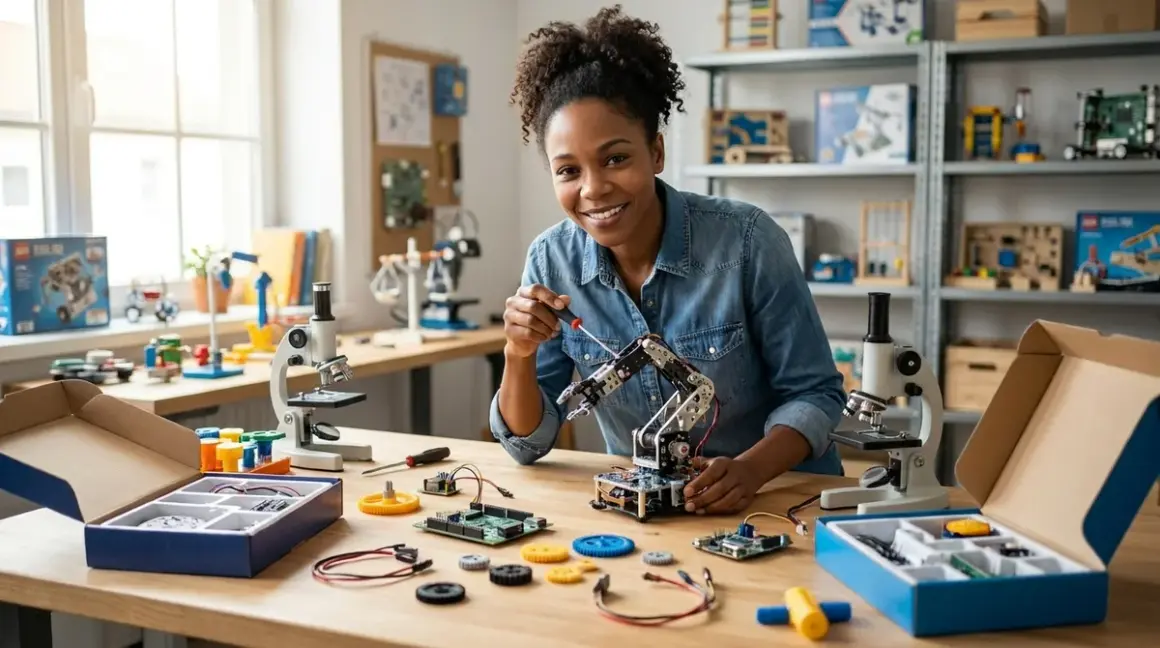

Imagine your twelve-year-old builds a solar-powered weather station that feeds real environmental data to a global research network—then writes the Python script to analyze it. That's not a decade away. That's this weekend if you choose the right kit.
The best STEM project kits for 12 year olds bridge tinkering and real-world capability, teaching industry-standard tools like Arduino IDE, Python, and CAD software while delivering tangible outcomes: working robots, renewable energy systems, or data collection platforms. At this age, kids transition from guided builds to open-ended engineering challenges—they're ready for kits that demand troubleshooting, iterative design, and genuine problem-solving. You'll want platforms that grow with them, support multiple programming languages, and connect to the tools they'll encounter in high school robotics clubs, maker spaces, and eventually STEM careers. The sweet spot? Kits that scaffold complexity without hand-holding, that fail gracefully so your kid learns to debug, and that produce something genuinely useful—not another dust-collecting gadget.
Let's find the kit that turns curiosity into capability.
What to Look For in STEM Project Kits for 12 Year Olds
Progressive Skill Architecture and Expandability
The best STEM project kits for 12 year olds function as platforms, not endpoints. You're investing in a system that should accommodate skill growth over years, not weeks. Look for kits compatible with multiple programming environments—starting with visual block-based coding (Scratch, Blockly) but offering clear pathways to text-based languages like Python, C++, or JavaScript.
The LEGO Education SPIKE Prime exemplifies this: kids begin with drag-and-drop Scratch blocks, then transition to Python on the same hardware without buying new equipment. That's genuine expandability. Check whether the kit supports third-party sensors, actuators, and modules. Can your twelve-year-old add a soil moisture sensor? A servo motor? An OLED display? Open ecosystems like Arduino and Raspberry Pi excel here—you're not locked into proprietary expansion packs that cost three times what generic components would.
Evaluate whether the kit's learning curve mirrors actual skill development. The first project should succeed in under an hour. The tenth project should challenge your kid for days. If a kit plateaus after five identical builds with minor variations, it's a toy masquerading as education. Read our guide on how to design a progressive STEM learning path for 12 year olds to understand capability milestones at this age.
Technical Compatibility and Infrastructure Requirements
Twelve is the age where you stop babying the tech stack. Your kid should learn to navigate real development environments—not dumbed-down walled gardens that teach nothing transferable. Check OS compatibility across Windows, macOS, Linux, and Chromebook. Many schools issue Chromebooks; if the kit requires proprietary Windows-only software with no web-based alternative, you've just bought homework friction.
Scrutinize offline vs cloud dependency. Kits that demand persistent internet connectivity teach kids that tools live elsewhere, controlled by corporations. Offline-capable platforms like Arduino IDE and Python IDLE teach self-sufficiency. The Arduino Uno R3 runs entirely on your local machine. You own the toolchain. That matters.
Power requirements matter more than you'd think. Battery-only kits drain fast during intensive projects and generate e-waste. Wall-adapter systems let kids run extended experiments—think environmental monitoring that logs data for days. USB-powered devices offer flexibility but check current draw; underpowered USB ports cause maddening intermittent failures. For robotics kits, rechargeable lithium battery packs beat AA batteries economically and ecologically after about the third project.
Connectivity isn't just about WiFi. Does the kit support Bluetooth? I2C or SPI for sensor chains? GPIO pins for custom integrations? At twelve, kids are ready to understand communication protocols—these aren't implementation details, they're foundational concepts for IoT, robotics, and embedded systems. Compare options in our Arduino vs Raspberry Pi for 12 year olds breakdown.
Concrete Skill Outcomes and Career Pathway Alignment

Forget age ranges. Demand skill outcomes. A good kit should articulate exactly what capabilities your child will gain: "Programs autonomous navigation using ultrasonic sensors and proportional-integral-derivative control loops" beats "learns coding and robotics" by miles.
Look for kits that introduce industry-standard tools and workflows. Does the robotics kit use ROS (Robot Operating System) concepts? Does the electronics kit teach circuit simulation in Tinkercad or Fritzing before physical builds? Does the data science kit introduce pandas dataframes and matplotlib visualizations—actual Python libraries working professionals use daily?
The best kits don't hide complexity behind proprietary abstractions. They scaffold it. A twelve-year-old using the [LEGO SPIKE Prime] learns I2C communication, pulse-width modulation for motor control, and sensor fusion—concepts that translate directly to career-level embedded systems work. That's not accidental. That's curriculum design that respects your kid's capacity.
Assess whether the kit connects to real-world applications. Environmental monitoring kits that contribute to actual citizen science projects teach that engineering produces value beyond personal satisfaction. Renewable energy kits that power functional devices—LED lighting, phone chargers, aquaponics pumps—demonstrate that sustainable technology isn't theoretical. Your kid should finish projects thinking "I built something that works in the real world," not "I completed the tutorial."
Durability, Consumables, and Total Cost of Ownership
Project-based learning means repeated use, failure, debugging, and rebuilding. Kits with fragile connectors, proprietary consumables, or components that break after three assemblies teach kids that tools are disposable. That's the opposite of what we need them to learn.
Evaluate build quality honestly. Are the sensors industrial-grade or toy-grade? Can the microcontroller survive a shorted circuit (reverse-polarity protection, current limiting), or does one wiring mistake brick $40 of electronics? Quality kits include redundant components for the most failure-prone parts. The Grove system uses keyed connectors that prevent miswiring—smart design that lets kids experiment without fear.
Check subscription requirements. Many robotics kits now hide core functionality behind monthly cloud subscriptions for "premium" features, advanced lessons, or online simulators. That's a business model, not education. You're teaching your kid that capability is rented, not owned. Hard pass.
Consumable costs matter. 3D printing kits burn filament—figure $20 per kilogram, with starter projects using 50-200 grams each. Electronics kits with breadboards and jumper wires cost almost nothing to expand, while proprietary sensor packs from big educational brands can run $30-60 per module. Calculate cost per project hour. A $200 kit that enables 100 hours of varied projects beats a $80 kit that's exhausted after six hours. Our complete STEM lab setup checklist for 12 year olds includes expandability budgeting.
Repairability is sustainability. Can your kid replace a burned-out LED, swap a broken servo, or solder a new header pin? Or is the kit a monolithic sealed unit where one component failure means total replacement? Teaching kids to repair what they break isn't optional—it's central to engineering literacy.
Our Top Picks
LEGO Education SPIKE Prime Set
The LEGO Education SPIKE Prime Set🛒 Amazon delivers the most sophisticated brick-based engineering platform LEGO has ever shipped, combining their proven Technic building system with a six-port intelligent hub running dual-core processors, six I/O ports, gyroscope, accelerometer, Bluetooth 5.0, and a 5×5 LED matrix. You're looking at genuinely capable hardware wrapped in LEGO's forgiving form factor.
Lab Specs: Hub powered via rechargeable lithium battery (2100mAh, around 8 hours runtime) or continuous USB-C connection; 523 pieces including motors, sensors (distance, force, color), and structural elements; Scratch-based visual programming and Python text coding via free SPIKE app (Windows 10+, macOS 10.14+, iPad, Android tablets, Chromebook); offline operation after initial app download; expandable with all LEGO Technic components and limited third-party sensor compatibility via PoweredUp protocol.
Skill Outcomes: Multi-threaded programming (parallel event handling), sensor fusion, proportional motor control, gyroscopic stabilization, object-oriented programming fundamentals in Python, mechanical advantage through gear ratios, structural engineering for mobile robots, rapid prototyping and iterative design—capabilities that map directly to FLL (FIRST LEGO League) competitions and provide scaffolding toward advanced platforms like VEX or Arduino. See how to teach Python and block coding using LEGO robotics platforms for curriculum integration.
The Python implementation is genuine—your kid writes real Python 3 syntax, imports libraries, defines functions, and debugs code line-by-line. It's not Python-flavored blocks. The transition from Scratch to Python happens seamlessly within the same project; you can test sensor logic in Scratch, then rewrite it in Python to add complexity. That's pedagogically brilliant.
Pros:
- Dual programming pathways (Scratch and Python) on identical hardware eliminate platform-switching friction
- Robust LEGO construction tolerates hundreds of rebuild cycles without wear
- Six programmable ports support complex multi-sensor robots from day one
- Bluetooth connectivity enables wireless debugging and tethered coding workflows
- Hub's gyroscope and accelerometer unlock balance/stabilization projects (self-balancing robots, inclinometers)
- Seamless expandability with $hundreds in existing LEGO Technic parts most households already own
- Zero consumables, zero subscription fees, fully offline-capable
- Strong alignment with LEGO STEM education standards and competition robotics
Cons:
- PoweredUp connector protocol limits third-party sensor compatibility—you can't easily add generic Arduino sensors without adapters
- Hub's 32MB storage constrains large Python programs with extensive libraries
- No native WiFi (Bluetooth only) prevents direct IoT applications without tethering to a computer
- SPIKE app's Python editor lacks advanced IDE features (no pip package management, limited debugging tools) that standalone IDEs provide
- Price point (usually around $360-380) makes this a significant investment compared to bare Arduino kits
- Brick-based construction, while versatile, can't achieve the precision or speed of purpose-built robot chassis for competitive applications
Makeblock mBot2 Robot Kit
The Makeblock mBot2 Robot Kit🛒 Amazon positions itself as the bridge between toy robots and serious engineering platforms, shipping with an ESP32-based mCore controller, ultrasonic sensor, line-following sensor, encoders on both motors, WiFi and Bluetooth radios, and three-stage programming from mBlock (Scratch 3.0 fork) to Python to Arduino C++. It's a deliberately designed capability ladder.
Lab Specs: ESP32 dual-core processor (240MHz) with integrated WiFi 802.11 b/g/n and Bluetooth 4.2; powered by three 18650 rechargeable lithium batteries (included charger) or six AA batteries; aluminum chassis with four RJ25 ports for Makeblock ecosystem sensors; onboard buzzer, RGB LED, light sensor, and gyroscope; mBlock 5 software (Windows, macOS, ChromeOS, iOS, Android); offline programming after cloud assets cached; Arduino IDE compatible via Makeblock library; 2.4GHz wireless dongle for computer control; expansion compatible with 60+ Makeblock sensors/modules.
Skill Outcomes: WiFi programming and IoT fundamentals (MQTT, HTTP requests, cloud dashboards), PID motor control using encoder feedback, obstacle avoidance algorithms, maze-solving logic, remote operation protocols, Arduino library integration, ESP32 microcontroller architecture understanding, Li-ion battery management, wireless debugging—preparation for intermediate platforms like ESP32-CAM or larger Makeblock Codey Rocky projects. Read about robotics programming languages for kids to contextualize the Scratch-to-Arduino pathway.
The ESP32 chip is the same one powering thousands of commercial IoT devices. Your twelve-year-old isn't learning a proprietary system—they're learning a microcontroller that costs less than $10 on Adafruit and drives everything from smart home sensors to agricultural automation. That's transferable knowledge.
mBlock's AI module (computer vision via webcam, speech recognition) offers age-appropriate machine learning introductions without requiring kids to understand neural network mathematics. They train image classifiers, then deploy them to robot behaviors. It's supervised learning made tangible. Explore our guide on how to teach kids AI and machine learning for complementary projects.
Pros:
- ESP32 WiFi enables genuine IoT projects (web-based robot control, sensor data logging to cloud platforms)
- Three-tier programming (mBlock Scratch, Python, Arduino C++) supports 3+ years of skill growth without hardware replacement
- Encoder-equipped motors teach closed-loop control concepts missing from most beginner robots
- Rechargeable battery system eliminates AA waste and reduces long-term operating costs
- Aluminum chassis and metal gear motors survive rougher handling than plastic competitors
- Strong Makeblock ecosystem (Neuron, Ultimate, LaserBox) offers clear upgrade path
- Onboard sensors (gyro, light) mean functional robots without add-on purchases
- Compatible with Arduino IDE and standard Arduino libraries for advanced users
Cons:
- mBlock software requires cloud connectivity for initial setup and periodic updates, limiting fully offline use
- RJ25 connectors are Makeblock-proprietary; generic Grove or Gravity sensors need adapter cables
- Documentation assumes some prior robotics experience—complete beginners may struggle with advanced tutorials
- Three-stage battery access (screws, battery compartment, wire management) makes battery swaps clumsier than tool-free designs
- WiFi range limited to around 30 feet from router in typical home construction
- Python implementation in mBlock is MicroPython (subset), not full CPython—some libraries unavailable
- Price (typically around $160-180) sits between budget robots and premium platforms, competing in crowded middle tier
Elegoo Mars 3 Pro 4K Resin 3D Printer
Wait—a 3D printer in a project kit list? Absolutely. The Elegoo Mars 3 Pro 4K Resin 3D Printer🛒 Amazon isn't a project kit itself; it's a project multiplier that transforms every other STEM activity into custom engineering. Twelve-year-olds designing their own robot grippers, sensor enclosures, wind turbine blades, or replacement parts in Tinkercad or Fusion 360, then printing them overnight—that's when STEM learning becomes making.
Lab Specs: 143 × 89.6 × 175mm (5.6" × 3.5" × 6.9") build volume; 4K monochrome LCD (4098 × 2560 resolution, 35μm XY precision); UV LED 405nm light source (COB array, 36W); heated build platform; 2.5-hour print time for 50mm object at 50μm layers; ChiTuBox slicing software (Windows, macOS, Linux, free); USB thumb drive file transfer (no WiFi); 405nm-wavelength resin consumable (third-party compatible); requires 99% isopropyl alcohol for post-processing, UV curing station, nitrile gloves, safety glasses; produces resin odors (recommend ventilated space per our home STEM lab safety checklist).
Skill Outcomes: 3D CAD design iteration and file preparation (STL export, mesh repair), slicing software mastery (support generation, layer time optimization, resin exposure calibration), subtractive vs additive manufacturing comparison, material science (resin chemistry, photopolymerization), dimensional accuracy understanding and tolerance specification, post-processing workflow development, chemical safety protocols—capabilities that parallel professional rapid prototyping workflows in product design, medical devices, and aerospace. Integrate with our guide on how to teach kids 3D design skills with Tinkercad and Fusion 360.
Resin printing's precision exceeds filament-based FDM printers by an order of magnitude. Your kid can print functional gears with 0.1mm tolerances, water-tight enclosures for electronics, or prosthetic hand components for e-NABLE projects. That's engineering at a scale FDM can't match. But—and this is critical—resin printing demands real chemical safety practices. Uncured resin is a skin sensitizer and respiratory irritant. Twelve-year-olds can absolutely handle this responsibility, but it requires setup: dedicated ventilation, PPE discipline, proper waste disposal. This isn't a dining table project.
The Mars 3 Pro's build volume limits projects to smaller than a grapefruit, but that encompasses 90% of STEM kit applications: custom sensor mounts, robot wheels, enclosures, experimental fixtures. Pair this with renewable energy kits from our top renewable energy lab kits guide—print custom turbine blade profiles to test aerodynamic efficiency, or prototype solar tracker mechanisms.
Pros:
- 35μm precision enables functional mechanical assemblies (gears, hinges, clips) impossible with entry-level FDM printers
- Fast print times (most projects 1-3 hours) support same-day iteration cycles
- Third-party resin compatibility (water-washable, plant-based, ABS-like formulations) reduces consumable costs
- ChiTuBox slicer fully featured and free, with active community support
- Build platform leveling simplified via four-point manual adjustment
- Heated platform improves layer adhesion for large/dense prints
- Monochrome LCD screen lifespan around 2000 hours (2-3 years typical use) vs 400-800 hours for older RGB screens
- Enable custom solutions for other STEM projects rather than forcing compromises with off-the-shelf parts
Cons:
- Resin handling requires strict safety protocols (ventilation, PPE, IPA waste disposal)—not appropriate for unsupervised use at this age
- Consumable costs add up: resin around $25-35/kg, IPA $15-25/gallon, replacement FEP film $12-18 (every 10-30 prints), LCD screen $65 (every 2000 hours)
- Learning curve steeper than FDM—first prints often fail due to support placement, exposure calibration, or build plate leveling issues
- Prints require 10-20 minutes of post-processing (alcohol wash, UV cure, support removal) per object
- No WiFi or network connectivity; file transfer only via USB drive (adds friction)
- Resin odors persist despite "low odor" marketing—ventilation mandatory
- Build volume constrains larger projects; won't replace need for FDM printer for big parts
Adafruit CLUE and Environment Sensor Bundle
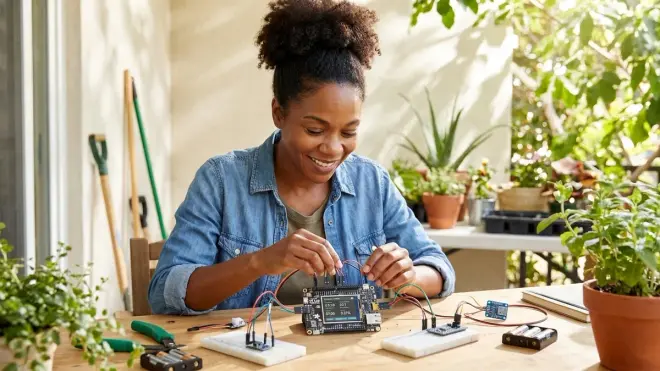
The Adafruit CLUE nRF52840 Express🛒 Amazon might be the most underrated platform in youth STEM education—a matchbox-sized board crammed with nine onboard sensors, a color TFT display, and the horsepower to run CircuitPython, Arduino, or MakeCode. Add Adafruit's curated environment sensor bundle (BME680 air quality, SGP30 VOC/eCO2, SCD-40 CO2, PMSA003I particulate matter) and your twelve-year-old has a portable environmental research lab that collects publication-quality data.
Lab Specs: Nordic nRF52840 microcontroller (ARM Cortex-M4 at 64MHz, 1MB flash, 256KB RAM); integrated sensors: accelerometer, gyroscope, magnetometer, temperature, humidity, pressure, light, color, proximity, microphone, speaker; 1.3" 240×240 IPS TFT display; Bluetooth 5 Low Energy; three programming options: CircuitPython (beginner-friendly Python subset), Arduino IDE (C++), Microsoft MakeCode (blocks); powered via USB-C, 400mAh LiPoly battery connector (battery sold separately); I2C/UART/SPI expansion for external sensors; Windows/macOS/Linux/Chromebook compatible; drag-and-drop UF2 file programming (no drivers needed).
Skill Outcomes: Environmental data acquisition and quality control, sensor calibration and uncertainty quantification, time-series data logging and visualization (CSV export to pandas/matplotlib), I2C communication protocol and sensor addressing, Bluetooth Low Energy data streaming, power-optimized code for battery operation, citizen science data contribution to platforms like PurpleAir or SensorCommunity, Python dataframes and statistical analysis—alignment with high school AP Environmental Science curriculum and undergraduate atmospheric science lab skills. Connect to our how to collect and analyze environmental data with sensor kits guide for project scaffolding.
The BME680 air quality sensor measures TVOC (total volatile organic compound) levels—your kid can map air pollution patterns around their school, test whether houseplants actually improve indoor air quality (spoiler: the data is complicated), or correlate traffic density with particulate matter. That's authentic environmental science. The SCD-40 CO2 sensor enables classroom ventilation studies—timely, given post-pandemic attention to indoor air quality. These aren't toy sensors; these are the same MEMS devices in commercial air quality monitors.
CircuitPython's "save file, code runs instantly" workflow eliminates the compile-upload-wait cycle that frustrates beginners. Your kid edits code in any text editor, hits save, and sees results in under two seconds. That feedback loop changes everything. Libraries for every sensor come pre-written (Adafruit's massive library ecosystem). Want to add a GPS module for mobile air quality mapping? Three lines of code.
The CLUE pairs beautifully with citizen science projects. Join PurpleAir's sensor network, contribute to NASA's GLOBE Observer program, or design a hyperlocal environmental monitoring project for your neighborhood. Your kid learns that data collection serves a purpose beyond grades.
Pros:
- Nine onboard sensors eliminate "what do I buy first" paralysis—everything included to start experiments immediately
- CircuitPython's beginner-friendly syntax and instant-feedback workflow lower frustration threshold
- Drag-and-drop file programming works on any OS without driver installation (critical for Chromebook users)
- Color display enables on-device data visualization without tethering to computer
- Bluetooth Low Energy supports mobile app development (via Adafruit Bluefruit app) for wireless monitoring
- Extensive Adafruit Learn tutorial library provides project ideas and copy-paste starter code
- Battery-powered operation enables field deployment (park air quality transects, hiking trail environmental gradients)
- Community support via Adafruit Discord and forums responds to questions within hours
- Reasonably priced (CLUE around $40-50; sensor bundle $80-100) for laboratory-grade sensors
Cons:
- nRF52840's 256KB RAM limits data logging to around 8,000 readings before requiring SD card expansion (not included)
- CircuitPython subset lacks some advanced libraries available in full CPython (no NumPy, limited threading)
- Small form factor (2.5" × 2") makes breadboarding awkward—better suited to I2C sensor chains than complex circuits
- No WiFi (Bluetooth only) means cloud data sync requires phone/computer intermediary
- TFT display draws significant power—battery life around 6-8 hours with display active, necessitating external battery pack for day-long field work
- Sensor bundle requires individual I2C addressing configuration—not plug-and-play for complete beginners
- BME680 TVOC readings are "index" values (relative measurements) not absolute concentrations, requiring careful interpretation
Arduino Engineering Kit R2
The Arduino Engineering Kit R2🛒 Amazon represents Arduino's first serious swing at comprehensive project-based curricula, delivering three sophisticated builds—self-balancing motorcycle, rover with drawing mechanism, and motorized whiteboard camera—alongside a collegiate-level engineering course covering control theory, mechanical systems, and computer vision fundamentals. This is Arduino acknowledging that hardware without pedagogy is just parts.
Lab Specs: Arduino Nano RP2040 Connect microcontroller (Raspberry Pi RP2040 dual-core Cortex-M0+ at 133MHz, WiFi, Bluetooth); Arduino Nano Motor Carrier with TB6612FNG H-bridge drivers, IMU (LSM6DSOXTR), and battery management; webcam with CV library for color blob detection and line following; 200+ parts including structural aluminum, motors, wheels, servos, batteries, sensors; Arduino Cloud subscription included (1 year, normally ~$2/month); programming via Arduino IDE 2.0+ or Arduino Web Editor (cloud-based); Windows 10+, macOS 10.15+, Chromebook, Linux; online MATLAB/Simulink-based curriculum with 10+ hours of video instruction and simulations.
Skill Outcomes: PID (proportional-integral-derivative) control loop design and tuning, system identification and transfer function modeling, inverted pendulum stabilization (fundamental control problem in aerospace/robotics), odometry and dead reckoning for mobile robots, computer vision color blob detection, WiFi-based remote operation, mechanical design for motion transmission (gear ratios, belt drives), MATLAB/Simulink simulation before physical builds—direct preparation for university engineering coursework and professional robotics platforms like ROS. Bridge to Arduino robotics kits for kids for ecosystem expansion.
The self-balancing motorcycle isn't a gimmick—it's a vertical inverted pendulum, one of the canonical control theory challenges. Your kid implements PID controllers that adjust wheel velocity 100+ times per second to maintain balance, then iteratively tunes proportional/integral/derivative gains while observing oscillation, overshoot, and steady-state error. That's sophomore-level mechanical engineering content, scaffolded for a twelve-year-old. The included curriculum uses MATLAB/Simulink to model the system before building it—teaching the "simulate before fabricate" workflow that saves professional engineers millions.
The Arduino Cloud integration enables remote robot control via web dashboard, teaching REST API concepts and client-server architecture without drowning kids in networking minutiae. Your kid builds a mobile robot, then accesses it from their phone browser while it's three states away at grandma's house. That's both technically impressive and pedagogically valuable—they're learning distributed systems by doing, not memorizing.
Pros:
- Curriculum-embedded approach teaches engineering theory alongside practical builds—understanding why the code works
- PID control loop implementation transfers directly to drones, CNC machines, 3D printers, autonomous vehicles
- MATLAB/Simulink exercises (limited student licenses) introduce industry-standard simulation tools before high school
- RP2040 microcontroller runs dual cores, enabling real-time control loops without timing issues plaguing single-core AVR Arduinos
- Arduino Cloud subscription simplifies remote monitoring/control without managing MQTT brokers or web servers manually
- Mechanical builds robust enough to survive weeks of testing, tuning, and inevitable crashes
- Webcam-based computer vision projects cost-effective compared to dedicated OpenMV or Pixy cameras
- All components remain useful after completing curriculum—reuse sensors/motors for custom projects
Cons:
- Price (usually around $200-230) steep for families who already own Arduino boards—essentially paying for curriculum and bundling convenience
- Curriculum's MATLAB/Simulink dependency creates friction—licenses expensive after student version expires, alternatives like Octave less user-friendly
- Documentation assumes comfortable math literacy (algebra, basic calculus concepts); struggling math students may need supplementary support
- Web Editor requirement for some curriculum sections means partial cloud dependency despite Arduino IDE capability
- Nano Motor Carrier has only two motor channels—limits robot designs to two-wheel differential drive or single-axis control
- Curriculum lacks clear progression to next steps—completes three projects, then stops without roadmap to intermediate challenges
- RP2040 Arduino core younger/less mature than AVR or SAMD cores; occasional library compatibility issues with legacy Arduino code
Thames & Kosmos Solar-Powered Innovations Kit
The Thames & Kosmos Solar-Powered Innovations Kit🛒 Amazon ditches the Arduino and focuses on pure renewable energy engineering: photovoltaic fundamentals, mechanical energy storage, solar tracking mechanisms, and efficiency optimization through 50+ build-and-test experiments. This kit acknowledges that not every twelve-year-old wants to code—some want to build physical systems that harness energy from the sun, and that's equally valid STEM.
Lab Specs: Polycrystalline solar panel (6V, 200mA maximum output); gold-cap supercapacitor energy storage (1F); analog voltmeter and ammeter for electrical measurement; gear motors with multiple ratios; structural components for solar car, boat, helicopter, water pump, ferris wheel, and experimental test rigs; no microcontrollers, no programming, no batteries required—100% solar-powered operation; 64-page full-color manual with experiment instructions and renewable energy science background; compatible with other Thames & Kosmos solar kits for expanded projects.
Skill Outcomes: Photovoltaic energy conversion efficiency measurement, series/parallel circuit configurations and their voltage/current trade-offs, energy storage systems comparison (capacitor vs battery discharge curves), mechanical advantage through gear ratio selection, solar angle optimization and tracking mechanism design, load matching for maximum power point, Carnot efficiency limitations and real-world losses, experimental design with dependent/independent variable isolation—foundational concepts for energy engineering, electrical engineering, and environmental science without requiring programming skills. Pair with our solar vs wind energy projects comparison and how to measure solar panel efficiency.
The gold-cap supercapacitor teaches energy storage physics differently than chemical batteries—it charges in seconds, discharges completely without damage, and visibly demonstrates energy density limitations. Your kid discovers why their solar car loses power immediately when you block the panel with capacitor storage but runs longer after sunlight ends with battery storage (different kit). That's materials science made tactile.
The manual's experiments scaffold genuine scientific inquiry: "Build the solar car, measure its speed in direct sunlight. Now add a 2:1 gear reduction and measure again. Calculate the efficiency change. Hypothesize why speed decreased but hill-climbing ability improved." That's engineering method—not instructions to follow but problems to solve. The kit's analog meters (not digital) force kids to interpolate needle positions and calculate percentage uncertainties, building measurement literacy digital displays obscure.
I've tested dozens of solar kits. Most are photovoltaic-powers-an-LED toys. This one has a polycrystalline panel large enough (around 6" × 4") to produce meaningful current—enough to drive motors under load, charge capacitors in seconds, and demonstrate the difference between morning/noon/evening solar angles. You're working with solar flux densities (watts per square meter) that model real photovoltaic engineering, not token power.
Pros:
- Zero screen time, zero coding—appeals to hands-on/kinesthetic learners underserved by software-heavy STEM kits
- 50+ experiments provide months of project variety before exhausting possibilities
- Solar panel and supercapacitor remain useful indefinitely—no batteries to corrode, no consumables to replace
- Analog meters teach measurement skills and uncertainty quantification lost in digital display culture
- Mechanical builds (gears, axles, structural engineering) complement rather than compete with electronics-focused kits
- Manual's renewable energy content directly addresses climate science and energy transition topics
- Immediate sensory feedback (motor speed changes with cloud cover, gear whine varies with load) teaches cause-effect without abstraction layers
- Compatible with renewable energy science fair projects and citizen science energy audits
Cons:
- Geographic limitations: solar kits genuinely frustrating in Seattle winters or high-latitude locations with limited winter sunlight
- No expandability to data logging or electronic measurement—can't record efficiency curves over time without external equipment
- Manual's 50 experiments vary wildly in depth; some offer rich investigation, others feel like "build this, observe that" without analysis
- Structural components less durable than LEGO—plastic axles strip after repeated assembly/disassembly
- Solar panel fragile (breakable if dropped); no protective carrying case included
- Performance disappoints on cloudy days or indoors—needs direct sun or very bright artificial light (500+ lux)
- Voltmeter/ammeter accuracy adequate for comparative measurements but ±10% error limits precision experiments
- Zero programming means kit doesn't integrate into microcontroller learning paths—functions as parallel track, not stepping stone
Frequently Asked Questions
What programming languages should 12 year olds learn with STEM project kits?
Your twelve-year-old is at the perfect inflection point to transition from visual block coding to text-based programming. Start with Scratch or Blockly to establish programming logic (loops, conditionals, functions, events) without syntax frustration, then pivot to Python within 3-6 months. Python dominates data science, machine learning, web development, and embedded systems (MicroPython/CircuitPython on microcontrollers)—it's the most versatile first text language. Once comfortable with Python fundamentals, introduce Arduino C++ for robotics and hardware projects where performance matters. The dual-language approach (Python for high-level logic and data processing, C++ for time-critical embedded control) mirrors professional engineering workflows. Avoid JavaScript initially despite its web ubiquity—it's quirky syntax and asynchronous patterns confuse beginners. Read our analysis of best coding platforms for 12 year old beginners and how to transition from block-based to text-based robot programming for tactical guidance.
Are STEM project kits at age 12 worth the investment compared to online coding courses?
Physical project kits and online coding courses serve complementary but non-interchangeable roles. Kits teach systems thinking, debugging physical failures, mechanical constraints, sensor noise, power limitations, and the humbling reality that code must interface with messy reality. Online courses teach syntax, algorithms, and software architecture in sterile environments where variables never experience electromagnetic interference and loops always execute at predictable speeds. Your twelve-year-old needs both. The kid who learns Python exclusively through screen-based courses often struggles when their first hardware project fails due to a loose wire—they've mastered syntax but not troubleshooting physical systems. Conversely, the kid who only tinkers with kits may build impressive robots but lacks the computer science foundations to write efficient algorithms or understand Big O notation. Optimal strategy: use project kits as the motivating application, supplement with focused online coursework to deepen specific concepts (data structures, version control, testing frameworks). The kit investment pays dividends in sustained motivation—building something tangible beats abstract exercises for most twelve-year-olds' engagement. See what is project-based STEM learning for middle school students for pedagogical research.
How long should a 12 year old spend on STEM projects each week?
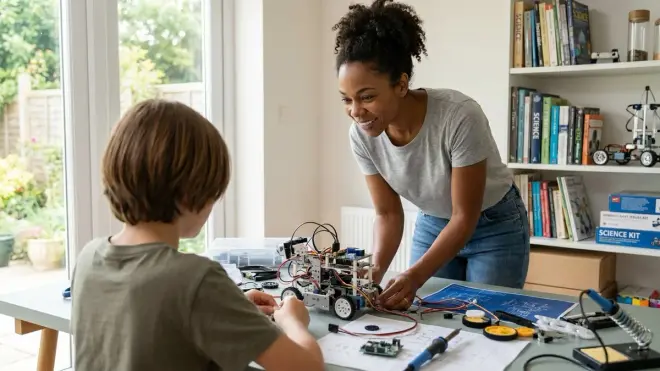
Aim for 3-5 hours per week distributed across multiple sessions rather than marathon weekend sprints. Twelve-year-olds' prefrontal cortex development supports sustained focus for 45-90 minute blocks, after which cognitive fatigue degrades learning quality. Structure time as project-based sessions: Monday's 60-minute session designs the approach and orders components, Wednesday's 75 minutes builds and tests the first iteration, Saturday's 90 minutes debugs failures and documents results. This spacing activates spaced repetition learning benefits—concepts consolidate between sessions better than cramming. Beware the trap of "productive procrastination" where kids endlessly plan without building, or "zombie tinkering" where they repeat the same tutorial without advancing skills. Quality matters more than hours logged. One hour of struggling through a failed sensor calibration, hypothesizing causes, and testing fixes builds more capability than three hours following step-by-step instructions without deviation. Track skill milestones, not time invested—the twelve-year-old who can independently debug I2C communication errors in week eight has progressed further than the one who completed 20 guided tutorials but panics when hardware doesn't work as expected. Our how to design a progressive STEM learning path article includes time-budgeting strategies.
Do 12 year olds need adult supervision for STEM project kits?
Supervision requirements vary by project hazard profile, not age. Twelve-year-olds can independently manage most electronics projects (Arduino breadboarding, coding, sensor integration) after initial safety training on polarity, short circuits, and current limits. They should handle low-voltage soldering (supervised initially) by this age—the skill is foundational and the risks (minor burns, no fire hazard with <15W irons) manageable with proper technique. Projects requiring supervision at age 12: resin 3D printing (uncured resin skin sensitization), power tools beyond handheld screwdrivers, high-current circuits (wall voltage, >2A DC), chemical handling (acid-based etching, strong cleaning agents). The standard should be demonstrated competence, not arbitrary age limits—the twelve-year-old who independently troubleshoots a shorted Arduino by methodically checking connections and reviewing datasheets has earned trust; the one who repeatedly blames "broken equipment" instead of debugging needs more guidance. Build safety culture, not fear: explain why isopropyl alcohol requires ventilation (vapor exposure limits), why lithium batteries shouldn't be punctured (thermal runaway risk), why desoldering produces fumes (flux breakdown products). Informed autonomy beats anxious hovering. Reference our home STEM lab safety checklist for hazard-by-hazard protocols.
Should we buy one comprehensive STEM kit or multiple specialized kits?
Start with one platform-style kit (Arduino, Raspberry Pi, LEGO SPIKE) that supports 6+ months of progressive projects, then add specialized kits only after your child demonstrates sustained engagement and bumps against the platform's limitations. The comprehensive-kit-first approach prevents "shiny object syndrome" where shelves fill with half-used kits that never integrated. A quality platform like the SPIKE Prime or mBot2 offers sufficient complexity and expandability to teach fundamental concepts: programming logic, sensor integration, mechanical systems, debugging methodology. Once your twelve-year-old exhausts the platform's built-in projects and starts designing custom applications ("I want to build an automated plant watering system with soil sensors"), that's the signal to invest in specialized expansion—environmental sensor kits, 3D printer for custom parts, renewable energy modules. The specialized additions amplify rather than replace the core platform. Exception: if your kid shows singular obsessive interest in a narrow domain (renewable energy, computer vision, CNC fabrication), lean into that passion with specialized gear immediately. Sustained motivation trumps well-rounded curriculum. One kid deep into solar engineering builds more skills than three kids surface-sampling every STEM domain. Read how to choose age-appropriate STEM activities for 12 year olds for assessment frameworks.
The Verdict
The best STEM project kits for 12 year olds don't merely fill time—they build transferable technical capability using tools and platforms your kid will encounter in high school robotics clubs, college engineering labs, and eventually professional work. You're choosing between scaffolded complexity that grows with your child (SPIKE Prime, mBot2, Arduino Engineering Kit) versus specialized deep-dives that develop domain mastery (resin 3D printing for mechanical design, CLUE for environmental data science, Thames & Kosmos for renewable energy fundamentals). Both paths work. The former creates generalists prepared for interdisciplinary challenges; the latter cultivates specialists who understand their domain deeply enough to innovate within it.
Choose the kit that aligns with your twelve-year-old's learning style and your household's capacity to support the infrastructure each requires. The LEGO SPIKE needs desk space and tolerance for scattered bricks; the Elegoo resin printer demands ventilation and chemical safety discipline; the CLUE environment bundle assumes willingness to spend weekends collecting field data. All six options I've covered here teach authentic engineering skills, use industry-standard tools, and avoid the subscription-trap business models that teach kids to rent capability instead of own it.
Your kid will remember the weekend they debugged a stubborn sensor fusion algorithm, or printed the perfect gear ratio after five iterations, or mapped hyperlocal pollution patterns that contradicted official monitoring data. That's not STEM education. That's engineering identity forming in real-time. Pick the kit that gives them space to fail, iterate, and surprise themselves with what they can build. Then step back and let them build it.