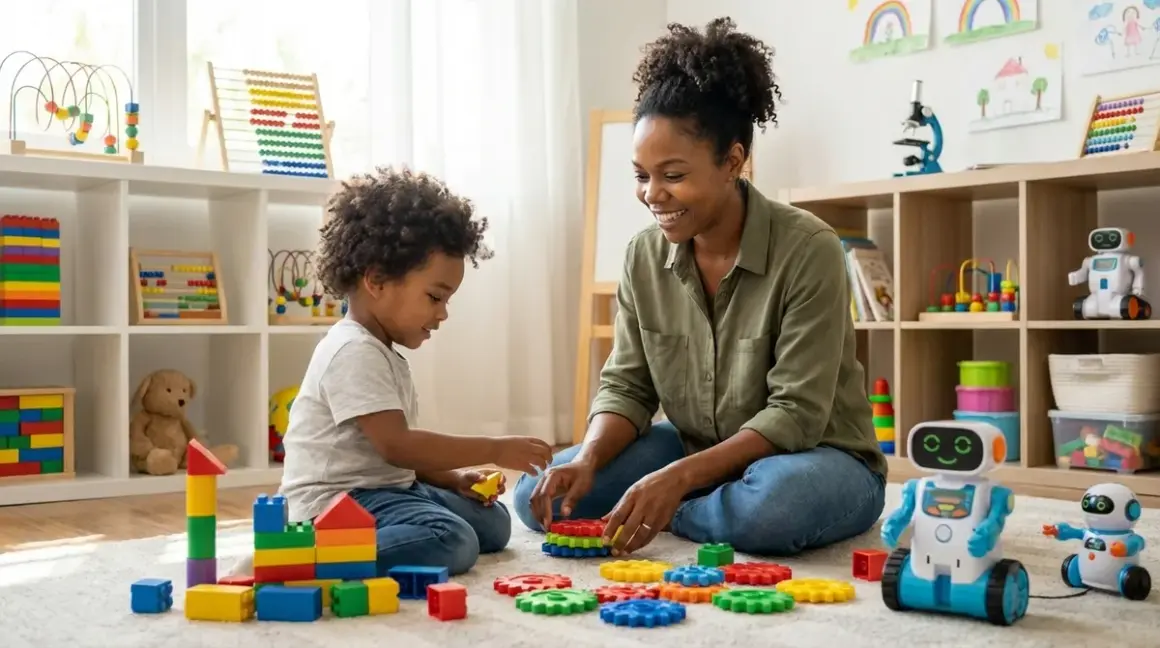

You're not buying toys—you're building a capability portfolio. Every time you choose children's stem toys, you're placing a bet on which skills will matter in 2035, 2040, and beyond. The right kits teach soldering, algorithmic thinking, energy conversion, and systems design. The wrong ones gather dust after one weekend. This guide shows you how to distinguish between both.
What Are Children's STEM Toys?
Children's stem toys are structured learning tools that teach science, technology, engineering, and mathematics through hands-on experimentation. Unlike passive entertainment, these products develop measurable technical competencies: circuitry knowledge, programming logic, mechanical advantage principles, renewable energy conversion, and spatial reasoning.

They bridge the gap between theoretical classroom instruction and industry-standard practice. A quality STEM kit doesn't simplify engineering—it scaffolds it. The Snap Circuits Jr. SC-100 Electronics Exploration Kit teaches series and parallel circuits using the same principles you'll find in professional schematics. The LEGO Mindstorms Robot Inventor Building Set uses motor encoders, gyroscopic sensors, and Python programming—the same toolchain robotics engineers use in prototype labs.
But here's the truth: most products marketed as "STEM toys" teach nothing transferable. They're batteries-and-lights spectacles with proprietary apps that dead-end after twenty minutes of guided play. Real children's stem toys offer progressive complexity, technical transparency, and open-ended application. You should be able to see how the mechanism works, modify it, and expand it as skills develop. If a kit hides its operation behind opaque plastic and a one-trick app, it's edutainment—not education.
The defining characteristic? Concrete skill milestones. A five-year-old working with Learning Resources Botley 2.0 Coding Robot isn't "playing with a robot"—they're mastering sequential instruction logic, a prerequisite for every programming language they'll encounter later. That's the difference.
How Children's STEM Toys Work: Mechanism and Learning Architecture
Effective children's stem toys operate on a layered learning model: tactile manipulation at the foundation, conceptual pattern recognition in the middle, and generalized problem-solving at the top. You can't skip layers. A child who hasn't internalized cause-and-effect through physical experimentation can't abstract those relationships into code.
The Physical Feedback Loop
Start with manipulatives—gears, levers, circuits, motors. These deliver instant, visible feedback. Push a button, the LED lights. Flip the gear orientation, the mechanism reverses. I've watched dozens of kids discover Ohm's Law not through a formula, but by adding resistors to a circuit and watching the LED dim. That visceral experience anchors the abstract concept later.
The Learning Resources Gears! Gears! Gears! set (ages 3-5) teaches mechanical advantage, rotational direction, and gear ratios through chunky, interlocking plastic pieces. You'll see your child experiment with different configurations to make the whole system spin—that's applied engineering, even if they can't name it yet. No batteries, no screens, no hidden logic.
Transitioning to Symbolic Representation

Next layer: screen-free coding. Products like the Botley robot use physical command tiles that represent programming functions—forward, turn left, loop. Children sequence these tiles, press "go," and watch the robot execute. They're learning function order, debugging (when the path doesn't match expectations), and iterative refinement—all without staring at a screen.
This stage is critical. Kids who jump straight to screen-based block coding often struggle with spatial reasoning and manual dexterity integration. The physical tiles force them to plan the entire sequence before execution. It's slower, more deliberate, and far more durable as a cognitive skill. For a deeper look at this progression, check out our guide on how screen-free coding prepares kids for text-based programming languages.
Abstraction and Tool Fluency
By ages 8-10, children are ready for industry-standard platforms. The Arduino Starter Kit is the gold standard here—it's the same microcontroller used in university engineering programs, open-source hardware projects, and commercial prototyping. Kids learn C++ syntax, digital I/O control, sensor integration, and circuit design. Projects scale from blinking an LED to building a weather station with temperature, humidity, and barometric pressure sensors.
The Arduino ecosystem is infinitely expandable. Once your child outgrows the starter projects, they can add servo motors, OLED displays, RFID readers, GPS modules—any component with a library. This isn't a toy with a shelf life; it's an entry point into maker culture and professional embedded systems development.
Lab Specs Matter Here:
- Power requirements: Most Arduino boards run on 5V USB or 7-12V barrel jack input. Safe, low-voltage, but you'll need a clean workspace away from liquids.
- Connectivity: USB-to-computer for programming; some advanced boards add WiFi or Bluetooth for IoT projects.
- Expandability: Thousands of shields, sensors, and modules available. Check pin compatibility before purchasing add-ons.
- Durability: Circuit boards are fragile. Invest in a case and silicone jumper wires (more durable than solid-core for repeated use).
For comprehensive setup guidance, including power infrastructure and ventilation for soldering work, see our home STEM lab safety checklist.
The Renewable Energy Bridge
Here's where my own projects inform my recommendations. Solar and wind energy kits teach energy conversion, storage, and load calculation—skills directly applicable to climate solutions work. The Thames & Kosmos Wind Power 2.0 Kit includes a working turbine, gearbox configurations, and DC motors that function in reverse as generators. Kids measure voltage output at different wind speeds (use a box fan), calculate efficiency losses through the drivetrain, and experiment with blade pitch angles.
These aren't hypothetical exercises. When your twelve-year-old calculates that their 3-watt solar panel needs six hours of direct sunlight to fully charge a 3000mAh battery bank, they're doing the exact math I use sizing off-grid systems for my own workshop. The OWI Robotic Arm Edge with USB PC Interface can run on solar power—connect it to a panel kit and watch your child troubleshoot power management when the robot stalls on cloudy days. That's real-world problem-solving, not simulation.
Why Children's STEM Toys Matter: Skill Investment for an Uncertain Future

The jobs your child will work don't exist yet. But the foundational competencies do: systems thinking, iterative prototyping, cross-disciplinary integration, and technical literacy. Children's stem toys aren't about memorizing facts—they're about building cognitive infrastructure for adaptive problem-solving.
Consider algorithmic thinking. Every software engineer, data analyst, and automation specialist relies on the ability to decompose complex problems into sequential steps, identify patterns, and optimize for efficiency. That's exactly what happens when a seven-year-old programs a robot to navigate a maze using a screen-free coding kit. They're not "learning to code"—they're learning how to think algorithmically, a skill that transfers to any domain.
Or take renewable energy kits. Climate change will define their generation. Kids who understand photovoltaic efficiency, energy density, and conversion losses today will design the distributed solar grids, community wind cooperatives, and regenerative agriculture systems of 2040. The Thames & Kosmos Solar Power 2.0 Kit teaches Watts, voltage, current, and battery chemistry through fifteen buildable models—from a solar car to a charging station. Your ten-year-old who measures panel angle vs. output is learning the same optimization calculations I use on my own rooftop array.
The ecological urgency is real. We don't have time for a generation that treats technology as magic. They need to see inside the systems, understand energy costs, recognize greenwashing, and build solutions themselves. That starts with a soldering iron, a multimeter, and a kit that doesn't hide its guts behind injection-molded plastic.
And here's the practical side: STEM fluency is economic resilience. Automation will displace millions of routine jobs. The skills that remain valuable—creative problem-solving, technical troubleshooting, system design—are exactly what quality children's stem toys cultivate. You're not preparing them for a career; you're preparing them to invent careers.
Types and Variations: Categories That Build Toward Mastery
Not all children's stem toys serve the same developmental function. Effective learning paths combine multiple categories in a progression that builds complexity over time. Here's how to structure it:
1. Mechanical and Construction Systems (Ages 3-8)
Foundation skills: spatial reasoning, mechanical advantage, structural stability. Products: LEGO Technic, K'NEX, Engino, and marble runs. These teach gear ratios, lever classes, and load distribution through tactile experimentation. No power source required—pure physics.
2. Screen-Free Coding and Logic Games (Ages 4-9)
Algorithmic thinking without screen time. The ThinkFun Gravity Maze Marble Run Brain Game uses spatial logic and sequential planning—same cognitive load as programming, zero device dependency. For robots, the Botley and Cubetto (now discontinued but still available secondhand) use physical programming tiles. Develops function sequencing, debugging, and loop logic. For a complete age-matched guide, see our article on how to choose screen-free coding kits for different age groups and skill levels.
3. Electronics and Circuitry Kits (Ages 8-12)
Real components, real schematics. Snap Circuits, littleBits, and Elenco teach series/parallel circuits, resistor function, transistor switching, and sensor integration. Milestone: soldering your first circuit. That's a permanent skill. I still use the soldering technique I learned at age eleven.
4. Robotics Platforms (Ages 8-14+)
Industry-standard programming and mechanical integration. LEGO Mindstorms, VEX IQ, Makeblock mBot, and Arduino-based robots. These combine motors, sensors, and code. Skills: motor control, sensor feedback loops, PID algorithms, and multi-threaded programming. Compare platforms in our robotics learning path checklist to match your child's progression.
5. Renewable Energy and Environmental Systems (Ages 9-14+)
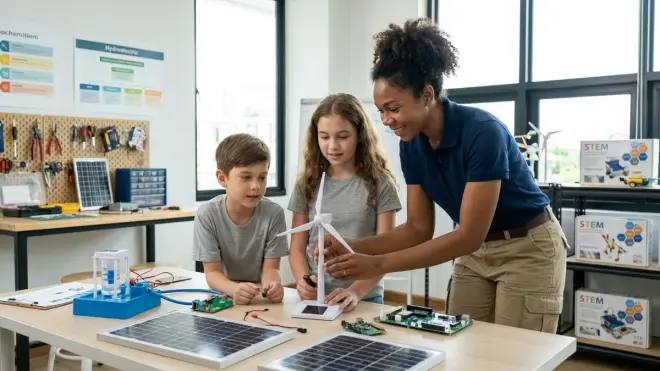
Solar, wind, hydroelectric, and fuel cell kits. Teaches energy conversion efficiency, storage systems, and load calculation. The Horizon Fuel Cell Car and Refueling Station Kit demonstrates electrolysis, hydrogen storage, and fuel cell operation—technology critical for grid-scale renewable storage. Bonus: these projects have measurable real-world impact. Your child's solar oven can actually cook food. Their wind turbine can charge their own devices.
6. 3D Design and Additive Manufacturing (Ages 10+)
CAD software (Tinkercad, Fusion 360) plus a beginner 3D printer like the Creality Ender-3 V3 SE 3D Printer. Skills: parametric design, material properties, iterative prototyping. This is how modern engineers work—design digitally, test physically, refine. For safety protocols and workspace setup, consult our complete 3D printer safety checklist for kids and teens.
Each category prepares for the next. You can't skip mechanical foundations and jump straight to robotics—the child won't understand torque, friction, or structural design. But layer them correctly, and by age twelve, your kid can design a 3D-printed solar-powered robot that navigates autonomously. I've seen it dozens of times.
Lab Specs: Infrastructure, Compatibility, and Durability Requirements
Before you buy a single kit, assess your physical infrastructure. Children's stem toys aren't plug-and-play—they need space, power, storage, and (for advanced projects) ventilation.
Power and Connectivity
- Low-voltage DC (3-12V): Most robotics kits, circuit boards, and electronics projects run on batteries or USB power. Safe for unsupervised use.
- Wall outlet (110V): 3D printers, soldering irons, and some motor-heavy robotics platforms require AC power. Install GFCI outlets in your workspace.
- Computer dependency: Arduino, LEGO Mindstorms, and VEX platforms require USB connection to a PC or tablet for programming. Check OS compatibility—many kits dropped Windows 7 support in 2024.
- Cloud vs. offline: Some kits (Sphero, Wonder Workshop) require cloud-connected apps. I avoid these. Internet outages shouldn't halt learning. Prioritize kits with offline software.
Storage and Organization
Circuit components, sensors, motors, and fasteners multiply fast. Invest in a compartmentalized storage system—I use Plano tackle boxes because they're cheap, durable, and stackable. Label everything. Loose jumper wires are chaos.
For comprehensive workspace design principles, including modular storage solutions and cable management, see our guide on how to organize a home STEM lab for progressive skill development.
Expandability and Ecosystem Lock-In
Avoid proprietary ecosystems. If a kit uses custom connectors, non-standard voltage, or app-exclusive programming, you're locked into that manufacturer's upgrade path. The moment they discontinue the product line (and they will), your investment is obsolete.
Prioritize open-source platforms:
- Arduino: Universal microcontroller, thousands of compatible components, active community.
- Raspberry Pi: Linux-based single-board computer, runs Python, Scratch, and full desktop applications.
- VEX and TETRIX: Metal-based robotics platforms with standardized mounting patterns—compatible across product generations.
Durability for Repeated Use
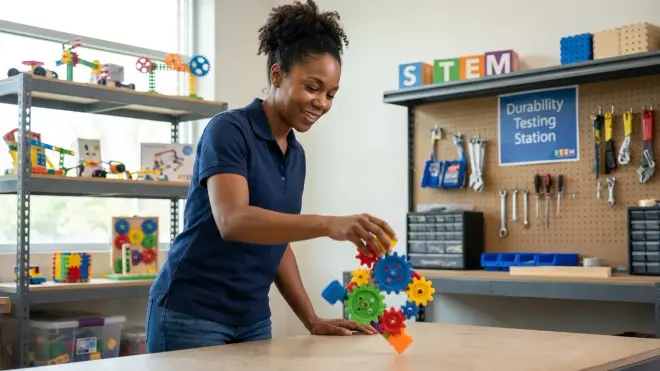
Cheap plastic gears strip. Thin PCB traces crack. Flimsy servo motors burn out. I test durability by disassembling kits and inspecting component quality. Red flags: injection-molded gears without metal inserts, ribbon cables instead of individual wires, and adhesive-mounted electronics (impossible to repair).
Durable choices:
- LEGO Technic and Mindstorms: ABS plastic lasts decades. I still have functional pieces from my childhood.
- VEX IQ and EDR: Aluminum extrusion frames, steel shafts, metal gears. Built for competition-level abuse.
- Arduino boards: Through-hole components are repairable. Surface-mount boards are not—avoid cheap clones.
For a detailed evaluation rubric covering structural integrity, repairability, and long-term usability, check our screen-free coding kit evaluation checklist (principles apply to all STEM kits).
Consumables and Subscription Traps
Avoid subscription-dependent kits. Some manufacturers lock programming features, lesson plans, or even basic functionality behind monthly fees. The Wonder Workshop Dash Robot is a prime example—it's a solid robot, but advanced programming requires their paid Blockly app. Hard pass.
Monitor consumable costs:
- 3D printing filament: Budget around $20-25 per kilogram of PLA. A beginner uses about 2-3 kg/year.
- Batteries: Rechargeable AA and AAA batteries (Eneloop or similar) pay for themselves after a dozen cycles. Single-use alkalines are wasteful and expensive.
- Replacement components: Servo motors ($8-15), sensors ($5-20), and motor drivers ($10-30) will eventually fail. Check that replacements are available and affordable.
Frequently Asked Questions
What age should children start with STEM toys?
Children can begin foundational STEM skills as early as age three with mechanical construction toys like wooden blocks, simple marble runs, and gear sets that teach cause-and-effect and spatial reasoning. Screen-free coding robots work well from ages four to five, building sequential logic without device dependency. Electronics kits with soldering and circuit design typically start around age eight, while industry-standard platforms like Arduino and robotics competitions suit ages ten and up. The key is matching tools to manual dexterity, abstract reasoning ability, and sustained attention span—not arbitrary age brackets. Focus on skill readiness over chronological age, and structure a progressive path that layers complexity gradually. Our guide on how to choose age-appropriate STEM toys that build sequential skills offers concrete capability milestones for each developmental stage.
Do children's STEM toys require expensive computers or tablets?
Many foundational STEM toys require no screens at all—mechanical construction sets, circuit boards with physical components, screen-free coding robots, and renewable energy kits all develop critical skills without digital devices. When programming is required (Arduino, LEGO Mindstorms, VEX platforms), any computer from the last five years running Windows 10 or 11, macOS 10.15+, or Ubuntu 20.04+ will work fine. Budget Chromebooks handle block-based programming like Scratch and Blockly, though they struggle with Arduino IDE and advanced CAD software. For 3D design work (Tinkercad, Fusion 360), you'll want at least 8GB RAM and a dedicated graphics card. iPads work for some robotics apps, but I avoid iOS-exclusive ecosystems—they limit expandability and long-term flexibility. Prioritize offline-capable software and cross-platform compatibility to avoid expensive upgrade cycles.
How do I know if a STEM toy teaches real skills or just entertains?

Real STEM toys reveal their mechanisms, scale in complexity, and connect to industry-standard tools or principles. Ask three questions: Can you see how it works? (Transparent cases, exposed gears, readable schematics beat opaque plastic shells.) Can you modify or expand it? (Open-source platforms, standardized connectors, and compatible ecosystems enable growth; proprietary systems dead-end.) Does it prepare for professional tools? (Arduino leads to embedded systems programming, LEGO Mindstorms uses Python, renewable energy kits teach the same physics I use on commercial solar installations.) Entertainment products hide their operation, offer one predetermined outcome, and rely on spectacle over understanding. If the toy stops working when the batteries die or the app updates, it's edutainment. If your child can troubleshoot, repair, and repurpose it, it's education. Concrete skill milestones—"can solder a circuit," "understands gear ratios," "debugs sequential logic"—distinguish learning tools from toys.
Are renewable energy STEM kits worth the investment compared to traditional electronics kits?
Yes, especially for ages nine and up. Renewable energy kits teach the same circuitry, voltage, and current principles as traditional electronics kits, but add energy conversion efficiency, storage systems, and real-world optimization challenges that traditional kits omit. Solar panel experiments require calculating angle of incidence, shading losses, and battery charge rates—practical skills for grid-scale renewable installations. Wind turbine kits demonstrate mechanical-to-electrical energy conversion, gear ratio optimization, and load matching. These aren't abstract exercises; they're the exact problem sets engineers tackle in climate technology careers. Renewable energy kits also have measurable real-world output—your child's solar panel can charge their phone, their wind turbine can power an LED array, their hydroelectric setup can run a small motor. That tangible impact builds intrinsic motivation far more effectively than lighting an LED for the fifteenth time. Pair them with traditional electronics education for comprehensive understanding, and reference our renewable energy science projects guide for experiment design and documentation methods.
How do I transition my child from beginner STEM toys to advanced engineering platforms?
Build a progressive learning path that layers tactile manipulation, symbolic representation, and abstract tool fluency. Start with mechanical systems (ages 3-8) to establish spatial reasoning and physics intuition, move to screen-free coding (ages 5-9) to develop algorithmic thinking without device dependency, then introduce electronics kits (ages 8-11) for circuit theory and component function. Once your child can solder, read schematics, and debug hardware, transition to industry-standard platforms like Arduino (ages 10+) for embedded systems programming, or LEGO Mindstorms and VEX for integrated robotics. Layer renewable energy projects throughout to contextualize electricity concepts in real-world applications. The critical mistake is skipping foundational stages—kids who jump straight to Arduino without prior electronics experience struggle with voltage/current relationships, component selection, and physical troubleshooting. Structure the path around capability milestones, not age ranges, and allow 12-18 months per stage for skills to solidify. Our detailed roadmap on how to design a progressive STEM learning path in your home lab includes skill prerequisite trees and transition checkpoints.
Building Tomorrow's Engineers Today

The children's stem toys you choose today determine which problems your child can solve in 2040. Not which job they'll get—which problems they can tackle. Climate adaptation, distributed manufacturing, regenerative agriculture, open-source medicine, decentralized energy—these challenges require people who can prototype, iterate, and build outside institutional structures.
That starts with a $30 Snap Circuits kit and progresses through Arduino, 3D printing, and solar panel optimization. It's not about early college prep or résumé padding. It's about building the muscle memory of making things work when the instructions run out.
Every kid who learns to solder can repair their own electronics instead of landfilling them. Every kid who programs a robot understands that algorithms aren't magic—they're debuggable logic written by fallible humans. Every kid who measures solar panel efficiency internalizes that energy is finite, convertible, and worth optimizing.
You're not preparing them for the future. You're giving them tools to build the future. Start with one kit, one concrete skill, one measurable milestone. Then layer the next. That's how engineers are made.