

You've probably heard about educational robotics kits from other parents or seen them featured in STEM learning conversations. But what are educational robotics kits, really—and how do they differ from the flashy robot toys that promise coding skills but deliver mostly entertainment? As a developmental psychologist who's spent years observing how children build problem-solving capacity through tactile exploration, I can tell you that the best robotics kits function as progressive skill-building systems that bridge hands-on construction with computational thinking. They're not toys. They're laboratories that fit on your kitchen table.
What Are Educational Robotics Kits?
Educational robotics kits are modular learning systems that combine physical construction components (motors, sensors, structural elements) with programmable control boards, enabling children to build functional robots while learning engineering principles, coding logic, and systems thinking. Unlike pre-assembled robot toys, these kits require your child to assemble mechanical systems, troubleshoot physical connections, and write or modify code that directly controls robot behavior.

What makes these true educational tools rather than entertainment devices? Three defining characteristics: expandability (you can add sensors, actuators, and third-party components as skills grow), industry-standard programming environments (like Python, Scratch, or Arduino IDE), and progressive complexity (the same platform scales from introductory block-based programming to text-based languages used in actual robotics engineering).
The tactile element matters deeply from a developmental standpoint. When your child physically connects a motor to a control board, debugs why a wheel won't spin, and then modifies code to fix it, they're building what I call causal reasoning loops—the ability to predict, test, observe, and refine. This cognitive pattern transfers directly to scientific thinking and engineering problem-solving in ways that purely screen-based activities simply cannot replicate.
The LEGO Education SPIKE Prime, for example, uses LEGO's familiar building system but pairs it with a programmable hub running Scratch-based software—meaning your child manipulates physical objects while simultaneously constructing logical sequences on-screen. That dual-mode engagement is the signature of genuine educational robotics.
How Educational Robotics Kits Work
Educational robotics kits operate through an integrated hardware-software loop: your child builds a physical robot structure, writes code that defines its behavior, uploads that code to a microcontroller (the robot's "brain"), and observes how the machine responds in the physical world. Let's break down each component system.
Core Hardware Components
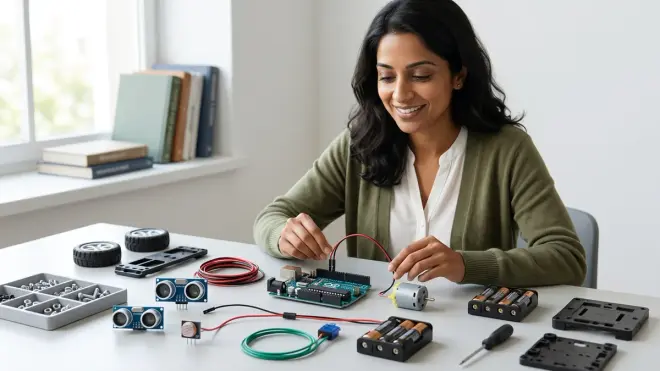
Microcontrollers or programmable hubs serve as the central processing unit. These range from proprietary boards (like the VEX IQ Brain or LEGO SPIKE hub) to industry-standard platforms like Arduino-based controllers. The microcontroller executes your child's code and manages all connected sensors and actuators.
Structural components—whether LEGO-compatible bricks, metal beams and plates (common in VEX and Makeblock systems), or 3D-printed parts—form the robot's chassis and mechanical linkages. Quality kits use durable materials designed for repeated assembly and disassembly: anodized aluminum in higher-end systems, reinforced ABS plastic in mid-range kits.
Actuators (motors and servos) convert electrical signals into physical motion. DC motors provide continuous rotation for wheels; servo motors enable precise angle control for arms or grippers. Advanced kits include stepper motors for applications requiring exact positioning.
Sensors give robots environmental awareness: ultrasonic sensors measure distance, color sensors detect surface properties, gyroscopes track orientation, touch sensors register physical contact. Your child learns to write conditional logic based on sensor inputs—"if the ultrasonic sensor detects an object within 10cm, then stop moving forward."
Programming Environments and Logic Flow
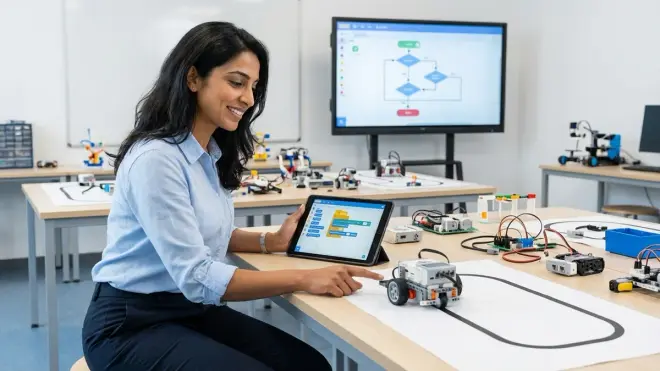
Entry-level robotics kits typically support block-based visual programming (Scratch, Blockly, or proprietary drag-and-drop interfaces) where children snap together color-coded command blocks. Each block represents a function—move motor, wait, repeat, if/then conditional. This approach removes syntax barriers while teaching sequential thinking, loops, conditionals, and variables.
Intermediate and advanced kits add support for text-based languages: Python for its readability and AI/data science relevance, or C++ for performance-critical robotics applications. The transition from block-based to text-based programming represents a crucial milestone—your child moves from visual metaphors to abstract symbolic thinking, the same cognitive leap required for algebra.
The Build-Code-Test Cycle
Here's what actual learning looks like in practice: Your child builds a wheeled robot following instructions (building spatial reasoning and fine motor precision). They write a simple program—move forward 2 seconds, turn right, move forward 2 more seconds—and upload it via USB or Bluetooth. The robot executes the code, but maybe it overshoots the turn because motor speeds weren't matched. This failure is the teaching moment. They troubleshoot: Is it a mechanical problem (wheel friction) or a coding problem (turn duration)? They adjust motor speed values, test again, refine. They've just practiced the scientific method without a worksheet.
Lab Specs: Technical Requirements
Power systems: Most educational robotics kits use rechargeable lithium-ion battery packs (6-10 hours runtime typical) or AA battery holders (4-8 batteries). Premium kits include charging docks; budget systems require separate battery chargers. Factor in approximately $20-40 annually for replacement batteries.
Connectivity: USB-A for programming (some newer systems support USB-C), Bluetooth for wireless control (range typically 10-30 feet). Check your computer's OS compatibility—most kits support Windows 10/11 and macOS 12+; Chromebook support varies significantly by manufacturer.
Expandability: Open architecture systems (Arduino-based platforms, VEX) accept third-party sensors and components. Closed ecosystems (LEGO SPIKE) limit you to manufacturer-approved parts but ensure guaranteed compatibility.
Durability: Expect 2-4 years of active use from quality kits with proper storage. Metal structural components outlast plastic; look for kits with replaceable wear components (wheels, axles, connector cables).
Why Educational Robotics Kits Matter for Your Child's Development
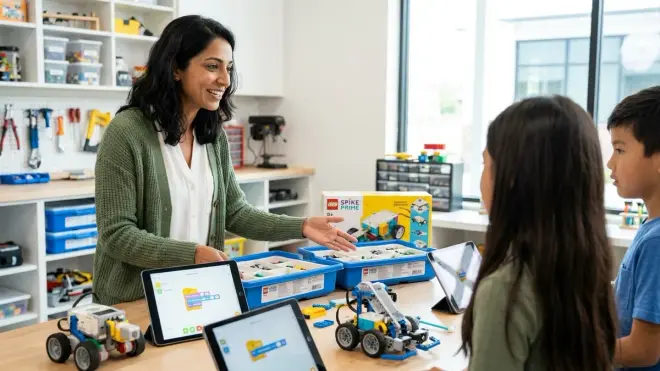
Educational robotics kits address a critical gap in traditional education: they make abstract computational concepts tangibly observable. When your seven-year-old programs a robot to navigate a maze, she's not learning "coding"—she's learning algorithmic thinking, spatial reasoning, and iterative refinement. These are the cognitive tools that underpin everything from scientific research to engineering design.
From a developmental psychology perspective, robotics kits offer something I rarely see in screen-based activities: immediate physical feedback loops. Your child writes a conditional statement with flawed logic, and the robot drives off the table. That's not failure; that's cause-and-effect made visible. The tight connection between abstract code and concrete behavior accelerates understanding in ways that purely virtual simulations cannot replicate—you can't debug what you can't see and touch.
But here's what matters most to you as a parent: these kits build frustration tolerance. Robotics projects fail constantly—motors don't spin, sensors give inconsistent readings, code has bugs. Your child learns that complex systems require methodical troubleshooting, that errors contain information, and that mastery comes through iteration. These are precisely the executive function skills that predict academic success more reliably than raw intelligence.
Educational robotics kits also prepare children for actual career pathways. A child who masters Arduino programming by age 12 isn't learning a "kid version" of robotics—they're using the same microcontroller platform found in industrial automation systems, medical devices, and aerospace applications. Compare this to many educational apps that use proprietary, simplified environments with zero transfer to professional tools. Quality robotics kits eliminate that gap: the skills your child builds are industry-transferable from day one.
Types and Variations of Educational Robotics Kits
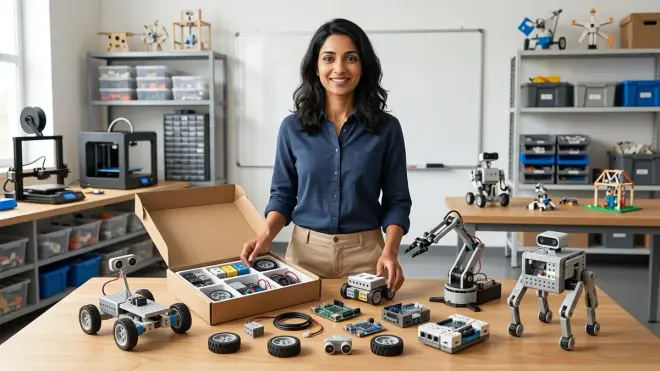
Educational robotics kits cluster into distinct categories based on structural system, programming complexity, and intended learning outcomes. Understanding these variations helps you match a kit to your child's current developmental stage and your family's long-term learning goals.
Brick-Based Systems (Ages 7-14)
LEGO-compatible robotics kits—including [LEGO Education SPIKE Prime], LEGO Mindstorms, and compatible third-party systems—use familiar interlocking bricks for construction. Programming starts with Scratch-based block coding and advances to Python in premium versions. These excel at building confidence in younger children who already know LEGO building conventions. Limitation: the brick system constrains mechanical design options compared to beam-based platforms.
Beam and Plate Systems (Ages 9-16)
Metal or rigid plastic structural frameworks (VEX IQ, VEX V5, Makeblock mBot series) use beams, plates, and shaft-based connections. These systems better replicate professional engineering practices—your child learns about structural load distribution, gear ratios, and torque management. Programming environments scale from Blockly to C++. Best for children ready for more complex mechanical challenges.
Arduino-Compatible Open Platforms (Ages 11+)
Kits built around Arduino microcontrollers offer maximum flexibility and expandability. Your child learns the same C++-based Arduino IDE used in countless professional applications. The open architecture means any compatible sensor or actuator can integrate—a crucial advantage as skills advance. Trade-off: less hand-holding, more troubleshooting required. Ideal for families committed to building a progressive STEM learning path.
Screen-Free and Low-Screen Options (Ages 4-8)
For younger children or families prioritizing screen-time reduction, screen-free coding robots use physical programming—magnetic tiles, punch cards, or button sequences—to teach algorithmic thinking without devices. These build pre-coding logic skills and can transition smoothly to screen-based platforms around ages 7-8.
Competition-Ready Systems (Ages 12+)
VEX Robotics Competition, FIRST Robotics, and similar platforms support team-based competitive robotics. These systems emphasize documentation, iterative design, and project management alongside technical skills—excellent preparation for STEM careers that require collaboration and communication.
Frequently Asked Questions

What age should my child start using educational robotics kits?
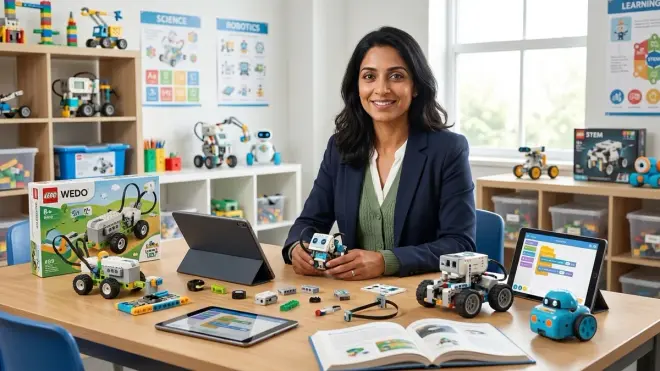
Children as young as 4-5 can begin with screen-free robotics toys that teach basic sequencing and logic through physical programming, but most educational robotics kits that involve actual coding are designed for ages 7 and up when children can read instructions independently, maintain focus through multi-step builds, and understand conditional logic ("if this, then that"). The key isn't chronological age but developmental readiness: Can your child follow 5-6 step sequences? Can they tolerate mild frustration without giving up? If yes, they're ready for entry-level kits regardless of whether they're 6 or 8.
Do educational robotics kits require ongoing subscriptions or replacement parts?
Most quality educational robotics kits are one-time purchases with no mandatory subscriptions—you buy the kit and own it permanently. Some manufacturers offer optional curriculum subscriptions (lesson plans, project guides) ranging from $50-200 annually, but the hardware functions fully without these. Budget for consumable costs: replacement batteries ($20-40/year), occasional replacement cables or sensors if damaged ($10-30 per component), and potential expansion packs ($40-150) as your child's skills grow. Unlike many educational apps, there's no monthly fee to maintain access.
Can multiple children of different ages use the same robotics kit?
Yes, with strategic selection—look for kits with broad skill range rather than narrow age targeting. LEGO SPIKE Prime, for example, accommodates children from age 7 (following basic build instructions with block coding) through age 14+ (advanced mechanical designs with Python programming). Younger siblings start with simpler builds and gradually increase complexity; older children explore advanced programming features. This multi-year, multi-child usability makes premium kits cost-effective despite higher upfront investment. Store components in organized systems to prevent piece loss with multiple users.
How do educational robotics kits compare to online coding platforms for learning programming?
Educational robotics kits teach programming within a physical context that makes abstract logic concrete and observable—when your child writes a loop, they see a robot literally repeat an action, not just pixels changing on a screen. This tactile feedback builds deeper understanding of cause-and-effect relationships and provides inherent debugging information (if the robot moves incorrectly, is it a code problem or a mechanical issue?). Online platforms excel at pure programming syntax and offer limitless virtual projects, but they can't replicate the systems thinking that comes from integrating code with physical hardware. Ideally, children experience both: robotics kits for computational thinking foundations, text-based platforms for advancing language-specific skills.
What technical requirements do I need to use educational robotics kits at home?
Most educational robotics kits require a computer (Windows, macOS, or sometimes Chromebook) with USB port, WiFi or Bluetooth connectivity, and specific operating system versions (typically Windows 10+ or macOS 12+)—check compatibility before purchase using the robotics kit compatibility checklist. You'll need adequate table or floor workspace (2-4 square feet minimum), good lighting, and accessible electrical outlets for charging batteries. Some advanced kits require software downloads ranging from 200MB to 2GB, so ensure sufficient storage space and decent internet for initial setup. Beyond that, no special infrastructure needed—these work in apartments, homeschool spaces, or dedicated STEM lab setups equally well.
Making the Investment in Hands-On Computational Thinking
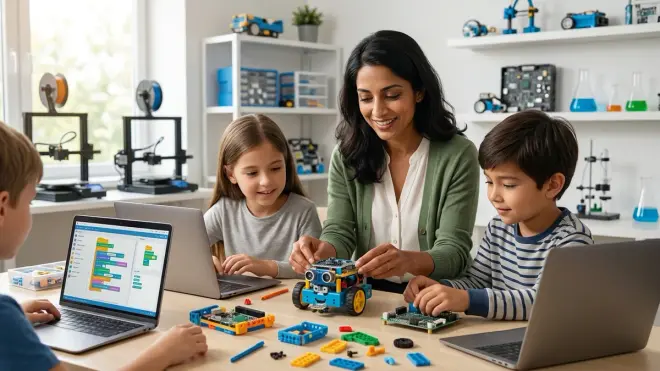
Educational robotics kits represent a fundamental shift from consuming technology to understanding and commanding it. When you invest in a quality kit—whether it's a LEGO-based system for a seven-year-old just beginning to grasp sequential thinking or an Arduino platform for a twelve-year-old ready for industry-standard tools—you're providing more than a learning toy. You're establishing a laboratory for systematic experimentation, a space where failure becomes data and where abstract thinking becomes visible.
I've watched countless children transform from passive technology consumers to confident builders who approach complex problems with methodical curiosity. That transformation doesn't happen through apps or videos. It happens when a child holds a malfunctioning robot, traces the problem from mechanical assembly through electrical connections to code logic, identifies the error, and experiences the profound satisfaction of making something work through their own reasoning.
What are educational robotics kits? They're the most effective tools I've encountered for building the cognitive skills that matter most: persistence, systematic debugging, and the confidence to tackle problems you've never seen before. Your kitchen table is space enough for that kind of learning. Start where your child is, choose a kit that matches their developmental stage, and watch them build capabilities that transfer far beyond robotics itself.