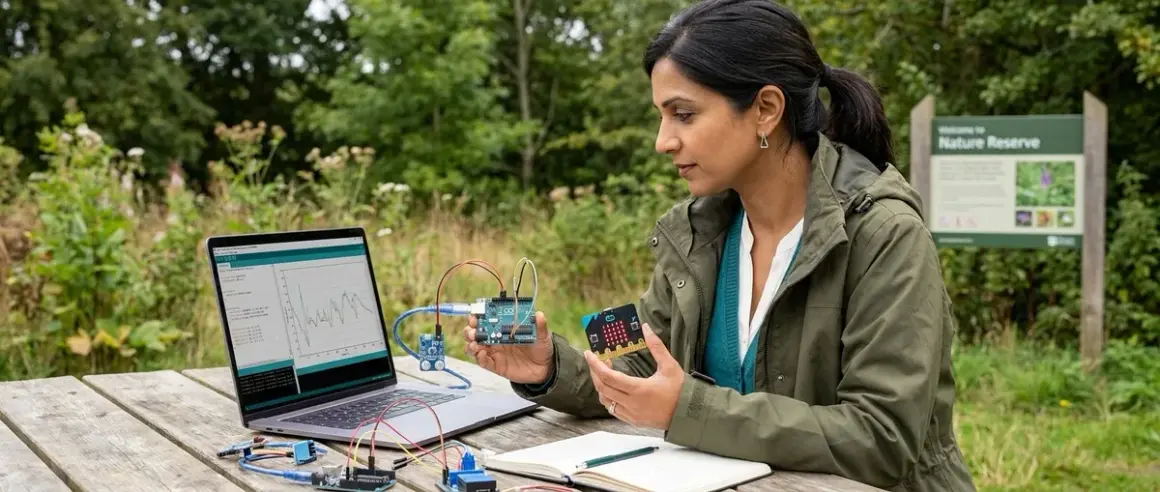

For most families building environmental monitoring and data collection skills, the BBC micro:bit v2.2 Go Bundle🛒 Amazon delivers a smoother citizen science entry point, but Arduino becomes essential once your young researcher tackles advanced multi-sensor deployments and long-term field studies. This comparison breaks down exactly when each platform makes sense for real-world data contribution projects.
Choosing between arduino vs micro:bit citizen science platforms means understanding your child's current coding fluency, the complexity of the environmental questions you're investigating, and whether you're building toward professional-grade research tools. I've watched hundreds of sixth-graders struggle with this exact decision during our district's watershed monitoring partnership, and the right choice always comes down to three factors: programming prerequisites, sensor ecosystem maturity, and data management pathways.

Quick Comparison
| Criterion | Arduino (Uno R4 WiFi) | micro:bit v2.2 |
|---|---|---|
| Programming Prerequisites | Text-based C++ required; MakeCode bridge available but limited | Block-based MakeCode or Python; text optional |
| Sensor Ecosystem | 10,000+ third-party sensors; industry-standard I²C/SPI protocols | 200+ education-focused sensors; mostly proprietary connectors |
| Power Management | Requires external battery regulation circuits for field deployment | Integrated power management; runs 72+ hours on 2× AAA batteries |
| Data Export Pathways | SD card logging, serial monitor CSV export, cloud APIs (all require coding) | MakeCode built-in data logging to CSV; direct Bluetooth smartphone transfer |
| Learning Curve to First Deployment | 8-12 weeks with prior Scratch/Python experience | 2-4 weeks from absolute beginner |
| Cost to Functional Field Station | $65-85 (board + sensors + enclosure + power) | $45-60 (board + sensors + battery holder) |
Programming Prerequisites and Skill Scaffolding
The arduino vs micro:bit citizen science programming gap isn't subtle—it's a conceptual chasm that determines whether your child spends their first month wrestling with syntax errors or collecting actual environmental data.
Arduino platforms run on a C++-based language that requires understanding data types, library imports, serial communication protocols, and conditional logic structures. Even with the Arduino IDE's MakeCode extension (released in late 2025), you're ultimately translating visual blocks into text code that your young researcher must debug when sensors misbehave. The Arduino Uno R4 WiFi🛒 Amazon ships with sample sketches for common citizen science tasks like temperature logging and light measurement, but adapting those examples requires comfort with curly braces, semicolons, and variable scope—concepts that typically emerge around age 12-14 after successful completion of block-based robot programming.
I've observed this hurdle derail promising watershed monitoring projects: a seventh-grader pulls together a gorgeous turbidity sensor housing, writes 90% of the Arduino sketch correctly, but abandons the entire project over a single missing semicolon in line 47. The cognitive load of simultaneous scientific questioning and syntax troubleshooting overwhelms the working memory capacity of most middle schoolers.
The micro:bit's MakeCode environment scaffolds this complexity beautifully. Your child drags "on button A pressed" blocks, snaps together sensor reading commands, and sees immediate visual feedback on the LED matrix—all while building genuine data literacy skills through citizen science. When they're ready for text-based coding, MakeCode's toggle-view feature shows the equivalent Python code side-by-side with the blocks, creating a bridge rather than a cliff.
The skill outcome difference matters for sustained engagement: Arduino demands prerequisite programming fluency before scientific inquiry begins; micro:bit allows scientific inquiry while programming fluency develops. For families following our progressive STEM learning path, micro:bit aligns with ages 8-13, while Arduino becomes appropriate around age 13-16 after successful Python experience.
Sensor Ecosystem and Measurement Capabilities
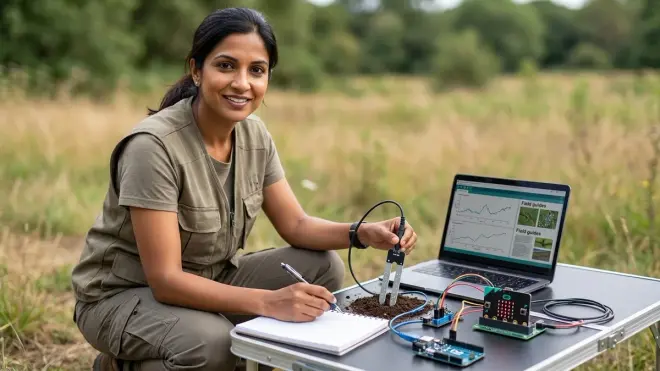
When you're contributing real environmental data to projects like NASA's GLOBE Program, measurement accuracy and sensor diversity directly impact your scientific contribution's value—and here the arduino vs micro:bit citizen science hardware ecosystems diverge dramatically.
Arduino's massive third-party sensor library includes industry-standard options like the BME680 air quality sensor (measuring VOCs, temperature, humidity, and barometric pressure simultaneously), the AS7265x spectral sensor (18-channel light analysis from UV to near-infrared), and research-grade turbidity sensors that match USGS stream monitoring protocols. These sensors communicate via I²C or SPI protocols—the same interfaces used in university research equipment and commercial environmental monitoring stations. When your teenager's air quality data feeds into the EPA's Air Sensor Toolbox, they're using the same BME680 sensor deployed in professional low-cost monitoring networks.
The SparkFun Environmental Combo Breakout - CCS811/BME280🛒 Amazon exemplifies Arduino's research-grade pathway: it outputs eCO₂ and TVOC readings alongside temperature, humidity, and pressure, all logged to an SD card with timestamps accurate to within 2 seconds over week-long deployments. That temporal precision matters when correlating pollution spikes with traffic patterns or industrial schedules.
micro:bit's sensor ecosystem prioritizes educational accessibility over measurement diversity. The official micro:bit Environmental Science Kit🛒 Amazon from Kitronik includes soil moisture, UV index, and temperature sensors with color-coded connections that eliminate wiring errors—a thoughtful design for 9-year-olds, but limiting for sophisticated multi-parameter studies. You're working with roughly 200 compatible sensors versus Arduino's 10,000+, and many micro:bit sensors use proprietary edge connectors rather than industry-standard protocols.
However, this constraint creates an unexpected advantage for certain citizen science projects: micro:bit sensors ship pre-calibrated with age-appropriate measurement ranges. The Kitronik air quality sensor, for example, displays a simple 1-5 air quality index rather than raw parts-per-million readings, which reduces calibration complexity for elementary students while still contributing useful categorical data to community air quality mapping projects.
The measurement capability gap widens with multi-sensor deployments. Arduino handles eight simultaneous analog sensors without performance degradation; micro:bit struggles beyond three sensors due to limited I/O pins (three dedicated edge connector zones versus Arduino's 14 digital and 6 analog pins). For watershed monitoring projects tracking temperature, dissolved oxygen, pH, and conductivity simultaneously, Arduino becomes non-negotiable.
Power Management and Field Deployment Durability
Real citizen science happens outdoors, often in locations without wall outlets, which makes power architecture the unglamorous factor that determines whether your child's data collection spans hours or weeks. The arduino vs micro:bit citizen science power story reveals how consumer electronics design thinking diverges from maker platform philosophy.
The micro:bit v2.2 treats battery operation as a first-class use case. Its integrated power management circuit regulates voltage from 3V to 3.3V efficiently, running 72+ hours on two AAA batteries during typical environmental sensing (temperature reading every 5 minutes, LED display off). The onboard accelerometer enters sleep mode automatically between readings, and the Nordic nRF52833 processor draws just 3μA in system-off mode. For a weekend air quality monitoring deployment in your neighborhood park, you pack the micro:bit in a weatherproof case Thursday afternoon and retrieve reliable data Sunday evening without battery anxiety.
I've deployed micro:bit weather stations with my sixth-graders for three-day outdoor education trips, and the batteries outlast the camping snacks every single time. That reliability matters enormously for maintaining scientific enthusiasm—there's nothing more deflating than hiking to your monitoring site to discover dead batteries captured zero data points.
Arduino requires manual power management circuit design unless you invest in purpose-built shields. The Arduino Uno R4 WiFi runs on 5V, but your sensors likely need 3.3V, requiring voltage regulators. Battery operation demands understanding milliamp-hour calculations, sleep mode programming, and low-power sensor selection. The Adafruit PowerBoost 1000C🛒 Amazon handles USB battery pack regulation elegantly, but now you're managing a three-component power chain (battery → boost converter → Arduino → sensors) where each connection point introduces potential failure.
For field deployments lasting multiple weeks—say, monitoring seasonal temperature shifts in a stream restoration area—Arduino's power flexibility becomes an asset. You can connect solar panels, implement sophisticated sleep schedules that wake sensors only during daylight hours, and use external real-time clock modules for precision timestamp correlation. The learning investment pays off when your high schooler contributes temperature data spanning entire migration seasons to fisheries research databases.
The durability factor extends beyond power. Micro:bit's sealed edge connector design resists moisture intrusion better than Arduino's exposed pin headers; I've recovered micro:bits from rain-soaked backpacks that booted normally after drying. Arduino's open architecture offers easier repair when components fail (swap a damaged sensor without replacing the entire board), but requires more meticulous weatherproofing following our environmental sensor calibration protocols.
Data Management and Research Contribution Pathways
Collecting environmental measurements matters only if that data reaches researchers who can analyze patterns—and the arduino vs micro:bit citizen science data export pathways reveal different philosophies about who handles the technical complexity.
Micro:bit's MakeCode environment includes built-in data logging that automatically timestamps sensor readings and exports clean CSV files via USB connection. Your 10-year-old drags a "log data" block into their temperature monitoring program, runs the micro:bit for a week in the backyard weather station, then plugs it into the family laptop and sees properly formatted spreadsheet data ready for graphing. No serial monitor commands, no parsing raw text streams, no "why are all my timestamps showing as zero" debugging sessions at 8 PM on Sunday before the science fair.
The best micro:bit citizen science kits leverage this accessibility for genuine research contributions. The National Phenology Network's Nature's Notebook project accepts temperature and first-bloom observations logged via micro:bit, and the SciStarter platform lists 30+ micro:bit-compatible projects ranging from backyard bird counts to urban heat island mapping. The data contribution barrier sits exactly where it should for elementary and middle school researchers: not in the technical export mechanics, but in observation quality, measurement consistency, and research question formation.
Bluetooth data streaming adds another pathway: the official micro:bit app pairs with iOS and Android devices, letting students download datasets directly to smartphones in the field. I've watched eighth-graders monitoring pond water quality transfer their dissolved oxygen readings to phones, photograph the collection site, and upload both to community watershed databases within five minutes—all without touching a computer. That immediate feedback loop reinforces the connection between their measurements and real scientific value.
Arduino's data management requires explicit programming of every export step. You write code to initialize SD card communication, format timestamps, define CSV delimiters, handle write errors, and manage file naming conventions. The SparkFun OpenLog🛒 Amazon simplifies some complexity by handling serial-to-SD conversion automatically, but you're still working in a text-based environment where a single misplaced quotation mark corrupts an entire dataset.
This complexity creates opportunity. High school students preparing for research careers need experience with programmatic data management—the skills that transfer directly to university lab instrumentation and professional environmental monitoring. When your 16-year-old programs their Arduino weather station to POST JSON-formatted data to a cloud API every hour, they're practicing the exact workflow used by NOAA's distributed sensor networks. That's career-relevant skill building that micro:bit's friendly abstractions deliberately avoid.
The research contribution ceiling differs substantially. Arduino-generated datasets integrate seamlessly with platforms expecting raw sensor data: the PurpleAir network for air quality, the Community Collaborative Rain, Hail & Snow Network (CoCoRaHS) for precipitation, and the GLOBE Program's advanced protocols. Micro:bit data works beautifully for educational research platforms and community science projects with simplified data requirements, but sophisticated multi-parameter studies eventually demand Arduino's programmatic control.
For families building toward progressive research skill development, I recommend starting citizen science projects on micro:bit around age 9-11, then transitioning to Arduino around age 14-15 when students have accumulated enough Python experience to handle text-based environmental monitoring code. That progression mirrors the developmental sequence from question formation to instrumentation design that defines actual scientific practice.
Who Should Choose micro:bit
Choose micro:bit for ages 8-13 when you're prioritizing rapid deployment, building foundational data literacy, and contributing to educational citizen science projects that value participation breadth over instrumentation sophistication. The platform excels when your child's scientific curiosity currently outpaces their programming fluency, and you want immediate environmental investigation rather than delayed gratification after months of syntax practice.
Micro:bit makes particular sense for families committed to screen-free coding progressions who want physical computing to scaffold rather than obstruct scientific questions. If your 9-year-old asks "why is our backyard hotter than the park?" they can answer that question with actual temperature data this weekend using micro:bit, versus three months from now after Arduino programming tutorials.
The platform also suits families prioritizing classroom alignment and peer collaboration. Many school districts have standardized on micro:bit for middle school science, meaning your home citizen science projects can extend classroom investigations seamlessly. Your child's micro:bit weather monitoring code translates directly to group projects without platform friction, and online communities like the Microsoft MakeCode forums offer age-appropriate peer support rather than the advanced maker discussions dominating Arduino spaces.
Who Should Choose Arduino
Select Arduino for ages 13-18 when your teenager demonstrates solid Python or Scratch proficiency, investigates multi-parameter environmental questions, and aims to contribute research-grade data to professional scientific networks. The platform becomes essential when sensor diversity matters more than deployment simplicity, and when building career-relevant instrumentation skills justifies the steeper learning investment.
Arduino particularly suits families following our robotics to citizen science learning pathway, where students transition from educational platforms like LEGO Mindstorms toward industry-standard tools. If your 15-year-old successfully programmed VEX robots and wants environmental engineering experience, Arduino provides the instrumentation foundation used in actual water treatment facilities, air quality monitoring networks, and climate research stations.
The platform also makes sense for long-term, high-complexity deployments where power optimization, sensor calibration, and data pipeline customization matter more than weekend project accessibility. Students designing months-long stream temperature monitoring for salmon restoration, multi-location air quality networks measuring ultrafine particulates, or soil moisture arrays testing irrigation efficiency need Arduino's flexibility and professional sensor compatibility.
Frequently Asked Questions
Can a child transition from micro:bit to Arduino for citizen science without starting over completely?
Yes—the conceptual frameworks transfer beautifully even though the syntax changes dramatically. Your child's understanding of sensor reading loops, conditional data logging, and measurement interval timing remains completely relevant when moving from MakeCode blocks to Arduino C++. The technical skills that don't transfer—I²C communication protocols, library management, serial debugging—are genuinely new territory for both platforms, so micro:bit doesn't create false knowledge that needs unlearning. I recommend making this transition around age 13-14 after at least three successful micro:bit data collection projects, and timing it to coincide with introduction to text-based Python through platforms like how to teach kids AI and machine learning to reduce the cognitive load of simultaneous syntax acquisition and scientific investigation.
Do citizen science platforms like GLOBE and SciStarter accept data from both Arduino and micro:bit equally?
Most platforms care about measurement accuracy and methodology documentation rather than the specific hardware generating the data, but practical barriers exist. Projects requiring specific sensor calibration (like GLOBE's air temperature protocol demanding ±0.5°C accuracy) favor Arduino's compatibility with research-grade sensors, while projects emphasizing participation breadth and educational engagement (like Zooniverse's Nest Quest) work equally well with micro:bit's simpler instrumentation. The critical differentiator is data format: platforms expecting manual data entry (observational forms, photo uploads) work identically with both; platforms requiring automated uploads via APIs or direct database connections favor Arduino's programmable export capabilities. Always check the specific project's technical requirements before purchasing sensors, and our citizen science project checklist walks through exactly which specifications matter for platform acceptance.
Is the cost difference between Arduino and micro:bit significant enough to influence platform choice?
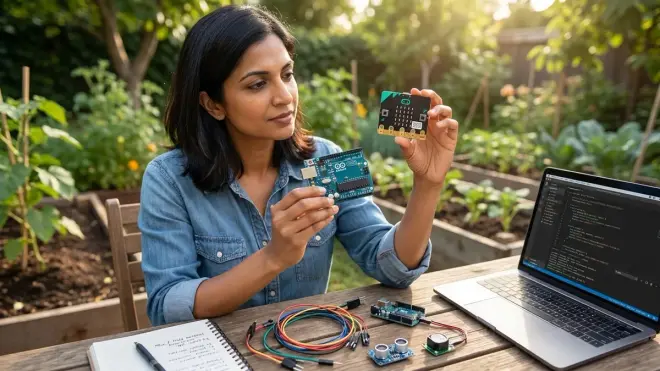
The purchase price gap is modest—around $25 for a starter board—but total cost-to-deployment varies substantially depending on project complexity. A basic temperature and humidity monitoring station costs roughly $45-60 with micro:bit (board, environmental sensor, battery holder, weatherproof case) versus $65-85 with Arduino (board, equivalent sensors, power regulation, SD logging shield, case). However, Arduino's sensor ecosystem offers dramatically better value for multi-parameter studies: a single $35 all-in-one environmental sensor breakout for Arduino often replaces three separate $20 micro:bit sensors, reversing the cost equation. The larger financial consideration isn't initial purchase but subscription requirements and consumable costs—both platforms operate subscription-free for core functionality, though cloud data services like Adafruit IO (compatible with both) charge for high-frequency logging above free tier limits. For families building long-term progressive STEM learning paths, I suggest budgeting $150-200 annually for sensor upgrades and expansion modules regardless of platform, treating citizen science instrumentation as a renewable learning investment rather than a one-time toy purchase.
Bottom Line
The arduino vs micro:bit citizen science decision ultimately reflects your child's position on the continuum from scientific curiosity to research capability—and both platforms serve distinct, valuable roles in developing environmental literacy and data contribution skills.
For most families starting citizen science with ages 8-13, micro:bit delivers faster deployment, lower frustration, and genuine scientific engagement without the programming prerequisites that delay Arduino projects for months. The platform scaffolds authentic research contribution while programming fluency develops in parallel, which aligns perfectly with middle school developmental readiness and Next Generation Science Standards emphasis on investigation before instrumentation.
Arduino becomes the essential next step around ages 14-18 when your teenager's scientific questions outgrow micro:bit's sensor ecosystem, when multi-week field deployments demand sophisticated power management, and when contributing to professional research networks requires programmatic data pipelines. The platform prepares students for the instrumentation reality they'll encounter in university research labs and environmental careers, making the learning investment directly transferable to STEM futures.
The best progressive pathway mirrors natural skill development: start environmental investigation with micro:bit around age 9-11, accumulate successful data collection projects that build research confidence, develop text-based Python fluency through parallel coding progressions, then transition to Arduino around age 14-15 when sophisticated multi-sensor questions emerge naturally from prior investigative work. That sequence prioritizes sustained scientific engagement over premature technical complexity—the same principle I've watched successfully guide hundreds of middle schoolers from backyard weather curiosity to meaningful watershed research contributions.