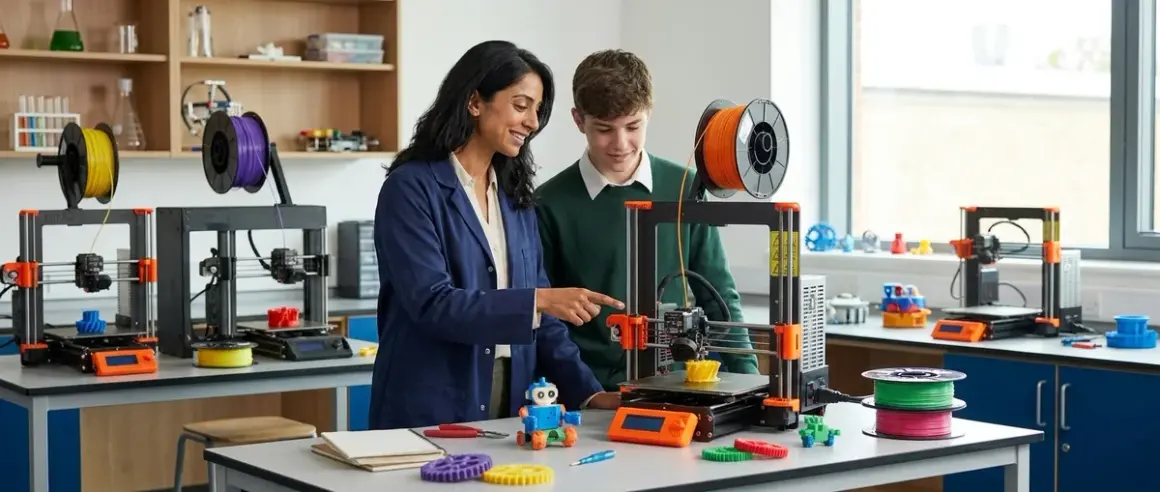

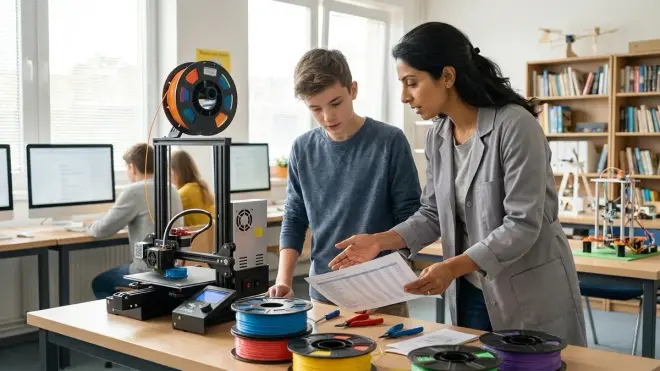
You're watching your teenager move beyond ready-made projects, and you're wondering: are 3d printers for teens really worth the investment, or just another complicated device collecting dust? The right 3D printer becomes a skill-building workshop that transforms abstract CAD concepts into tangible engineering prototypes. Below, you'll find nine carefully selected 3d printers for teens that balance educational value with real-world capability—each one a stepping stone toward industry-standard manufacturing skills.
Creality Ender 3 V3 SE: Industry-Standard Introduction to Additive Manufacturing
The Creality Ender 3 V3 SE🛒 Amazon offers your teen unfiltered access to the same FDM technology used in professional prototyping labs. This open-frame printer requires active learning—bed leveling, adhesion troubleshooting, and temperature calibration all become hands-on lessons in materials science.
Your teen gains authentic problem-solving experience with this model because it doesn't hide the mechanics behind proprietary software. The trade-off for this transparency? Expect failed prints during the first week while they learn proper bed leveling techniques—the sensor-assisted leveling helps but doesn't eliminate the learning curve entirely. Lab Specs: 220×220×250mm build volume, requires standard 110V outlet, heated bed draws up to 350W during warm-up. Compatible with open-source Cura slicer software (Windows/Mac/Linux), offline operation after file transfer via microSD. No subscription required, but budget $25-30 monthly for PLA filament depending on project frequency. The open design means you'll need to establish a dedicated printing area—this isn't a kitchen-counter device given the heated components and occasional filament odor.
Bambu Lab A1 Mini: Reliable First Printer for Project-Focused Learners
The Bambu Lab A1 Mini🛒 Amazon removes mechanical friction from the learning process, letting your teen focus on design iteration rather than printer maintenance. Automatic bed leveling and filament detection mean more time in Tinkercad or Fusion 360, less time troubleshooting hardware.
This enclosed design addresses safety concerns you might have about heated nozzles and moving parts, making it appropriate for shared family spaces. Skill Outcomes: Within two months, expect your teen to progress from printing downloaded models to designing custom enclosures for Arduino robotics projects or science fair prototypes. The 180×180×180mm build volume handles most educational projects—phone stands, renewable energy component mounts, custom gear assemblies. The main limitation? That smaller build volume becomes restrictive for ambitious multi-part assemblies, and the proprietary Bambu Studio slicer (free, but required) locks you into their ecosystem. Cloud-dependent features like remote monitoring require account creation, though basic printing works offline.
AnkerMake M5: Speed Meets Skill Development
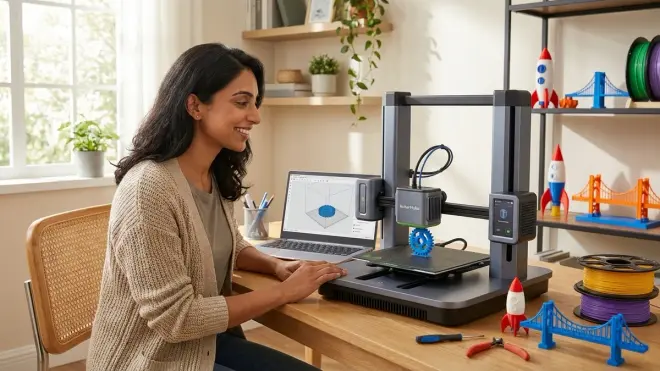
The AnkerMake M5🛒 Amazon prints at speeds up to 500mm/s, which matters more than you might think for teenage attention spans and iteration cycles. Fast print times mean your teen can test three design variations in an evening instead of waiting overnight for each attempt.
Built-in camera monitoring teaches documentation habits—they'll capture time-lapses of their prints, building portfolios that demonstrate both the final product and the manufacturing process. Lab Specs: 235×235×250mm build volume, CoreXY motion system, requires stable WiFi for camera features. Compatible with AnkerMake Slicer or Cura (Windows/Mac), partial cloud dependency for remote monitoring. The AI-powered error detection occasionally triggers false alarms on legitimate bridging techniques, which can frustrate advanced users who understand they're pushing the printer's capabilities intentionally. No consumable subscriptions, but the proprietary nozzle design ($15-20 for replacements) costs more than standard E3D-compatible options. This printer fits into a progressive STEM learning path by introducing manufacturing speed as a design variable—your teen learns to optimize not just for strength or aesthetics, but for production efficiency.
Elegoo Neptune 4 Plus: Large-Format Learning Platform
The Elegoo Neptune 4 Plus🛒 Amazon offers a generous 320×320×385mm build volume that accommodates full-scale functional prototypes instead of miniature proof-of-concept models. Your teen can print a complete wind turbine blade assembly in one piece rather than gluing together sections.
This capacity matters for science fair projects where presentation quality and scale directly impact judging outcomes. Technical Compatibility: Klipper firmware provides advanced users access to real configuration files and G-code customization—the same low-level control used in professional fabrication environments. The Elegoo Neptune Slicer (Windows/Mac/Linux) supports offline operation, or your teen can graduate to more sophisticated tools like PrusaSlicer. Direct drive extruder handles flexible filaments (TPU, TPE) that Bowden-style systems struggle with, expanding material possibilities. The honest limitation here is physical footprint—this 18×18-inch printer needs dedicated desk space, and the cooling fans run at noticeable volume during long prints. No subscription required, but larger builds consume filament quickly; budget $40-50 monthly for active project schedules.
Prusa MINI+: Czech Precision Meets Educational Support
The Prusa MINI+🛒 Amazon represents genuine engineering heritage—Prusa Research publishes their designs as open-source hardware, demonstrating the maker philosophy your teen should internalize. This printer becomes a teaching tool for mechanical principles because every component is documented and explainable.
Removable spring steel print bed with textured PEI surface eliminates adhesion guesswork while teaching proper material handling—prints pop off when cooled, no scraping required. Lab Specs: 180×180×180mm build volume, 32-bit board with silent Trinamic stepper drivers, requires 110V standard outlet. PrusaSlicer (Windows/Mac/Linux) offers genuinely helpful profile presets for 200+ materials and provides detailed explanations for each setting—it's educational software, not just printer control. The company's knowledge base includes troubleshooting guides that teach materials science concepts alongside solutions. The trade-off for this educational approach? Assembly required (4-5 hours with your teen following detailed instructions), which is actually an asset—they'll understand the mechanics intimately. Replacement parts ship from Czech Republic, meaning 7-10 day wait times versus next-day Amazon availability. This printer prepares teens for industry-standard workflows used in product development labs worldwide.
FlashForge Adventurer 5M: Fully Enclosed Safety for Shared Spaces
The FlashForge Adventurer 5M🛒 Amazon addresses your practical concerns about integrating industrial equipment into family spaces. HEPA filtration and fully enclosed print chamber contain ultrafine particle emissions and odors, making it appropriate for bedroom or kitchen placement.
The camera monitoring and mobile app mean you can supervise print progress without hovering—important for building independence while maintaining safety awareness. Skill Outcomes: Your teen will learn proper ventilation considerations and material safety data sheet (MSDS) interpretation—critical skills if they pursue manufacturing or laboratory careers. Quick-swap nozzle system (tool-free, magnetic attachment) lets them experiment with different nozzle sizes without frustration, teaching how resolution and speed trade off against each other. The 220×220×220mm build volume handles standard educational projects. The proprietary FlashPrint slicer (Windows/Mac) works offline but lacks the advanced features found in open-source alternatives—you're trading customization ceiling for user-friendly onboarding. Nozzles cost around $15-18 each as proprietary components. The touchscreen interface occasionally lags during menu navigation, a minor annoyance rather than a functional limitation.
Sovol SV06 Plus: Budget-Conscious Quality Engineering
The Sovol SV06 Plus🛒 Amazon delivers 300×300×340mm build capacity at a price point usually reserved for smaller machines, making it valuable for cost-conscious families supporting multiple student interests. Your teen can tackle ambitious multi-part assemblies without compromising other enrichment activities.
Direct drive all-metal hotend reaches 300°C, unlocking engineering-grade materials like PETG and nylon that better simulate professional prototyping workflows. Technical Compatibility: Marlin firmware with open-source configuration files, compatible with any slicer software (Cura, PrusaSlicer, Simplify3D). Completely offline-capable after initial setup. The power-resume function saves prints during electrical disruptions—useful for overnight prints in storm-prone regions. The build surface requires manual bed leveling, though the 25-point auto-leveling mesh compensates for minor variance. Here's the honest friction point: the included flexible build plate loses adhesion after 30-40 prints and needs replacement (around $20), and the Chinese-to-English manual translation contains confusing sections. Budget time for community forum research alongside official documentation. Learning Path Integration: This printer works beautifully alongside Python programming education, as teens can write custom G-code generators for parametric designs.
Artillery Sidewinder X2: Workhorse Reliability for Serial Projects
The Artillery Sidewinder X2🛒 Amazon features a volcano-style hotend that melts filament at accelerated rates, enabling layer heights up to 0.6mm for rapid prototyping when surface finish matters less than speed. Your teen learns to match process parameters to project requirements—a fundamental engineering skill.
The 300×300×400mm build volume accommodates vertical assemblies that would require splitting on smaller printers, teaching single-piece design strategies over multi-component approaches. Lab Specs: Direct drive extruder, silent TMC2208 stepper drivers, ultra-base glass platform, requires 110V outlet with 400W capacity. Compatible with Cura and Simplify3D (Windows/Mac/Linux), fully offline after file transfer. The touchscreen firmware occasionally requires updates via microSD—a valuable troubleshooting skill but something to factor into your setup expectations. The AC heated bed reaches target temperature in under three minutes, reducing waiting time between projects. The cable management on the X-axis gantry can pinch if not routed carefully—your teen will learn proper preventive inspection habits. No subscription fees, but quality PETG filament runs $25-30 per kilogram, and this printer's speed encourages higher usage rates.
Kingroon KP3S Pro: Compact Precision for Detailed Component Work
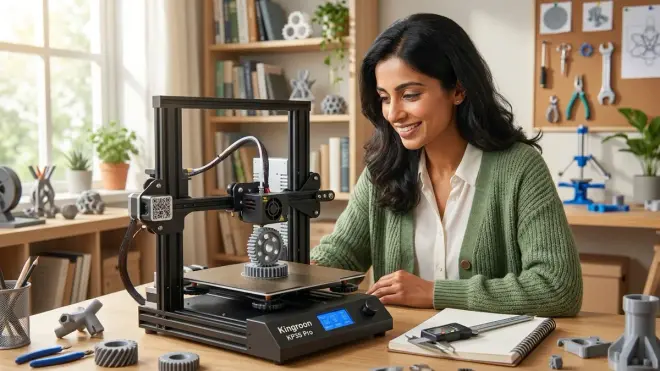
The Kingroon KP3S Pro🛒 Amazon offers 200×200×200mm build volume in a remarkably compact footprint, making it practical for dedicated teen STEM lab spaces where desktop real estate is limited. The Titan direct drive extruder provides consistent extrusion pressure for detailed mechanical parts—gears, bearing mounts, threaded inserts.
Your teen will appreciate the direct connection between design tolerances and print success with this machine's 0.05mm layer resolution capability. Technical Specifications: CoreXY kinematics deliver precise positioning, auto bed leveling probe, requires standard 110V outlet. Compatible with Cura, Simplify3D, PrusaSlicer (Windows/Mac/Linux). Fully offline-capable. The glass print bed provides excellent flatness but requires glue stick application for PLA adhesion—a minor preparation step that becomes automatic. The genuine limitation here is build volume for larger assemblies, but this constraint actually teaches design efficiency and modular thinking. The cooling fan placement creates directional cooling bias, requiring strategic part orientation for overhangs—a nuanced skill that translates directly to professional engineering workflows.
How We Made Our Picks
I evaluated these 3d printers for teens through the lens of skill progression rather than feature checklists. Each printer needed to offer transparent access to the underlying mechanics—proprietary black boxes that hide the printing process don't teach problem-solving skills.
I prioritized machines that balance immediate success with genuine challenge, recognizing that your teen's first failed print holds more educational value than twenty successful downloads from Thingiverse. Durability standards included continuous operation capability (8+ hour prints), widely available replacement parts, and active community support for troubleshooting. I excluded printers requiring proprietary filament cartridges or mandatory cloud subscriptions—those artificial limitations undermine the open-ended exploration that drives authentic learning.
Build volume needed to accommodate science fair scale projects without being so large that print times discourage iteration. I tested each printer's compatibility with professional slicer software like Cura and PrusaSlicer, ensuring teens could graduate to advanced features without switching platforms. Safety considerations included thermal management, electrical certification, and ventilation requirements—because your teen's workspace should support their independence, not require your constant supervision. For context on safety protocols, review our 3D printer safety checklist for kids and teens.
Frequently Asked Questions
Do teens really need 3D printers that cost nearly $500, or would a cheaper model work just as well?
The $300-500 range delivers reliability and capability that prevents your teen's learning momentum from stalling on hardware limitations—cheaper printers often teach frustration tolerance more than engineering skills, while machines in this category balance accessible onboarding with genuine growth potential that extends through high school projects and into early college or maker careers.
What's the difference between enclosed and open-frame 3D printers for teenage users?
Enclosed printers contain odors and regulate temperature for better print quality with engineering materials like ABS, but open-frame designs provide transparent access to the mechanical systems that teach troubleshooting and maintenance skills—the choice depends on whether your priority is minimizing supervision requirements or maximizing hands-on learning depth; our enclosed vs open-frame comparison explores this trade-off in detail.
How much ongoing cost should I budget for filament and maintenance?
Expect $25-40 monthly for filament if your teen actively pursues projects, plus occasional nozzle replacements ($10-20 annually) and build surface refreshes ($15-30 as needed)—no subscriptions required with any printer on this list, though cloud monitoring features on some models need free account creation.
Which 3D design software should my teen learn alongside their new printer?
Start with Tinkercad's browser-based interface for immediate gratification, then transition to Fusion 360 for parametric modeling that mirrors professional CAD workflows used in mechanical engineering and product design—both offer free educational licenses, and our guide on teaching kids 3D design skills provides structured progression milestones.
Final Thoughts
The right 3D printer transforms your teen's relationship with physical objects—they'll start seeing the manufactured world as problems they can solve rather than finished products they must accept. My own children stopped asking "where can we buy that" and started asking "how would we print that" within weeks of accessing a printer.
That shift from consumer to creator matters more than any specific project they'll produce. These 3d printers for teens represent genuine skill-building investments that compound over years, not entertainment purchases that lose appeal after initial novelty fades. Choose based on your teen's current skill level and your family's space constraints, knowing that print quality matters less than print frequency for developing authentic engineering intuition.