
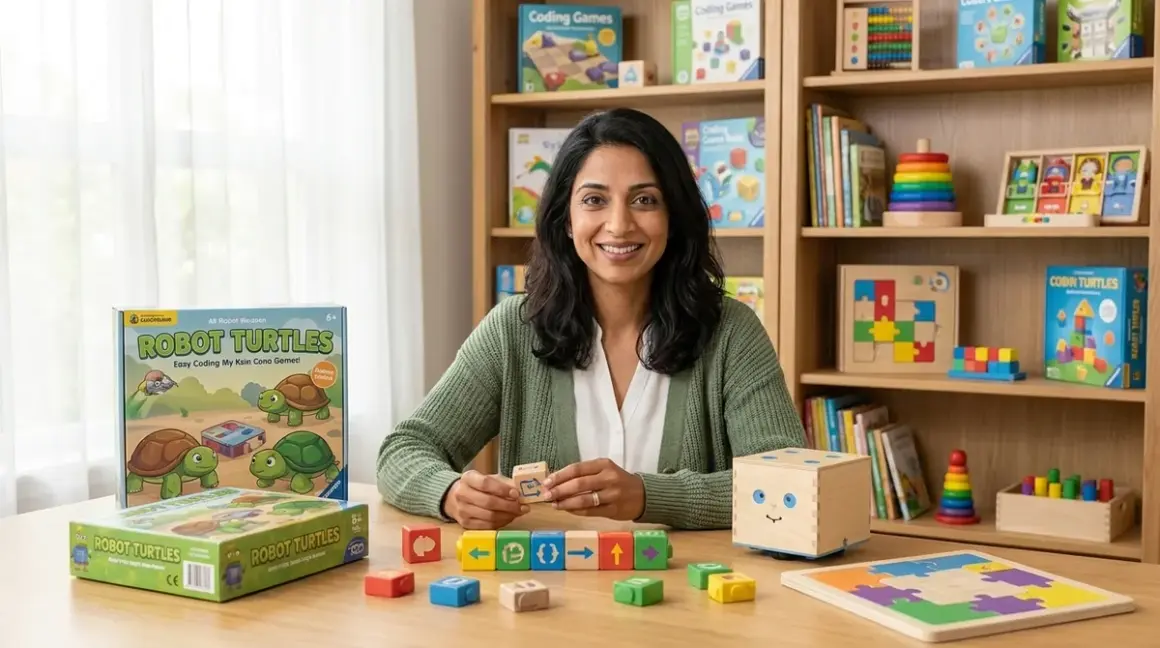

You want your child to learn computational thinking, but you're not ready to hand over screen time. I understand that tension completely—as both a developmental psychologist and a mother who's watched her own children gravitate toward glowing rectangles. Screen free coding toys offer a reassuring middle path: they teach authentic programming concepts through physical manipulation, building neural pathways for logic and sequencing without the addictive pull of digital interfaces. This guide will show you exactly how these tools work, what skills they develop, and how to choose the right progression for your child's learning journey.
What Are Screen Free Coding Toys?
Screen free coding toys are physical learning tools that teach programming fundamentals—sequence, loops, conditionals, debugging, and algorithmic thinking—through tactile interaction rather than digital screens. These tools range from programmable robots that follow button-press commands to board games that simulate computational processes to wooden maze builders that embody logic gates.
The term "screen free" doesn't mean anti-technology. It means the primary interaction happens through physical objects: pushing buttons on a robot's back, placing directional tiles on a game board, snapping together command blocks, or arranging magnetic coding pieces. Some tools include optional screen-based extensions, but their core functionality lives entirely in the physical world.
What makes these tools legitimate coding education rather than mere puzzles? They map directly to concepts used in industry-standard programming languages. When your five-year-old arranges arrow cards to guide a robot through a maze, she's writing an algorithm. When your seven-year-old discovers he can use a single "repeat" tile instead of four individual command cards, he's implementing a loop—the same efficiency principle that drives Python functions and JavaScript iterations.
What is screen free coding and why it matters for early development explores the developmental psychology behind this approach in depth, including the specific cognitive benefits of manipulating physical objects during the concrete operational stage.
How Screen Free Coding Toys Work
The Mechanics of Physical Programming
Most screen free coding toys follow a program-then-execute model that mirrors how real software development works. Your child creates a sequence of instructions using physical components, then activates the toy to "run" the program and observe results.
Here's what that looks like in practice:
Button-programmed robots like the Learning Resources Botley 2.0 Activity Set store up to 80 commands in memory. Your child presses directional buttons on a separate remote (forward, backward, left turn, right turn), building a command sequence one step at a time. When she presses "Go," the robot executes each instruction in order. If the robot crashes into a wall instead of reaching the target, she debugs by reviewing her button sequence, identifying the error, clearing the program, and trying again. This cycle—write, test, debug, revise—is software development distilled to its essence.
Tile-based systems use physical cards or blocks representing commands. ThinkFun's Robot Turtles uses direction cards (forward, turn left, turn right) and a special "laser" card to clear obstacles. Your child arranges cards in sequence on the table, you (acting as the "computer") move the turtle piece according to each card, and your child sees immediately whether the sequence solves the puzzle. The Code & Go Robot Mouse Activity Set adds a maze grid where children place walls and cheese targets, then program the mouse's path using directional cards before pressing the mouse's back to execute.
Construction-based coding embeds programming concepts in physical building. Osmo Coding blocks use magnetic tiles (move, jump, repeat, quantity numbers) that children arrange in sequences while a tablet camera reads the physical arrangement—though the screen acts only as a mirror reflecting the physical program, not as the primary interaction surface.
The Learning Progression Built Into Physical Toys
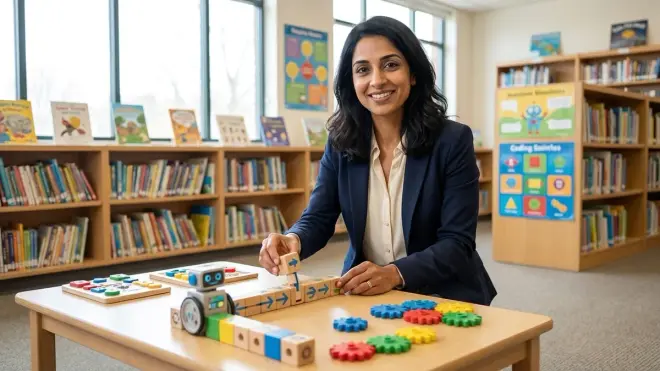
Effective screen free coding toys scaffold complexity through expandable challenge levels. Early challenges might require only sequence (do step A, then B, then C). Intermediate challenges introduce efficiency constraints: solve the puzzle in under 10 commands, forcing your child to discover loops. Advanced challenges add conditionals: "move forward IF the path is clear, ELSE turn right."
This progression matters because it prevents the cognitive overload that happens when children encounter loops, functions, and conditionals simultaneously in screen-based coding platforms. Physical toys let you isolate one concept at a time. Your child masters sequence over days or weeks, building automaticity. Then you introduce the "repeat" tile, and she experiences the elegant efficiency of loops against the backdrop of solid sequential thinking.
Debugging becomes visceral. When a screen-based program fails, the error exists in an abstract digital space. When a physical robot crashes into a wall, your child sees the moment the program diverged from intention. She can replay the sequence, pause at the error, and physically manipulate the failed step. This tangible cause-and-effect relationship builds debugging confidence that transfers beautifully when she eventually moves to text-based languages.
What's Actually Happening Developmentally
From a developmental psychology perspective, screen free coding toys leverage concrete operational thinking—the cognitive stage (roughly ages 4-11) when children understand concepts best through physical manipulation rather than abstract reasoning.
When your child programs a robot by pressing buttons, she's building a mental model of sequence. The button presses leave no visual trace, so she must hold the program in working memory, visualizing each step. This strengthens executive function skills: planning, working memory, and inhibitory control (resisting the urge to just press buttons randomly).
When she uses physical tiles arranged on a table, she can see the entire program simultaneously—a visual representation of algorithm structure that mirrors how professional developers read code. She can identify patterns (hey, I'm doing "forward, forward" three times in a row), recognize inefficiencies, and physically restructure the program by moving tiles.
The physical manipulation activates motor memory pathways that pure visual learning misses. Research on embodied cognition shows that gestures and physical actions during learning create stronger memory traces than passive observation. Your child who physically turns a robot left by pressing a button is encoding that "left turn" concept through multiple neural pathways—visual, motor, spatial, and linguistic.
Why Screen Free Coding Matters for Your Child
The Screen Time Balance You're Looking For
Let me be direct: I don't advocate zero screen time. Screens are tools, and your child will eventually need digital fluency. But the current average of 6+ hours daily screen exposure for children aged 5-8 (per American Academy of Pediatrics data) isn't building skills—it's displacing physical play, conversation, and hands-on problem-solving.
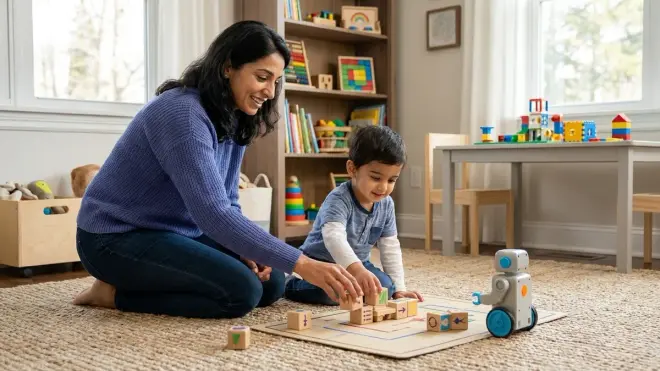
Screen free coding toys let you say "yes" to programming education without adding to screen time totals. Your child gains legitimate computational thinking skills through the same kind of physical play that's always supported cognitive development. You're not restricting—you're offering a guilt-free alternative that happens to align with how young brains learn best.
Skills That Transfer to Real Programming
I've seen parents dismiss physical coding toys as "cute but not serious." Here's what changes their minds: watching their eight-year-old transition to Scratch programming and immediately understand loops because she spent six months using "repeat" tiles with a floor robot.
The skills screen free coding builds are foundational:
Algorithmic thinking: breaking complex goals into step-by-step procedures Debugging mindset: viewing errors as information rather than failure Pattern recognition: identifying repeated sequences that can be abstracted Spatial reasoning: mentally rotating paths and predicting movement Sequential memory: holding multi-step procedures in working memory
These aren't toy skills. They're prerequisites for every programming language. Your child who masters them through physical play has a cognitive scaffold that makes text-based coding feel like a natural extension rather than an overwhelming leap.
Understanding sequence, loops, and conditionals through physical play demonstrates how specific toy interactions map to actual programming constructs.
The Social Learning Bonus
Most screen free coding toys naturally invite collaborative problem-solving. When your child programs a robot on the living room floor, siblings gather to suggest routes. Parents become playful "computers" executing card commands in board games. Grandparents can participate without tech anxiety because the interface is just plastic tiles and wooden blocks.
Contrast this with screen-based coding platforms, which typically isolate the learner in front of a device. Even supposedly collaborative coding games on tablets create parallel play (children in the same room but each absorbed in their own screen) rather than true cooperation.
The conversations that happen during physical coding—"Wait, what if we put the turn before the forward?" "Oh no, I see the bug, it's this card here!"—are language-rich, socially connected learning moments. Your child is simultaneously building computational thinking and practicing communication, negotiation, and shared problem-solving.
Types and Variations of Screen Free Coding Toys
Floor Robots and Programmable Bots
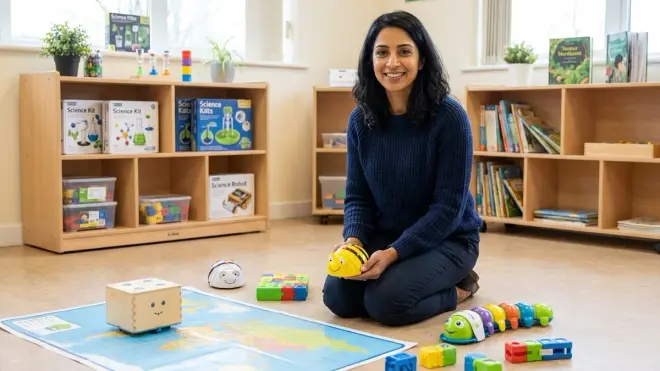
These are the workhorses of screen free coding: physical robots that store and execute sequences of commands entered through buttons, tiles, or remote controls.
Entry-level bots (ages 3-5) like Bee-Bot or Code & Go Robot Mouse use simple directional programming. They move in fixed increments (usually 15cm forward per "step"), making spatial planning concrete and predictable. Most cap programs at 40-80 steps and include only basic commands: forward, backward, turn left 90°, turn right 90°, pause.
Intermediate robots (ages 5-8) add sensors and logic. Botley 2.0 includes object detection—your child can program "move forward until you detect an object, then turn"—introducing conditional logic through physical experience. Some bots add line-following sensors, sound effects triggered by command cards, or simple if/then sequences.
Advanced programmable bots (ages 7+) like Cubetto or certain models of LEGO Boost bridge into construction robotics, though Boost includes screen-optional features. These often add loop commands, function calls (save a sequence of moves as a single reusable "block"), and more complex conditional triggers.
Lab Specs matter here: battery life typically ranges 3-5 hours active use; most use AAA batteries (check if rechargeable compatible). Durability is critical—robots with enclosed motors and bump-resistant housings survive years of floor play. Expandability means compatible maze pieces, challenge cards, and community-created puzzle sets.
Card and Tile Programming Systems
Physical tokens representing code commands create a visible, manipulable program structure. ThinkFun's Robot Turtles, Code Master, and similar games use durable cardboard tiles or plastic chips.
The advantage: your child sees the entire algorithm laid out spatially. She can slide tiles to reorder steps, stack them to show sequence, or create parallel branches. The physical arrangement mirrors how professional developers visualize code structure.
Most tile systems integrate puzzle-solving: place tiles to navigate a character from start to goal, collecting items or avoiding obstacles. Challenges scale from 10-step solutions to 40+ step algorithms requiring nested loops. Some include special tiles for functions ("write a 4-step sequence here, then call it with this token") or conditionals ("IF path blocked, THEN execute this branch").
These systems need minimal setup space (a table surface), have zero electronic failure points (pure cardboard/plastic), and naturally accommodate multiple learners working simultaneously on separate puzzles. The major limitation: no automated feedback—you or another child must verify solutions by manually tracing the program.
Board Games With Computational Logic
Screen free coding board games disguise programming concepts in cooperative or competitive gameplay. Robot Turtles positions adults as the "computer" executing children's card commands. Code Monkey Island uses action selection and resource management to teach planning and optimization. Code Master is a solo logic game where you program a character's path through increasingly complex grids.
What distinguishes these from simple maze games? They explicitly teach programming vocabulary and concepts. Game rules use terms like "function," "loop," and "subroutine." Mechanics reward efficient algorithms over brute-force solutions. Scoring often reflects code elegance: fewer commands scores higher than verbose solutions.
Board games excel at family learning. Parents who feel intimidated by "teaching coding" find comfortable footing in structured game rules. The cooperative format removes performance pressure—everyone works together to debug the failing program.
Construction and Logic Toys
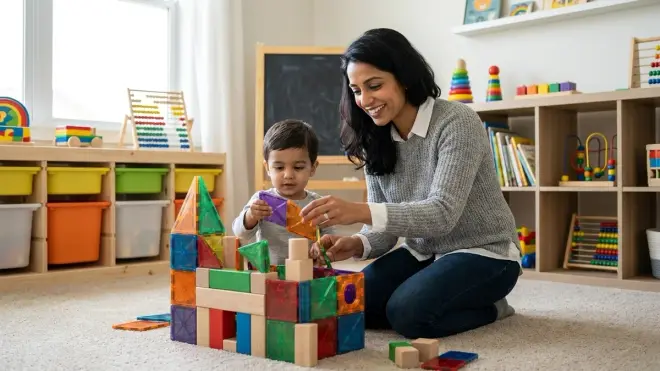
Certain building systems embed computational thinking without explicit "coding" framing. Gravity maze toys teach sequential cause-and-effect. Marble run builders require spatial planning and debugging. Cubetto, though technically a robot, feels more like a wooden puzzle toy—children insert colored command blocks into a physical control board, making the programming process feel like construction play.
How to teach programming concepts without a computer describes how everyday objects—card decks, building blocks, even chalk sidewalk drawings—can be repurposed as programming tools.
These tools work well for children who resist explicitly "educational" toys or who need sensory-rich, open-ended play. The computational thinking emerges naturally from the physical problem-solving rather than being declared as the learning objective.
Building a Progressive Learning Path
Choosing Your Starting Point by Skill, Not Just Age
Age ranges on packaging are rough guidelines, but skill readiness matters more. A four-year-old with strong spatial skills and pattern recognition may thrive with tools labeled "ages 5-7," while a six-year-old new to structured problem-solving needs entry-level tools regardless of the age recommendation.
Watch for these readiness indicators:
For sequence-focused tools: Can your child follow three-step instructions consistently? Does she naturally describe events in order ("First I woke up, then I ate breakfast, then I got dressed")?
For loop concepts: Does your child recognize repetition patterns in daily life? Can he count by 2s, 5s, or 10s, showing understanding that repetition creates patterns?
For conditionals: Does your child understand "if/then" cause and effect? Can she predict outcomes based on changing conditions ("If it rains, then we'll stay inside")?
Best screen free coding toys for preschoolers breaks down specific products by developmental readiness rather than age alone.
The Natural Skill Progression
A coherent learning path typically follows this arc:
Phase 1: Pure Sequence (typically ages 3-5, duration 3-8 months) Start with tools that require only directional programming: forward, backward, turn left, turn right. No loops, no conditionals. Your child masters holding a multi-step plan in working memory and executing it accurately. Early challenges might be 5-8 steps; advanced sequence challenges reach 20-30 steps.
Skill milestone: Your child can plan and execute a 15-step path without external aids, recognize when a program doesn't match intention, and systematically debug by comparing intended path to actual execution.
Phase 2: Pattern Recognition and Loops (typically ages 5-7, duration 6-12 months) Introduce tools with "repeat" or loop commands. Early loop challenges are simple: "move forward three times" becomes "repeat 3: move forward." The efficiency gain is obvious and satisfying. Advanced challenges require nested loops or variable repeat counts.
Skill milestone: Your child independently identifies repeated sequences in her own programs and volunteers to replace them with loop commands. She understands that loops save space and reduce error opportunities.
Phase 3: Conditional Logic (typically ages 6-9, duration 12+ months) Add tools with sensors or conditional cards: "IF path blocked THEN turn right ELSE move forward." Your child learns that programs can respond to environmental conditions rather than following rigid paths.
Skill milestone: Your child can trace through a program containing conditionals, predicting different outcomes based on varying starting conditions. She designs programs that handle multiple scenarios with a single algorithm.
Phase 4: Functions and Abstraction (typically ages 8+, ongoing) Introduce tools that let your child define reusable procedures: "Create a 'square' function that draws one square, then call it four times to draw four squares." This abstraction ability marks readiness for text-based programming.
Skill milestone: Your child recognizes when a task contains repeated complex sequences and voluntarily creates named functions to simplify her programs. This is the threshold where transitioning from screen free coding to text-based programming becomes natural rather than jarring.
Scaling Without Abandoning What Works
One parental worry I hear constantly: "If I buy this toy, will she outgrow it in three months?"
Quality screen free coding toys scale through challenge expansion rather than replacement. Robot Turtles, for instance, officially teaches ages 4-8, but I've watched 10-year-olds engage deeply with the game when they create custom puzzles for younger siblings, reversing the teaching role.
Look for:
Expandable challenge sets: Products with 50-100 puzzle cards spanning multiple skill levels offer years of use. Bonus if the manufacturer sells expansion packs or the community shares custom challenges.
Open-ended build modes: Robots that let you create custom mazes, board games with blank cards for custom commands, and construction toys with interchangeable pieces stay relevant longer than rigid, single-use solutions.
Backward compatibility: When you eventually add screen-based tools, choose options that integrate with physical toys your child already loves. Osmo's coding system, for instance, uses physical blocks read by a tablet camera—a bridge between purely physical and purely digital.
How to choose screen free programming tools that scale with your child offers a detailed decision framework including budget considerations, storage requirements, and sibling age-gap accommodations.
Lab Specs That Determine Longevity
Practical factors that parents often overlook until after purchase:
Power and maintenance: Battery-powered robots need fresh batteries every 3-5 hours of active play. Budget for rechargeables. Some toys have non-replaceable batteries that limit lifespan to 2-3 years. Board games and card systems have zero power requirements—a genuine advantage for travel and portability.
Durability for repeated use: Floor robots endure crashes, drops, and toddler siblings. Look for enclosed motors (not exposed gears), bump-resistant edges, and waterproof or water-resistant housings. Card games need wear-resistant coating—laminated cards or thick plastic tokens survive years better than uncoated cardboard.
Storage and setup time: A toy that requires 15 minutes of mat assembly and maze configuration won't get used on busy weeknights. Best daily-use tools set up in under 2 minutes. Storage matters too—loose pieces frustrate parents. Products with dedicated storage trays or containers actually get used.
Expandability and community: Toys compatible with standard building bricks (LEGO, Duplo) or generic craft supplies expand infinitely. Active user communities share custom challenges, extending value for free. Proprietary systems with no expansion options hit learning ceilings faster.
When to Introduce Screen-Based Extensions
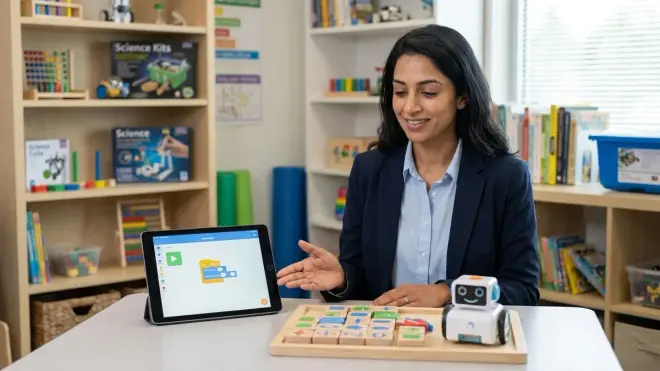
Around age 8-10, most children benefit from adding screen-based coding while maintaining physical tools. The ideal moment? When your child has mastered loops and conditionals with physical toys and starts asking questions like "But what if I want the robot to remember how many times it turned?" or "Can I make it decide which path based on what it sees?"
Those questions signal readiness for variables, memory, and more complex conditionals—concepts that screen-based platforms handle elegantly. The transition from screen-free coding to Scratch and Python programming walks through this integration, showing how physical tools become reference points for understanding abstract code syntax.
Physical tools remain valuable even after introducing screens. Many children benefit from prototyping algorithms with physical cards or robots before translating them into typed code. The tangible debugging process—moving tiles, watching a robot execute—clarifies thinking in ways that staring at error messages on a screen doesn't.
Lab Specs: What to Check Before You Buy
Connectivity and Platform Dependencies
The "screen free" label sometimes hides optional connectivity features that create unexpected friction. Some products include companion apps that, while not required for basic functionality, unlock advanced challenges or tracking features. Others use Bluetooth pairing that works smoothly with iOS but fails with certain Android devices.
Key questions:
Does it require ANY device for setup or updates? Some "screen-free" robots need initial configuration through a parent's smartphone. If you're avoiding screens entirely, verify zero-device operation.
Are advanced features locked behind apps? A few products deliver satisfying core experiences without apps but gate their best content behind digital pairing.
What happens if the app sunsets? Manufacturers sometimes discontinue support, rendering companion apps incompatible with new OS versions. Pure physical toys have zero obsolescence risk.
Offline functionality: True screen free coding toys work anywhere—camping trips, airplane travel, grandparents' houses. If it needs WiFi or cloud features, it's not fully screen-free.
Age-Appropriate Outcomes, Concretely Described
Marketing copy loves vague promises: "teaches coding!" or "builds problem-solving skills!" Useful specifications describe concrete capability milestones.
Strong skill outcome descriptions look like this:
"By completing all 50 challenges, your child will plan and execute 30-step algorithms, implement 2-level nested loops, debug errors by systematically testing individual steps, and create custom mazes that require conditional logic to solve."
That statement tells you exactly what competency your child builds. It lets you assess whether the toy targets your child's current skill level or reaches beyond it.
Vague claims like "introduces computational thinking" or "develops logic skills" could describe anything from a shape-sorting cube to advanced function definition. Demand specificity: How many steps can programs contain? Which programming concepts does it teach—sequence only, or loops and conditionals too? What measurable skill does a child gain?
Subscription and Consumable Costs
Most screen free coding toys have zero recurring costs—you buy once, use forever. But exceptions exist:
Challenge card subscriptions: A few manufacturers sell base sets with 20 challenges, then offer monthly or quarterly expansion packs. Calculate total cost over 2-3 years before assuming a $60 toy is budget-friendly.
Replacement part costs: Robots with frequently-lost remotes, board games with small essential tokens, or construction toys with proprietary connectors can incur ongoing replacement expenses. Check if replacement parts are available and reasonably priced.
Battery consumption: Seems trivial until you're replacing 4 AA batteries weekly. At roughly $1.50 per set, that's $75 annually. Rechargeable-compatible products pay for themselves within months.
The best value proposition: pure physical systems with no electronics (board games, card sets, wooden toys) have zero ongoing costs, while durable robots with long battery life and abundant challenge cards offer strong cost-per-hour value despite higher initial investment.
Durability and Warranty Reality
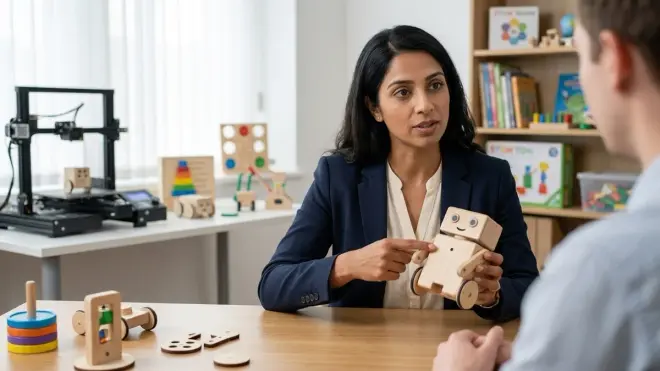
Children don't tenderly cradle educational toys. They drop them, crash them into furniture, spill juice on them, and let curious puppies investigate them.
Realistic durability for heavy use: Floor robots should survive 3-foot drops onto hardwood or tile—anything less won't last three months with typical play patterns. Card games need spill-resistant coating. Construction toys need pieces that click securely but don't require adult-strength force to separate.
Warranty coverage: Most screen free coding toys include 30-90 day warranties, but some manufacturers stand behind products for 1-2 years. Extended warranties signal manufacturer confidence and reduce your replacement risk. Check whether warranties cover normal wear or only defects—a meaningful distinction.
Replacement part availability: A toy is only as durable as its most fragile essential component. If one directional tile cracks and the manufacturer doesn't sell replacements, the entire system becomes unusable. Prioritize products with readily available replacement parts or generic components.
Frequently Asked Questions
What age should I start with screen free coding toys?
Children as young as three can begin with simple sequence-focused floor robots or card-matching games that introduce directional thinking. At this stage, you're not "teaching coding"—you're building spatial reasoning and sequential memory that form the foundation for later computational thinking. The key is matching tool complexity to your child's executive function development: can she plan two steps ahead consistently? That's the threshold for entry-level screen free coding. Starting at ages 3-4 with pure sequence tools, progressing to loops around 5-6, and adding conditionals around 6-8 creates a developmentally appropriate path that prevents frustration while maintaining appropriate challenge. Some children show readiness earlier; others need more time with open-ended play before structured algorithmic thinking feels accessible.
Can screen free coding toys really prepare children for actual programming?
Yes, though they're foundation rather than complete preparation. Screen free coding toys build the conceptual models that make text-based programming learnable rather than overwhelming—concepts like sequence, loops, conditionals, debugging methodology, and algorithmic problem decomposition. A child who spends 12-18 months working with physical coding tools develops pattern recognition skills and a debugging mindset that directly transfer when she encounters Scratch blocks or Python syntax. However, screen free toys don't teach programming language syntax, keyboard/typing fluency, or screen-based development environment navigation—skills that matter for actual software development. Think of screen free coding as teaching musical rhythm, melody, and notation reading before touching an instrument; the transition to the instrument (text-based programming) is incomparably easier with that foundation, but the instrument still requires its own practice. Understanding skill milestones: what 10 year olds can master in STEM shows how physical coding skills integrate into broader technical competency.
Are expensive programmable robots worth it, or will board games teach the same skills?
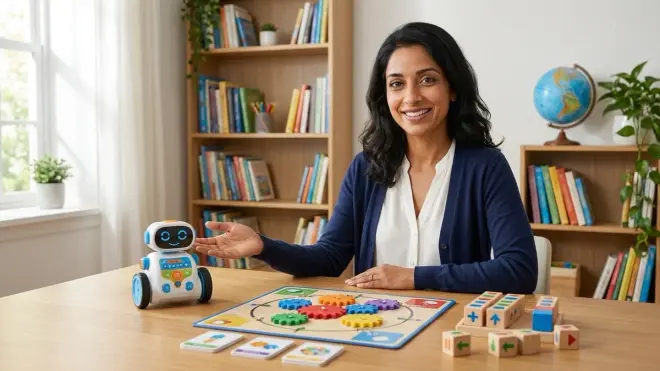
Both formats teach core programming concepts, but they develop slightly different skill emphases. Programmable robots excel at building spatial reasoning, debugging persistence, and immediate concrete feedback—when your child's program fails, the robot crashes into a wall right in front of her, creating unmistakable cause-and-effect learning. Robots also teach planning under constraints (battery life, command memory limits, physical space). Board games excel at collaborative problem-solving, visible algorithm structure, and zero-friction iteration—rearranging cards to debug takes seconds, while reprogramming a robot requires clearing memory and starting over. Board games also cost $15-35 versus $60-120 for robots, include multiple difficulty levels in one purchase, and never need battery replacements. If budget allows, own both: use board games for introducing new concepts cooperatively, then let your child apply those concepts independently with a robot. If choosing one, consider your child's learning style: kinesthetic learners who need movement thrive with robots; visual learners who benefit from seeing entire algorithms simultaneously excel with card games.
How do I know when my child is ready to move from screen free coding to Scratch or Python?
Watch for three readiness signals: first, your child independently designs complex programs using loops and conditionals without adult prompting, showing she's internalized those concepts rather than mechanically following instructions. Second, she asks questions about program flexibility that screen free tools can't answer—"Can I make it remember how many times it collected something?" or "What if I want it to choose randomly?"—indicating readiness for variables, arrays, and more sophisticated logic. Third, she shows frustration with physical tool limitations rather than with programming concepts themselves: "This is so slow, I wish I could just tell it what to do" or "I want to make 100 squares, but this only has 10 repeat tiles." These signals typically emerge around ages 8-10 for children who started screen free coding at 4-5, though the timeline varies significantly. Typing fluency helps but isn't required—Scratch's block-based interface requires only clicking and dragging. The checklist for transitioning from screen free coding to text-based programming includes specific skill assessments you can conduct with your child to gauge readiness accurately.
Do screen free coding toys work for children with ADHD or sensory processing differences?
Many children with ADHD or sensory processing differences respond exceptionally well to screen free coding because physical manipulation provides proprioceptive feedback and movement integration that screen-based learning lacks. The button-pressing, tile-arranging, and floor-play aspects channel kinetic energy into learning rather than fighting against it. However, product selection matters significantly: children with ADHD often need immediate feedback loops (robots that execute programs instantly rather than games requiring adult participation to verify solutions) and short challenge cycles (5-minute puzzles rather than 20-minute complex builds). Children with sensory sensitivities need tools without jarring sounds, flashing lights, or rough textures—unfortunately, many robots include attention-grabbing sounds and lights that overwhelm sensitive children. Look for products with volume controls or sound-off modes, matte-finish rather than glossy plastics, and simple visual designs without excessive color stimulation. The reduced screen stimulus itself is often the biggest benefit—many parents report that children who become dysregulated after 15 minutes of screen-based coding remain engaged and calm for 45+ minutes with physical coding toys, likely because the tools lack the rapid visual stimulation and reward-schedule manipulation that makes screens particularly challenging for ADHD and sensory-sensitive children.
Where Screen Free Coding Fits in Your Child's Learning Journey
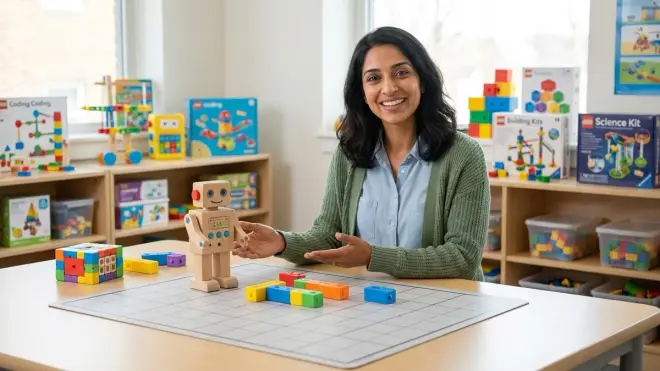
Screen free coding toys are not anti-technology statements. They're developmentally aligned tools that introduce computational thinking during the concrete operational stage when physical manipulation creates stronger learning than abstract symbol manipulation.
You're not choosing between screen free coding and "real" programming. You're building a progression where physical tools create the conceptual scaffolding that makes screen-based coding feel like a natural next step rather than an overwhelming leap. Your five-year-old who masters sequence with a floor robot is building the working memory and algorithmic thinking that will make Scratch intuitive at age eight. Your seven-year-old who debugs tile-based puzzles is developing the patient, systematic error-analysis mindset that separates frustrated beginners from confident programmers.
The physical component isn't a limitation—it's the learning advantage. Motor memory, spatial reasoning, and embodied cognition create neural pathways that passive screen observation doesn't build. Your child who physically arranges command cards is simultaneously planning (executive function), predicting (spatial reasoning), and encoding memory through multiple sensory channels.
Best unplugged coding robots under $100 helps you identify budget-friendly starting points without sacrificing educational depth.
As your child grows, screen free coding tools don't become obsolete—they become prototyping tools and conceptual references. My 11-year-old still pulls out her old Botley robot when debugging complex Python loops, because watching the physical execution helps her visualize what the code is doing wrong. Best coding platforms for 12 year old beginners describes how digital and physical tools complement rather than replace each other in advanced learning.
The screen time conversation we keep having as parents—how much is too much, what's educational versus merely entertaining, how do we balance digital skills with childhood—finds a practical answer in screen free coding toys. You can say yes to computational thinking, yes to preparing your child for a technology-saturated future, yes to building skills that matter for AI concepts every child should learn, all while preserving the physical play, face-to-face interaction, and tactile exploration that childhood development needs.
Your child doesn't need to choose between unplugged play and computational literacy. Screen free coding toys deliver both, building the foundational thinking that makes every subsequent technical skill more accessible. Start with sequence, celebrate the first successful 20-step program, notice when loop patterns emerge naturally in your child's thinking, and trust that the physical foundation you're building now will support increasingly sophisticated computational thinking for years to come. How to design a progressive STEM learning path in your home lab integrates screen free coding into a broader multi-year skill development framework that grows with your child's capabilities.