
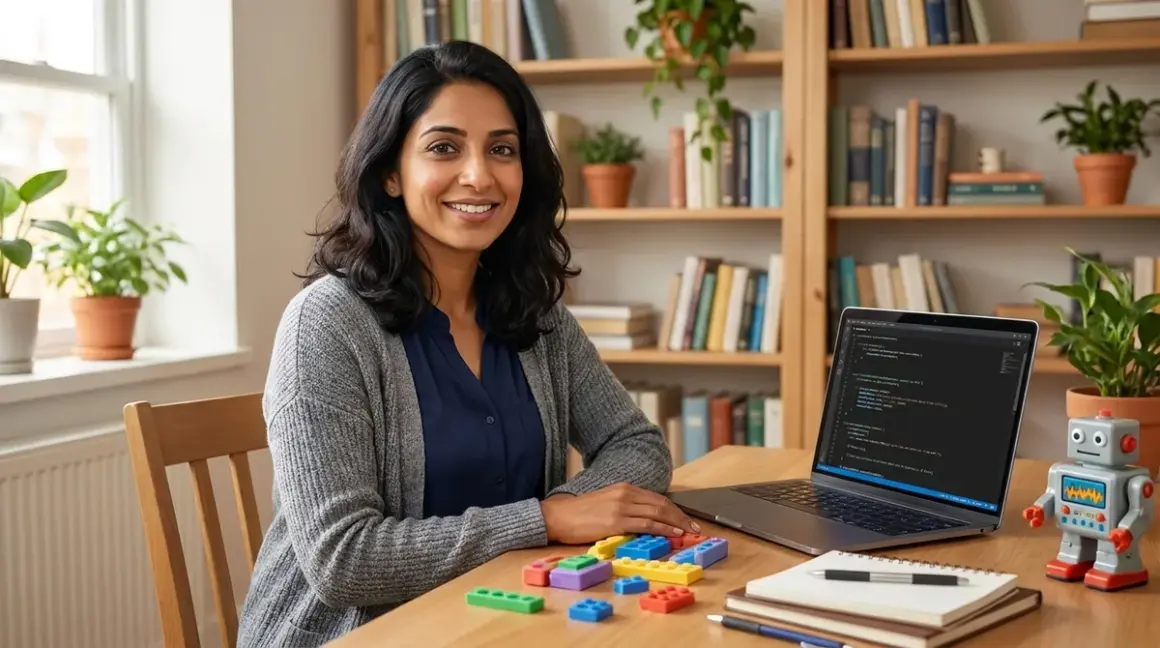

You've watched your child master screen free coding to text programming fundamentals through wooden robots, board games, and tactile puzzles. Now they're ready for the next step: typing actual code into a real development environment. This transition feels monumental—and it is. But it doesn't have to be overwhelming.
This checklist walks you through every readiness indicator, technical requirement, and developmental milestone you need to confirm before introducing text-based programming. Whether you're moving toward Scratch's block-to-text hybrid or diving straight into Python, you'll know exactly what to prepare, what to expect, and how to support your child through this pivotal shift in their learning path.
Readiness Indicators: Is Your Child Actually Ready?
Before you install a single IDE or sign up for any platform, assess whether your child has internalized the foundational concepts that make screen free coding to text programming transitions successful. These aren't arbitrary age gates—they're genuine developmental markers that predict confidence and competence.
Sequential thinking mastery: Your child can explain multi-step processes in order without prompting, demonstrating understanding of sequence, loops, and conditionals through physical play rather than just memorizing patterns.
Debugging persistence: When their physical coding solution fails—the robot goes the wrong way, the board game sequence doesn't work—they systematically test each step rather than immediately asking for help or giving up.
Abstract representation comfort: They can look at symbol cards, arrow tiles, or function blocks and mentally predict what will happen before executing the sequence, showing they've moved beyond purely trial-and-error learning.
Reading fluency at grade level: Text-based programming demands reading comprehension; if your child struggles to decode written instructions independently, they'll face dual cognitive load (learning syntax and decoding text simultaneously).
Typing basic familiarity: They don't need touch-typing mastery, but they should know where letters live on a keyboard and be able to type short words without hunting for every single key—otherwise syntax becomes a mechanical barrier.
Frustration tolerance for invisible errors: Screen-free tools provide immediate physical feedback; text programming often produces cryptic error messages. Watch how your child handles delayed or unclear feedback in other contexts.
Interest in "real" programming: The transition works best when driven by their curiosity about how actual apps, games, or websites work—not just parent ambition or curriculum pressure.
Comfort with screen-based learning: If you've intentionally limited screen time (as many families choosing screen-free coding have), gradually increase their comfort with focused, task-oriented screen use before adding the cognitive challenge of syntax.
This isn't about checking every box perfectly. It's about recognizing where your child stands so you can scaffold appropriately. One of my daughters showed debugging persistence at seven but needed two more years to develop the frustration tolerance for Python's indentation errors. That waiting period wasn't wasted—it deepened her physical coding foundations.
Technical Environment Setup: Getting the Lab Ready
The screen free coding to text programming bridge requires specific hardware, software, and connectivity configurations. These aren't minor details—wrong choices create friction that undermines confidence during an already challenging transition.
Hardware Lab Specs
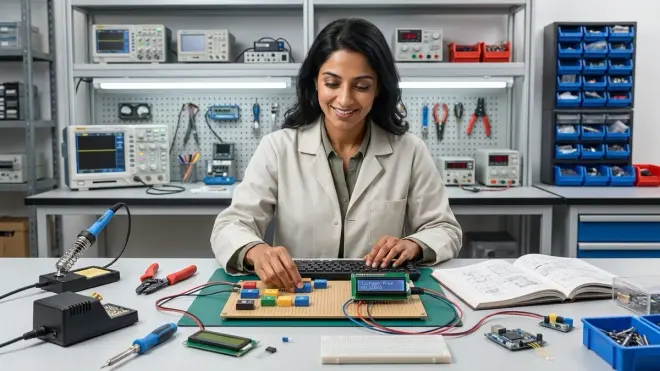
Computer minimum requirements: For Scratch 3.0, you need a tablet or computer running Windows 10+, macOS 10.13+, ChromeOS, or Android 6.0+ with 2GB RAM minimum. For Python with IDLE or Thonny, Windows 10+, macOS 10.11+, or Linux distributions with 4GB RAM recommended for comfortable operation.
Keyboard quality matters: Membrane keyboards with mushy key travel frustrate beginners who can't feel whether they've registered a keystroke. Mechanical keyboards with tactile switches (Cherry MX Brown or equivalent) provide clear physical feedback that mirrors the tactile certainty of screen-free tools—expect to invest around $50-80 for entry-level mechanical options.
Display size and resolution: 13-inch minimum screen diagonal with 1920x1080 resolution prevents squinting at code editors and error messages. Younger programmers especially need comfortable visual access without eye strain during focused work sessions.
Mouse vs trackpad considerations: Block-based environments like Scratch demand precise dragging; external mice provide better fine motor control than trackpads for children still developing coordination, particularly those under ten.
Power and portability needs: Laptops enable workspace flexibility (kitchen table to bedroom desk), but require consistent charging habits. Desktop setups provide stability and better ergonomics but reduce mobility—match this to your family's learning space realities.
Software Environment Decisions
Offline vs cloud-dependent platforms: Scratch Desktop offers offline capability crucial for families managing screen time through airplane mode or disconnected periods, while Scratch online requires constant internet. Python with Thonny IDE works entirely offline once installed, making it ideal for distraction-free learning.
Operating system compatibility: Scratch 3.0 runs on Windows, macOS, ChromeOS, iOS, and Android. Python runs natively on Windows, macOS, and Linux; Chromebook users need Linux container setup or cloud-based options like Replit, which reintroduces connectivity dependence.
IDE complexity levels: Thonny provides beginner-friendly Python development with built-in variable visualization and simple debugging. VS Code offers industry-standard environments but overwhelming feature sets for newcomers. Start simple—professional tools can wait.
Account and subscription requirements: Scratch requires free account creation with email verification (many families use parent emails for children under 13 per COPPA requirements). Python itself is free and open-source with no subscriptions. Cloud platforms like Replit offer free tiers but push paid plans for additional features.
Version control introduction timing: Git and GitHub represent professional development practices, but add cognitive overhead during initial syntax learning. Bookmark this for later—once your child comfortably writes 50+ line programs, version control becomes genuinely useful rather than abstractly educational.
Connectivity and Expandability Path
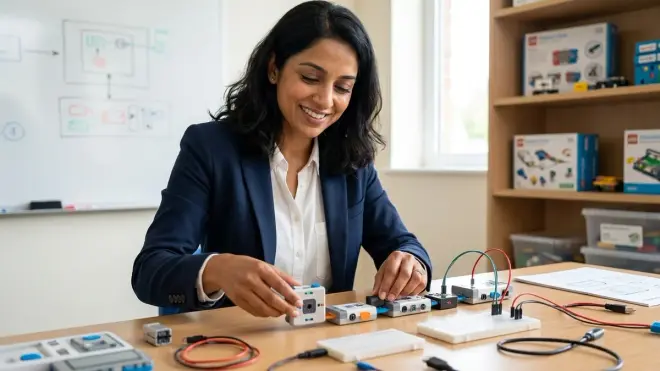
Arduino integration timeline: If your child has used physical coding robots, the Arduino IDE creates powerful continuity—programming physical devices with text-based C++. This bridge works especially well for kinesthetic learners who thrived with screen-free tools, though syntax is less forgiving than Python.
Block-to-text hybrid transition: Scratch's "Show Blocks" and "Show Code" toggle doesn't exist, but platforms like Blockly Games demonstrate blocks alongside JavaScript equivalents, making syntax less mysterious and connecting physical block manipulation to text representation.
Library and package ecosystem exposure: Python's extensive libraries (turtle graphics, pygame, requests) transform from obstacles into opportunities—but only after basic syntax confidence. Budget 3-6 months in pure Python fundamentals before introducing pip and external packages.
Microcontroller progression path: Screen-free coding robots often prepare children for physical computing. The transition path runs: screen-free robots → Scratch controlling simple LEDs → Python on Raspberry Pi → Arduino C++ → advanced embedded systems, each step building industry-relevant skills.
This technical foundation isn't optional infrastructure you can skip—it's the laboratory environment that determines whether screen free coding to text programming feels like a natural next step or an overwhelming rupture.
Curriculum Bridge: Connecting Physical to Digital Concepts
The concepts your child mastered through screen free coding board games and wooden robots translate directly into text syntax—but the translation isn't always obvious to them. Your role is making those connections explicit and visceral.
Sequence and Statement Translation
Physical sequence cards become code lines: When your child arranged arrow tiles in order, each tile was one instruction. In Python, each line is one instruction. Physically lay out sequence cards next to their first simple programs: "forward, forward, turn right" becomes three lines of turtle.forward(), turtle.forward(), turtle.right().
Start and end rituals matter: Screen-free tools often had clear starting positions (robot on first square) and ending states (reach the star). Programs need similar clarity: function definitions mark beginnings, return statements mark endings. Frame these as digital versions of "place your robot here."
One action, one line discipline: Screen-free coding enforced physical constraints—one action per card or block. Text programming allows cramming multiple commands onto single lines, which experienced programmers do for efficiency but confuses beginners. Maintain the "one instruction, one line" rule for the first six months.
Reading order consistency: Screen-free sequences read left-to-right or top-to-bottom. Code reads top-to-bottom exclusively. If your child used board games with directional reading variations, explicitly practice reading code only downward—this prevents directional confusion errors.
Loop and Function Recognition
Repeat loops from physical stacks: The "repeat 4 times" tiles your child used translate to for loops and while loops. Show them: that stack of four identical "forward" cards becomes "for i in range(4): turtle.forward(50)". The compression from four physical objects to one text structure feels magical when you make it explicit.
Function blocks as reusable sequences: If screen-free tools included "create your own function" mechanics (common in advanced board games), those become def statements in Python. The concept of naming a sequence and calling it later transfers perfectly—just different notation.
Nested loop recognition: Screen-free tools with loops-inside-loops (like "repeat 3 times: go forward twice, turn right") prepare children for indentation logic. Point out how physical nesting (placing one repeat block inside another) becomes visual indentation in Python—the structure mirrors itself.
Loop exit conditions: Screen-free games often had "stop when you reach the goal" mechanics. These become while loop conditions in text programming. Translation example: "keep moving until you touch blue" becomes "while sensor.color() != 'blue': robot.forward()".
Conditional Logic Mapping
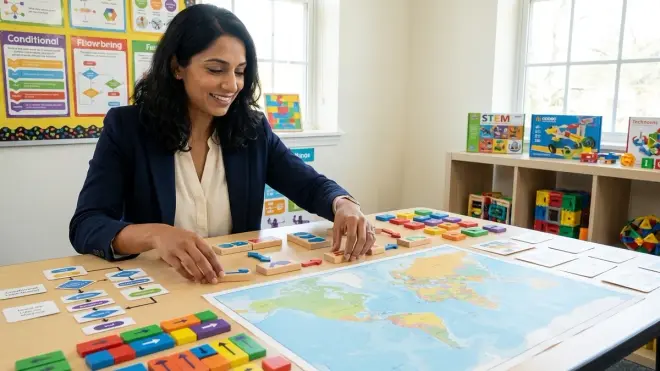
If-then tiles become if statements: Many screen-free coding tools include conditional cards ("if path is blocked, turn left"). These translate directly: "if obstacle_detected: turn_left()". The punctuation and indentation are new, but the logical structure is identical.
Else path introduction: Screen-free games rarely include else logic explicitly—they imply it. Text programming makes else explicit and powerful. Demonstrate: "if I laid down a 'turn left' card for blocked paths, what did you do when paths weren't blocked? That's your else."
Sensor simulation to variable checking: If your child used robots with physical sensors (color, proximity), those checks become variable comparisons. The Ozobot Evo color sensor checking "is this blue?" becomes Python's "if color == 'blue'" — same logic, different mechanism.
Boolean logic foundations: Screen-free AND/OR gates (less common but present in advanced games) need explicit connection to Python's "and" and "or" operators. Use physical truth tables with blocks before writing boolean expressions.
This curriculum bridge phase typically spans 4-8 weeks of parallel learning—keeping physical tools active while introducing their text equivalents. Don't rush this translation period. The connections you build here determine whether text syntax feels like learning a new language (hard) or learning to write down what you already know (manageable).
Skill Progression Milestones: What Success Actually Looks Like
Parents often ask me when they'll know the transition is "working." These concrete capability milestones mark genuine progress through screen free coding to text programming advancement—not just time served.
First Month: Syntax Familiarity
Types three-line programs independently: Your child can write and run a simple sequence (three turtle graphics commands, three print statements) without asking where the parentheses go or how to indent.
Reads error messages aloud: Rather than freezing when red text appears, they read the message and locate the line number mentioned—even if they can't fix it yet.
Identifies indentation errors visually: They can look at code and spot when a line "looks wrong" positionally, connecting to the spatial awareness they developed with physical block alignment.
Remembers to save work: After losing progress once or twice, they develop the habit of saving before running code—a professional practice that mirrors putting screen-free pieces back in the box.
Months 2-3: Structural Thinking
Writes working for-loops without reference: Loops are fully internalized; they know the syntax pattern and can apply it to new situations without checking examples.
Plans programs on paper first: Before typing, they sketch pseudocode or draw flowcharts, demonstrating that planning happens mentally before execution—a massive cognitive leap from trial-and-error.
Debugs simple logic errors independently: When output is wrong but code runs, they identify which line produces incorrect behavior by testing sections separately.
Asks specific syntax questions: Instead of "this doesn't work," they ask "should this variable be inside or outside the loop?" showing they understand concepts but need confirmation on notation.
Months 4-6: Creative Application
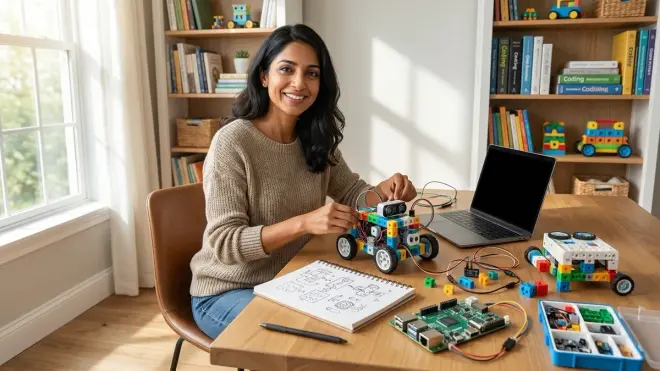
Builds projects from personal interests: They propose and complete programs based on their own curiosity (a quiz game, a drawing tool, a character generator) rather than only following tutorials.
Refactors repetitive code into functions: They notice when they've written similar code blocks multiple times and independently create a function to eliminate repetition—showing genuine computational thinking.
Reads and modifies others' code: Given a working program written by someone else, they understand what it does and can change specific behaviors—the digital equivalent of remixing physical coding sequences.
Connects programming to real tools: They recognize that the concepts they're learning appear in actual apps, games, and websites, positioning skills along a trajectory toward industry-standard practices rather than isolated educational exercises.
These milestones align closely with what 10-year-olds can master in STEM more broadly, though individual timelines vary significantly. Some children race through Month 1 milestones in two weeks; others need eight weeks. Neither pace predicts long-term success—foundational solidity matters more than speed.
Emotional and Behavioral Support Strategies
The technical and cognitive challenges of screen free coding to text programming transitions matter less than the emotional ones. Syntax errors feel personal in ways that knocking over a wooden robot never did. Your child needs different support now.
Reframing Failure Feedback
Normalize error messages as communication: In screen-free coding, wrong moves produced obvious physical failures. Text programming produces cryptic messages that feel like criticism. Frame errors as "the computer asking for clarification" rather than "you did something wrong."
Celebrate debugging as detective work: When your child thrived with physical tools, they could see problems. Text debugging requires inference and hypothesis testing—position this as leveling up to more sophisticated problem-solving, not confronting deficiency.
Distinguish syntax from logic errors: Misplaced parentheses aren't thinking mistakes; they're notation mistakes. Logic errors (wrong algorithm) reflect planning, which your child may excel at from screen-free foundations. Help them see the difference so syntax frustration doesn't undermine their confidence in their actual problem-solving ability.
Use physical analogies for abstract errors: "IndentationError" means nothing; "it's like stacking your sequence cards crooked so they don't line up" creates instant recognition.
Managing Screen Time Anxiety
Set clear coding session boundaries: If you've carefully limited screens, programming feels rule-breaking. Establish that 30-45 minute focused coding sessions are different from passive consumption—name them "building time" rather than "screen time."
Maintain parallel physical coding: Don't abandon screen-free tools entirely during transition. Weekly board game sessions or robot challenges keep tactile problem-solving active and prevent the shift from feeling like a total replacement of valued activities.
Schedule offline processing time: After screen sessions, your child needs non-screen time to mentally integrate new concepts. A 15-minute walk, building session with LEGOs, or outdoor play helps consolidate learning without additional visual input.
Watch for eye strain and posture: Screen-free coding happened on floors, tables, with bodies moving. Text programming creates physical stillness. Teach the 20-20-20 rule (every 20 minutes, look at something 20 feet away for 20 seconds) and ensure proper seating ergonomics.
Sustaining Motivation Through the Valley
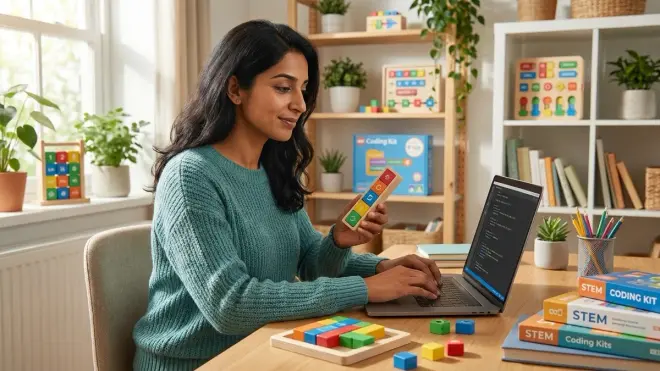
Acknowledge the capability plateau: Your child went from steady screen-free progress to feeling clumsy with syntax. That's normal and temporary—but they need to hear you name it as an expected transition phase, not evidence they're "not good at this."
Connect to their screen-free wins: "Remember when the robot kept turning the wrong way and you systematically tested each card? That's exactly what we're doing with this error message—your debugging skills didn't disappear."
Introduce transitional hybrid tools: If pure text feels overwhelming, platforms that show blocks and text side-by-side (like Blockly Games) create scaffolding. These aren't retreats—they're strategic supports.
Celebrate non-coding wins: When frustration peaks, point out what they are mastering—typing speed, focus duration, reading technical documentation. Progress isn't only syntax.
The research on screen-time impacts and tactile learning shows that transitions from physical to digital learning environments require explicit emotional scaffolding, not just cognitive instruction. You're not just teaching Python—you're teaching resilience through a genuinely challenging skill shift.
Platform-Specific Transition Pathways
Different text programming environments serve different transition needs. Your choice should match your child's screen-free coding background, learning style, and where you want their skills to lead.
Scratch 3.0: The Visual-Text Bridge
Who it serves best: Children who thrived with highly visual screen-free tools (robots with color paths, illustrated board games) and aren't ready for pure text—typically ages 7-10 or visual-spatial learners of any age.
Key advantage: Block-based interface with drag-and-drop mechanics mirrors physical coding card manipulation, minimizing syntax barriers while introducing programming concepts through a familiar interaction model.
Lab specs: Runs in browsers (online) or via Scratch Desktop (offline); works on tablets with touch interfaces, creating continuity with tactile screen-free experiences; no installation complexity for browser version.
Expandability path: Graduates to more complex projects (games, animations, interactive stories) without changing platforms, then transitions to block-to-text languages like JavaScript through Blockly or MIT App Inventor before pure text environments.
Limitation to acknowledge: Scratch doesn't prepare students for industry-standard tools—no professional developers use it. It's pedagogical infrastructure, not career preparation, which matters for families planning long-term STEM trajectories.
Subscription requirements: Completely free with no paid tiers or feature restrictions; account creation required for saving and sharing projects online.
Python with Thonny IDE: Direct Text Introduction
Who it serves best: Children comfortable with abstract thinking who showed strong reading and pattern recognition in screen-free coding—typically ages 9+ or those specifically interested in "real programming."
Key advantage: Python syntax closely resembles plain English compared to other languages; Thonny provides beginner-friendly debugging and variable visualization; this pathway leads directly toward Python for teaching AI to kids and data science.
Lab specs: Requires Python installation (free, available for Windows/macOS/Linux) plus Thonny IDE installation; runs entirely offline once installed; minimal system resources (works on older computers); no tablet support—keyboard essential.
Expandability path: Turtle graphics for visual output → text-based projects → pygame for game development → data science libraries (pandas, matplotlib) → web frameworks (Flask) → machine learning basics—each step builds professional skills.
Learning curve reality: First two weeks feel steep as students encounter syntax errors frequently; indentation-sensitive structure frustrates children who excelled at spatial organization in screen-free tools but struggle with invisible spaces and tabs.
Subscription requirements: Completely free and open-source; no accounts, no subscriptions, no feature gates—this is professional-grade software with zero cost barriers.
Arduino IDE: Physical Computing Continuity
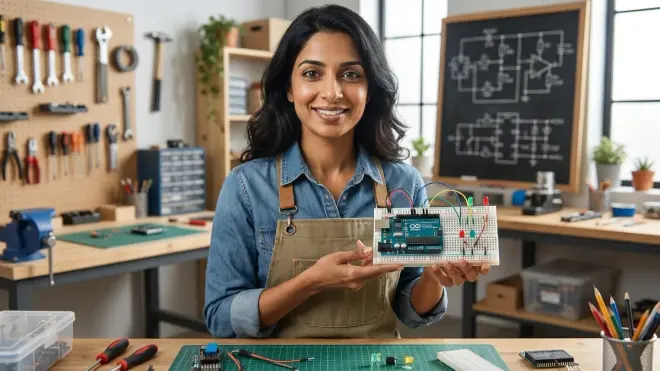
Who it serves best: Children whose favorite screen-free tools were robots and physical devices—kinesthetic learners who need to see code affect real-world objects to maintain engagement.
Key advantage: Programs control LEDs, motors, sensors, and robots, creating direct connection between screen-free robot coding and text-based embedded programming; prepares students for robotics and IoT career paths.
Lab specs: Requires Arduino IDE installation (free) plus Arduino board purchase (Uno starter kits around $30-50); programs upload to hardware via USB; works offline except for library downloads; Windows/macOS/Linux compatible.
Expandability path: Simple LED blink programs → sensor input processing → motor control → multi-component systems → custom PCB design → professional embedded systems development—this pathway leads to electrical engineering and robotics careers.
Challenge to prepare for: Arduino uses C++, which is less forgiving than Python; syntax errors in embedded programming can damage hardware (rare but possible with incorrect pin configurations); requires basic electronics knowledge (circuits, voltage, current).
Subscription requirements: Arduino IDE and core libraries are free and open-source; some advanced components and expansion shields add hardware costs over time; no software subscriptions.
The platform you choose creates the next 12-24 months of your child's learning path. You can switch later, but switching costs time and creates discontinuity. If you're uncertain, how to transition from screen-free coding to Scratch and Python programming explores detailed decision frameworks.
Final Check Before You Go
Run through this condensed readiness verification before installing software or starting your first text programming session:
Child Readiness
- Demonstrates sequential thinking and debugging persistence with physical tools
- Reads at grade level with comprehension
- Types simple words without hunting each key
- Shows genuine interest in "real" programming, not just parent-driven curriculum
- Handles frustration and delayed feedback without shutting down
Technical Setup
- Computer meets minimum specs for chosen platform (RAM, OS version)
- Keyboard provides clear tactile feedback for keystroke confidence
- Display size prevents squinting at code (13+ inches, 1920x1080+)
- Software installed and tested (runs, opens, saves files successfully)
- Backup/save workflow established before first real project
Curriculum Bridge
- Identified three screen-free concepts to connect to first text programs
- Prepared physical coding tools for parallel comparison during early lessons
- Selected age-appropriate first projects (turtle graphics, simple text output)
- Set realistic timeline expectations (6-12 months to comfortable competence)
Support Environment
- Screen time boundaries clarified (coding sessions are "building time")
- Physical space prepared with proper ergonomics and lighting
- Identified where to get help (forums, documentation, parent learning)
- Scheduled regular check-ins to assess frustration and enjoyment balance
Progression Planning
- Chosen concrete milestones to track (can write loop independently, etc.)
- Decided whether to pursue Scratch → Python, direct Python, or Arduino path
- Understood what this platform prepares them for next (AI, web dev, robotics)
- Connected current learning to longer-term progressive STEM learning path
Frequently Asked Questions
How long should we keep using screen-free coding tools after starting text programming?
Continue parallel use for at least three months during the transition—weekly screen-free sessions prevent text syntax frustration from undermining computational thinking confidence. Physical tools remain valuable for planning complex programs before typing them, even after your child becomes fluent with syntax. Many successful programmers sketch algorithms with paper and blocks before writing production code. The tactile problem-solving foundation you built doesn't expire when text programming begins; it becomes a thinking tool they can access when purely abstract planning feels stuck.
What if my child loved screen-free coding but hates text programming after two weeks?
Two weeks isn't enough time to distinguish genuine incompatibility from normal adjustment friction—most children need 4-6 weeks before syntax becomes familiar enough to feel manageable rather than overwhelming. First, verify you've addressed the fundamentals: is the error message feedback overwhelming their debugging skills? Does typing mechanics create frustration separate from programming logic? Try hybrid tools like Scratch that reduce syntax barriers while maintaining programming concepts. If resistance continues past two months despite appropriate scaffolding, pause and return to advanced screen-free challenges—some children need another year of abstract thinking development before text programming clicks, and that's developmentally normal, not failure.
Can we skip Scratch and go straight to Python if my child is already 11 and showed strong screen-free coding skills?
Absolutely, if your child reads fluently, types comfortably, and demonstrates strong abstract thinking with screen-free tools—age 11+ with solid foundations often benefits from skipping Scratch's block interface entirely. Python's readable syntax and direct path toward industry tools makes it ideal for older beginners who won't experience Scratch as playful discovery but rather as an unnecessary intermediary step. Start with Thonny IDE and turtle graphics for visual feedback, transition to text-based projects within 4-6 weeks, then introduce game development or data visualization based on interests. The key predictor isn't age but frustration tolerance for syntax errors and intrinsic motivation to learn "real" programming rather than needing gamified block interfaces to sustain engagement.
Final Thoughts
The transition from screen free coding to text programming represents one of the most significant cognitive leaps in your child's STEM learning path. You've built remarkable foundations through physical tools—computational thinking, debugging persistence, spatial reasoning, and problem decomposition skills that many programming students never develop properly.
Now comes translation work. Not every concept transfers instantly, and syntax errors will test patience you didn't know you had. That's expected. The children who succeed through this transition aren't the ones who never struggle—they're the ones whose parents recognize struggle as learning in progress rather than evidence of wrong paths.
Your role shifts here from activity facilitator to emotional anchor. The technical skills will come. Your child needs you to hold confidence when error messages feel personal, to name plateaus as temporary rather than permanent, and to celebrate debugging breakthroughs with the same enthusiasm you showed for screen-free victories.
The programming skills they're building now—whether in Scratch, Python, or Arduino—create trajectories toward careers that don't exist yet. But the persistence, systematic thinking, and comfort with complex tool mastery transfer everywhere. You're not just teaching code. You're teaching them how to learn hard things.