


Your seven-year-old just spent another afternoon glued to a tablet, and you're feeling that familiar tug of worry. You want to nurture their growing interest in coding, but you'd also love to reclaim some screen-free family time. Screen free coding board games offer exactly that balance—tactile, engaging ways to build computational thinking while sitting together at your kitchen table. After evaluating dozens of options through the lens of developmental readiness and skill progression, I've identified six exceptional board games that teach genuine programming concepts without a single pixel.
What to Look For in Screen Free Coding Board Games
Choosing the right screen free coding board games requires more than picking something with "coding" on the box. You're investing in your child's cognitive architecture, so let's break down what actually matters.

Progressive Skill Scaffolding and Clear Learning Outcomes
The best screen free coding board games build sequentially on foundational concepts rather than presenting them all at once. Look for games that start with sequencing (arranging commands in order), then layer in loops (repeating actions efficiently), and eventually introduce conditionals (if-then decision-making). This mirrors how professional programmers think.
Your child should be able to articulate what they've learned after each play session. A five-year-old might say "I made the robot go forward three times with just one card" (demonstrating loop comprehension). An eight-year-old should grasp that "if the path is blocked, then I need a different instruction" (conditional logic). These aren't abstract concepts—they're the exact mental models your child will apply when they eventually transition from screen-free coding to text-based programming.
Age ranges printed on boxes tell you almost nothing about developmental fit. Instead, look for games that specify prerequisite skills: "Can your child plan two steps ahead?" or "Does your child understand that order matters in instructions?" These questions reveal whether the cognitive load matches your child's current capability.
Multiplayer Dynamics That Encourage Collaboration Over Competition
Family learning thrives when everyone works together toward a shared goal. Games with cooperative problem-solving modes teach debugging as a team sport—your nine-year-old explains their logic to your six-year-old, reinforcing their own understanding while building the younger sibling's skills.
Some games offer both competitive and collaborative modes. This flexibility matters because your family's dynamics will shift based on energy levels, sibling relationships, and learning goals for that particular evening. A competitive race might energize your kids on a sluggish Tuesday, while a cooperative puzzle builds patience and communication on a weekend morning.
Watch for games that require explaining your thinking out loud. When your child must justify why they're placing a particular command card, they're practicing the same articulation skills that professional developers use during code reviews. This metacognitive layer—thinking about thinking—is where deep learning happens.
Replayability and Expandability for Long-Term Skill Development
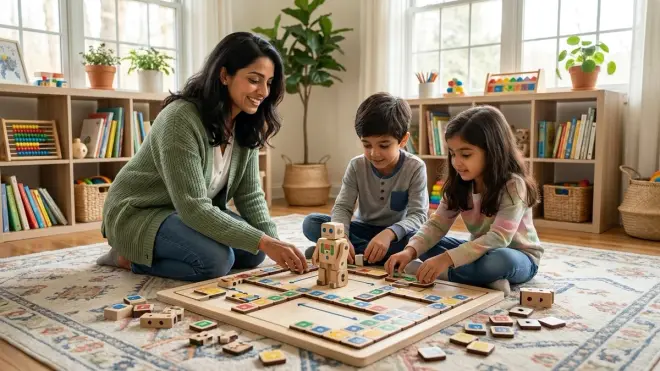
A board game that gets solved in three sessions isn't a learning investment—it's a novelty. Look for modular difficulty systems: removable training wheels, additional rule layers, or challenge cards that increase complexity as competence grows.
The best games include 30+ unique scenarios or procedurally variable board setups. This variability prevents rote memorization and forces genuine problem-solving each time. Your child should encounter the same core concepts (sequence, debug, optimize) in fresh contexts that require adapted thinking.
Expandability extends a game's learning lifespan. Some manufacturers offer expansion packs that introduce new programming concepts like functions (reusable code blocks) or variables (storing and changing values). Check whether the base game has a thriving community creating fan-made challenges—this suggests the core mechanics support deep exploration.
Physical Component Quality for Repeated Family Use
Screen free coding board games are manipulative-heavy: cards get shuffled hundreds of times, tokens slide across boards, and plastic pieces endure enthusiastic handling by children with varying fine motor control. Durability directly impacts learning because a game that falls apart after ten sessions won't build the sustained practice needed for skill mastery.
Examine card stock thickness (300gsm or higher resists bending), whether boards are mounted on chipboard (warps less than paper), and if tokens have smooth edges (small hands appreciate this). Snap-together pieces should connect firmly without requiring adult strength—your six-year-old needs to manipulate components independently to build problem-solving confidence.
Storage solutions matter more than you'd expect. Games with custom inserts that organize components by type reduce setup friction, making it more likely you'll actually play regularly. If setup takes fifteen minutes and involves hunting for 30 scattered tokens, the game will gather dust. Two-minute setup time? You'll reach for it on a Tuesday evening.
Lab Specs: What Makes a Quality Physical Learning Tool
Before we dive into specific recommendations, here's what distinguishes a well-engineered learning tool from a flimsy toy:
Component Count and Organization: Games with 50+ pieces need compartmentalized storage. Loose parts in a single box bin guarantees frustration and lost pieces.
Power and Connectivity Requirements: True screen free coding board games require zero power, no batteries, and no app dependencies. They work during power outages, on camping trips, and when your Wi-Fi inevitably fails during family time.
Durability for Repeated Manipulation: Expect 100+ play sessions over 2-3 years. Cards should resist spills (linen finish helps), boards should survive the occasional dropped juice box, and 3D components shouldn't crack under normal child handling.
Expandability Within the System: Can you purchase additional challenge packs? Do fan communities share printable content? Progressive learning paths require progressive content.
Our Top Picks
Robot Turtles by ThinkFun
Robot Turtles by ThinkFun🛒 Amazon is the gentlest entry point for families with children as young as four, teaching fundamental sequencing through a delightfully simple premise: navigate your turtle to a matching jewel using direction cards. One parent acts as the "Turtle Mover," executing each command card your child plays, which creates a natural feedback loop that helps young learners see the cause-and-effect relationship between instruction and outcome.
Pros:
- Teaches command sequencing without requiring reading skills—symbols alone convey meaning
- Adjustable difficulty through obstacle cards (ice walls, stone walls) and "Bug" cards that let children debug their own mistakes
- Fast 5-minute rounds maintain engagement for developing attention spans
- Accommodates 2-5 players, making it viable for various family configurations
- No consumables or subscriptions; one purchase delivers complete experience
Cons:
- Card stock is thinner than premium educational games; expect wear after 50+ sessions
- Older children (8+) may find the base game too simplistic within 3-4 play sessions
- Limited expandability—no official expansion packs to introduce advanced concepts like loops or functions
Skill Outcomes: By 10-15 sessions, children demonstrate sequential thinking (planning 3-4 moves ahead), spatial reasoning (predicting turtle position after command execution), and basic debugging (identifying which card caused an unexpected outcome). These skills prepare children for the pattern recognition needed in block-based programming environments like Scratch.
Code Master by ThinkFun
Code Master Programming Logic Game by ThinkFun🛒 Amazon transforms solo play into deep problem-solving with 60 escalating challenges that require your child to navigate an avatar through a maze using a limited set of action tokens and conditional scrolls. This is genuine if-then logic packaged as a fantasy quest, where your child must predict outcomes before executing their planned sequence.
Pros:
- 60 challenges span beginner to genuinely difficult advanced levels that challenge 10+ year-olds
- Introduces conditionals organically through "power crystals" that alter movement rules mid-sequence
- Portable single-player format perfect for quiet focus time or travel
- Solution guide with detailed explanations helps children understand why their approach failed
- Teaches planning before execution—a crucial habit for debugging complex code later
Cons:
- Solo-only design means you can't leverage collaborative learning or family discussion during play
- Plastic tokens feel lightweight; not the substantial tactile experience of wooden components
- Challenge cards can be completed in published order, reducing replay incentive once "solved"
Skill Outcomes: Children develop algorithmic thinking (breaking complex problems into discrete steps), conditional logic (understanding how context changes valid actions), and constraint-based problem-solving (achieving goals with limited resources). These mirror the exact thought processes used when writing functions with parameters in Python or JavaScript.
Rover Control by Buffalo Games
Rover Control Board Game🛒 Amazon challenges 2-4 players to program a Mars rover through obstacle courses using programming cards (forward, turn, repeat), making it ideal for families ready to tackle loops and subroutines together. The competitive race format adds urgency that keeps engagement high across ages 8-12.
Pros:
- Teaches loop efficiency explicitly—using a "Repeat 3x" card is mechanically different from playing three individual cards
- Modular board tiles create hundreds of unique course configurations
- Simultaneous programming phases (everyone plans routes at once) keep all players engaged, eliminating downtime
- Includes obstacle cards that force adaptive replanning, teaching flexible problem-solving
- Sturdy board tiles and substantial card stock hold up to enthusiastic handling
Cons:
- Rulebook organization is confusing; expect to watch a YouTube tutorial for first setup
- Simultaneous play means less opportunity for collaborative debugging discussion
- The "repeat" mechanic, while valuable, doesn't quite scale to nested loops (a more advanced concept)
Skill Outcomes: After 15-20 sessions, children internalize loop construction (recognizing patterns that can be condensed), spatial algorithm design (translating visual paths into abstract instructions), and optimization thinking (finding the shortest program, not just any working program). This optimization mindset is foundational for efficient coding practices.
CoderMindz: World's First AI and Coding Board Game
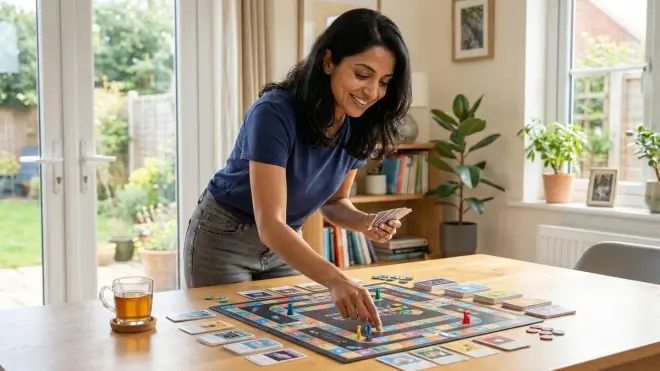
CoderMindz AI and Coding Board Game🛒 Amazon is the most ambitious screen free coding board game on this list, introducing artificial intelligence concepts like training data, machine learning, and neural networks through gameplay that has 3-4 players racing robots from start to finish while collecting function and loop cards. Designed by a teenager for children 6+, it bridges tangible play with conceptual frameworks your child will encounter in actual AI development.
Pros:
- Only screen-free game introducing AI vocabulary (training data, prediction, model improvement) through physical mechanics
- Function cards teach code reuse and abstraction—your child defines a custom sequence once, then calls it repeatedly
- Variable board path setup generates different strategic considerations each session
- Community-generated challenge variants extend replayability significantly
- Prepares children for AI concepts they'll encounter in text-based programming
Cons:
- Rule complexity requires 30-40 minutes to fully grasp; younger children (6-7) need significant adult scaffolding initially
- AI terminology sometimes feels grafted onto traditional board game mechanics rather than organically integrated
- Component storage is a disaster—small cards and tokens in a shallow box with no organization system
Skill Outcomes: Children build abstraction skills (defining reusable functions), pattern recognition (identifying optimal function definitions), and systems thinking (understanding how repeated small improvements compound). These directly translate to defining functions in Python and understanding how machine learning models improve through iteration.
Code Monkey Island by Smart Zone Games
Code Monkey Island Board Game🛒 Amazon uses a cooperative treasure-hunt narrative where 2-4 players program a monkey through jungle paths using sequence and loop cards, working together to reach treasures before the volcano erupts. This collaboration-first design makes it exceptional for families with children at different skill levels (ages 6-10).
Pros:
- Cooperative mechanics eliminate sibling rivalry; everyone succeeds or fails together
- "Talk Through Your Thinking" rules explicitly require players to explain their card choices before executing
- Island tile system creates procedurally unique boards for genuine replayability
- Visual loop cards use nested boxes to show iteration clearly—strong pedagogical design
- Volcano timer creates productive urgency without inducing anxiety
Cons:
- Cooperative design means dominant older children might bulldoze younger siblings' ideas without careful facilitation
- Card artwork, while charming, uses color coding that's difficult for colorblind children
- Once families master advanced levels, no official expansions introduce new concepts
Skill Outcomes: After 20+ sessions, children demonstrate collaborative debugging (building on others' partial solutions), loop recognition (spotting repeating patterns in maze paths), and time-constrained optimization (finding "good enough" solutions quickly rather than perfect solutions slowly). The communication skills developed here mirror pair programming practices in professional development teams.
Prime Climb by Math for Love
Prime Climb Math Board Game🛒 Amazon isn't marketed as a coding game, but it teaches computational thinking through arithmetic, prime numbers, and strategic planning in a way that builds the same mental muscles screen-free coding board games target. Players race pawns around a spiral board by adding, subtracting, multiplying, and dividing their way to exactly 101, requiring precise calculation sequences.
Pros:
- Teaches algorithmic thinking through mathematical problem-solving: "How do I reach 101 from 47 in the fewest moves?"
- Beautiful color-coding system makes prime factorization visual and intuitive
- Scales from age 8 to adult—parents engage fully rather than just facilitating
- Builds mental math fluency that supports later variable manipulation in algebra and programming
- Exceptional component quality; boards and cards feel like heirloom-quality materials
Cons:
- Not explicitly a coding game; requires parent framing to connect mathematical sequencing to programming logic
- Multiplication and division requirements mean children need grade 3+ math skills
- Competitive format can be discouraging for children struggling with math anxiety
Skill Outcomes: Children develop multi-step planning (chaining operations to reach specific values), constraint-based problem-solving (achieving goals using limited card options), and optimization thinking (finding elegant solutions). These skills transfer directly to writing efficient code and debugging logical errors in programming.
Frequently Asked Questions
Do screen free coding board games actually teach real programming skills or just basic patterns?
Screen free coding board games teach the foundational cognitive architecture that underlies all programming: breaking problems into discrete steps, recognizing repeatable patterns, and systematically debugging when outcomes don't match predictions. These aren't "coding adjacent" skills—they're the core thinking patterns that distinguish competent programmers from people who memorize syntax.
When your child plans a sequence of movement cards in Robot Turtles, they're building the same forward-planning circuitry they'll use writing a for-loop in Python. When they debug why their Rover Control route crashed into a crater, they're practicing the hypothesis-testing approach professional developers use when code throws errors. The difference is simply the language: physical cards versus typed text. The underlying logic structure remains identical, and research on tangible programming interfaces consistently shows that children who master concepts through physical manipulation transfer them to screen-based environments more reliably than children who start directly with abstract code.
At what age should we start with coding board games versus waiting for screen-based tools?
Start screen free coding board games as early as age four for simple sequencing games, then layer in complexity as your child demonstrates readiness. The question isn't "either/or"—it's "when to introduce which modality." Physical board games build conceptual foundations during the concrete operational stage (ages 4-11), when children learn most effectively through tangible manipulation.
Screen-based tools become appropriate when your child can sustain focused attention for 20+ minutes, demonstrates frustration tolerance with abstract symbols, and can articulate their problem-solving thinking. For many children, this developmental window opens around age 7-9, but starting with board games at age 4-5 means they're approaching screens with three years of computational thinking practice already established. This sequenced approach—board games first, screens second—creates more confident, capable programmers than throwing a seven-year-old directly into Scratch with no prior logic experience.
Can these games replace screen-based coding education or are they just supplementary?
Screen free coding board games build conceptual fluency that makes screen-based learning dramatically more effective, but they can't replace the technical literacy children need for actual programming careers. Think of them as strength training for the cognitive muscles coding requires: you're building raw capacity that transfers to specific applications.
The most effective learning path combines both: use board games to establish sequencing, loops, and conditionals without the cognitive load of syntax rules, then transition to screen-based environments where your child applies those established concepts using industry-standard tools. A child who masters conditional logic through physical cards will understand if-statements in Python immediately—they're not learning a new concept, just a new notation system. This scaffolded approach reduces frustration and builds confidence because each new layer of complexity (syntax, text editors, debugging tools) gets introduced when your child has already mastered the underlying logic.
How many times should we play each game before moving to more complex options?
Look for demonstrated mastery, not a fixed session count. Your child should consistently solve challenges without backtracking, explain their reasoning before executing (not just after), and start suggesting variations or additional constraints to make the game more interesting. This typically requires 15-25 sessions for games with significant depth, but the timeline matters less than the behavioral markers.
Some families play the same game weekly for 6-8 months before moving on. That's not repetitive—it's deep practice building automaticity with core concepts. When your child can execute complex loop structures without conscious effort, their working memory frees up to tackle higher-order concepts like function abstraction. Rushing to the next game before reaching this fluency means rebuilding foundations repeatedly rather than building upward. Think of it like music practice: you don't abandon scales once you can play them; you master them so thoroughly they become automatic, freeing your attention for musicality.
What's the best way to facilitate learning during gameplay without turning family time into school?
Your facilitation sweet spot lives in curious questioning, not corrective teaching. When your child's programmed sequence fails, resist the urge to point out the error. Instead ask, "What did you expect the robot to do?" then "What actually happened?" This comparison prompts your child to identify the discrepancy themselves—the core debugging skill.
Celebrate interesting failures as much as successes. "That was a creative approach! Let's figure out why it crashed into the wall together" frames mistakes as learning opportunities without judgment. Keep sessions to 15-30 minutes for younger children; stop while energy is still positive rather than pushing through to frustration. The goal is building positive associations with logical thinking, not completing every challenge in one sitting.
Let siblings teach each other. When your eight-year-old explains loop logic to your six-year-old, both children benefit—the teacher solidifies their own understanding by articulating it, and the learner receives peer-level language that often resonates better than adult explanations. Your role becomes moderating discussion rather than delivering content, which feels dramatically more like family time than structured instruction.
The Verdict
Screen free coding board games offer something rare in our device-saturated world: genuine computational thinking development wrapped in the warm ritual of family gameplay. These six games represent the strongest skill-building investments currently available, each teaching foundational programming concepts through tactile engagement rather than glowing screens.
For families just beginning this journey, Robot Turtles offers the gentlest entry point that still teaches meaningful sequencing. Those ready for deeper challenges should reach for Code Master or CoderMindz, which introduce conditional logic and function abstraction respectively. And for families seeking collaborative experiences that span wider age ranges, Code Monkey Island creates space for everyone to contribute meaningfully.
The capabilities your child builds through these games—systematic thinking, pattern recognition, persistent debugging—will serve them whether they become professional developers or simply citizens who need to solve complex problems methodically. You're not just playing games together. You're building the cognitive architecture for logical thinking, one card placement at a time.