
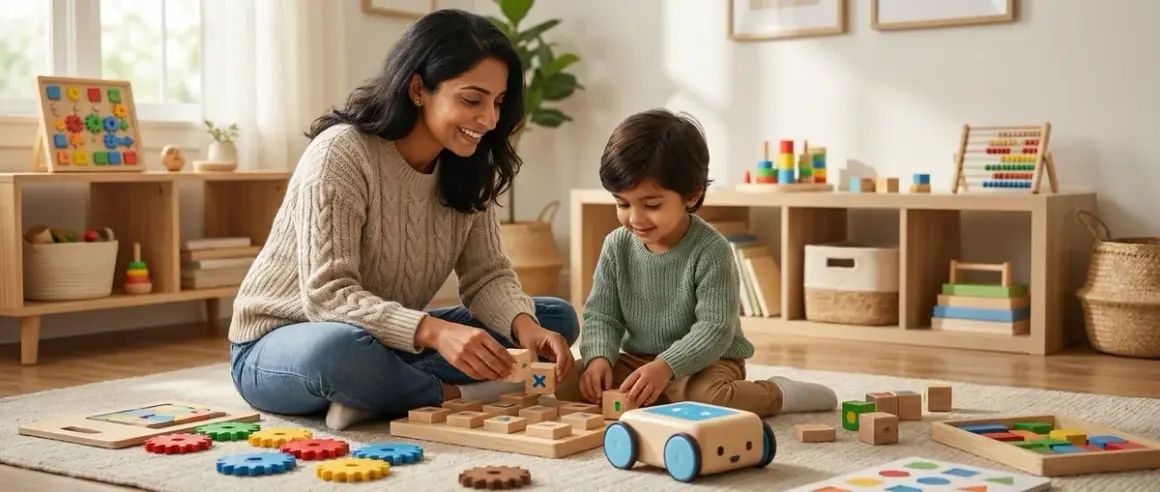

You want your child to understand computational thinking without handing them another screen. That instinct is sound—the tactile exploration of logic, sequence, and problem-solving builds neural pathways differently than tapping glass. But here's the challenge: you need to choose screen free programming tools that won't gather dust in six months when your child outgrows them.
In this guide, I'll walk you through a developmental framework for selecting tools that grow alongside your child's skills, from first exposure to genuine algorithmic thinking. You'll learn how to evaluate expandability, identify products that build toward industry-standard programming concepts, and create a progression that leads naturally to text-based coding when they're ready. This isn't about buying every new gadget—it's about investing in the right sequence at the right time.
Time commitment: 30-45 minutes to read and assess your child's current skill level
Skill level: For parents of children ages 3-12, no prior programming knowledge required
What You'll Need
- Your child's current developmental stage (ages 3-5, 6-8, or 9-12)
- 15 minutes of observation time to assess their comfort with abstract thinking
- Budget estimate for initial investment and potential expansions
- Space assessment for physical manipulation (minimum 2×3 feet of flat workspace)
- Understanding of your child's learning preference (solitary experimentation vs. collaborative play)
- Long-term vision for whether you want a bridge to screen-based coding or sustained screen-free learning
- Inventory of existing toys to identify overlap or compatibility gaps
Step 1: Assess Your Child's Abstract Reasoning Capacity
Before you choose screen free programming tools, you need an honest read on where your child actually is developmentally—not where the age range on a box says they should be.
Sit with your child during unstructured play. Can they plan three steps ahead? ("I'll build the tower, then put the car on top, then knock it down.") That's sequential thinking, the foundation of every programming concept. Do they notice patterns without prompting? ("All the red blocks are rectangles!") That's classification logic. Can they articulate what went wrong when something doesn't work? ("It fell because I didn't put the big one on the bottom.") That's debugging.
These observations matter more than chronological age. I've worked with five-year-olds who grasp conditionals intuitively and eight-year-olds who still struggle with consistent sequencing. Neither is behind—they simply need different entry points.
Write down three specific examples of your child solving problems through physical manipulation in the past week. These will guide your tool selection far better than manufacturer age ranges.
The broader landscape of screen free coding toys includes dozens of options, but only a handful will match your child's exact developmental zone. You're looking for the sweet spot: challenging enough to stretch their thinking, accessible enough to avoid frustration.
Step 2: Identify Whether You Need Command-Based or Rule-Based Tools
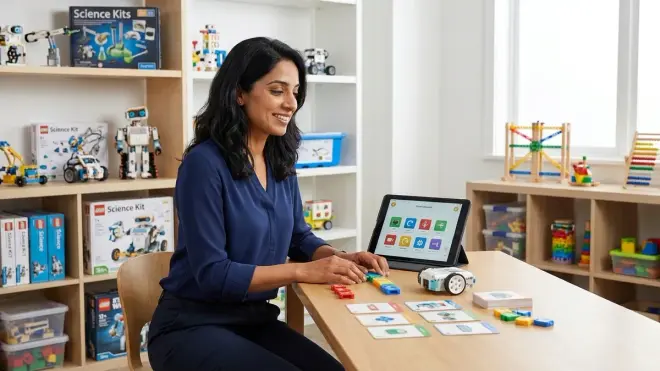
Screen-free programming tools fall into two fundamental categories, and choosing the wrong one creates either boredom or overwhelm.
Command-based tools require explicit instruction sequences. Your child places physical tokens or cards in order: "forward, forward, turn right, forward." These directly mirror how actual programming languages work—you write a line, the computer executes it. Products like the Learning Resources Code & Go Robot Mouse exemplify this approach. They're concrete, cause-and-effect is immediate, and they build the mental model that computers do exactly what you tell them, nothing more.
Rule-based tools establish conditions and let emergent behavior unfold. Think board games where you set up initial states and watch logical consequences play out, or marble runs where you design branching paths. These develop systems thinking and conditional logic without explicit syntax.
For children ages 3-5, rule-based tools usually work better. Their brains are still forming the executive function needed for multi-step planning. A marble run that sorts by color teaches conditionals ("if blue, go left") through physical causality they can see and touch.
For ages 6-8, command-based tools start making sense—but only if they've already internalized basic sequencing through play. If they struggle to follow multi-step verbal instructions, back up to rule-based tools first.
For ages 9-12, you want command-based tools that explicitly label programming concepts. At this stage, you're building vocabulary and mental models that transfer directly to Python or Scratch. The abstract thinking required for understanding sequence, loops, and conditionals through physical play becomes accessible, and you want tools that name these concepts clearly.
Step 3: Evaluate Expandability and Progression Pathways
This is where most parents waste money. They buy a clever wooden coding toy, their child masters it in three weeks, and it becomes decoration.
Ask these specific questions before purchasing:
Does the tool offer expansion packs or add-on challenges? The ThinkFun Code Master Programming Logic Game includes 60 progressive levels built into the base product—no additional purchases needed. That's expandability through designed complexity scaling.
Can it integrate with other products from the same manufacturer? Some robot systems accept new sensors, alternative programming interfaces, or cooperative multi-bot challenges. You're not buying a toy; you're buying into an ecosystem.
Does it bridge to screen-based tools eventually? The best screen-free tools explicitly prepare children for the transition to actual programming environments. Look for products that teach concepts with names that match industry terminology—"loops," "functions," "conditionals"—not dumbed-down alternatives like "repeat patterns" or "if-then choices."
Red flag: Any product marketed as "ages 4-8" with no expansion options. That four-year span represents enormously different cognitive capabilities. Either the four-year-old will be confused or the eight-year-old will be bored—probably both.
Green flag: Modular systems where your initial purchase becomes a foundation, not a complete set. You add complexity as your child's skills grow, preserving your initial investment.
I've seen families successfully use the same coding robot from age five to age ten by gradually adding sensors, introducing functions, and eventually connecting it to Scratch for hybrid screen-optional programming. That's what scalability looks like in practice.
Step 4: Check for Industry-Standard Concept Alignment
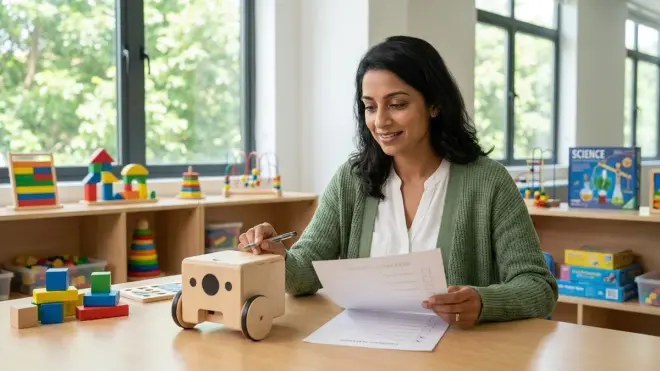
Here's an uncomfortable truth: some "coding toys" teach nothing that transfers to actual programming.
True programming concepts have specific technical meanings. When you choose screen free programming tools, verify they teach these foundations accurately:
Sequence: Commands execute in order, one after another. The tool must make order visually or physically explicit—numbered cards, spatial arrangement that indicates first/next/last, or clear execution flow.
Loops: A set of instructions repeats a specific number of times or until a condition is met. The tool should have a physical representation of repetition—a card that says "repeat 3×" or a mechanism that cycles through actions.
Conditionals: "If X, then Y; else Z." This requires the tool to respond differently based on observable conditions—color sensors, obstacle detection, or branching paths.
Functions: Grouping several commands into a named unit you can reuse. Few screen-free tools teach this well, but it's critical for the eventual jump to text-based code.
Debugging: When something goes wrong, you can identify which step failed and why. The tool must make execution observable—you can watch it step through commands or trace the logical flow.
If a product teaches these five concepts with proper terminology, it's preparing your child for real programming. If it uses vague language like "problem-solving" or "logical thinking" without mapping to specific computational structures, it's general cognitive enrichment—valuable, but not programming.
The products featured in our guide to the best unplugged coding robots under $100 were specifically selected for this alignment. Budget constraints shouldn't force you to settle for toys that don't build transferable skills.
Step 5: Determine Power Requirements and Lab Specs
Durability under repeated use matters more than you think. Screen-free programming tools get handled constantly—cards bend, tokens go missing, robots get dropped.
Check these Lab Specs before purchasing:
Power source: Battery-operated tools need frequent replacements unless they're rechargeable. Calculate the long-term cost. Some families spend more on AA batteries in a year than the original toy cost. USB-rechargeable robots save money and reduce environmental waste, but you need accessible charging infrastructure.
Connectivity: Completely offline tools never need updates, never break when servers shut down, and work during travel. Some hybrid tools connect to apps for extended challenges—convenient, but now you've introduced a screen dependency. Decide whether that trade-off aligns with your screen-free goals.
Component count: More pieces create more opportunities for loss. If your child has sensory sensitivities or impulsivity, a 200-piece coding game will quickly become a 173-piece frustration. Look for tools with larger, distinctive components or integrated designs.
Material quality: Wooden tools withstand decades of use and younger siblings. Plastic components vary wildly—some manufacturers use ABS plastic that handles impacts well, others use brittle materials that crack on first drop.
Physical footprint: A coding mat that requires six feet of clear floor space won't get used in apartments. Tabletop tools are more accessible, but they need stable surfaces away from spill-prone areas.
I've watched too many families invest in beautiful wooden coding sets that live in closets because they take ten minutes to set up. Friction is the enemy of learning. If a tool requires significant prep time every session, it won't become part of your routine.
Step 6: Map Tools to Your Long-Term Learning Path
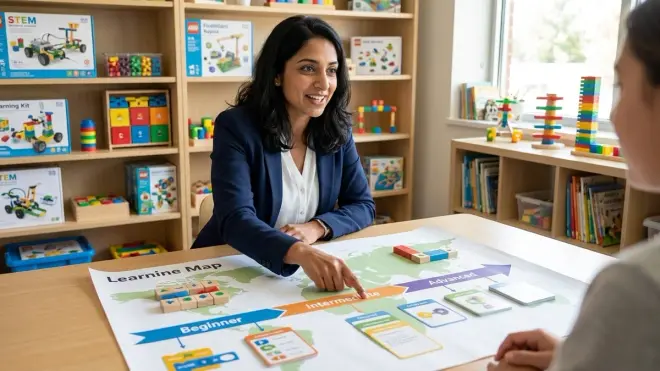
You're not buying isolated products. You're building a progressive learning pathway that develops specific capabilities over time.
Start by defining your destination. Do you want your child comfortable with Python by age twelve? Then you need screen-free tools that explicitly prepare for text-based syntax. Are you primarily focused on computational thinking as a problem-solving framework, with coding skills secondary? Then rule-based, game-like tools might serve you better.
A typical progression might look like this:
Ages 3-5: Rule-based toys that teach cause-effect and basic sequencing through physical manipulation. Marble runs with decision points, simple board games with conditional movement, or chunky robots that execute one-step commands.
Ages 6-7: Command-based tools with explicit sequence visualization. Card-based coding games, robots that accept multi-step programs, or physical programming languages with clear syntax rules.
Ages 8-9: Tools that introduce loops, functions, and debugging with proper terminology. More complex robot challenges, logic games with subroutines, or construction sets where you build programmable mechanisms.
Ages 10-12: Hybrid tools that bridge screen-free and screen-based learning. Robots compatible with Scratch or Python, physical electronics kits that teach programming through hardware control, or collaborative coding board games that mirror pair programming practices.
This framework explains how to design a progressive STEM learning path across all subjects, but programming specifically benefits from explicit skill sequencing. Each stage should build concrete capabilities that the next stage assumes as prerequisites.
Document your child's capability milestones rather than tracking products purchased. "Can plan and execute a 6-step sequence without external aids" is more useful than "completed Level 3." When you frame learning this way, you'll know exactly when to introduce the next challenge.
Step 7: Evaluate Subscription Dependencies and Ongoing Costs
The purchase price is rarely the total cost. Some tools require consumable materials, premium app subscriptions, or regular content updates that expire.
Ask sellers these specific questions:
"Does this product require any ongoing subscriptions for full functionality?" Some coding robots offer basic features offline but lock advanced challenges behind monthly fees.
"Are replacement parts available individually?" If your child loses the directional cards from a coding game, can you buy just the cards, or must you repurchase the entire set?
"How long will the companion app receive updates?" Several popular coding toys from 2020-2022 no longer function because their apps aren't compatible with current iOS or Android versions. For genuinely screen-free tools, this isn't an issue—another advantage.
"What happens if the company stops supporting this product?" Open-source ecosystems have community-maintained alternatives. Proprietary systems go dark when the manufacturer moves on.
Calculate the three-year total cost before purchasing. A fifty-dollar robot that needs forty dollars in annual batteries and a fifteen-dollar subscription is actually a one-hundred-sixty-five-dollar investment. A ninety-dollar wooden programming game that requires nothing else is cheaper.
I've counseled families through frustrating discoveries six months after purchase—the "free" app now requires payment to unlock levels their child needs for progression, or the promised expansion packs never materialized because the product line was discontinued. These aren't hypothetical scenarios; they're patterns I see repeatedly.
Step 8: Test Compatibility With Your Child's Learning Style
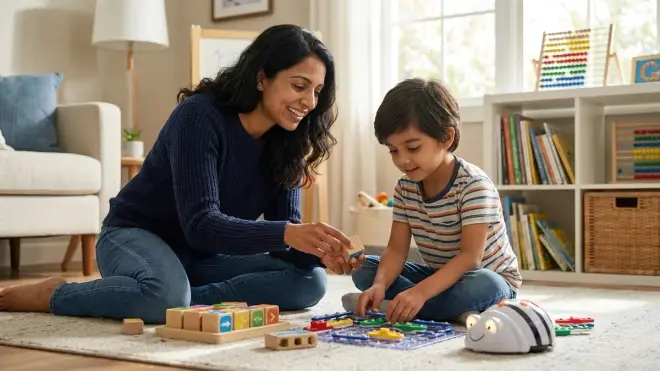
Even the best-designed tool fails if it clashes with how your child actually learns.
Solitary experimenters need tools that reward independent exploration. Open-ended construction sets, self-checking logic puzzles, or robots with clear feedback mechanisms work well. They'll spend forty minutes absorbed in iterative testing without needing your input.
Social learners need collaborative challenges or competitive elements. Coding board games like those covered in our guide to screen free coding board games for family learning transform programming concepts into shared experiences. They'll engage more deeply when problem-solving involves discussion and negotiation.
Kinesthetic learners need physical manipulation at the center of the experience. Large-format programming mats, tactile coding blocks, or robots they can pick up and reposition work better than card-based abstract systems.
Visual-spatial learners excel with tools that make logical flow spatially explicit. Flowchart-style games, grid-based navigation challenges, or color-coded command sequences align with their strengths.
Watch your child during the first session with any new tool. Are they reading instructions carefully or diving straight into experimentation? Do they narrate their thinking aloud or work in focused silence? Do they react to failure with immediate retry attempts or need time to process? These observations tell you whether a tool fits their natural approach.
Mismatches create avoidance. If you've invested in a beautiful coding game your child never voluntarily chooses, the problem might not be difficulty or interest—it might be that the interaction model doesn't match their processing preferences.
Pro Tips & Common Mistakes
Common mistake: Buying multiple beginner-level tools instead of one expandable system. Parents see three different "ages 5+" coding toys and buy all of them, thinking variety helps. But your child doesn't need three ways to learn sequencing—they need one way to learn sequencing, then loops, then conditionals, then functions. Depth beats breadth.
Pro tip: Start with borrowing before buying. Many public libraries now circulate STEM learning kits, including screen-free coding tools. A two-week trial reveals whether your child engages meaningfully or loses interest after one session.
Common mistake: Choosing tools based on your own nostalgia or aesthetic preferences. That gorgeous wooden robot speaks to your design sensibilities, but does it actually teach programming concepts effectively? Separate "this looks beautiful on a shelf" from "this builds transferable skills."
Pro tip: Look for tools that make thinking visible. The best screen-free programming products externalize the logical process—you can literally see the sequence of commands, watch execution step by step, and identify exactly where reasoning broke down. This transforms abstract thinking into observable behavior.
Common mistake: Skipping the fundamentals because your child seems advanced. An eight-year-old who intuitively understands patterns might still benefit from explicit sequencing practice before jumping to conditionals. Gaps become obvious later when they can't debug effectively or struggle to decompose complex problems.
Pro tip: Choose tools that adults can engage with authentically. The best screen-free coding products include challenges complex enough that you're genuinely problem-solving alongside your child, not just supervising. Collaborative struggle builds deeper learning than isolated practice.
When your child eventually transitions to screen-based environments, the foundation you've built with physical tools determines how smoothly that shift happens. The pathway from screen free coding to text-based programming becomes natural rather than jarring when you've chosen tools that teach with proper terminology and transferable mental models.
Frequently Asked Questions
When should I transition my child from screen-free to screen-based programming tools?
Watch for three developmental markers rather than relying on age: your child can plan and execute 6+ step sequences consistently, they use programming vocabulary accurately ("loop," "conditional," "function"), and they express curiosity about how digital tools work internally. Most children reach this point between ages 8-11, but individual variation is significant. The transition works best as a gradual addition rather than a replacement—continue using screen-free tools for certain concepts while introducing Scratch or Python for others.
Are expensive wooden coding toys worth the investment compared to plastic alternatives?
Wood offers superior durability for multi-child families and genuine heirloom potential, but programming concept transfer matters more than material. A well-designed plastic tool that teaches loops, conditionals, and debugging with proper terminology will serve your child better than a beautiful wooden toy that teaches only basic sequencing. Evaluate educational design first, then consider materials. That said, wooden tools typically hold resale value better and avoid the electronic obsolescence that plagues battery-operated robots.
How many different screen-free programming tools does my child actually need?
Most children benefit from 2-4 tools across their developmental journey: one foundational tool for ages 4-6 that teaches sequencing and basic logic, one intermediate tool for ages 7-9 that introduces loops and conditionals explicitly, and one advanced tool for ages 10-12 that bridges to text-based concepts. Beyond that, you're often buying redundant approaches to the same concepts. Focus on depth and mastery rather than collecting varieties of beginner-level tools.
Can screen-free coding tools actually prepare children for real programming careers?
Yes, but only if you choose tools that teach industry-standard computational thinking with accurate terminology. The mental models children build through physical manipulation—decomposing problems, identifying patterns, debugging systematically, thinking in abstractions—are identical to skills professional programmers use daily. Screen-free tools excel at building these foundations because tactile interaction creates stronger neural pathways than passive screen consumption. However, children will eventually need screen-based practice for typing, syntax, and working with actual development environments. Think of screen-free tools as essential preparation, not complete training.
Summary
When you choose screen free programming tools strategically, you're building a multi-year learning path rather than buying isolated toys. Assess your child's actual developmental capacity, not their chronological age. Distinguish between command-based and rule-based tools, selecting the type that matches their abstract reasoning ability. Prioritize expandability over novelty—one system that grows with your child serves better than three that don't.
Verify that tools teach programming concepts with industry-standard terminology: sequence, loops, conditionals, functions, and debugging. Evaluate lab specs honestly—power requirements, durability, and physical footprint determine whether a tool becomes part of your routine or lives in a closet. Map purchases to capability milestones rather than product features, and test compatibility with your child's actual learning style before investing significantly.
The goal isn't avoiding screens forever. It's building computational thinking through tactile exploration during the developmental window when physical manipulation creates the strongest neural pathways. When your child eventually moves to text-based programming, they'll carry mental models and problem-solving frameworks that screen-free tools built through years of meaningful practice.