
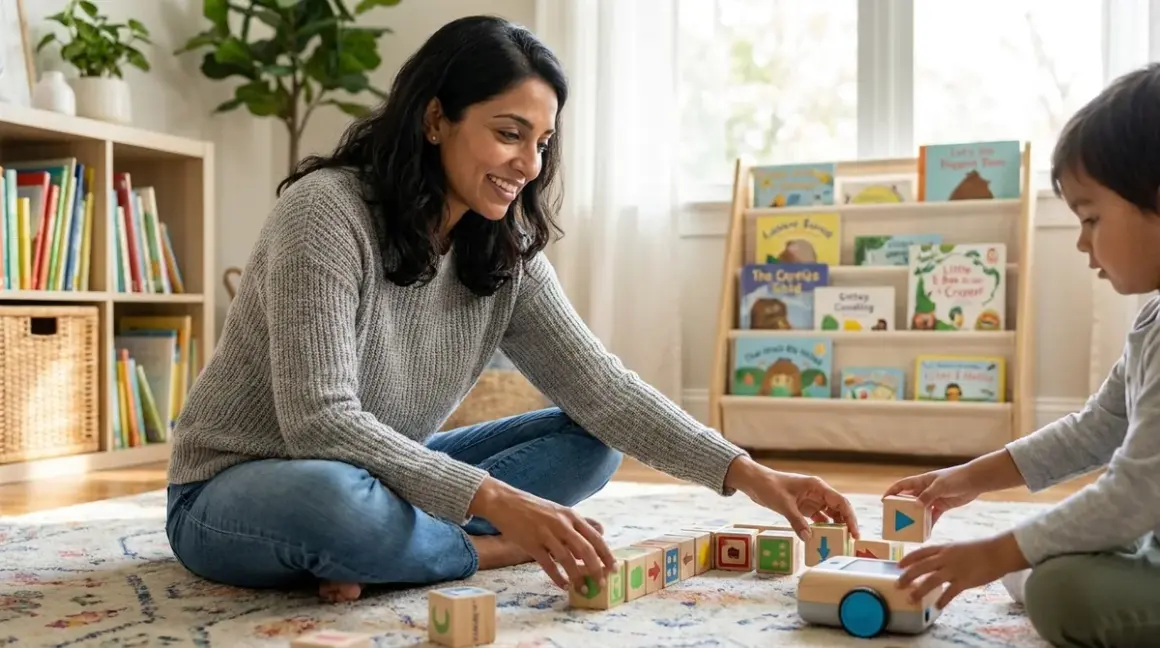

You watch your three-year-old stack blocks with laser focus, creating intricate patterns without a second glance at the tablet collecting dust on the shelf. She's already thinking like a programmer—she just doesn't know it yet. If you're looking for screen free coding toys preschool children can use to build computational thinking without adding more screen time, you're making a choice rooted in developmental science. The quick verdict: the best options transform sequencing, pattern recognition, and cause-and-effect logic into physical experiences your child can touch, manipulate, and master through repetition—no wi-fi required.
As a developmental psychologist who's studied how young children internalize abstract concepts through tactile play, I've seen the profound difference between passive screen interaction and active manipulation. The preschool years are when your child's brain craves sensory feedback loops: press this button, watch that happen, adjust, try again. Screen-free coding toys deliver exactly that feedback while building the foundational logic skills that will eventually make teaching programming concepts without a computer feel natural rather than forced.
What to Look For in Screen Free Coding Toys for Preschool
Immediate Physical Feedback
Your preschooler's brain is wired for cause-and-effect learning, but the connection needs to be instant and tangible. The best screen free coding toys preschool learners respond to should provide visible, audible, or kinetic feedback within seconds of your child's action. When they place a direction tile and a robot turns left, that immediate response cements the relationship between their choice and the outcome.
Look for toys where the feedback mechanism is obvious. A robot that moves along a path they've designed, a marble that rolls through a track they've sequenced, or puzzle pieces that only fit when the logic is correct—these physical responses teach debugging without frustration. Your child learns to self-correct by watching what actually happens, not by interpreting an error message they can't yet read.
I've watched countless preschoolers get stuck on apps that require them to tap "retry" or "reset" through multiple menu screens. The cognitive load of navigating the interface competes with the actual learning. Physical toys eliminate that friction entirely.
Developmentally Appropriate Complexity Levels
Skill progression matters more than age ranges. A quality screen-free coding toy should start simple enough for a three-year-old to experience success within the first session, then layer in complexity as their pattern recognition and sequencing skills mature. Look for systems that offer multiple challenge levels or expandable components.
The sweet spot for preschool: three to five distinct operations (forward, back, turn left, turn right, maybe a function button). More than that overwhelms working memory in four-year-olds; fewer than that limits growth potential. The toy should be usable today and still engaging six months from now when your child's executive function has matured considerably.
Watch for toys that build toward the concepts covered in understanding sequence, loops, and conditionals through physical play. Even if your preschooler isn't ready for formal loop notation, toys that encourage repeating patterns set the cognitive groundwork beautifully.
Durability for Repetitive Learning Cycles
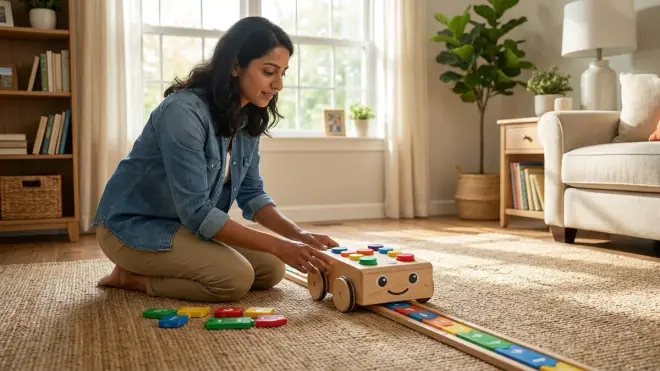
Preschoolers learn through repetition—lots of it. The coding toy you bring home needs to survive hundreds of programming sequences, frequent drops, and the occasional creative misuse. Check for these Lab Specs indicators of longevity:
Construction quality: Injection-molded plastic components with thick walls, not hollow or thin-shelled pieces that crack on impact. Rubberized edges on robots that will bump into furniture repeatedly. Puzzle pieces made from laminated cardboard or wood, not paper-backed chipboard that delaminates after a few months of handling.
Power and maintenance requirements: Battery compartments with screw-secured covers (not snap tabs that break after five battery changes). Robots that run on standard AA or AAA batteries, not proprietary rechargeables that die permanently after 300 cycles. Toys with no electronics at all eliminate the battery concern entirely and often last through multiple children.
Expandability and replacement parts: Can you buy additional challenge cards or track pieces separately? If a critical component breaks, will the entire system become unusable, or can you replace just that piece? The best manufacturers offer expansion packs that extend the learning path as your child's skills advance.
Independence from Subscriptions and Consumables
True screen free coding toys preschool families can rely on should offer complete functionality out of the box with no app dependencies, cloud accounts, or subscription tiers. Your child should be able to set up, play, learn, and advance without your smartphone nearby.
Avoid toys that advertise "free trial" periods or "starter challenges included"—that phrasing signals eventual paywalls. The initial purchase price should cover unlimited use. Similarly, watch for toys that require printed activity sheets or sticker packs to function; these consumable models create ongoing costs and disrupt independent play when supplies run out.
The ideal screen-free coding toy becomes a permanent fixture in your home STEM learning environment, ready for use whenever your child's curiosity sparks, no login required.
Our Top Picks for Screen Free Coding Toys for Preschool
Cubetto by Primo Toys
The Primo Toys Cubetto Playset🛒 Amazon is a wooden robot that navigates story maps using color-coded programming blocks inserted into a physical board. Your child arranges blocks in sequence, presses the blue button, and Cubetto follows their instructions. It's designed specifically for pre-readers and introduces functions through a dedicated green block that calls a separate subroutine.
Pros:
- Completely screenless and app-free with zero electronics to troubleshoot
- Wooden construction survives years of active use and feels substantial in small hands
- Function block introduces subroutine logic typically reserved for older learners
- Story maps encourage narrative thinking alongside sequencing skills
- Quiet operation makes it suitable for apartment living and classroom use
- Expandable with additional map sets sold separately
Cons:
- Programming blocks occasionally slide out of the board if tilted during play
- High price point (usually around $200) limits accessibility for budget-conscious families
- Cubetto's movement speed is slower than many battery-powered alternatives, testing impatient four-year-olds
Lab Specs: Runs on 6 AA batteries (board) plus 4 AAA batteries (Cubetto). No connectivity required. Board measures 9×9 inches with storage for 16 programming blocks. Each map is approximately 3×3 feet. Designed for ages 3+ but cognitively accessible from age 3.5 onward for most children.
Skill Outcomes: By session five, most preschoolers can sequence four-step programs independently. By month two, they'll experiment with the function block to create eight- to ten-step programs, mirroring the efficiency thinking that underpins all software engineering.
Code & Go Robot Mouse Activity Set
The Learning Resources Code & Go Robot Mouse Activity Set🛒 Amazon gives your child a programmable mouse that navigates a customizable maze grid. Colby the mouse accepts up to 40 sequential commands through buttons on his back—forward, backward, left turn, right turn—then executes the entire sequence when your child presses Go.
Pros:
- Maze grid pieces snap together in multiple configurations for variable challenge levels
- Audible beeps confirm each button press, giving immediate feedback during programming
- Clear storage tray keeps 16 maze walls, 22 grid squares, and accessories organized
- Significantly lower cost (typically around $60) makes it accessible for trial adoption
- Activity cards provide structured challenges that gradually increase complexity
- No external board required—programming happens directly on the device
Cons:
- Lightweight plastic construction feels less substantial than wooden alternatives
- Button membrane occasionally requires firm pressing that frustrates younger three-year-olds
- Mouse wheels collect dust and pet hair quickly, requiring periodic cleaning for smooth operation
Lab Specs: Colby requires 3 AAA batteries. Grid squares are 4×4 inches each, creating a total maze footprint of up to 26×20 inches when fully assembled. No connectivity or app required. Suitable for ages 4+ officially, but many 3.5-year-olds succeed with parent-guided sessions.
Skill Outcomes: Children develop spatial reasoning as they translate overhead maze views into sequential commands. By week three, expect your child to program six- to eight-step sequences independently and troubleshoot wrong turns without prompting.
Think & Learn Code-a-Pillar by Fisher-Price
The Fisher-Price Think & Learn Code-a-Pillar🛒 Amazon is a segmented caterpillar whose body sections snap together to create movement sequences. Each segment represents a different command: forward, left, right, or sound. Your child physically assembles the sequence, then activates the motorized head to watch Code-a-Pillar execute their program.
Pros:
- Physical programming—the segments ARE the code—makes sequencing completely concrete
- Chunky segments designed for preschool grip strength and fine motor control
- Expansion packs add new command types (reverse, slow, fast) as skills progress
- Bright colors and friendly design appeal strongly to three-year-olds
- Movement creates natural endpoints (reaching a target) for self-assessment
- Budget-friendly price point (around $40 for the base set)
Cons:
- Segments disconnect during rough play, interrupting longer sequences
- Limited to linear programming—no branching or loop structures possible
- Motorized head must be precisely aligned with body or the toy won't move smoothly
- Only eight segments included in base set restricts initial sequence length
Lab Specs: Motorized head runs on 4 AA batteries. Each segment is approximately 3 inches long. Fully assembled sequences reach up to 24 inches. No electronics in individual segments—purely mechanical connections. Designed for ages 3-8, truly optimal for ages 3-5.
Skill Outcomes: Code-a-Pillar excels at teaching left/right directionality and sequence order. Children physically see their code from start to finish before execution, building mental models of program flow. Mastery milestone: creating five-segment sequences that navigate around obstacles.
Bee-Bot Programmable Floor Robot
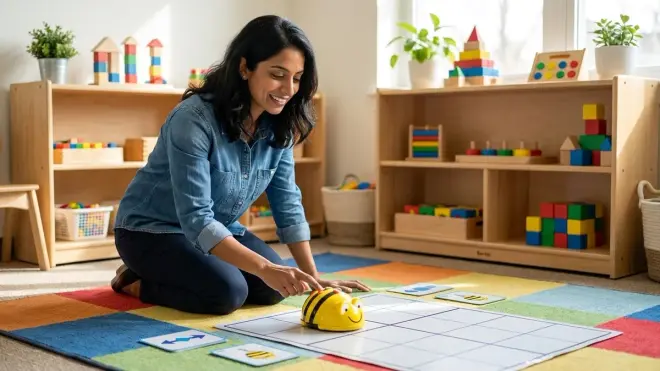
The Bee-Bot Programmable Floor Robot🛒 Amazon is a bright yellow robot bee that accepts directional commands through top-mounted buttons. Preschoolers program sequences of up to 40 steps, then press Go to watch Bee-Bot navigate classroom-sized spaces. The transparent back reveals the circuit board and gears, making internal mechanics visible.
Pros:
- Rechargeable battery eliminates ongoing battery replacement costs
- Bright LEDs and sound effects provide multisensory feedback during programming and movement
- 15cm movement increments per command align perfectly with commercial floor mats and DIY grid systems
- Robust construction withstands classroom environments with 20+ students
- Widely adopted in elementary education, creating continuity when your child enters kindergarten
- Extensive third-party content (free downloadable mats, lesson plans) available from educator community
Cons:
- USB charging cable is permanently attached to Bee-Bot's underside, creating a trip/snag hazard during charging
- Relatively loud motor noise compared to quieter wooden alternatives
- Higher price point (around $90) than similar single-robot options
- Button sensitivity requires deliberate presses that can frustrate children with low finger strength
Lab Specs: Built-in rechargeable battery provides approximately 4 hours continuous use per charge. Charges via USB cable (included). Dimensions: 13×10×7 cm. Weight: 380g. No connectivity required. Recommended ages 3-7, with supervised introduction possible at age 3.
Skill Outcomes: Bee-Bot builds spatial planning and estimation skills as children calculate grid movements. By session ten, most preschoolers navigate four to six grid squares accurately, demonstrating understanding of 90-degree rotations and cardinal directions.
Sequence Stacks by Fat Brain Toys
The Fat Brain Toys Sequence Stacks🛒 Amazon is a non-electronic puzzle system where children stack colored discs to match sequence patterns shown on challenge cards. Each card presents a specific stacking order using color and orientation cues. Your child must decode the visual pattern, then physically build the matching stack.
Pros:
- Zero batteries, screens, or electronics—truly unplugged and maintenance-free
- Portable size (fits in a large purse or backpack) makes it ideal for travel and restaurant waiting
- 30 double-sided challenge cards provide 60 distinct difficulty levels
- Develops both sequencing logic and pattern recognition simultaneously
- Discs nest for compact storage without losing pieces
- Exceptionally low price point (usually around $20) removes financial barriers to entry
Cons:
- Limited replay value after your child memorizes card solutions (typically 4-6 weeks of novel engagement)
- No error checking—incorrect stacks look "done," requiring adult verification initially
- Youngest preschoolers struggle with orientation-dependent cards that require disc rotation
- Doesn't build debugging skills since there's no execution phase
Lab Specs: Contains 18 plastic discs in six colors and 30 double-sided cards. Discs measure approximately 2 inches diameter. No power requirements. Storage base dimensions: 5×5×3 inches. Ages 3+, with supervised introduction at 2.5 years for advanced pre-readers.
Skill Outcomes: Sequence Stacks builds prerequisite pattern-recognition skills that transfer directly to programming. Children learn to read left-to-right and top-to-bottom sequences, then translate visual instructions into physical actions—the exact cognitive flow required for screen free coding toys and eventual text-based programming.
Robot Turtles Board Game
The ThinkFun Robot Turtles Board Game🛒 Amazon transforms coding logic into a multiplayer family experience. Children play instruction cards to move their turtles across a game board toward jewels, programming movement sequences before executing them. An adult "Turtle Mover" acts as the computer, following the child's instructions exactly as coded.
Pros:
- Multiplayer format makes coding a social activity rather than solo screen replacement
- Parent-as-computer role provides immediate, gentle debugging support
- Scales elegantly from three-year-old beginner mode to six-year-old advanced mode with obstacle cards
- Bug cards introduce debugging as a normal, expected part of programming
- Inexpensive entry point (typically around $25) for families exploring coding readiness
- Turn-based structure teaches patience and sequential thinking simultaneously
Cons:
- Requires adult participation—not suitable for independent play
- Game board is printed paper that shows wear after 20-30 plays
- Instruction card stock is thin and bends easily with enthusiastic preschool handling
- Youngest players may not distinguish between "program one move" and "play all my cards at once"
Lab Specs: Contains 1 game board, 4 Robot Turtle tokens, 52 playing cards, 36 obstacle tokens, and rules. No batteries or electronics. Game board measures 16×16 inches. Storage box: 10×10×2 inches. Ages 4+ recommended, functional at 3.5 years with patient adults.
Skill Outcomes: Robot Turtles excels at teaching program-then-execute thinking—the mental separation between writing code and running code. Children learn that instructions exist independent of their execution, a conceptual leap that prepares them beautifully for eventual screen-based programming environments.
Frequently Asked Questions
What age should I start screen free coding toys with my preschooler?
Most children show cognitive readiness for basic sequencing toys between 3 and 3.5 years old, when they can reliably follow two- to three-step instructions in daily routines. Watch for these developmental markers: your child can stack blocks in deliberate patterns, follows "first-then-finally" verbal sequences, and demonstrates cause-and-effect understanding with physical toys. If they can navigate a simple puzzle or follow picture-based recipe cards, they're likely ready for entry-level screen free coding toys preschool children enjoy. Start with toys that offer immediate physical feedback and limit initial sequences to three steps—success builds motivation far more effectively than age-based assumptions about readiness.
Do screen free coding toys actually teach programming skills?
Screen-free coding toys teach computational thinking—the problem-solving framework that underlies all programming—rather than specific programming languages. Your preschooler won't learn Python syntax from a wooden robot, but they'll internalize sequencing, algorithmic thinking, debugging, and abstraction through repeated hands-on practice. Research from Tufts University's DevTech Research Group demonstrates that children who develop these foundational concepts through tangible programming interfaces transition more successfully to screen-based coding later. The physical manipulation creates stronger neural pathways for cause-and-effect logic than passive screen interaction. Think of screen-free toys as the crawling stage before walking: necessary, valuable, and completely appropriate for your child's current developmental phase.
Can screen free coding toys replace traditional preschool activities?
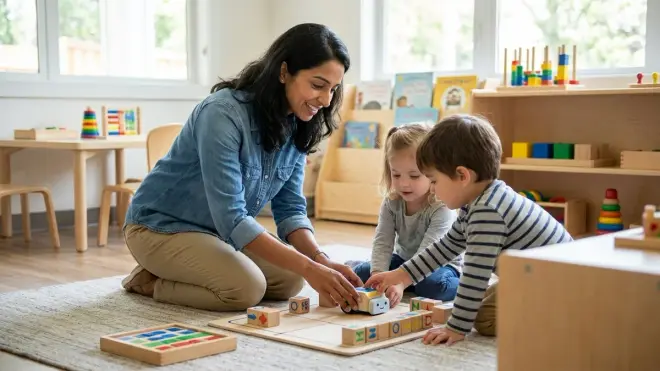
Screen-free coding toys should complement—not replace—traditional preschool experiences like block building, dramatic play, art exploration, and outdoor movement. The best early childhood development happens through diverse play experiences that engage different cognitive and physical skills. Coding toys specifically strengthen sequential thinking, spatial reasoning, and logical problem-solving, but your preschooler also needs unstructured creative time, social play with peers, and gross motor activities. Consider screen-free coding toys as one ingredient in a balanced developmental diet, perhaps 15-20 minutes of focused play three to four times weekly. The forced-choice thinking inherent in programming sequences beautifully balances open-ended art projects and imaginative play, creating cognitive variety that supports overall growth.
How do I know if my child is actually learning or just playing?
Learning and playing are inseparable at the preschool age—this is precisely how young children acquire new skills. Watch for these specific indicators that cognitive growth is happening: your child corrects their sequences without prompting when the robot doesn't reach the target, they verbally plan before acting ("I need three forwards and then a turn"), they apply strategies from earlier challenges to new problems, and they demonstrate frustration tolerance when sequences fail. The progression from random button-pressing to deliberate planning typically emerges after five to seven play sessions. You might also notice transfer effects in other areas—using sequence language during daily routines, describing patterns in books, or explaining cause-and-effect relationships more clearly. If your child repeatedly returns to the toy voluntarily and increases sequence complexity over time, learning is definitively occurring.
Should I correct mistakes or let my preschooler struggle?
Calibrate your intervention to your child's frustration tolerance and the learning moment at hand. When they've programmed a sequence and it fails, resist immediately pointing out the error—instead, ask "What happened? Where did the robot go instead?" Give them 15-20 seconds of thinking time before offering hints. This productive struggle builds debugging skills and resilience. However, if your child is stuck before execution—unable to start the sequence or confused by the mechanics—step in with guiding questions or demonstrate the first step. The goal is challenge, not overwhelm. I've found that preschoolers learn most effectively when adults act as "thinking partners" rather than instructors: observe together, narrate what you both see, ask wondering-aloud questions ("I wonder what would happen if we tried..."), and celebrate both successes and informative failures. This approach builds the metacognitive skills that distinguish strong programmers from code-by-trial-and-error beginners.
The Verdict
The best screen free coding toys preschool children actually use share three non-negotiable qualities: they provide immediate physical feedback, they survive hundreds of learning cycles without breaking, and they scale from simple three-step sequences to complex ten-step programs as your child's executive function matures.
Start with your child's current interests. If they love narrative play, Cubetto's story maps will resonate. If they're obsessed with cause-and-effect toys, Code & Go Robot Mouse or Bee-Bot delivers that feedback loop beautifully. If you want family bonding alongside skill-building, Robot Turtles creates programming moments around the dinner table.
These aren't entertainment substitutes—they're skill-building investments that construct the logical thinking frameworks your child will rely on whether they eventually pursue software engineering, scientific research, or any field requiring systematic problem-solving. The physical manipulation happening today builds neural pathways that won't need rewiring when they encounter screen-based programming environments in elementary school. You're not restricting screen time—you're offering something developmentally richer during these formative years.